
MONTECH CyberFlow 360 All-in-One Liquid Cooler Unboxing and Review: 9950X3D2 Cooling Performance and VRM Fan Testing
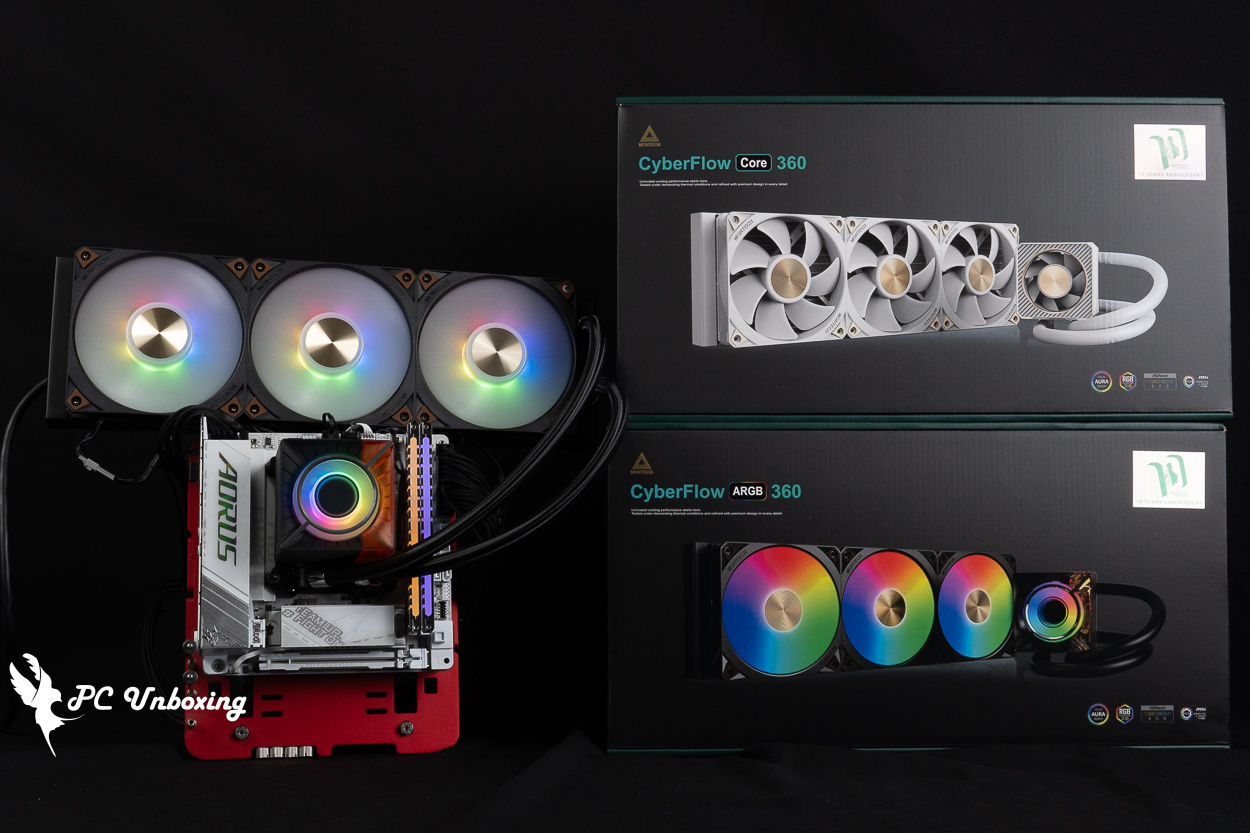
MONTECH’s 10th Anniversary Series introduces the new CyberFlow ARGB 360 and CyberFlow Core 360 all-in-one liquid coolers. Priced as low as NT$2,790, these products offer consumers a 6-year warranty that includes a built-in magnetic VRM fan, a six-year warranty, and the ability to effectively cool the 251W 9950X3D2—making them excellent all-in-one liquid cooling options. In this review, we’ll also test the cooling performance of the VRM and DDR5 memory, using thermal imaging to illustrate the results for your reference.
MONTECH CyberFlow ARGB 360, CyberFlow Core 360 All-in-one water-cooled specification:
Compatible Mounting Intel Pin: LGA 1851 / 1700
Compatible with AMD Pin: AM5 / AM4
Pump Usage Plan: N/A
Maximum pump speed: 3500 ± 101 TP3T RPM
Water block dimensions: 77 × 77 × 81.35 mm
Water-cooling head contact surface: copper
Cold Head Power Supply: PWM 4-Pin, ARGB 5V 3-Pin (CyberFlow ARGB) / PWM 4-Pin (CyberFlow Core)
Water-cooling radiator dimensions: 397 x 120 x 32 mm
Water Cooler Material: Aluminum
Water-cooled tube length: 400 mm
Fans used: MONTECH E25 ARGB (CyberFlow ARGB) / MONTECH E25 PWM (CyberFlow Core)
Fan size: 120 x 120 x 25 mm
Maximum fan speed: 2700 RPM ±10%
Maximum fan airflow: 92.37 CFM
Maximum fan static pressure: 7.24 mmH₂O
Fan Power Supply: PWM 4-pin, ARGB 5V 3-pin (supports daisy-chaining one male and one female connector) (CyberFlow ARGB) / PWM 4-pin (CyberFlow Core)
Included Thermal Paste: The package includes an additional tube of thermal paste pre-applied to the water block (Model Name_AD90)
Warranty: Six-year warranty against leakage
MONTECH CyberFlow ARGB 360 and Core 360 Unboxing: Specs, Price, and Design Overview
To mark its 10th anniversary this year, MONTECH has launched the all-new CyberFlow all-in-one liquid cooling product series, which includes the CyberFlow ARGB 360—featuring both stunning ARGB lighting and powerful cooling performance— and the CyberFlow Core 360 all-in-one liquid cooler, which features a more elegant and minimalist design without lighting. Both models are available in black and white, with SKUs including 360 mm and 240 mm options. They come with a six-year warranty against leaks; however, it is unfortunate that only the 360 mm model will be available in Taiwan for now.
The price difference between the ARGB and Core versions of the CyberFlow is 200 New Taiwan dollars, while the black and white versions are priced the same; the higher-priced CyberFlow ARGB 360 is priced at 2,790 New Taiwan dollars; the non-illuminated CyberFlow Core 360 is more affordable at 2,590 New Taiwan dollars.
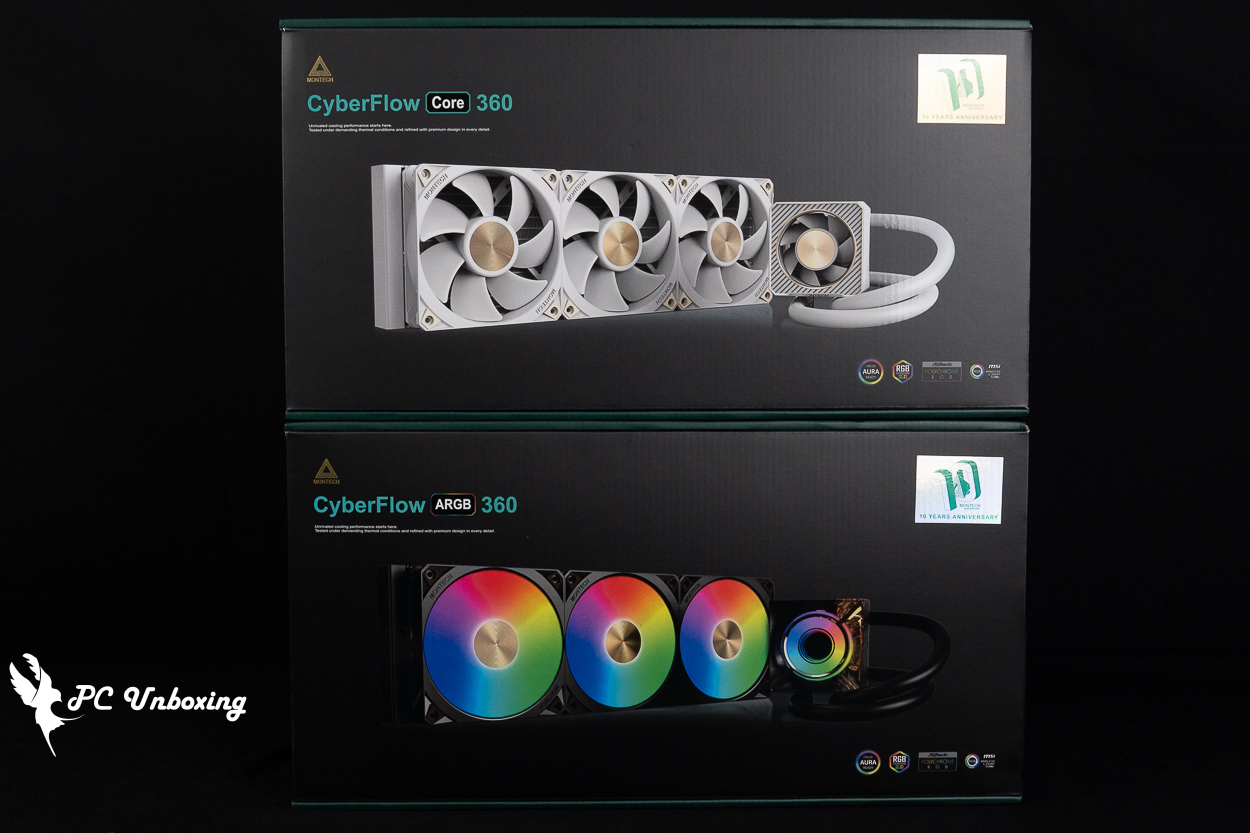
△ MONTECH's non-RGB CyberFlow Core 360 white all-in-one liquid cooler and CyberFlow ARGB 360 black all-in-one liquid cooler.
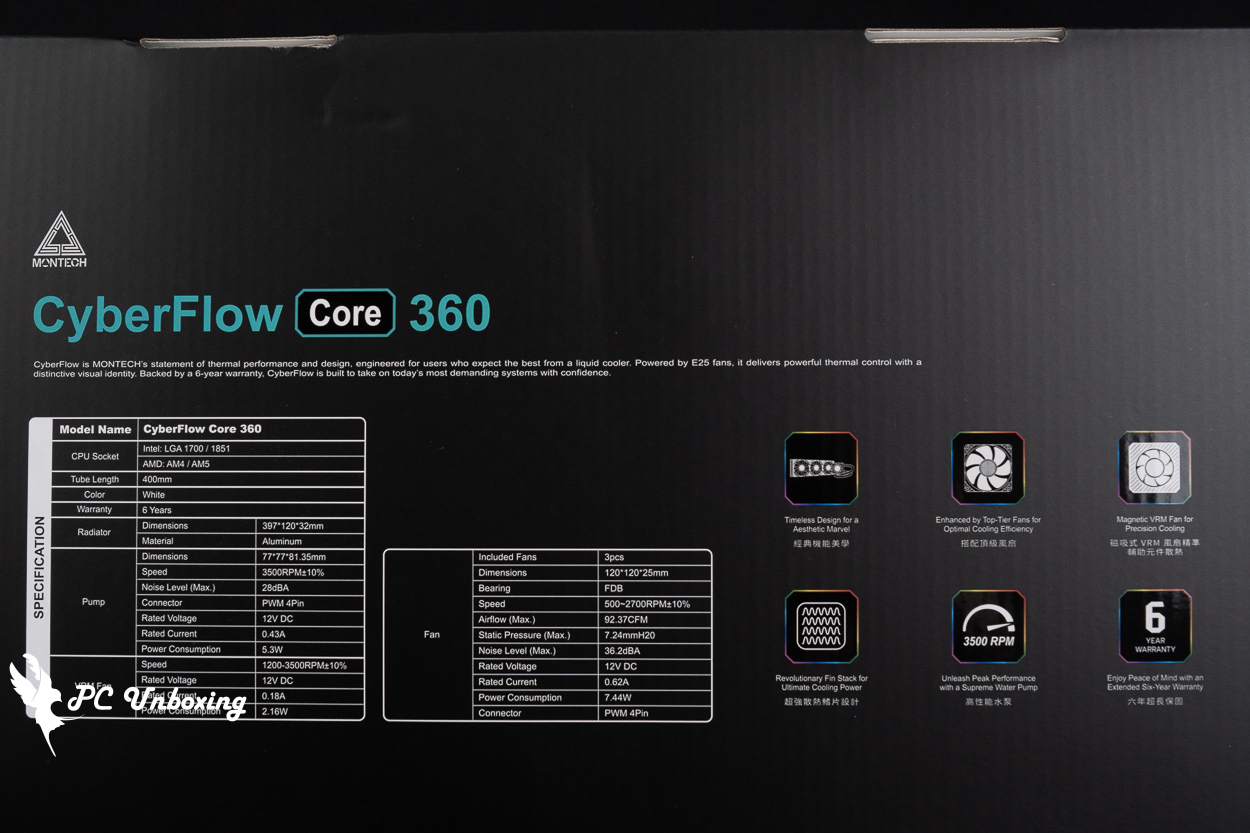
△ CyberFlow Core 360 Water Cooling Specifications.
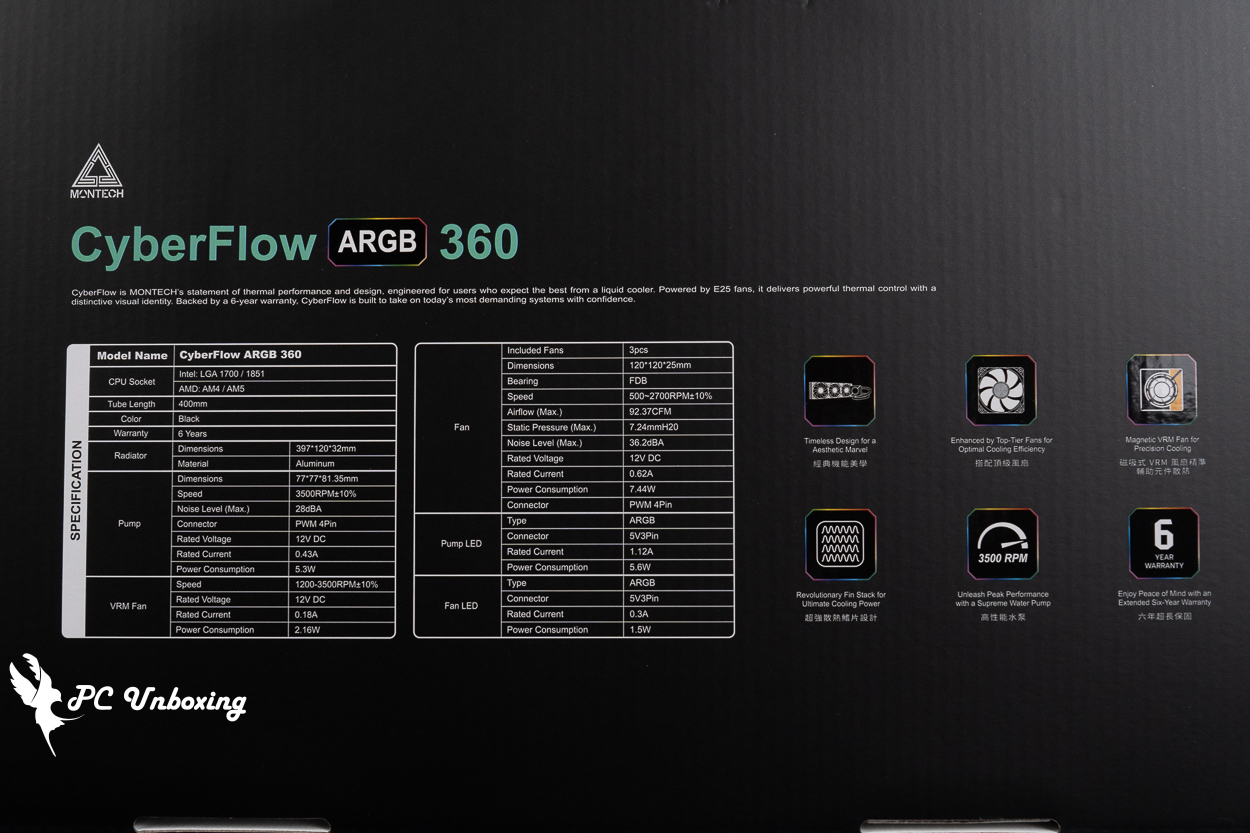
△ CyberFlow ARGB 360 Liquid Cooling Specifications.
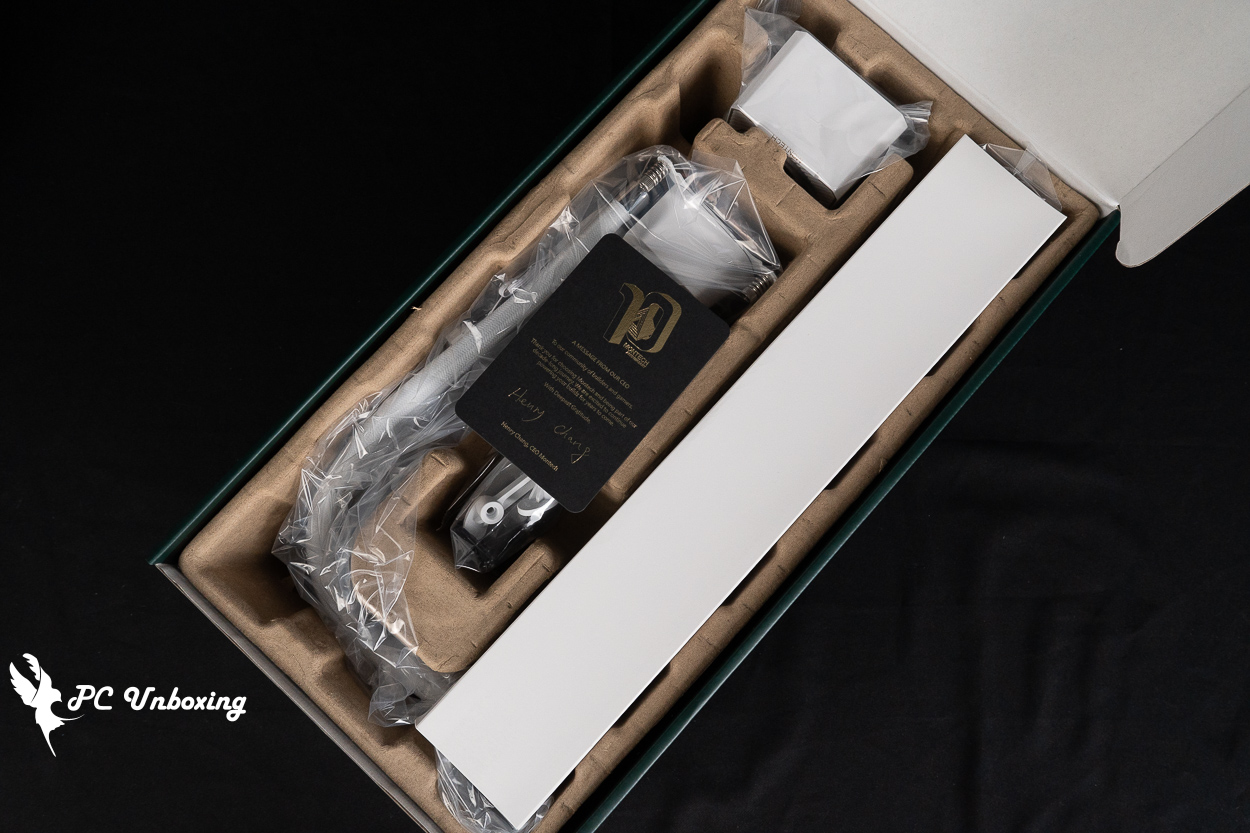
△ Boxed for protection.
The MONTECH CyberFlow all-in-one liquid cooler is compatible with Intel LGA 1851 / 1700 and AMD AM5 / AM4 socket platforms. It is currently compatible with most modern consumer-grade platforms using DDR4 and DDR5 memory; however, it is not compatible with older or less common platforms.
The contact surface of the water block has been pre-applied with AD90 thermal paste and is ready for use; the package also includes an extra small tube of thermal paste for future replacement.
According to the official website, compared to the past, HyperFlow ARGB 360 In a series comparison, the copper base’s contact area has increased by 25.91 TP3T, while the internal microchannel area has expanded by 31.91 TP3T and features up to 192 precision fins, allowing the expanded heat dissipation area to further enhance cooling performance.
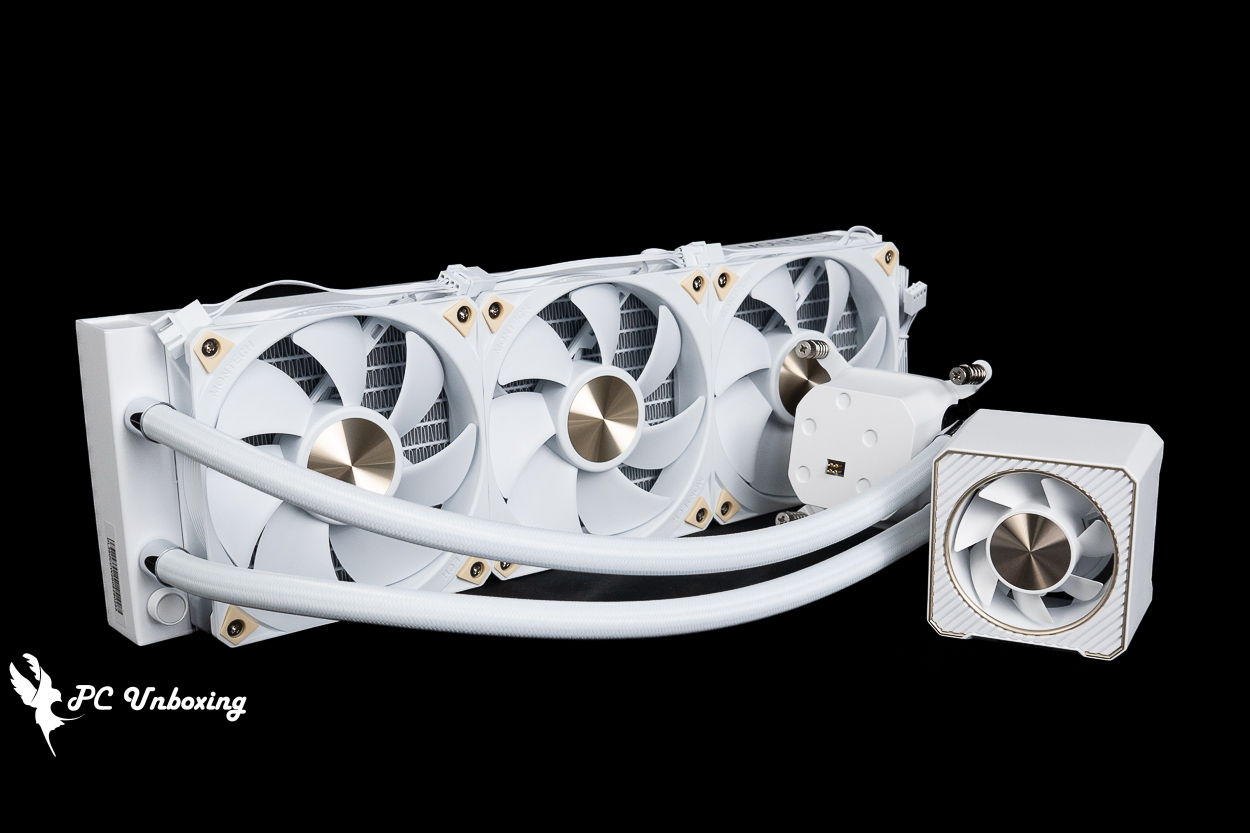
△ MONTECH's non-illuminated CyberFlow Core 360 white all-in-one liquid cooler has a rather elegant design—I personally really like it.
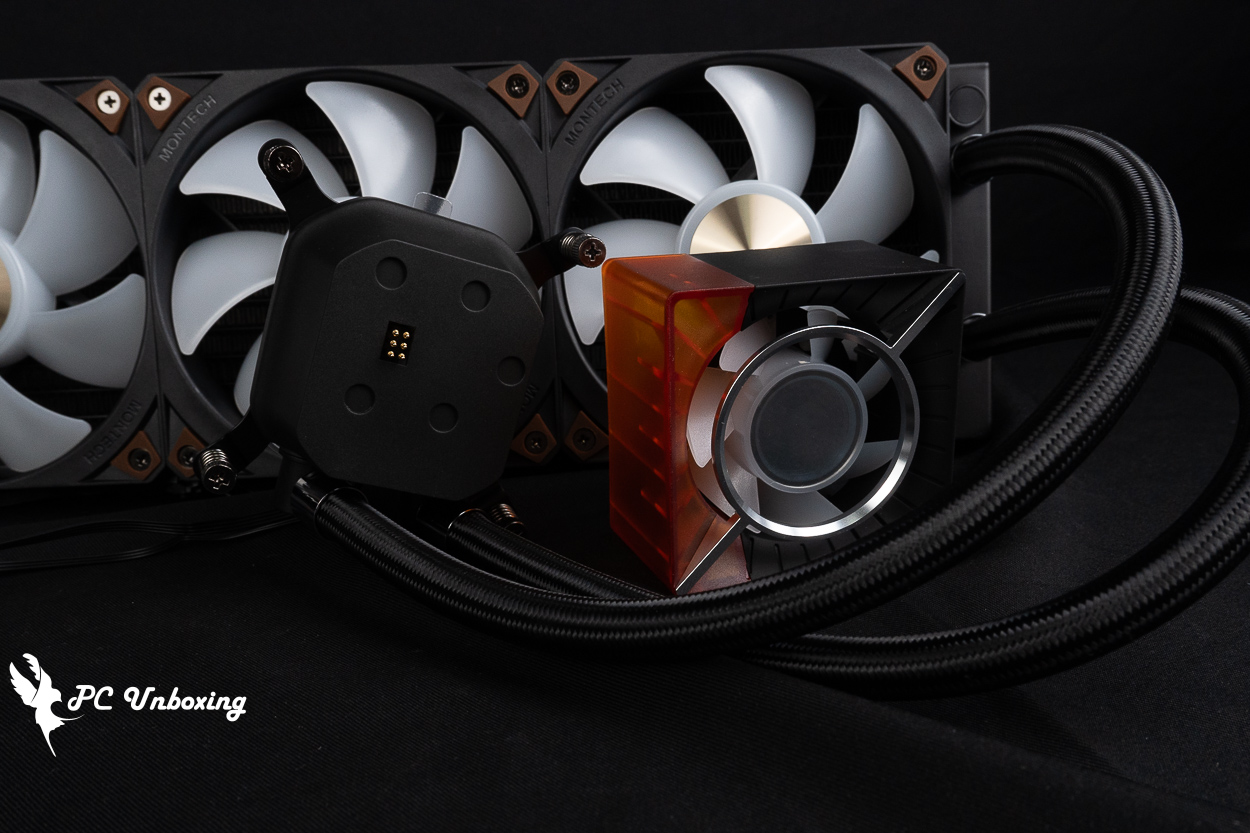
△ The CyberFlow ARGB 360 cold plate cover features a translucent design inspired by the Cyberpunk style.
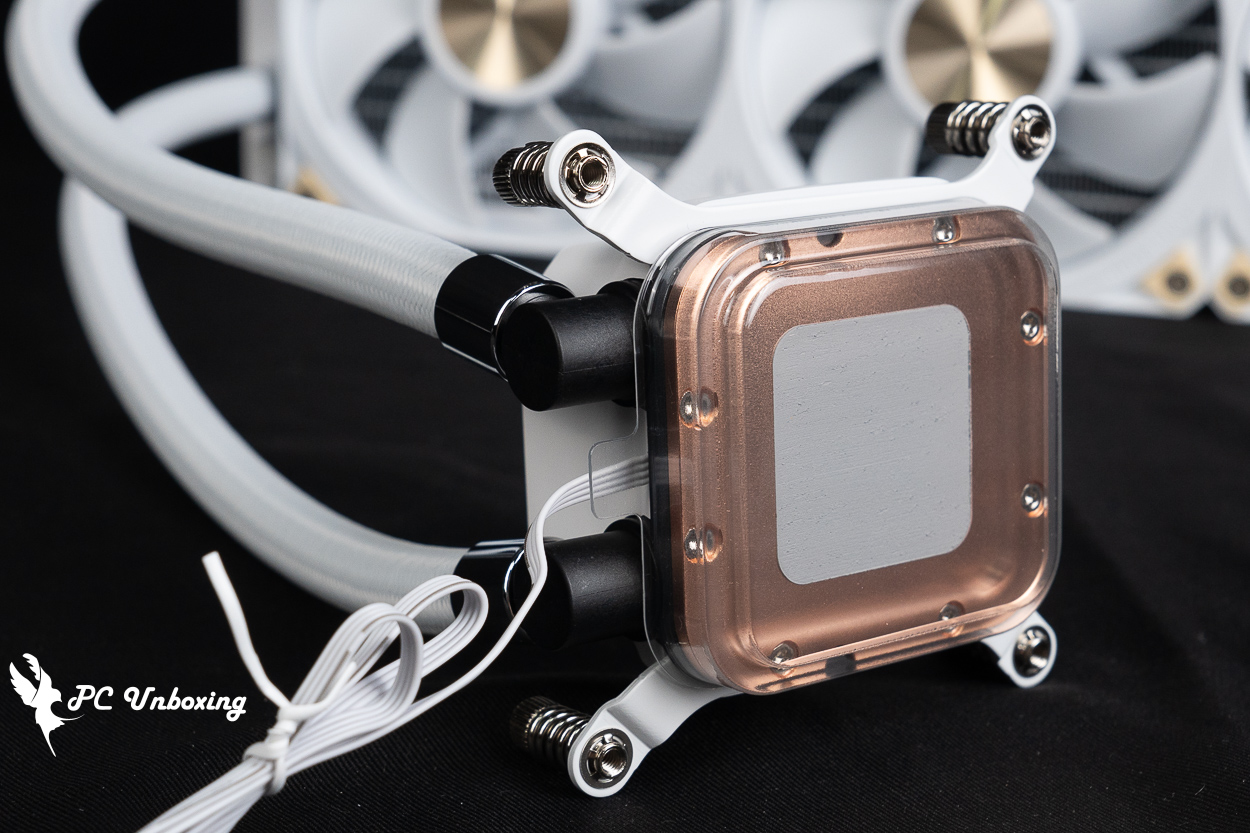
△ Supports installation and use on Intel LGA 1851 / 1700 and AMD AM5 / AM4 socket platforms.
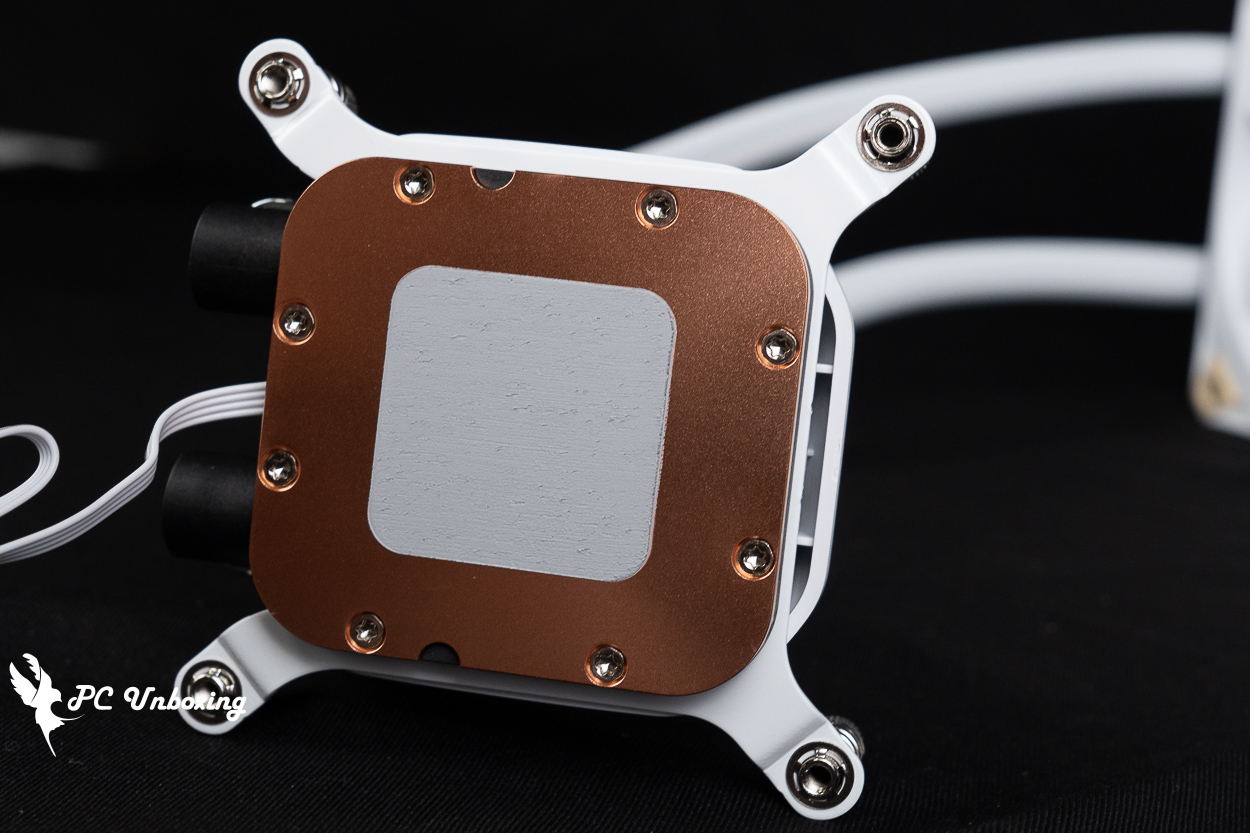
△ Thermal paste is pre-applied at the factory.
All water blocks in the MONTECH CyberFlow series are equipped with magnetic VRM fans, which help cool the motherboard’s VRM power delivery section and the adjacent DDR memory, further enhancing system stability. This setup is particularly well-suited for PCs that frequently run multi-core, high-load workloads, especially those with motherboards that have inadequate VRM cooling solutions.
However, please note that the CyberFlow ARGB and CyberFlow Core have different magnetic fan connectors, so do not mix and match them to avoid damaging them!
The water block measures 77 × 77 × 81.35 mm, which means it will utilize a height of 81.35 mm. The pump’s maximum rotational speed is approximately 3500 ±10% RPM, and it is powered via a PWM 4-pin connector, while the infinite mirror mechanism on the CyberFlow ARGB water block is powered and controlled separately via a 5V 3-pin ARGB connector, and the internal coolant circulation flow rate has been increased to 1,760 mL/min.
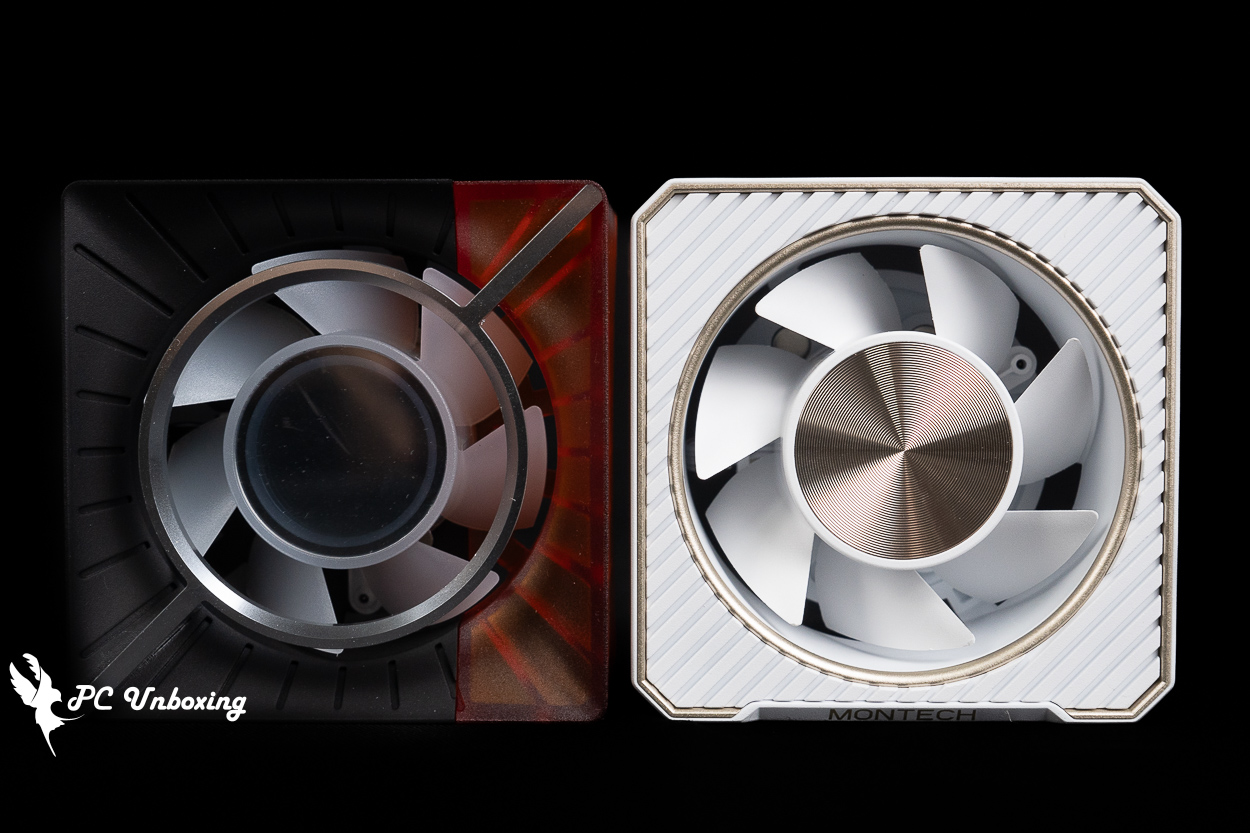
△ The two VRM fans have very different designs.
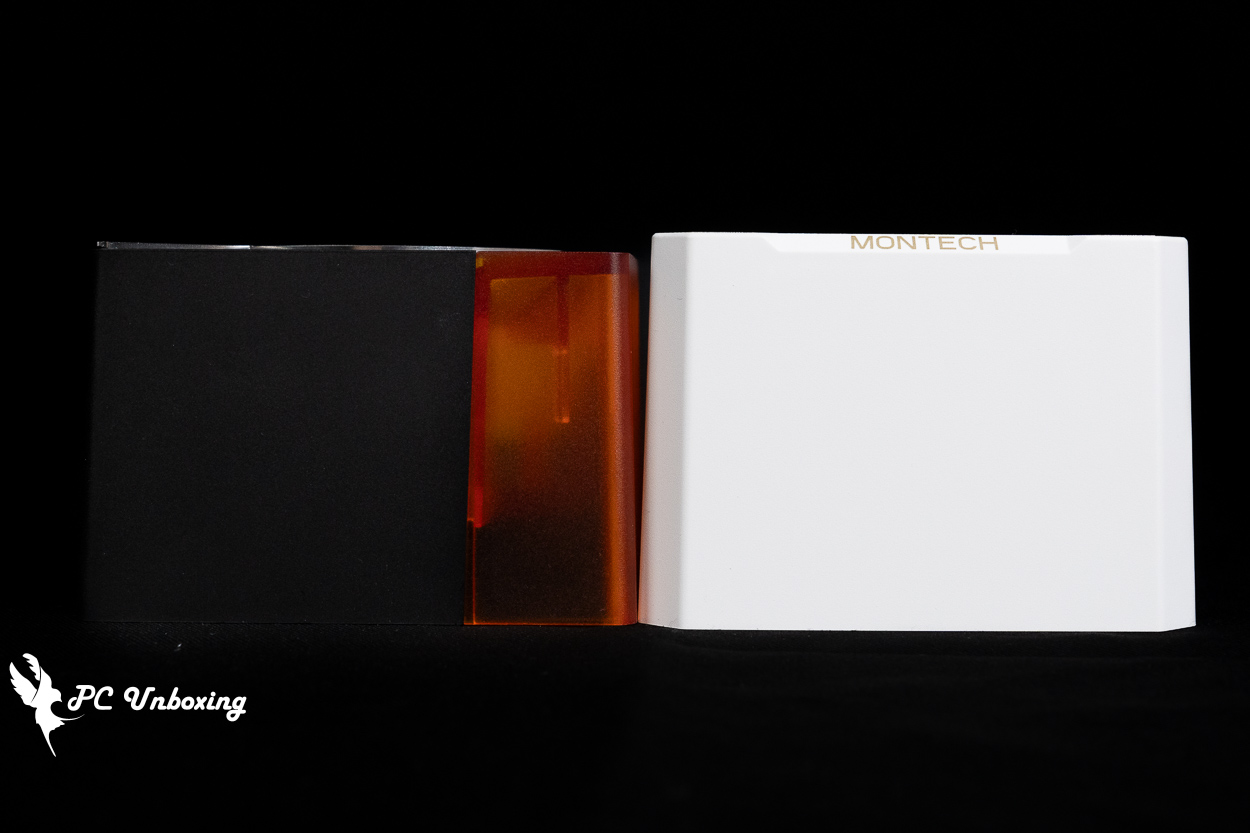
△ The cold head is 81.35 mm high.
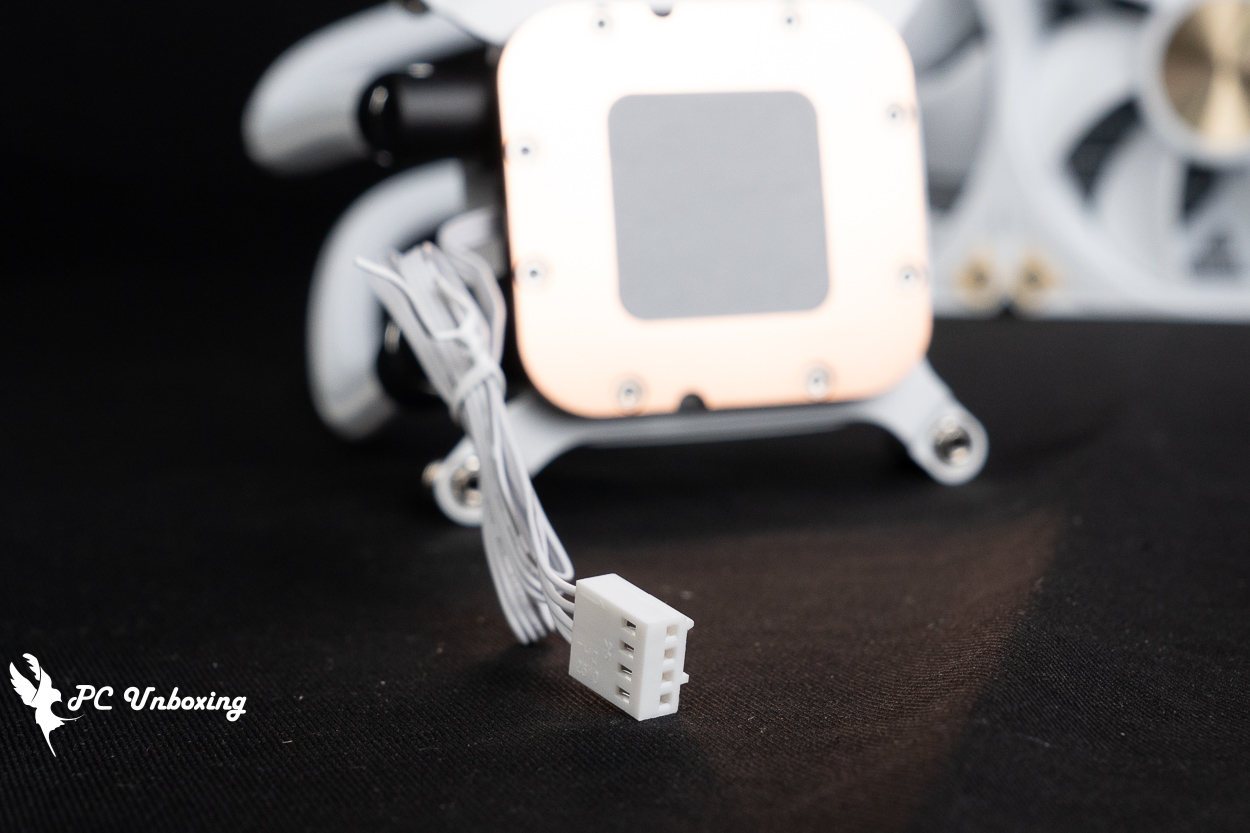
△ The CyberFlow Core water block is powered by a single 4-pin PWM connector, which powers both the VRM fan and the pump.
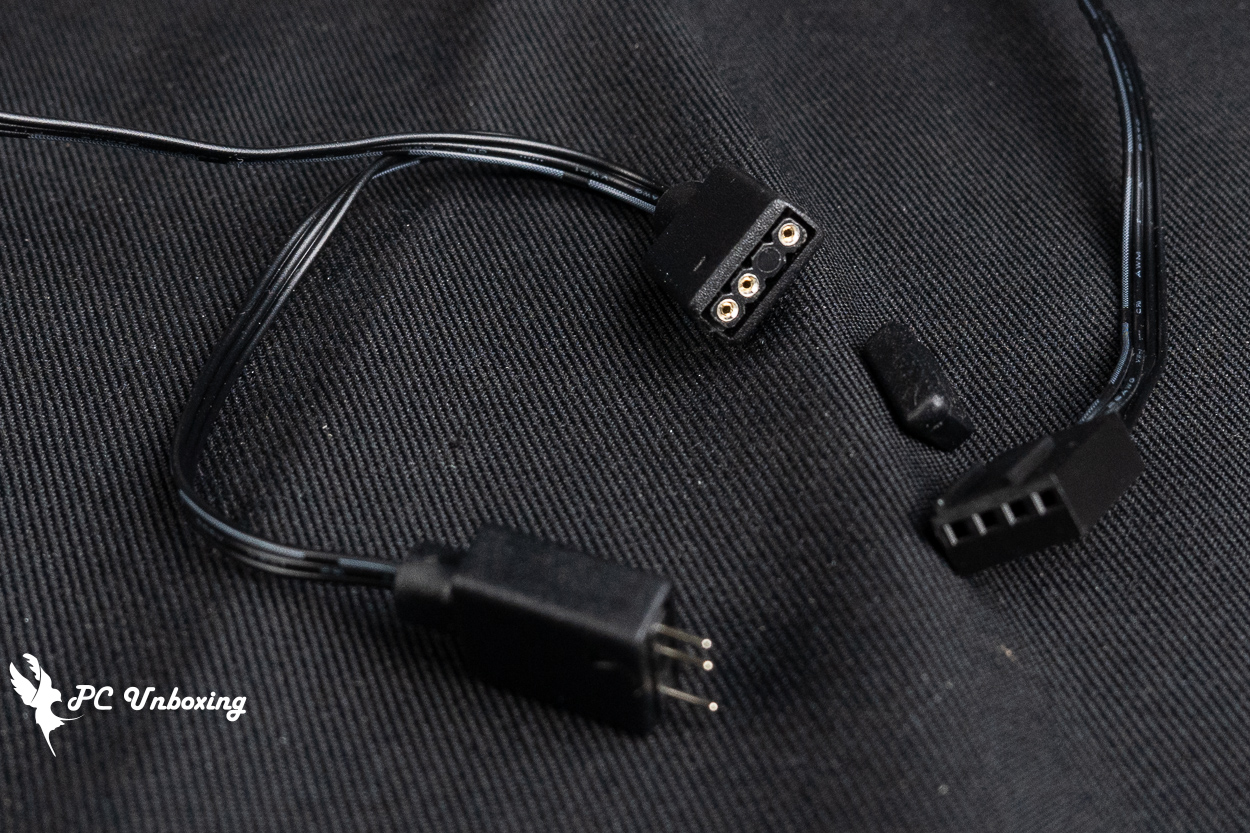
△ The CyberFlow ARGB also includes one male and one female 5V 3-pin ARGB connector.
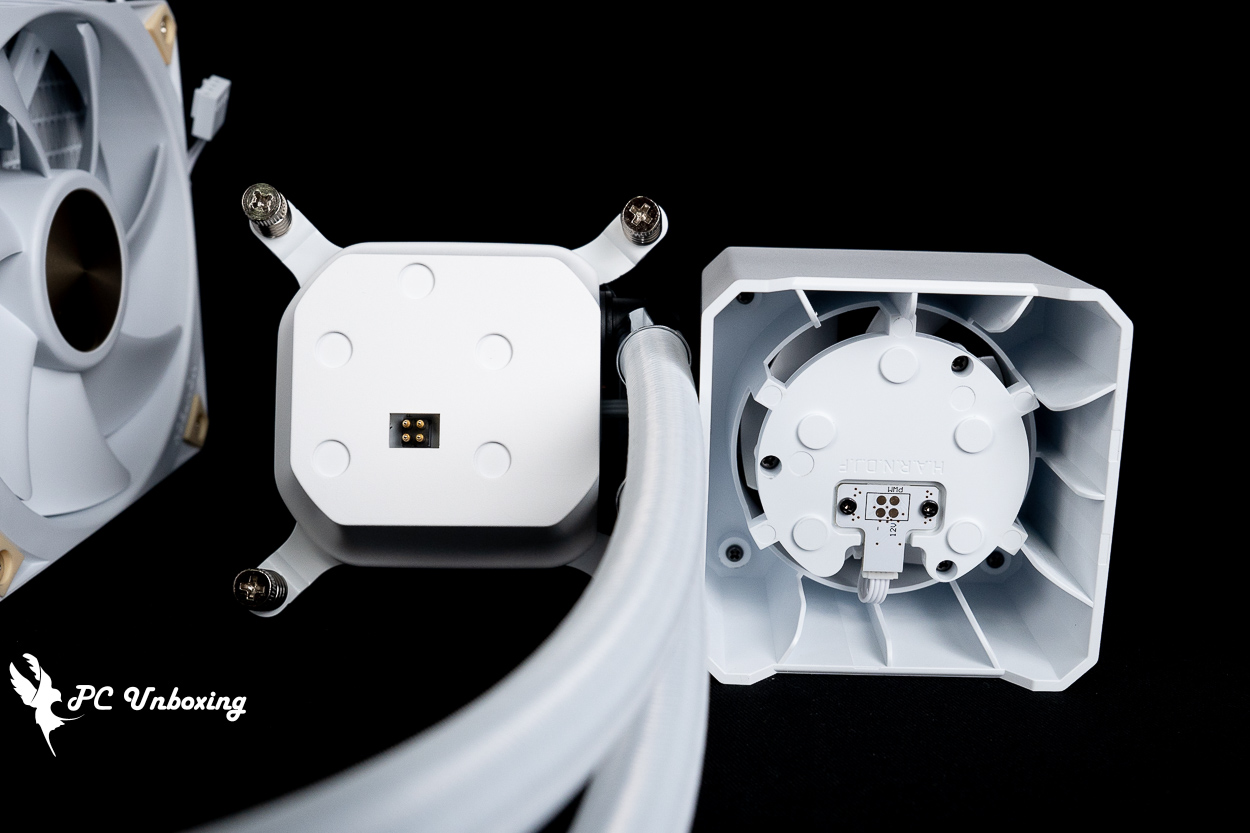
△ Magnetic VRM fans have corresponding alignment grooves, so they cannot be installed in any of the four directions. If you’re particular about such things, the water cooling tubing must be installed facing downward so that the text on the water block is oriented correctly.
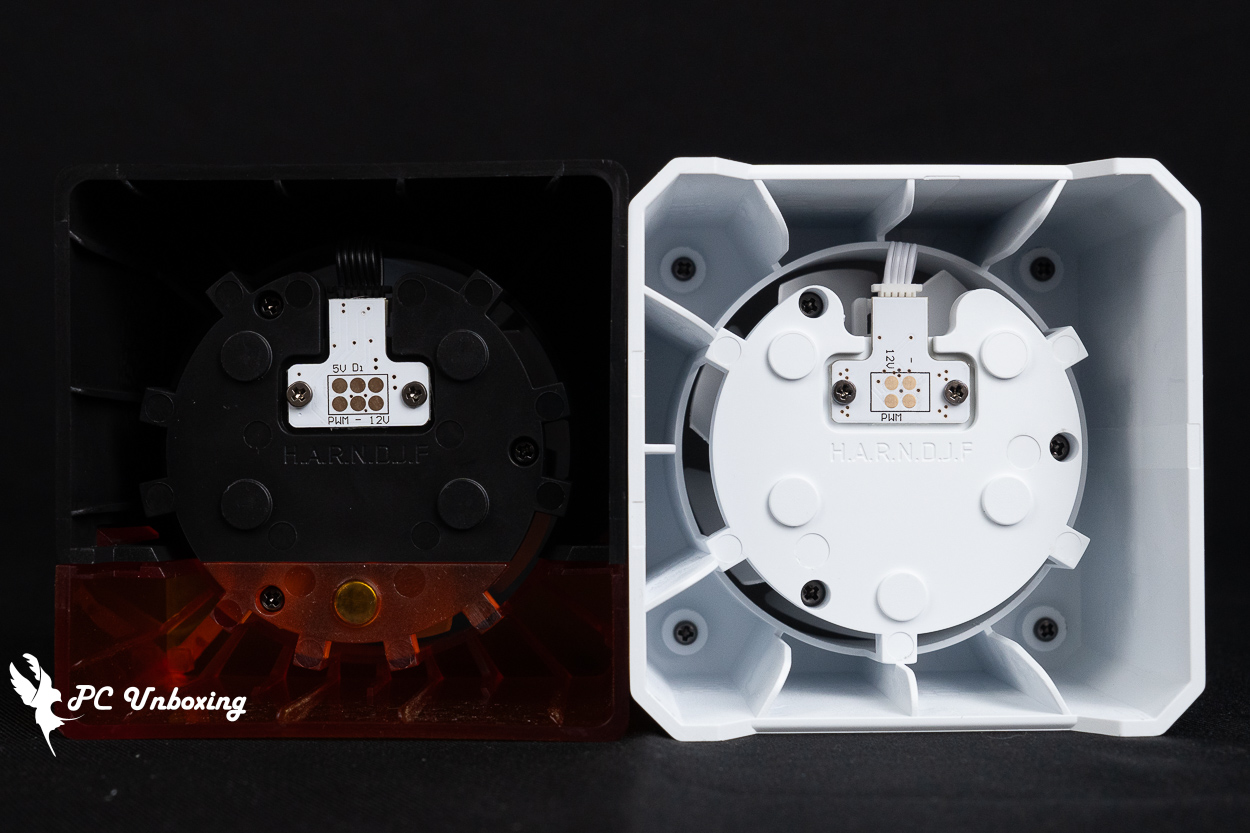
△ The two versions have different terminals; do not mix them!
The three water-cooling fans are pre-installed on the radiator, allowing gamers to start using the system immediately after unboxing—saving time on fan installation! The CyberFlow ARGB uses MONTECH E25 ARGB fans, which can be used with the motherboard software from GIGABYTE, ASRock, ASUS, and MSI to customize the lighting effects for individual LEDs. The fans are powered via a single cable that provides both 5V 3-pin ARGB lighting control and 4-pin PWM fan speed control, The three fans are connected in series to achieve “one cable, three connections” for both power and control, making cable management and installation very convenient. This reduces cable clutter and greatly simplifies the installation process.
The non-RGB version of the CyberFlow Core liquid cooler uses MONTECH E25 PWM fans, which only require a 4-pin PWM connector for power control, making cable management much easier and cleaner! We highly recommend the CyberFlow Core liquid cooler for use with ITX cases.
The fan itself measures 120 x 120 x 25 mm, with a maximum speed of 2,700 RPM ± 10%, and a claimed maximum airflow of 92.37 CFM; The maximum static pressure is 7.24 mmH₂O, and the maximum noise level is rated at ≤36.2 dB(A).
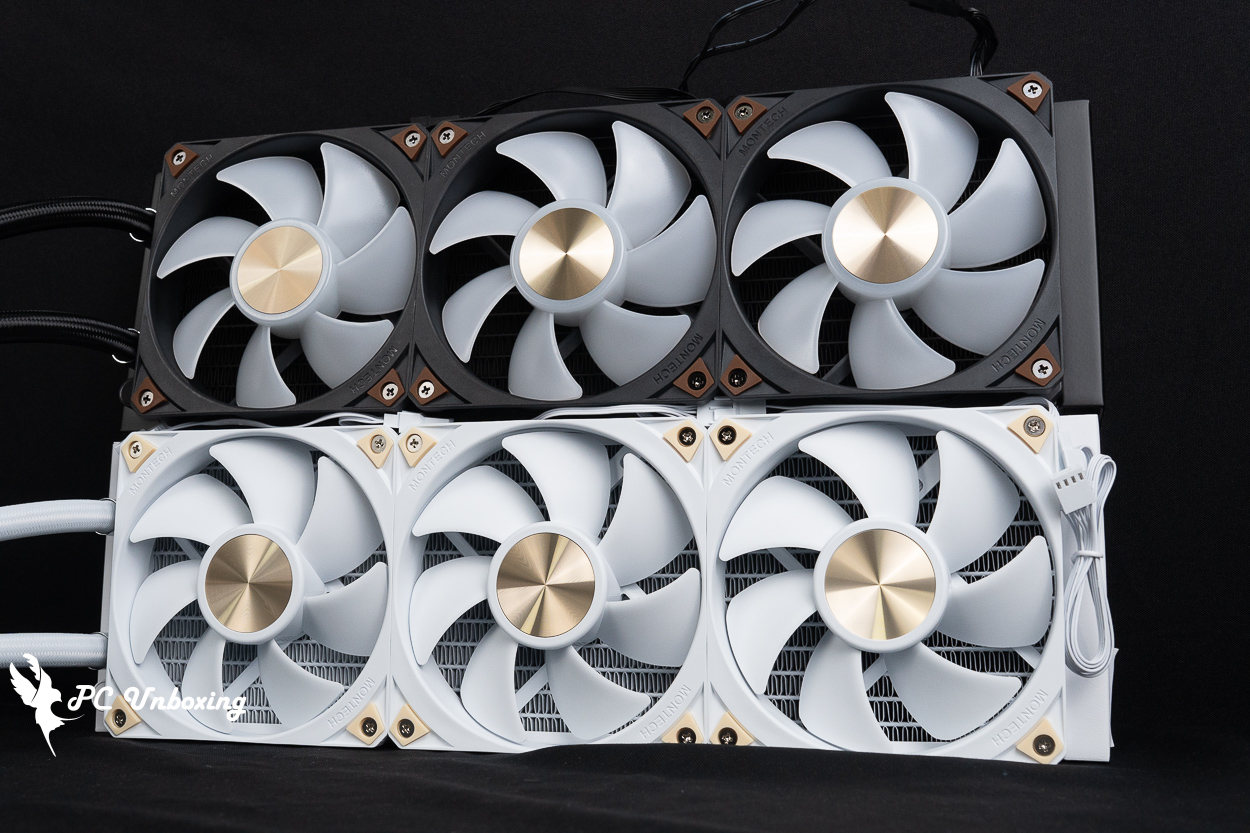
△ The MONTECH E25 ARGB and E25 PWM fans come pre-installed with FDB bearings and feature shock-absorbing pads at all four corners.
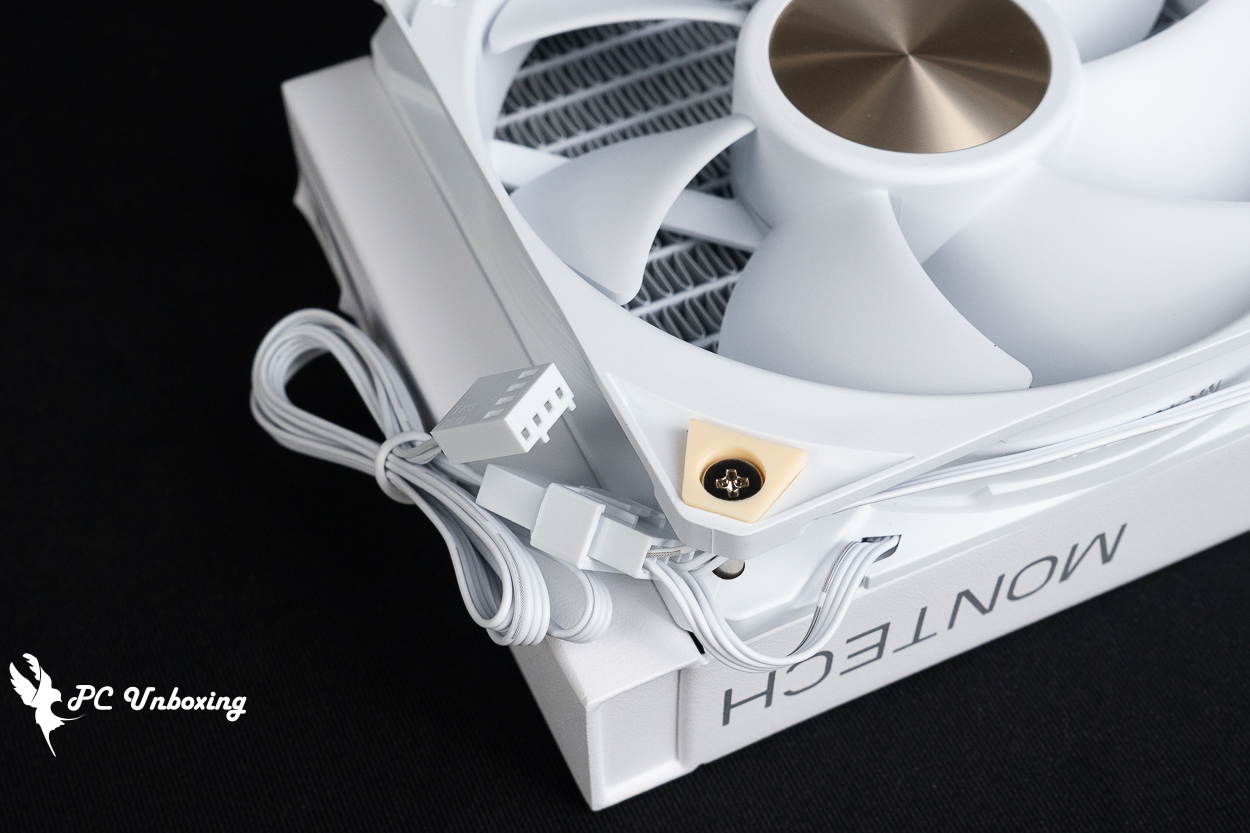
△ The E25 PWM requires only a single 4-pin PWM power supply.
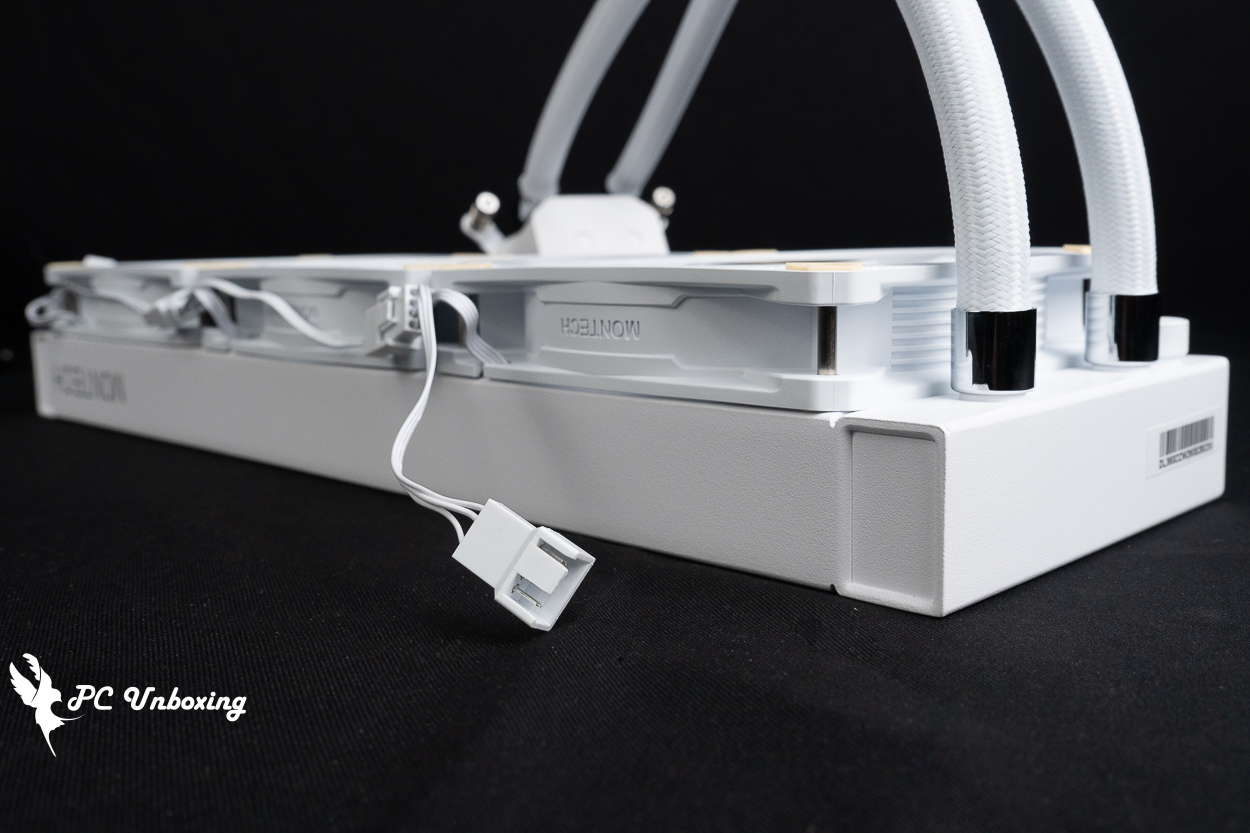
△ There is a 4-pin PWM female connector on the side, which can be used to connect other case fans so that their speeds are synchronized with the E25 fan.
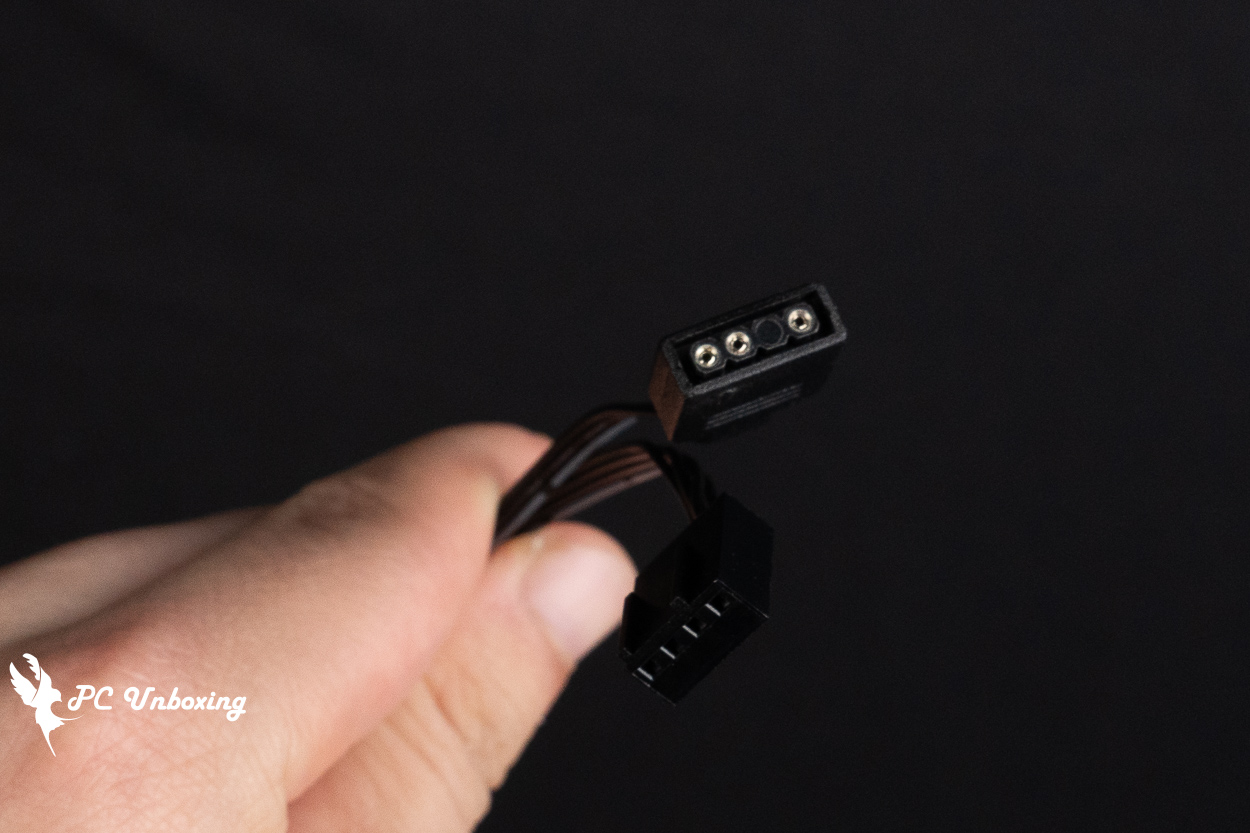
△ The E25 ARGB also has an additional ARGB connector that needs to be connected.
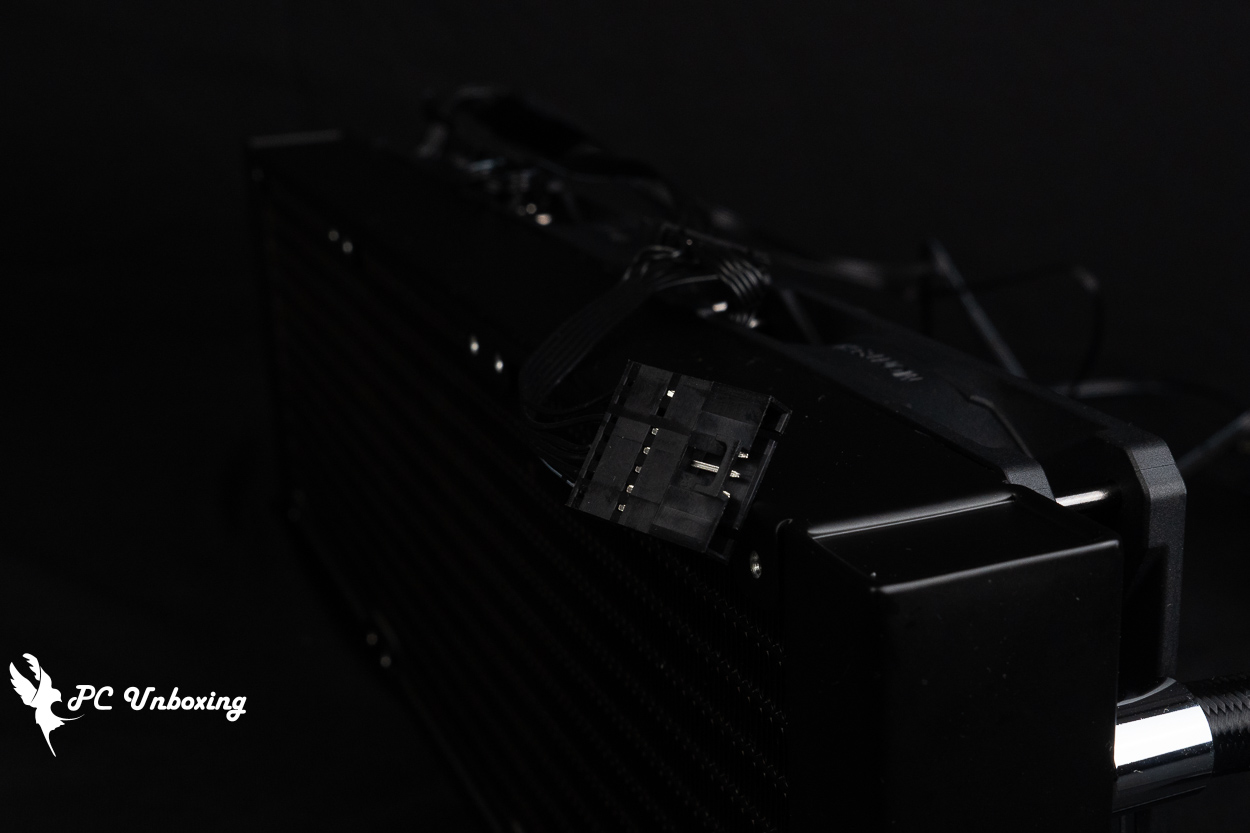
△ The side of the fan uses a custom connector to daisy-chain with other E25 ARGB fans, so it isn’t as versatile as the non-illuminated version.
The water cooling tubing is 400 mm long, and you can use the tubing clamps included in the accessory kit to help organize the tubing and improve the aesthetic appeal. The water block measures 397 x 120 x 32 mm. The water block itself is 32 mm thick—a relatively thick, one-piece design—and when combined with the 25 mm thickness of the fan, the total installation depth will require 57 mm of space.
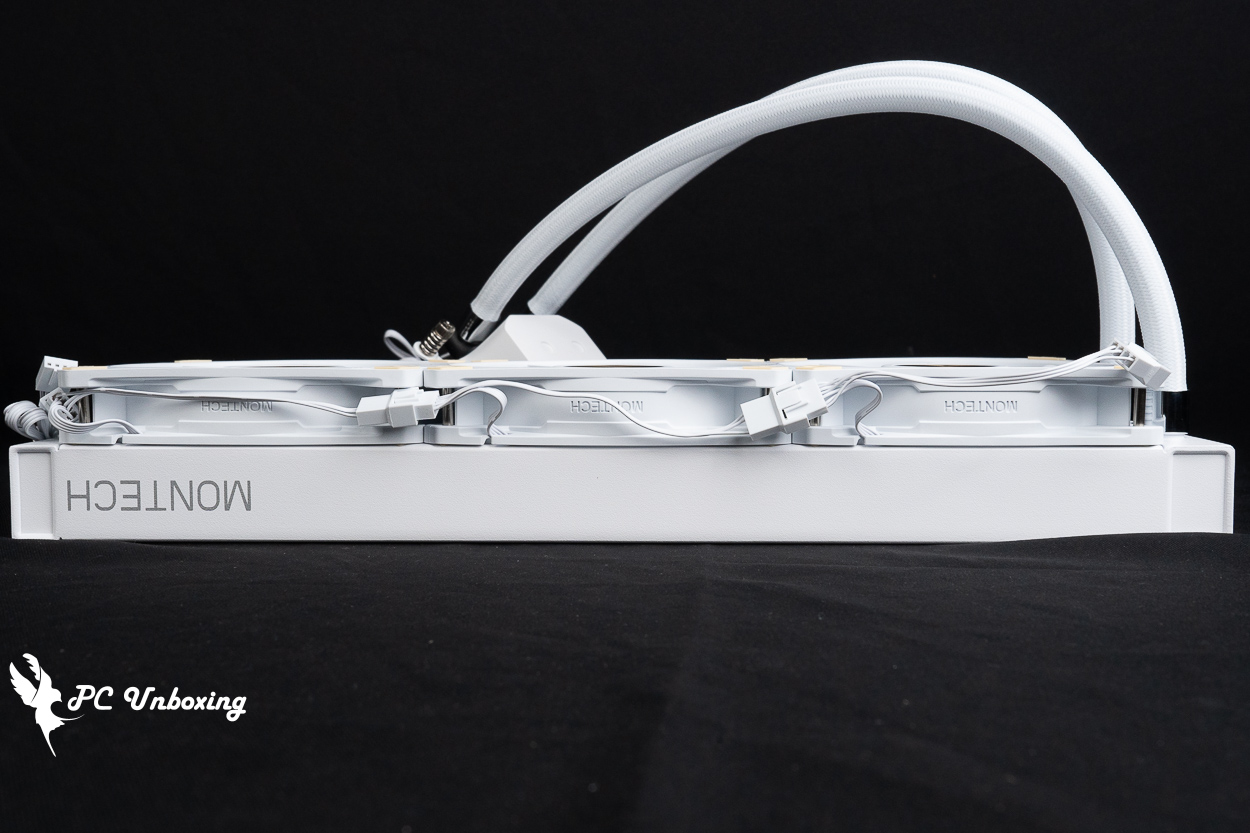
△ The water cooling radiator and fan together take up 57 mm of space.
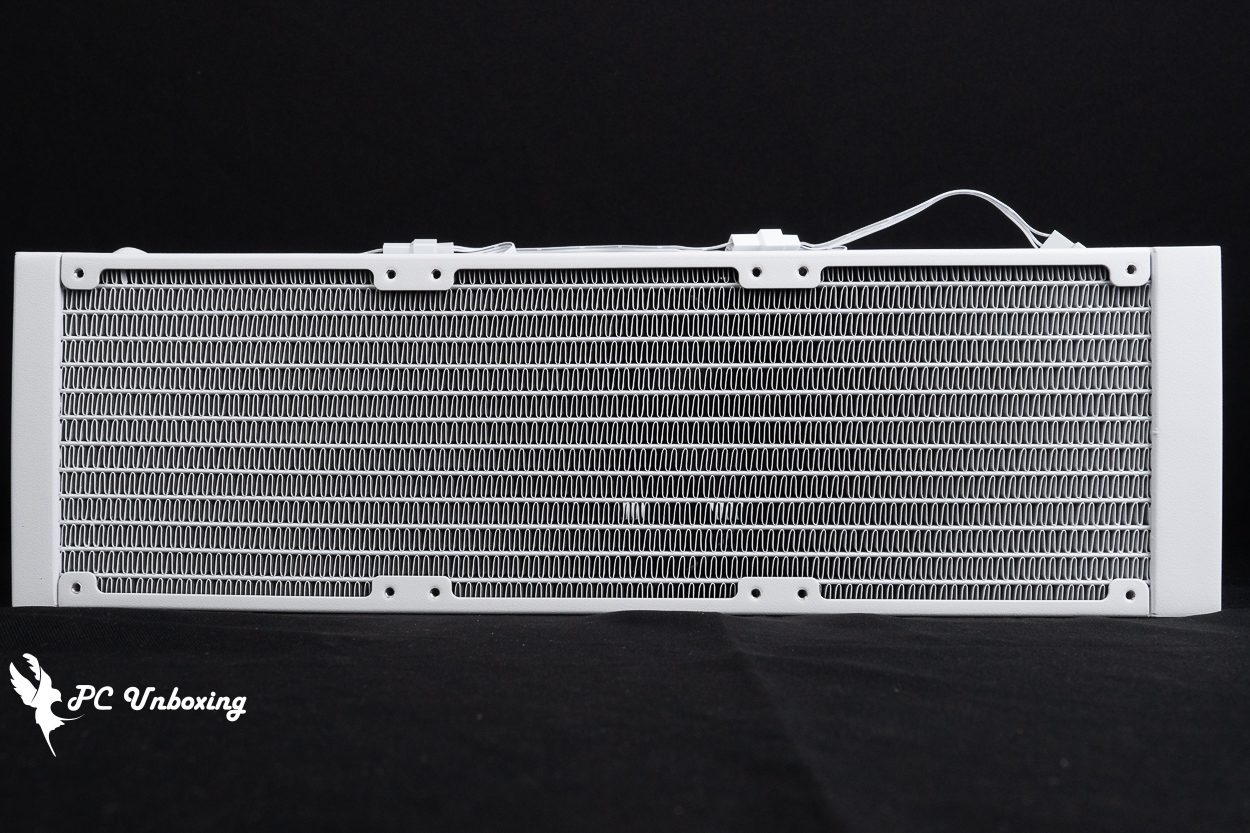
△ Single-pass water-cooled heat exchanger with a density of 20 FPI.
In addition to the Intel and AMD mounting kits, the liquid cooling accessories include tubing clamps, needle-tube thermal paste, a plastic thermal paste spatula, a set of short screws for securing the radiator, and an anniversary sticker.
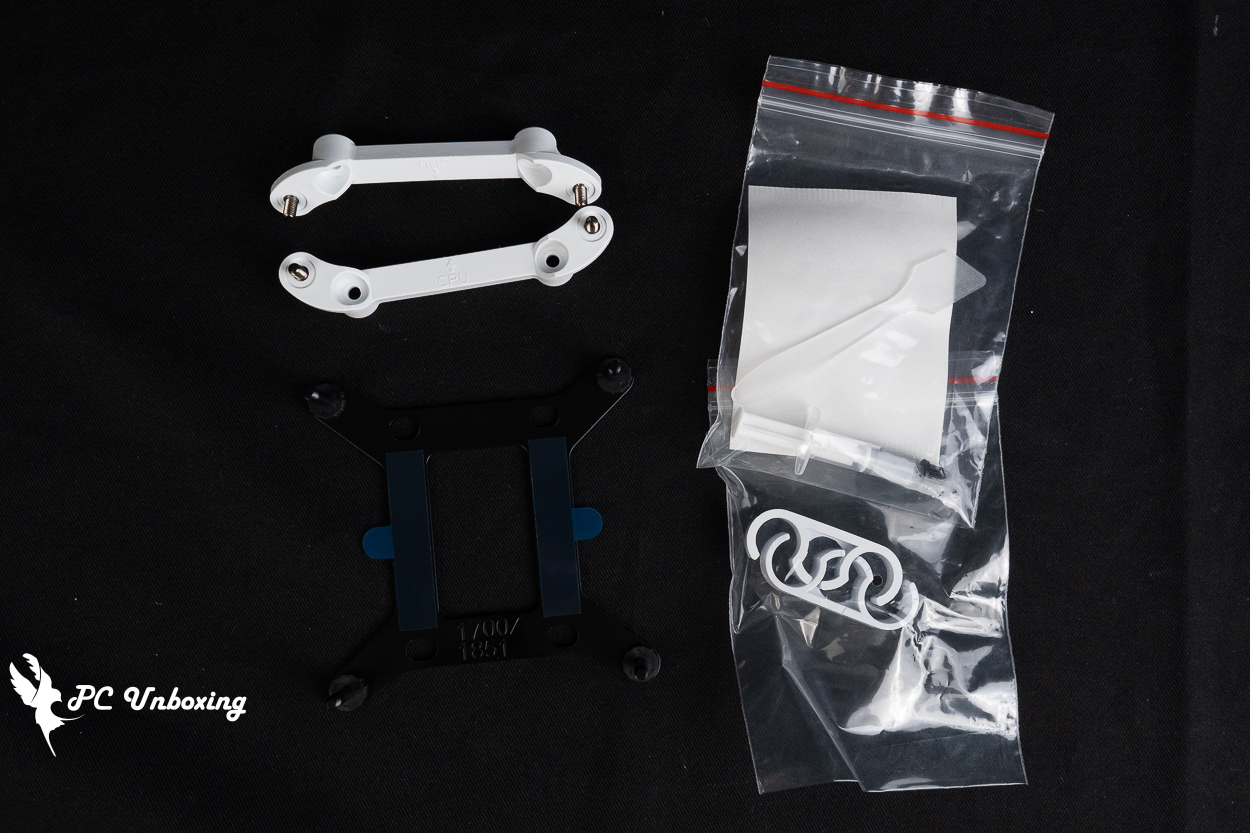
△ List of accessories.
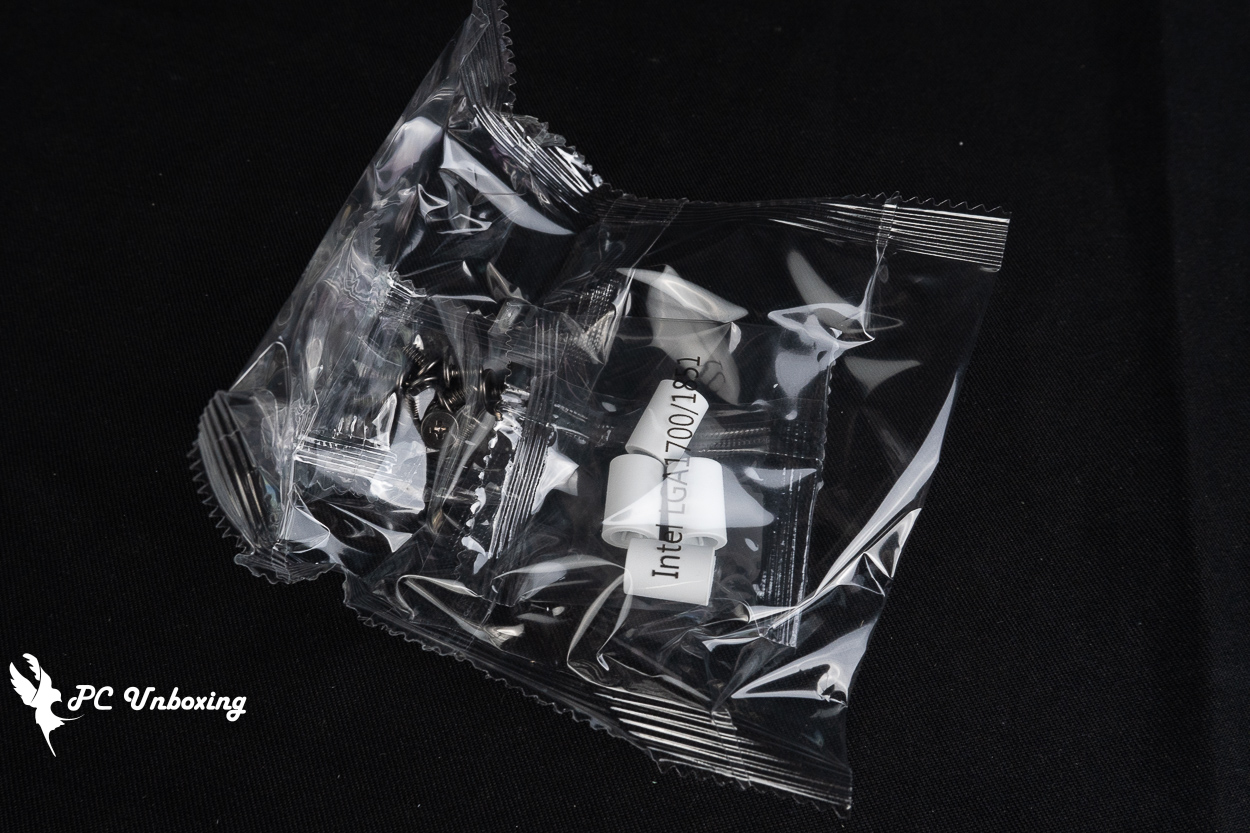
△ Short screws for Intel platform sockets and radiators.
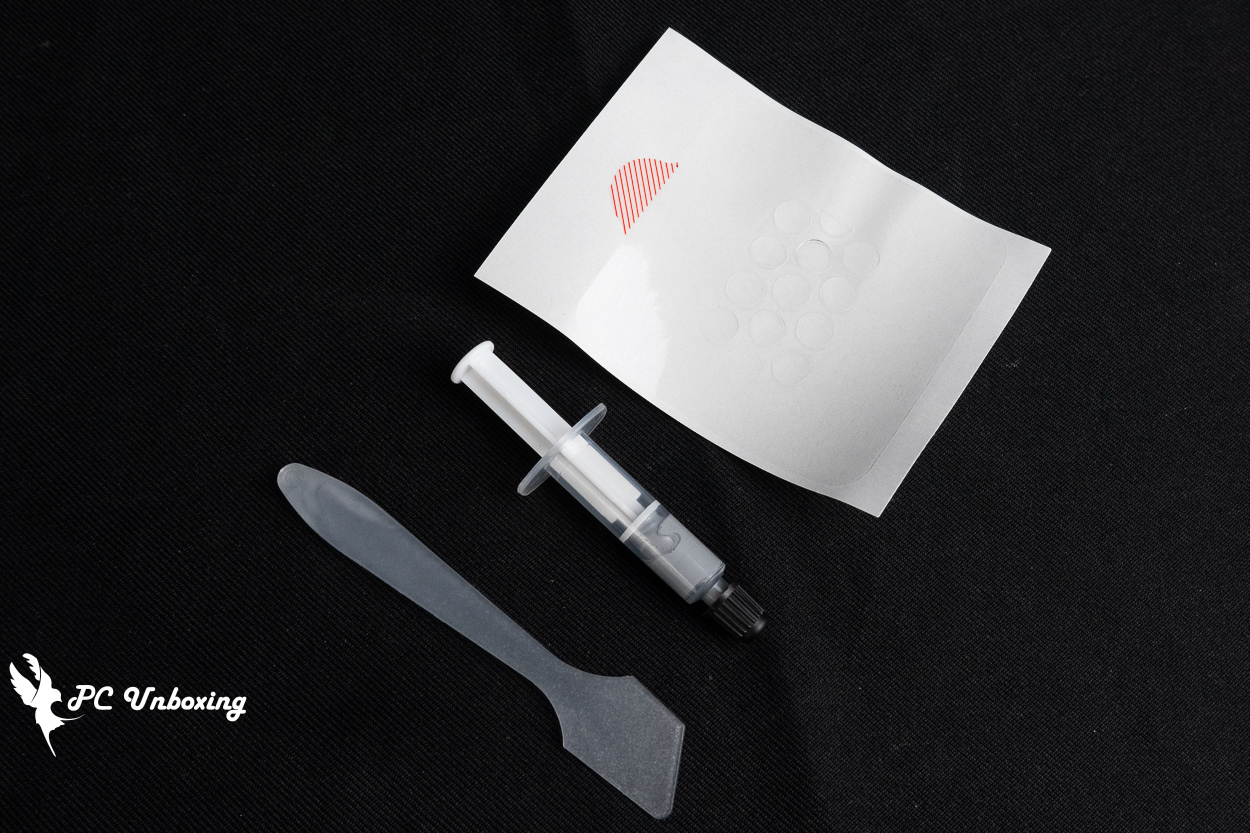
△ Spare thermal paste and application pads.
MONTECH CyberFlow 360 Installation Guide: AMD AM5 Mount Installation and ARGB Lighting Demo
Next, we’ll walk you through the actual installation of the MONTECH CyberFlow ARGB 360 all-in-one liquid cooler on an AMD AM5 platform, showing you the process for reference and demonstrating the lighting effects.
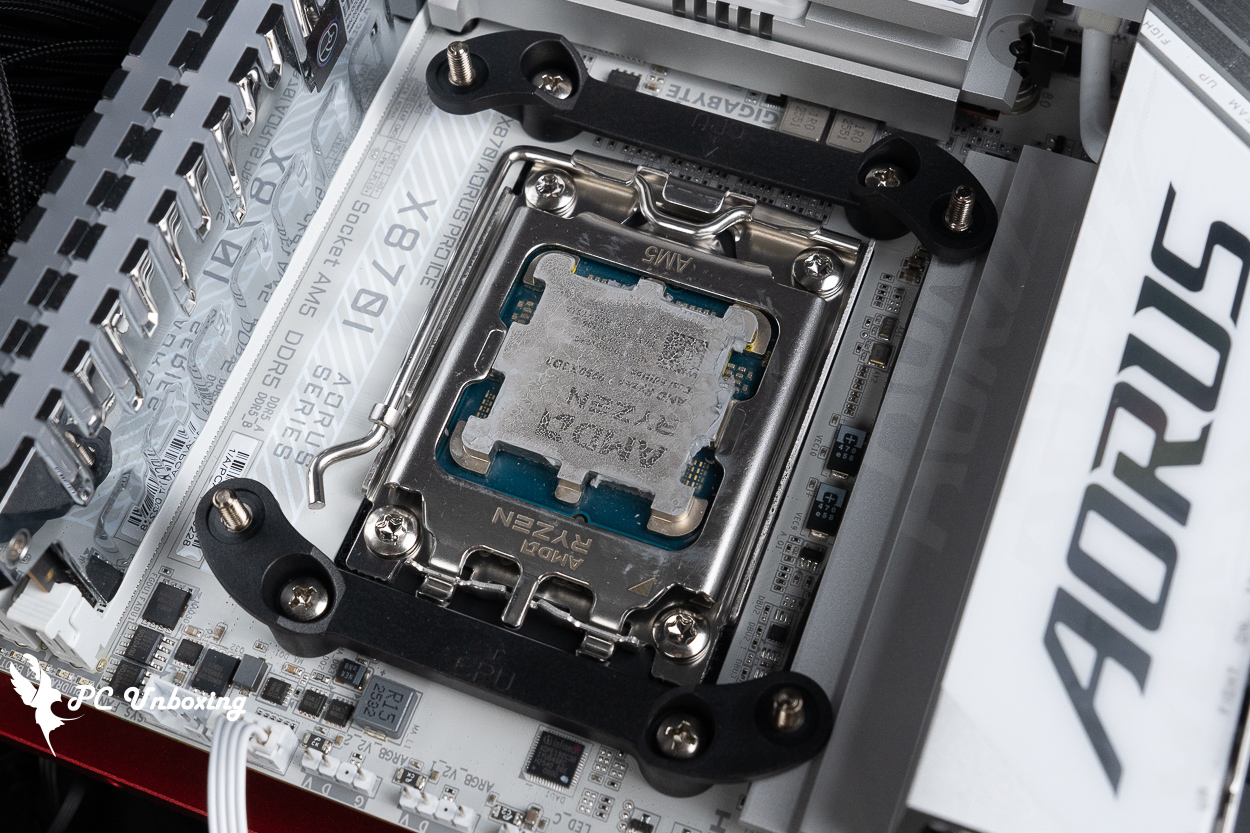
△ For AMD platforms, remove the motherboard’s default mounting brackets and replace them with the brackets included with the liquid cooling kit. Make sure the arrows on the CPU brackets are pointing toward the processor itself.
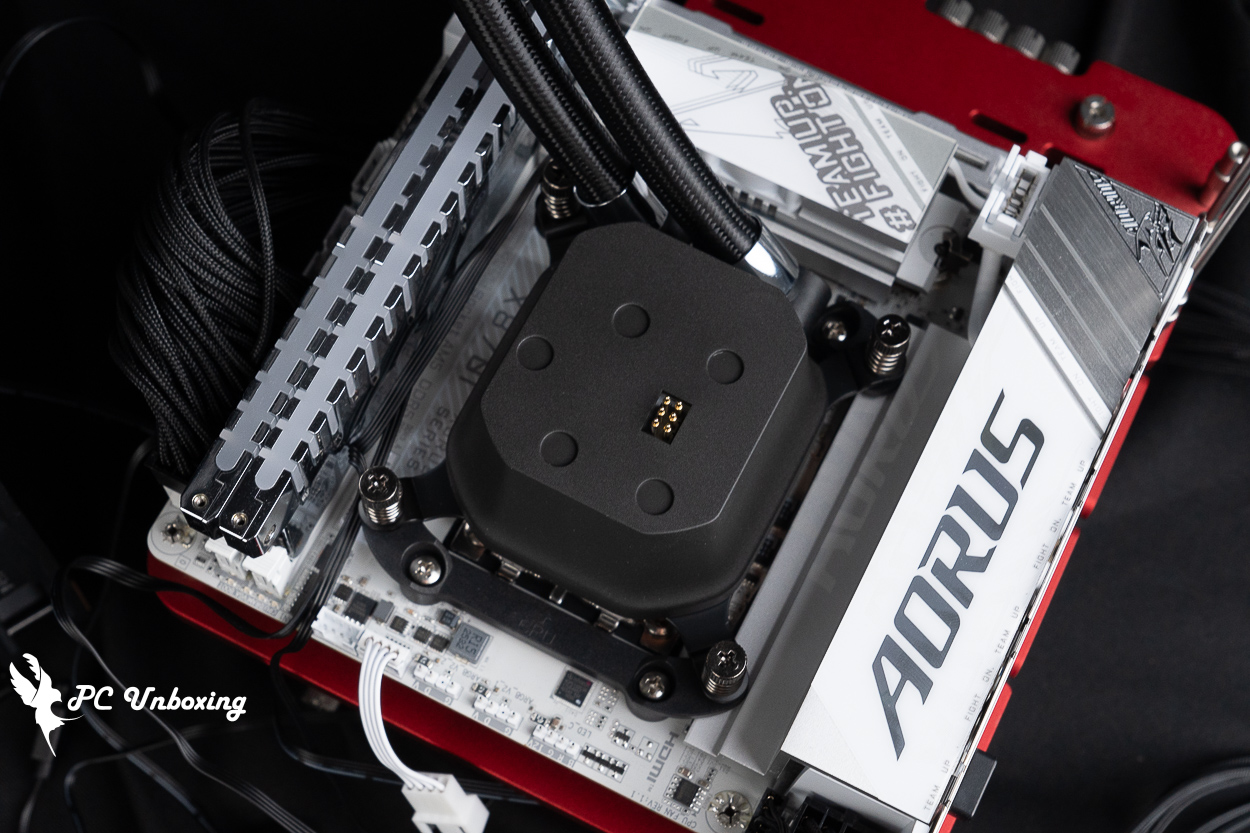
△ The water-cooling tubing should be installed facing the graphics card.
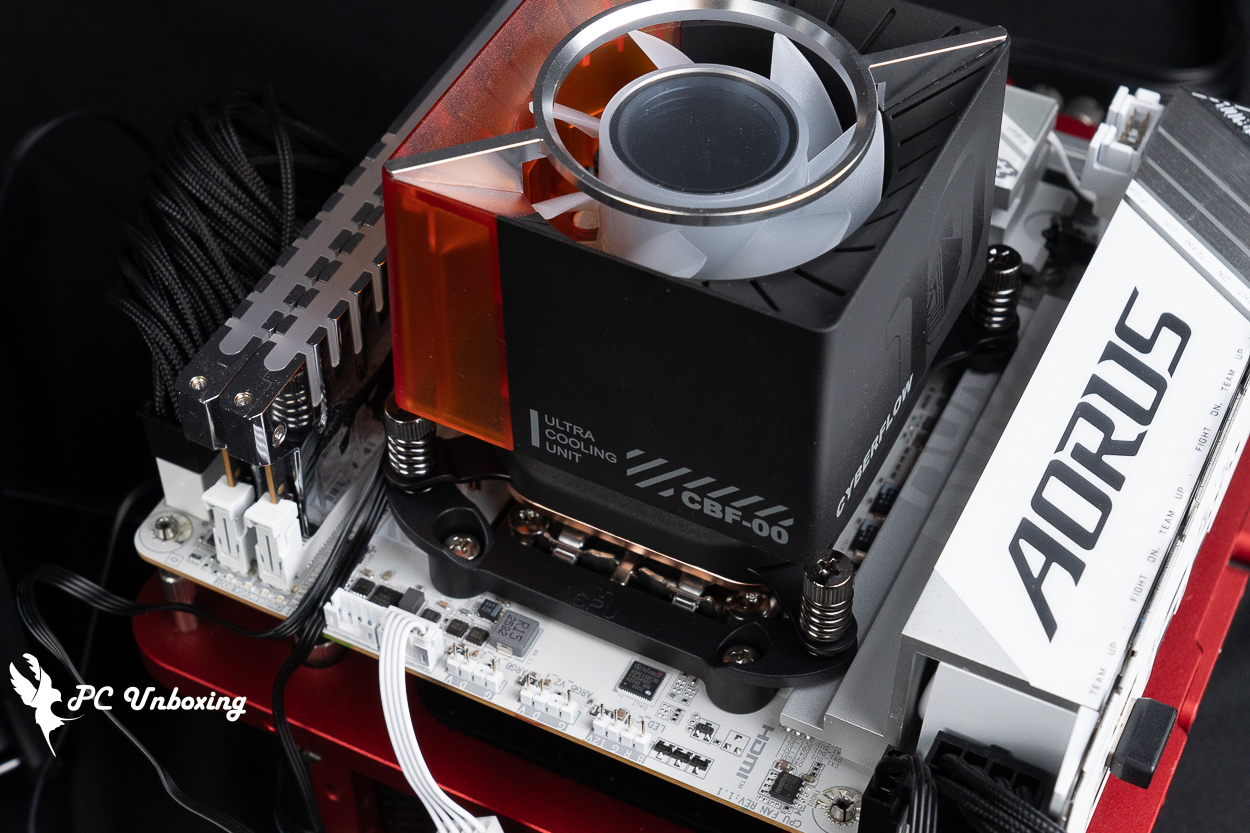
△ Next, install the magnetic fan.
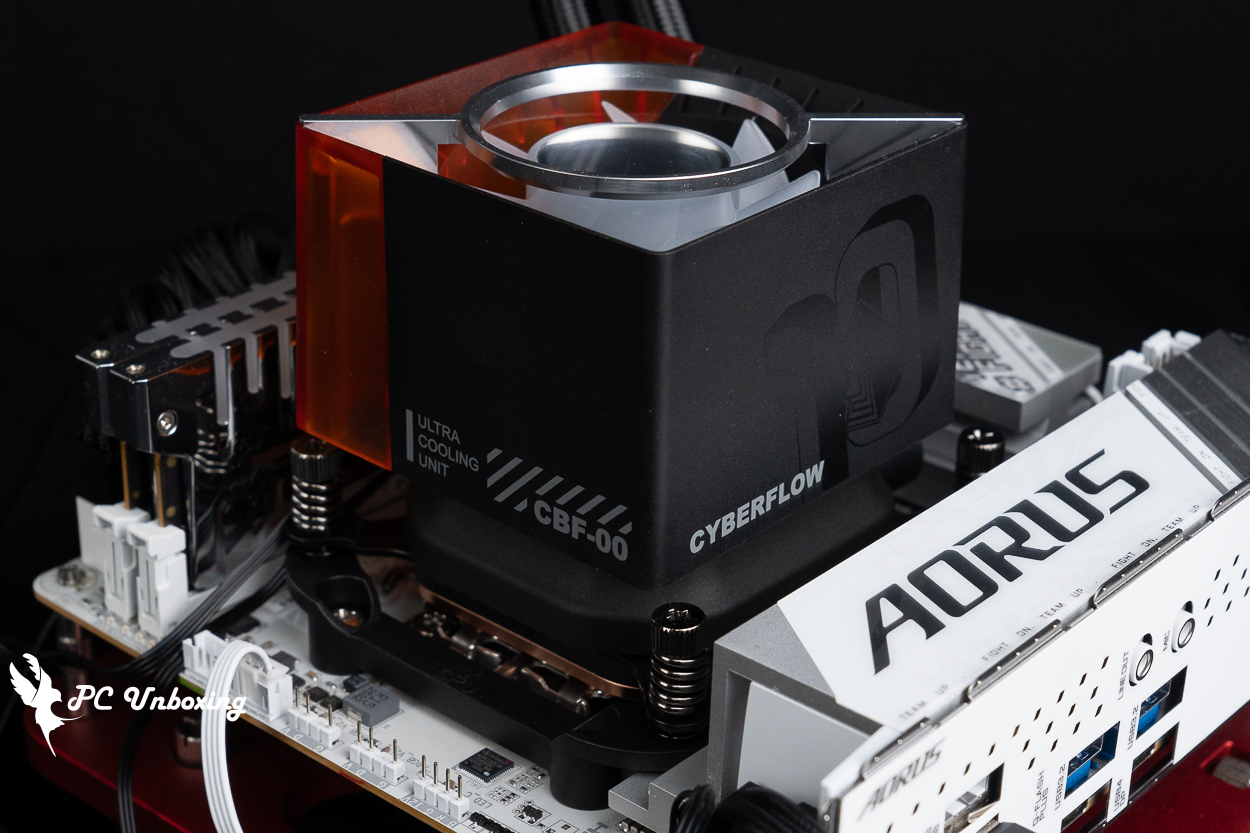
△ The ARGB version has printed text on the side.
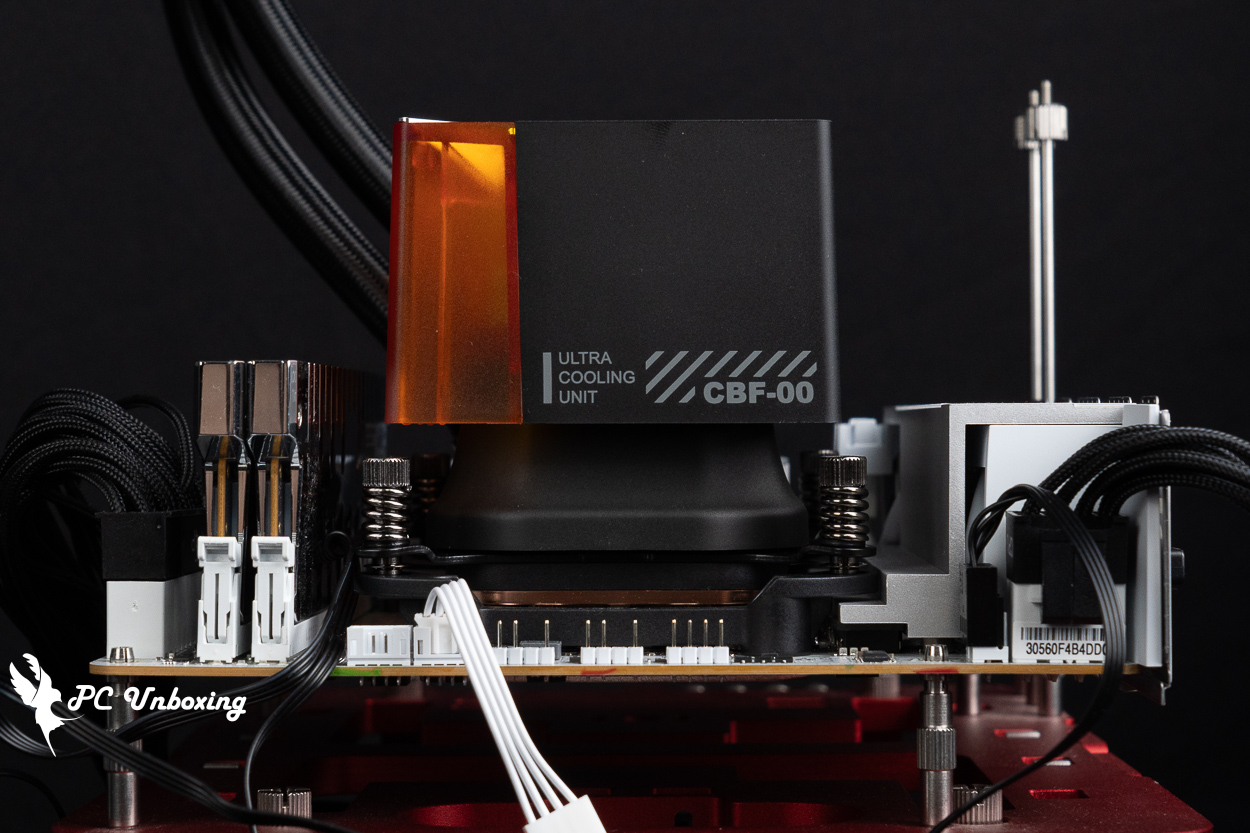
△ Height display.
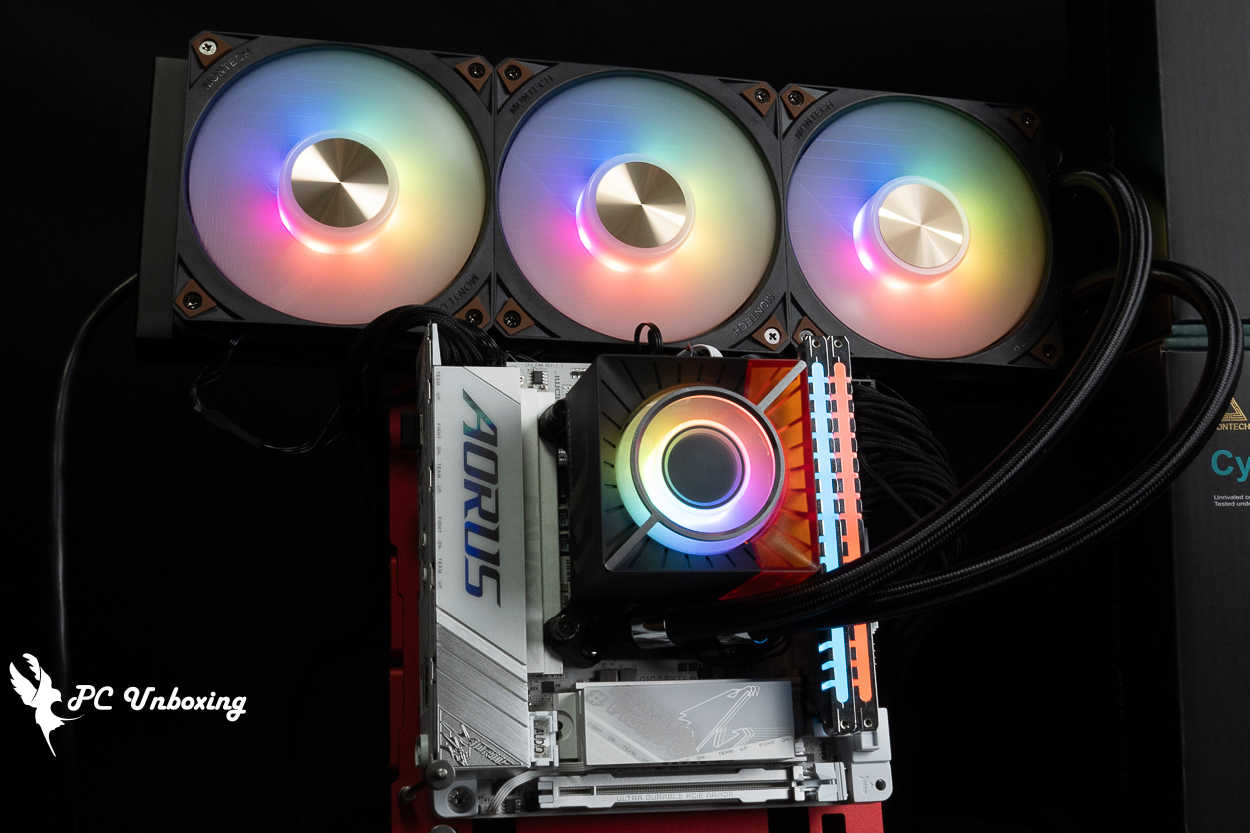
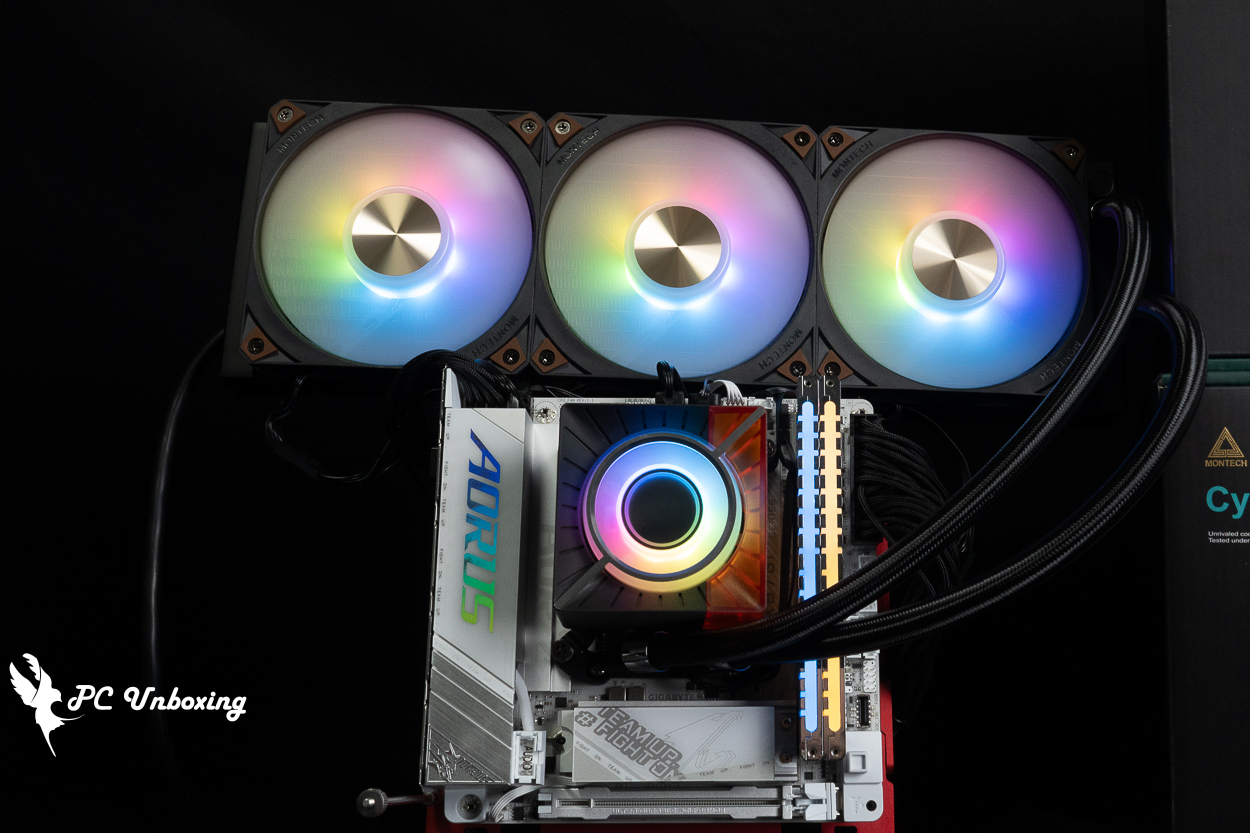
△ Overall lighting effect.
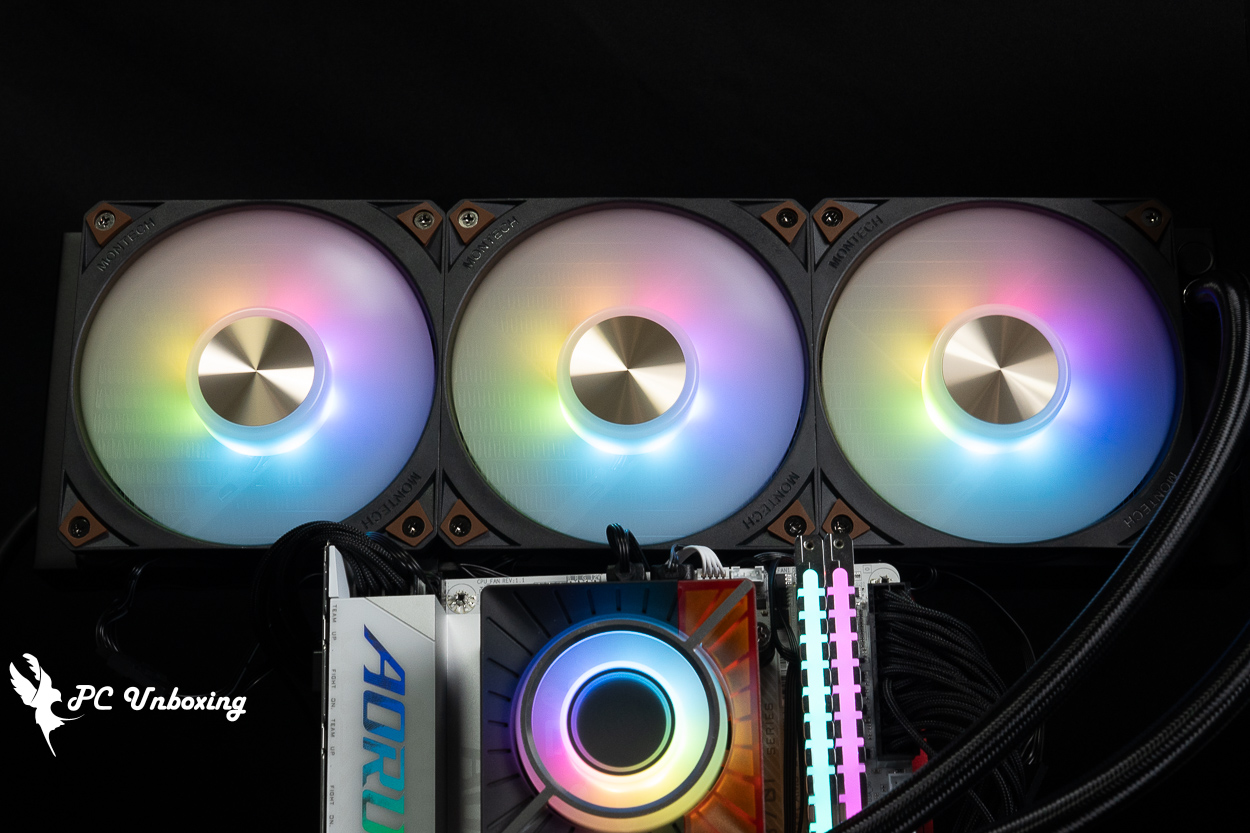
△ Fan lighting effects.
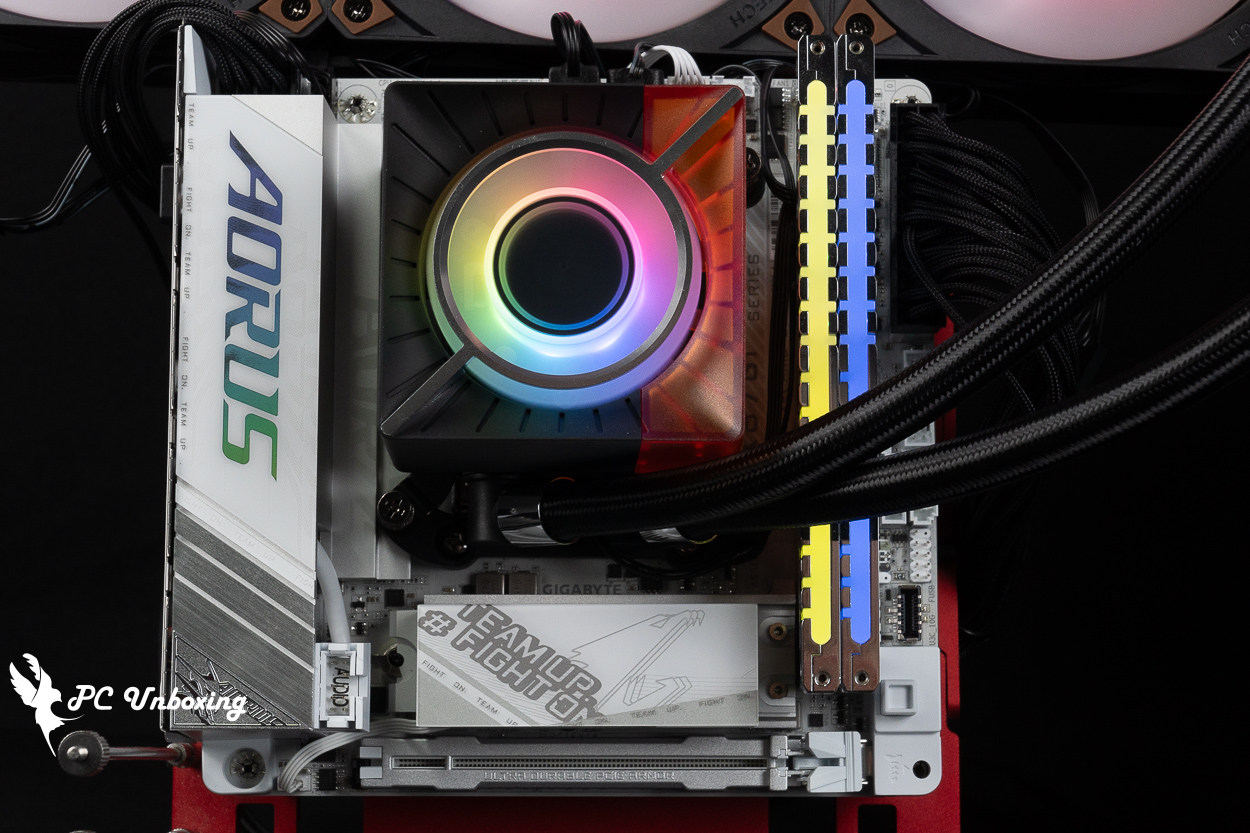
△ Lighting effects of the water-cooled head.
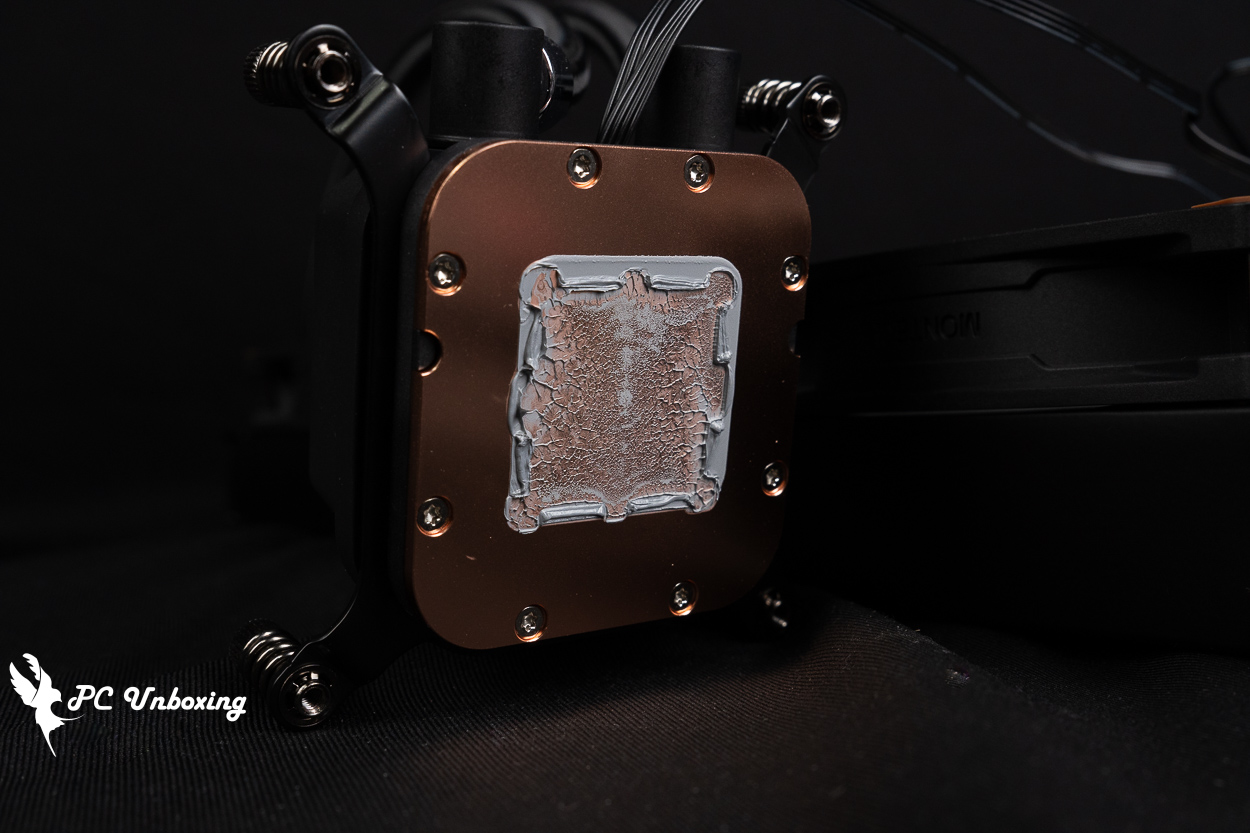
△ Actual photo taken after applying the thermal paste.
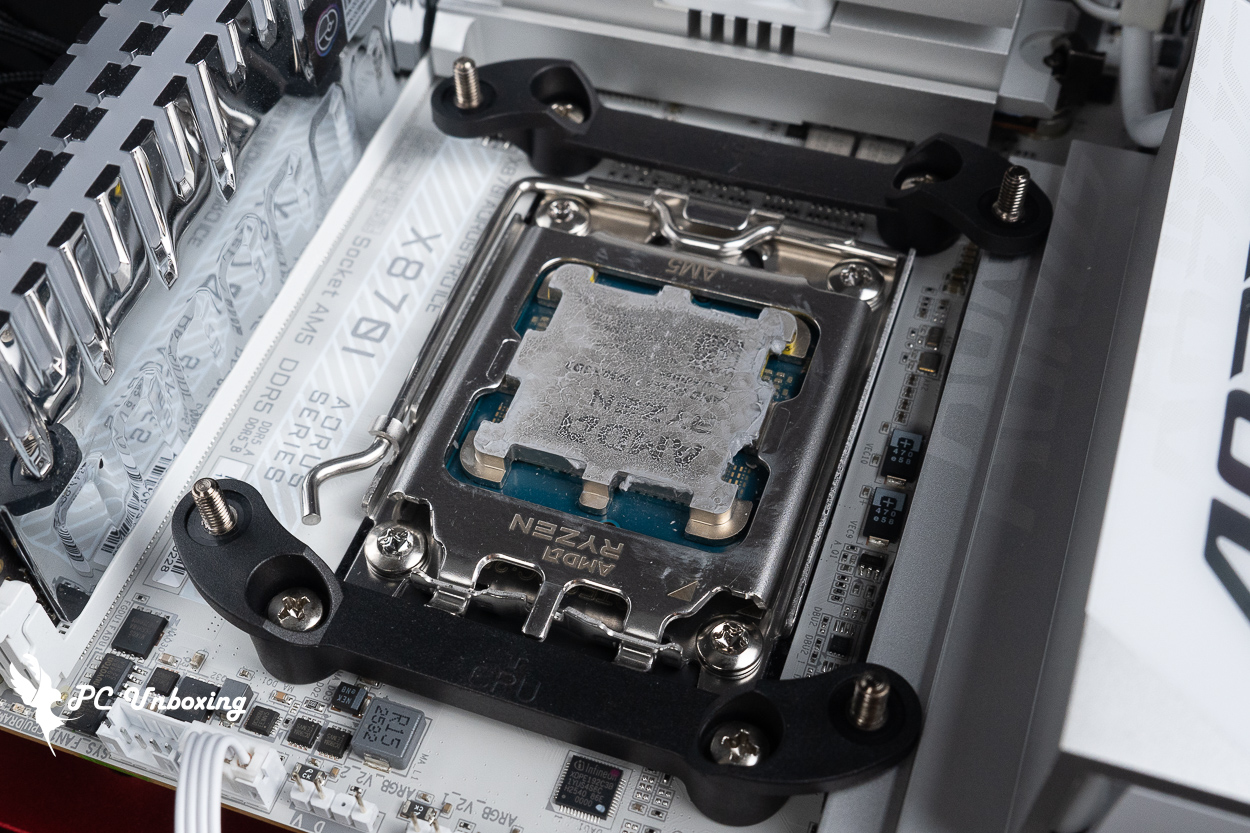
△ Condition of the thermal paste on the processor.
MONTECH CyberFlow 360 Cooling Test: Ryzen 9 9950X3D2 Temperature and Power Consumption Measurements
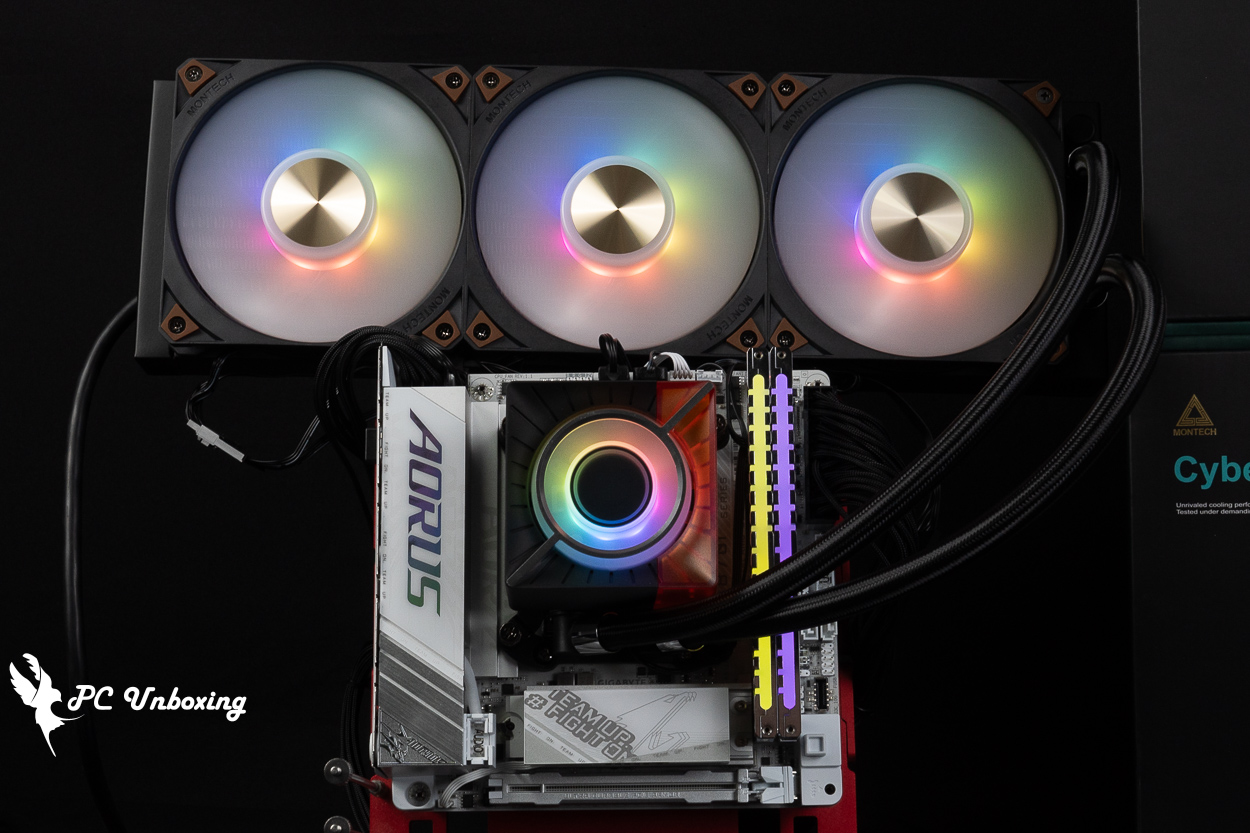
This time, we installed the heatsink on a bare-metal test bench, paired with AMD Ryzen 9 9950X3D2 Dual Edition (R9 9950X3D2) Processor and GIGABYTE X870I AORUS PRO ICE For the motherboard, during testing, the fan speed was set to full speed in the BIOS; only the memory profile was enabled, while all other settings remained at their defaults, and no additional CPU overclocking was performed. The test was conducted in a sealed room in Taipei at 25 °C. Since ambient temperatures in ordinary rooms are difficult to control, these results are for reference only.
For software testing, we used the AIDA64 FPU and Cinebench 2026 multi-core tests to simulate temperature data under extreme load conditions. We also ran a 1080p resolution test of 《Kurokami Dialog: GokuThe performance was tested using the *Black Myth: Wukong* benchmark tool to assess the game's performance, while HWiNFO64 was used to collect and record the maximum temperature and power consumption of the CPU package. The thermal paste was applied using the paste included with the water-cooling kit and smoothed out; no additional thermal paste was used.
Testing Platform
Processor:AMD Ryzen 9 9950X3D2 Dual Edition (R9 9950X3D2)
Cooler: MONTECH CyberFlow ARGB 360 (Full Speed)
Thermal Paste: Thermal paste pre-applied to the cold plate
Motherboard:GIGABYTE X870I AORUS PRO ICE(BIOS Version: FA8)
Memory:Origin code vortex DDR5 48 GB (24 GBx2) 8000 MT/s CL36-47-47-108 1.45V
Graphics: NVIDIA GeForce RTX 4060 Ti Founders Edition 8GB
Operating System: Windows 11 Professional 25H2
Chassis:Thermal Grizzly der8enchtable Bare Benchmark Stand
The author conducted the test using the default CPU settings on this motherboard. Other settings: Memory Profile: on; fan speed set to maximum. The test was performed in a closed room; however, since ambient temperatures in ordinary rooms are difficult to control, these results are for reference only.
- AIDA64 FPU_30 Minute
- AIDA64 CPU_30 Minute
- Black Myth: Wukong 1920 x 1080(FHD)_1 Round
- Cinebench 2026 Multi-Core_1 Round
- CPU temperature is measured by the diode in the slot to measure the internal (core) or external (case) temperature, but there is no way to know exactly whether it is the internal or external temperature that is measured, and most monitoring software uses this item to display the CPU temperature.
- CPU (Tctl/Tdie) temperature is the actual maximum temperature of the CPU sensors in the chip, and is used as a reference point for overheating and downclocking of the processor.
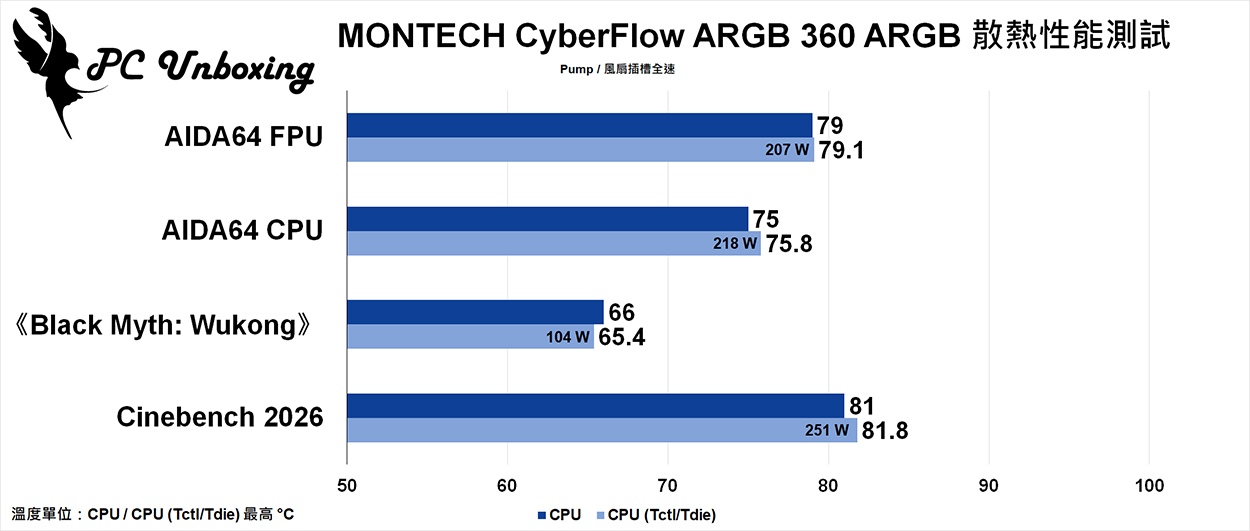
△ Heat dissipation test chart.
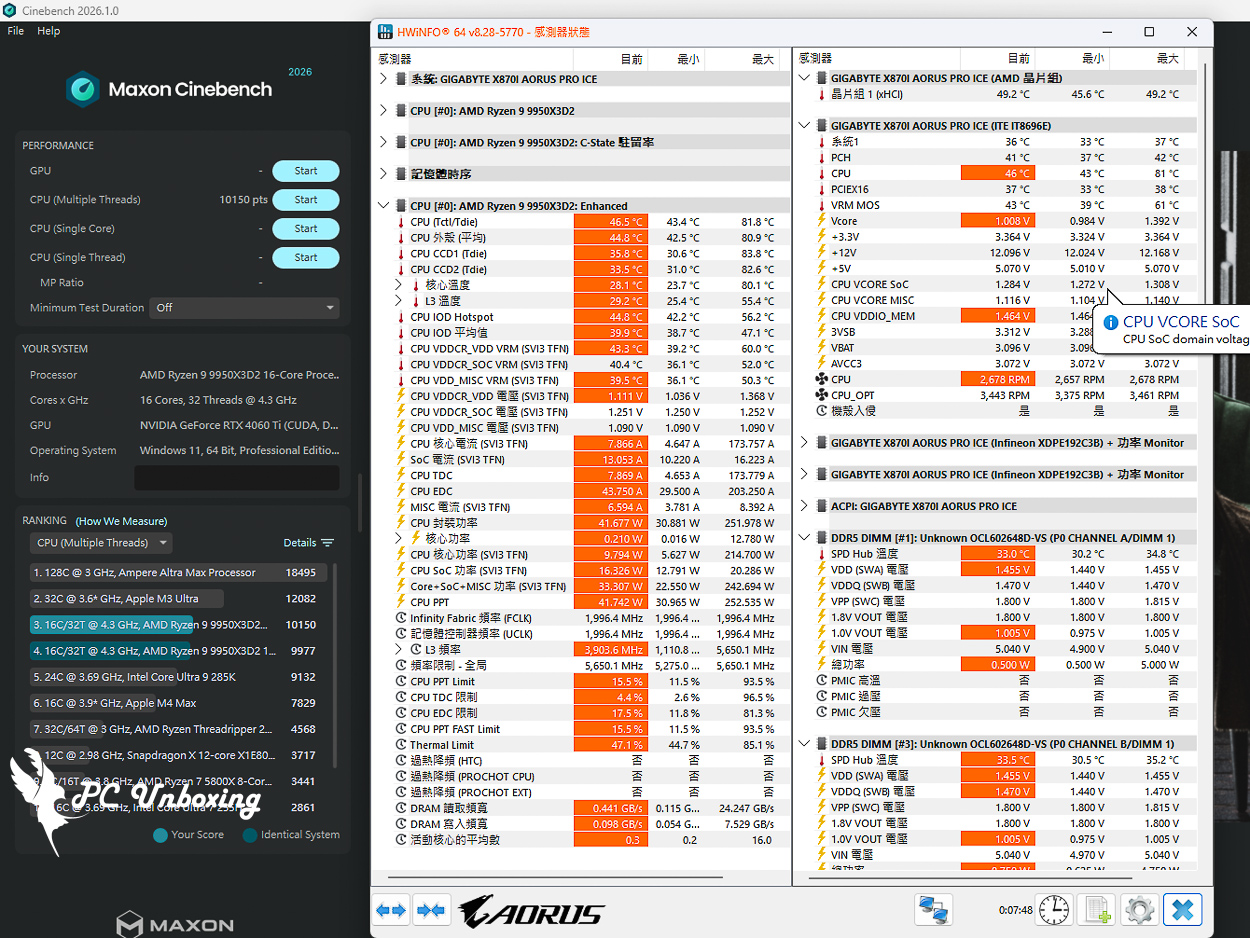
△ Test screenshot.
MONTECH CyberFlow VRM Fan Hands-On Review: Cooling Performance for Motherboard Power Delivery and DDR5 Memory
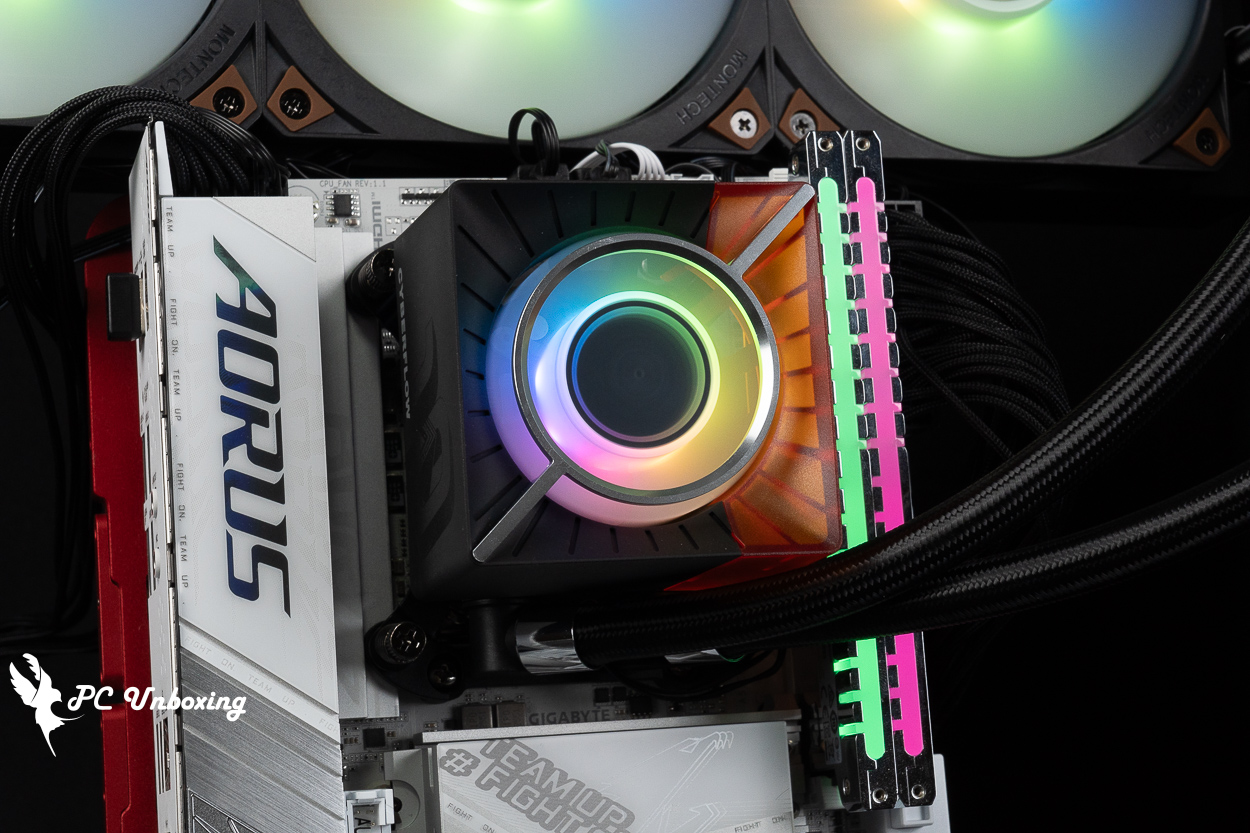
The heat generated by the motherboard VRM chip will be higher under multi-core processor load. If the motherboard's VRM heat sink has poor cooling performance, it will result in a weaker CPU multi-core performance that can't be utilized to its full capacity under a long period of high load. Intel Core Ultra 9 285K When pairing the processor with a more affordable entry-level motherboard like the Little Lizard PRO Z890-S WIFI, we encountered issues such as crashes and poor performance during extended multi-core testing in Cinebench 2024. It was later discovered that this was caused by the poor cooling performance of the VRM heatsink on the motherboard itself.
Higher-end motherboards not only feature robust VRM heatsinks but also enhance cooling performance by adding heat pipes connected in series to the heatsinks. Therefore, for ITX motherboards or those with smaller heatsinks, when paired with a flagship multi-core processor, if you can pair them with a liquid cooling system that includes a built-in VRM fan to assist with cooling, they will operate more stably under heavy loads, while also helping to cool the adjacent memory modules.
In this hands-on test, I’ll show you whether there’s a difference in VRM and memory cooling performance between an all-in-one liquid cooler without a built-in VRM fan and one with a VRM fan, when both are placed horizontally on a bare-metal test platform without any additional fans.
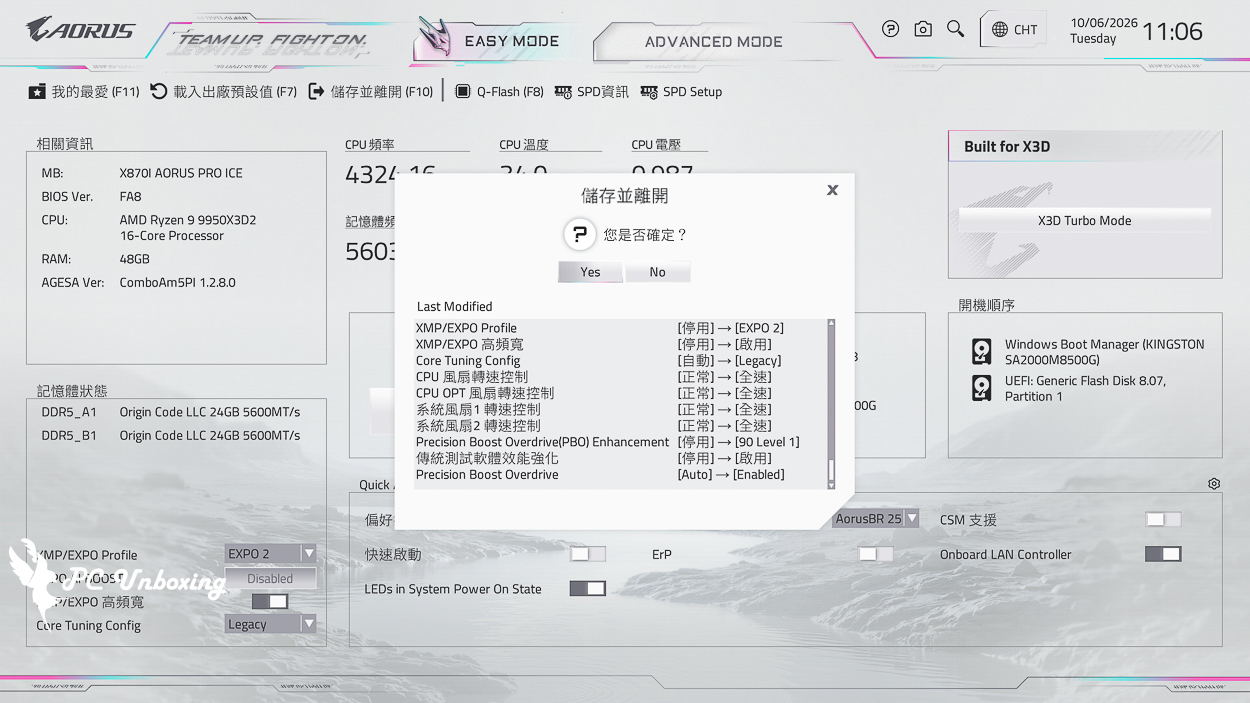
Extra On GIGABYTE High Bandwidth and Low Latency Features...as well as performance enhancements to traditional benchmarking software. For testing, AMD PBO was manually set to "Enabled" at Level 1 (90) to increase the processor's load capacity and thereby put stress on the VRM.
First, we ran a one-hour OCCT CPU+RAM test and recorded the highest temperatures of the motherboard’s VRM MOSFETs and the DDR5 memory SPDs during the test.
When using the LIAN LI GA II Trinity SL-INF 360 without a VRM fan, the software recorded a maximum VRM MOS temperature of 87 °C; the two DDR5 memory SPD hubs reached a maximum temperature of 79.75 °C.
In the MONTECH CyberFlow ARGB 360, which comes with a built-in VRM fan, the software recorded a maximum VRM MOS temperature of 59 °C; the two DDR5 memory SPD hubs reached a maximum temperature of 54.5 °C.
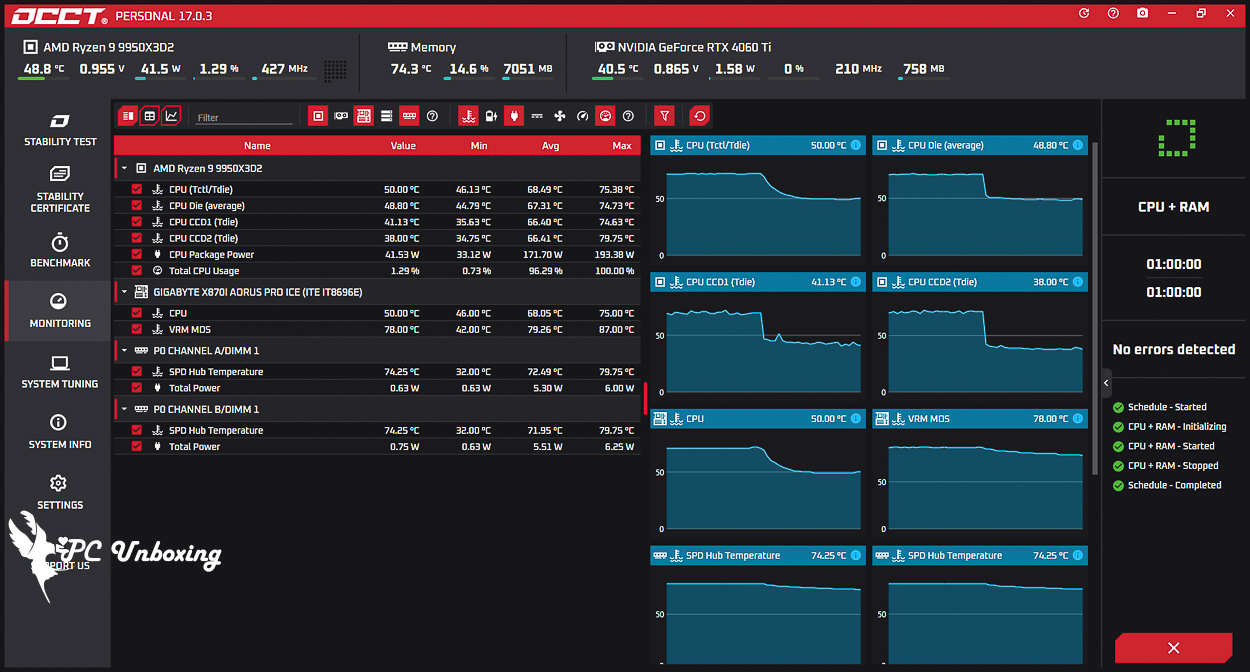
△ Screenshot showing temperatures after a one-hour stress test on a standard 360 water-cooling system.
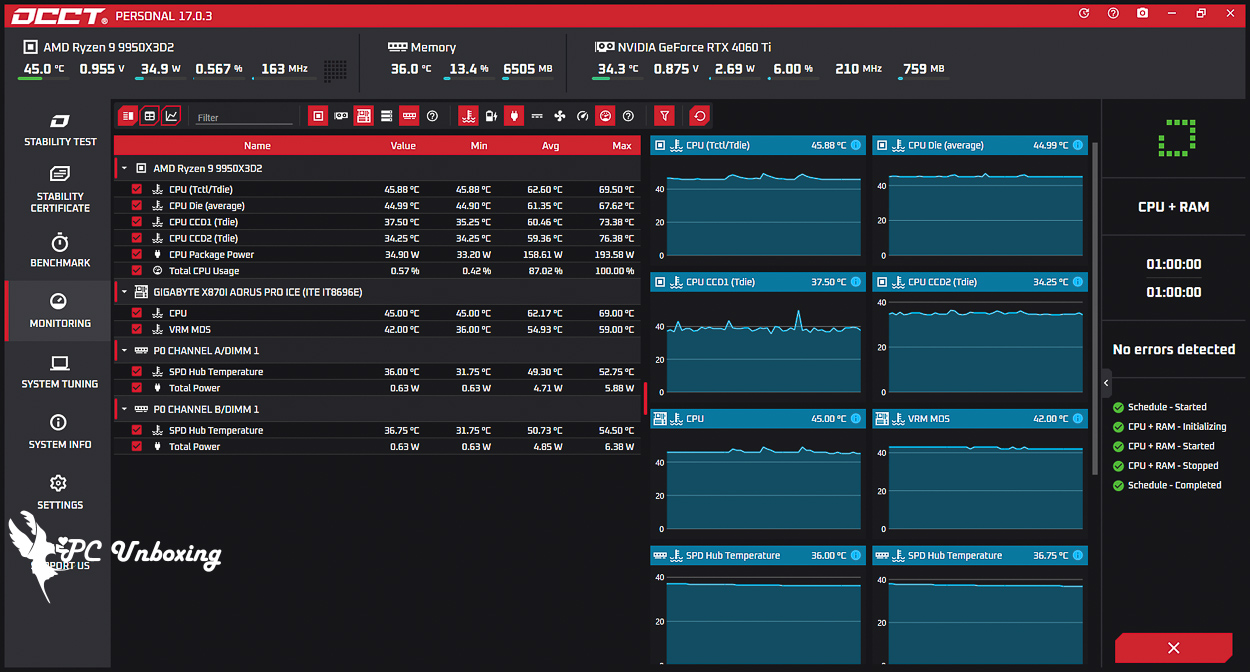
△ A screenshot showing the temperatures of the MONTECH CyberFlow ARGB 360 liquid cooler—which comes with a built-in VRM fan—after a one-hour stress test.
During the one-hour test described above, we used the FLIR ONE PRO thermal imager to monitor the surface temperatures of the motherboard’s VRM and DDR5 memory heatsinks to determine whether the VRM fan on the all-in-one liquid cooler was effective. For the DDR5 memory heat spreaders, we primarily monitored the back side (the side facing the processor), as that is where the SPD hub and PMIC are located, and it is also the primary heat-generating area of the memory modules.
During testing with the LIAN LI GA II Trinity SL-INF 360 installed without a VRM fan, the highest temperature on the back of the DDR5 memory module closest to the water block was 73.4 °C, while the surface temperature of the VRM heatsink on the left side of the image was 79.6 °C.
With the MONTECH CyberFlow ARGB 360 all-in-one liquid cooler featuring a VRM fan, the maximum temperature on the back of the DDR5 memory was 45.2 °C, while the surface temperature of the VRM heatsink on the left side of the image was 51.4 °C.
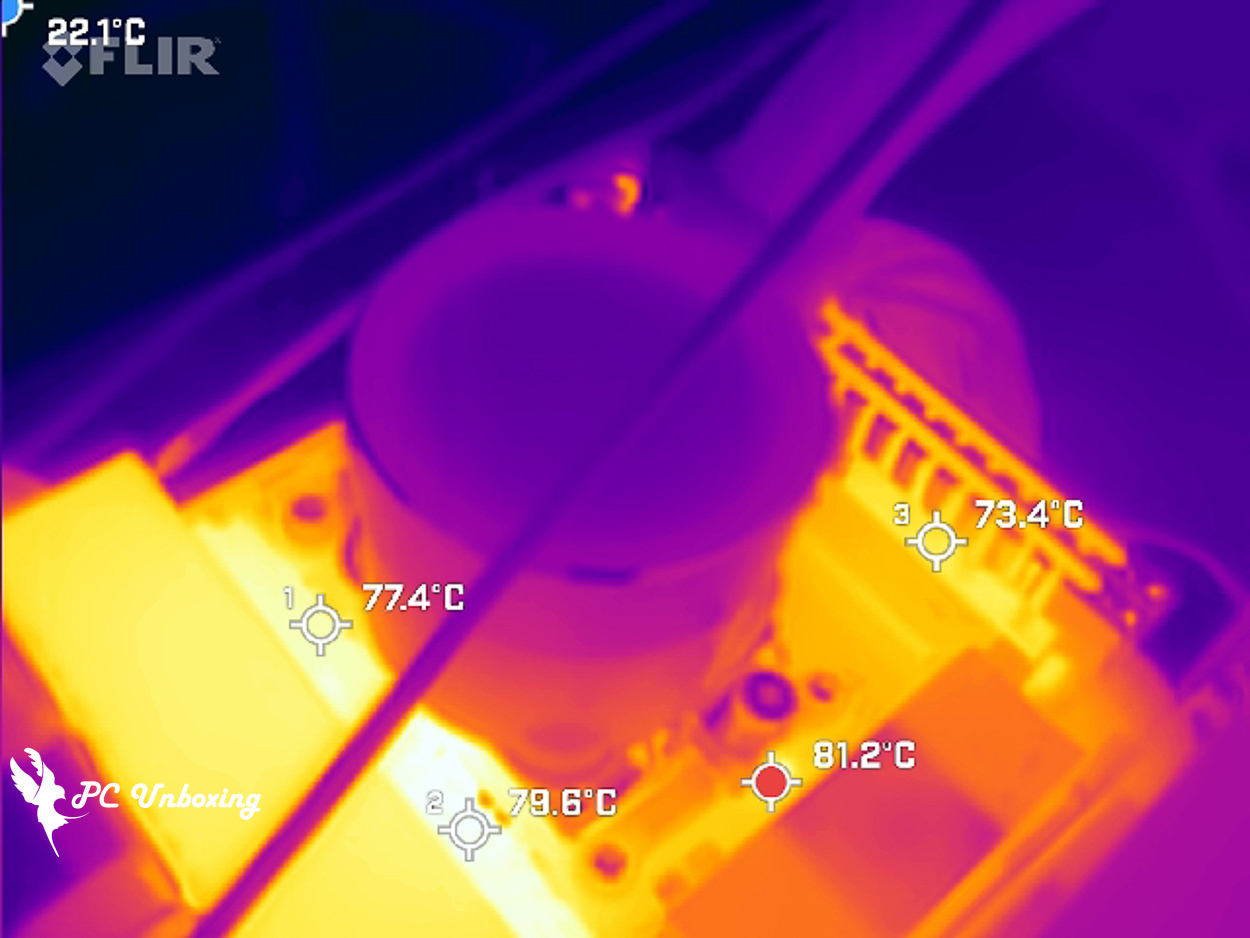
△ When testing with a regular LIAN LI all-in-one water cooler, a FLIR ONE PRO thermal imaging camera was used to observe the surface temperature of the heatsink.
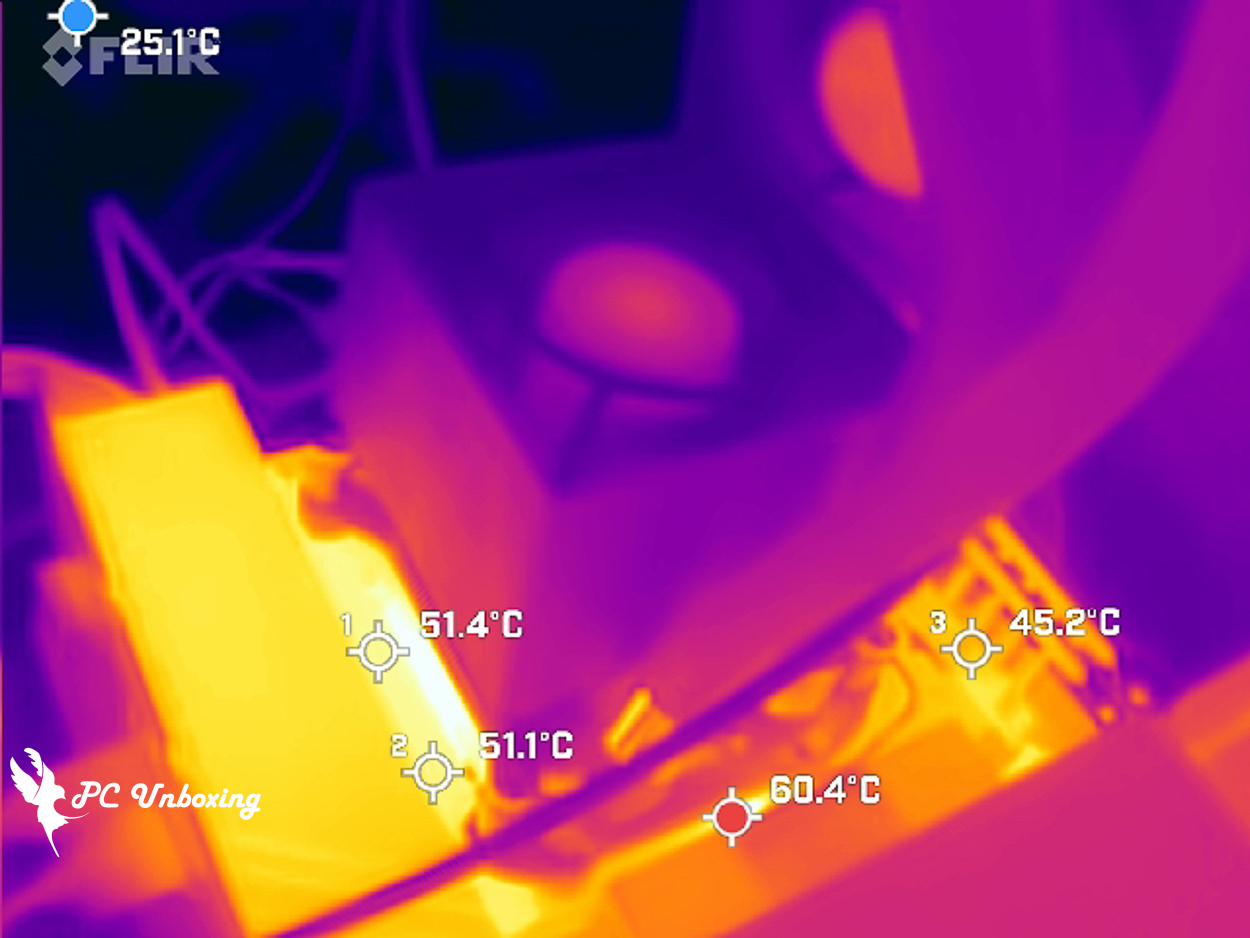
△ A screenshot of the MONTECH CyberFlow ARGB 360.
MONTECH CyberFlow ARGB 360 and Core 360 Reviews and Buying Guide
In this unboxing and hands-on review of the MONTECH CyberFlow ARGB 360 and CyberFlow Core 360 all-in-one liquid coolers, the fans reached a maximum speed of 2,678 RPM; the pump operates at 3,461 RPM. Whether in the default PBO AUTO mode or when overclocked via the motherboard’s settings, it effectively keeps the 9950X3D2 from overheating, In the Cinebench 2026 multi-core test, peak power consumption reached 251W, while the CPU temperature peaked at only around 81 °C—a truly impressive performance.
The built-in VRM fan significantly reduces the maximum temperature of the VRM MOSFETs and heat sinks on ITX motherboards, where VRM cooling is particularly challenging. while the adjacent memory modules also benefit from the cooling airflow, further enhancing system and memory stability. This makes it an excellent choice for users on a tight motherboard budget who prefer to allocate their funds toward a high-end processor. However, it’s important to note that the relatively thick water-cooling radiator may not fit well in some compact cases with limited installation space.
In my opinion, one area for improvement is noise levels. During testing, I ran the system at full speed, which resulted in fairly noticeable noise. For users who are sensitive to operating noise, I recommend customizing the fan speed curve to strike a good balance between performance and noise levels.
The fan is pre-installed at the factory, thermal paste applied, and cables pre-organized, making installation a breeze and significantly reducing the time required. It also comes with a six-year warranty against leaks. Considering its price of 2,790 New Taiwan Dollars, this level of cooling performance—combined with a magnetic VRM fan and excellent aesthetic design (I personally think the CyberFlow Core looks great), making this liquid cooler highly recommendable. It combines practicality, cooling performance, value for money, and aesthetics—all in all, it’s an excellent choice for an all-in-one liquid cooler.

Yun
Drinks with less than full sugar are colored water. Crossing Turbid Creek, full sugar is not a crime!


 繁體中文
繁體中文  English