
GIGABYTE B850 AORUS ELITE-P ICE Unboxing and Review | "Sculpted Maiden" Themed ATX Motherboard, Performance Tests, and Specifications Breakdown
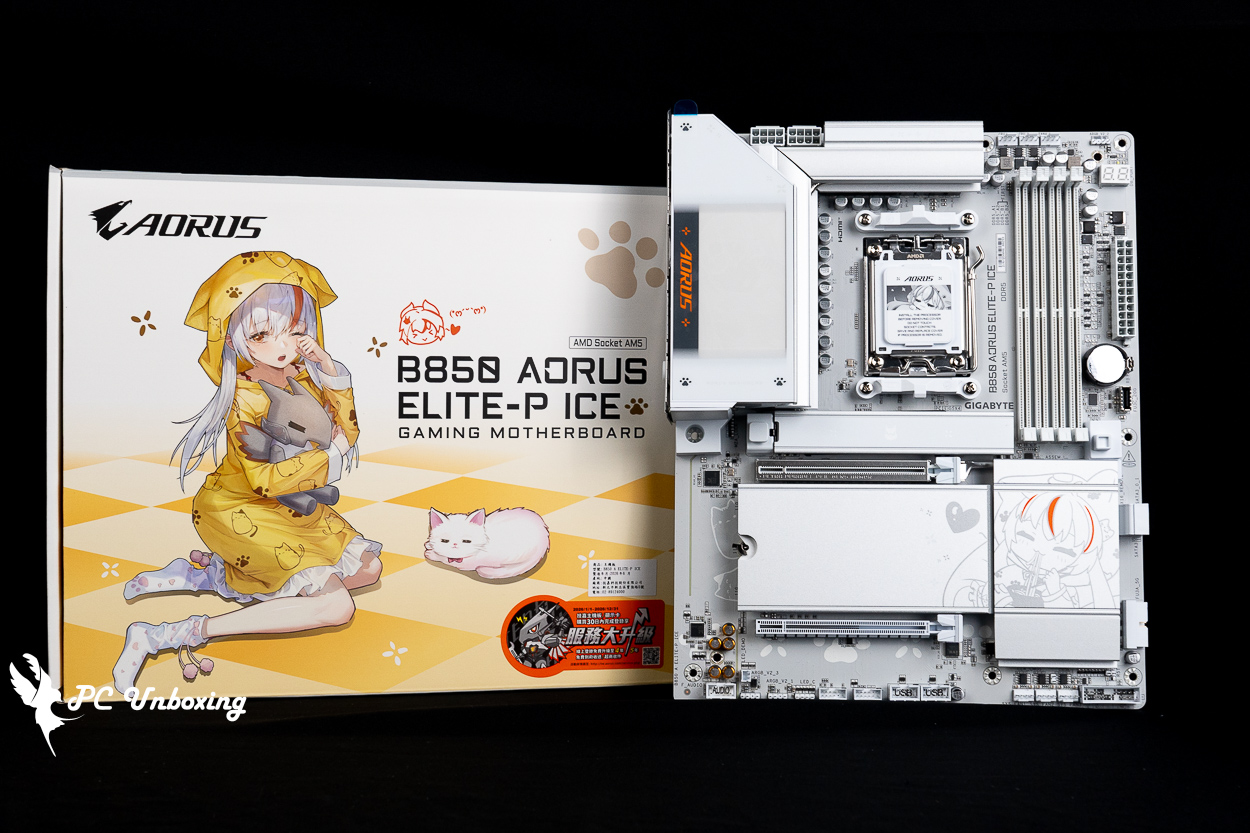
GIGABYTE has finally released the ATX-spec GIGABYTE B850 AORUS ELITE-P ICE motherboard as part of its "Glowing Girl" anime-themed series. It features better expandability, a more modern IP-inspired design, diverse BIOS themes, a limited-edition ARI figurine blind box included in the box. However, it costs about 2,000 yuan more than the M-ATX version. The rear I/O shield, which features a winking animated GIF of the "Carved Sister," has certainly piqued the interest of many gamers who prioritize aesthetics. This time, we’ll be pairing it with AMD Ryzen 9 9950X3D We’ll put this mainstream-tier motherboard to the test using high-end hardware, such as a processor and the XPG LANCER RGB DDR5-6000 CL30 64GB (32GBx2) memory kit with dual-sided modules, to see just how it performs!
GIGABYTE B850 AORUS ELITE-P ICE Motherboard Specification.
Size: ATX 30.5 x 24.4 cm
Processor Support: AMD Ryzen 9000 / 8000 / 7000
Processor Pin: AM5 LGA1718
CPU supply phase: 16(60A)+2(60A)+2(60A) phases
Chipset: AMD B850
Memory Expansion: 4x DDR5 DIMMs slots, 8200(O.C.) MT/s, up to 256 GB (single slot supports 64 GB capacity)
Memory Certification: AMD EXPO (Extended Profiles for Overclocking), Intel XMP 3.0 (Extreme Memory Profile)
Integrated Graphics Output Port: HDMI 2.1 (4K at 60 Hz)
Graphics Card Expansion Slots: PCIe 5.0 x16 (directly connected to the CPU), PCIe 4.0 x4 (the second slot is x16 in length but has only PCIe 4.0 x4 bandwidth)
Storage Expansion Slots: 2x SATA 6 Gb/s, M2A_CPU 2580/2280 PCIe Gen5 x4/x2, M2B_CPU 22110/2280 PCIe Gen4 x4/x2, M2C_SB 22110/2280 PCIe Gen4 x4/x2, M2D_SB 22110/2280 PCIe Gen4 x4/x2
Wired Network: Realtek 5 Gbps
Wireless Connectivity: Realtek Wi-Fi 7 RTL8922AE, Bluetooth 5.4
Audio chip: Realtek ALC1220
USB Ports (Front Expansion): 1x USB 20Gbps Type-C, 2x USB 5Gbps (supports front four USB 5Gbps Type-A ports), 2x USB 2.0 Type-A (supports front four USB 2.0 ports)
USB Ports (Rear I/O): 2x USB 10 Gbps Type-C, 2x USB 10 Gbps Type-A (red), 4x USB 5 Gbps Type-A (blue), 4x USB 2.0 Type-A
RGB Power Slots: 3x ARGB Gen2 5V 3-Pin, 1x RGB 12V 4-Pin
Fan power supply slots: 1x 4-Pin CPU Fan, 1x 4-Pin CPU OPT, 3x 4-Pin SYS FAN, 1x 4-Pin SYS FAN/PUMP
GIGABYTE B850 AORUS ELITE-P ICE Unboxing and Review | Analysis of the "Sculpted Maiden" Theme and Design
Ever since GIGABYTE released the first motherboard in its “Carved Sister” anime-inspired series—the B850M AORUS ELITE WIFI7 ICE-P—I’ve been quite interested in this series, which stands out from the mainstream on the market. However, I never had the chance to get my hands on one. I did, however, take a photo with a cosplayer dressed as the “Sculpted Maiden” at the GIGABYTE booth at WirForce (I thought she did a great job), though I personally felt the visual design of the first model was a bit too Chinese-inspired—perhaps because the initial distribution strategy was aimed at the Chinese market.
I’d like to extend special thanks to the user “Boneless Sausage” for lending me this motherboard—it gave me the chance to get my hands on it, I mean, to do an unboxing review.
In terms of design alone, I personally prefer the GIGABYTE B850 AORUS ELITE-P ICE motherboard that I’m unboxing today. This motherboard made its debut at this year’s Taipei International Computer Show, I recall that both white and black versions were showcased at the time, but currently, only the white version is available for sale in Taiwan, priced at around 8,490 New Taiwan dollars—about 2,000 New Taiwan dollars more than the M-ATX B850M AORUS ELITE WIFI7 ICE-P.
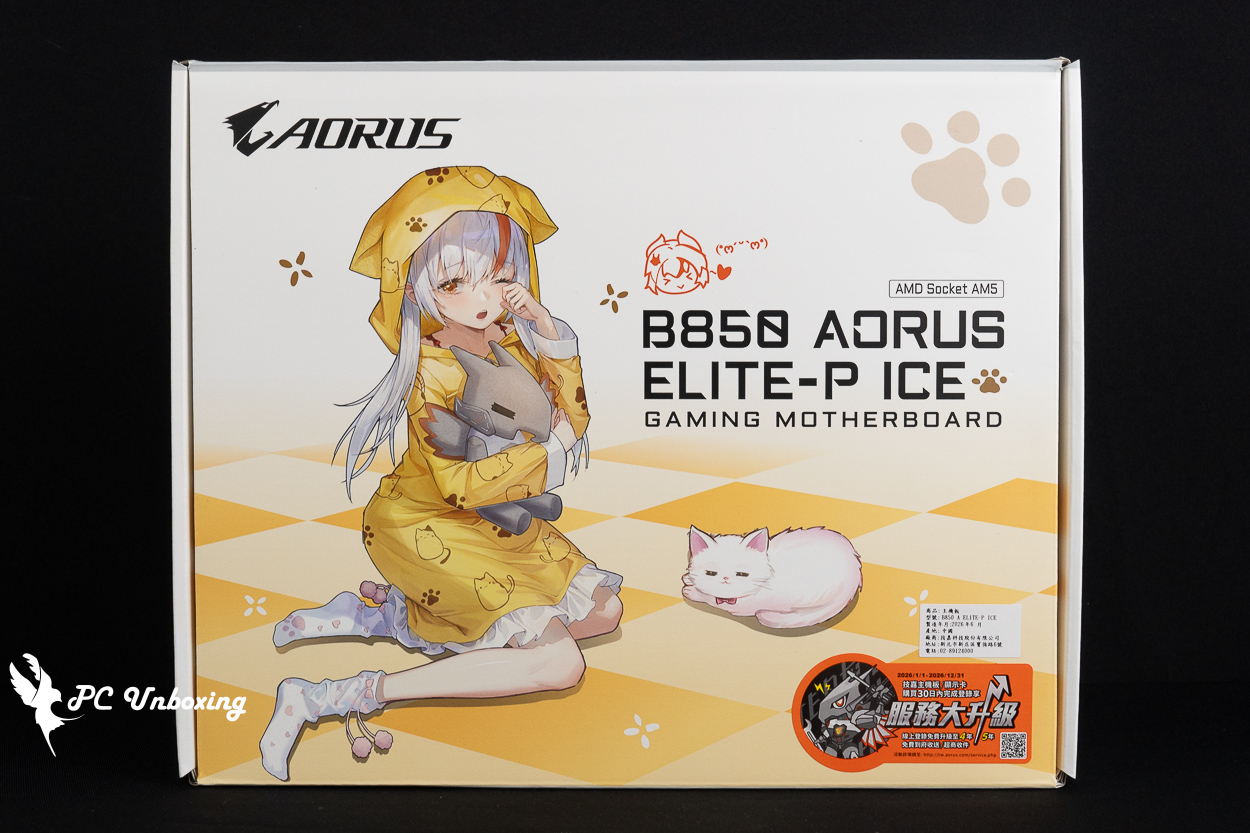
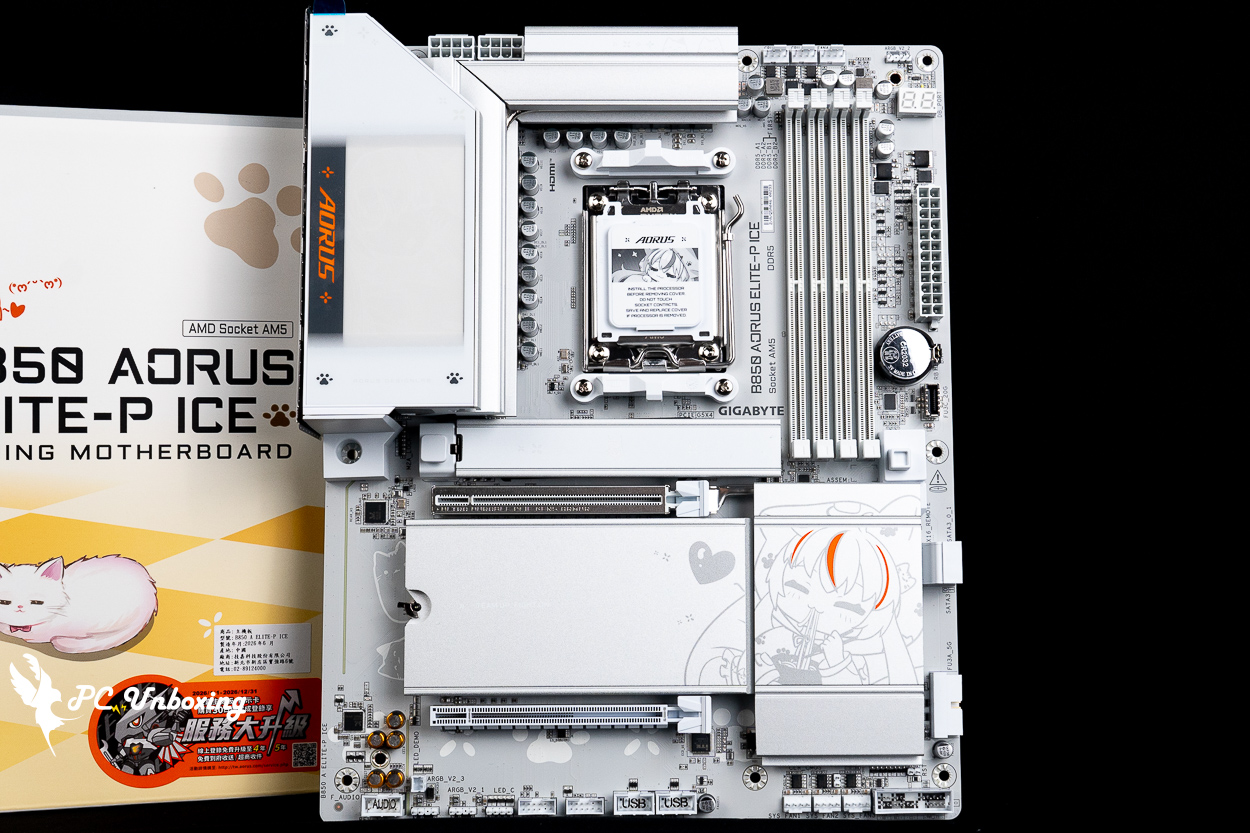
△ The second motherboard in GIGABYTE’s “Anime Glow Sculpted Girl” series available in Taiwan is the ATX-sized B850 AORUS ELITE-P ICE.
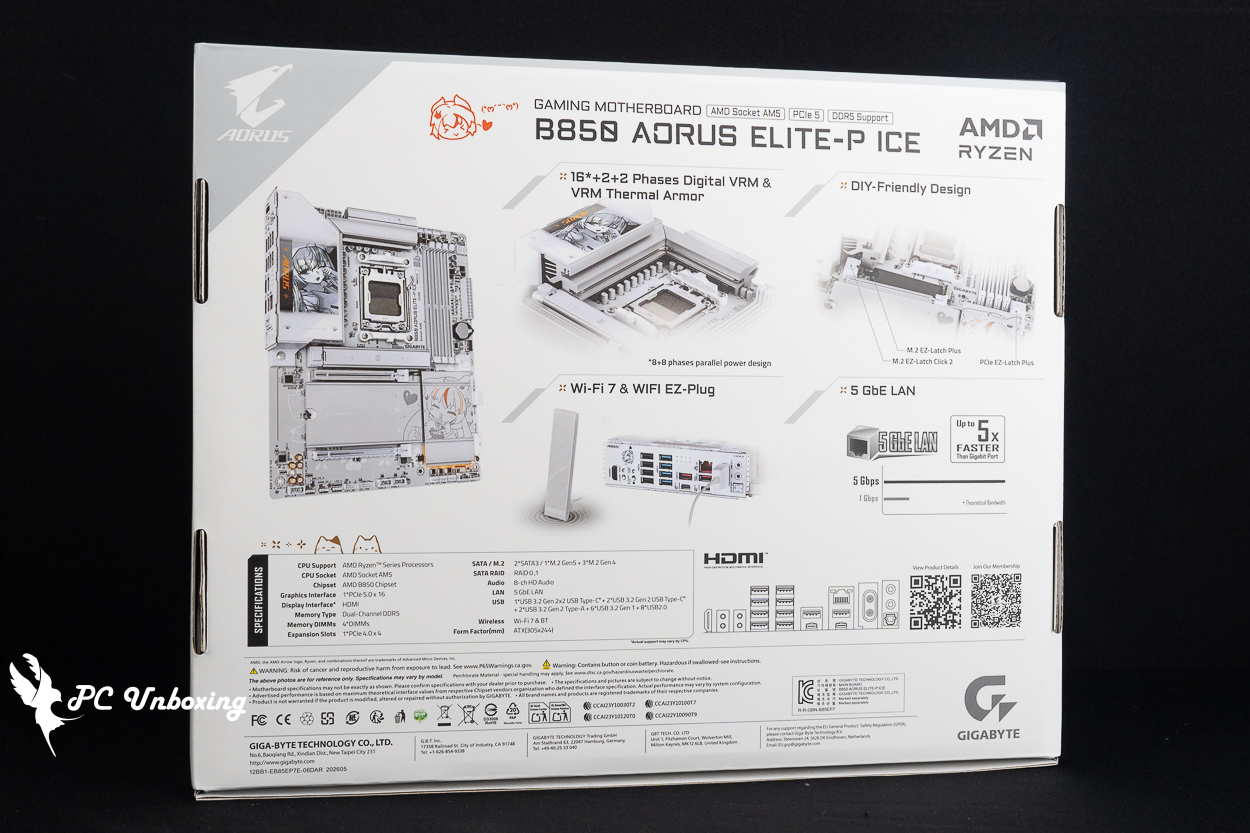
△ Basic features and specifications of the motherboard.
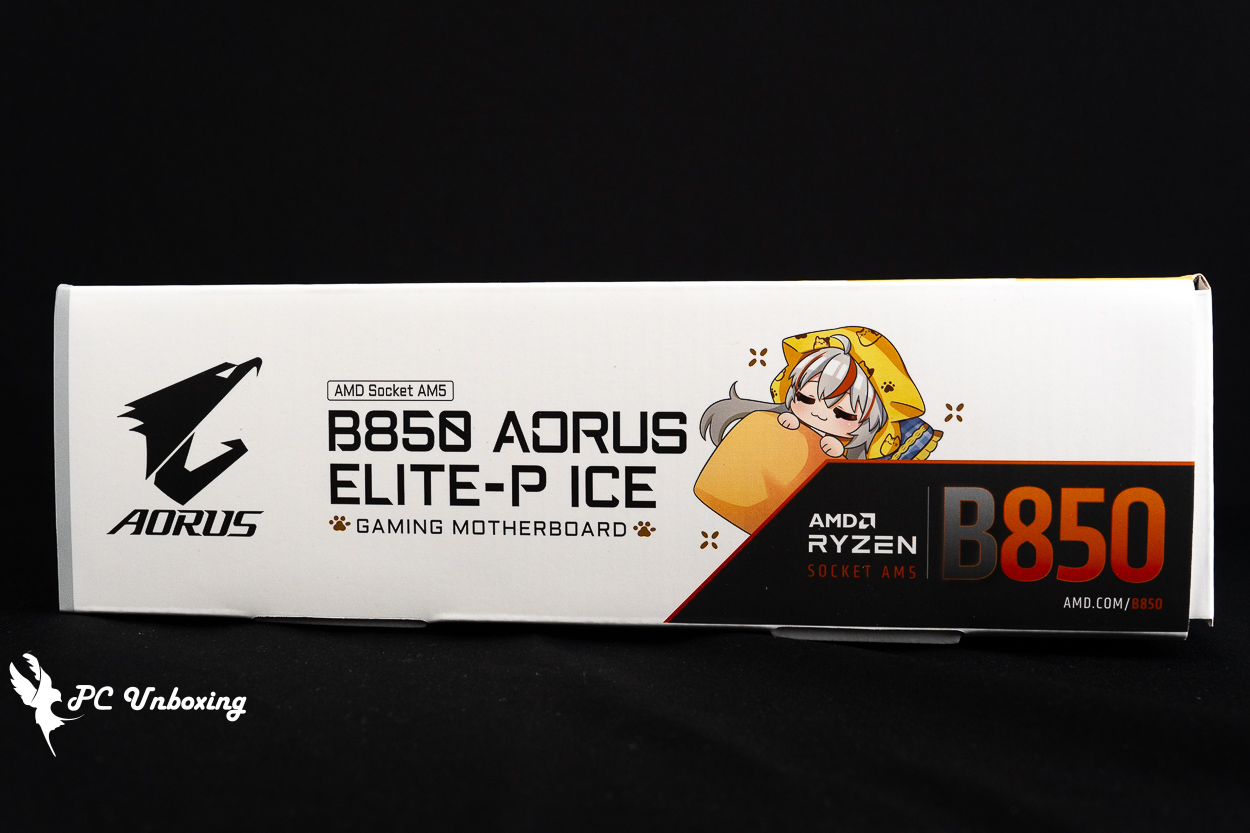
△ Compared to the Chinese aesthetic of the first one, the ID design of this motherboard takes a cuter, more laid-back approach.
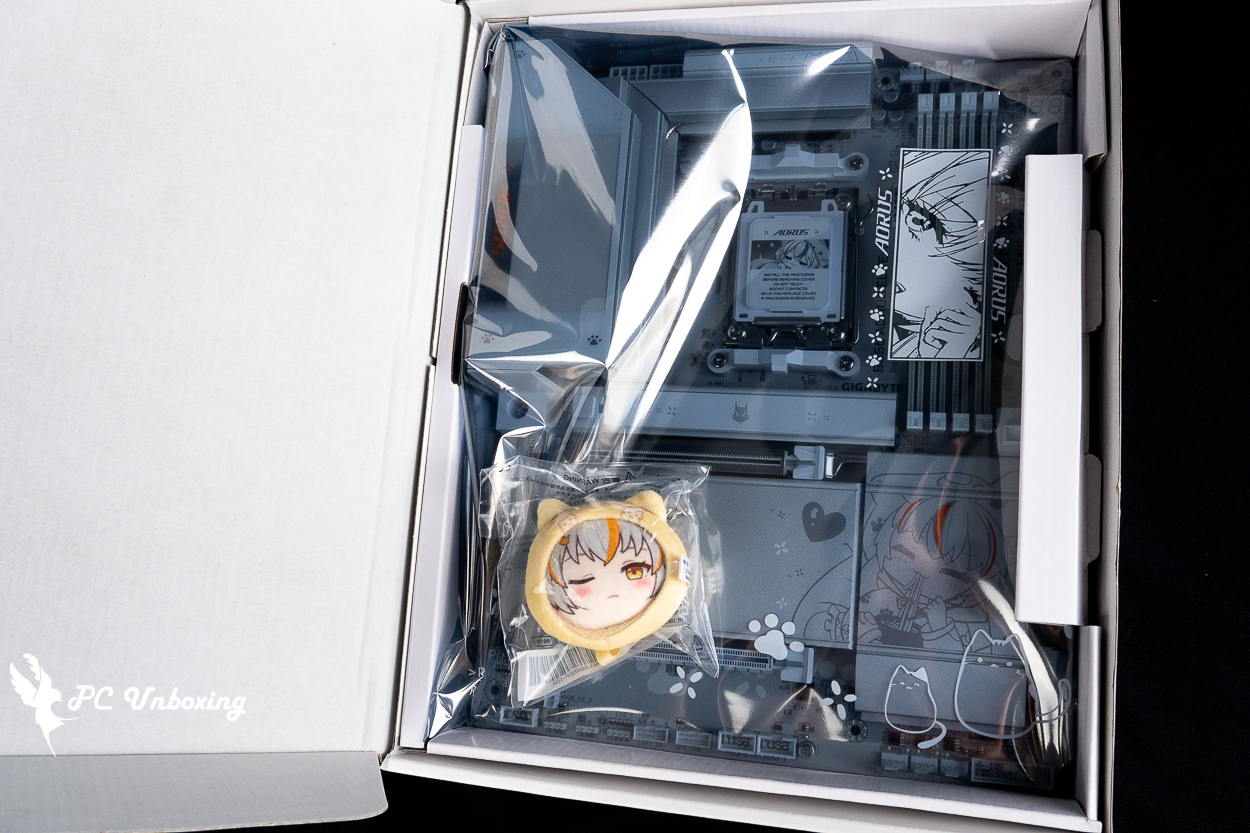
△ The anti-static bag features an embossed cat design and comes with a free limited-edition ARI figurine blind box.
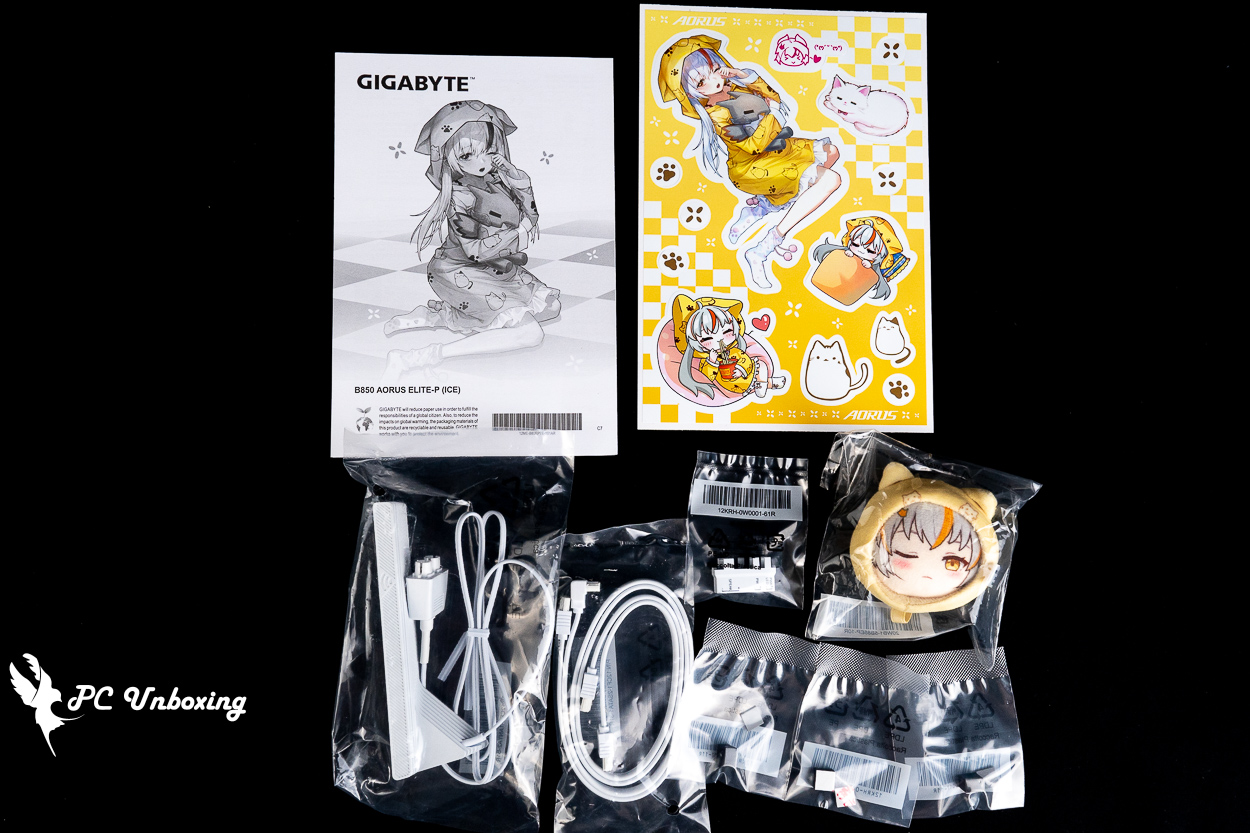
△ List of accessories—they even included a Diao Mei sticker.
The overall design is even whiter than the M-ATX model, which is definitely a welcome sight for someone like me who’s part of the “White Army”!
The GIGABYTE B850 AORUS ELITE-P ICE motherboard uses an ATX form factor measuring 30.5 x 24.4 cm, features a 16+2+2 power delivery design, with the 16-phase DrMOS 60A VCORE phases powered by an 8+8-phase parallel configuration, and a 6-layer PCB.
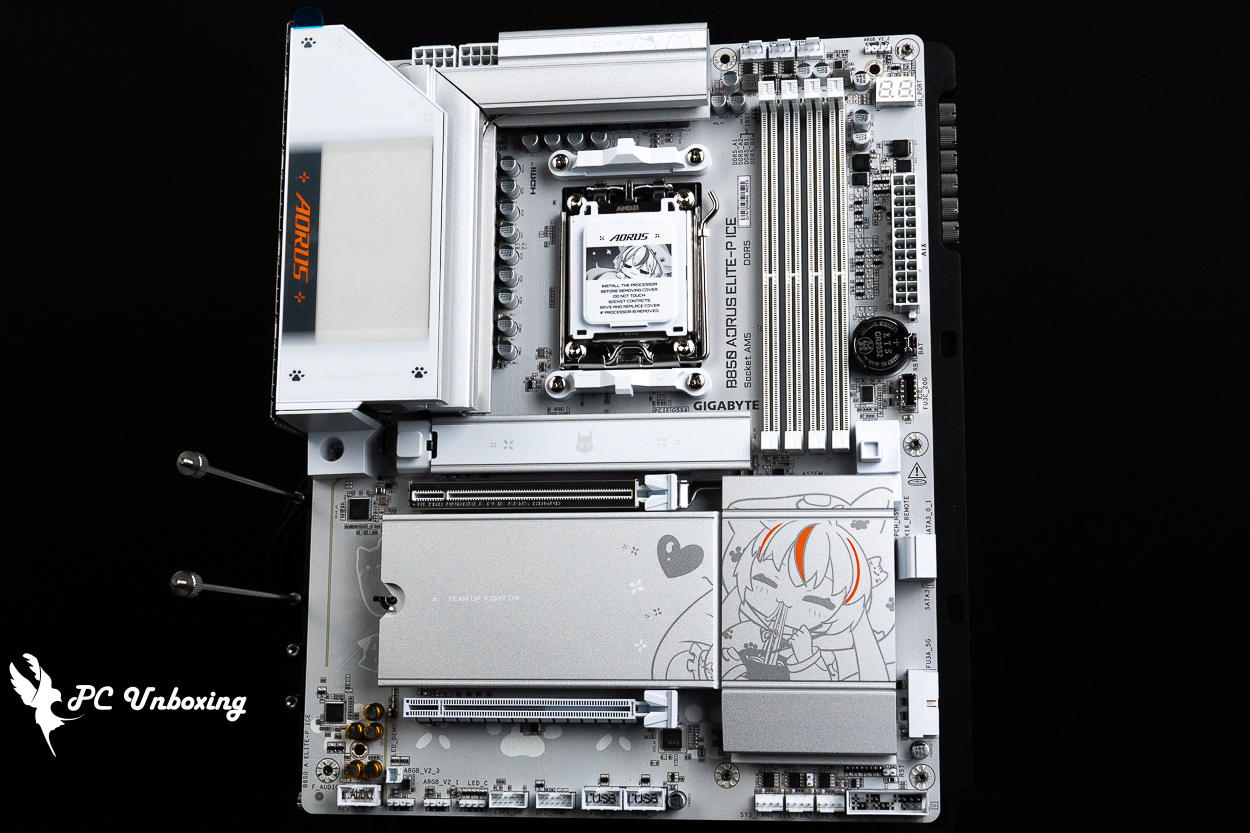
△ The ATX-sized GIGABYTE B850 AORUS ELITE-P ICE.
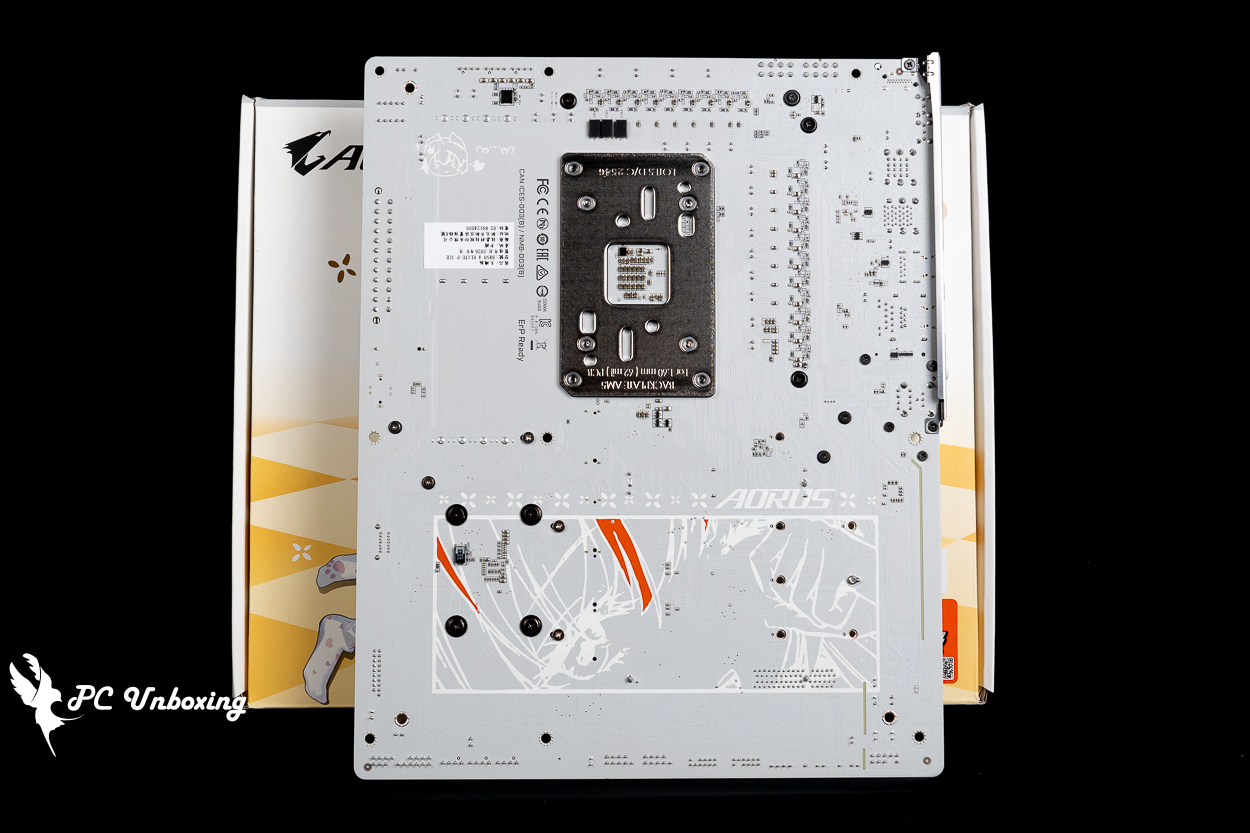
△ There is no reinforced back panel.
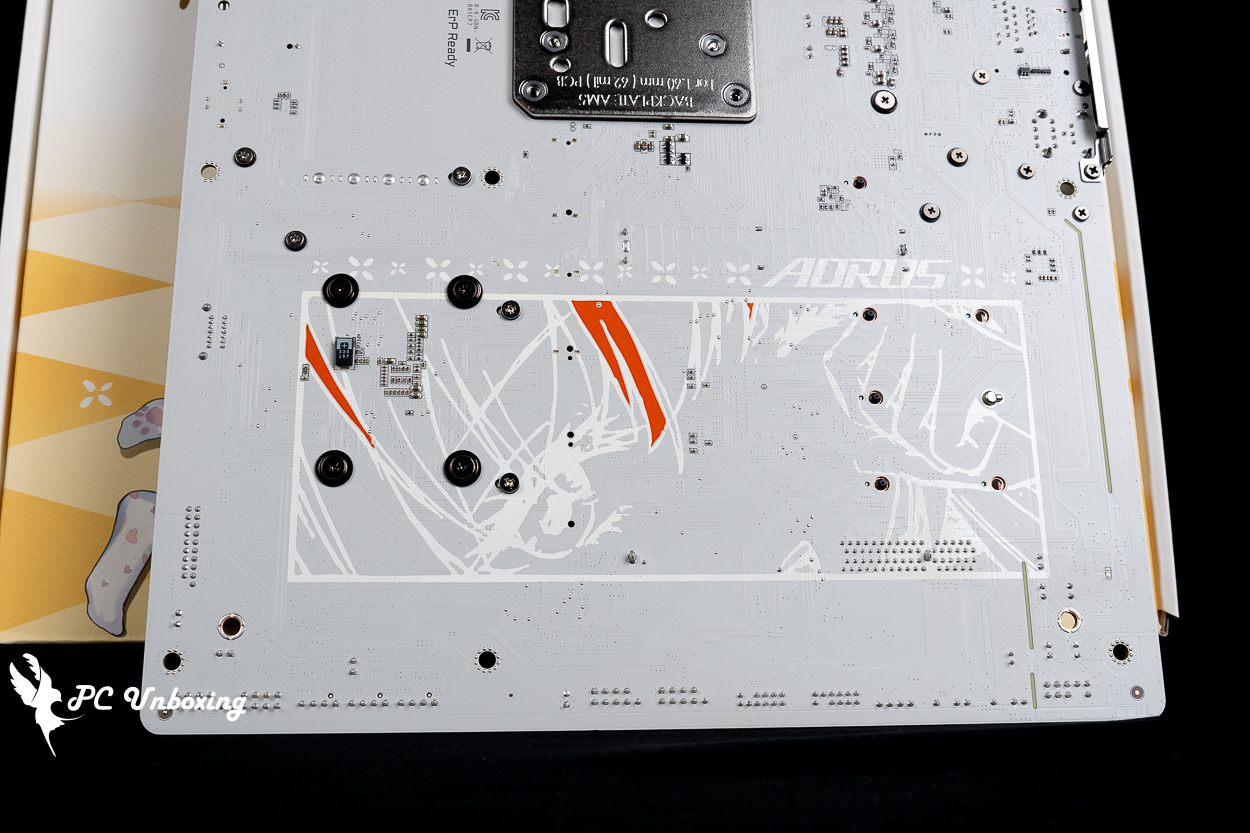
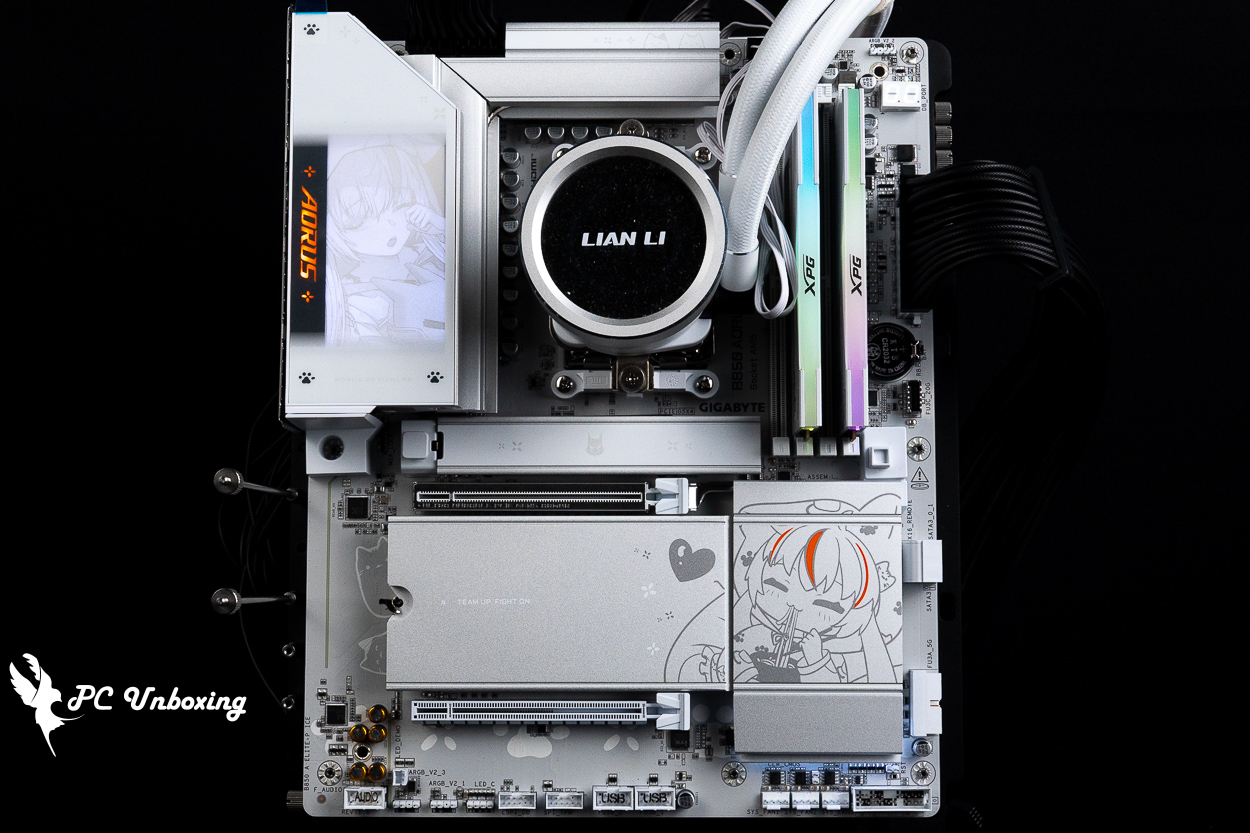
△ An illustration of a girl rubbing her eyes.
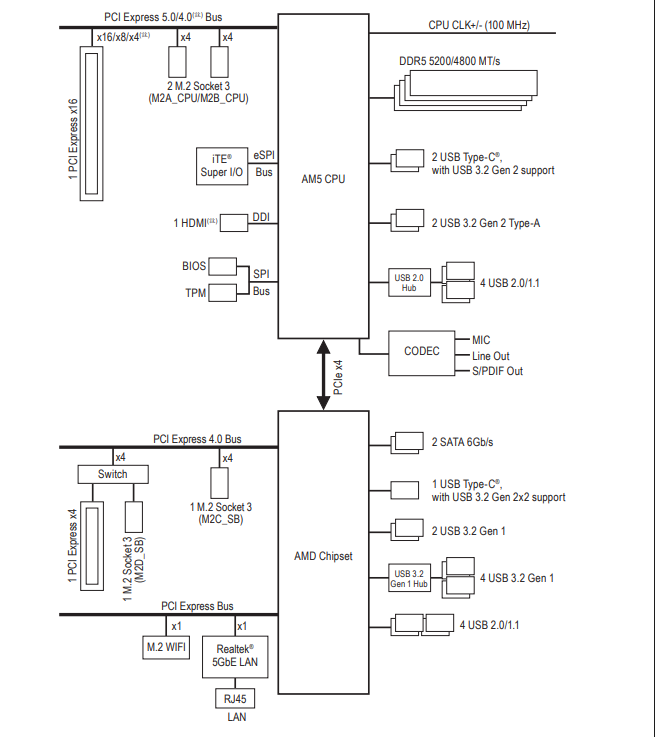
△ Motherboard channel configuration diagram.
The VRM heat sink on the motherboard uses a zigzag heat sink to dissipate power underneath, and a heat pipe with a 5 W/mK high-efficiency heat sink pad in direct contact with the MOSFETs to maintain system stability.
The B850 continues to use the AM5 LGA 1718 socket and supports AMD Ryzen 9000, 8000, and 7000 series processors. Since it retains the same cooler mounting brackets and hole spacing as the AM4 socket, users can simply reuse their existing AM4 cooler mounting kits for installation.
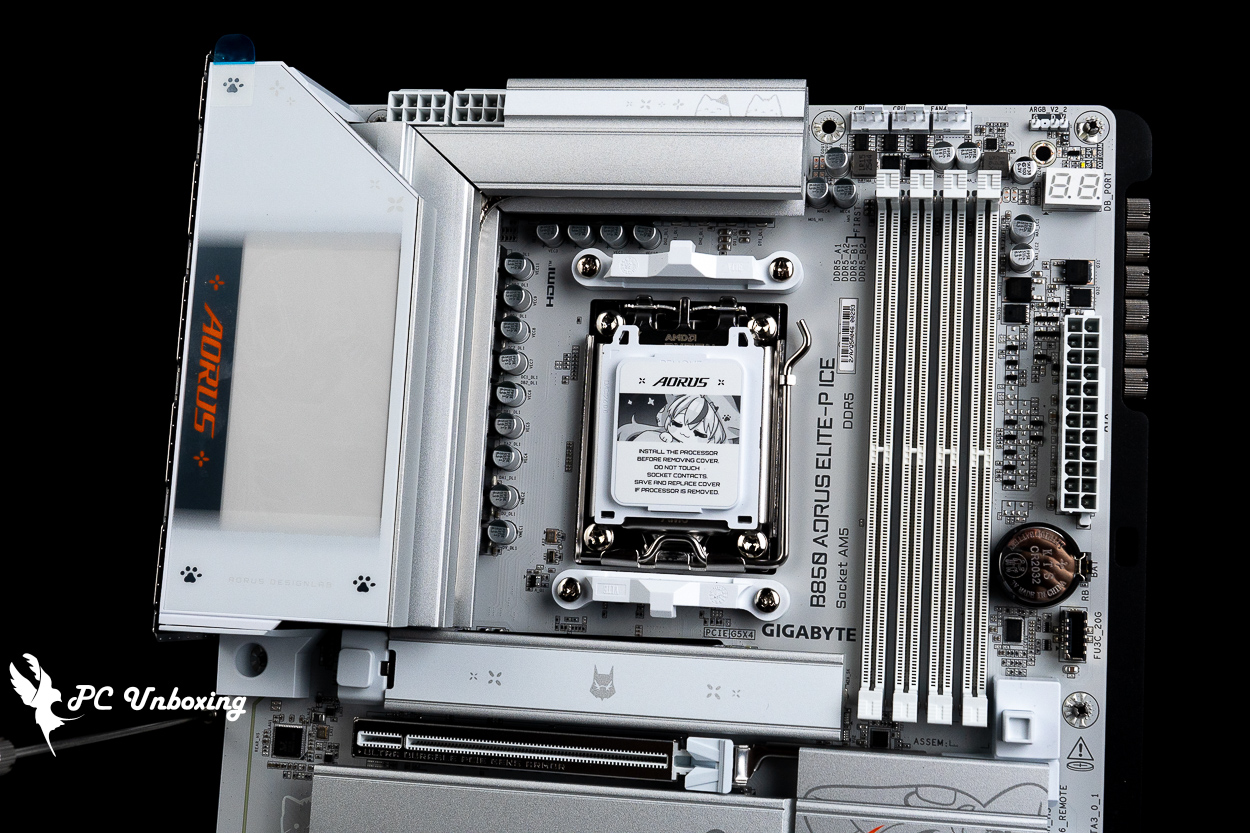
△ VRM Thermal Armor Advanced.
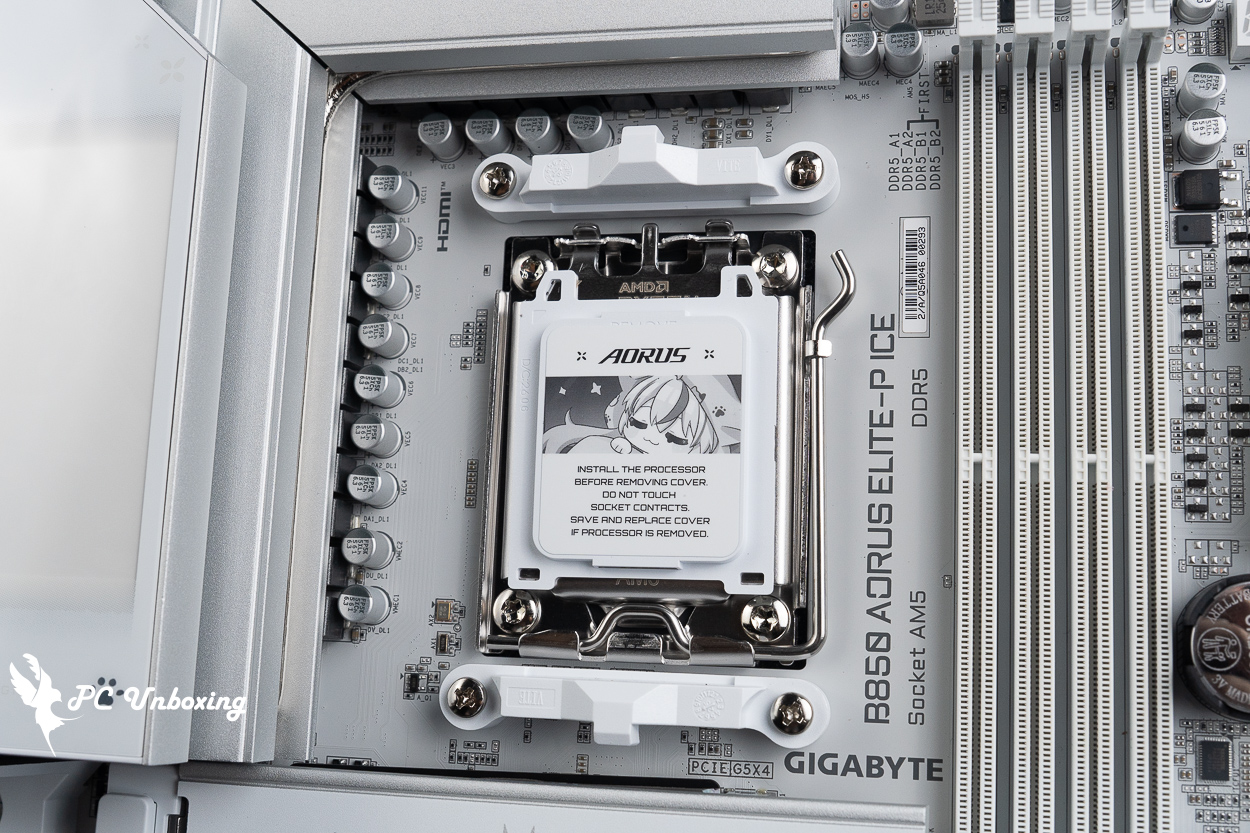
△ There’s also a sculpture of a girl wearing a cat pajama set on the pin protection cover.
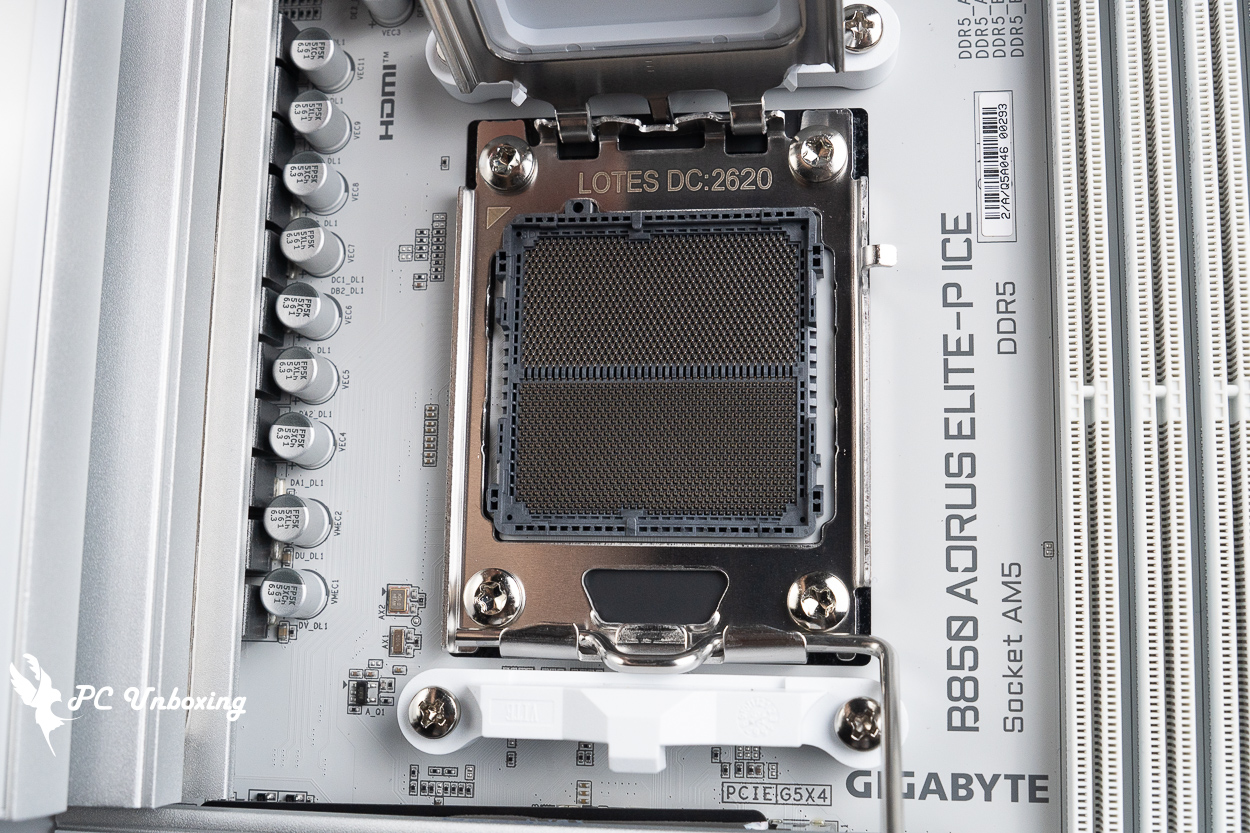
△ AM5 LGA 1718 feet.
Let's take a look at the expansion and power supply slots on the motherboard. On the upper left side of the motherboard, there is an 8+8-Pin ATX_12V power supply slot for the processor.
In the upper-right corner of the motherboard, there is one CPU_OPT and one CPU_FAN power connector for fans and liquid cooling, one FAN4_PUMP power connector for system fans and liquid cooling, and one 5V 3-pin ARGB connector. When installing an all-in-one liquid cooling system, you can connect the power cables for the pump and the radiator fans here.
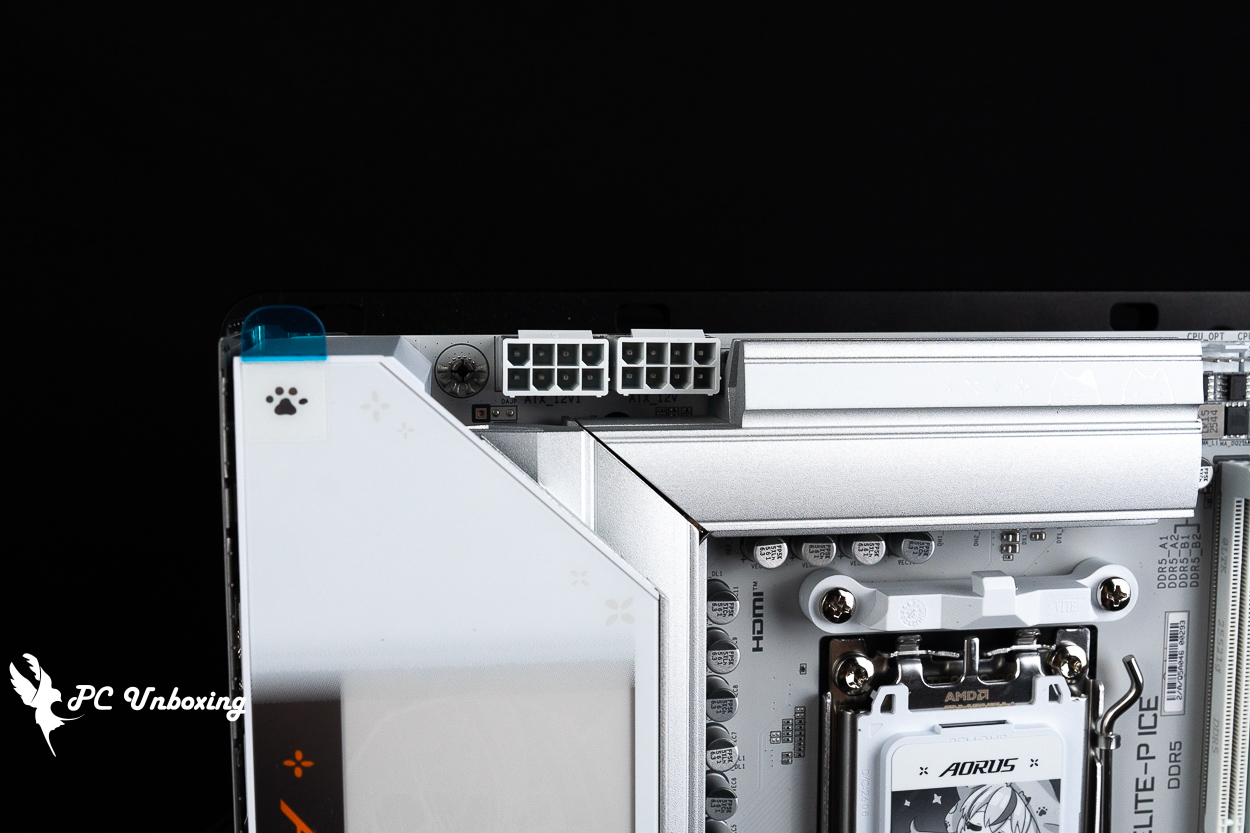
The motherboard uses dual 8-Pin processor power supply slots.
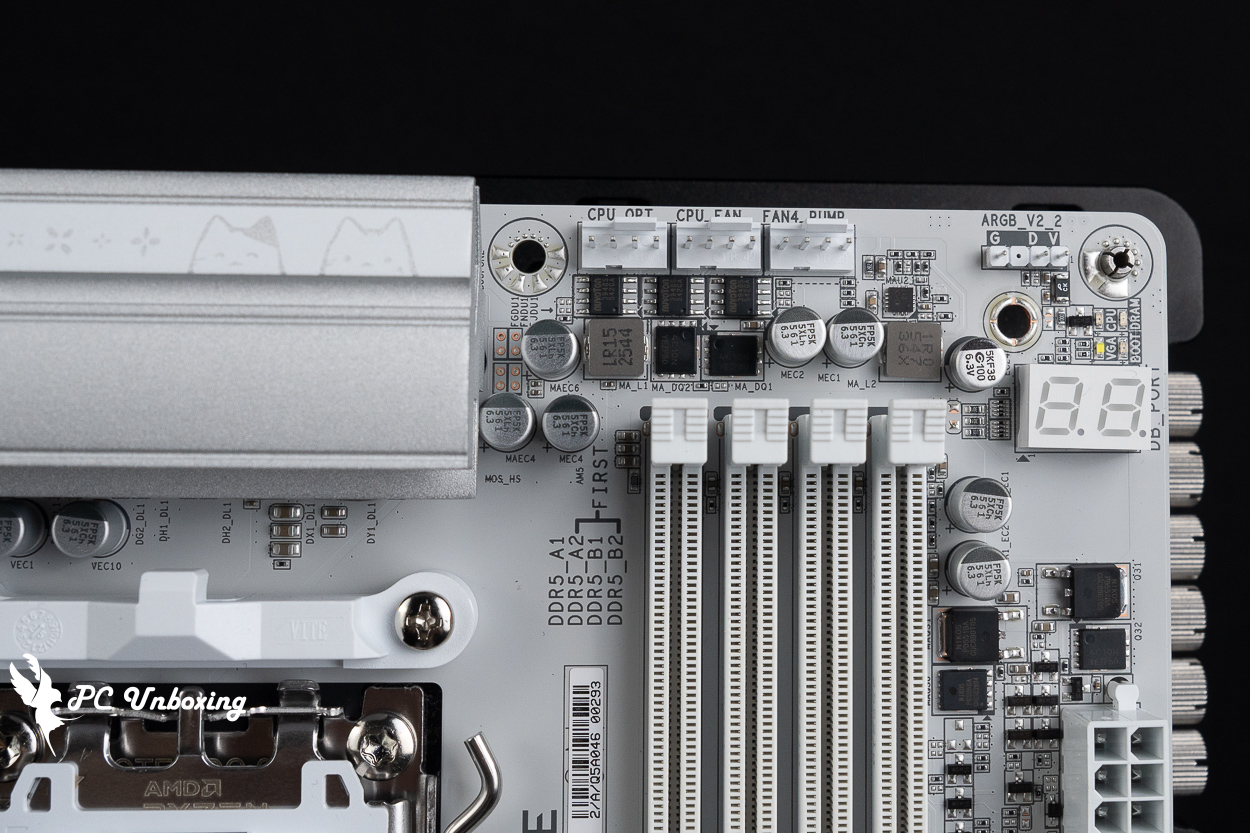
△ CPU_OPT, CPU_FAN, FAN4_PUMP, 5V 3-Pin ARGB.
The quad-slot DDR5 DIMM Dual Snap-In Memory Slots are 2DPC (2DIMM Per channel) configured to support non-ECC Un-buffered DIMMs, with a maximum expansion capacity of 256 GB across the four slots, or 64 GB per slot, and support for AMD EXPO (Extended Profiles for Overclocking) and Intel XMP 3.0 (Extreme Memory Profile) memory one-click overclocking profiles. It also supports AMD EXPO (Extended Profiles for Overclocking) and Intel XMP 3.0 (Extreme Memory Profile) memory one-click overclocking profiles.
The memory overclocking QVL memory support list features dual-channel memory modules that can pass the compatibility stress test at a maximum frequency of 8200 MT/s when used with Ryzen 9000 series processors, reminding you once again to choose your memory model based on the motherboard memory QVL (Qualified Vendor List) compatibility report. Vendor List (QVL) compatibility report of the motherboard to select the best memory model.
For the 2 DIMMs dual-channel memory kits that are often purchased in today's orders, it is recommended to prioritize the installation in slots A2 and B2 (the second and fourth slots counting from the left). By installing the two memories in these two slots, the memory will be able to operate more easily and at a higher frequency.
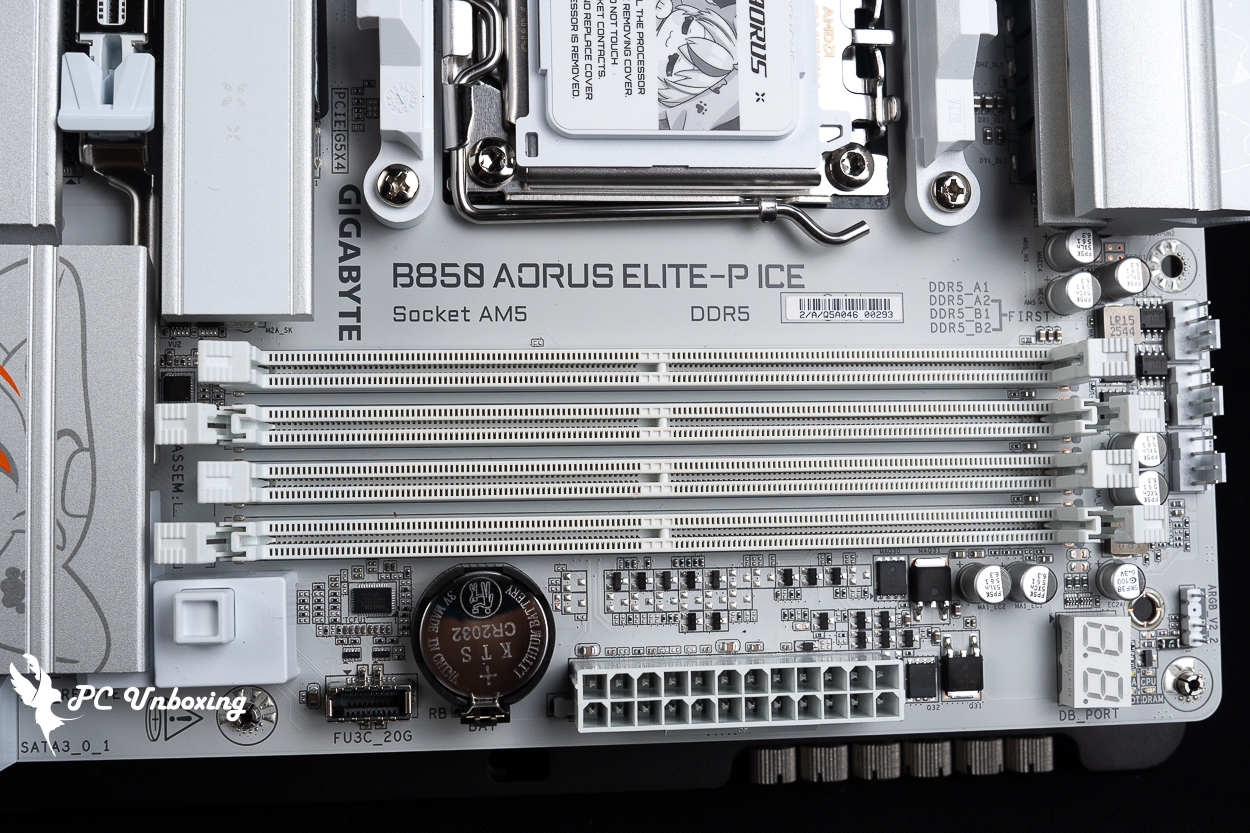
△ 4x unbuffered DDR5 DIMM memory slots, compatible with UDIMM memory modules; supports up to 256 GB of memory capacity; when two modules are installed, the QVL supports up to 8200 MT/s (overclocked).
On the right side of the motherboard are the EZ DeBug LEDs, a debug LED code display, the motherboard’s 24-pin power connector, a CMOS battery, one front-panel USB 20 Gbps Type-C port, two SATA 6 Gb/s ports, one USB 5 Gbps port (supporting two front-panel USB 5 Gbps Type-A ports), and more.
EZ DeBug and DeBug lamp code display allows users to quickly check what parts of the motherboard are causing problems during the self-test process, users can refer to the motherboard manual and then perform debugging actions, after entering the system, the DeBug lamp code display will be changed to the CPU temperature display, which is quite practical.
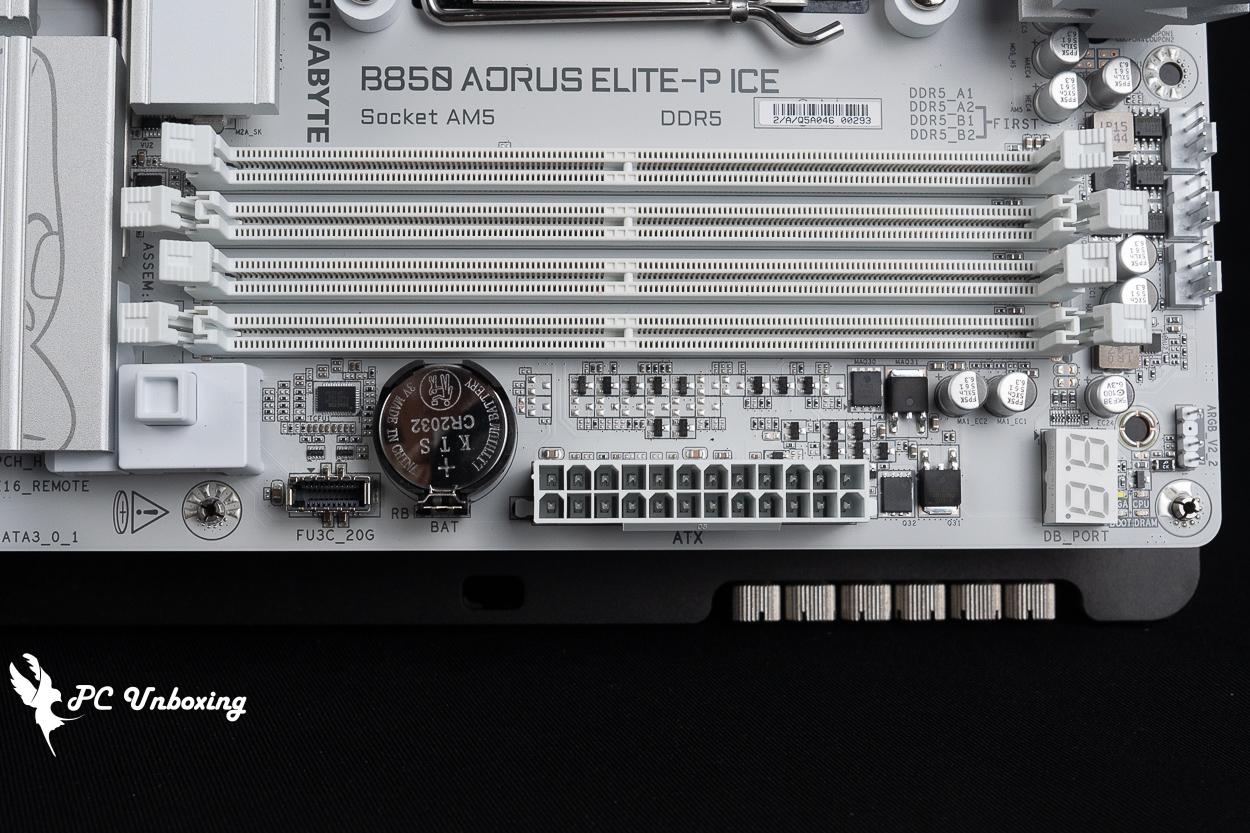
△ EZ DeBug LED, debug LED code display, DeBug LED, 24-pin motherboard power connector, CMOS battery, one front-panel USB 20 Gbps Type-C port; the motherboard battery is a CR2032.
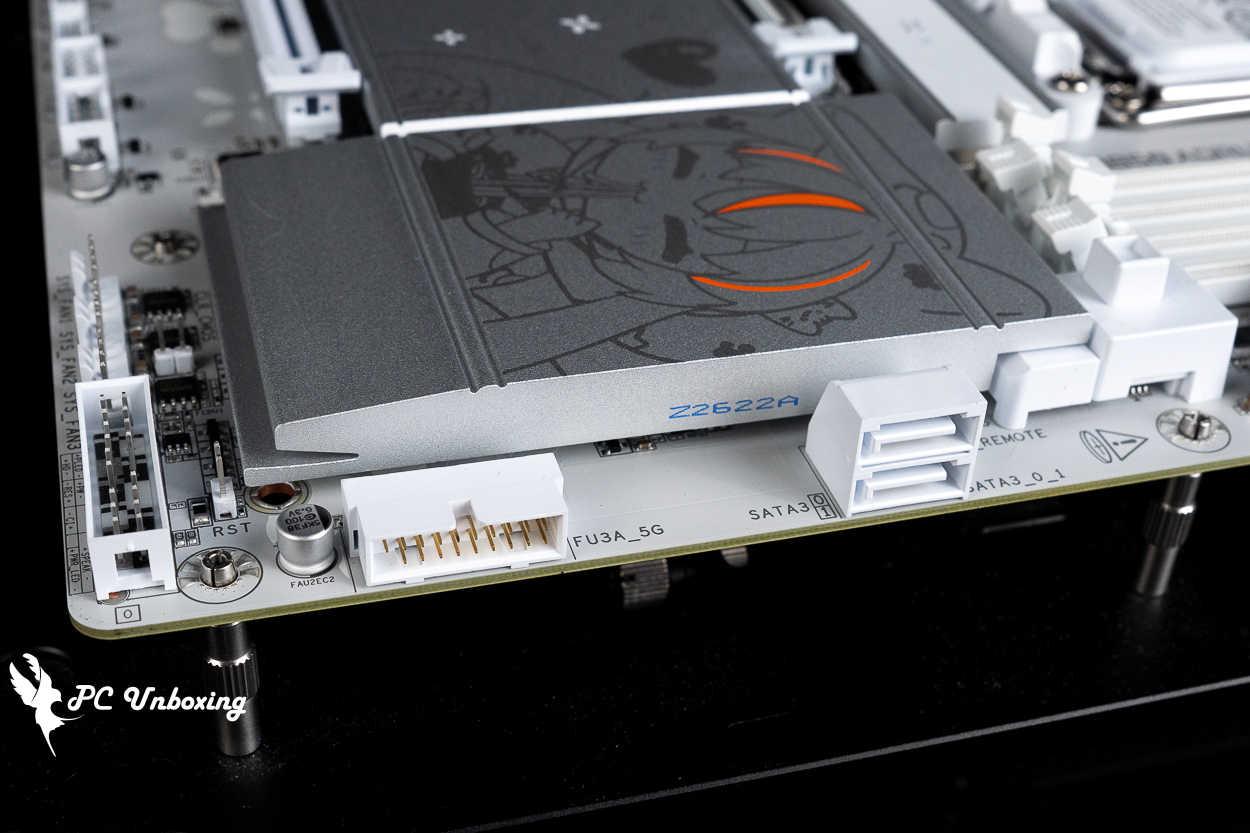
△ Two SATA 6 Gb/s ports and one USB 5 Gbps port (supports two front-panel USB 5 Gbps Type-A ports).
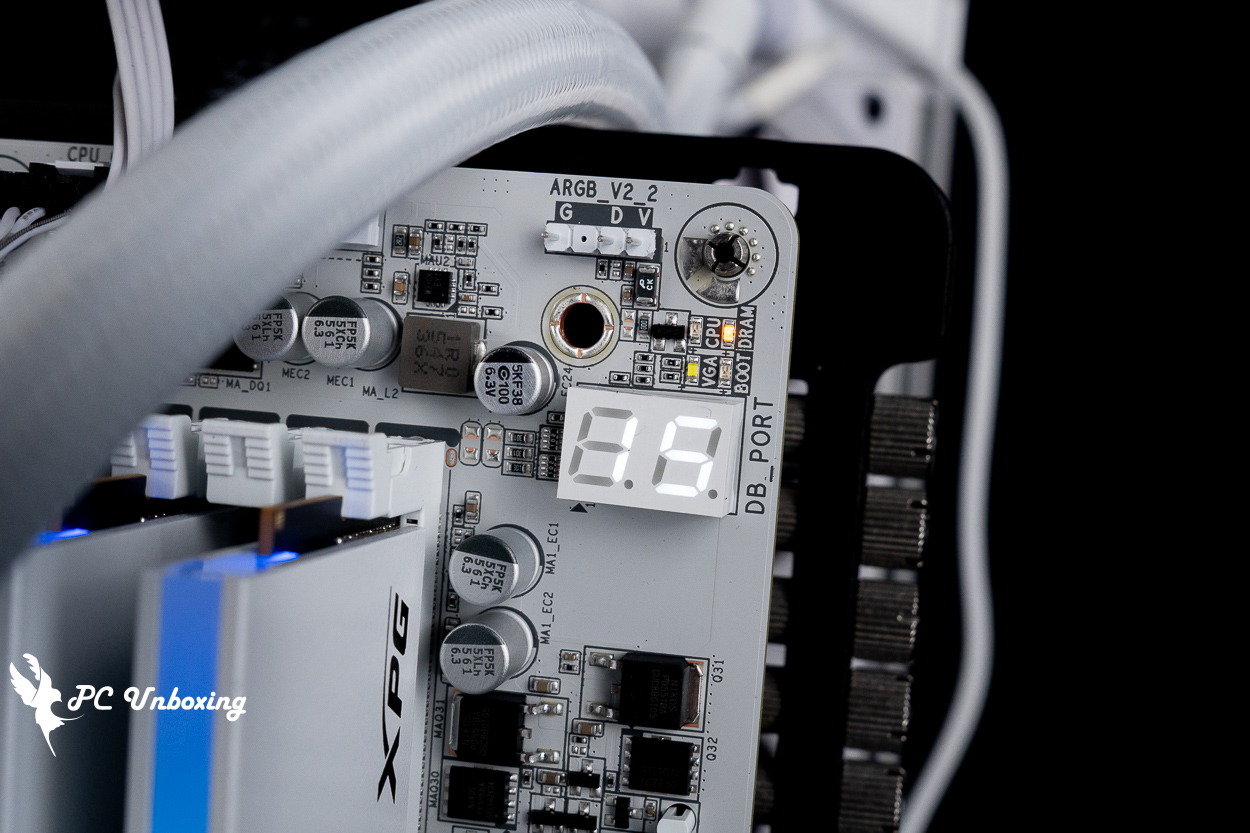
△ EZ DeBug with debugging light code display quickly identifies where the problem is.
The bottom row features a jumper slot for the power button, a system front panel connector, three SYS_FAN power connectors, two USB 2.0 connectors (supporting four front USB 2.0 ports) , an SPI_TPM (Security TPM connector), one 12V 4-pin RGB connector, two 5V 3-pin ARGB connectors, and a front audio jack connector.
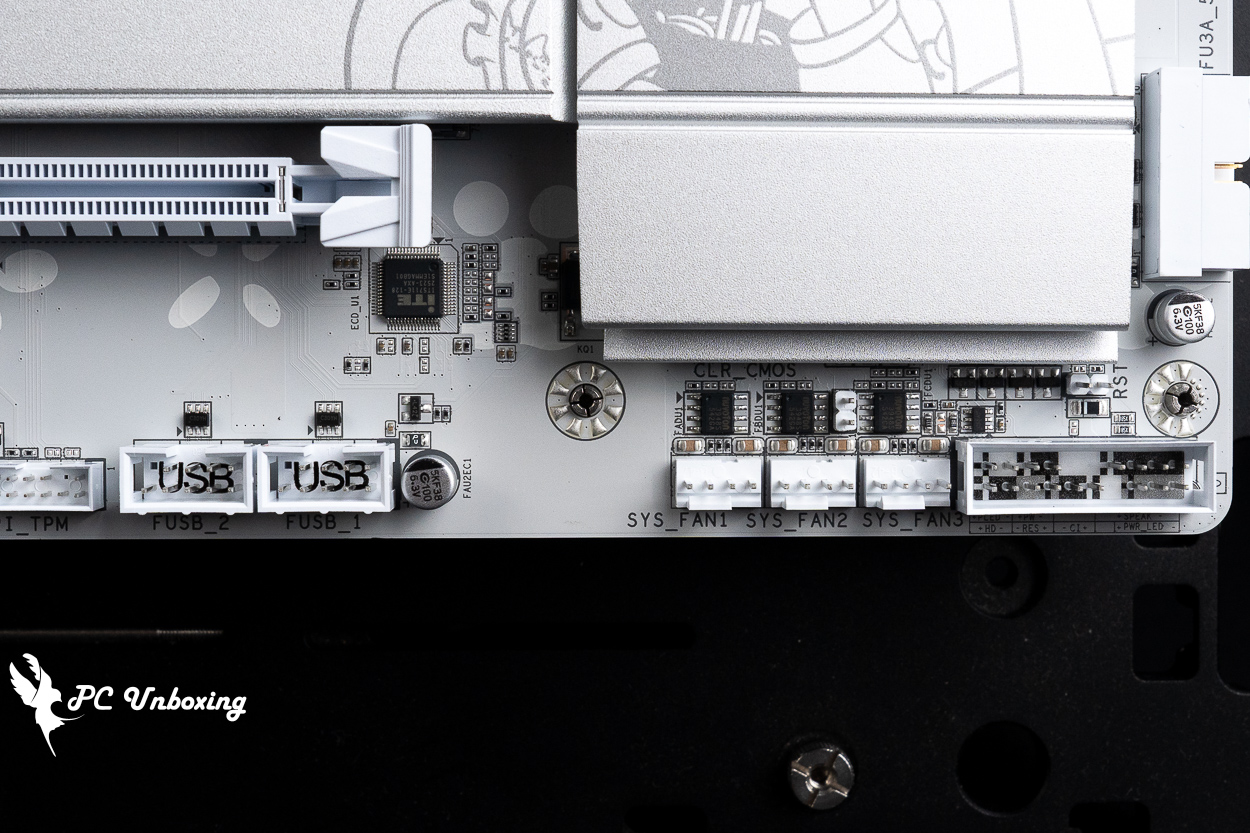
△ Chassis reset button jumper slot, system front panel connector, three SYS_FAN power connectors, and two USB 2.0 connectors (supporting four front-panel USB 2.0 ports).
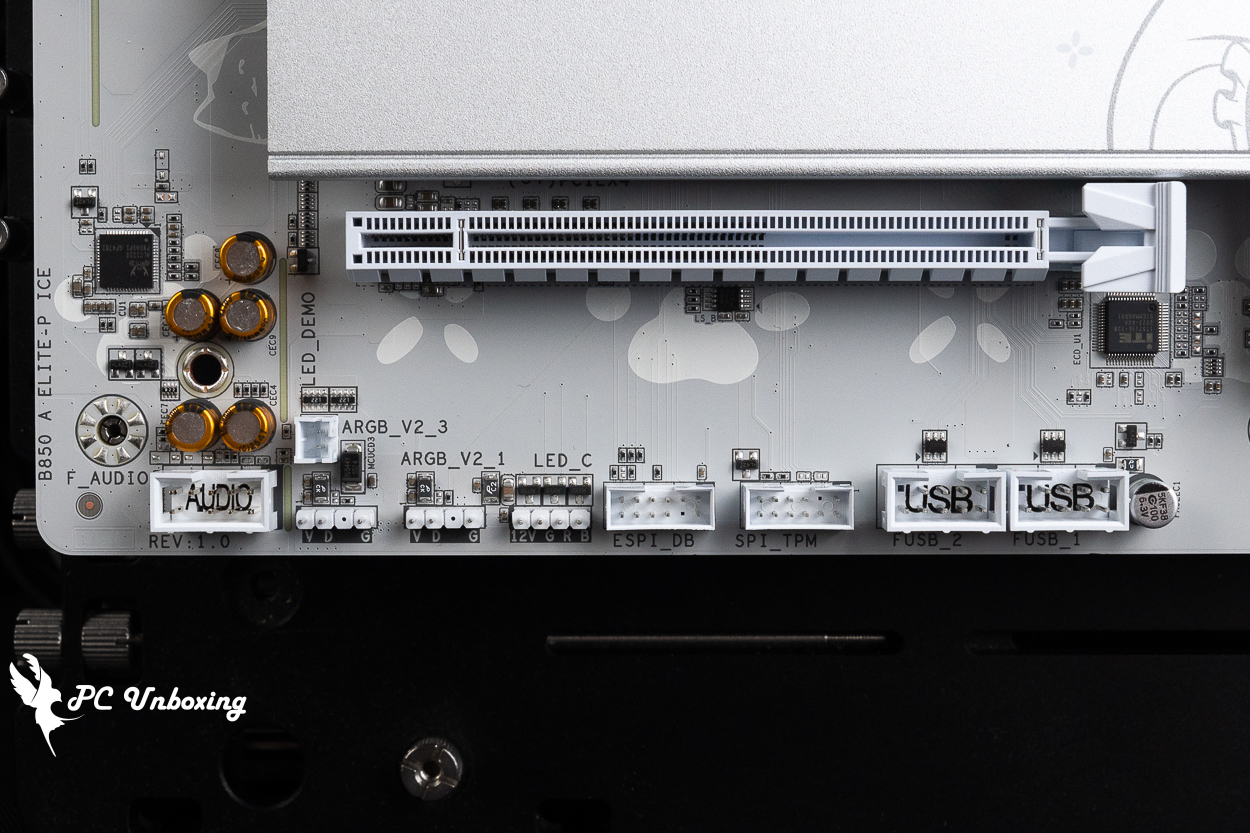
△ SPI_TPM (Secure Crypto Module Connection Socket), one 12V 4-Pin RGB slot, two 5V 3-Pin ARGB slots, front audio jack slots.
The motherboard’s PCIe slots provide a total of two x16-length expansion slots. The metal-reinforced x16 slot above uses a direct connection to the processor, The first PCIe x16 slot provides full PCIe 5.0 x16 bandwidth when a single device, such as a discrete graphics card, is installed.
For the first PCIe x16 graphics card expansion slot, this motherboard features a PCIe EZ-Latch Plus quick-release button located next to the memory slots. This means that even if you’re using a large air-cooled graphics card, you don’t have to worry about being unable to open the latch to remove the card—making it a very DIY-friendly experience.
The white PCIe x4 slot at the bottom uses a channel from the B850 PCH chipset and provides PCIe 4.0 x4 bandwidth.
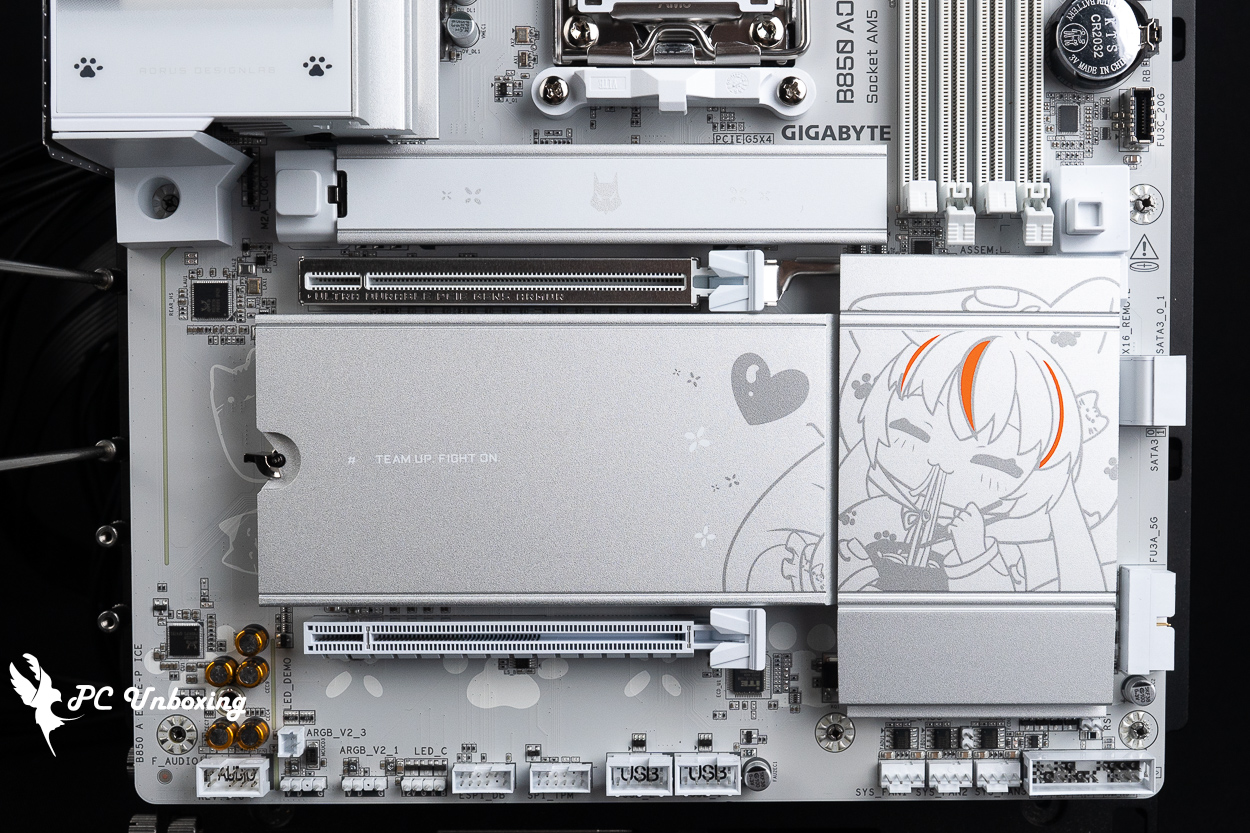
△ Expansion slots from top to bottom: PCIe 5.0_PCIe x16 (CPU), PCIe 4.0 x4_PCIe x4 (PCH).
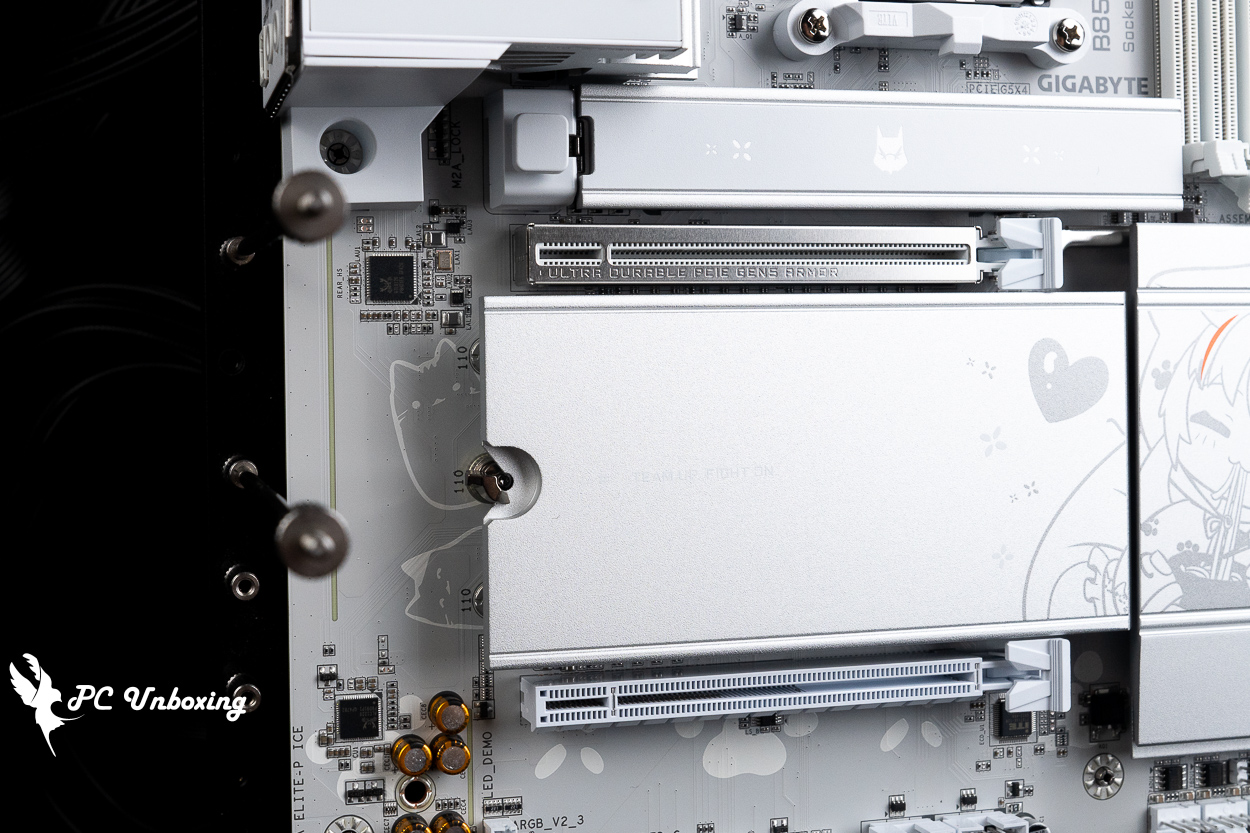
△ There are two little kittens hiding over here! But once the graphics card is installed, you won't be able to see them anymore.
The silvery-white M.2 heatsink features a cute illustration of Diao Mei eating noodles, but it will likely be hidden from view once the graphics card is installed.
GIGABYTE has equipped the topmost M2A_CPU PCIe Gen 5 x4 M.2 SSD expansion slot with an M.2 Thermal Guard passive heatsink for heat dissipation. This slot supports the installation of 2580/2280-sized M.2 SSDs.
Meanwhile, the larger M.2 Thermal Guard Ext. heatsink covers the three M.2 SSDs below to dissipate heat, and the M.2 heatsink is secured by the M.2 EZ-Latch Click. All M.2 SSD installation slots are equipped with M.2 EZ-Latch Plus to secure the SSDs themselves, The second slot from the top, the M2B_CPU expansion slot, is a direct connection to the processor. This slot provides PCIe Gen4 x4 bandwidth and supports 22110/2280-sized M.2 SSDs.
The third and fourth slots—the M2C_SB and M2D_SB slots—both use chipset lanes and support 22110/2280 PCIe Gen 4 x4 SSDs for expansion. but note that the M2D_SB slot shares PCH chipset bandwidth with the PCIe x4 slot, so when a drive is installed in the M2D_SB slot, the PCIe x4 slot cannot be used.
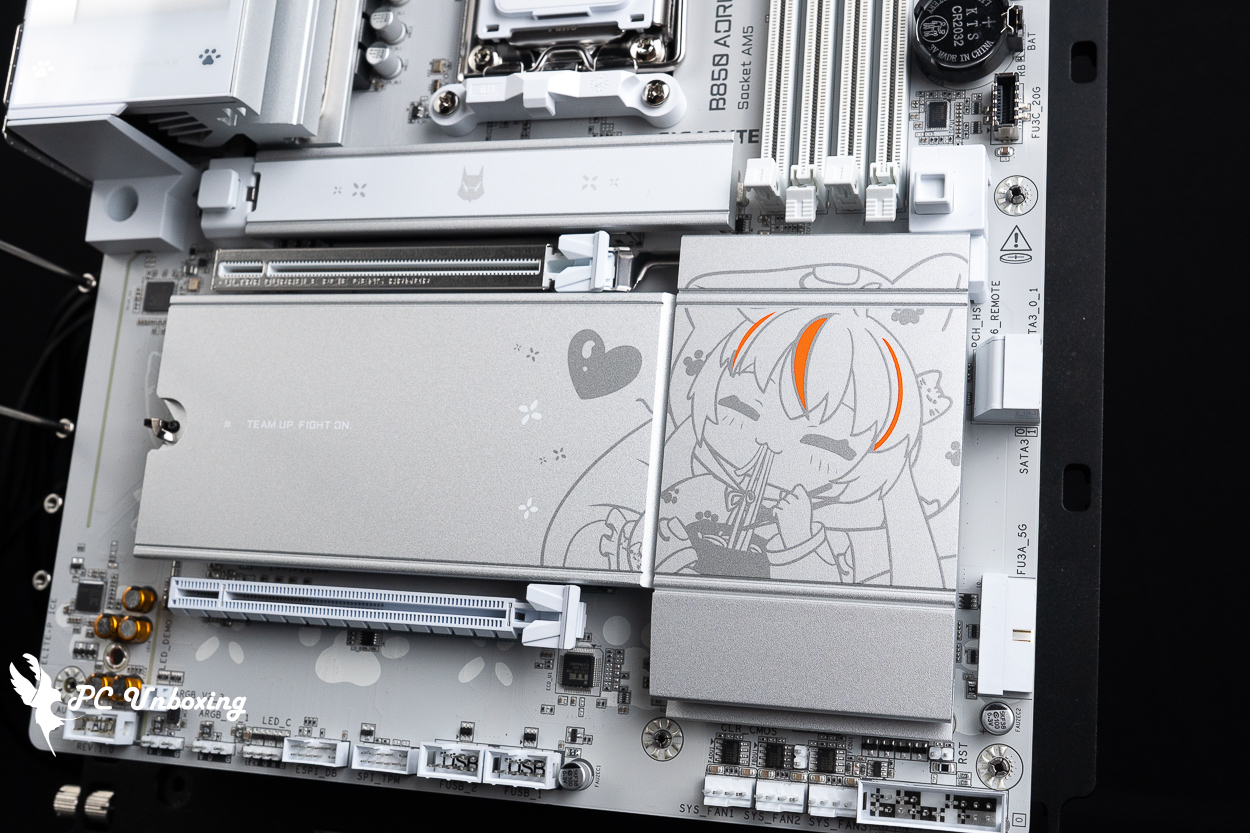
△ A cute M.2 heatsink.
The rear I/O panel features an HDMI 2.1 integrated graphics output (supporting resolutions up to 4096×2160 at 60 Hz), a power button, a reset button, a Q-Flash Plus button (for BIOS updates), a CMOS clear button, four USB 2.0 ports, four USB 5 Gbps Type-A ports (blue), two USB 10 Gbps Type-A ports (red), two USB 10 Gbps Type-C ports, one RJ-45 5 Gbps LAN port, a Wi-Fi 7 antenna port (WIFI EZ-Plug), an optical S/PDIF digital audio output, and two audio jacks.
One of the special features of this motherboard is that the boot and restart buttons are located at the rear I/O area of the motherboard. X870 AORUS TACHYON ICE 或 X870E AORUS MASTER Like most overclocking motherboards, the buttons are located on the inside. I guess PM figured that since this motherboard is mostly installed inside a case, they placed these two shortcut buttons on the outside so users can easily reach them during everyday use. This design is becoming increasingly common on Gigabyte motherboards.
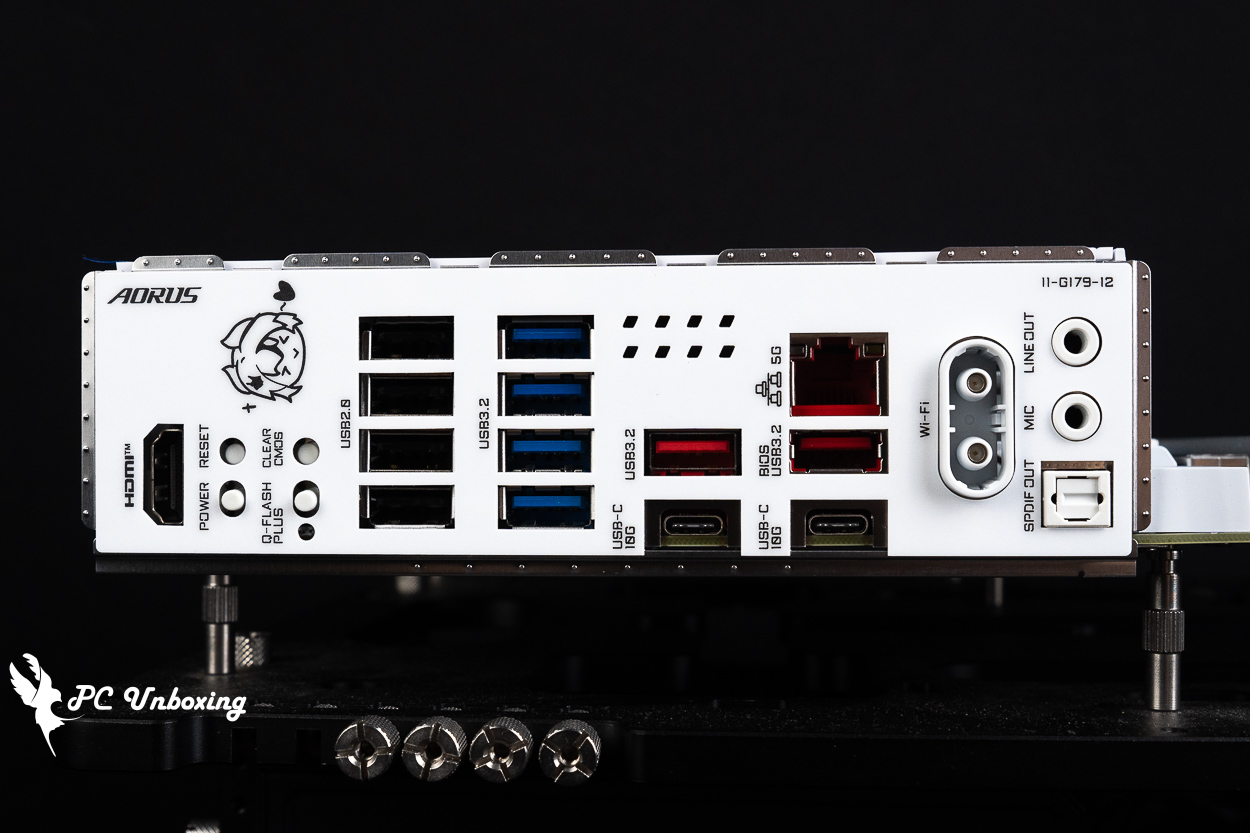
△ Rear I/O at a glance.
GIGABYTE B850 AORUS ELITE-P ICE RGB Lighting Showcase | Live Photos of the "Sculpted Girl" Dynamic Panel
Then the actual power on and off to show the motherboard on-board lighting effect for your reference.
When used with the GCC software, the B850 AORUS Elite P ICE motherboard can only control the color and brightness of the LEDs under the PCH chipset; the color and brightness of the blinking eagle-themed cute girl cannot be controlled.
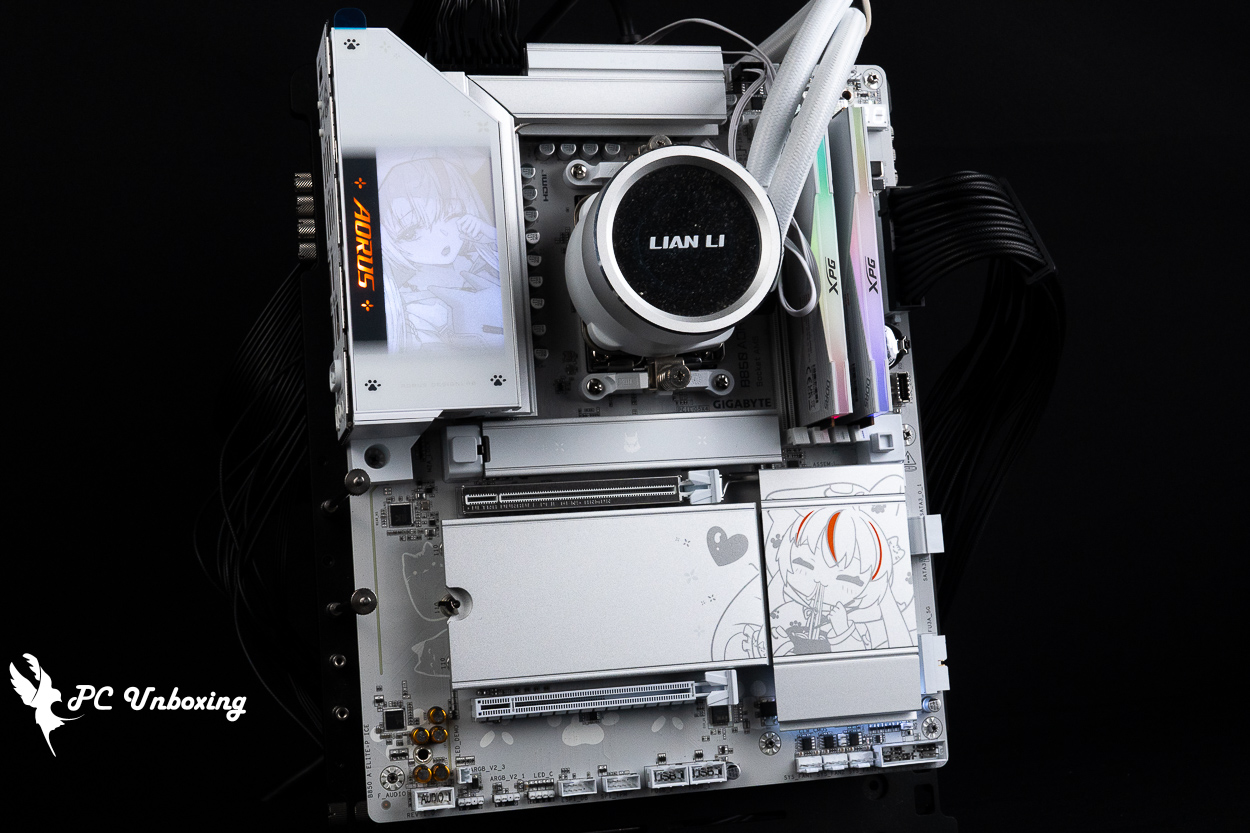
△ Lighting effects on the GIGABYTE B850 AORUS ELITE-P ICE motherboard.
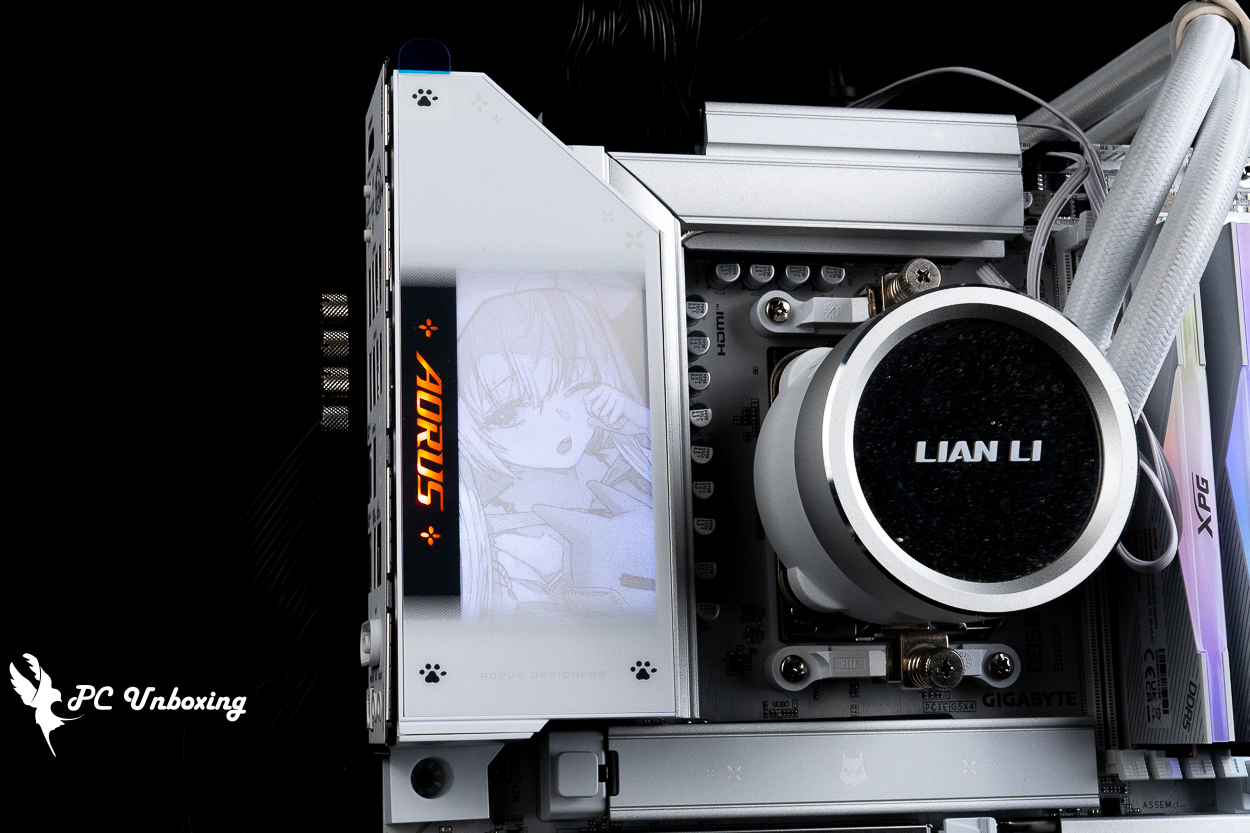
△ The biggest highlight of this motherboard is the animated GIF of a blinking girl on the rear I/O shield.
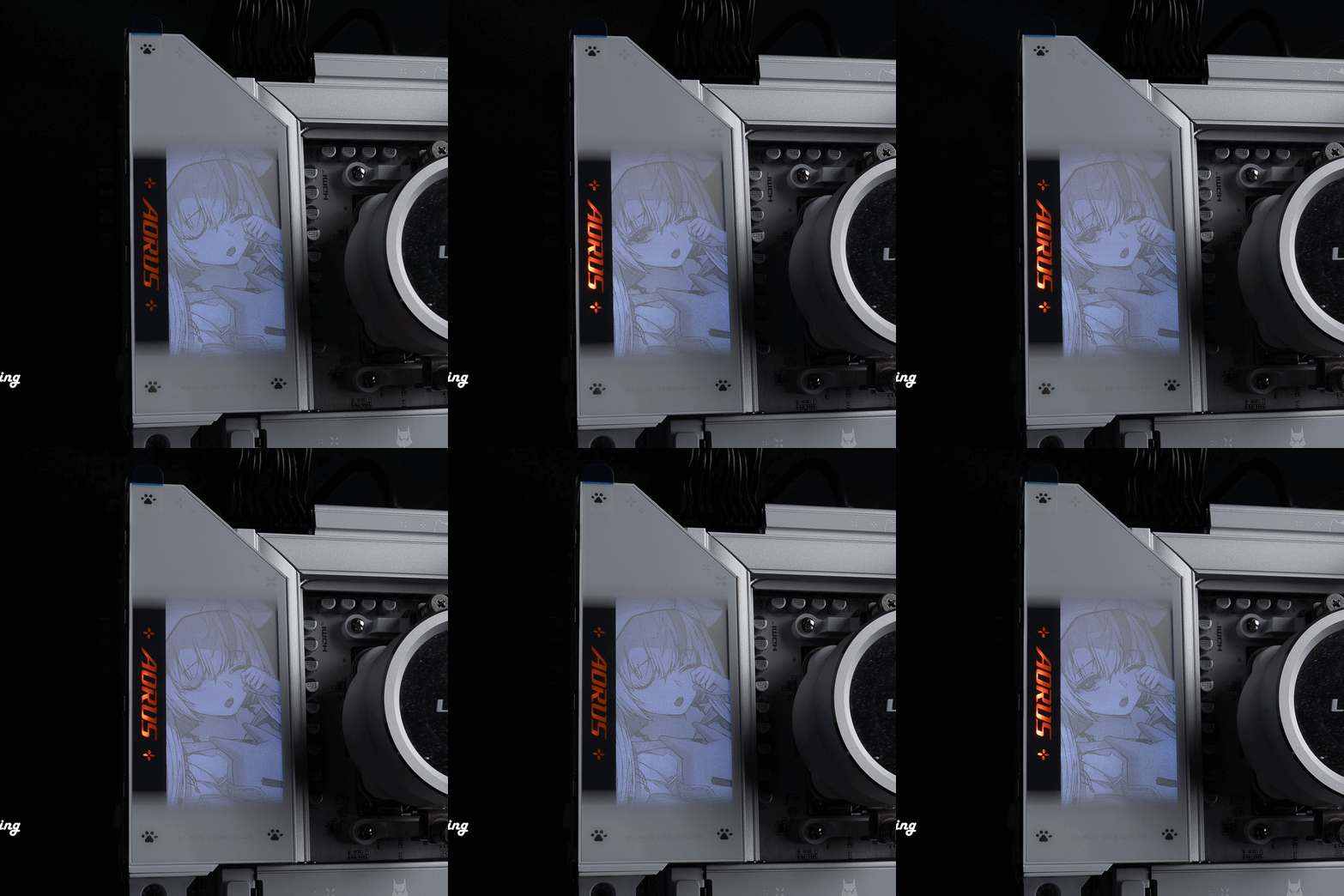
△ When you close your eyes, the “AORUS” text next to it also fades out.
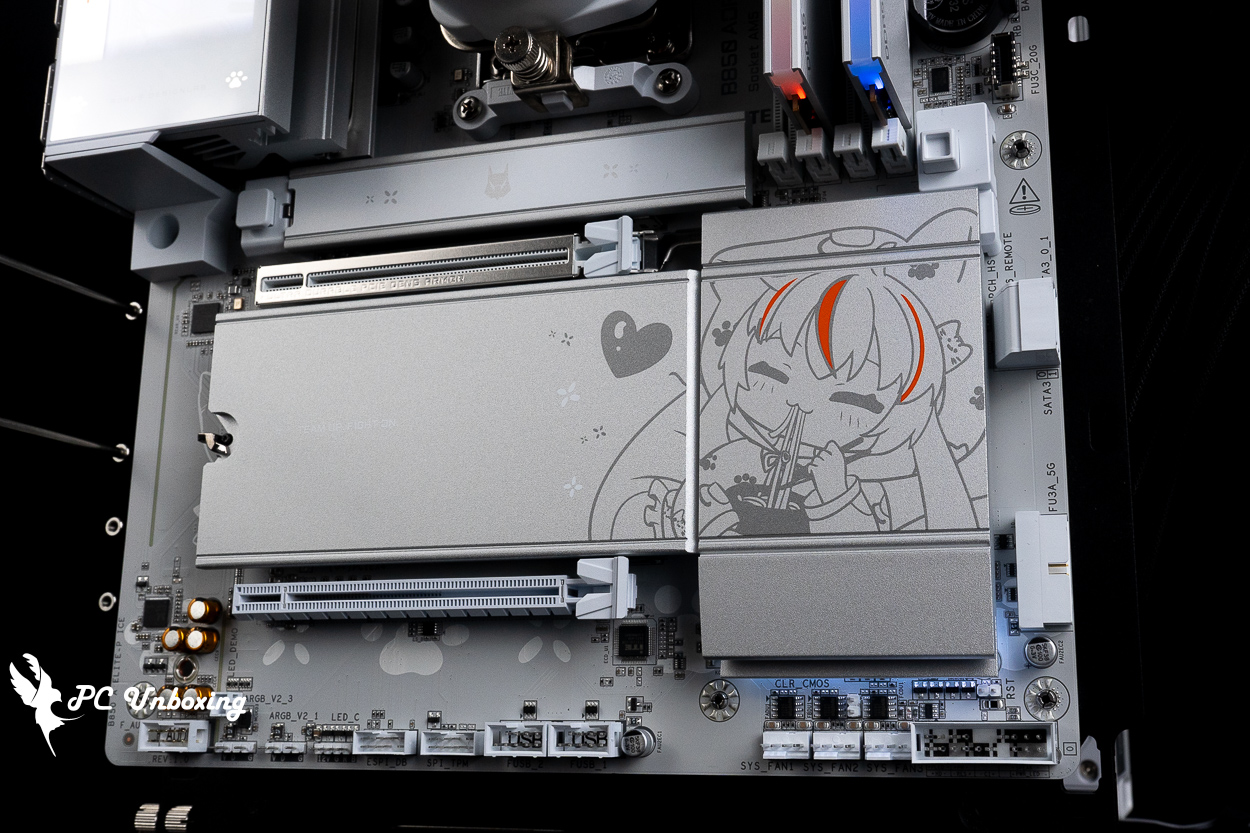
△ The only lighting zone on this motherboard that can be customized via the software is the LED strip below the PCH.
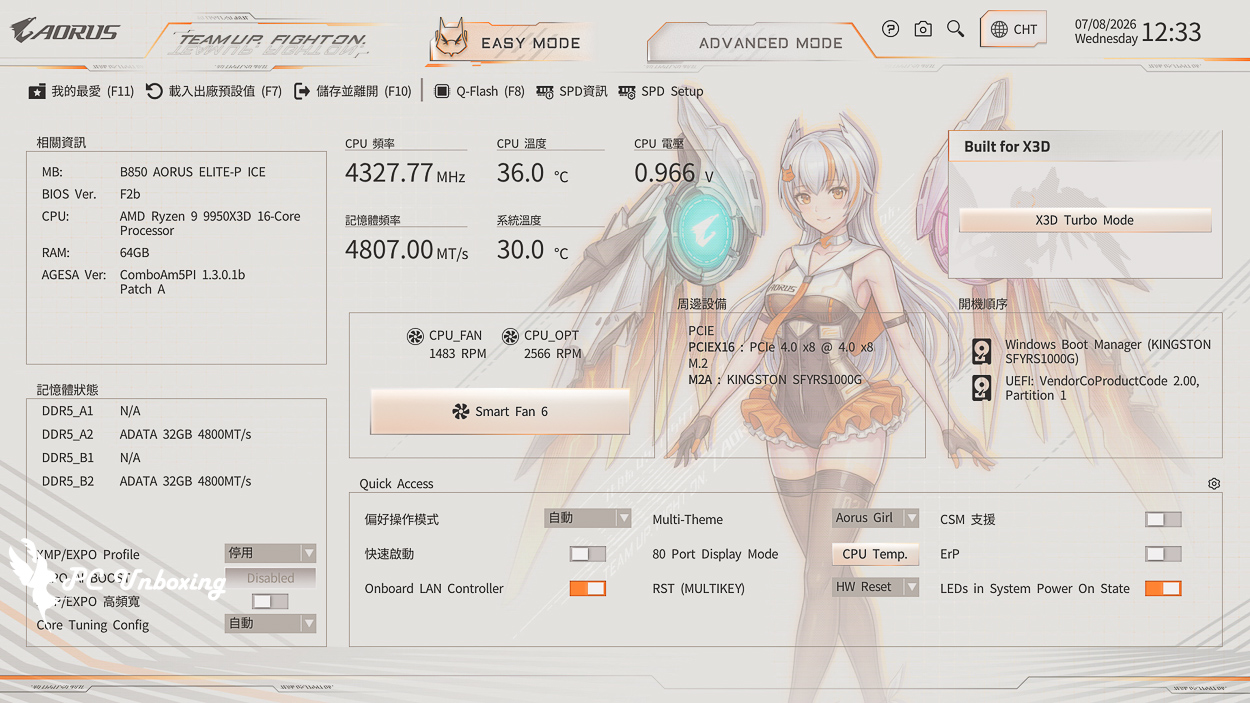
△ The BIOS also features an IP design based on the "Carved Girl" character.
GIGABYTE B850 AORUS ELITE-P ICE Performance Test | Ryzen 9 9950X3D Platform Hands-On Review
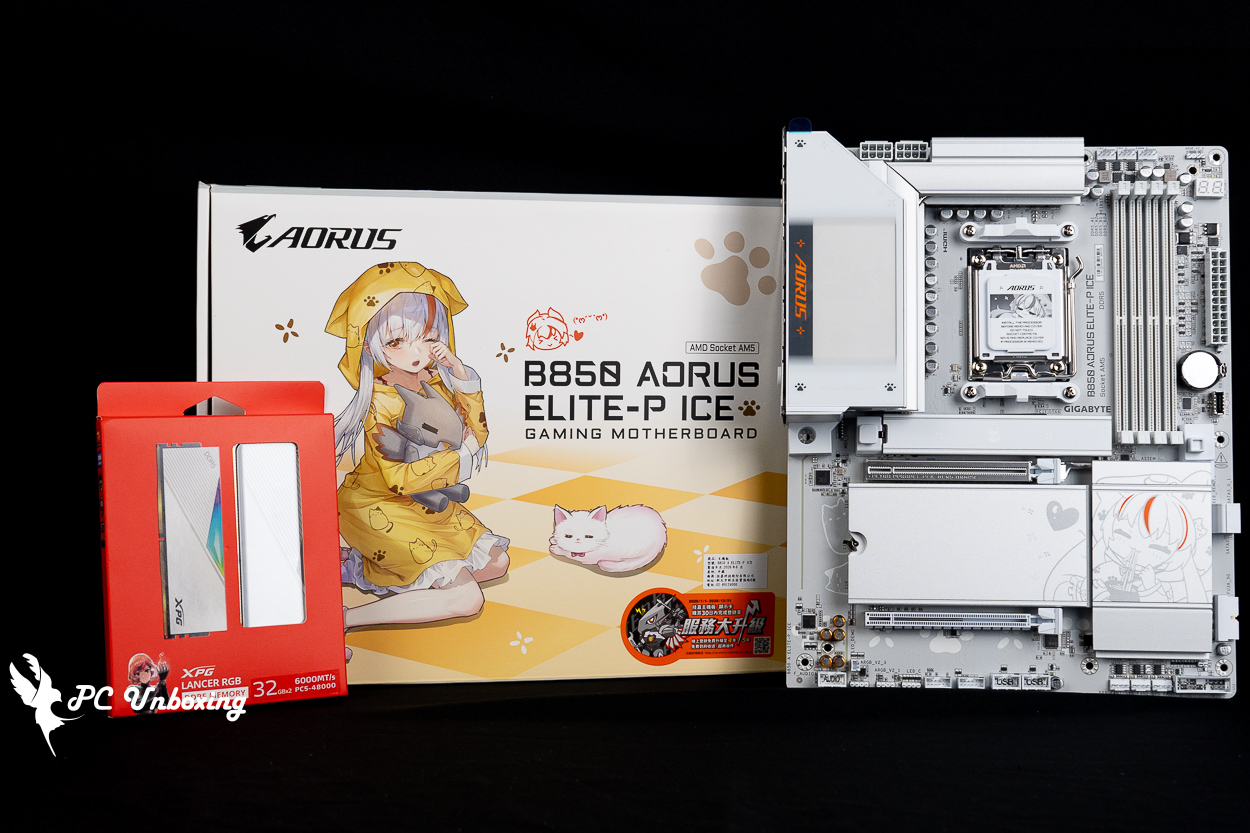
For this motherboard performance test, we used a 16-core, 32-thread AMD Ryzen 9 9950X3D processor, and updated the motherboard BIOS to the latest version. For memory, I used an XPG LANCER RGB DDR5 6000 MT/s 64GB (2x32GB) dual-channel memory kit to build a barebone test platform, and enabled Profile 1 for the memory.
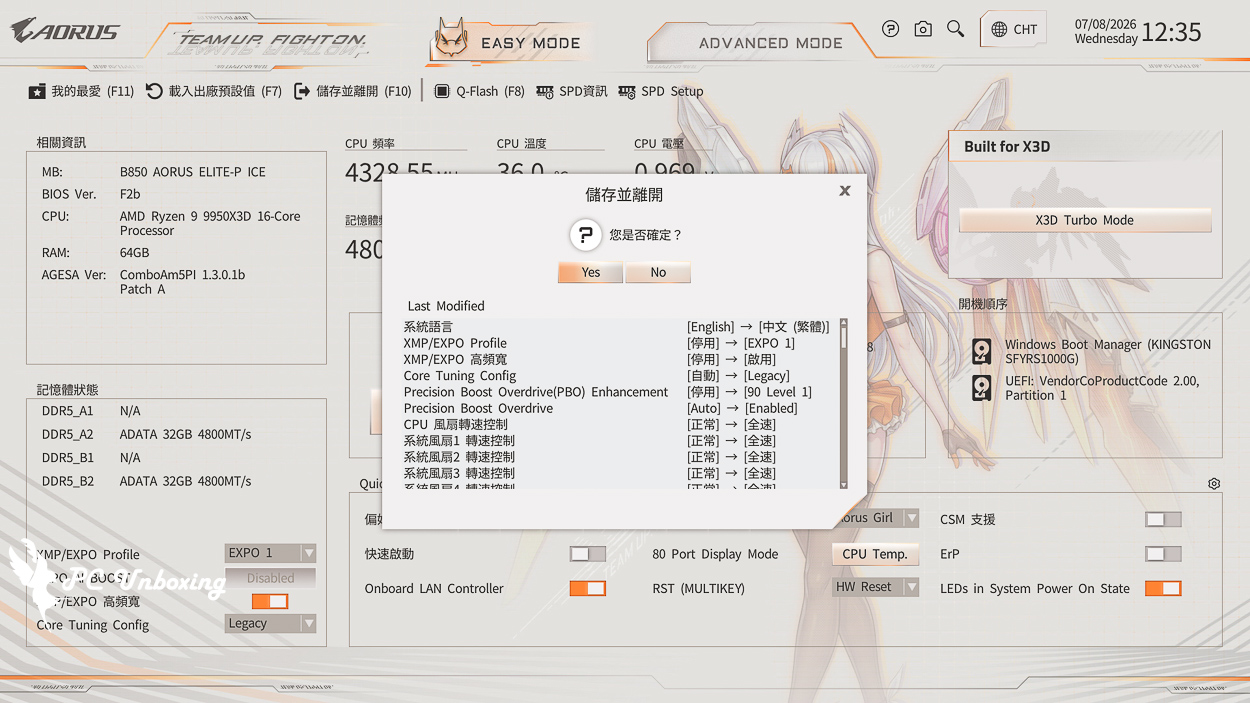
Extra On GIGABYTE High Bandwidth and Low Latency Features, AMD PBO was manually set to "Enabled" with Level 1 set to 90 for testing.
Testing Platform
Processor:AMD Ryzen 9 9950X3D (PBO activated)
Cooler: LIAN LI GA II Trinity SL-INF 360 (full speed)
Water-cooled fans: 3x LIAN LI P28 (full speed)
Thermal paste: Cooler Master MASTERGEL MAKER 40g (thermal conductivity 11W/mK)
Motherboard: GIGABYTE B850 AORUS ELITE-P ICE (BIOS Version: F2b)
Memory: XPG LANCER RGB DDR5 6000 MT/s 64GB (2x32GB) CL30-40-40-76 1.4V
Graphics: NVIDIA GeForce RTX 4060 Ti Founders Edition 8GB
Operating System: Windows 11 Professional 25H2
Power supply:MONTECH TITAN PLA 1000W
Case: STREACOM BC1 Benchtable V2
firstly CPU-Z View this testbed hardware information.AMD Ryzen 9 9950X3D The processor has 16 cores and 32 threads; its codename is Granite Ridge, and it is manufactured using TSMC’s 4nm FinFET process. The motherboard supports PCIe 5.0 lanes, and the BIOS version is F2b.
We also ran the CPU-Z internal tests for your reference.
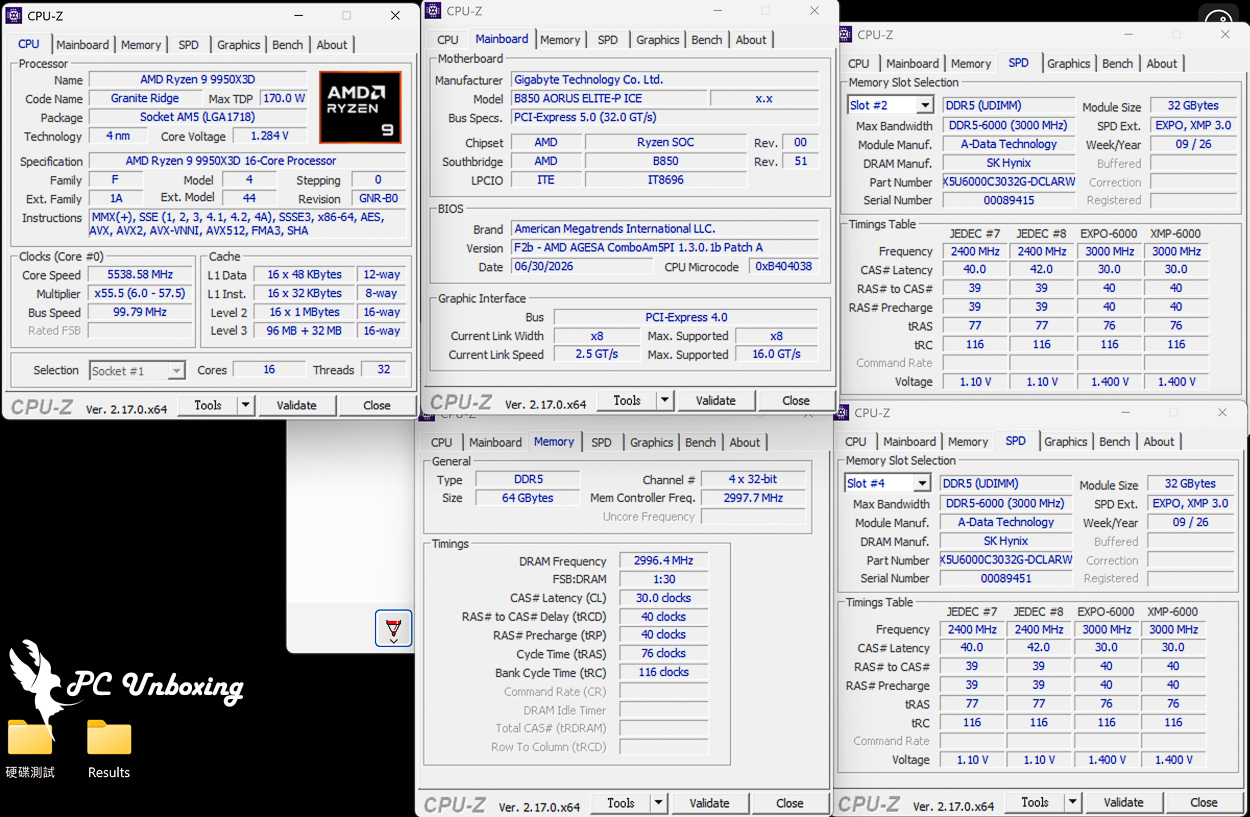
CPU-Z platform information at a glance.
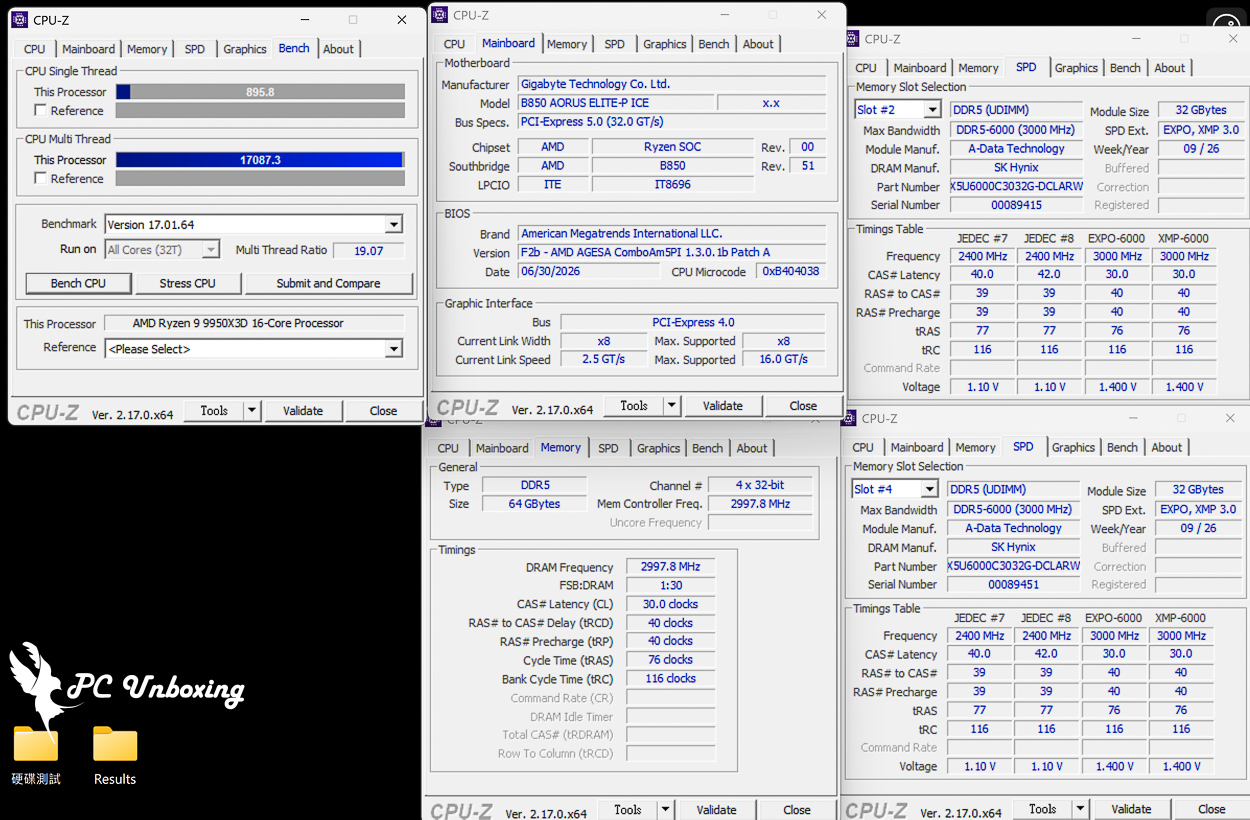
△ CPU-Z internal test score results.
AIDA64 Cache & Memory Benchmark It is mainly used to test the performance of processor caches and RAM. The read/write/copy bandwidth performance score represents the rate of transfer between CPU and memory, which means the efficiency of data throughput (the higher the score, the better), and the time delay score of accessing data indicates the responsiveness of the memory system.
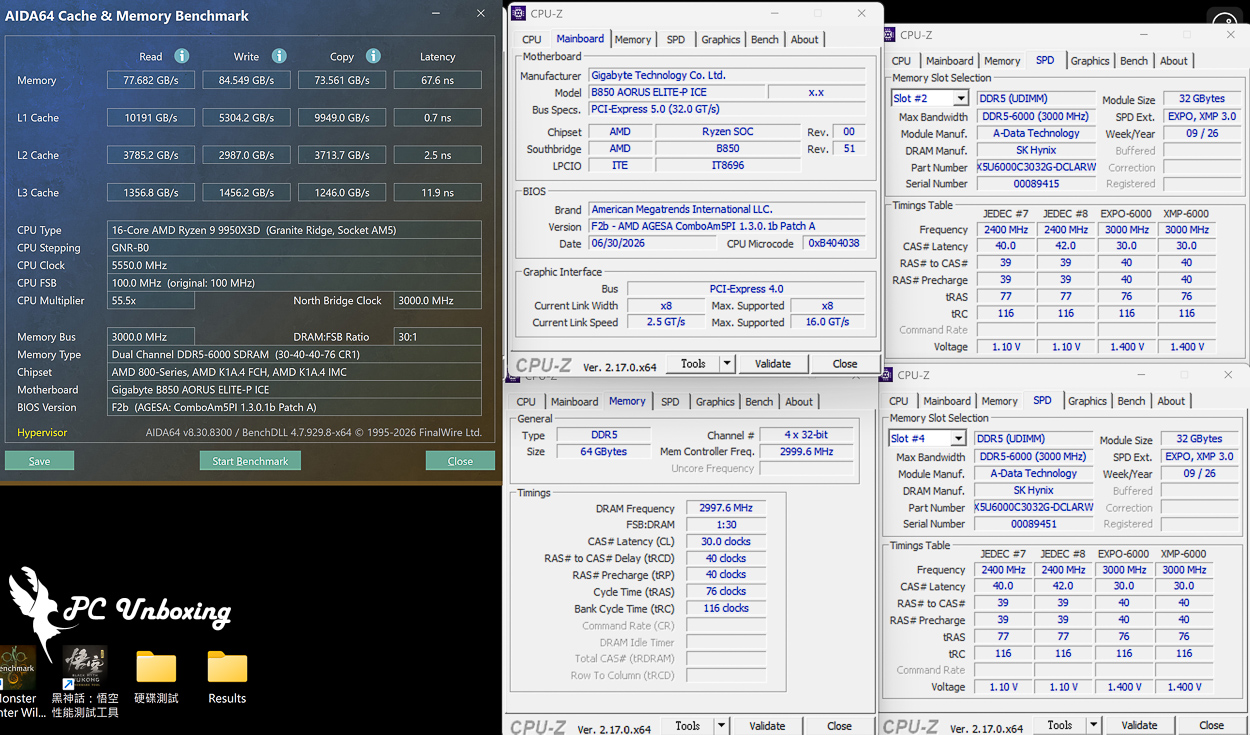
△ AIDA64 cache and memory test.
For this compatibility test, we used the XPG LANCER RGB DDR5-6000 CL30 memory—specifically the high-capacity 64GB (32GBx2) version with dual-sided memory chips. Currently, the key considerations when selecting RAM specifications in the market are gradually shifting from simply “high frequency” to pursuing “mainstream frequency and low CL values.” The XPG LANCER RGB DDR5-6000 CL30 (32GB x 2) kit meets the three key requirements of mainstream frequency, low CL value, and high capacity. At the same time, we wanted to test the compatibility of the mainstream-tier GIGABYTE B850 AORUS ELITE-P ICE motherboard with dual-sided memory modules.
XPG sets the CL to 30, claiming it delivers a more stable 1% Low FPS for 3A games. In terms of one-click overclocking profiles, it supports both Intel XMP 3.0 and AMD EXPO, allowing gamers on both platforms to easily overclock with a single click in the BIOS. The LANCER’s metal heatsink is available in both black and white, features a geometric light bar on top, and supports lighting synchronization with mainstream motherboards.
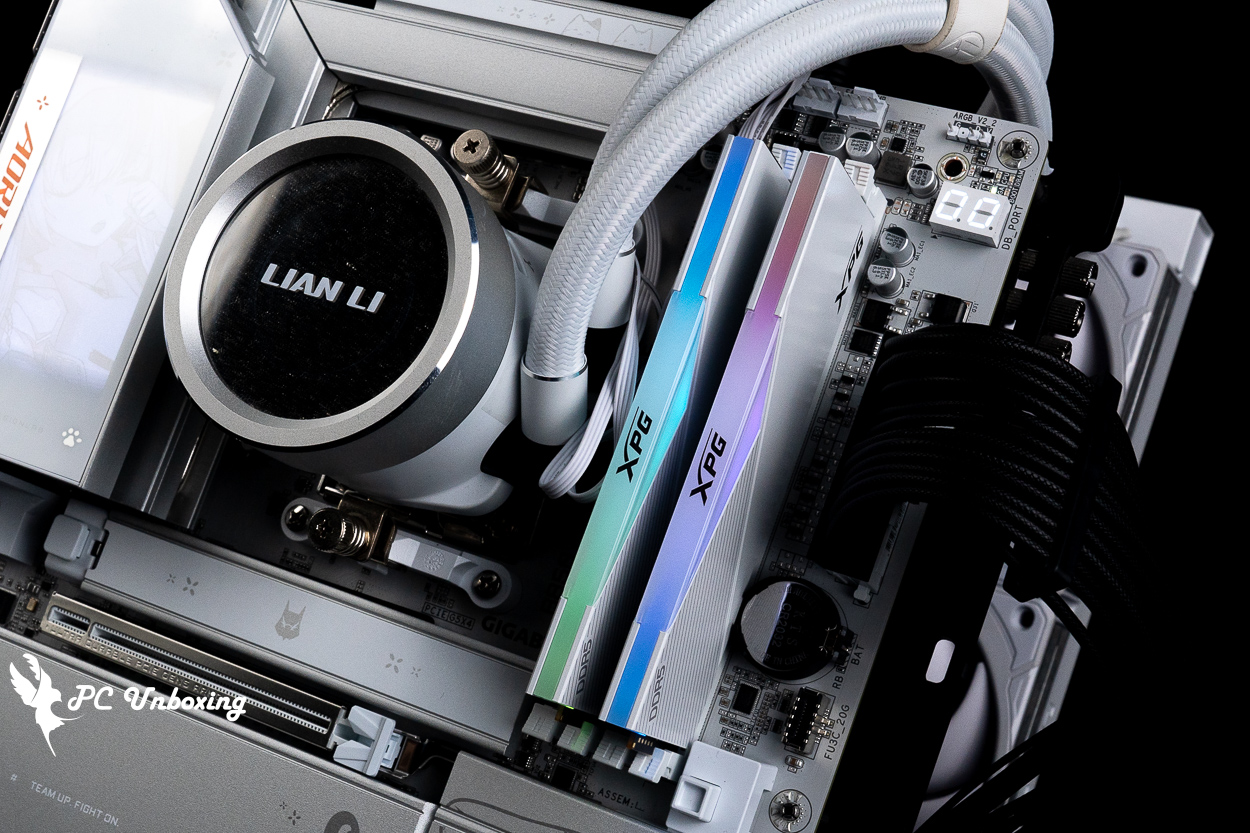
△ XPG LANCER RGB DDR5-6000 CL30 memory.
by Maxon Cinebench An industry-standard benchmarking software, Cinebench 2026 tests GPU and CPU performance using Maxon's powerful Redshift rendering engine.
The new version of Cinebench 2026 adds a test for evaluating the performance of SMT-enabled CPU cores, which means that it is now possible to test: GPU, processor full-core, processor single-core, and processor single-thread performance.
Based on the latest Cinema 4D 2026 and Redshift code, and using the updated Clang V19 compiler, the benchmarking accuracy of contemporary and next-generation processors has been improved to test whether the equipment is stable under high loads, whether the thermal solutions of the desktop or laptop are sufficient to cope with the demands of long-term operation in order to maximize the potential of the CPU, and whether the machine is capable of handling demanding 3D tasks. and whether the machine is capable of handling demanding 3D tasks.
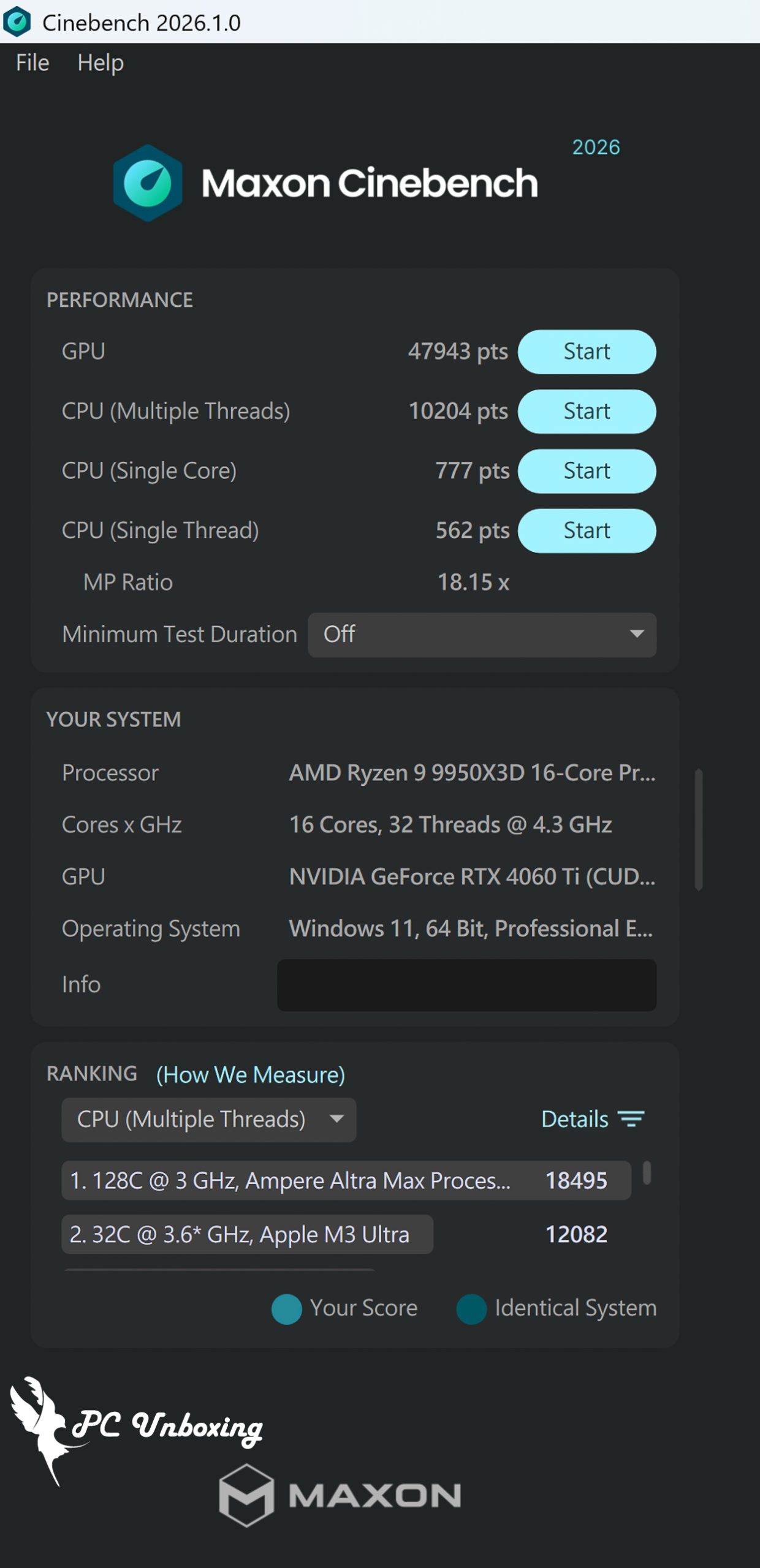
△ Cinebench 2026.
PCMark 10 It also simulates test scenarios to determine the overall performance of the computer. The common basic functions include application launching, web browsing, and video conferencing tests, while productivity simulates document and spreadsheet writing, and the last item, video content creation, includes professional tests such as photo editing, video editing, and rendering.
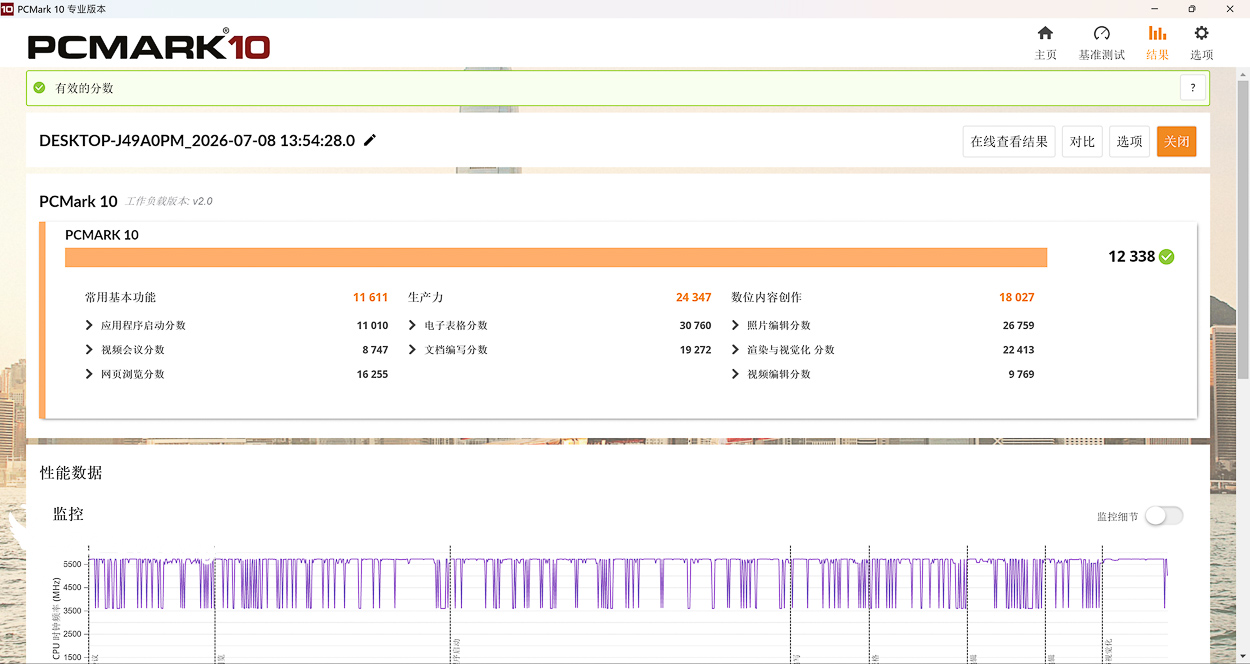
△ PCMark 10 test.
3DMark Benchmark Test | GIGABYTE B850 AORUS ELITE-P ICE Gaming Performance
Next up, the 3DMark series, one of the most benchmarks for gaming scores, was used to compare the theoretical results of the same graphics platform with different processors through a series of tests with different picture quality and different GPU APIs.
3DMark CPU Profile This test will test the performance of MAX, 16, 8, 4, 2, 1 threads respectively, while the performance of 16 threads and above is more for 3D rendering or audio/video professional work, and most of the mainstream DirectX 12 game performance can refer to the score of 8 threads, while the score of 4 and 2 threads are related to the old games developed with DirectX 9.
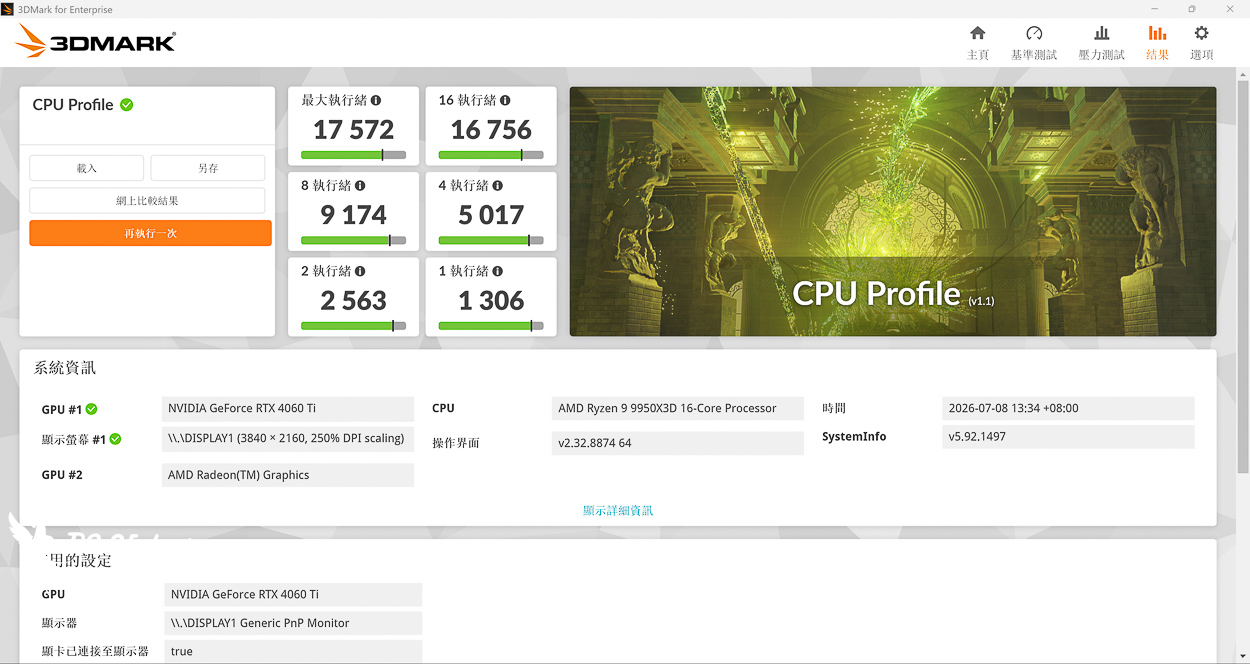
△ 3DMark CPU Profile.
In addition, the author has also used the commonly used game performance simulation test 3DMark Fire Strike、3DMark Time SpyThe two programs are Fire Strike, which represents the 1080p quality DirectX11 GPU API situational game simulation test, and Time Spy, which represents the 1440p quality DirectX 12 GPU API situational game simulation test.
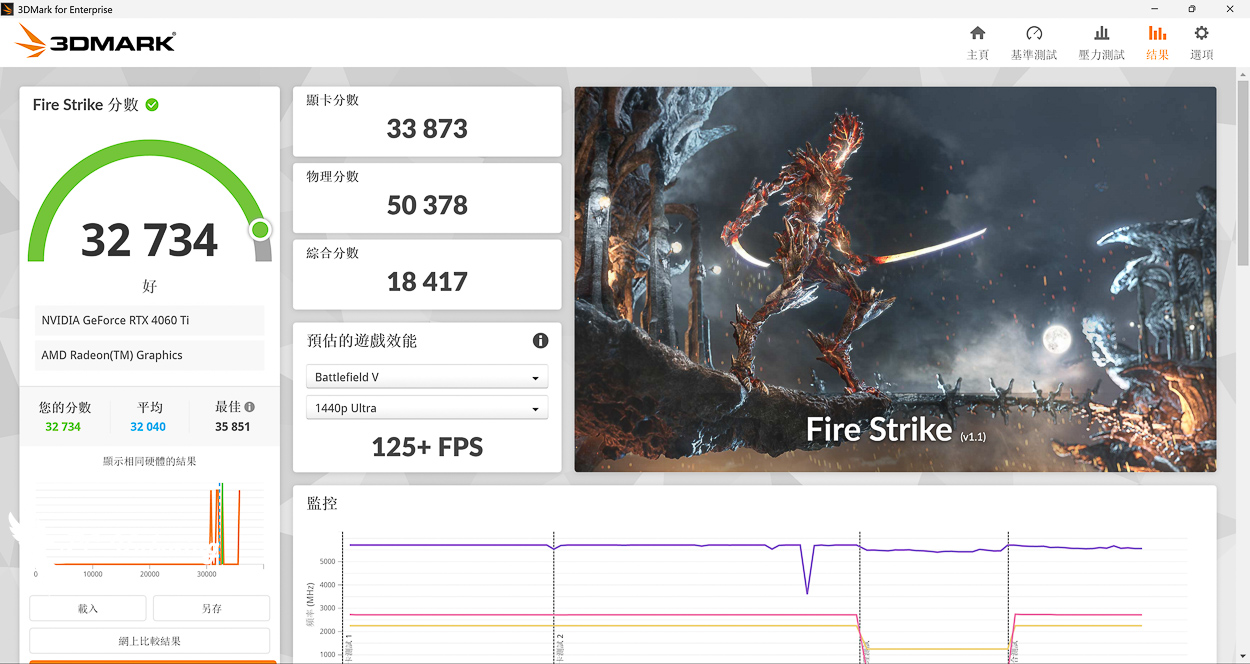
△ 3DMark Fire Strike.
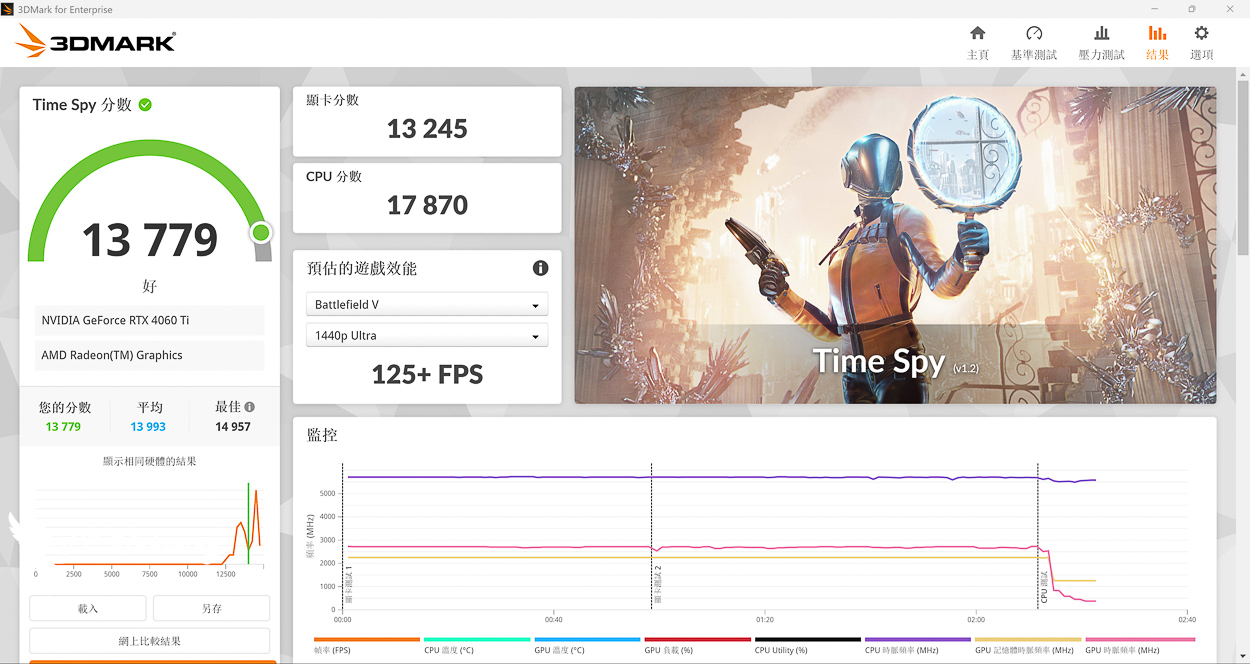
△ 3DMark Time Spy.
Is the GIGABYTE B850 AORUS ELITE-P ICE Worth Buying? Pros, Cons, and Buying Tips
As for the "2D Glow Sculpted Girls" series sold in Taiwan, the second motherboard in the lineup is the "GIGABYTE B850 AORUS ELITE-P ICE," personally, I prefer the IP-themed design of this one over the first M-ATX model, the B850M AORUS ELITE WIFI7 ICE-P—mainly because of the style. The ATX-spec B850 AORUS ELITE-P ICE has a slightly more modern and cute aesthetic, and it features less black in its visual design, moving away from the “Chinese aesthetic” style of the M-ATX model—though it does cost 2,000 yuan more.
PCBs, packaging, heat sinks, accessories, and more all feature lots of cute, laid-back illustrations of Diao Mei, To be honest, the target audience for this motherboard is drawn to it specifically because of its appearance, but right now quite a few people are eagerly awaiting the black version to hit the shelves. I just didn’t expect the white model to go on sale so soon after the computer expo ended.
In terms of functionality, this motherboard uses the B850 chipset, so its expandability is inevitably somewhat limited compared to the X870E chipset—for example, it only has two SATA ports and lower-speed USB ports. However, I think this is more than enough for casual gamers. If you want more and better performance, I’d recommend spending a little extra on a high-end motherboard model. It features four onboard M.2 slots and two PCIe slots for expanding SSD storage, and with a graphics card plus a capture card or sound card, that should be more than enough.
Based on our testing, when paired with AMD Ryzen 9 9950X3D The processor and the XPG LANCER RGB DDR5-6000 CL30 64GB (32GBx2) memory modules with dual-sided chips work just fine, but given current market prices, most people will probably still opt for AMD Ryzen 7 9850X3D Or, if you’re building a system with single-sided DDR5 memory modules of a specific capacity, it probably won’t be as high-end as the setup tested in this article.
The blinking panel featuring the carved figure on the rear I/O shield of the motherboard is certainly eye-catching, but GCC cannot control its display color or brightness, so you’ll need to consider this if you want to customize it beyond the default settings.

Yun
Drinks with less than full sugar are colored water. Crossing Turbid Creek, full sugar is not a crime!


 繁體中文
繁體中文  English