
GIGABYTE X3D Turbo Mode 2.0 Hands-On Review: An Analysis of the Ryzen 9 9950X3D’s Gaming and Multi-Core Performance

What Is GIGABYTE X3D Turbo Mode 2.0? An Introduction to AI Performance Optimization
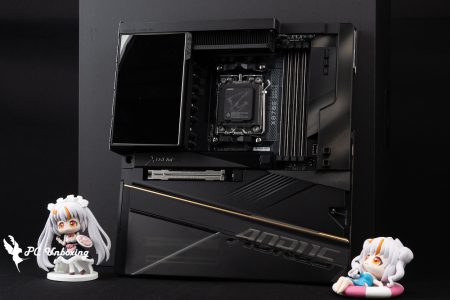
GIGABYTE is launching a series of new X3D motherboard models to complement the X3D Turbo Mode 2.0 feature in the BIOS. The official website boasts that through the motherboard's built-in AI model and hardware tuning lines, it can instantly detect the system load status and dynamically optimize the overclocking parameter settings of the X3D processor, which can dramatically improve the performance of the Ryzen X3D processor. The performance of Ryzen X3D processor can be greatly enhanced with one-click acceleration of gaming performance by up to 25%.
When entering the BIOS for the first time, if the AMD Ryzen 7 9850X3D (R7 9850X3D) 、Ryzen 9 9950X3D、Ryzen 9 9900X3D When using Ryzen X3D series processors, it will pop up whether to enable X3D Turbo Mode 2 or not.

△ BIOS will automatically pop up whether to enable it or not.
In the Built for X3D section on the right of EASY MODE, you can directly open the X3D Turbo Mode 2.0 function, and you can choose Standard/Maximum Performance/Extreme/Disabled according to your needs. Ryzen 9 9950X3DThe "Extreme" mode of GIGABYTE X3D Turbo Mode 2 is recommended to be used with the original 8-core specification because some cores and threads are turned off when the Extreme mode is turned on to make it 8-core. Ryzen 7 9850X3D Or the Ryzen 7 9800X3D with more cores Ryzen 9 9950X3D、Ryzen 9 9900X3D This will result in a degradation of multi-core performance.

△ The Built for X3D block on the right side of EASY MODE can directly open the X3D Turbo Mode 2.0 function.

△ Select the usage mode according to your needs.

△ You can also select the mode in the advanced mode, and the mode will be highlighted in text.
The author will then test Ryzen 9 9950X3D The performance difference between applying different X3D Turbo Mode 2 modes is tested with only the Memory Profile and GIGABYTE X3D Turbo Mode 2 features enabled, all other settings remain default.
With the X3D Turbo Mode 2 function enabled in Standard Mode, the processor's performance increased by 3.2% over the processor's default performance in Maximum Threaded Score.
However, when we turn on the "Maximum Performance" mode of X3D Turbo Mode 2 and compare the results with the "Standard" mode, the Maximum Performance mode is only slightly higher in the 4/2/1 Threaded mode, and the following results are for your reference.

△ X3D Turbo Mode 2_off, processor default performance.

△ X3D Turbo Mode 2_Standard.

△ X3D Turbo Mode 2_Maximum Performance.

△ X3D Turbo Mode 2_Extreme, not recommended for models with more than 8 cores, multi-core performance will be degraded, but results are better for models with less than 8 threads.

Yun
Drinks with less than full sugar are colored water. Crossing Turbid Creek, full sugar is not a crime!


 繁體中文
繁體中文  English