
VALKYRIE C420W-RGB All-in-One Watercooling Test with i9 13900K 380W!
Our good friend from last month.Du Fu We unboxed six VALKYRIE all-in-one watercoolers of different specifications and models and tested them with AMD Ryzen 9 5900X, if you are interested in checking them out."Valkyrie Watercooling Unboxing"For a more detailed description of the differences in cooling performance between different water cooling models, please click on the unboxing article.
At the end of October last year, Intel officially lifted the ban on the 13th generation of processors, and the highest specification i9 13900K has terrible power consumption and heat generation. Even when tested with mainstream 360mm all-in-one water coolers, most of the 360 AIOs hit the 100°C temperature wall at around 270W, and there is a school of thought that Asetek 7th generation and other water cooler pumps have insufficient cooling efficiency, thus leading to unsatisfactory cooling performance. There is a group of gamers who believe that Asetek 7 and other water cooler pumps are not efficient enough, which leads to unsatisfactory cooling performance, and are looking forward to the debut of Asetek 8 generation all-in-one water coolers.
A few months later the ROG Ryuo III 360 (commonly known as the Ryuo III) using Asetek's 8th generation solution was released, but according to the test data results, the Ryuo III was only able to suppress the i9 13900K around 280~290W on full Auto settings (including voltage), with a frequency of around 5.5GHz for the P-Core/ 4.3GHz for the E-Core, and 300W for the upper 300W, hitting 100°C. The Ryuo III was also able to suppress the P-Core at around 4.3GHz, and the P-Core at around 4.3GHz. Core 4.3GHz, and 300W upwards will hit 100°C.
Although the cooling performance has been slightly improved, it seems that the 360mm AIO of Asetek's 8th generation solution is still not ideal, and there is still a long way to go for the i9 13900K, which wants to suppress the Auto setting and has no limit on the power consumption. At this point, the author is quite curious about one thing: Can the 420/480mm AIO with a bigger water-cooling row be able to suppress it? Of course, there are other cooling solutions for extreme overclockers, such as liquid nitrogen or water cooler soaking in an ice bucket, etc., but this is not in line with the usual scenario of installing a computer, and it is a bit unrealistic.
Therefore, I borrowed the (still warm) VALKYRIE C420W-RGB from Dufu, and some gamers may also want to ask what about the C360W-RGB from the same company as VALKYRIE? Before many people recommended to press the i9 13900K effect in the end, the answer is with the flagship model 360mm AIO about the same, 270W will touch 100 ° C, so do not dream about it.
420 Water-cooled 13900K Thermal Performance Testing

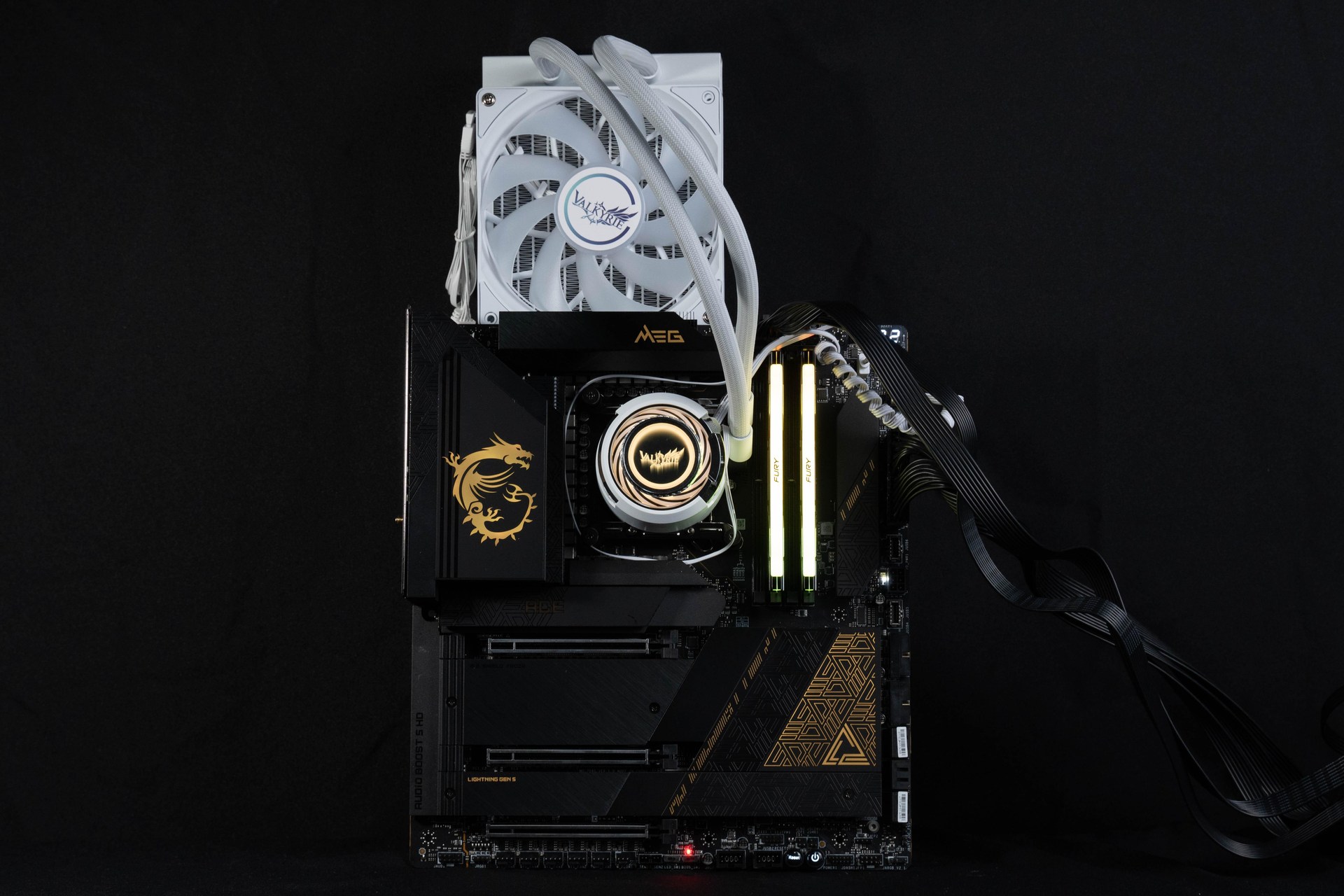
The test platform used the MSI MEG Z790 ACE motherboard, paired with a 24-core, 32-thread Intel i9 13900K processor with 8 P-Cores and 16 E-Cores, and a Kingston FURY Renegade RGB 6000MT/s 16GBx2 dual-channel memory kit to set up the test platform. During the test, except for XMP 3.0 and CPU GAME BOOST, the motherboard was used in the default mode, and the test was conducted by running the XMP 3.0 and CPU GAME BOOST once. CINEBENCH R23 Multi-core test to see the results and temperature, and AIDA 64 FPU to see the temperature under extreme conditions.。
Testing Platform
Processor: Intel Core i9 13900K
Cooler: VALKYRIE C420W-RGB (all full speed)
Motherboard: MSI MEG Z790 ACE (7D86v12)
Memory: Kingston FURY Renegade RGB 6000mt/s 16GBx2
Display Card: MSI GTX 1070 Quick Silver 8G OC
Power : MONTECH TITAN GOLD 1200W
Hard Drive : Micron Crucial P3 Plus 1TB Gen4 NVMe SSD
Operating System: Windows 11 Home Edition 21H2
MSI motherboards will automatically detect what cooler you are using after booting up, and according to different specification coolers with different PL1 and power consumption limits, as you can see in the CPU Cooler Tuning options, Boxed Cooler (Original Downdraft Cooler) PL1:: 253W, Tower Air Cooler PL1: 288WWater Cooler PL1: 4096W (AKA power liberation limit).

∆ MSI CPU Cooler Tuning Depending on the size of the cooler, there are different power consumption limits.
Then the author also limits these three modes through Intel XTU.「approximatelyThe upper limit of "power consumption", why do I say "about"? Because 253W/288W I remembered in my head and ended up completely misremembering it, I remembered these two modes as 235W and 285W when I entered them, anyway, it's just a reference for you to see how the temperature and performance are under such a sub-wattage, so don't pay attention to it.
The first is the most conservative 235W power consumption limit set.CINEBENCH R23 multi-core test scored 37933 pts with 360 AIO. AMD Ryzen 9 7950X almost scored, with CPU Package temperatures of up to 71°C during the R23 test, and up to 76°C for the AIDA64 FPU.

∆ 235W Power Consumption Limit:CINEBENCH R23 37933 pts 71°C.

∆ 235W Power Consumption Limit:CPU Package temperature for AIDA64 FPUs up to 76°C.
Most of the motherboards nowadays will give the The i9 13900K is limited to a power consumption limit of around 270~280W, so this is also included in the i9 13900K. 285W of test data for real-world testing.CINEBENCH R23 multi-core test scored 39,473 pts.The CPU Package temperature during the R23 test was a maximum of 78°C, while the CPU Package temperature of the AIDA64 FPU was a maximum of 85°C. The CPU Package temperature during the R23 test was a maximum of 78°C, while the CPU Package temperature of the AIDA64 FPU was a maximum of 85°C.

∆ 285W Power Consumption Limit:CINEBENCH R23 37933 pts 78°C.

∆ 285W Power Consumption Limit:CINEBENCH R23 P-Core 5.4GHz/E-Core 4.4GHz.

∆ 285W Power Consumption Limit:CPU Package temperature for AIDA64 FPU is up to 85°C.
Then came the much-anticipated Emancipation Power Consumption Project! What's going on? Intel Core i9 13900K processor在 With 4096W power consumption liberated and all other settings AUTO, how many watts will the 420mm VALKYRIE C420W-RGB reach?
The answer. CINEBENCH R23 Multi-Core Test 377W.CPU Package temperature up to 92°C! This is also the reason why I have run it so many times! AUTO i9 13900K R23 multi-core test, the first time to see the processor temperature does not exceed 100Multi Core test result is 41432. pts, of course there is still a gap between this result and the manual setting of overclocking, but this test is just to see how the Power consumption/temperature/performance under AUTO.
As for the AIDA 64 FPU, it was actually run twice, in the first round of testing. i9 13900K power consumption at around 385W,The CPU Package temperature was up to 96°C, but during about seven minutes of operation, I was excited to share with Dufu halfway through typing .... I didn't take a screenshot of it, but in the second round of testing, the processorThe power consumption has been increased to 395W.CPU Package temperature is 101°C maximum.

∆ LiberationPower Consumption Limit:CINEBENCH R23 41432 pts 92°C

∆ LiberationPower Consumption Limit:CINEBENCH R23 P-Core 5.6GHz/E-Core 4.4GHz.

∆ LiberationPower Consumption Limit:CPU Package temperature of AIDA64 FPU up to 101°C/395W.
VALKYRIE C420W-RGB Plus i9 13900K overclocking test

I'm sure it's boring to be on Auto settings! As the champion of the 2022 Intel Core i9-13900K overclocking battle_MSI group, how can I be satisfied with the auto setting? 41432 pts grades then!
Previously, a lower-end paper specification was used. The MPG Z790 CARBON WIFI motherboard and the MEG CORELIQUID S360 water cooler are able to overclock the R23 to 42864. I've got a higher-end one in my hand today. MEG Z790 ACE with 420mm AIO I'm sure I'm going to pop a super wave, right?
The overclocking results areNo.
Why not? Because I spent the weekend taking pictures/unboxing/testing a set of DDR5 RAM, B650 motherboard, Z790 motherboard, and today's test data, and by the time I was done running the data for this post it was already 6pm on Sunday, and I had to go to work the next day and pass out drafts...and return them! Z790 ACE for MSI, so I don't have time to spend extra time looking for overclocking parameters... It's a shame but I really don't have the time, thanks guys.
Summary & Insights
Most 360mm AIOs nowadays have their own cooling limitations that make them prone to overclocking, and you don't want to limit the power consumption of the i9 13900K in order to keep the temperature low and the performance of the i9 13900K to go back down, whereas the cooling performance of the i9 13900K is a little better than the i9 13900K. The Asetek 8 generation is now exclusively owned by Bladesus (rumor unconfirmed), resulting in the only Dragon King III on the market today. Asetek 8 Generation (ah I don't want to use the Komuso ah).
In this test also proved to be as silly as its counterpart Asetek's 8th generation 360 AIO, buying a 420 is the smartest choice, as it can hold down the 380W. The i9 13900K gives full multi-core performance, and you don't have to wait for other companies to come out with new models of watercooling, and you don't have to go against your own morals to buy a watercooler for a knife, but the drawbacks are also right in front of you, although it is cheap, but there is no warranty, and you have to buy it in trouble from China, which is up to you to decide how to do it, and when is MSI's new watercooler going to come out?

Yun
Drinks with less than full sugar are colored water. Crossing Turbid Creek, full sugar is not a crime!


 繁體中文
繁體中文  English