
Legendary Card King Black Titan NVIDIA TITAN X Pascal Founders Edition Founders Edition Graphics Card Unboxing
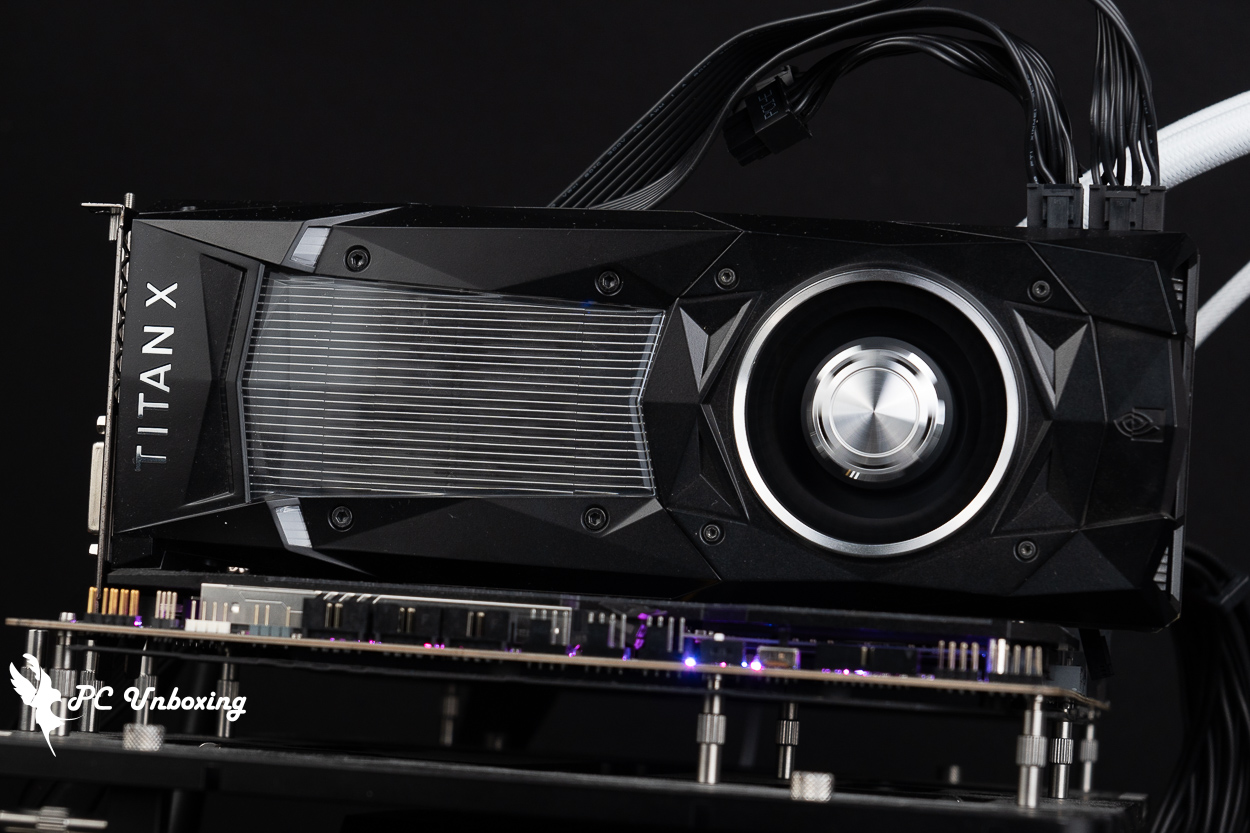
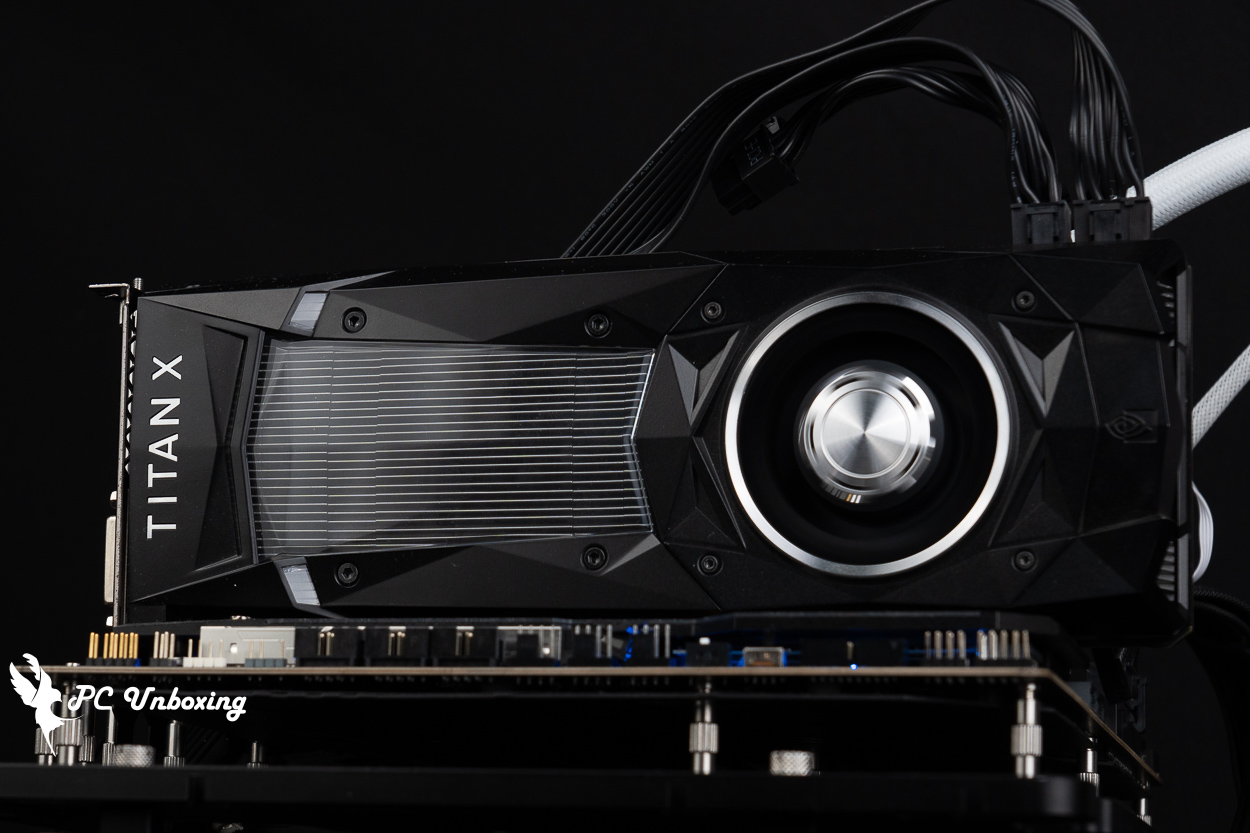
The NVIDIA TITAN X Pascal graphics card, which is about to turn 10 years old, is the flagship of the GeForce 10 series of Pascal-based graphics cards launched in 2016, and its classic and legendary Black Titan appearance impresses the author until today.
NVIDIA TITAN X Pascal Graphics card specifications:
Display Core: NVIDIA TITAN X Pascal
PCI Express: 3.0 x16
CUDA: 3584
GPU Frequency: 1417 MHz / 1531 MHz (OC Mode)
Memory Specification: 12 GB GDDR5X
Memory frequency: 10 Gbps
Memory Interface: 384-bit
Dimensions: 267 x 112 x 40 mm
Occupied Slot: 2 Slot
Power supply connector: 1x PCIe 8-Pin+6-Pin
Recommended Power Wattage: 600 W
DirectX: 12
OpenGL: 4.5
Display output: 1x HDMI 2.0b, 3x DisplayPort 1.4, 1x DL-DVI
Multi-Screen Output Limit: Support
SLI graphics card cascading: Supported
Classic Black Titan! NVIDIA TITAN X Pascal Founders Edition Founders Edition Graphics Card
NVIDIA celebrated the 10th anniversary of the GeForce GTX 10 series a few days ago by releasing a commemorative video, and various media outlets have been reminiscing about their own past, but that's none of the author's business. Today, we're going to be unboxing the soon-to-be 10th year old graphics card, the NVIDIA TITAN X (Pascal).
NVIDIA announced the Pascal-based GeForce 10 series flagship graphics card “NVIDIA TITAN X” on July 22, 2016, with a suggested price of US$1,200 (about NT$38,400 at the time of conversion) in US dollars and available for order in North America and Europe on August 2, but the actual price in Taiwan is NT$39,990 after adding the "Taiwan tax". At that time, the proposed price was US$1200 (about NT$38,400 at that time), and on August 2, it was available for order on the official NVIDIA website in North America and Europe, but after adding the "Taiwan tax", the actual price was NT$39,990, and after ten years, in 2026, it can be purchased in the second-hand market at almost NT$3,000~4,000, almost one-tenth of the price. I am very grateful to my friends who are willing to lend me the collector's card, so that I have the chance to touch this classic and legendary graphics card. This time, I am very grateful to my friend for lending me a collector's card so that I can have a chance to touch this classic and legendary card.
NVIDIA TITAN X utilizes a 16nm FinFET "GP102" core with 12 billion transistors, 3584 streaming processor cores, a base frequency of 1417 MHz/acceleration frequency of 1531 MHz, and a single precision floating point performance of up to 11TFLOPS. Equipped with 12GB of GDDR5X graphics memory, a 384-bit memory interface, 10 GHz graphics memory, 480 GBps total bandwidth, and 250 watts of power consumption by default.
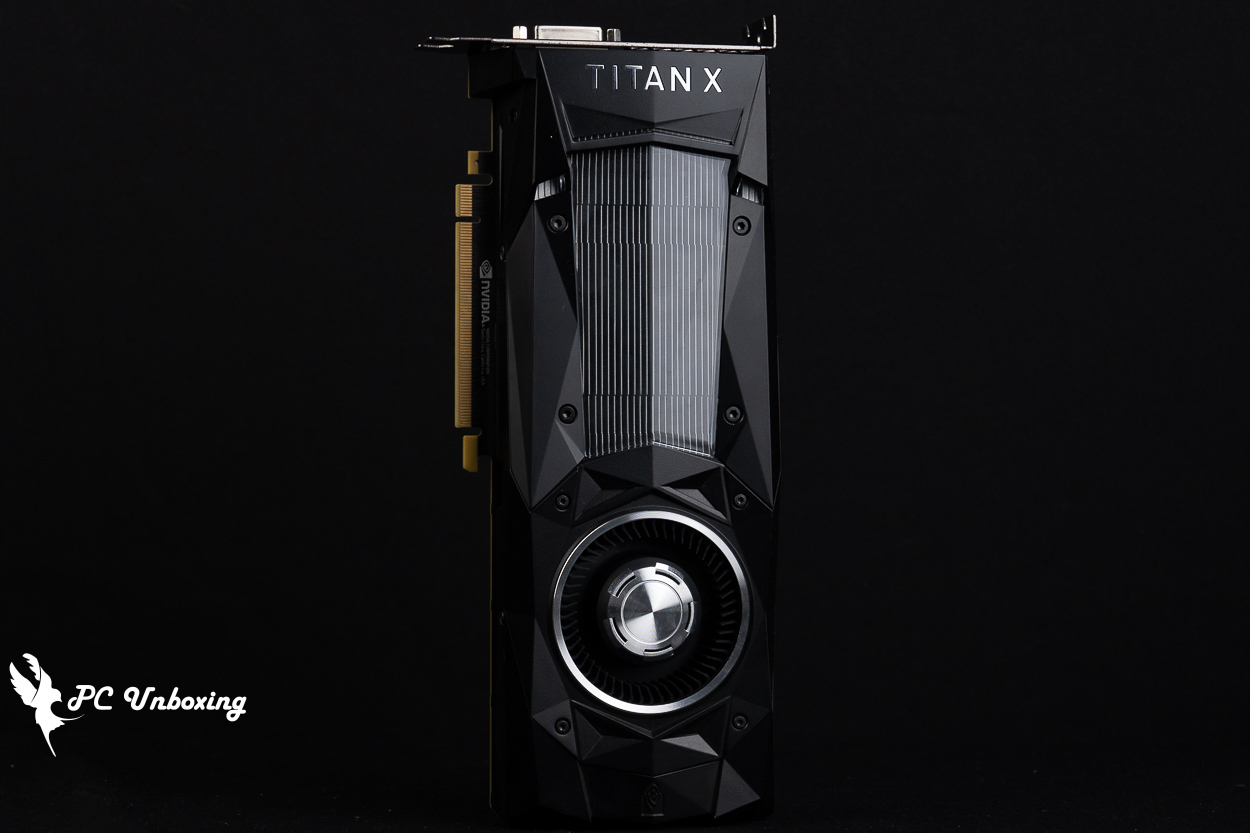
△ NVIDIA TITAN X Pascal launched in 2016.
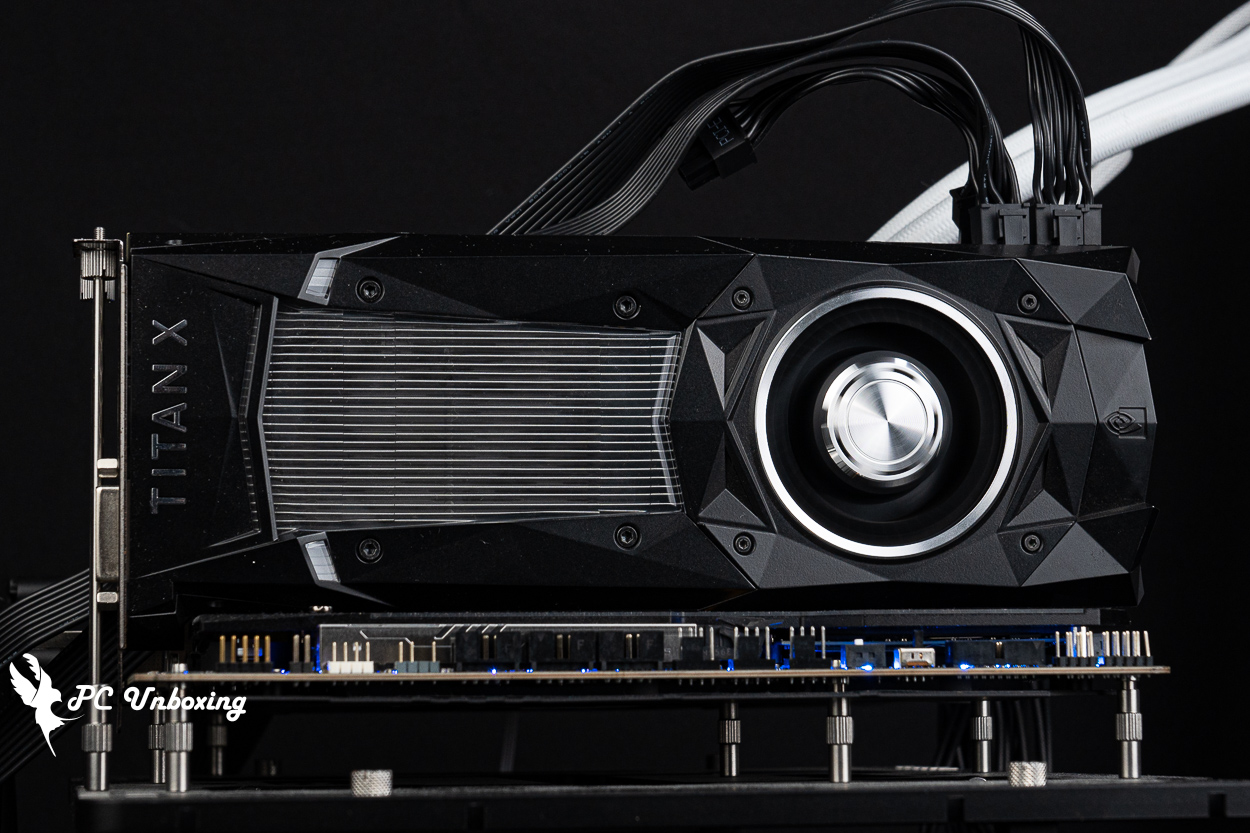
△ Classic Black Titan look.
However, there are a few things to be aware of when purchasing this card. Firstly, the product naming, if you just search for “TITAN X” it will be easily confused with the previous generation of “NVIDIA GeForce GTX TITAN X”, which was used in the previous generation of GTX TITAN X by NVIDIA. TITAN X Pascal's predecessor, the GTX TITAN X, used the same name as the NVIDIA GeForce GTX TITAN X, but with a different name. GeForce GTX 980 Ti The same Maxwell architecture core is also similar to the GeForce 900 series in terms of appearance and design, so when searching by name, pay attention to the appearance and whether it's the one you want to collect, one is called NVIDIA TITAN X Pascal (GeForce 10_2016); the other is NVIDIA GeForce GTX TITAN X ( GeForce 900_2015).
If you're judging by looks, the NVIDIA TITAN X Pascal looks almost identical to the later update “NVIDIA TITAN Xp” released on April 6, 2017. The NVIDIA TITAN Xp doesn't have an extra p on the cooling module, and it still says "TITAN X", so it's very hard to tell from the outside. TITAN X, so it's hard to tell from the outside, but the NVIDIA TITAN Xp removes the DVI video outputs, so if you're just looking for a collector's item, you'll want to go with whichever one is cheaper.
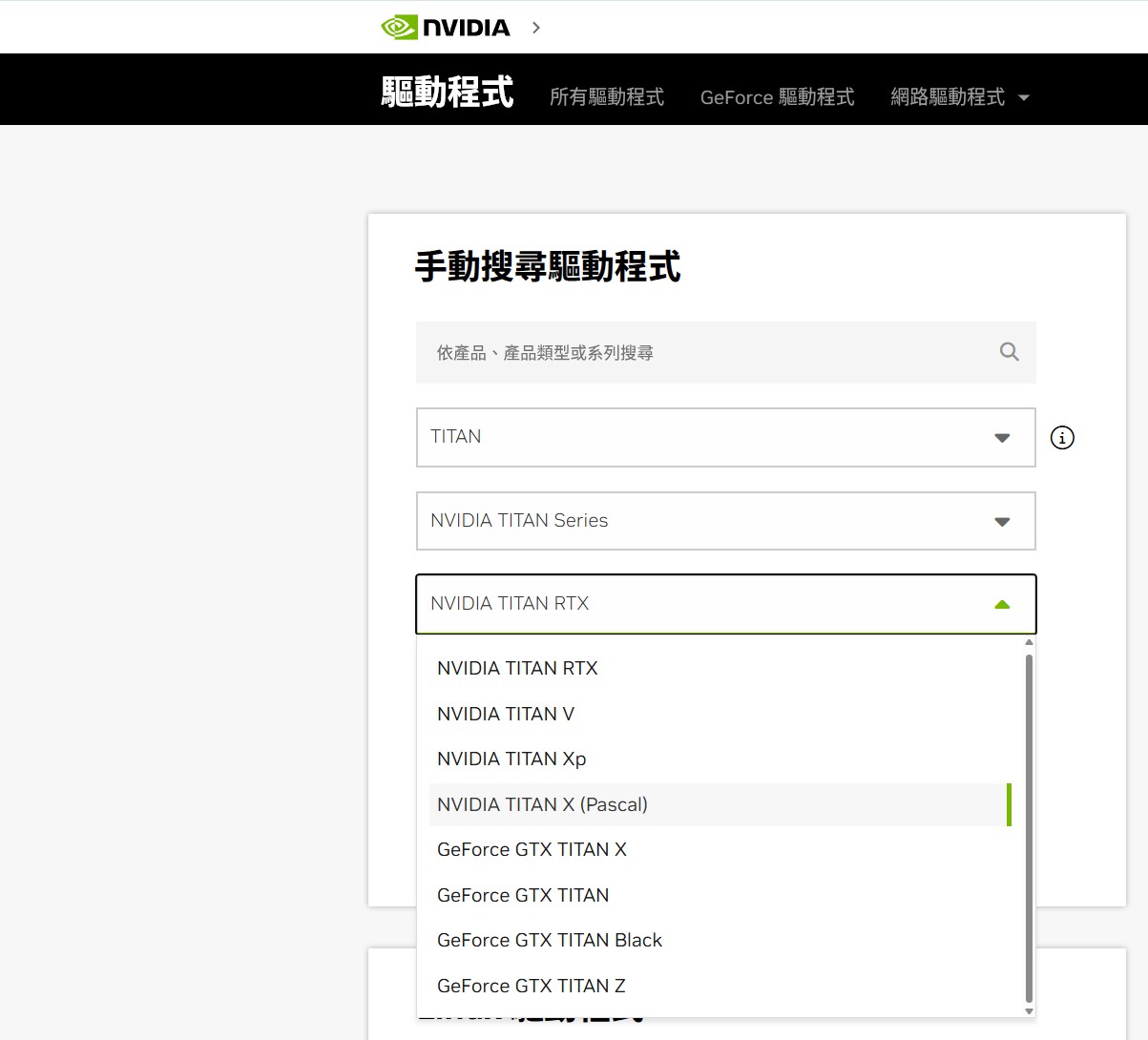
The naming convention is a bit complicated for the TITAN series.

△ NVIDIA TITAN X Pascal_2016.
The NVIDIA TITAN X Pascal, also known as NVIDIA TITAN X (Pascal), measures 267 x 112 x 40 mm in length, width and height, and has the same overall look, feel and design as the NVIDIA TITAN X Pascal. GTX 1080 Ti Founders Edition 11G It's exactly the same, but the color scheme has changed to black, and the author is fascinated by this style.
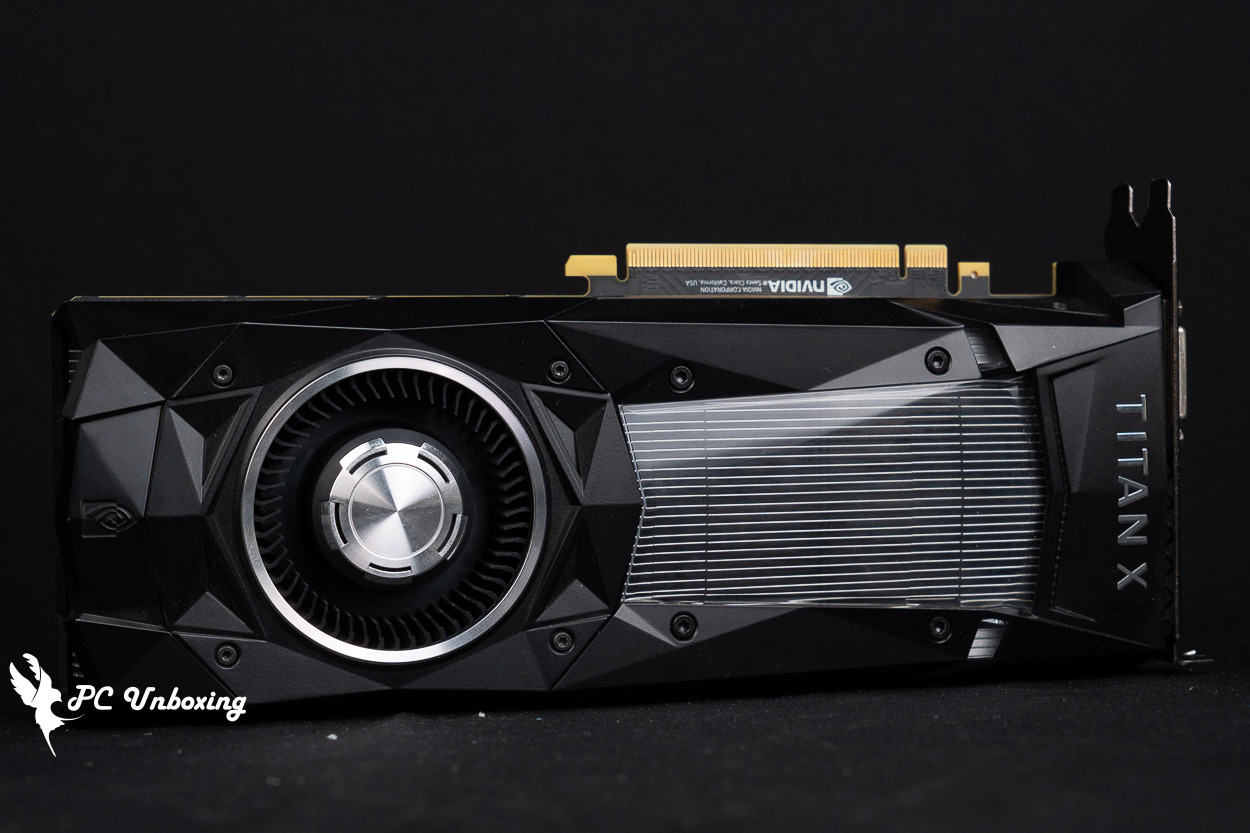
The length, width, and height of the graphics card are 267 x 112 x 40 mm.
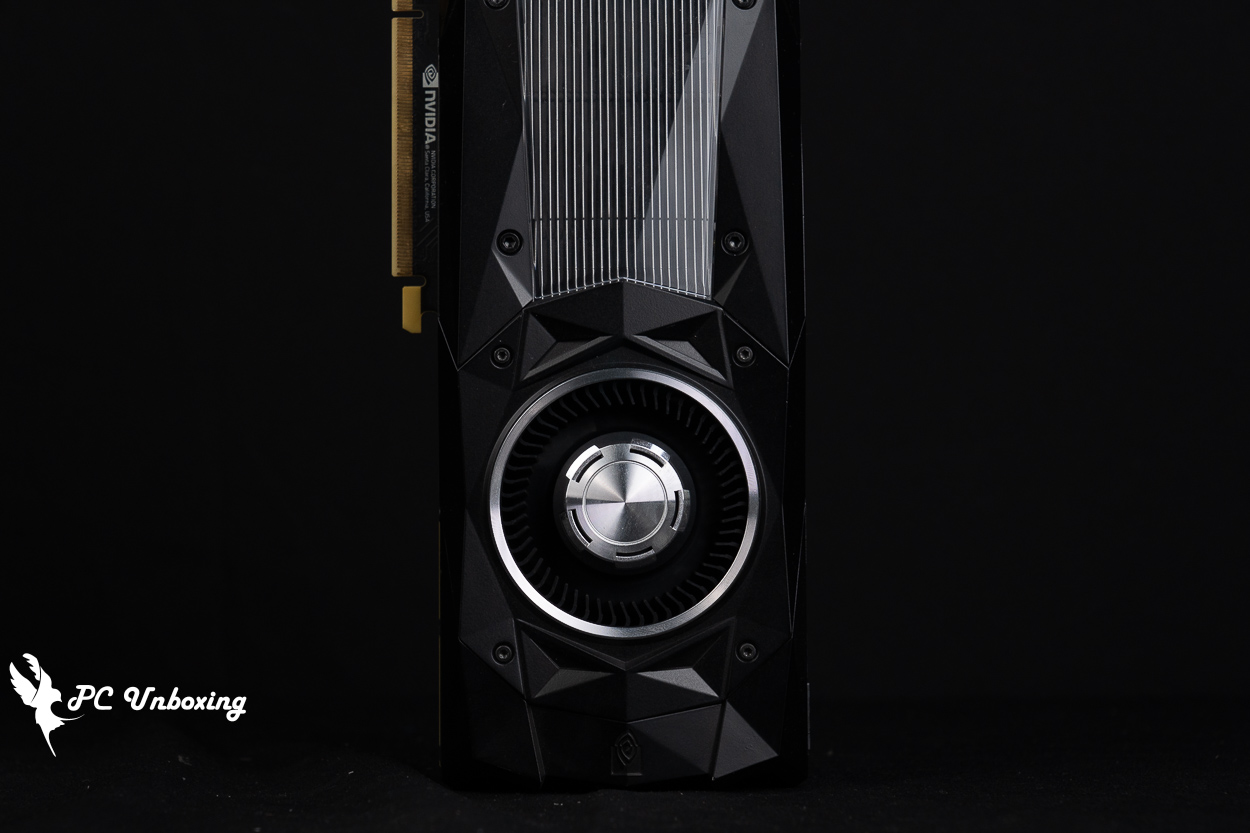
A turbofan, which draws in air from the front of the rear end and removes it from the output of the graphics card, keeps the screen cables hot to the touch.

△ The back of the graphics card has a reinforced backplate, which is what flagship graphics cards will have from this era onward.

△ Three locking holes at the end of the graphics card are used for fixing some OEM cases.
Founders Edition graphics cards are "compressed" as much as possible and are smaller than the models from AIC partners. The NVIDIA TITAN X Pascal only takes up 2 slots of mounting space on the board, and the low thickness combined with the turbofan makes it a good fit for ITX chassis airflow planning, but the cooling performance will be poorer.
The NVIDIA TITAN X Pascal, powered by PCIe 8+6 Pin slots, consumes around 250 W in stress tests.

△ 2 Slot Occupancy Thickness.

△ There is a faint green light when the power is on.

△ 8+6 Pin power supply slots, at least 600 W power supply is recommended.
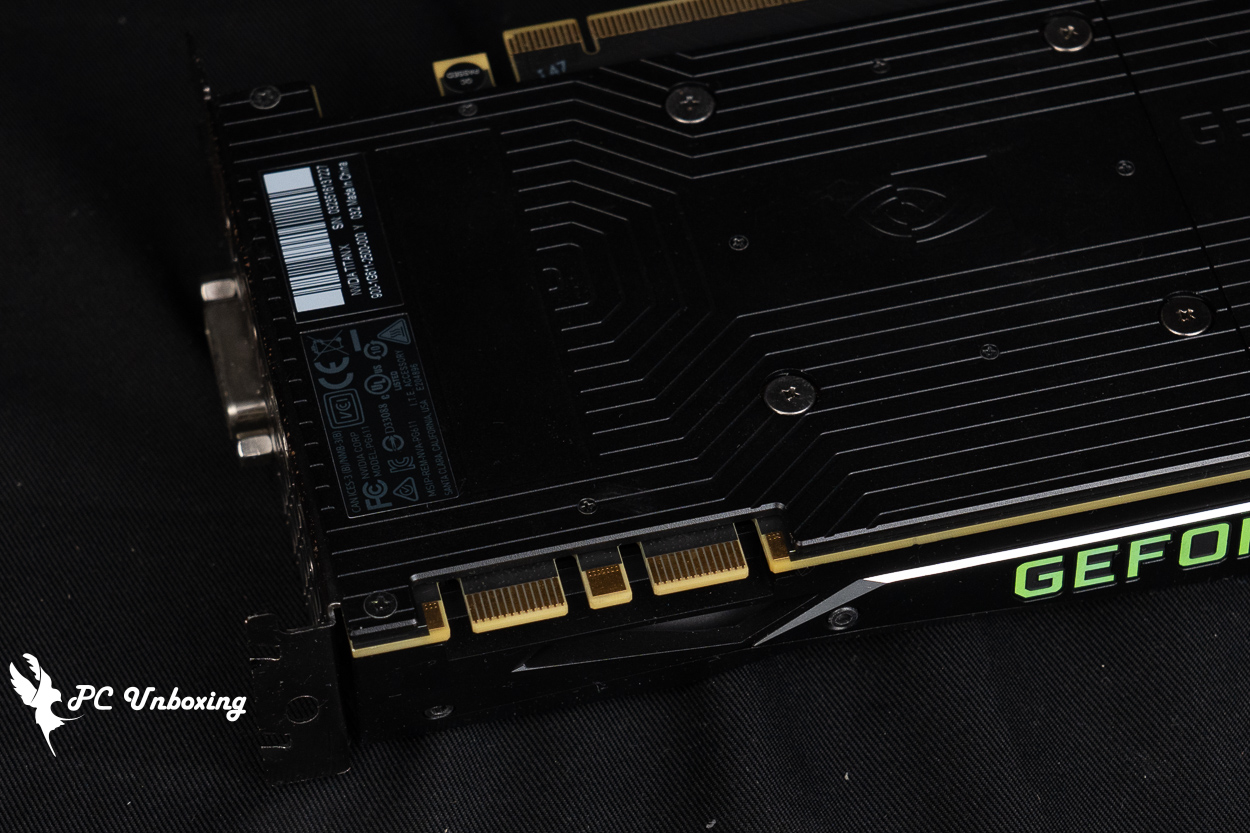
△ Obsolete SLI interface.
The NVIDIA TITAN X Pascal Foundry Edition graphics card borrowed by a friend is in pretty good condition, not too much dust, and I'm not sure if the card has been cleaned or had the thermal paste replaced, so I'll run a stress test to see how it looks before I disassemble it.
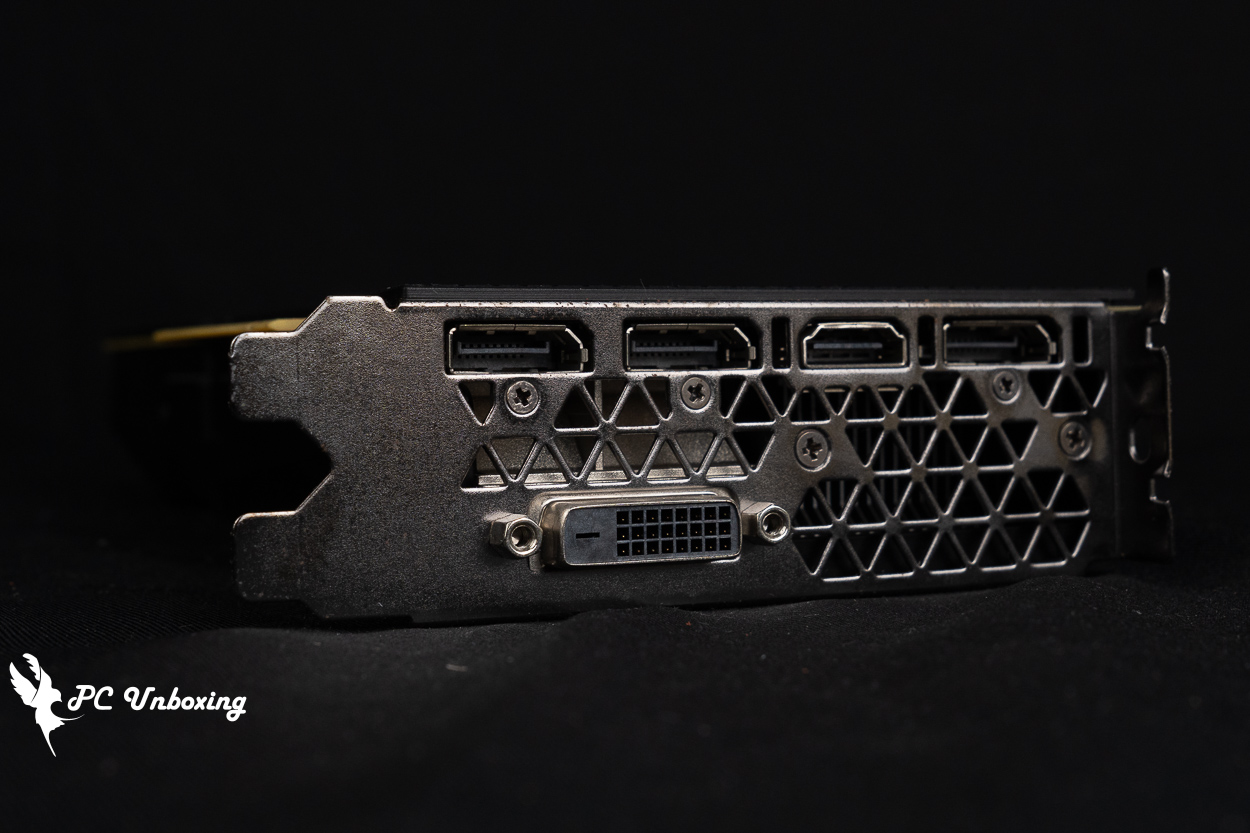
△ 1x HDMI 2.0b, 3x DisplayPort 1.4, 1x DL-DVI.
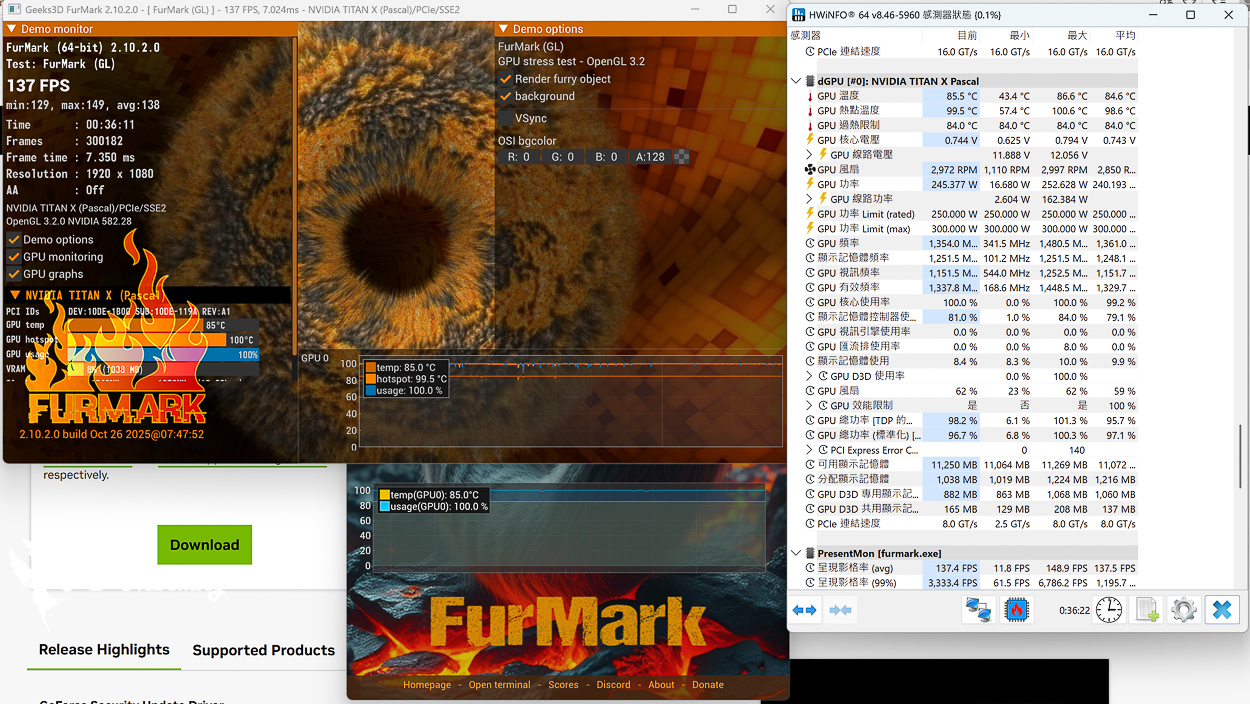
△ Thirty minutes of stress test, maximum GPU temperature 86.6 °C, maximum GPU hotspot temperature 100.6 °C, maximum power consumption 252 W.
Graphics Card Professional Creation and Rendering Test
Testing Platform
Processor:AMD Ryzen 9 9950X3D2 Dual Edition
Motherboard:ASRock X870E Taichi OCF (BIOS version: 4.10)
Memory:Origin code vortex DDR5 48 GB (24 GBx2) 8000 MT/s CL36-47-47-108 1.45V
Cooler: LIAN LI GA II Trinity SL-INF 360 (full speed)
Water-cooled fan: LIAN LI P28 (full speed)
Thermal paste: Cooler Master MASTERGEL MAKER 40g (thermal conductivity 11W/mK)
Graphics: NVIDIA TITAN X Pascal
Power supply:LIAN LI RS1000G
Case: STREACOM BC1 Benchtable V2
Graphics driver: GeForce Game Ready 582.28
GPU-Z To review the specification information of the graphics card, the 16 nm process GP102 core has 3584 CUDA cores, the graphics card memory specification is 384-bit 12288 MB GDDR5X Micron, and the GPU default frequency is 1418 MHz / Boost 1531 MHz.
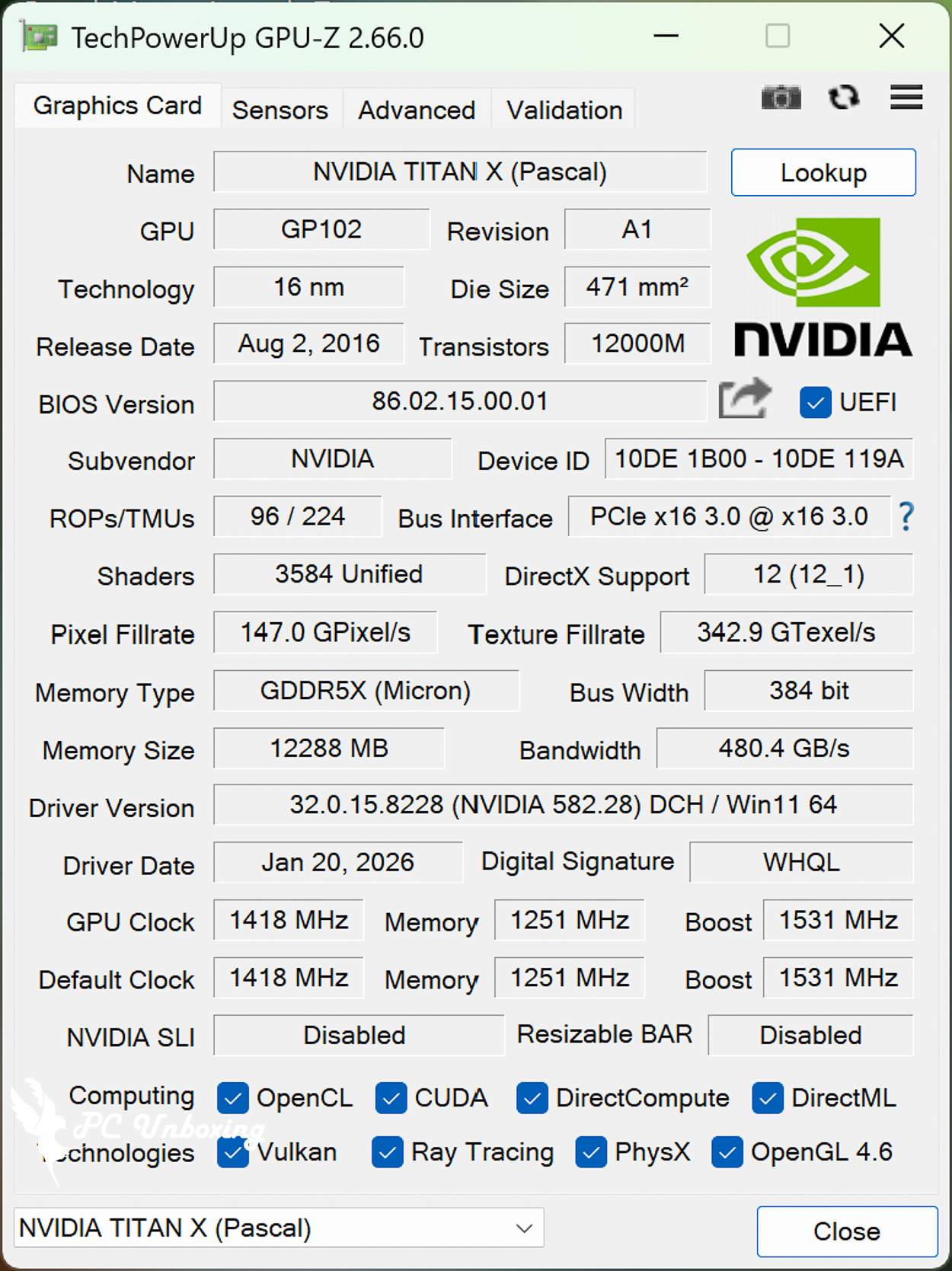
△ GPU-Z.
by Maxon Cinebench An industry-standard benchmarking software, Cinebench 2026 tests GPU and CPU performance using Maxon's powerful Redshift rendering engine.
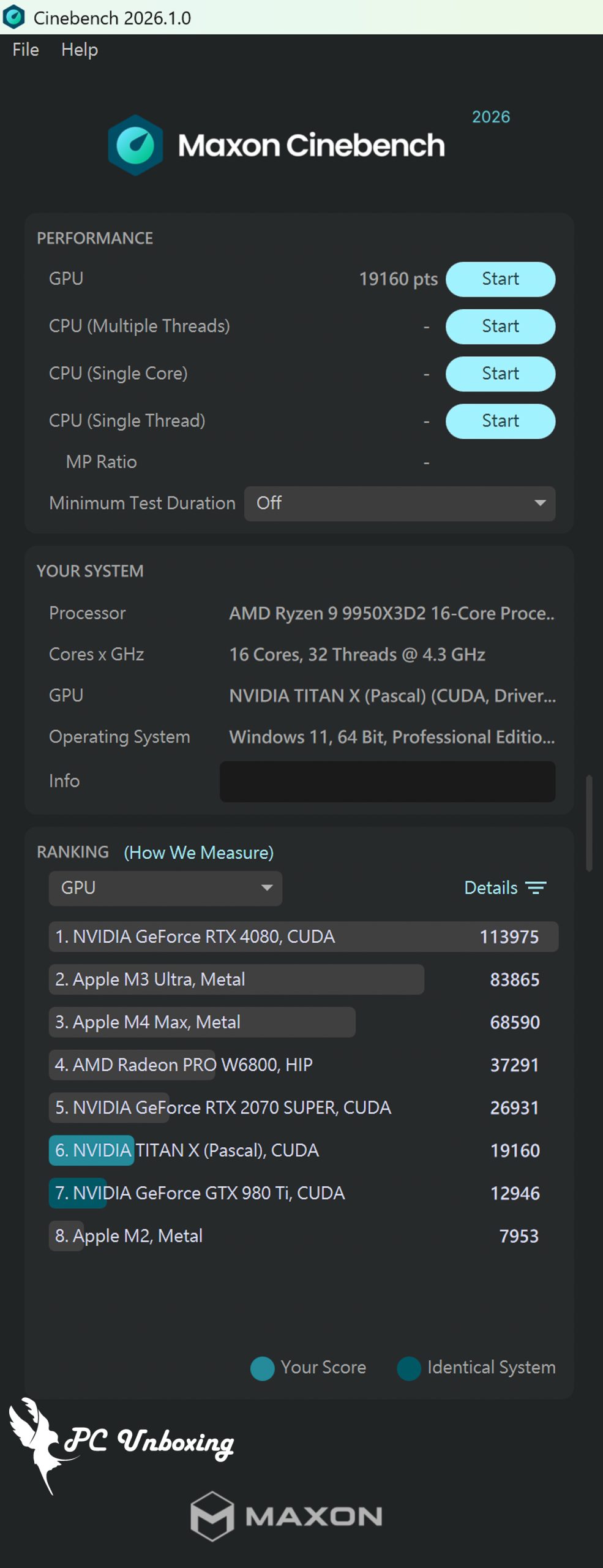
△ Cinebench 2026.
Furmark 2 Geeks3D is a GPU stress testing software for Windows and Linux platforms. It also supports OpenGL and Vulkan GPU API graphical benchmarking, allowing gamers to perform free Benchmark benchmarking.
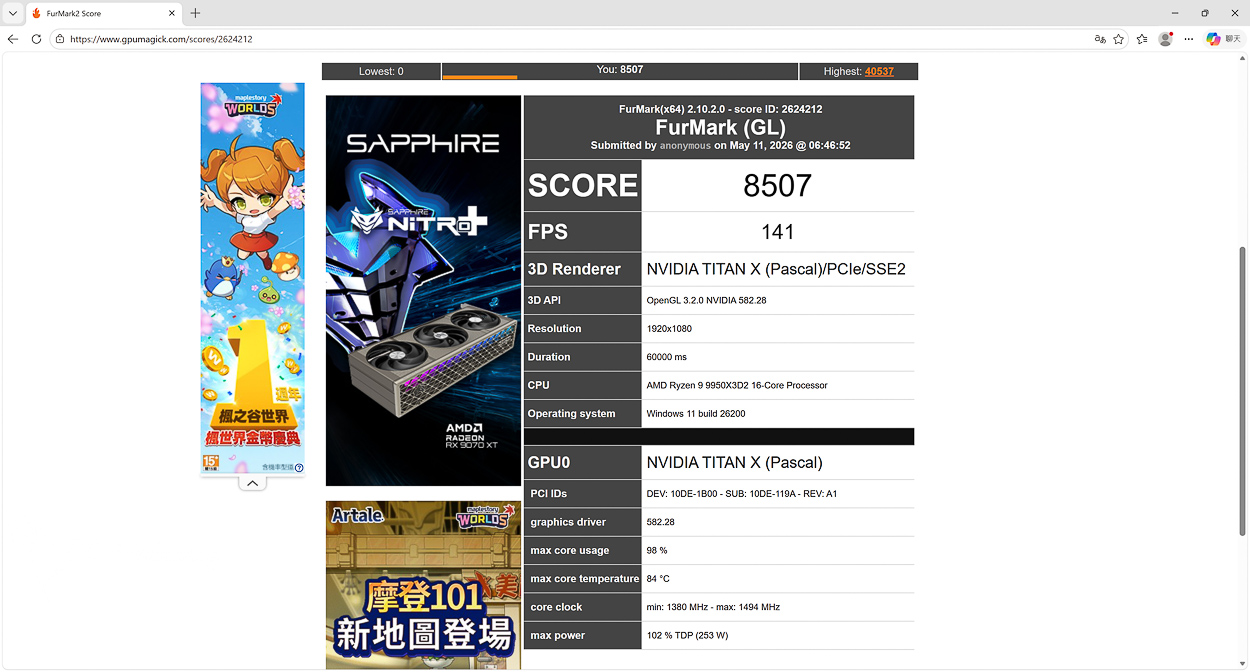
△ Furmark 2 Benchmark OpenGL 1920×1080.
3DMark score test
Steel Nomad The tests will be conducted at 3840 x 2160, or 4K, and are for the DirectX 12 benchmark running Windows 10 and 11. The program supports Multi sub-pass rendering, which allows you to set which API you want to use when using GPU APIs such as Vulkan, Metal, and DirectX 12 on your graphics card. The Nomad can be configured to test with any of these APIs when the graphics card is using GPU APIs such as Vulkan, Metal, and DirectX 12. It also supports Geometry Rendering, Surface Illumination, Particles, Asynchronous compute, Volumetric clouds, Screen clouds, Screen-space shadows, Screen-space reflections, Volume illumination and more.
Since Steel Nomad does not have a CPU test, the CPU's main role in the test is to write a list of instructions for the GPU to execute. A large number of tasks are allowed to be performed throughout the course of the test project. For example, rendering is done through multiple CPU threads, one for each available CPU core. This reduces CPU rendering time and minimizes the chance of the CPU becoming bottlenecked.
而 Steel Nomad Light With a lower load pressure and tested at 2560 x 1440, or 2K resolution, the Steel Nomad, by the way, is roughly seven times the load of Fire Strike; roughly three times that of Time Spy.
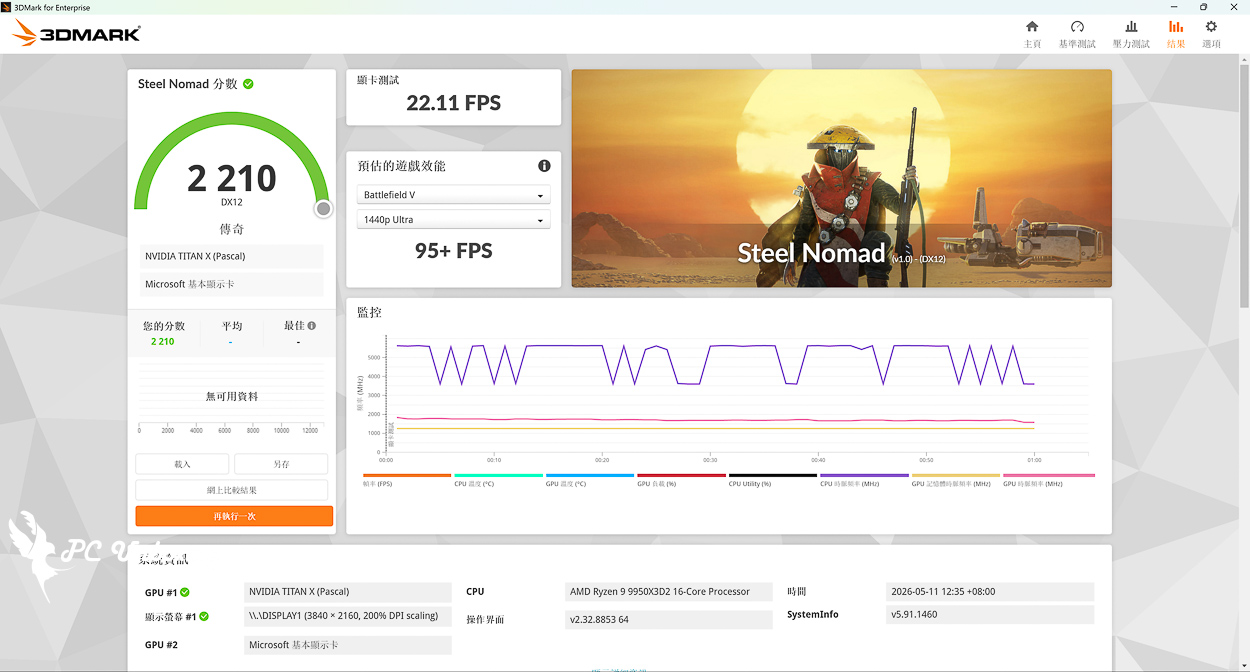
△ 3840 x 2160_4K resolution Steel Nomad DirectX12 testing.
AAA Gaming Performance Test
Game test using theKurokami Dialog: Goku_Black Myth: Wukong" for testing, the resolution setting FHD 1080p posting quality effects "Movie Class", additional features to open AMD FSR, but did not open the optical tracking after all NVIDIA TITAN X Pascal listed when the popularity of optical tracking has not been it.
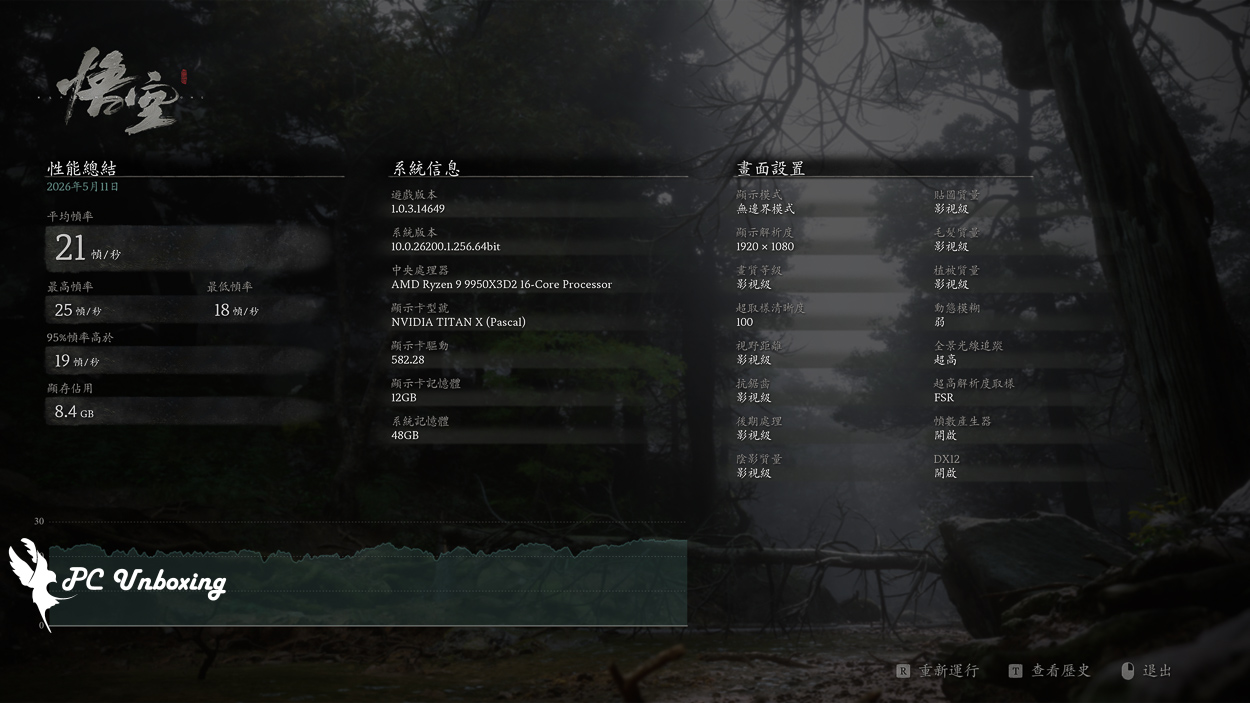
△ Average 21 fps, maybe downgrade the quality level to 60 fps.
Summary & Insights

To be honest, among all the graphics cards, I like the appearance of NVIDIA TITAN X Pascal the most, black and sharp, very noble aura, this time I do not have enough tools to disassemble and clean, the front hexagonal screws and the back panel of the small Phillips screws, there is no screwdriver that can be used, so can not be disassembled and cleaned quite a pity.

Yun
Drinks with less than full sugar are colored water. Crossing Turbid Creek, full sugar is not a crime!


 繁體中文
繁體中文  English