
Monarch MONTECH HyperFlow Digital All-in-One Watercooling Unboxing Review
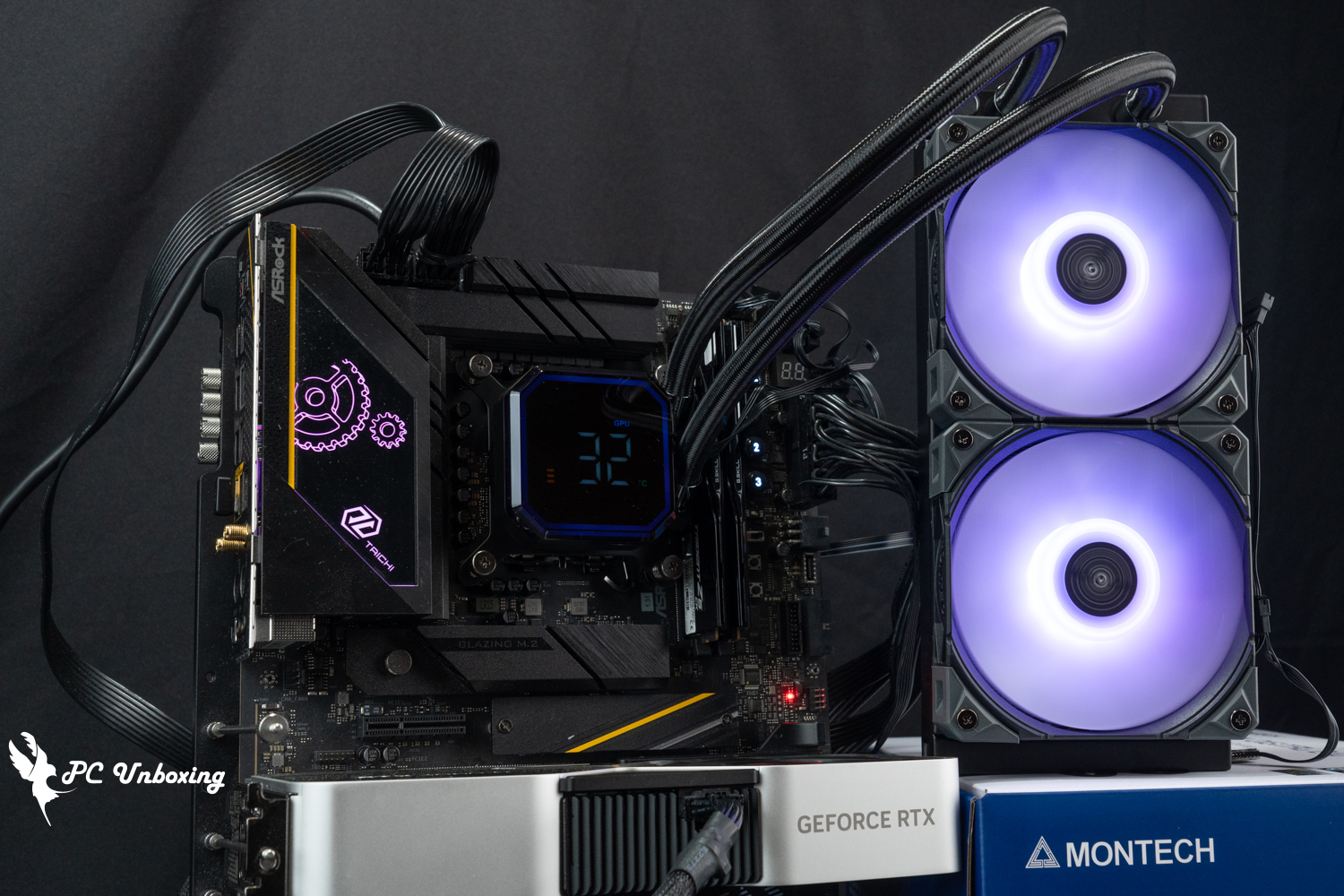
Monarch's new flagship all-in-one water coolers, MONTECH HyperFlow Digital 360 and HyperFlow Digital 240, are equipped with 67.2 x 67.2 mm octagonal water cooler digital displays for real-time monitoring and displaying CPU and GPU temperatures in degrees Celsius or Fahrenheit, and speeds of up to 3100 RPM water pumps with E28 ARGB. The new high air pressure fan provides strong cooling effect and also comes with a six-year liquid leakage warranty for peace of mind. It is compatible with the latest Intel LGA 1851 and AMD AM5 dual platforms with the newest feet installed, and this unboxing will also be paired with the Intel Core Ultra 9 285K Conduct a field test.
MONTECH HyperFlow Digital 360, HyperFlow Digital 240 All-in-one water-cooled specification:
Compatible Intel Pin: LGA 1851 / 1700 / 20XX / 1200 / 115X
Compatible with AMD pins: AM5 / AM4 / AM3
Water pump use program: ?
Pump Maximum RPM: 3100 ±10% RPM
Water cooling head size: 67.2 x 67.2 x 52.3 mm
Water-cooling head contact surface: copper
Water-cooling head power supply: PWM 4-Pin, USB 2.0 9-Pin, 5V 3-Pin ARGB
Water cooler size: 397 x 120 x 27 mm (Digital 360), 277 x 120 x 27 mm (Digital 240)
Water Cooler Material: Aluminum
Water-cooled tube length: 400 mm
Fan used: MONTECH E28 ARGB
Fan size: 120 x 120 x 28 mm
Maximum fan speed: 2000 ±10% RPM
Maximum fan airflow: 85.09 CFM
Maximum fan pressure: 3.35 mmH₂O
Fan Power Supply: PWM 4-Pin, 5V 3-Pin ARGB
Thermal paste included: water-cooled head pre-coated, extra thermal paste included with accessories
Warranty: 6 years liquid leakage compensation
MONTECH HyperFlow Digital 360, HyperFlow Digital 240 All-in-One Watercooling Unboxing|Introduction of Design, Accessories and Features
Previously, the author unboxed the MONTECH Monarch, also from MONTECH. HyperFlow Silent 360、HyperFlow ARGB 360 The HyperFlow Digital 360 and HyperFlow Digital 240 all-in-one watercoolers are also categorized under HyperFlow, but with the addition of Digital to the suffix of the model number, which means that the watercooling head has a digital screen that can display the CPU or GPU temperature in real time. This means that the water-cooling head has a digital display that shows the temperature of the CPU or GPU in real time.
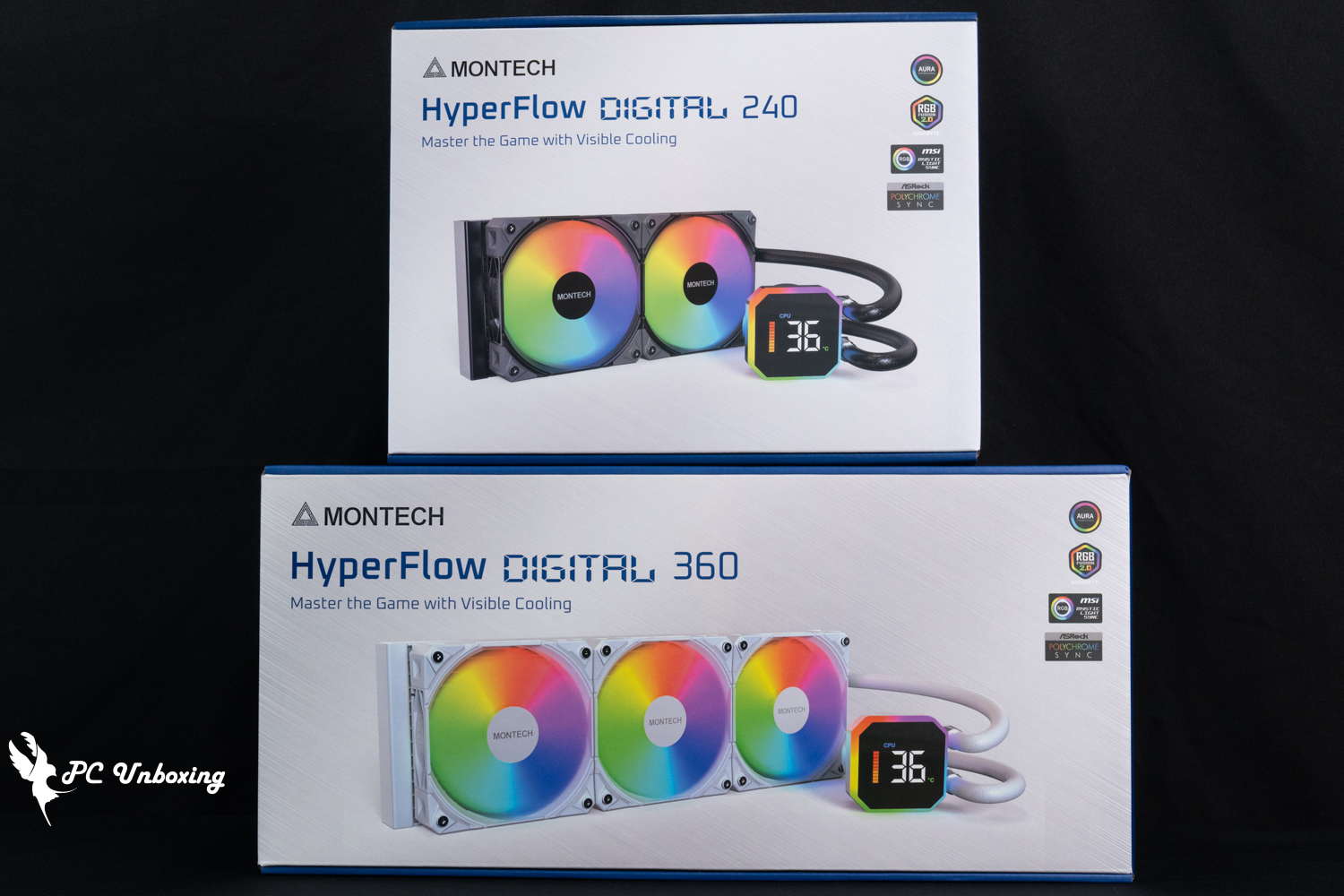
△ MONTECH HyperFlow Digital 360, HyperFlow Digital 240 All-in-one water cooling.
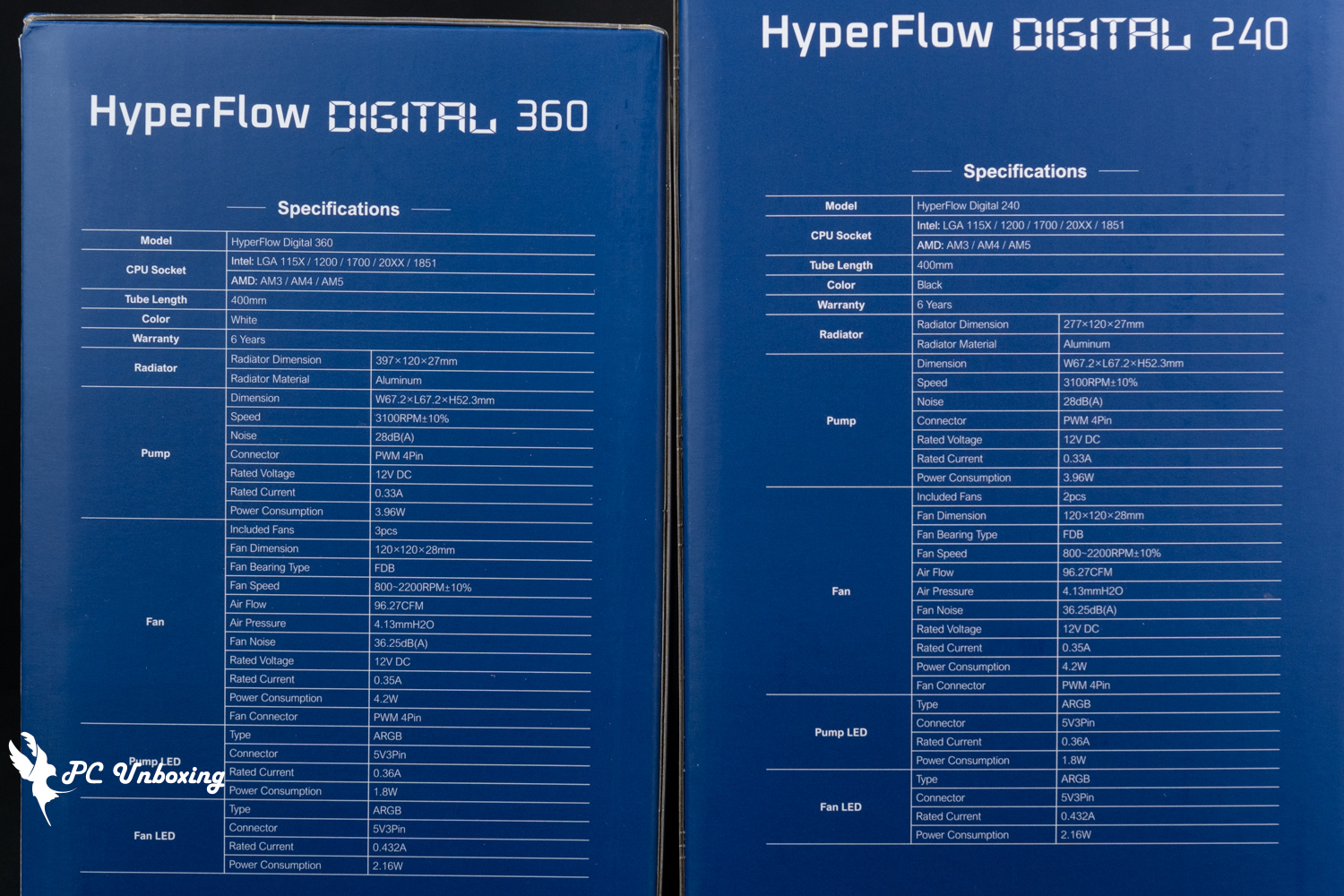
△ Product specification.
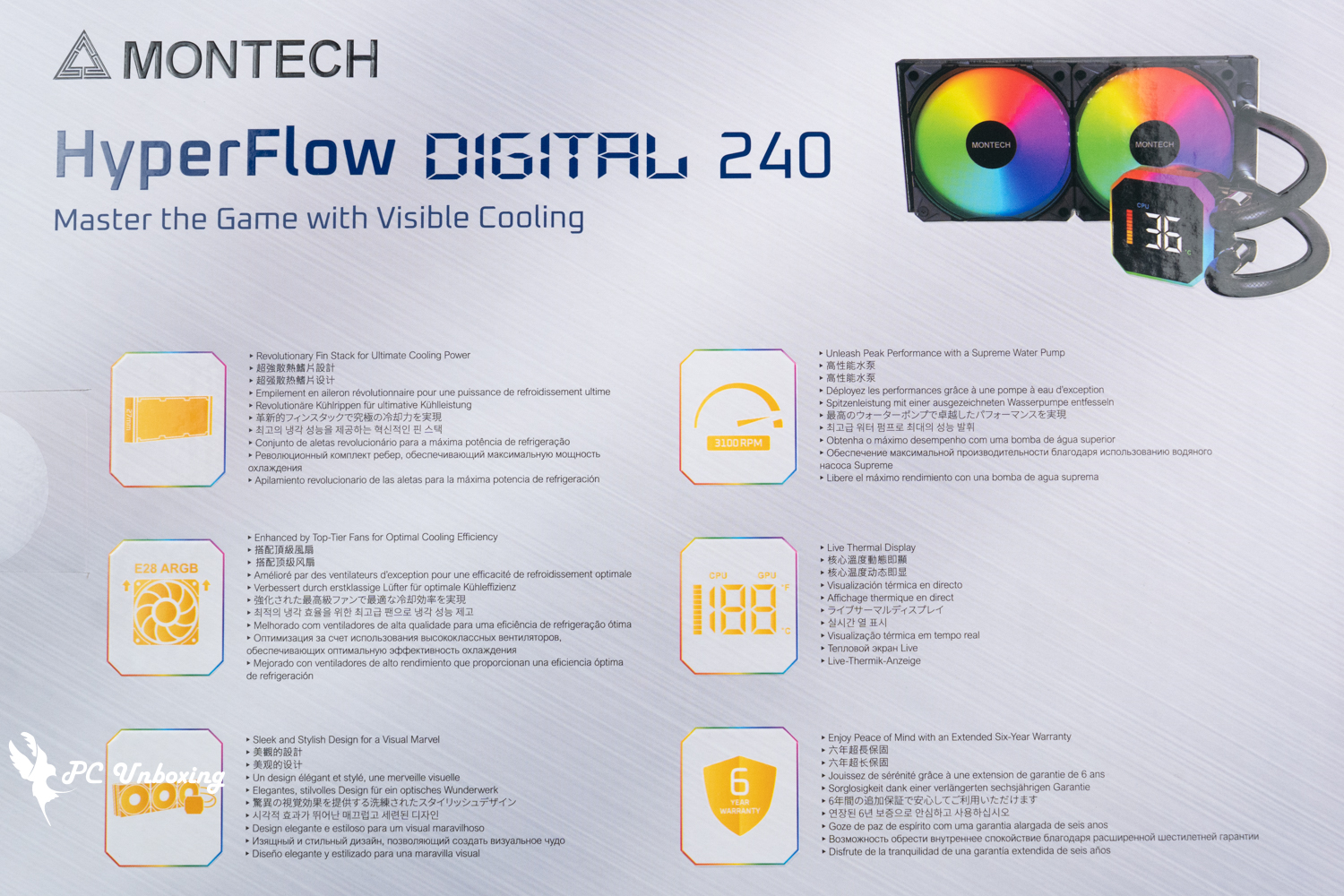
△ Product Features.
The HyperFlow Digital 360, a 360 mm water cooler, and the HyperFlow Digital 240, a 240 mm water cooler, are both available in four SKUs of black and white, allowing gamers to match the size of the water cooler to the size of the chassis or the color scheme of the case, with the most expensive HyperFlow Digital 360 still priced at $3,000. The highest-priced HyperFlow Digital 360 is still priced at $3,000, making it less of a challenge for those on a limited budget.
In the warranty section, the official website indicates a six-year warranty and compensation for leaking hardware, but this time, the official website does not list the depreciation formula for the age of the hardware as it did before, so you may need to ask the official customer service to confirm the details.
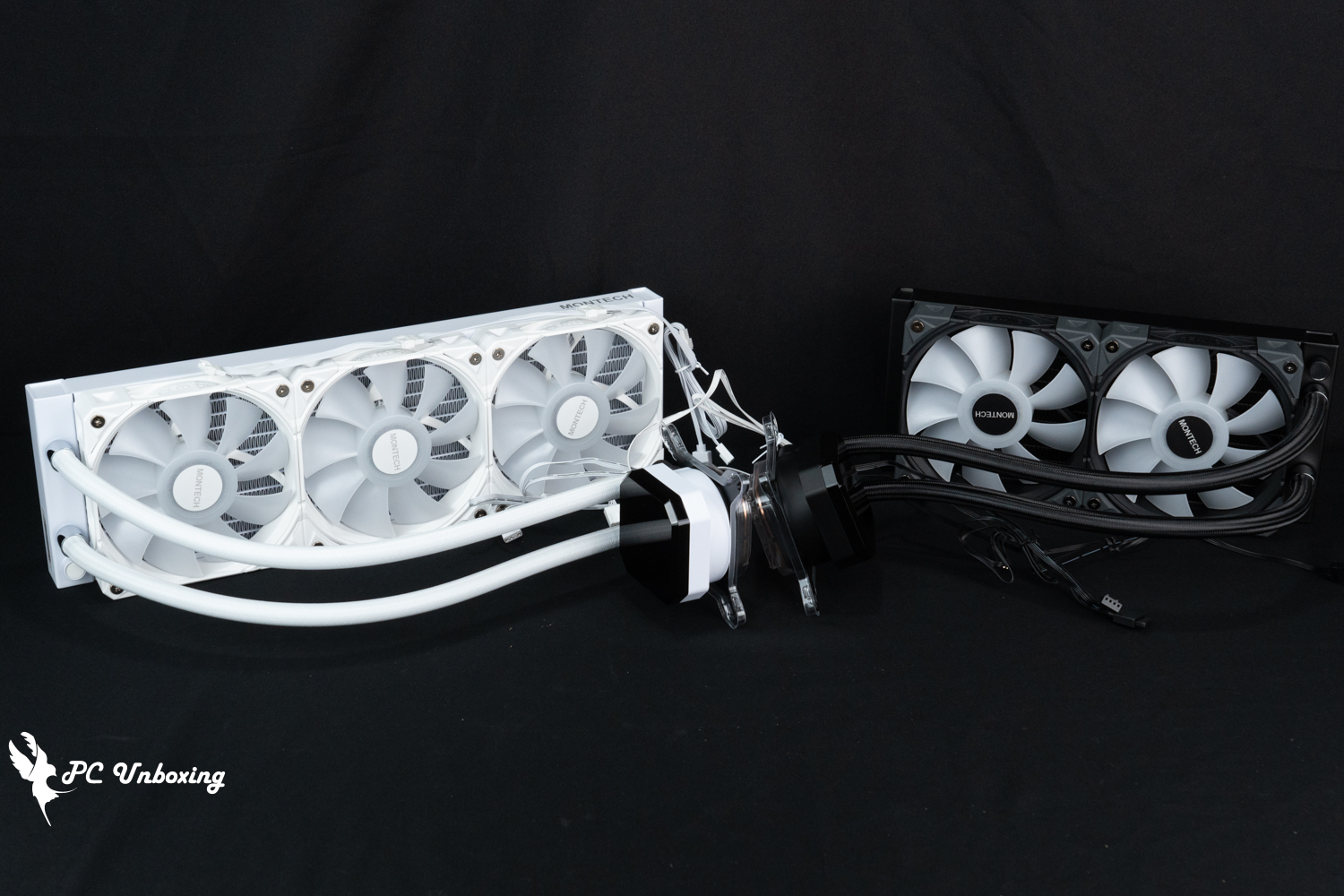
△ Simultaneously available in black and white.
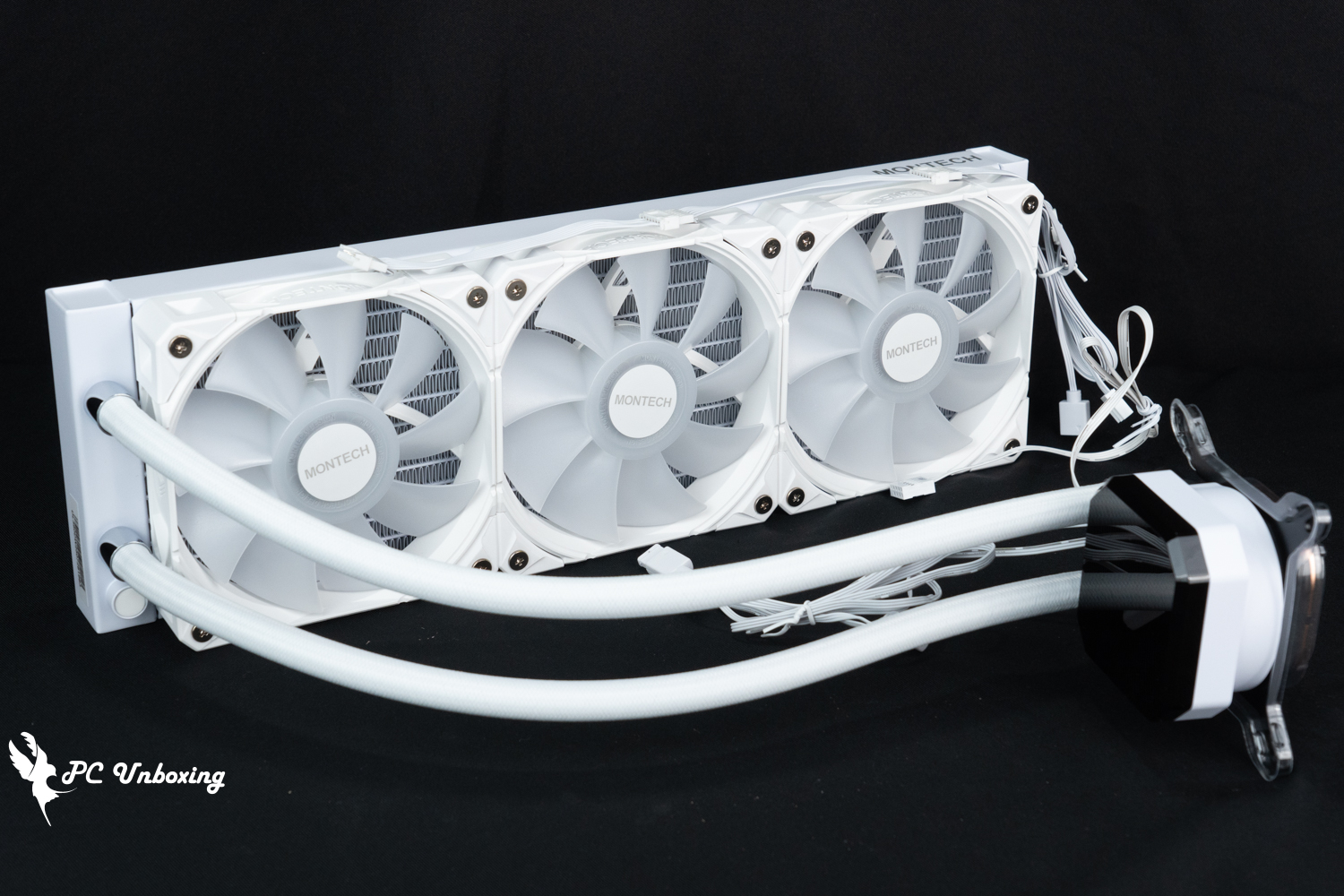
△ MONTECH HyperFlow Digital 360 white integrated water cooling.
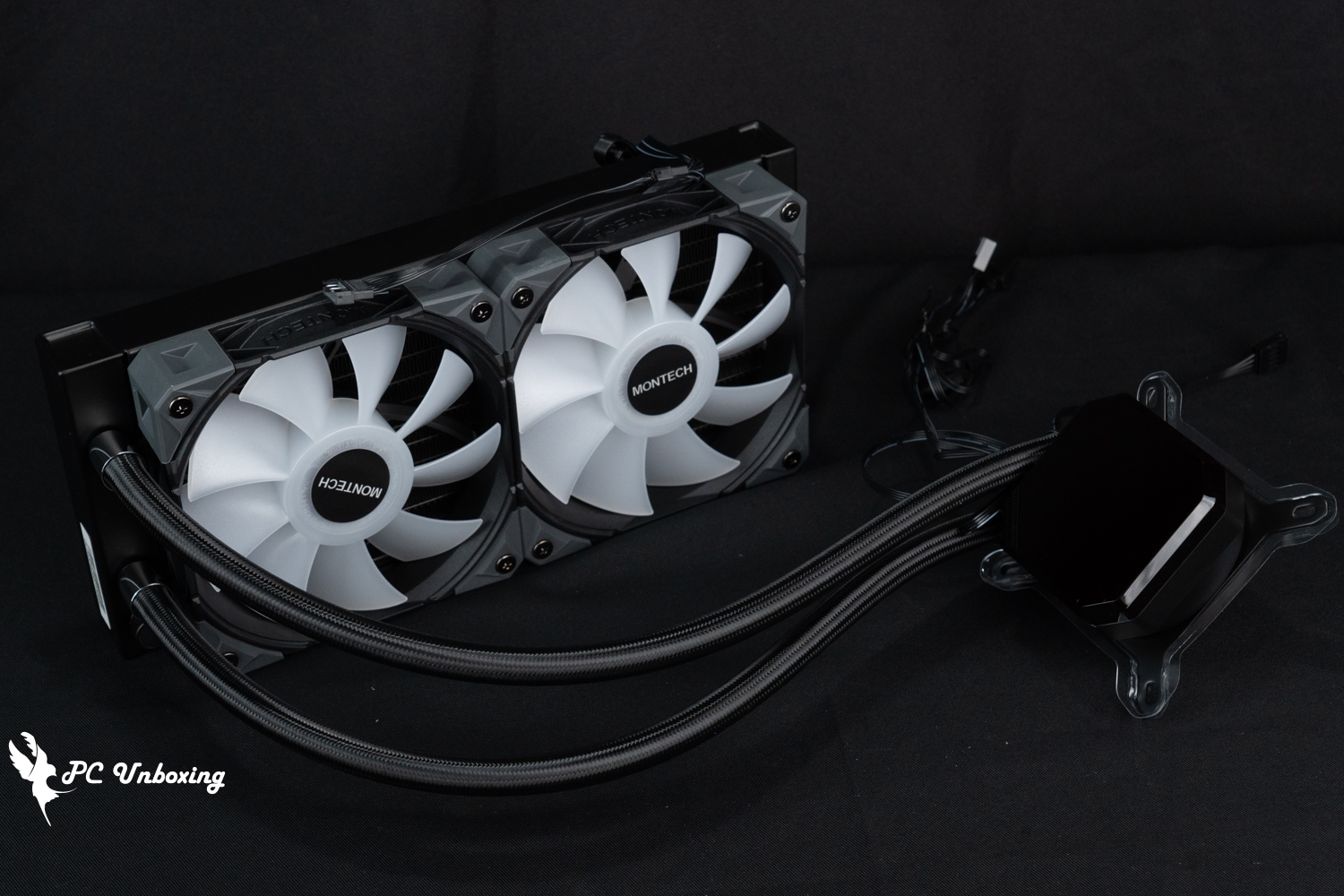
MONTECH HyperFlow Digital 240 Black Integrated Watercooling.
The Monarch HyperFlow Digital Series comes with a digital monitor that provides real-time monitoring. After connecting the USB 2.0 9-Pin on the cooler to the motherboard, you can display the CPU or GPU temperature with a simple setup using MONTECH's proprietary software, or you can switch between °F (Fahrenheit) or °C (Celsius) depending on your country of use. The temperature unit can also be changed to °F or °C according to the country's custom.
What's more special is that its software on the official website features that if the USB 2.0 cable is installed and connected to the network, it will automatically open the browser and download the driver software, if not, you can download it from the official website by yourself.

△ Driver software will be automatically downloaded, but the author's test platform does not have it, but I asked others to have it installed automatically, maybe the platform status is different, if not, you can also go to the official website to download.
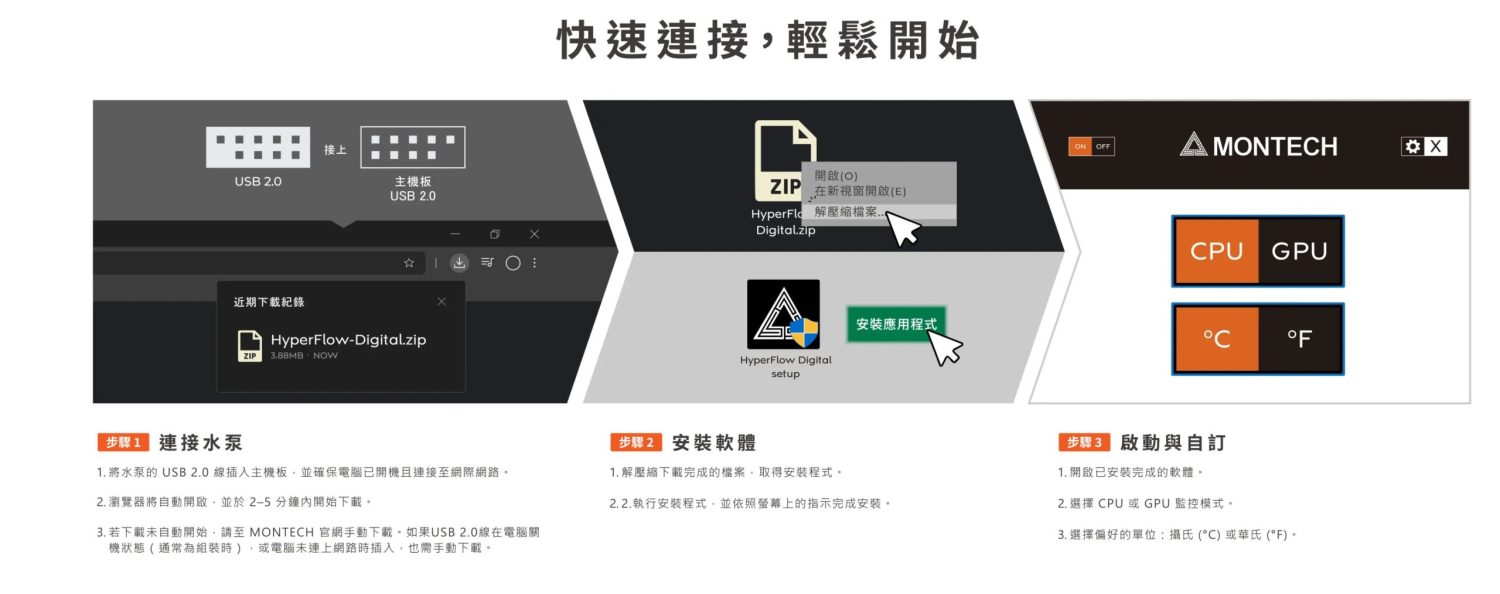
△ Procedure for using the software.
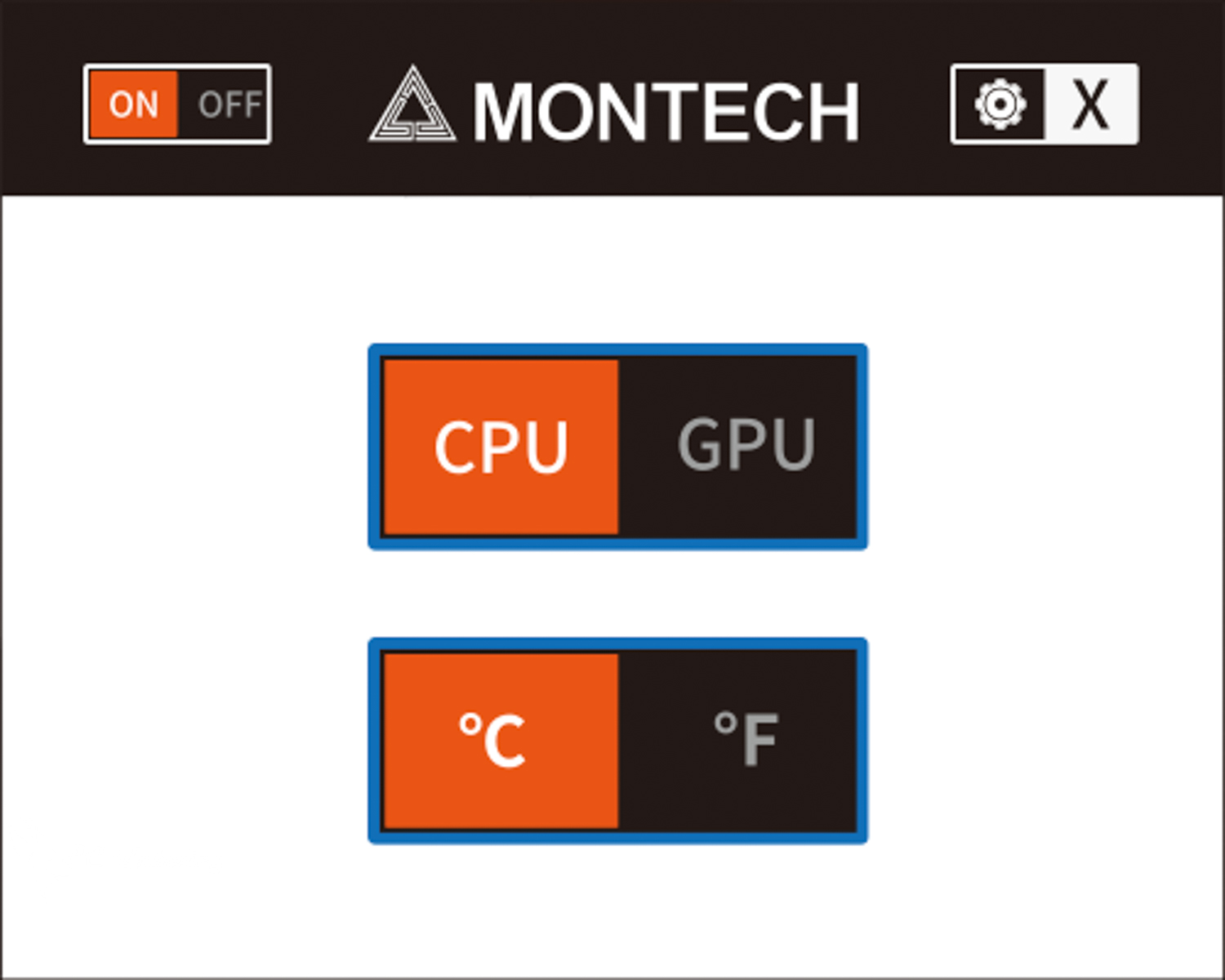
△ The actual use of the software, however, the setting is relatively simple, and there is no way to adjust the display angle or upload pictures, etc. Therefore, there is a specified direction for the installation of the cooler.
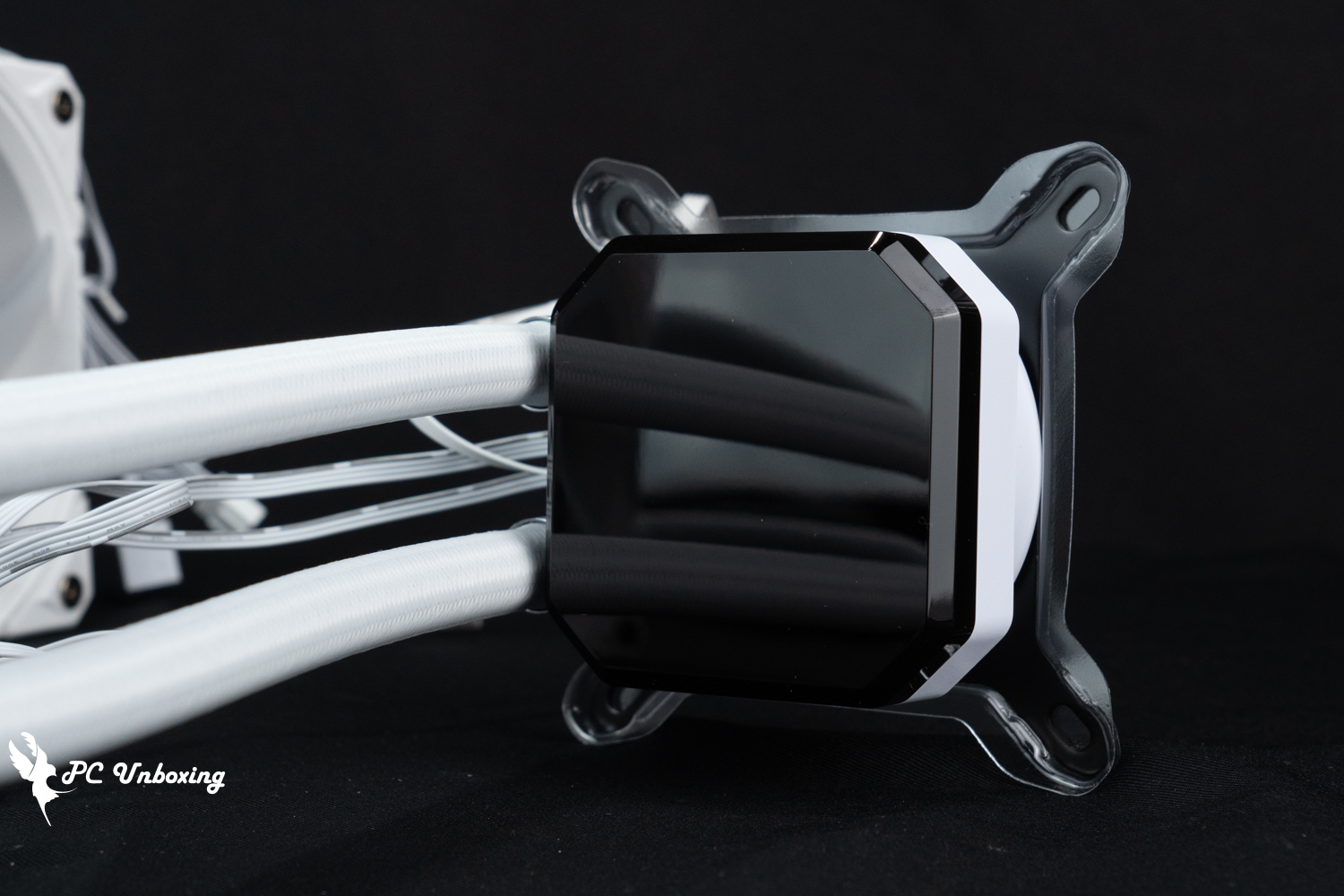
△ Mirror water-cooled head.
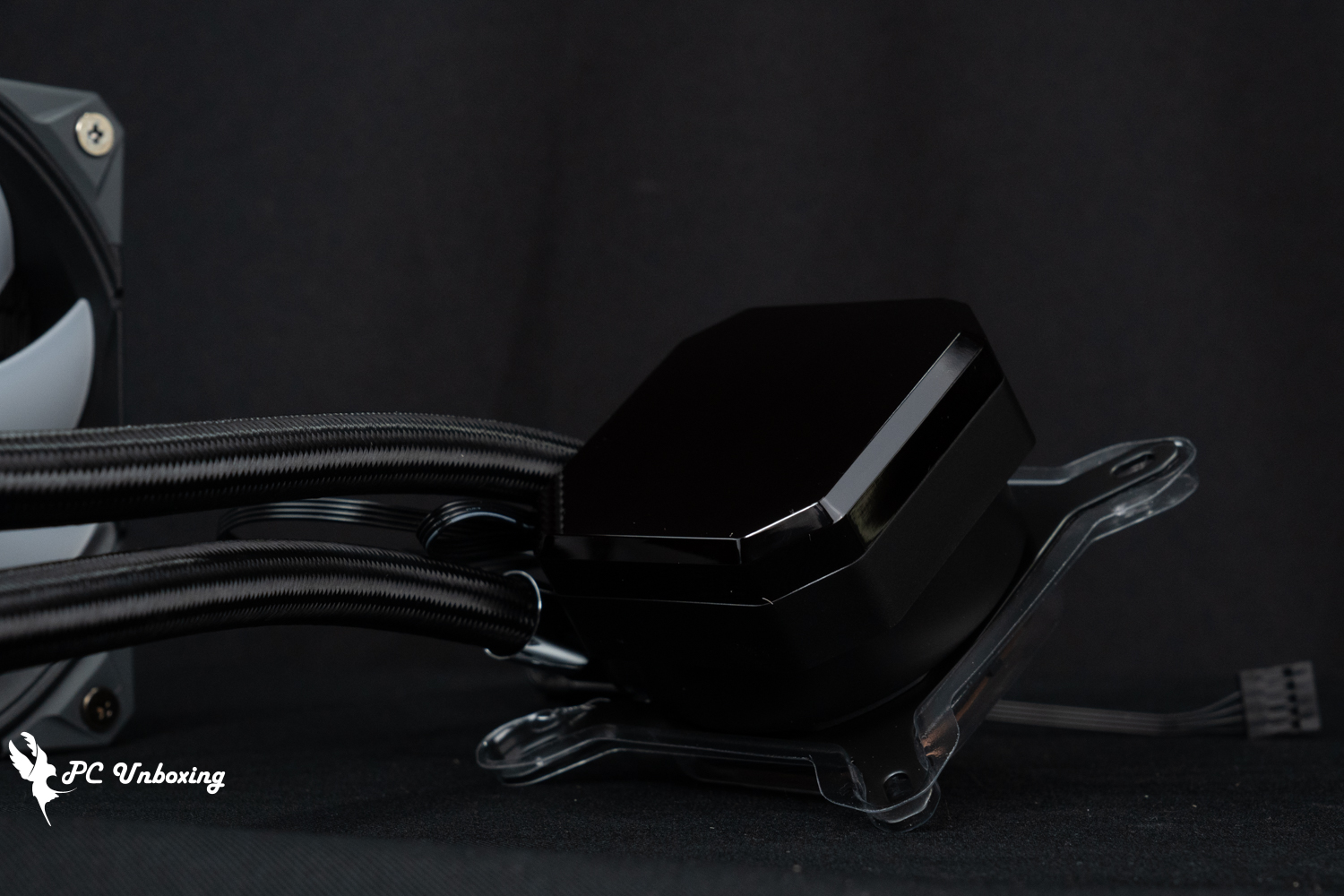
The display surface of the △ cold head measures 67.2 x 67.2 mm.
Because the software cannot customize the direction of the displayed monitoring information, the water cooling head is installed with the water cooling tubes fixed in the right direction so that the text is displayed in the positive direction. The maximum speed of the water pump is 3100 ±10% RPM, and the water pump PUMP is powered by the PWM 4-Pin connector power supply cable, and the water cooler is compatible with Intel platform LGA 1851 / 1700 / 20XX / 1200 / 115X motherboards and AMD AM5 / AM4 / AM3 platforms. 20XX / 1200 / 115X motherboards, as well as AMD's AM5 / AM4 / AM3 platforms, the new state of the water-cooling head of the copper bottom contact surface will be pre-coated with thermal paste, accessories are also included a small tube of spare parts can be renewed in the future thermal paste.
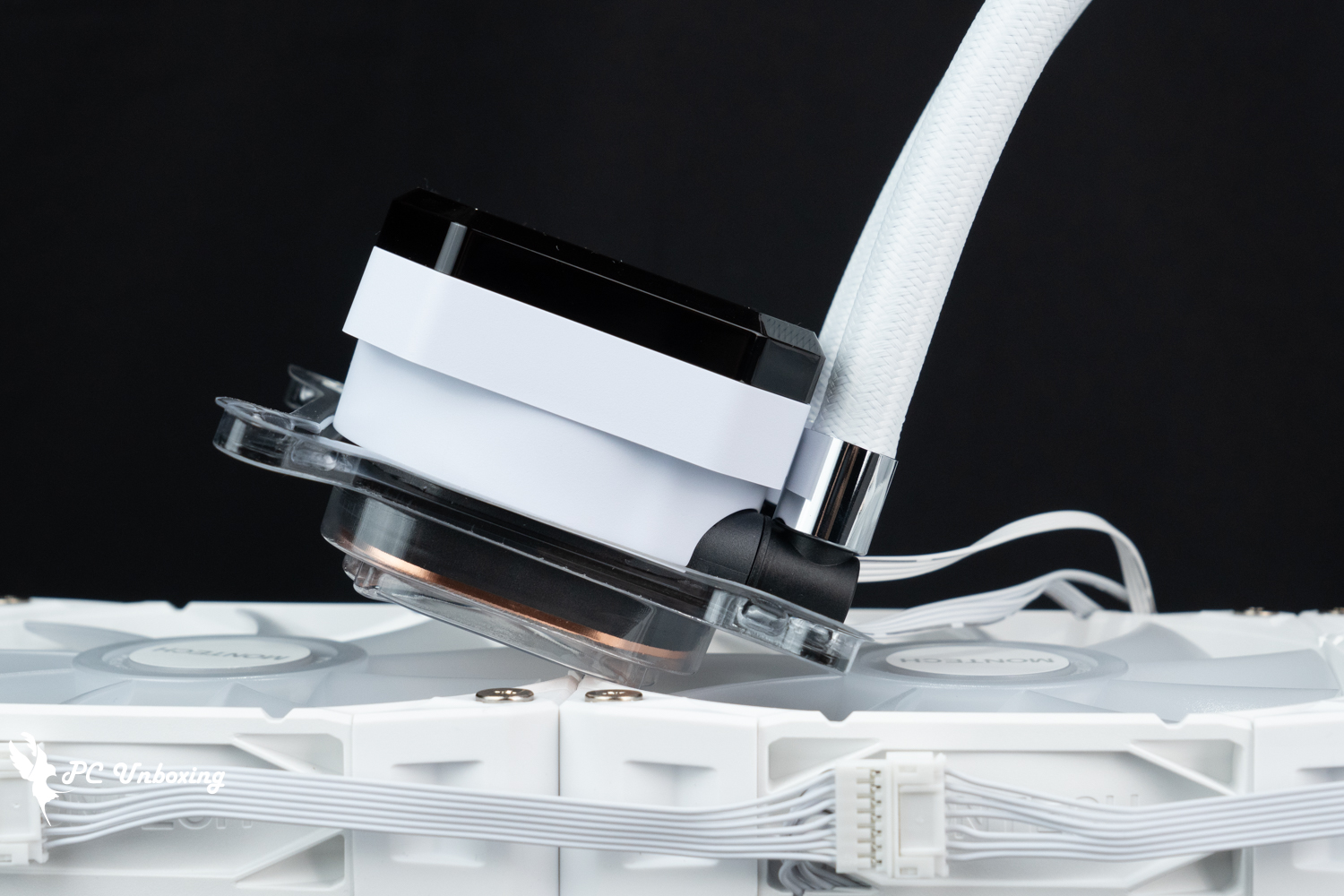
The height of the cooling head is 52.3 mm.
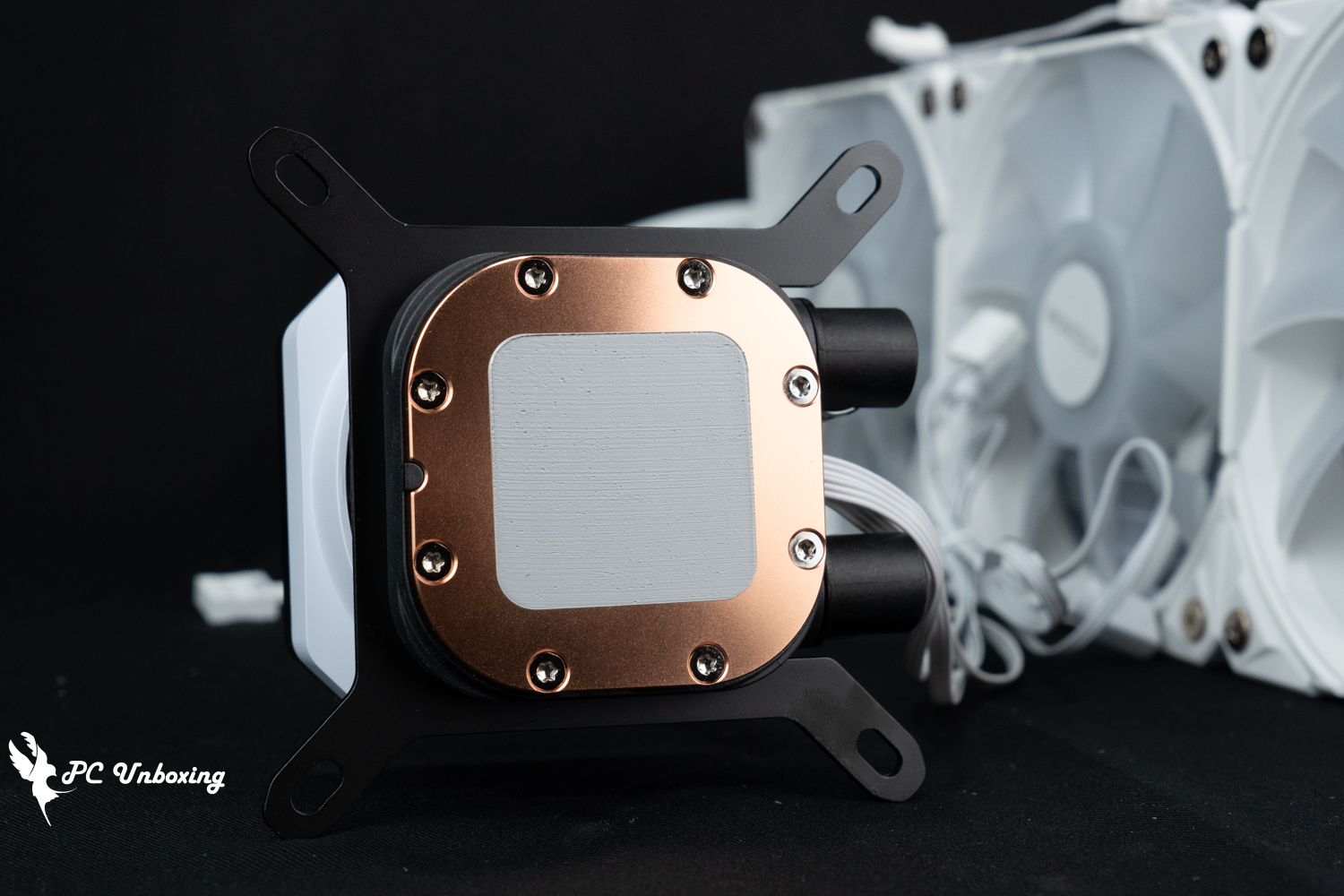
△ Pre-applied cooling cream.
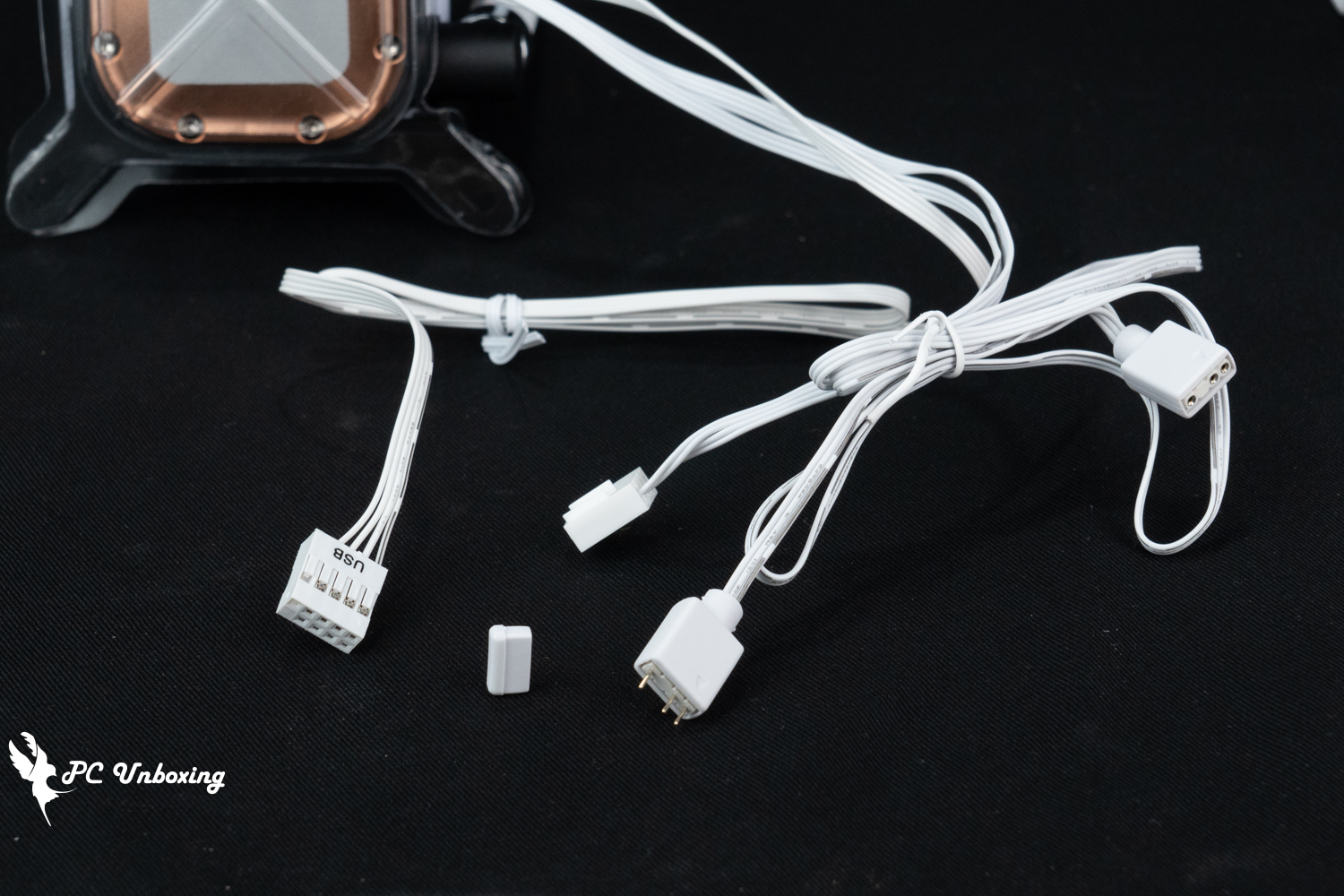
△ Water cooler provides cables: one male and one female 5V 3-Pin ARGB, PWM 4-Pin, USB 2.0 9-Pin.
The pre-installed water-cooled exhaust fan is a MONTECH E28 ARGB fan, which can be configured with individual light bulbs in the software of GIGABYTE, ASRock, ASUS, and MSI, etc. The size of the fan itself is 120 x 120 x 28 mm, with a maximum speed of 2000 RPM ± 10%, and the labeled max. airflow is 85.09 CFM; the max. air pressure is 3.35 mmH₂O, and the max. noise level is ≤34.17 dB(A). The maximum airflow is 85.09 CFM; the maximum air pressure is 3.35 mmH₂O and the maximum noise level is ≤34.17 dB(A).
The fans are powered by 5V 3-Pin ARGB and PWM 4-Pin through a single cable to complete the power supply for light control and fan speed, and the three fans themselves are directly connected through a special cable to complete the power supply and control, which is very convenient to install.
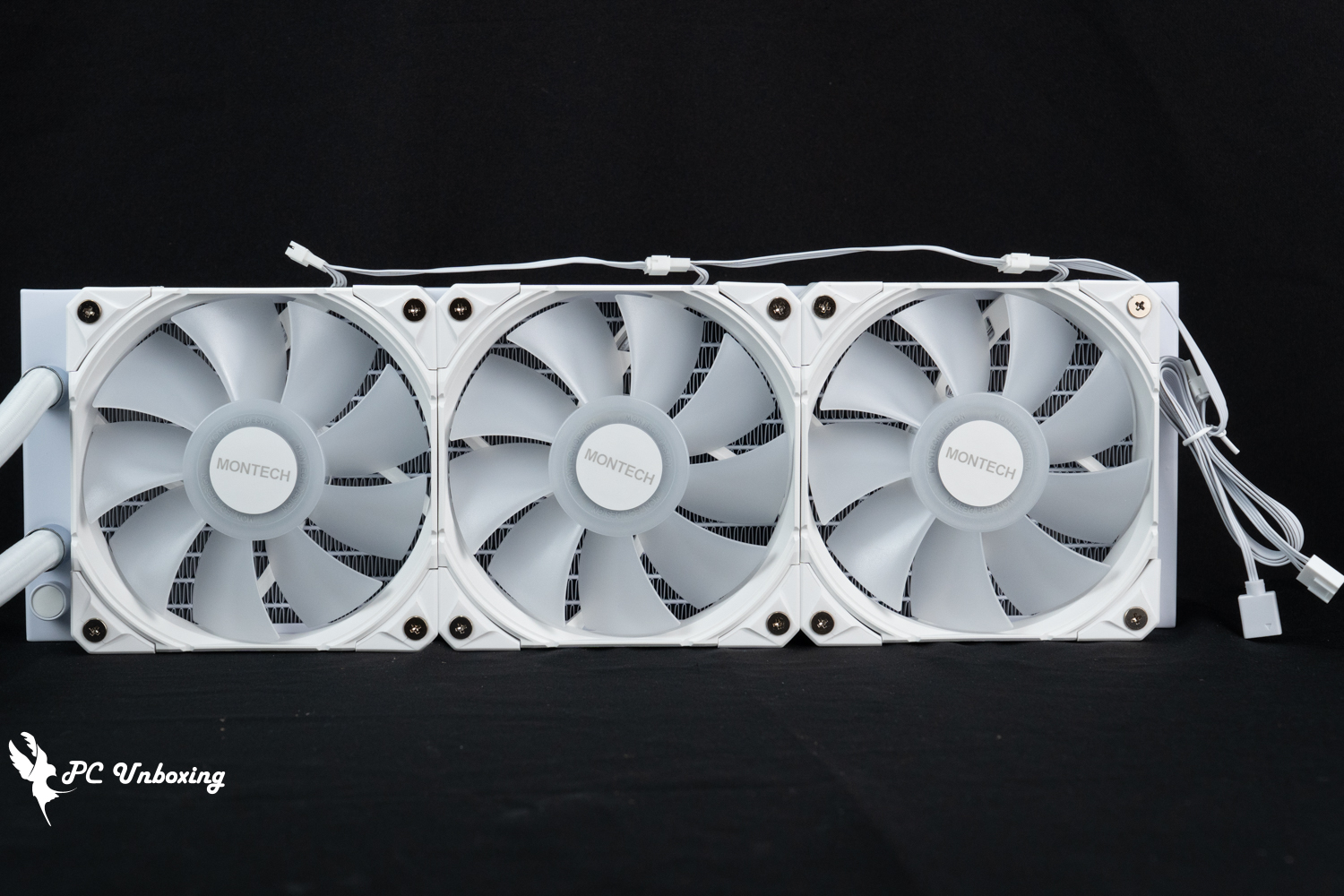
The HyperFlow Digital 360 is equipped with three E28 ARGB fans.

The HyperFlow Digital 240 is equipped with two E28 ARGB fans, which are pre-installed at the factory.
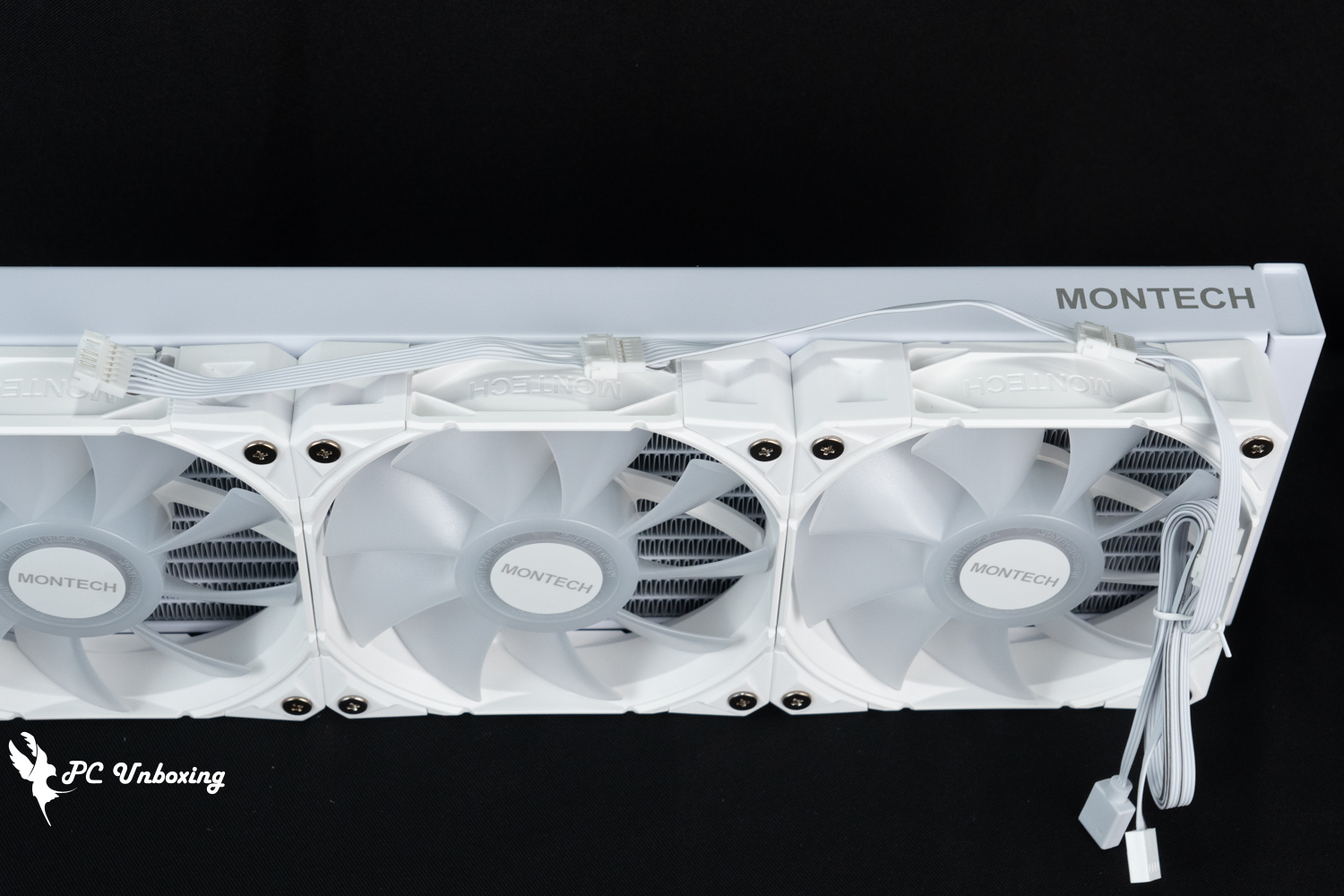
△ Three fans in series design, the installation of the entire cable without the trouble.
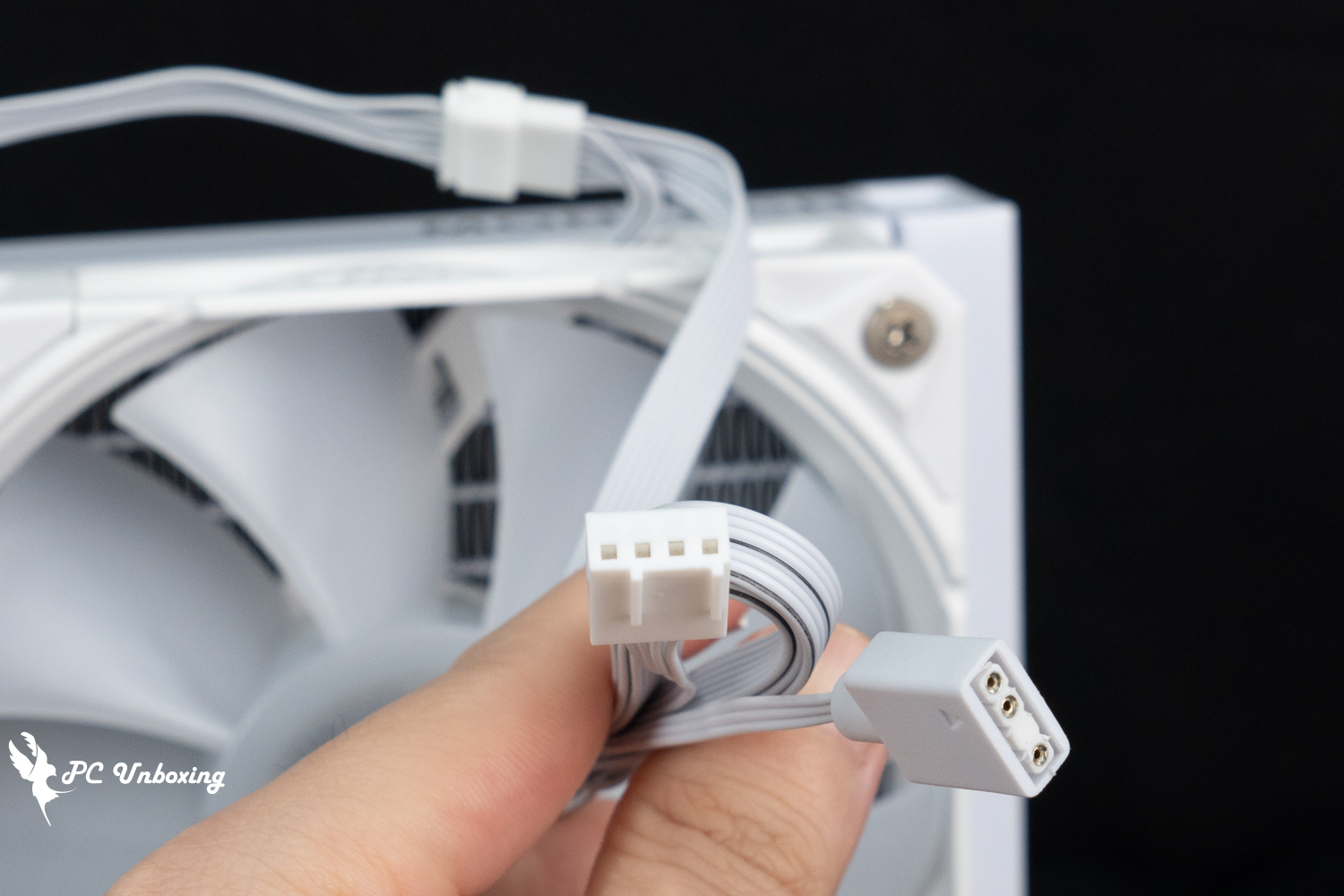
Only one connector each for PWM and ARGB is required for the △ fan.
The length of the water cooling tubes is 400 mm and the water cooling tube grommets in the accessory box can be used to help organize the tubes to improve the aesthetics. The dimensions of the HyperFlow Digital 360 water cooling manifold are 397 x 120 x 27 mm, while the dimensions of the HyperFlow Digital 240 water cooling manifold are 277 x 120 x 27 mm, and the thickness of the manifold is 27 mm compared to the conventional one-piece thin manifold. The thickness of the cooler is 27 mm for the conventional one-piece thin section, and with the addition of the 28 mm marked on the fan, the overall installation will utilize 55 mm of space.
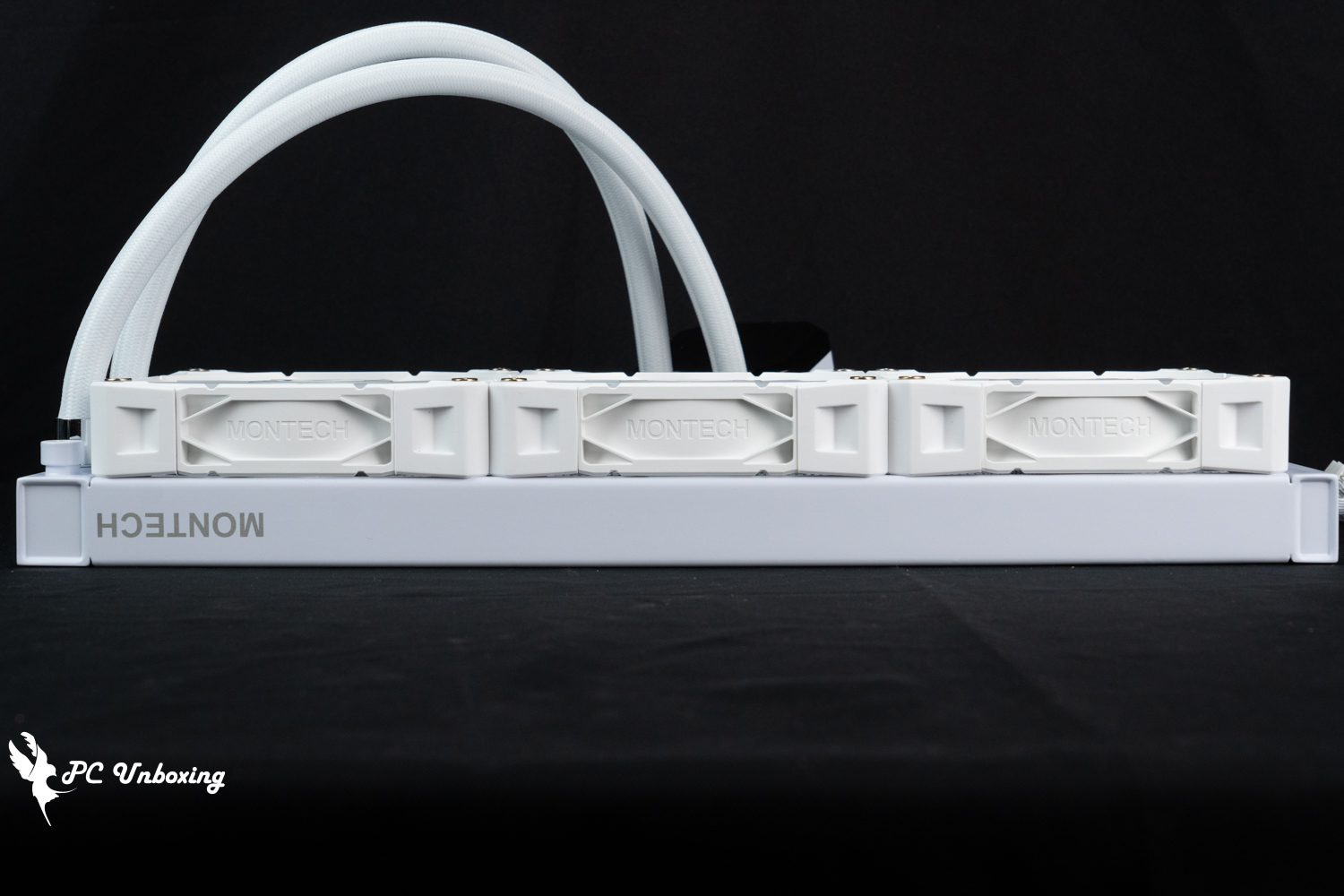
△The cold plate is a regular thin plate of 27 mm thickness, and with the fan, it will be 55 mm.
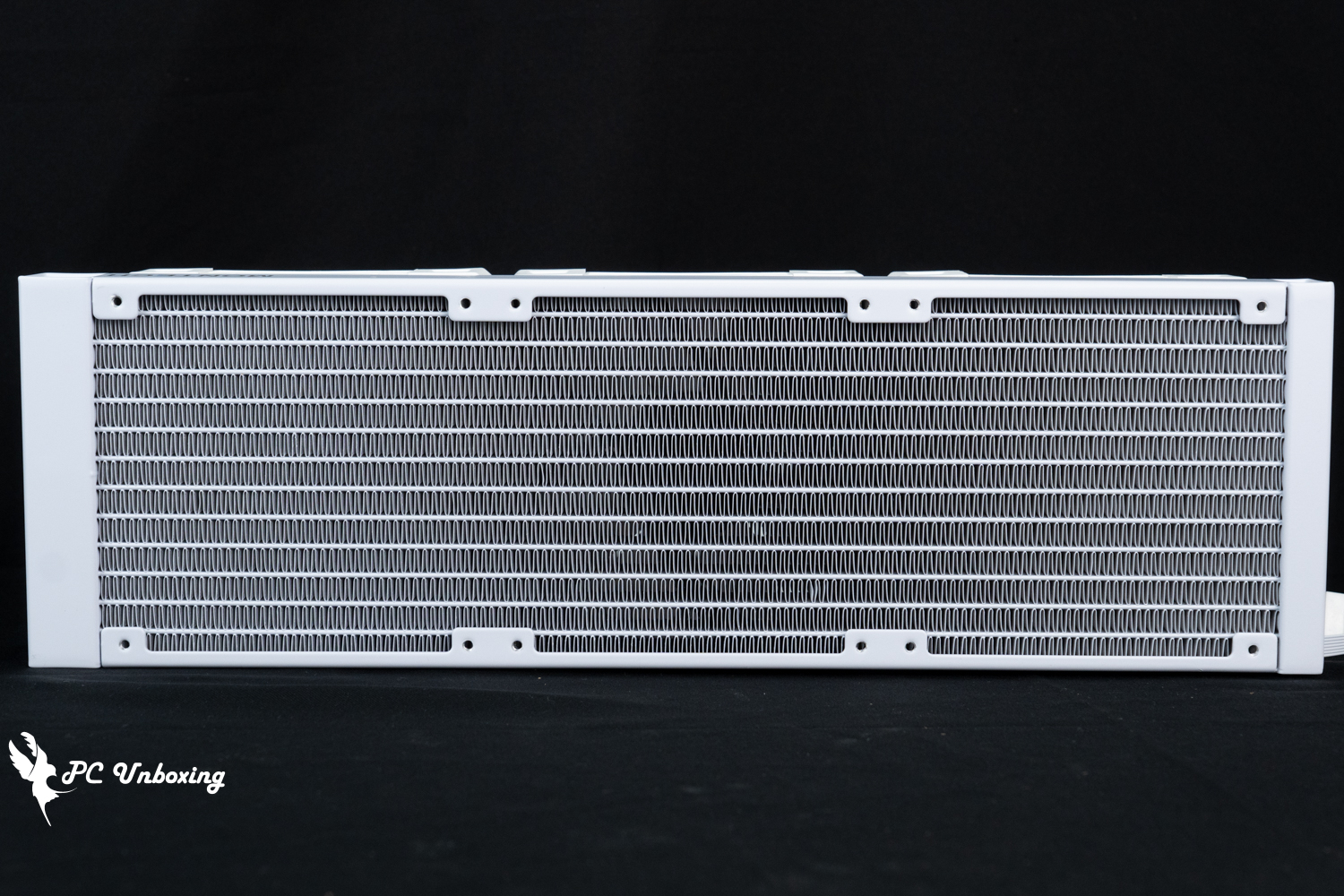
The dimensions of the △ 360 cold plate are 397 x 120 x 27 mm.
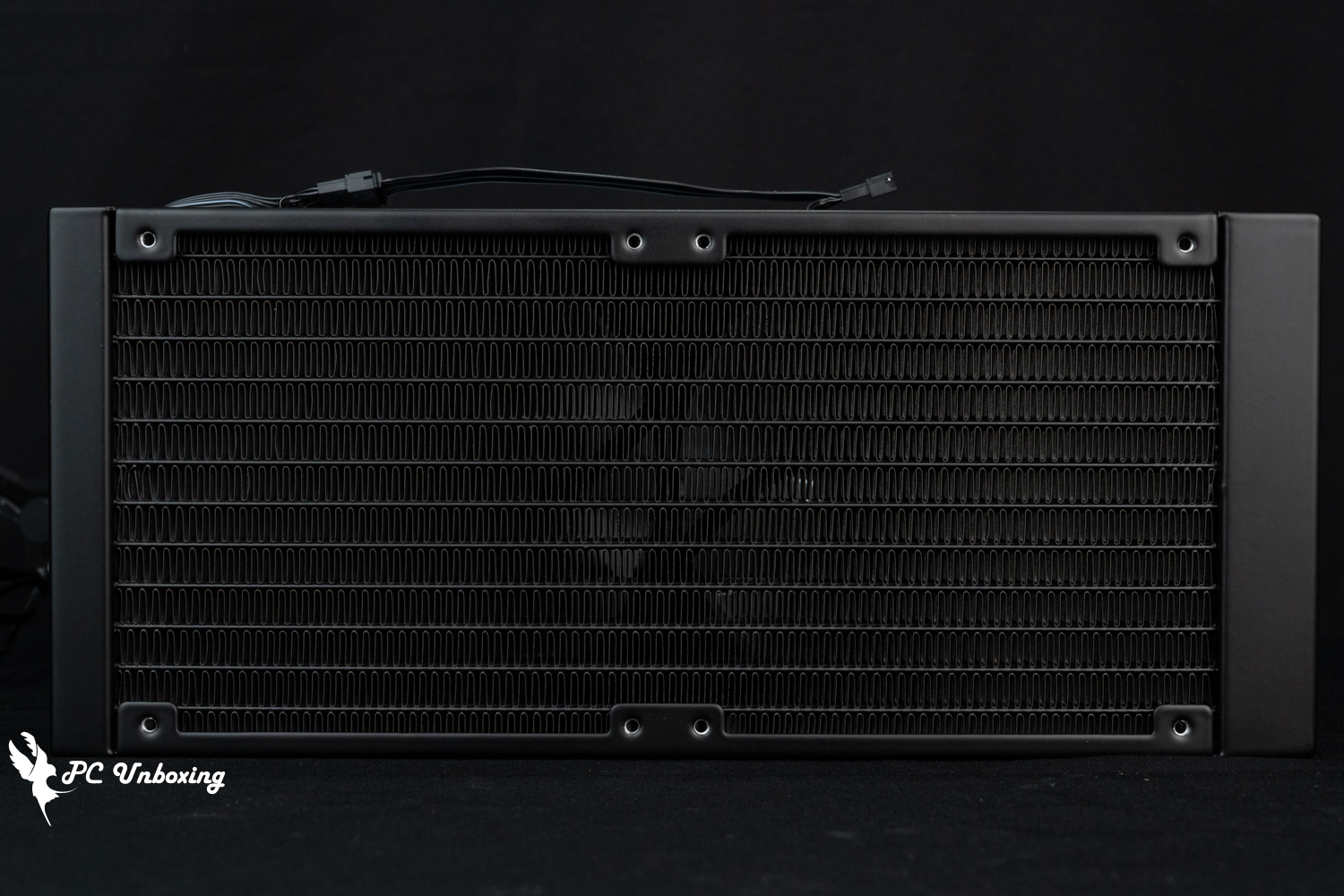
The dimensions of the △ 240 chassis are 277 x 120 x 27 mm and both models are single-wave water-cooled.
MONTECH HyperFlow Digital 360 and HyperFlow Digital 240 all-in-one water-cooling accessories include Intel and AMD fixture sets, water-cooling tube buckles, pinned thermal paste, plastic spatula for thermal paste, thermal paste application patch, a set of short screws for cooling row fixing, and copper column fixing rotary socket.
However, the author's personal suggestion here is that the Intel LGA 115X/1200 and 1700/1851 mounting backplanes can actually be integrated by adjusting the way they are compatible with the four major types of feet, and after integration, you don't need to get two mounting backplanes, just one.
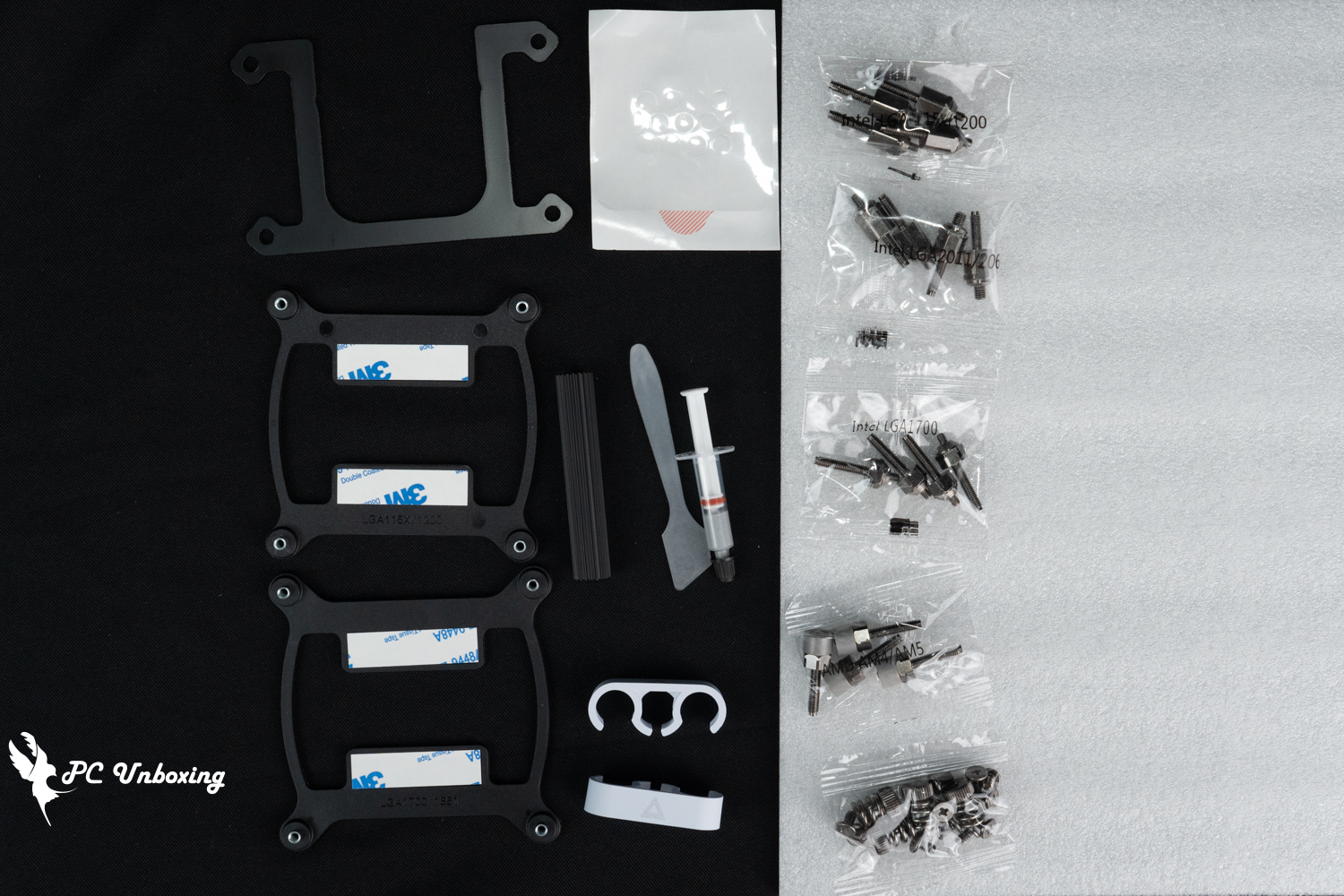
△ List of accessories.
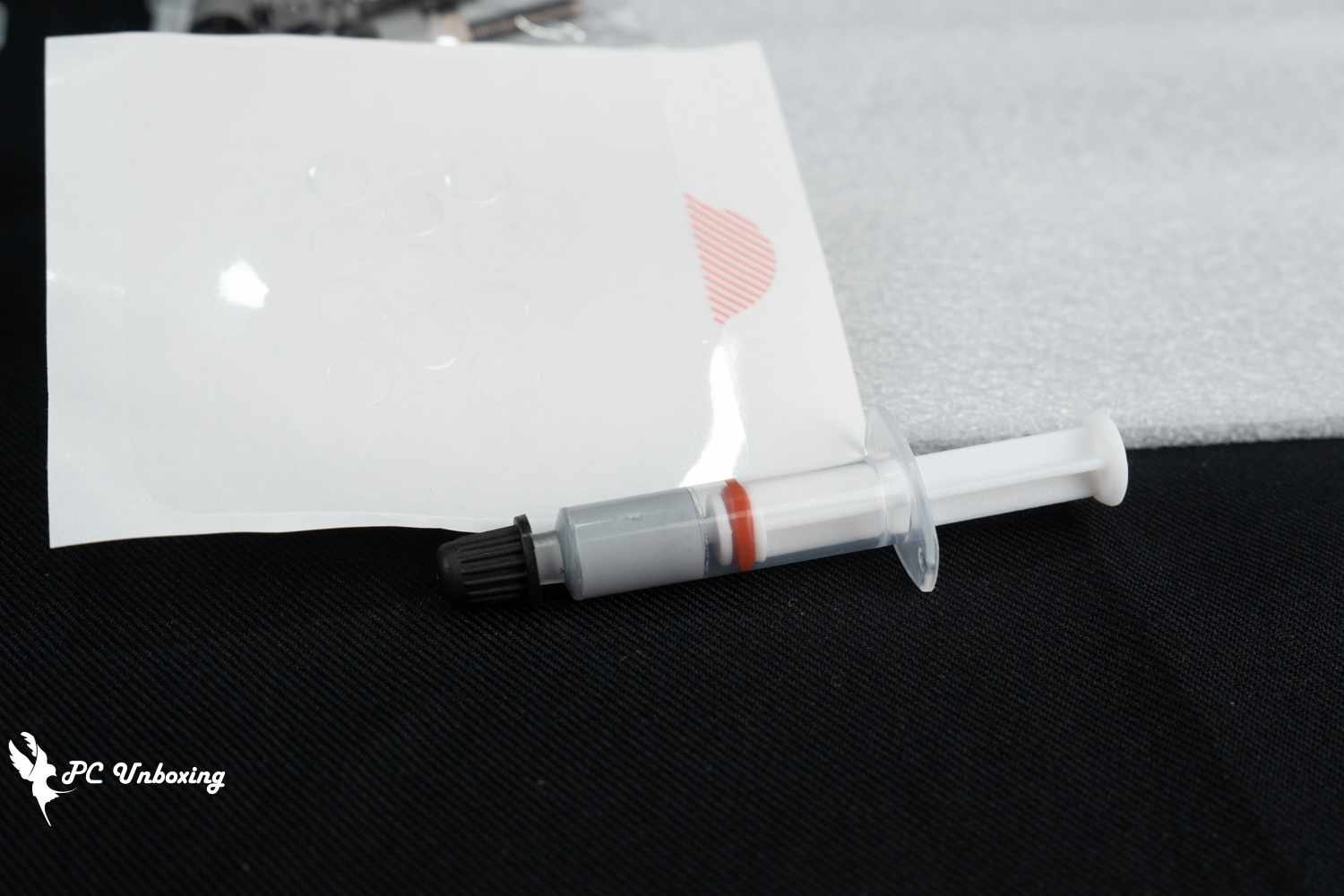
△ When you need to reapply the cooling cream later, you can use it with the patch.
Monarch MONTECH HyperFlow Digital Series Water Cooling Installation Tutorial and Practical Demonstration
MONTECH HyperFlow Digital 360 and HyperFlow Digital 240 all-in-one watercoolers are installed on Intel LGA 1851 platform, and the process will be shown for your reference, and the lighting effect will be shown for you to see.
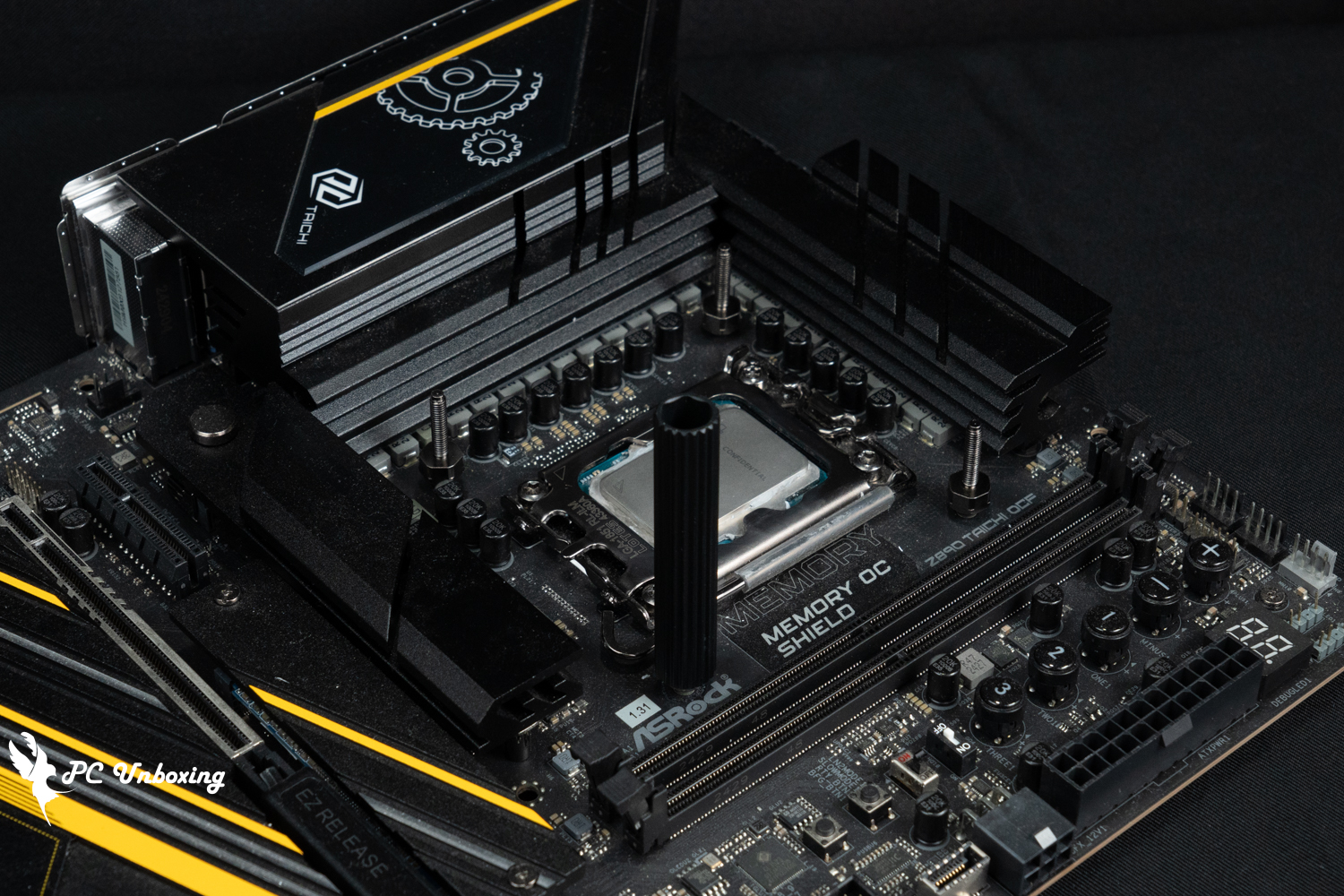
△ If there is not enough space for you to put your hand in during installation, you can use a brass post to secure the hand sleeve to assist in its use.
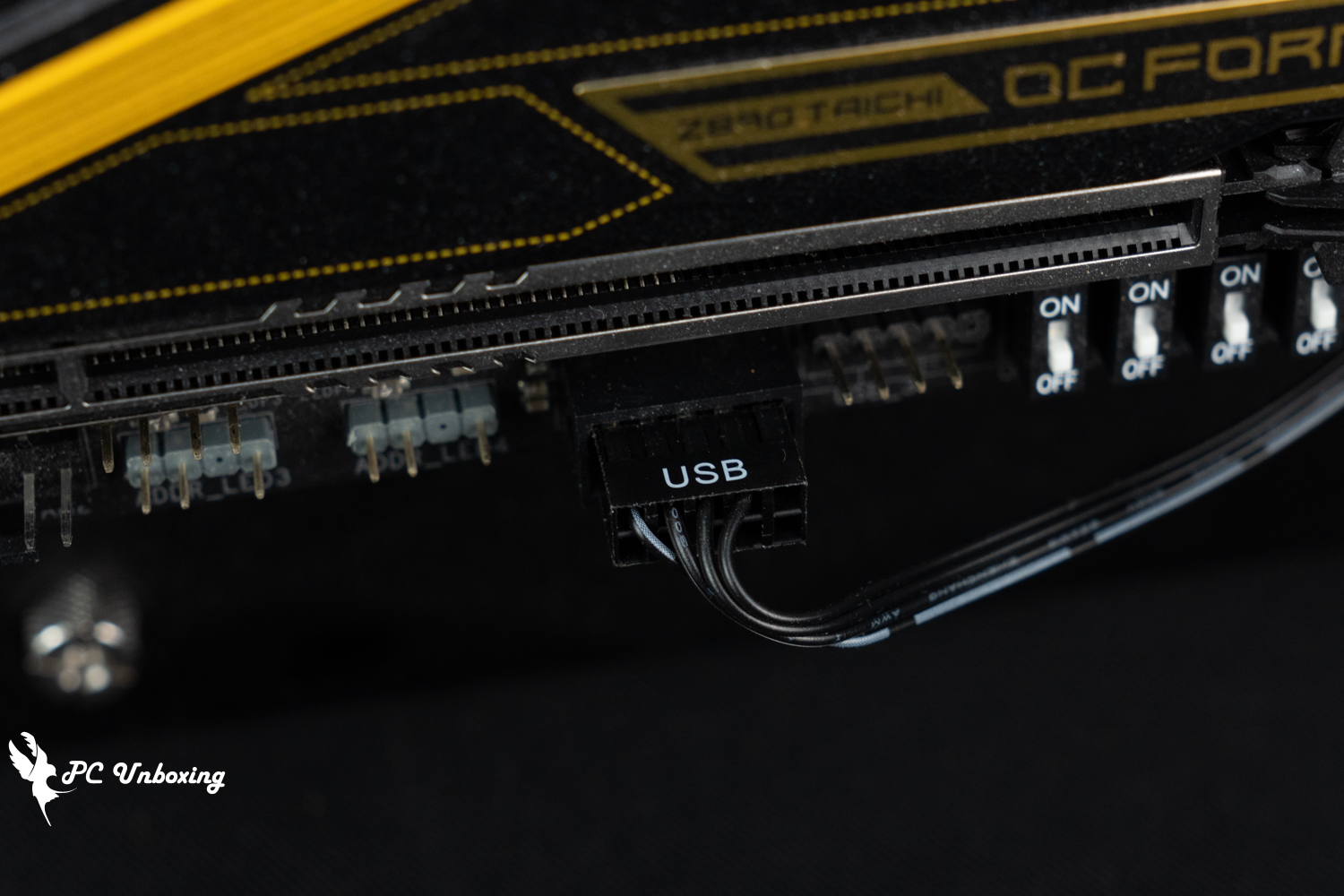
△ Remember to connect the USB 2.0 9-Pin cable to the motherboard slot.
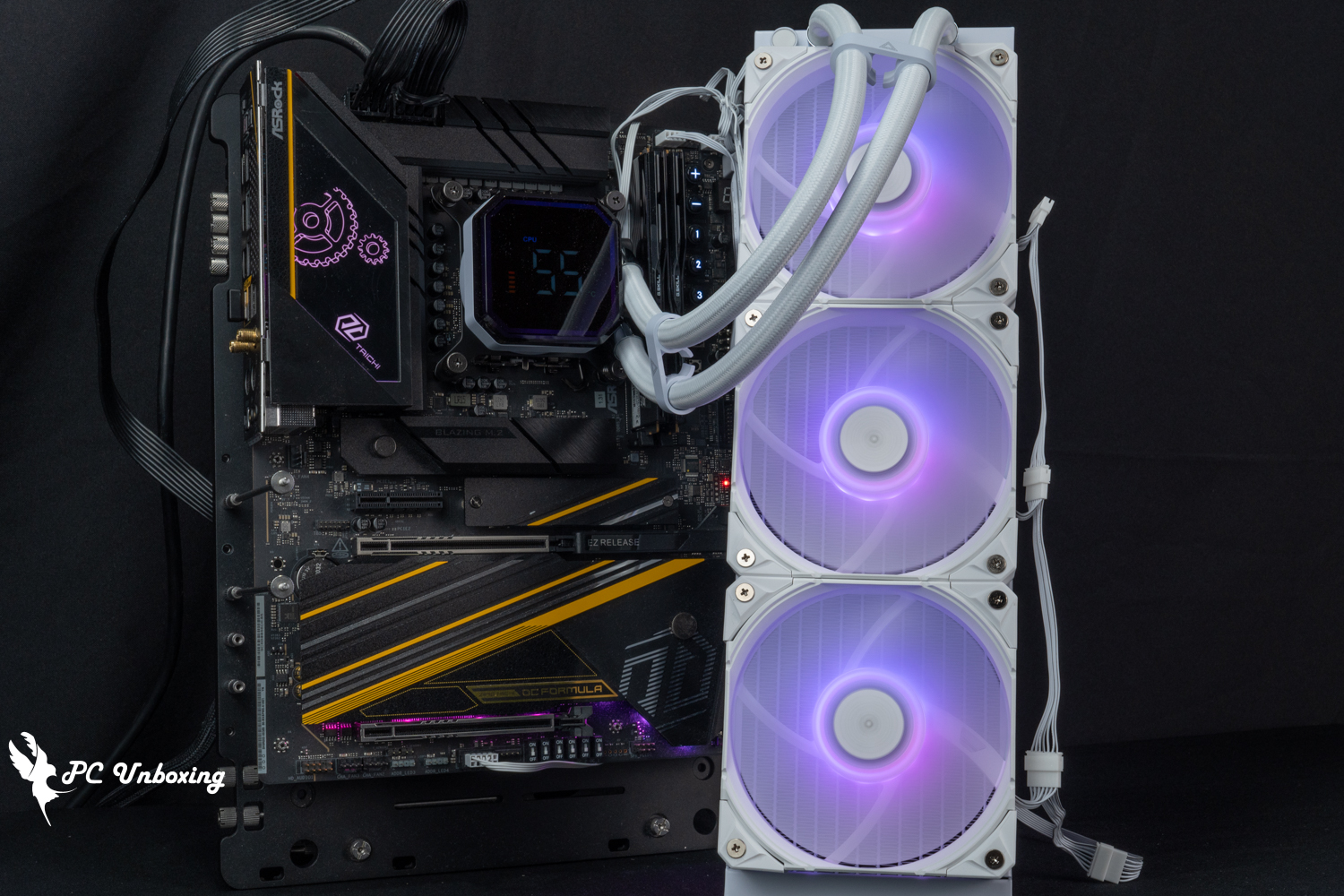
△ MONTECH HyperFlow Digital 360 overall lighting effect.
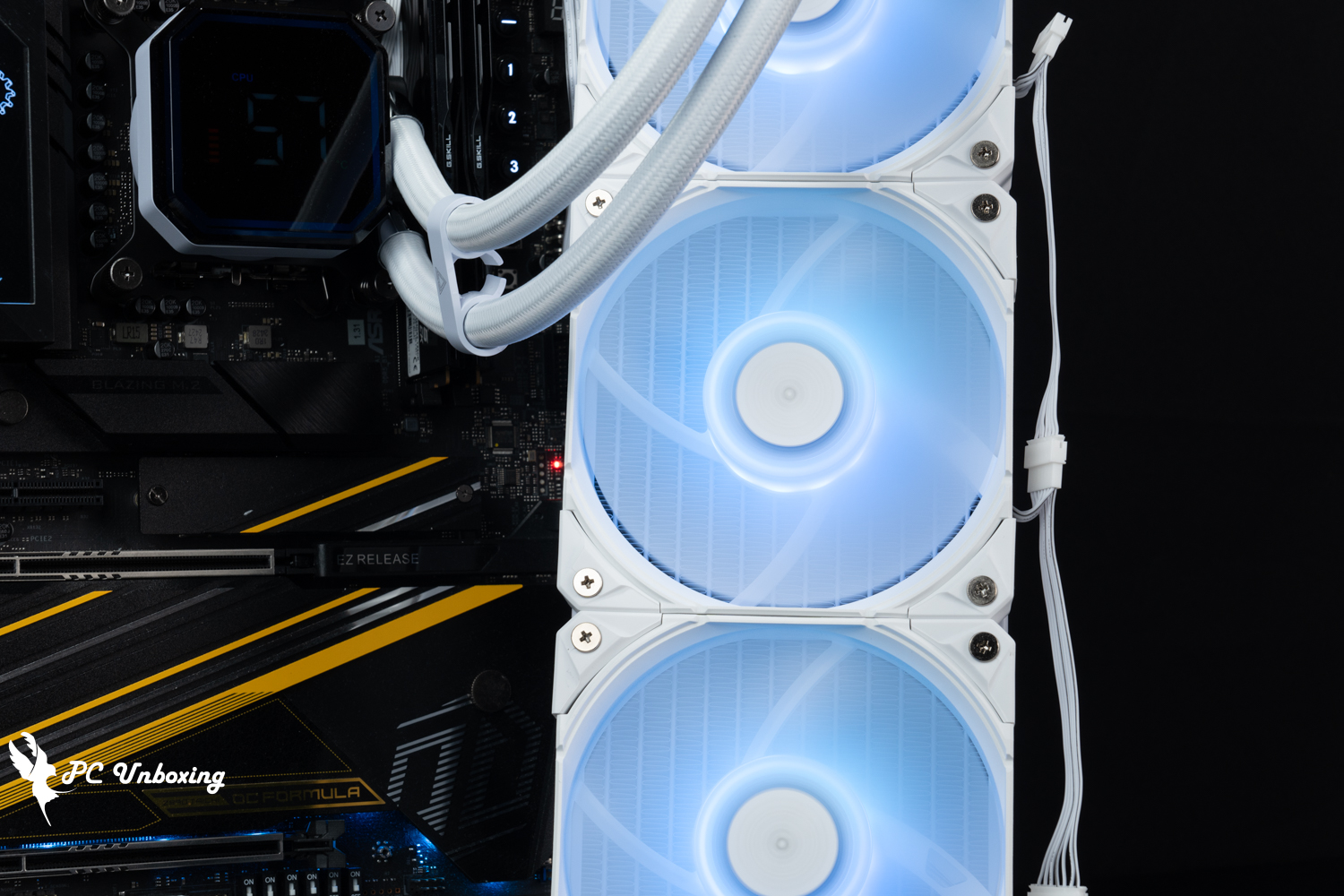
△ E28 ARGB fan lighting effect.
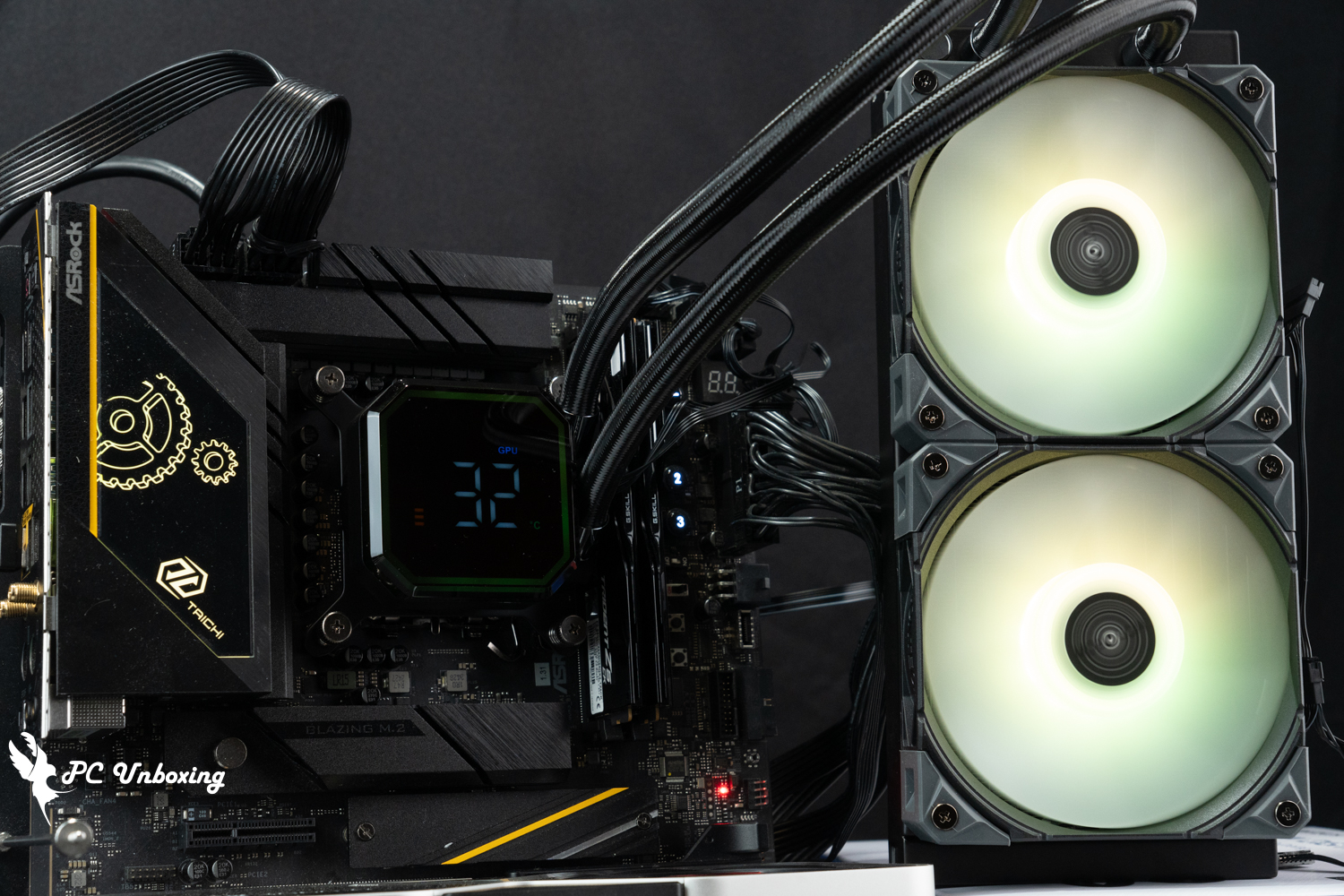
△ HyperFlow Digital 240 all-in-one water-cooling lighting display.
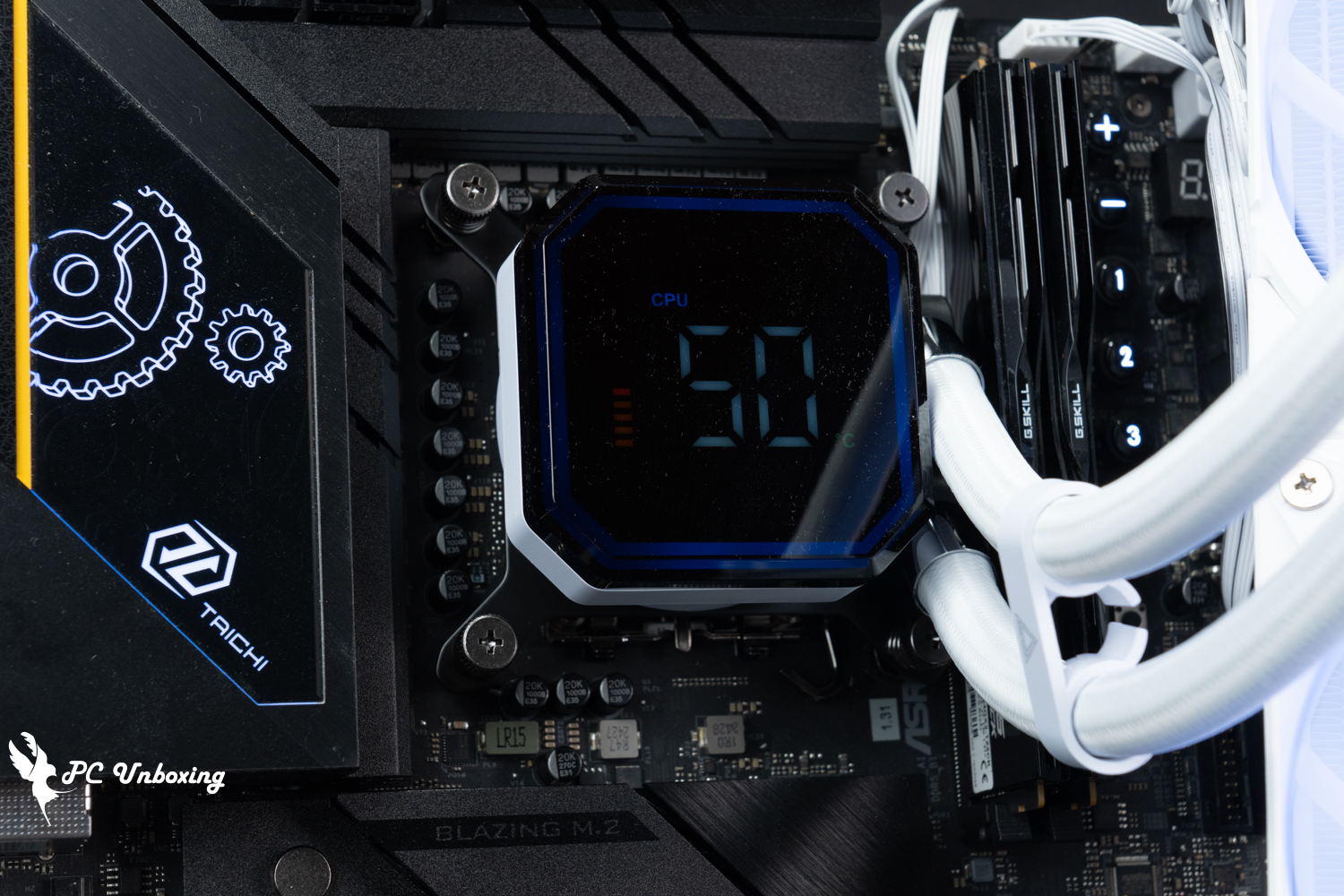
△ The outer ring of the octagonal watercooling head screen will have an ARGB lighting effect, which will be determined by the lighting effect of GIGABYTE, ASRock, ASUS, and MSI motherboards.
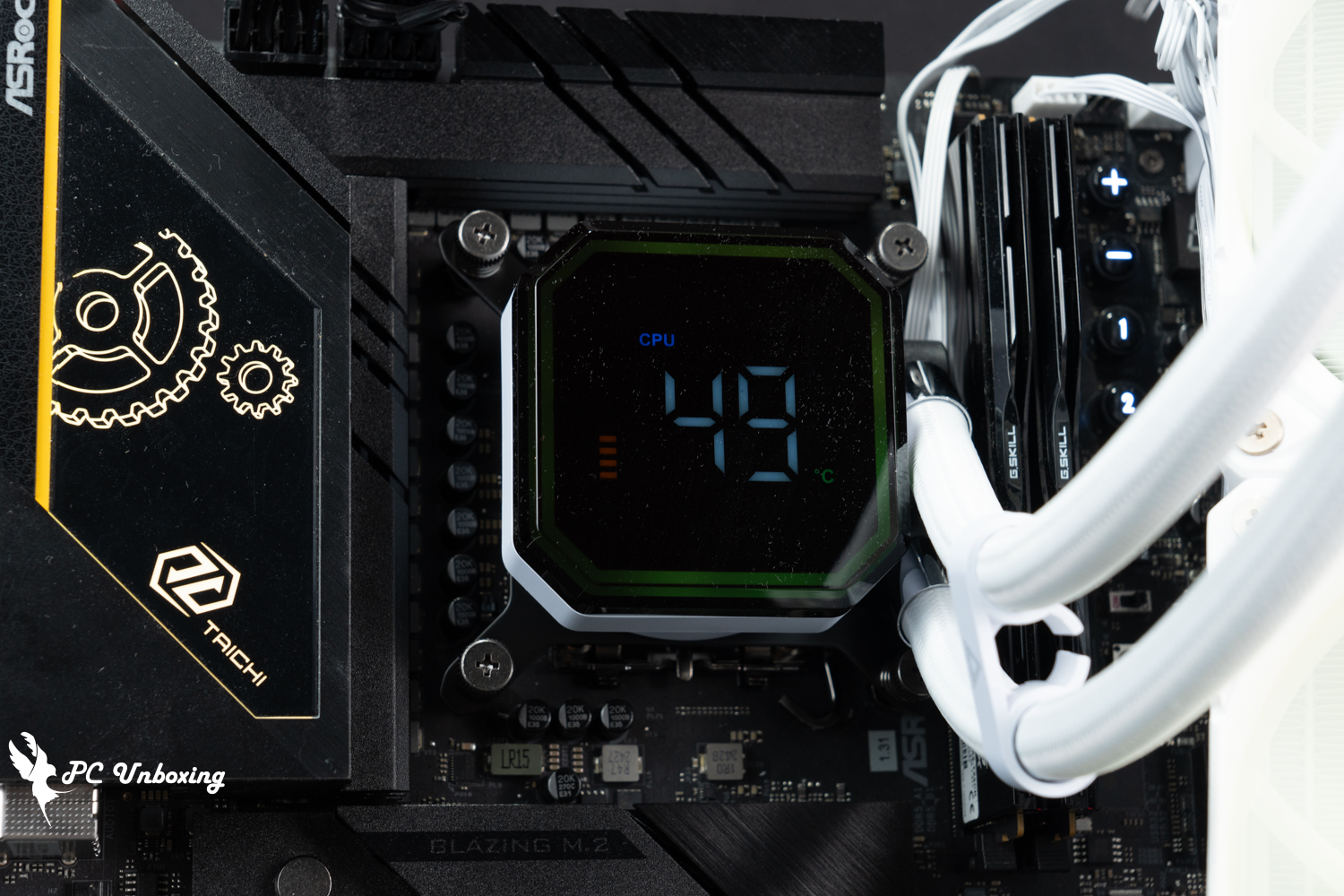
△ Processor temperature monitoring, there will be a quantitative graph in the lower left corner, the higher the temperature the more squares there will be.
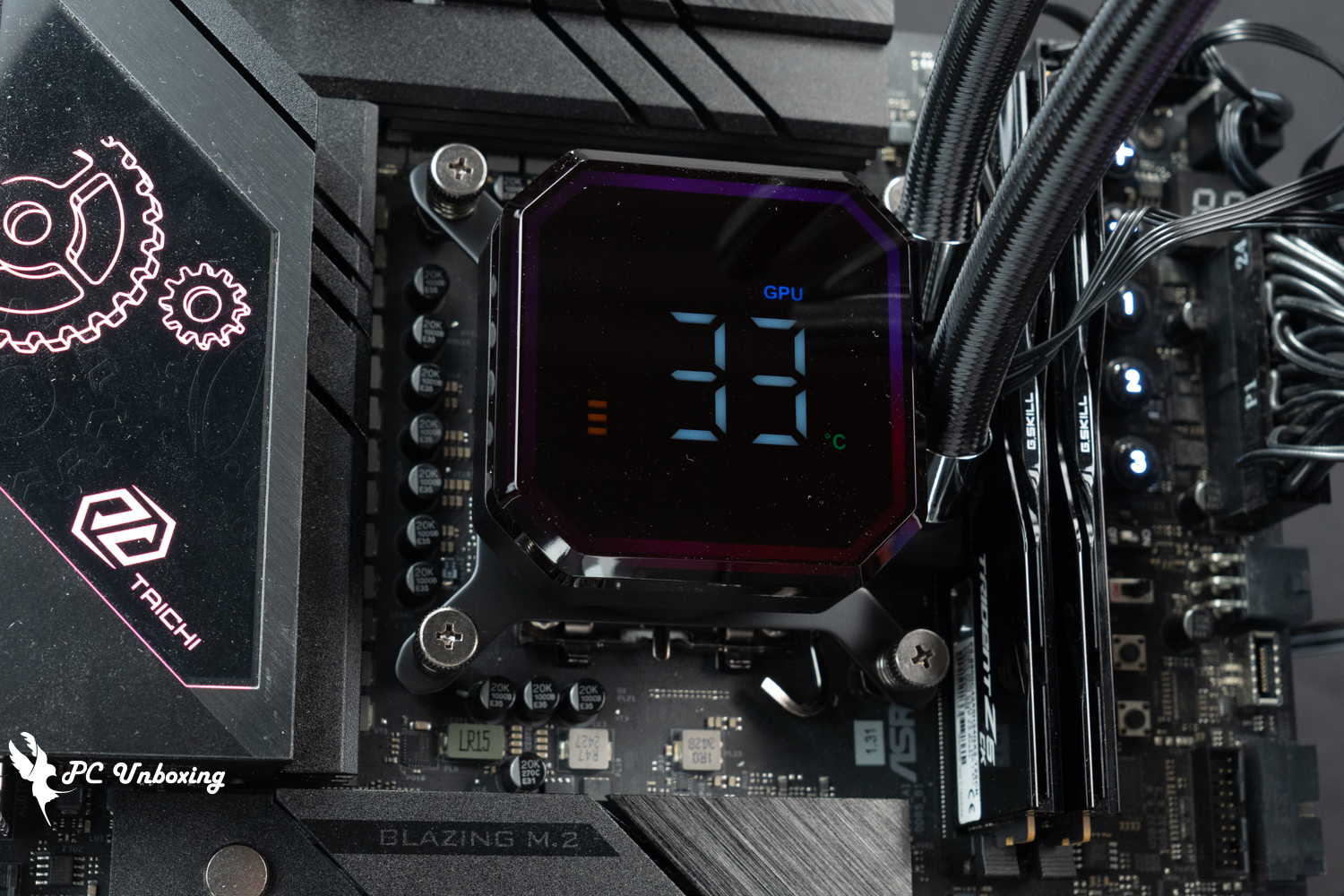
△ Display card temperature monitoring display.
HyperFlow Digital 360, HyperFlow Digital 240 All-in-One Cooling Performance and Temperature Performance|Core Ultra 9 285K Test Results
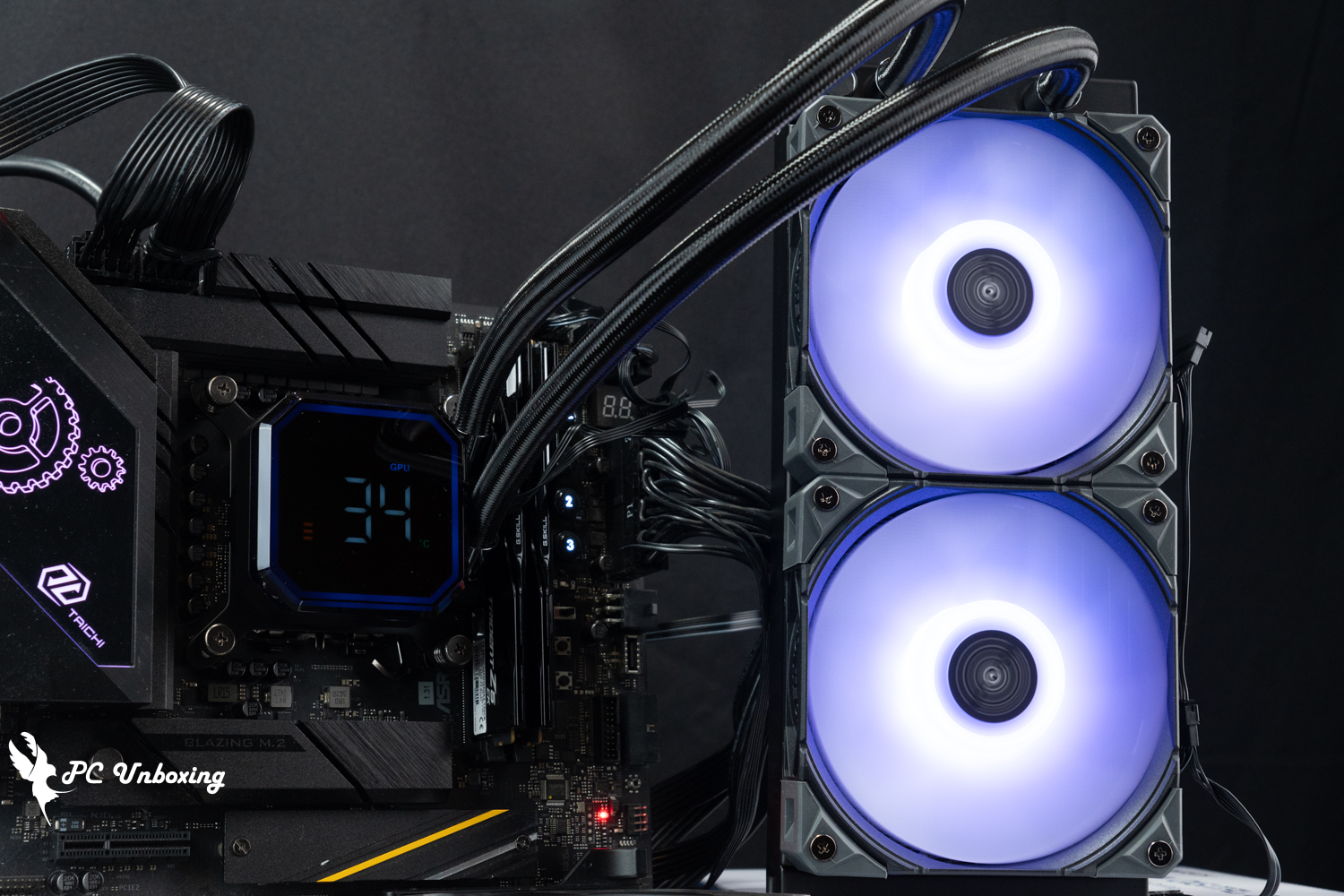
The MONTECH HyperFlow Digital 360 and HyperFlow Digital 240 all-in-one water coolers are mounted on the STREACOM BC1 Benchtable V2 bare test stand. Intel Core Ultra 9 285K Processor and ASRock Z890 Taichi OCF The motherboard was tested with all fan slots set to full speed in the motherboard BIOS, with only Memory Profile 1 turned on and the rest left at default, no additional processor overclocking, and in a closed air-conditioned room in Taipei at 25 °C. This is for reference only, as it is difficult to control the ambient temperature in a normal room.
We use AIDA64 FPU and Cinebench 2024 multi-core tests to simulate the temperature data under extreme load conditions, and 1080P resolution "Cinebench 2024" to simulate the temperature data under extreme load conditions.Kurokami Dialog: GokuThe _Black Myth: Wukong performance test tool is used to present the game's running condition, while the data collection is done by using HWiNFO64 to collect and record the CPU Package's maximum temperature and power consumption, and the thermal paste is pre-coated on water-cooling head without any additional replacement.
Testing Platform
Processor:Intel Core Ultra 9 285K QS (Power Delivery Profile_Intel Default Mode)
Cooler: MONTECH HyperFlow Digital 360 (full speed) / HyperFlow Digital 240 (full speed)
Thermal paste: water-cooled head pre-coated with thermal paste
Motherboard:ASRock Z890 Taichi OCF ( BIOS version: 3.07 )
Memory:G.SKILL Trident Z5 CK Turbo CK DDR5-8800 48GB (2x24GB) cl42-55-55-140 1.45v
Graphics: NVIDIA GeForce RTX 4060 Ti Founders Edition 8GB
Operating System: Windows 11 Professional 24H2
System Dish:Kingston NV3 2TB
Power supply:FSP Hydro PTM PRO ATX3.0 (PCIe5.0) 1200W
Case: STREACOM BC1 Benchtable V2
I updated the BIOS version of the motherboard to version 3.07 and tested it with the default settings of this motherboard, the rest of the settings: XMP_on, fan speed_full, and the test scene is a closed room at 25 °C for the actual test, which is just for reference as the ambient temperature in a normal room is difficult to control.
With the processor overclocking related settings set to AUTO, the Intel Core Ultra 9 285K's CPU Package temperature peaked at 84 °C in a thirty-minute AIDA64 FPU; the CPU Package power consumption was 239 W, and the CPU temperature peaked at 77 °C. The CPU Package temperature was also higher than the AIDA64 FPU, but it was not as high as the AIDA64 FPU.
The simulation game runs on theKurokami Dialog: GokuIn the _Black Myth: Wukong Performance Test Tool round of testing, the CPU Package temperature peaked at 66 °C; the CPU Package power consumption was 100 W, and the CPU temperature peaked at 64 °C. The CPU Package power consumption was 100 W, and the CPU temperature peaked at 64 °C. The CPU Package power consumption was 100 W, and the CPU temperature peaked at 64 °C.
- AIDA64 FPU_30 Minute
- AIDA64 CPU_30 Minute
- Black Myth: Wukong 1920 x 1080(FHD)_1 Round
- Cinebench 2024 Multi Core_1 Round
- CPU temperature is measured by the diode in the slot to measure the internal (core) or external (case) temperature, but there is no way to know exactly whether it is the internal or external temperature that is measured, and most monitoring software uses this item to display the CPU temperature.
- The CPU Package temperature is recorded by all Digital Temperature Sensors (DTS) in the package as the average of the maximum temperature over 256 milliseconds, and is the HWiNFO64 recommended CPU temperature observation value, which is also used as a reference point for overheating and downclocking of the processor.
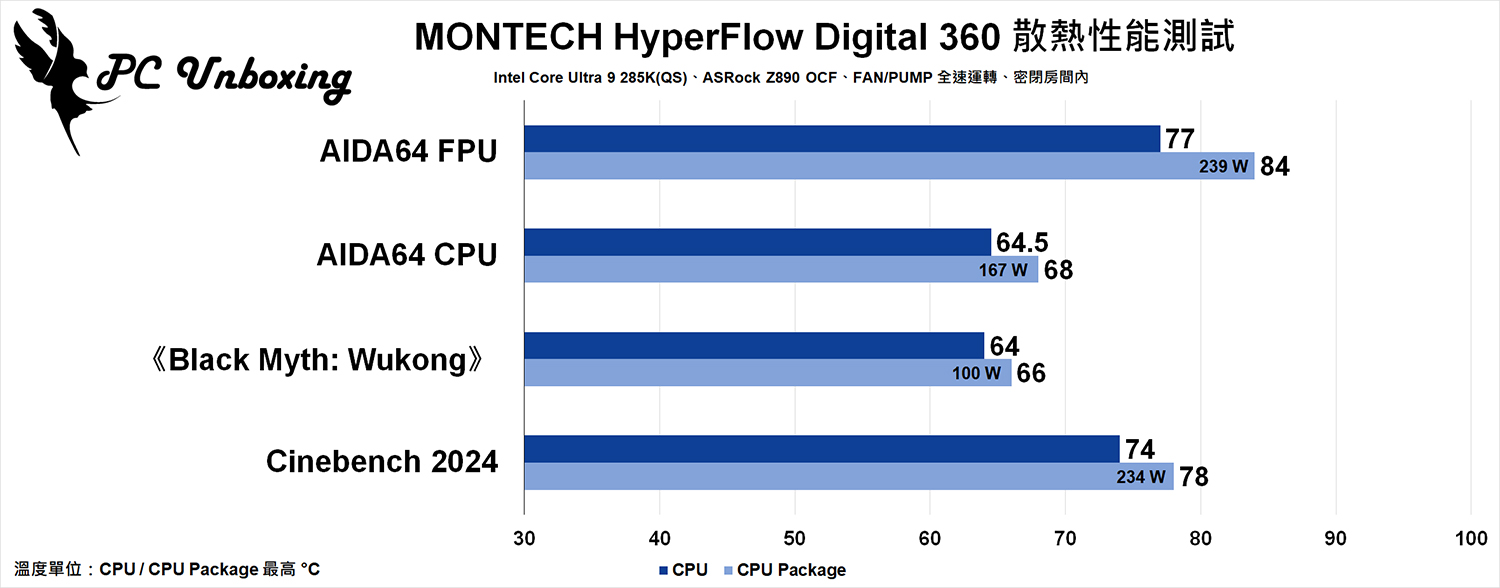
△ HyperFlow Digital 360 cooling performance.
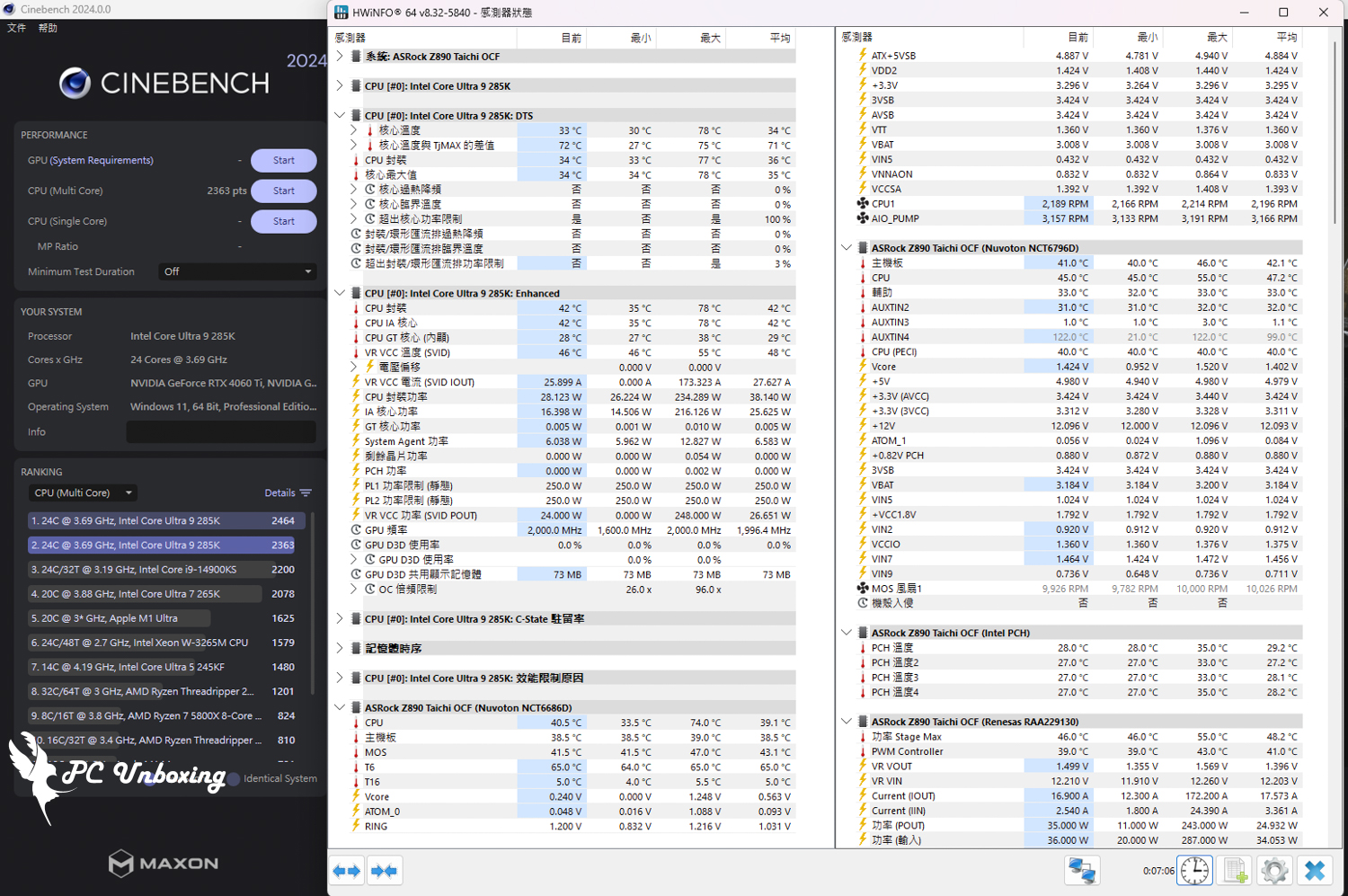
Screenshot of MONTECH HyperFlow Digital 360 test.
When tested with the HyperFlow Digital 240 all-in-one water cooling, the maximum CPU Package temperature in AIDA64 FPU came to 83 °C; the CPU Package power consumption was 239 W, and the maximum CPU temperature was 77 °C. The CPU Package temperature in AIDA64 FPU was 83 °C; the CPU Package power consumption was 239 W, and the maximum CPU temperature was 77 °C.
The simulation game runs on theKurokami Dialog: GokuIn the _Black Myth: Wukong Performance Test Tool round of testing, the CPU Package temperature peaked at 63 °C; the CPU Package power consumption was 107 W, and the CPU temperature peaked at 58 °C. The CPU Package power consumption was 107 W, and the CPU temperature peaked at 58 °C. The CPU Package power consumption was 107 W, and the CPU temperature peaked at 58 °C.
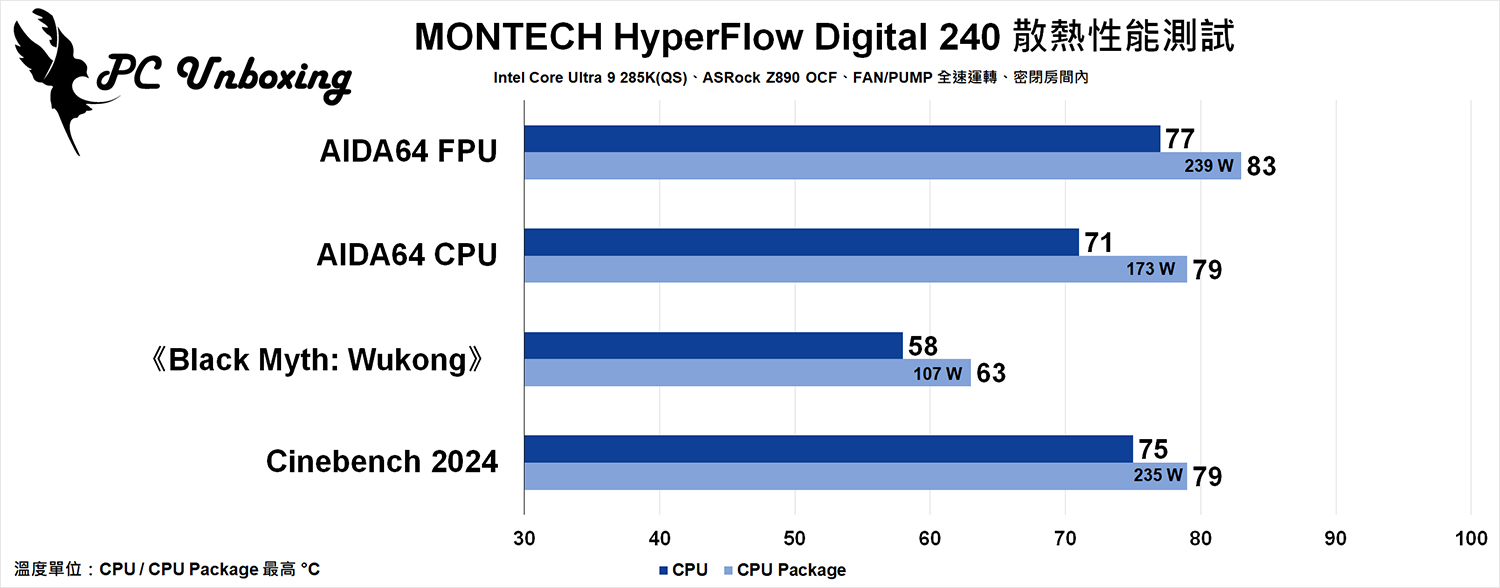
△ HyperFlow Digital 240 cooling performance.
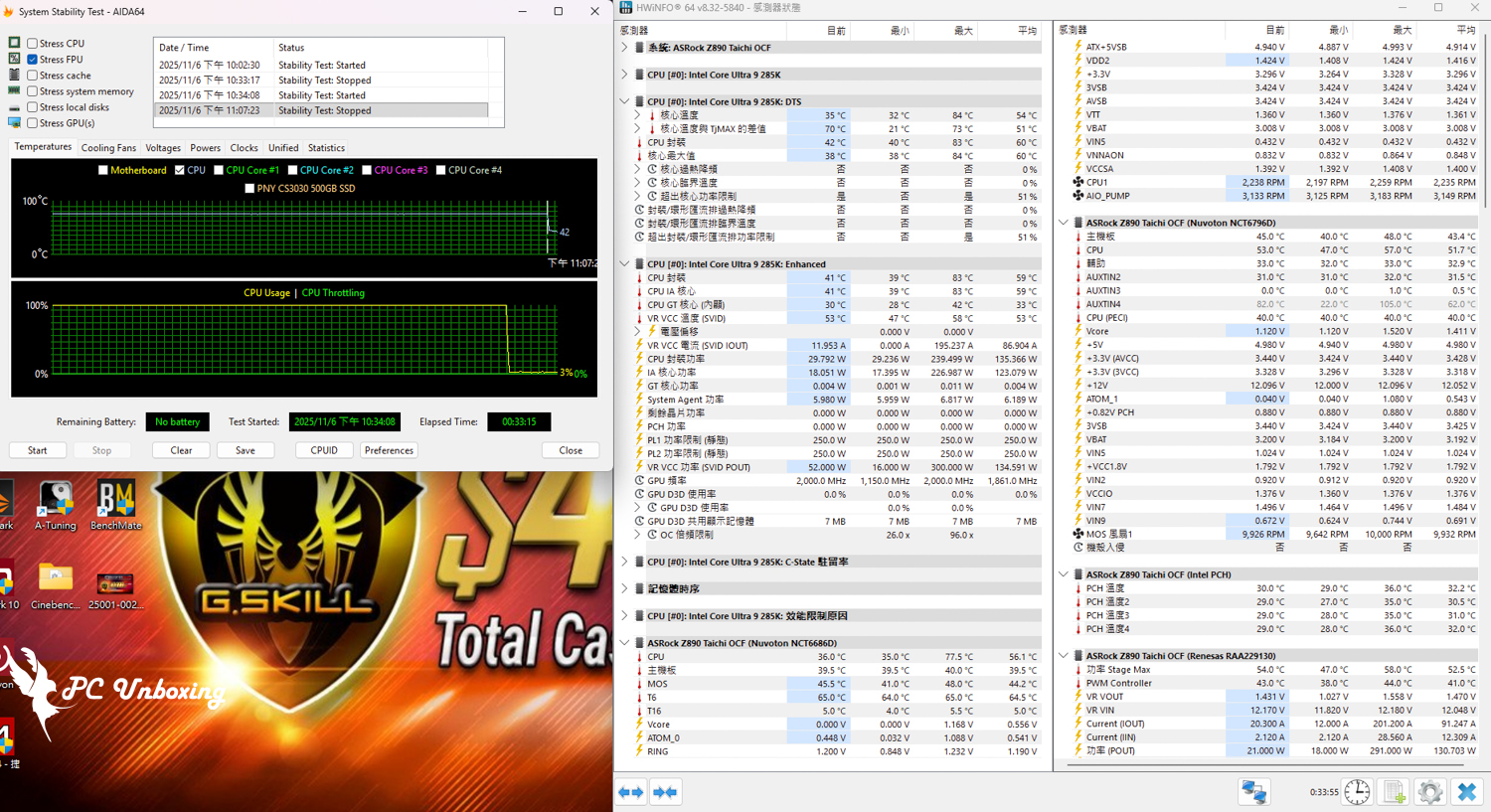
Screenshot of MONTECH HyperFlow Digital 240 test.
MONTECH HyperFlow Digital Series Summary and Evaluation|Monarch New Flagship Watercooling Practicality Analysis
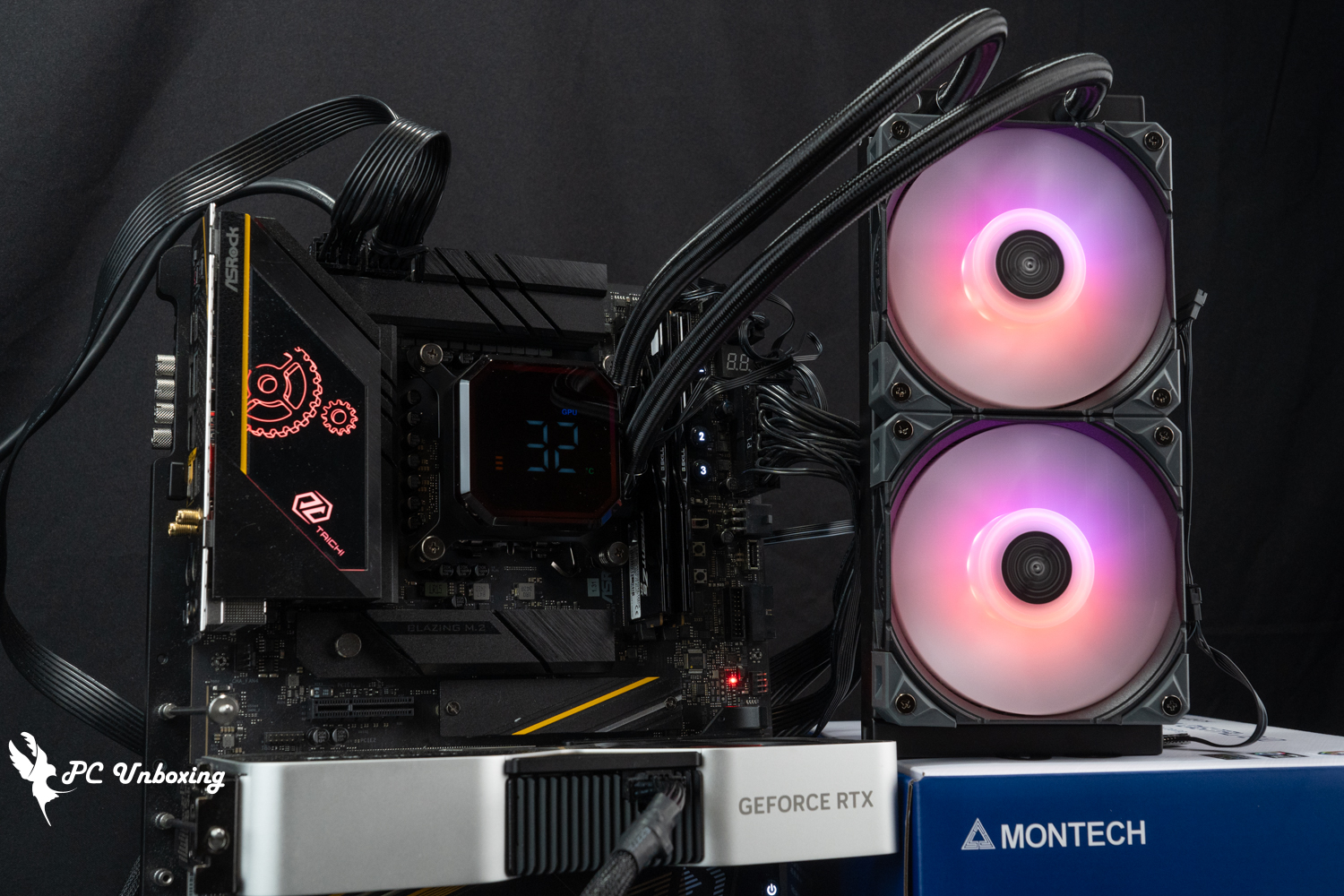
Surprisingly, the 240 mm HyperFlow Digital 240 only logically loses to the 360 mm HyperFlow Digital 360 in the AIDA64 CPU category, while other categories are basically more or less the same or even surpassed, which is very puzzling even after the author's own test, and I can only estimate that it is due to environmental factors caused by different time points in the daytime (HyperFlow Digital 360 time) and nighttime (HyperFlow Digital 240 time). I can only guess that it is due to the environmental factors caused by the different time points during the daytime (HyperFlow Digital 360 test time) and nighttime (HyperFlow Digital 240 test time), but I still provide the actual test results for your reference.
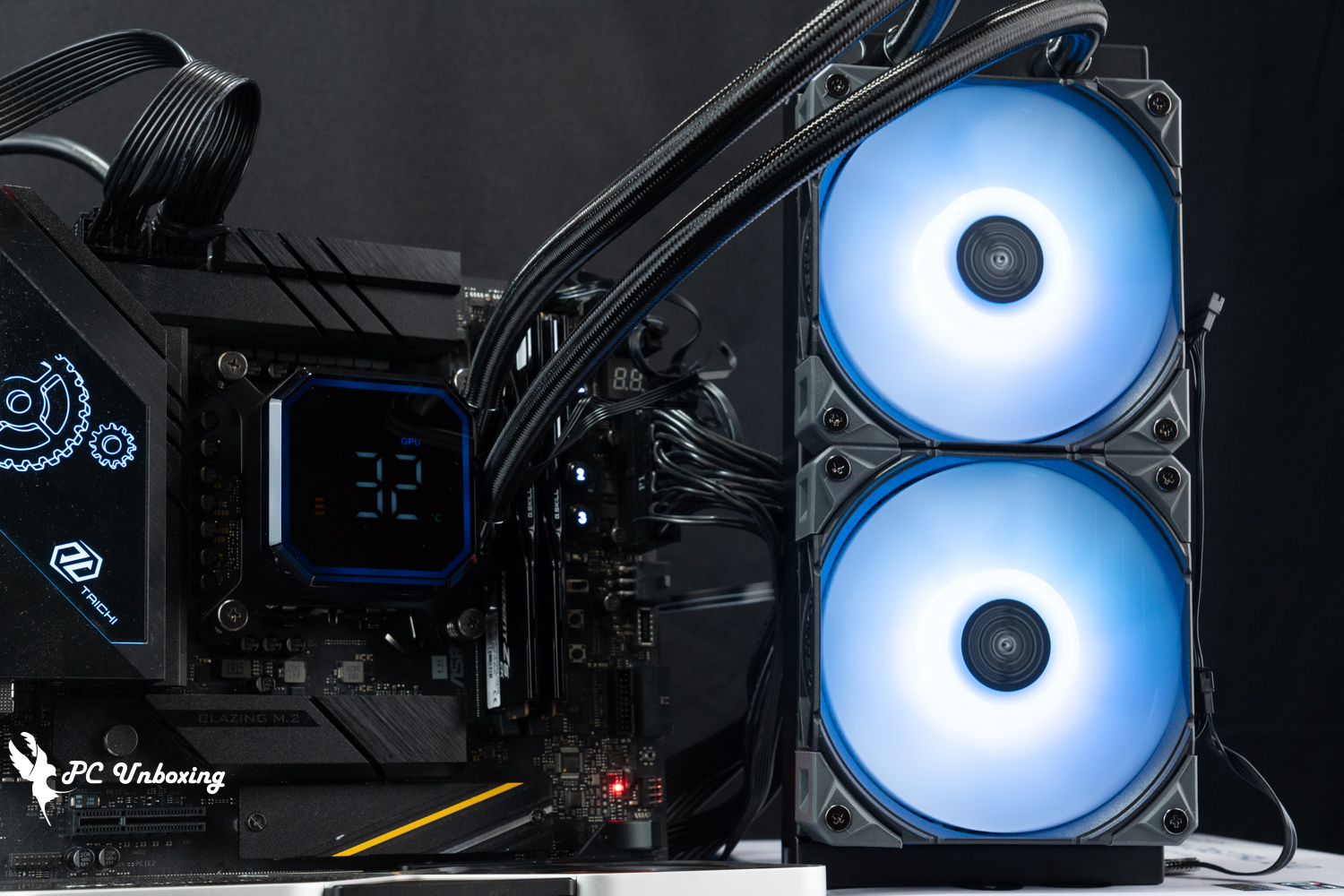
In conclusion, Monarch's new flagships, the MONTECH HyperFlow Digital 360 and HyperFlow Digital 240 all-in-one water coolers, are very effective in suppressing the high loads of 285K processors without additional overclocking of the processors.
The software is also relatively simple and violent, on the one hand, it is more suitable for "practical" monitoring information needs of customers; on the other hand, there are relatively few customizable adjustments, for example, because the screen can not be adjusted in the direction of the water-cooled pipe basically can only be installed towards the right side of the memory direction, otherwise the display screen will be flipped over, which is a pity.

Yun
Drinks with less than full sugar are colored water. Crossing Turbid Creek, full sugar is not a crime!
Related articles
XPG TRITON II 360SE Unboxing and Review: 360 All-in-One Liquid Cooling Installation, Performance, and Temperature Tests

MONTECH XR Wood, HyperFlow Silent 360, CENTURY II 850W Unboxing Review
 繁體中文
繁體中文  English