
TRYX PANORAMA ARGB 360 Spread Spectrum All-in-One Watercooling Unboxing Review
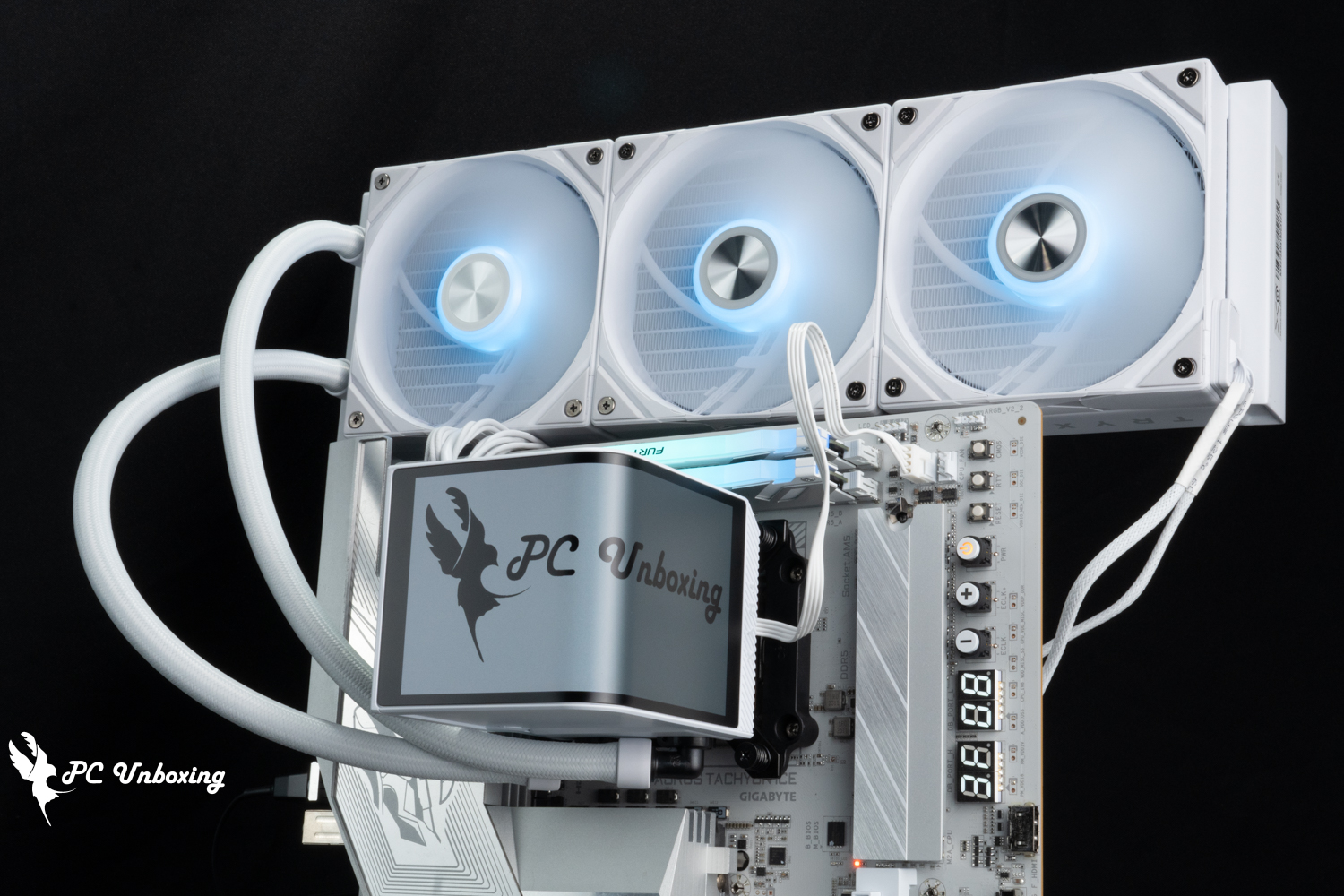
The TRYX Kryptonite PANORAMA ARGB 360 is the world's first all-in-one water cooler for AMOLED curved displays with a 6.67" curved OLED display with G2 rounded corners, a 6 cm VRM fan, and an Asetek Gen8 V2 water pump solution with a 30 mm thick cold plate and micro-convex water cooling head, Intel 200s series optimized offset design fasteners, as well as dedicated control software to customize the water cooling and other features, and from this year onwards, the Taiwan agent will provide a six-year leakage warranty, this time we will also test the all-in-one water cooling on the VRM fan whether it is useful or not.
TRYX PANORAMA ARGB 360 All-in-one water-cooled specification:
Compatible Mount Intel Pin: LGA 1851/1700/1200/115X
Compatible with AMD Pin: AM5 / AM4
Water pump use program: Asetek Gen8 V2(8.5)_Code Emma V2
Pump Maximum RPM: 3600 ±10% RPM
Water-cooling head size: 118 x 92 x 92 mm
Water-cooling head contact surface: copper
Cold head power supply: PWM 4-Pin, USB 2.0 9-Pin
Water-cooling drain size: 399.5 x 120 x 30 mm
Water Cooler Material: Aluminum
Water-cooled tube length: 410 mm
Using Fan: TRYX ROTA SL ARGB
Fan size: 120 x 120 x 25 mm
Maximum fan speed: 1850 ±10% RPM
Maximum fan airflow: 65.64 CFM
Maximum fan pressure: 2.49 mmH₂O
Fan Power Supply: PWM 4-Pin, 5V 3-Pin ARGB
Thermal paste included: Water-cooling head pre-coated, 2 g of α-01 thermal paste included as an accessory.
Warranty: 6 years on leaks, 2 years on screen
Asetek Gen8 V2 Water Pump Solution TRYX PANORAMA ARGB 360 All-in-one water-cooled case
TRYX Krypton Galaxy from China is a new watercooling brand, and last year in 2024, after launching and selling the first all-in-one watercooler with a curved 3D screen, the feature of curved screen watercooling has attracted a lot of discussion, and later on, brands such as ROG, Luminous, TT, etc., have also followed suit to pay homage to and learn from them (copying from the work?). The feature of curved screen water cooling has been followed by other brands such as ROG, Lemin, TT, etc. (copying?).
Originally, TRYX was only available in China, Europe and the United States, but this year it has been distributed by Lite-On Technology so that consumers can purchase it in Taiwan with a full 6-year warranty and 2-year screen warranty, as well as support for liquid leakage indemnification services.
Currently, there are three models on sale: PANORAMA ARGB (Flagship Lighted), PANORAMA (Flagship Non-Lighted), PANORAMA SE ARGB (Comparative Model). The first two models, PANORAMA ARGB (Flagship Lighted) and PANORAMA (Flagship Non-Lighted), use Asetek Gen8 V2(8.5)_ as the flagship model. The PANORAMA SE ARGB (price-performance model), which is cheaper and does not have a VRM fan, uses the previous version of the Asetek Gen8 water pump solution.
Each of the three models is available in 240 mm / 360 mm, black and white, with different cooler sizes and color SKUs to choose from. The highest priced model is the PANORAMA ARGB 360 black and white 11490, while the cheapest one is the PANORAMA SE ARGB 240 black and white 7690, which is directly comparable to the PANORAMA SE ARGB 240 black and white 7690 in Taiwan, considering the price of the flagship model and the curved screen feature. Considering the price and curved display features of the flagship model, it's a direct match for the PANORAMA SE ARGB 360 BW 7690 in Taiwan, which is a copycat version of the ROG Ryuo IV SLC 360 ARGB (NT$10,990), but the Ryuo IV doesn't have a VRM fan.
In addition, I found that some of the details in other people's unboxing documents are not quite the same as the one I have, so I guess it should be the so-called V1 / V2 version difference, the one I have should be the V2 updated version, for example, it is updated to whiten the wires and other small details are a bit different.
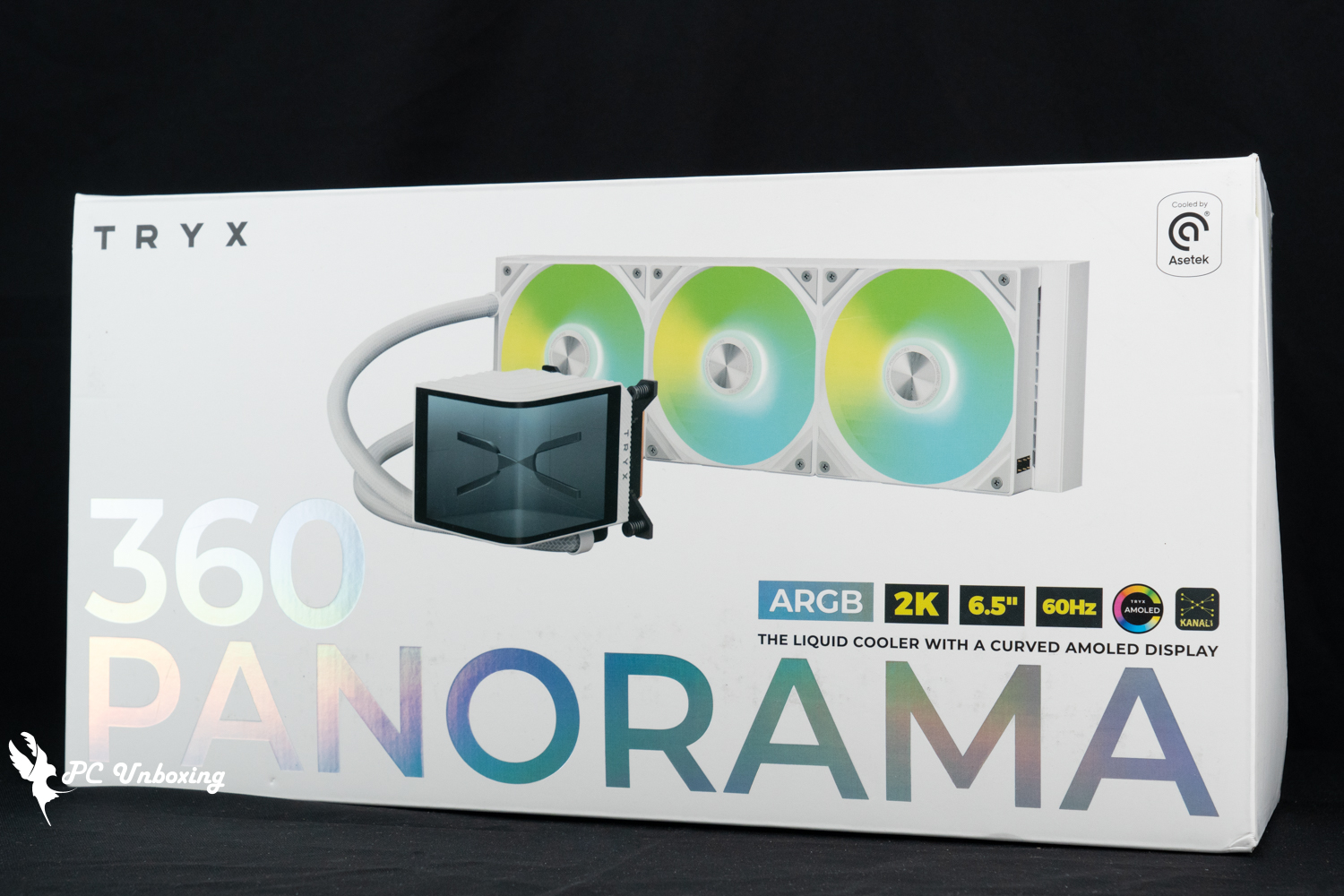
△ TRYX PANORAMA ARGB 360.
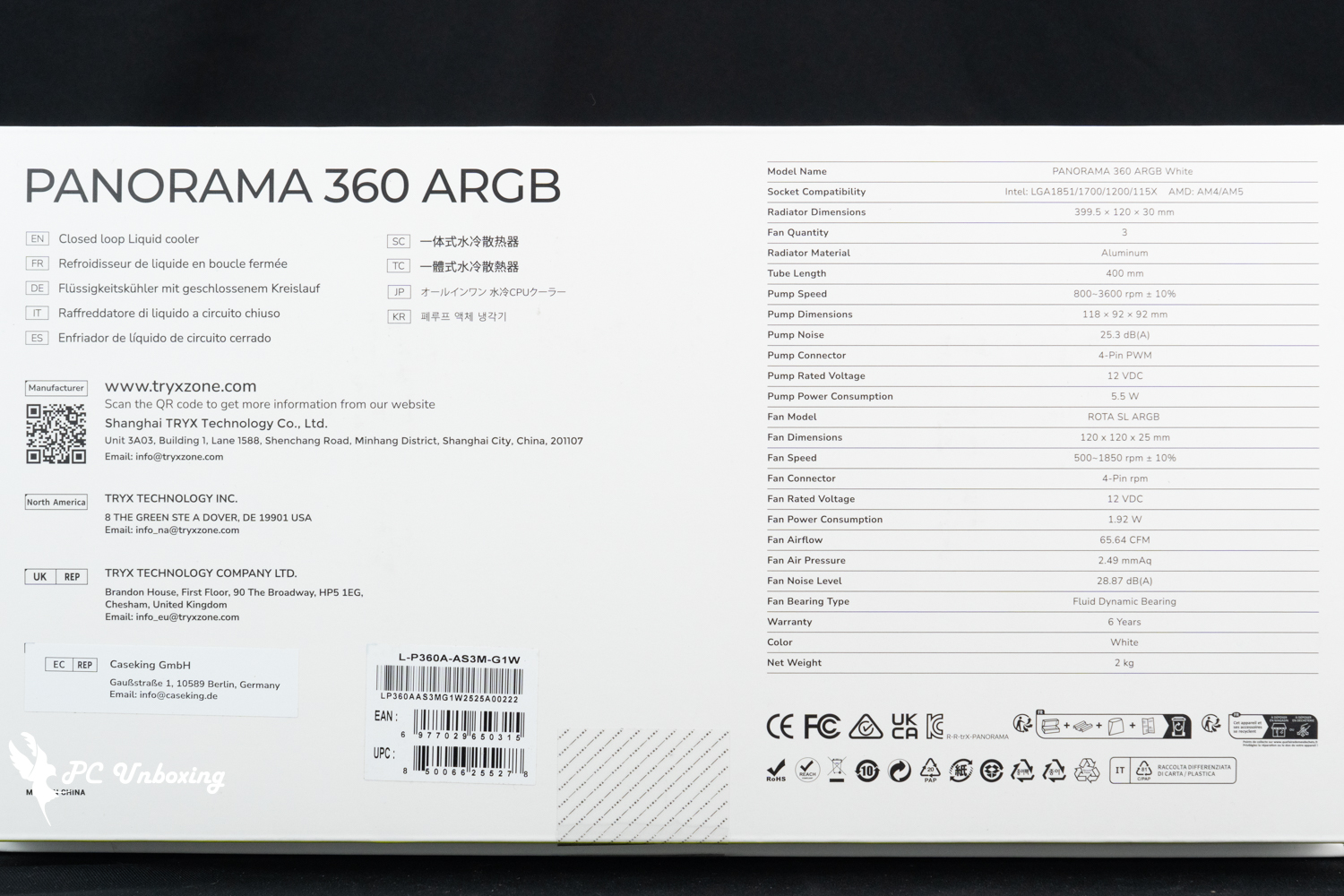
△ Water-cooled specification.
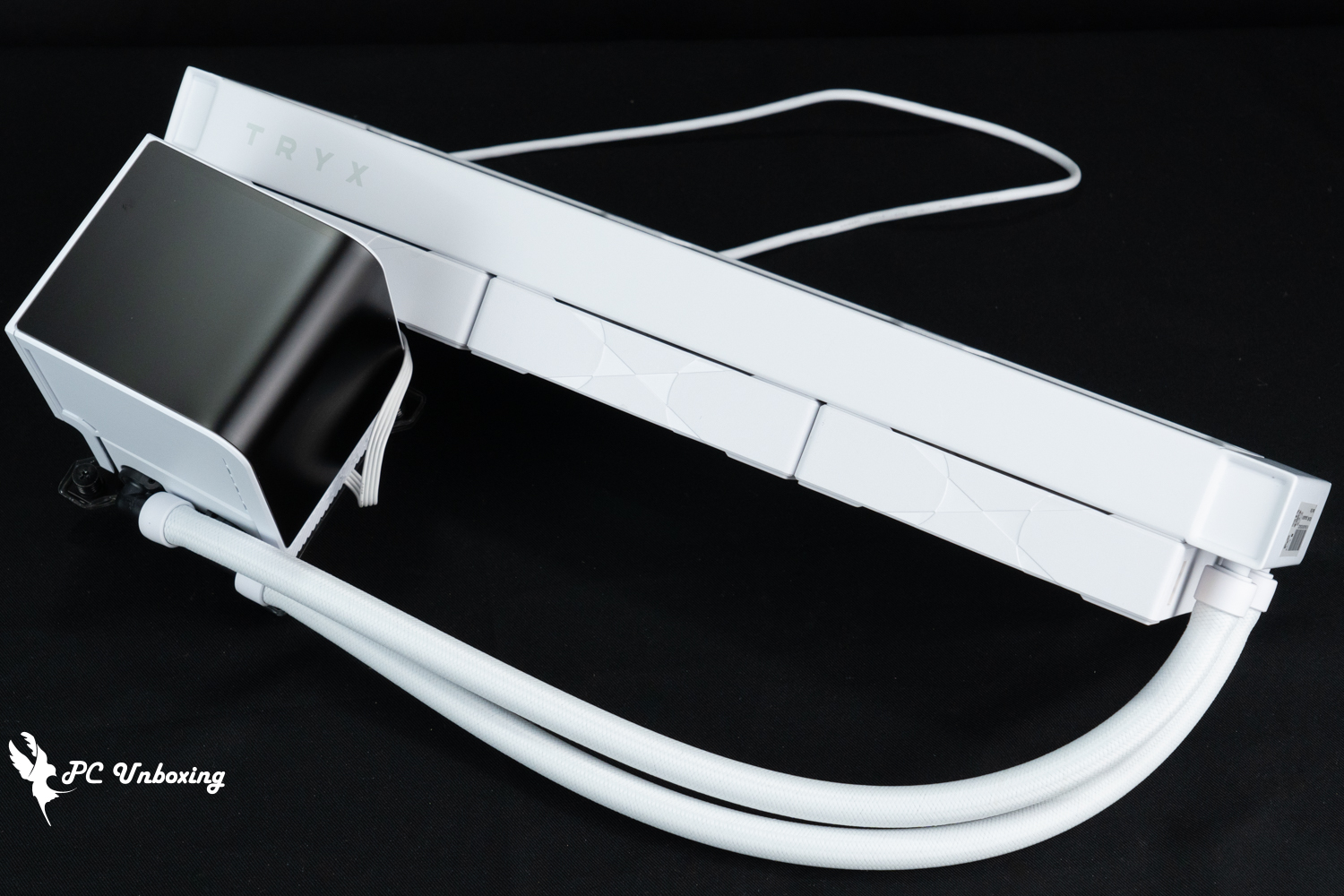
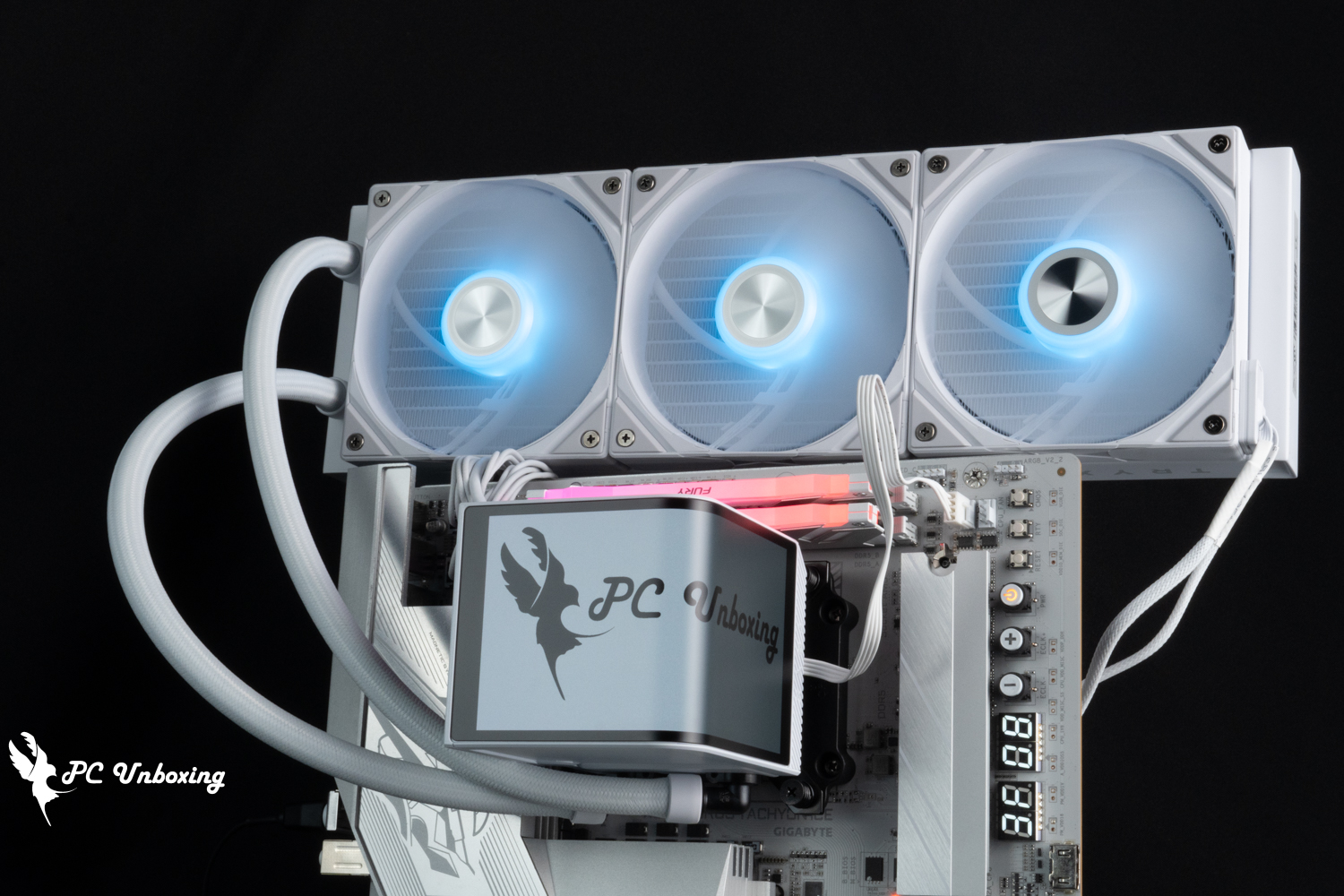
△ TRYX PANORAMA ARGB 360 V2 White Flagship One-piece water cooling.
The TRYX PANORAMA ARGB water cooler is the world's first all-in-one water cooler with a curved AMOLED screen built-in. The magnetically detachable 6.67" OLED screen has display specifications such as 2K resolution, 60 Hz refresh rate, 400 cd/m² brightness, etc. It connects to a PC system via a USB 2.0 9-Pin connector in the small screen, and the display customization is performed in the KANALI software. The small screen is connected to the PC system via USB 2.0 9-Pin, and the display is customized by KANALI software. The G2 curvature rounded corners and triple-layer screen technology are used to achieve the 3D 3D animation display effect.
The curved screen body is magnetically fixed with metal contacts, so it is installed on the water-cooling head in a fixed direction and cannot be changed. If there are special needs, it is recommended to use software to adjust the display screen for customized installation.
The overall dimensions of the water cooling head including the monitor are 118 x 92 x 92 mm, and the height of the water cooling head is almost 12 cm, which is very tight for a small ITX case.
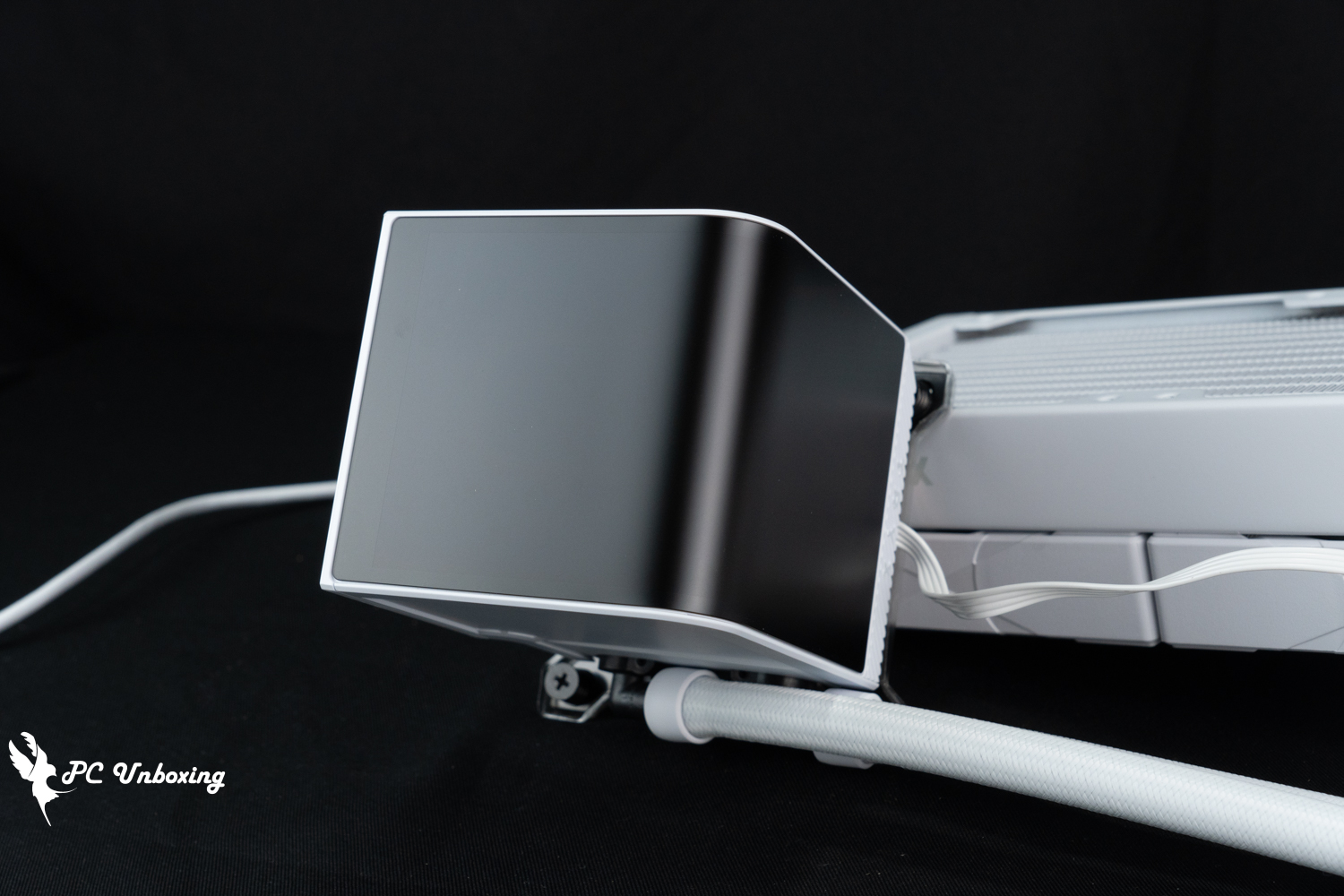
△ AMOLED curved screen.
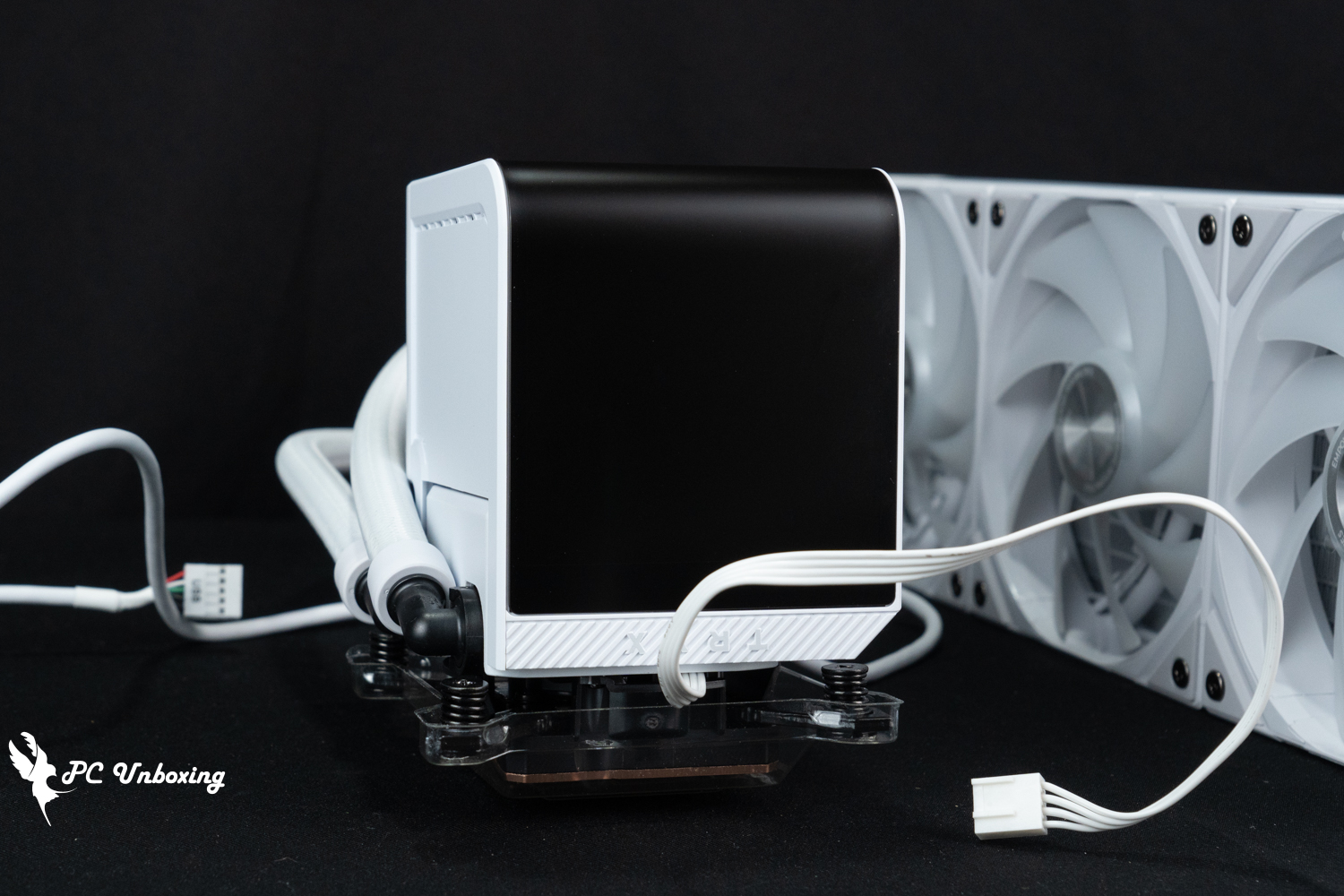
△ Matte coating is used on the surface of the screen, which is labeled as having a low reflectivity, so in practice, it will still reflect the memory light to some extent.
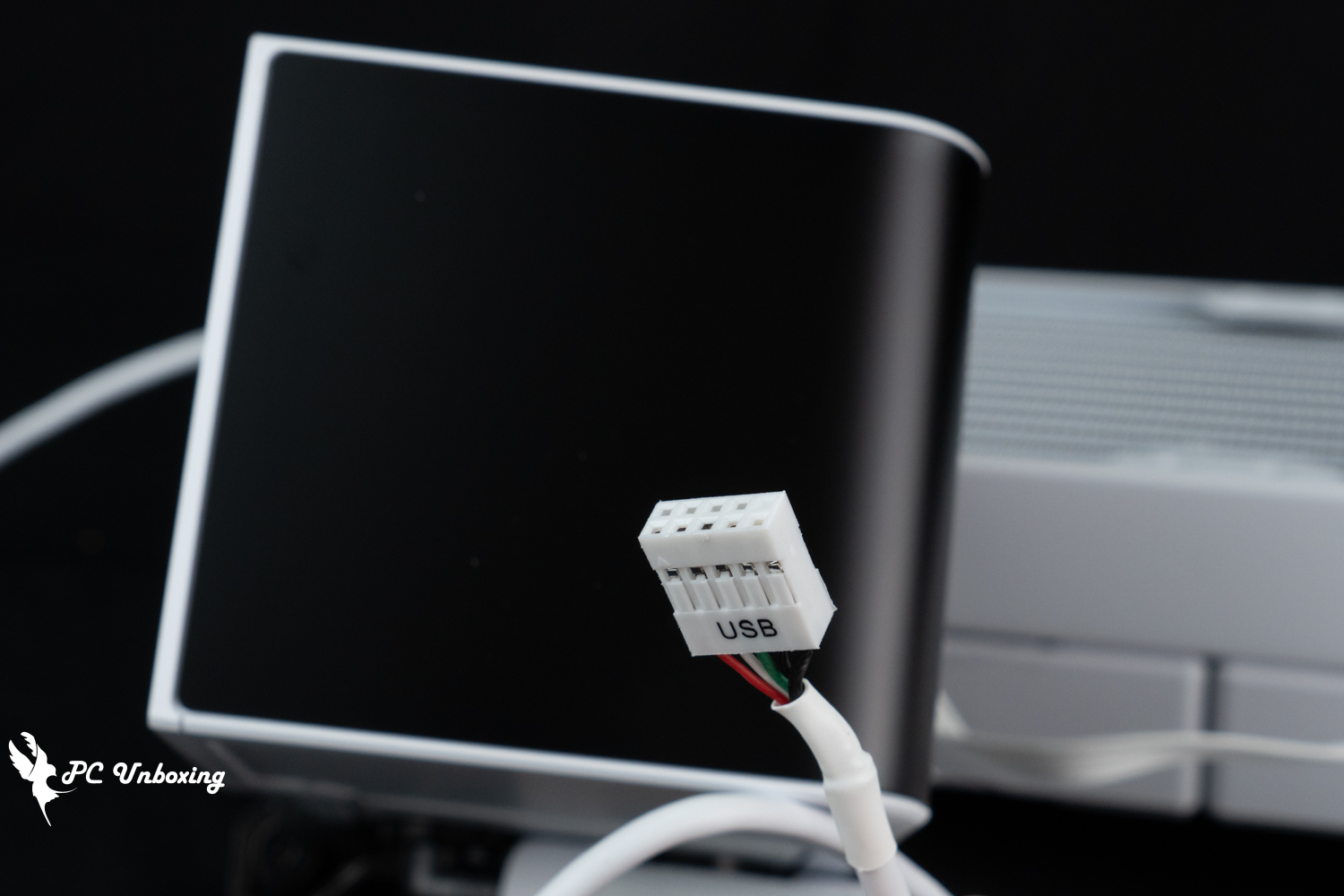
△ The screen itself uses USB 2.0 9-Pin for information transfer and power supply, and requires TRYX's own KANALI software to customize the screen display.
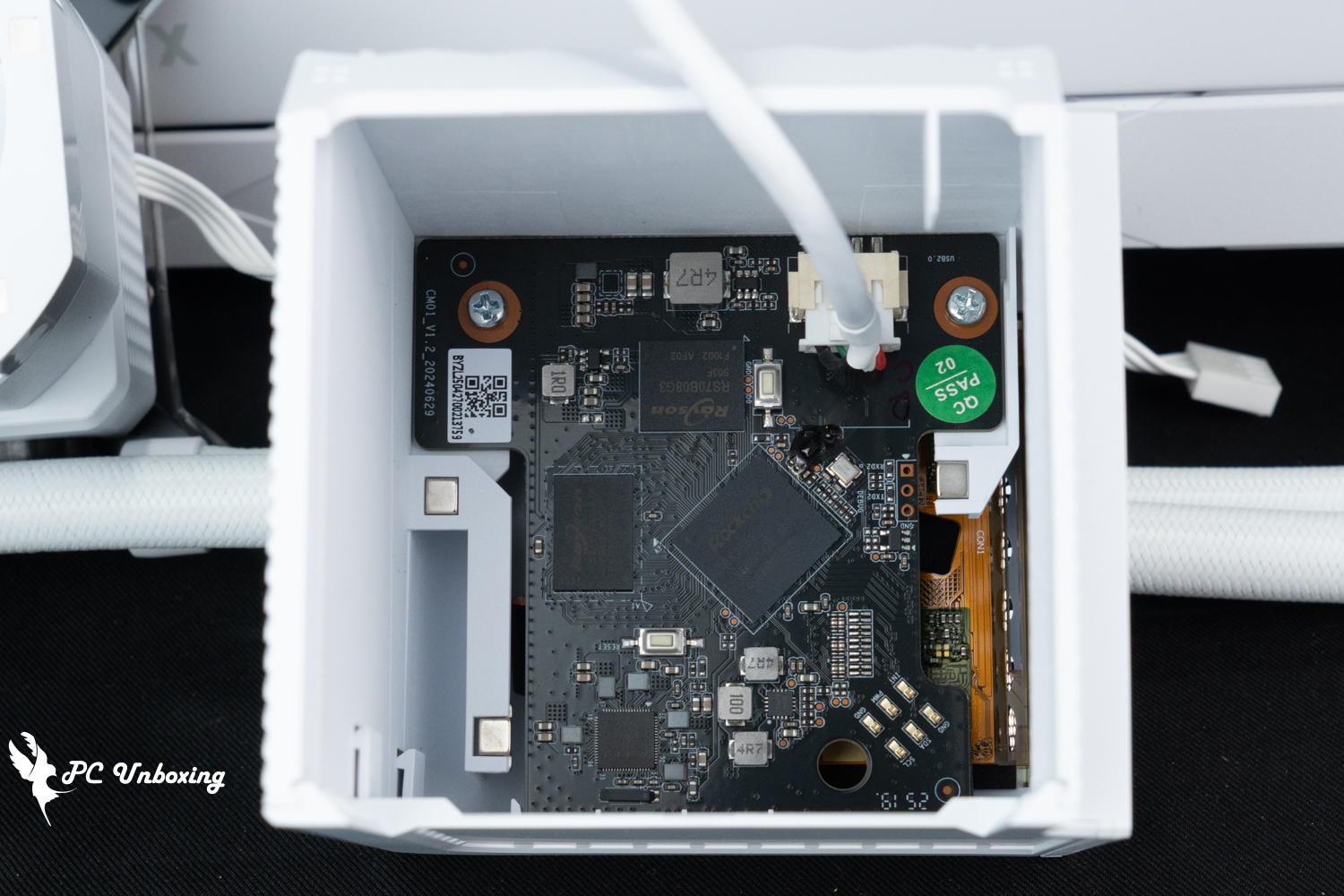
△ In-screen PCB setting, considering that the position of the strong magnet and metal contacts are fixed, the screen is placed on the cold head in a fixed direction.
There is a Ø6 cm VRM fan in the center of the water-cooling PUMP and the monitor, which helps to dissipate the heat of the VRM (Voltage Regulator Module) power supply chip on the motherboard through the downward airflow. If the motherboard has a poor specification of the heatsinks, it can be used to stabilize the multi-core performance of the processor by using the VRM fan on the TRYX PANORAMA ARGB 360. If the motherboard itself has poor heatsink specifications, the VRM fan on the TRYX PANORAMA ARGB 360 can be used to obtain more cooling airflow to stabilize the processor's multi-core performance.
However, last year, the author has seen some users report in overseas forums that the water-cooled VRM fan will spray oil after using for a while, the author is not sure if this problem has been improved by the original manufacturer in the future, but if there is similar situation, it is recommended to seek customer service report from the selling agent to deal with the problem.
The VRM fan is powered directly through the PWM 4-Pin of the Asetek Gen8 V2(8.5)_Code Emma V2 water pump, which only needs to share one power supply cable with the water pump PUMP, and there is no need to connect an additional cable for power supply.
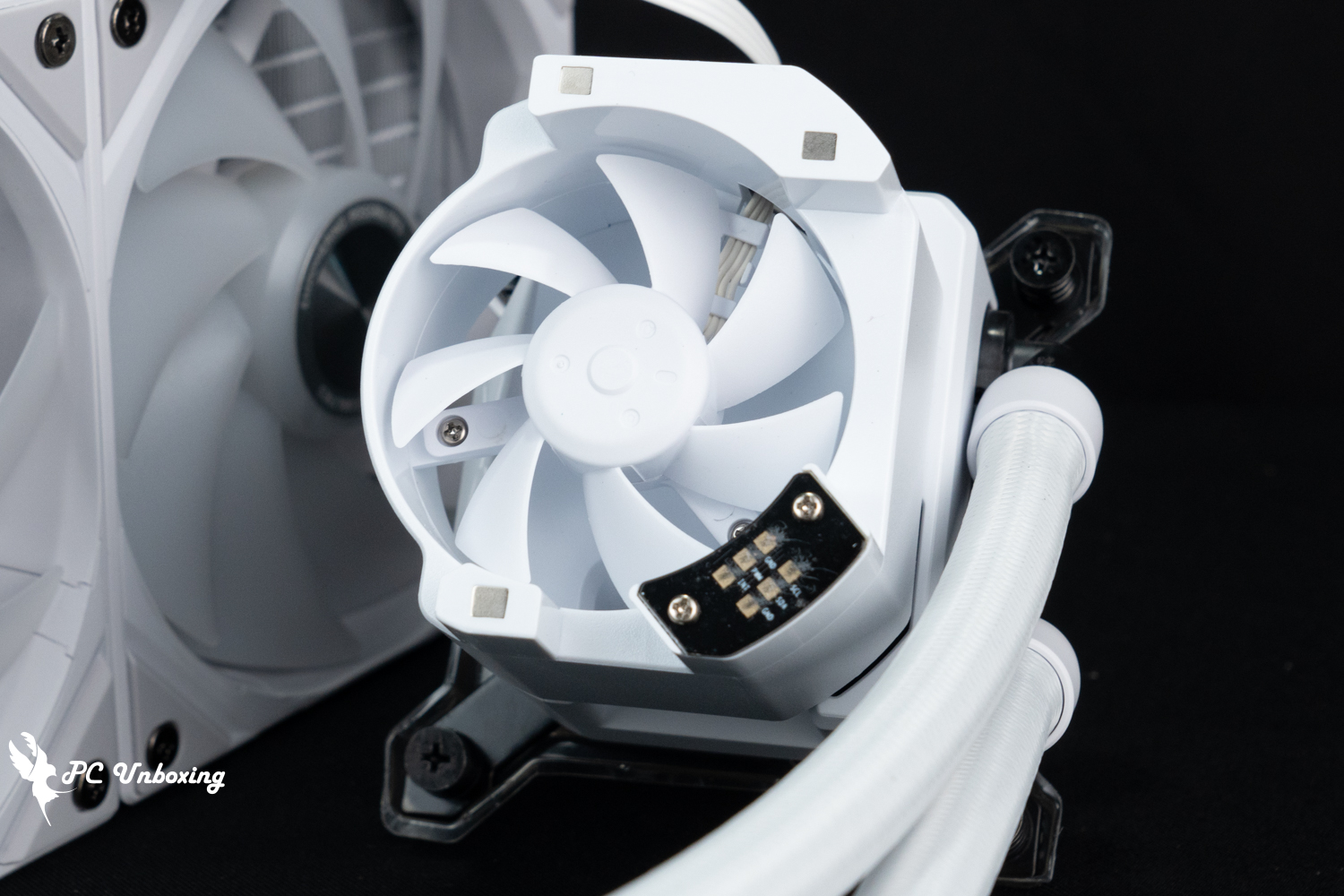
A Ø 6 cm VRM fan cools the motherboard power block and shares the power supply cable with the pump without taking up additional power supply slots.
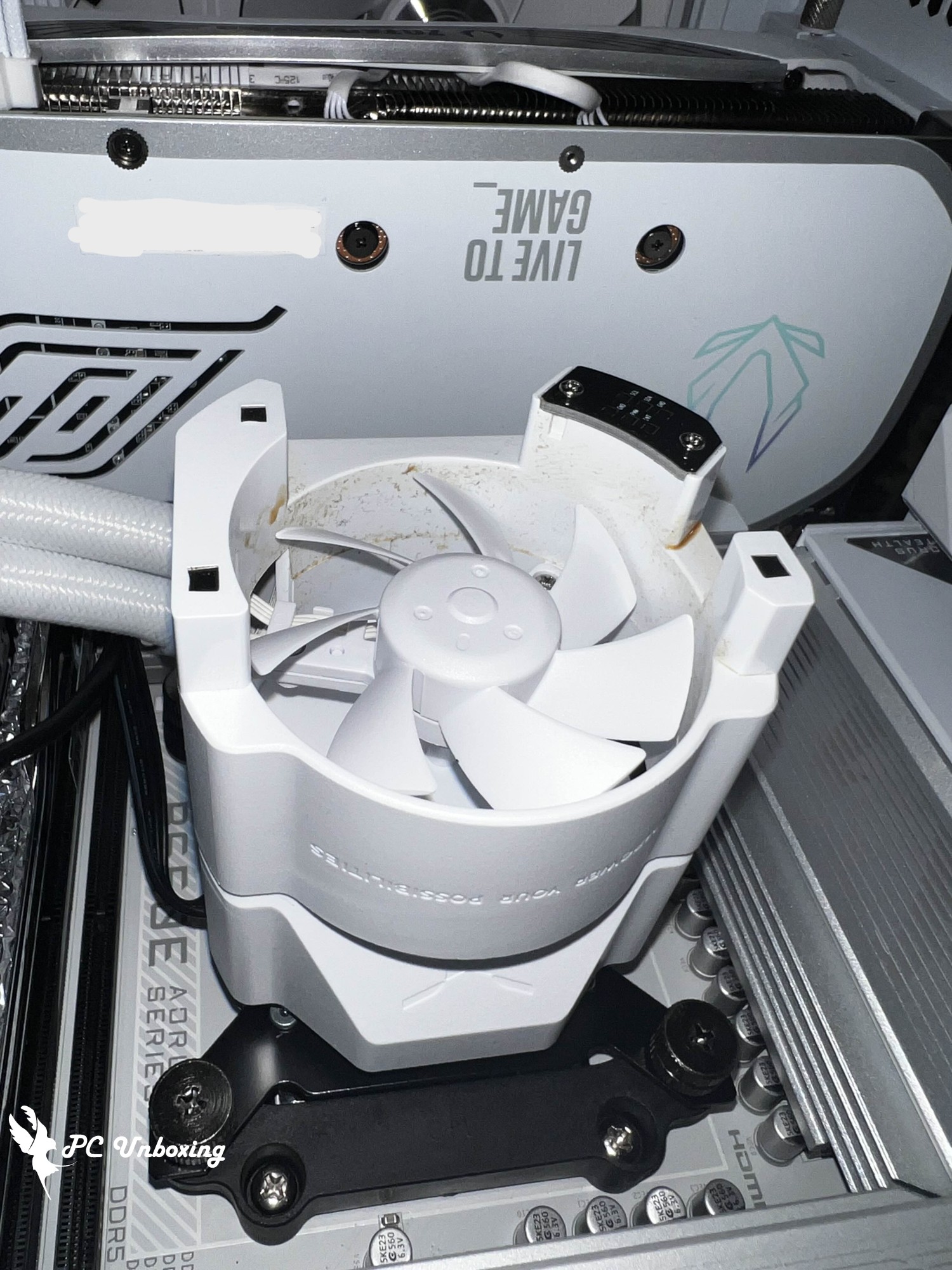
Last year, there were a few cases of VRM fan oil spraying overseas, maybe the new batch has been improved, if there is any problem, please feel free to contact the after-sales customer service (photos provided by users).
The fan airflow direction from the rear of the chassis exhaust fan installation direction, black mesh holes into the air (white arrow), then from the same direction below the diagonal holes and the top of the chassis out of the air (dark blue arrow), for the regular motherboard "use" shaped VRM setup for active cooling, but the intake air with the chassis is often seen in the same rear of the exhaust fan setup location in the same area, the VRM fan is able to compete with the wind! Will the VRM fan be able to compete with the more powerful rear fan? I'll leave it to others to find out.
Due to the restriction of the water-cooling tubes and monitor setup, the airflow direction can not be three-way or omni-directional, and only the motherboard VRM block can enjoy this benefit, while the DDR5 memory and SSD silently shed tears.
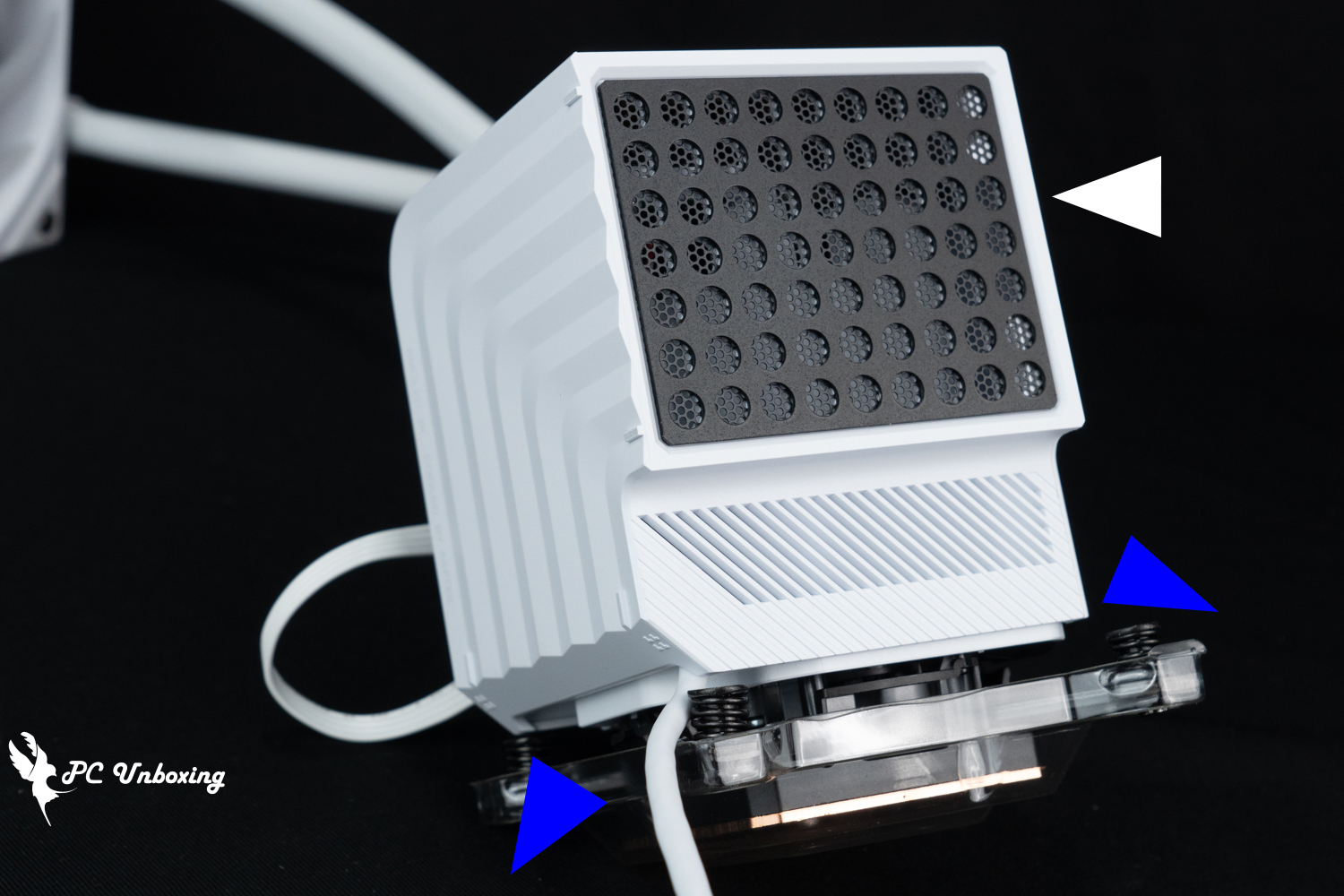
△ VRM fan airflow direction, white is inlet air; dark blue is outlet air direction.
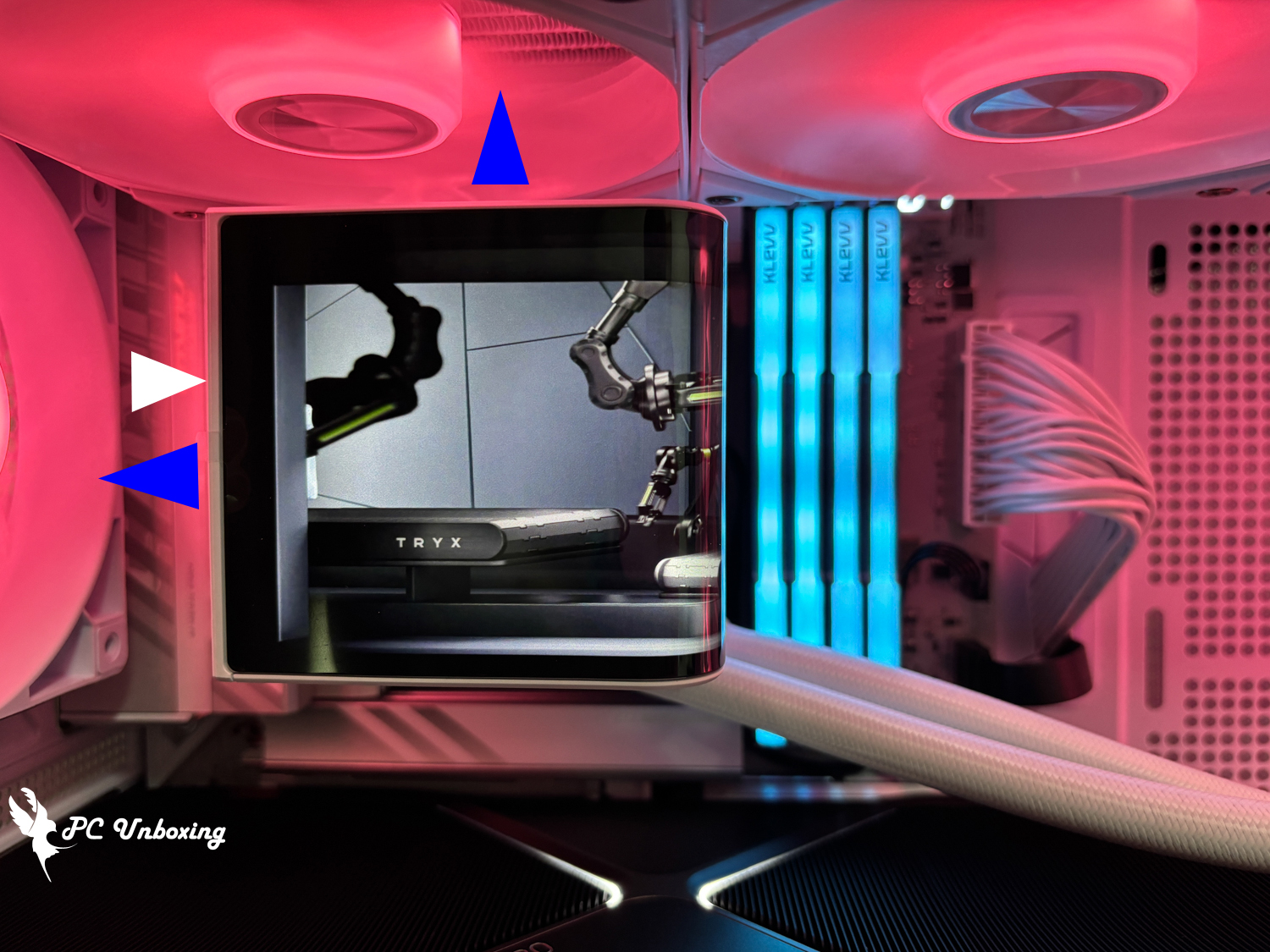
△ Normally the motherboard is actually mounted on the chassis for the wind flow demonstration, thanks to the "Bahamut Datta ___ Du Fu"He also wrote an unboxing article for you to synchronize with.
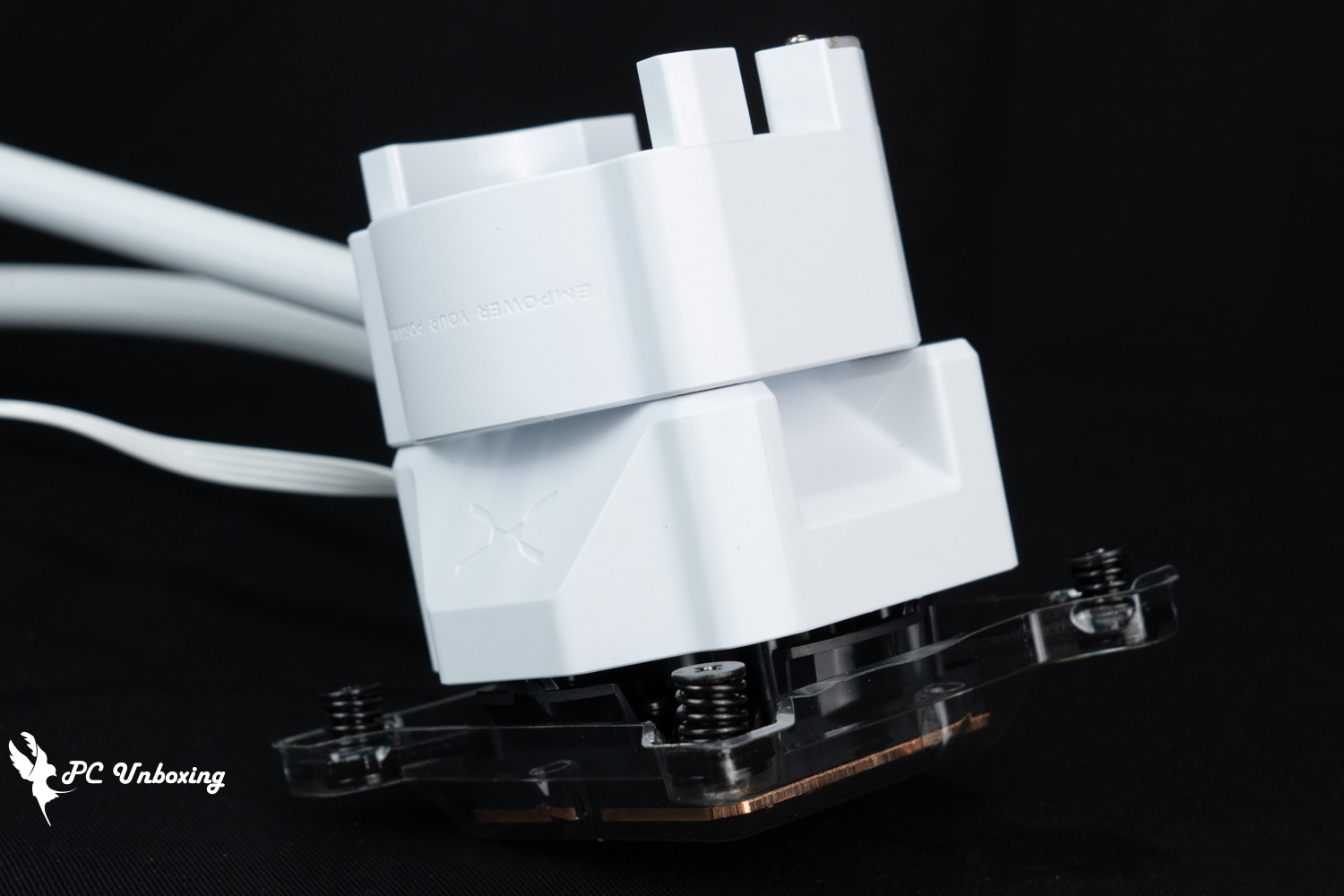
When the water-cooling tubes are installed facing downward, there is an airflow ramp to the left and above the water-cooling head in the view of the water-cooling head VRM fan.
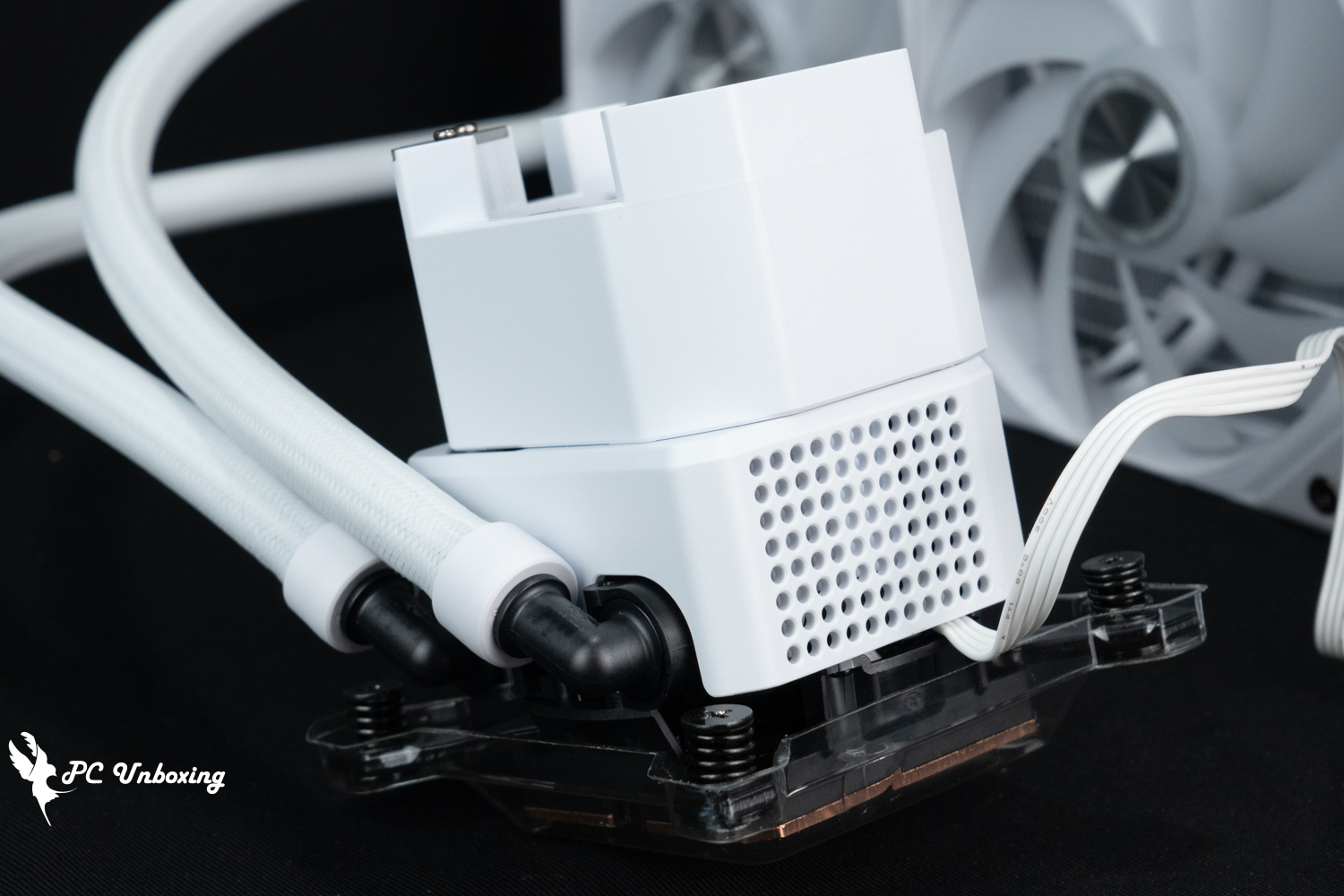
△ There is no airflow plan for the bottom and right side of the water cooler because of the restriction of the direction of the water cooler tubes and the screen.
TRYX PANORAMA ARGB 360 uses Asetek Gen8 V2(8.5)_ code name Emma V2 water-cooling solution, the maximum speed of the water pump is 3600 ±10% RPM, and the water pump is powered by PWM 4-Pin connector cable, the water-cooling is compatible to install on Intel's LGA 1851/1700/ 1200/115X motherboards and AMD's AM5 / AM4 platforms. 1200/115X motherboards on Intel platforms and AMD AM5/AM4 platforms.
If the TRYX PANORAMA ARGB 360 is in brand new condition, there will be pre-coated α-01 thermal paste on the copper base of TRYX PANORAMA ARGB 360 water cooler, but since I got it from someone else who has already unboxed it, it has already been used up by someone else.
Asetek Gen8 V2(8.5)_Code Emma V2 water cooling solution's grommets are designed for Intel Core Ultra 200 series processor (Series 2) heat point offset, which allows the Core Ultra 200 series processor platforms to be cooled slightly better without replacing the grommets.
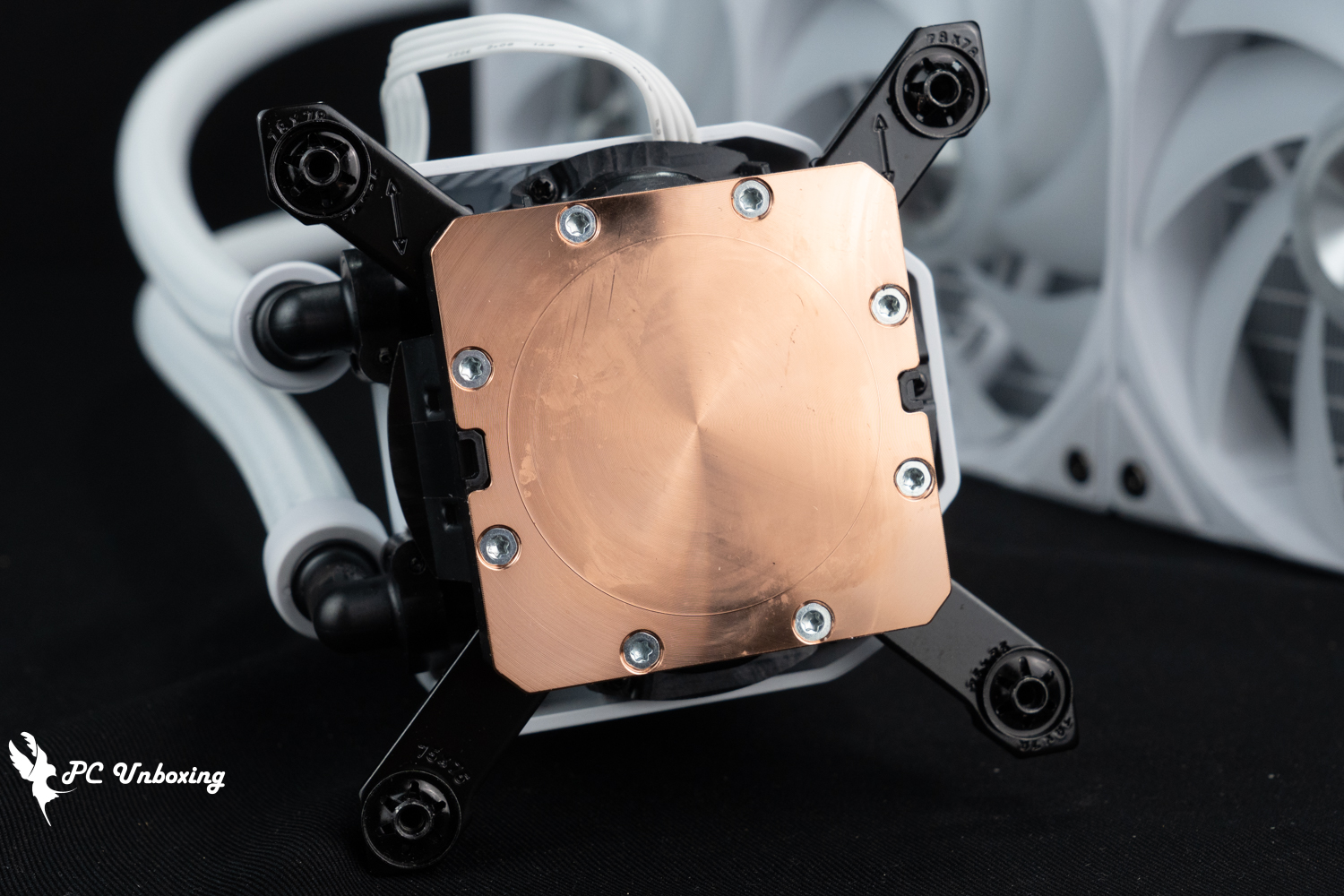
△ The contact surface of the copper base of the micro-convex water-cooling head, there will be pre-coated thermal paste when it is in mint condition, but the author's has been used by someone else, so it is not in mint condition in the picture.
The three pre-installed water-cooled exhaust fans are TRYX ROTA SL ARGB fans. The fan beads are ARGB Gen 2 version, and the lighting effect of individual beads can be configured in the software, the fan itself is 120 x 120 x 25 mm, with a maximum speed of 1850 RPM ± 10%, and the labeled max. airflow rate is 65.64 CFM; max. air pressure is 2.49 mmH₂O, and max. noise level is ≤28.87 dB(A). 2.49 mmH₂O, and the maximum noise level is ≤28.87 dB(A).
The fans are powered by a single magnetically attached 5V 3-Pin ARGB and PWM 4-Pin to complete the power supply for light control and fan speed, and the three fans themselves are directly connected through the special slot contacts and the attached special cable to complete the power supply and control, and the actual use of the magnetically attached cables is very easy to install and very interesting to the touch.
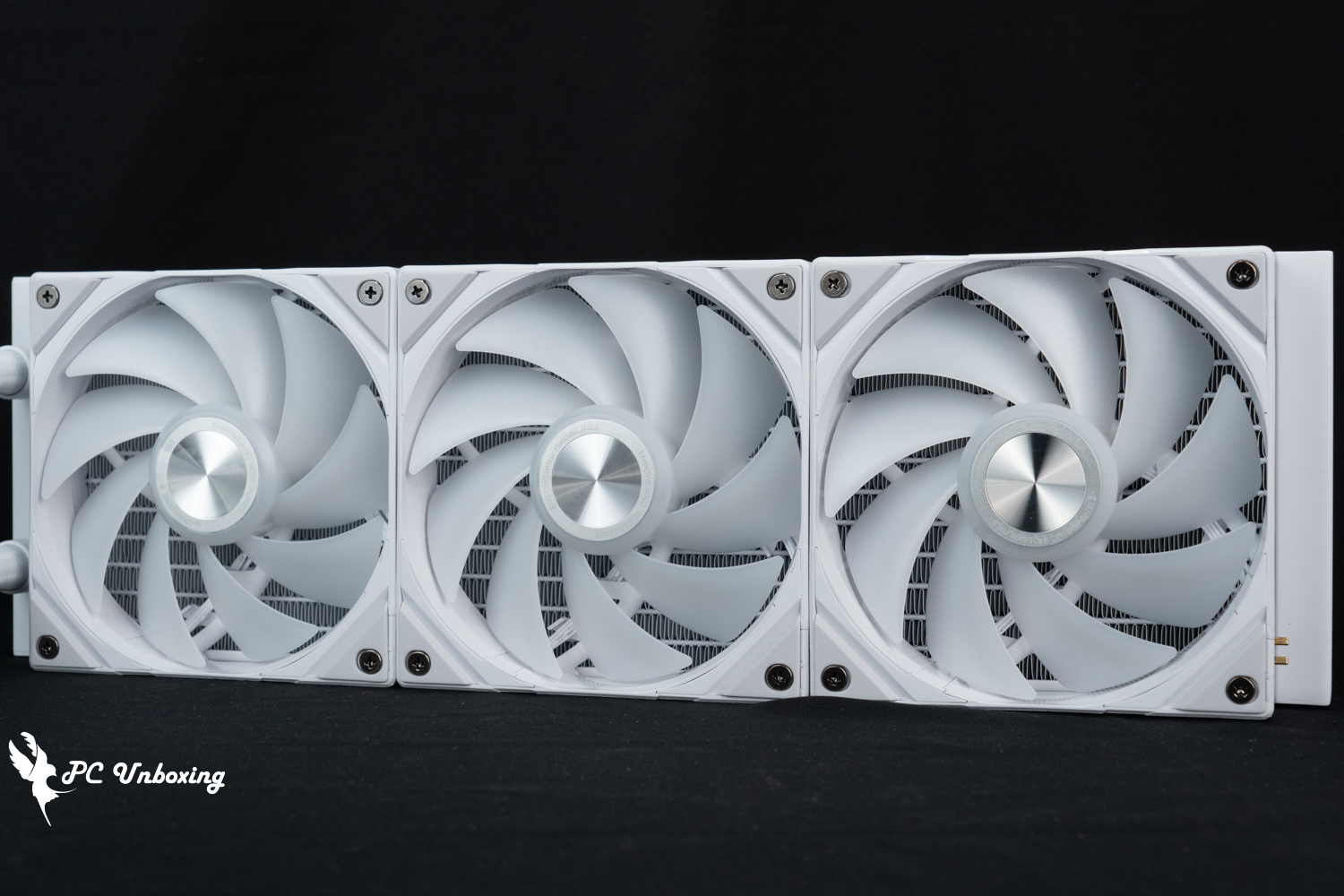
The three water-cooled exhaust fans are TRYX ROTA SL ARGB fans.
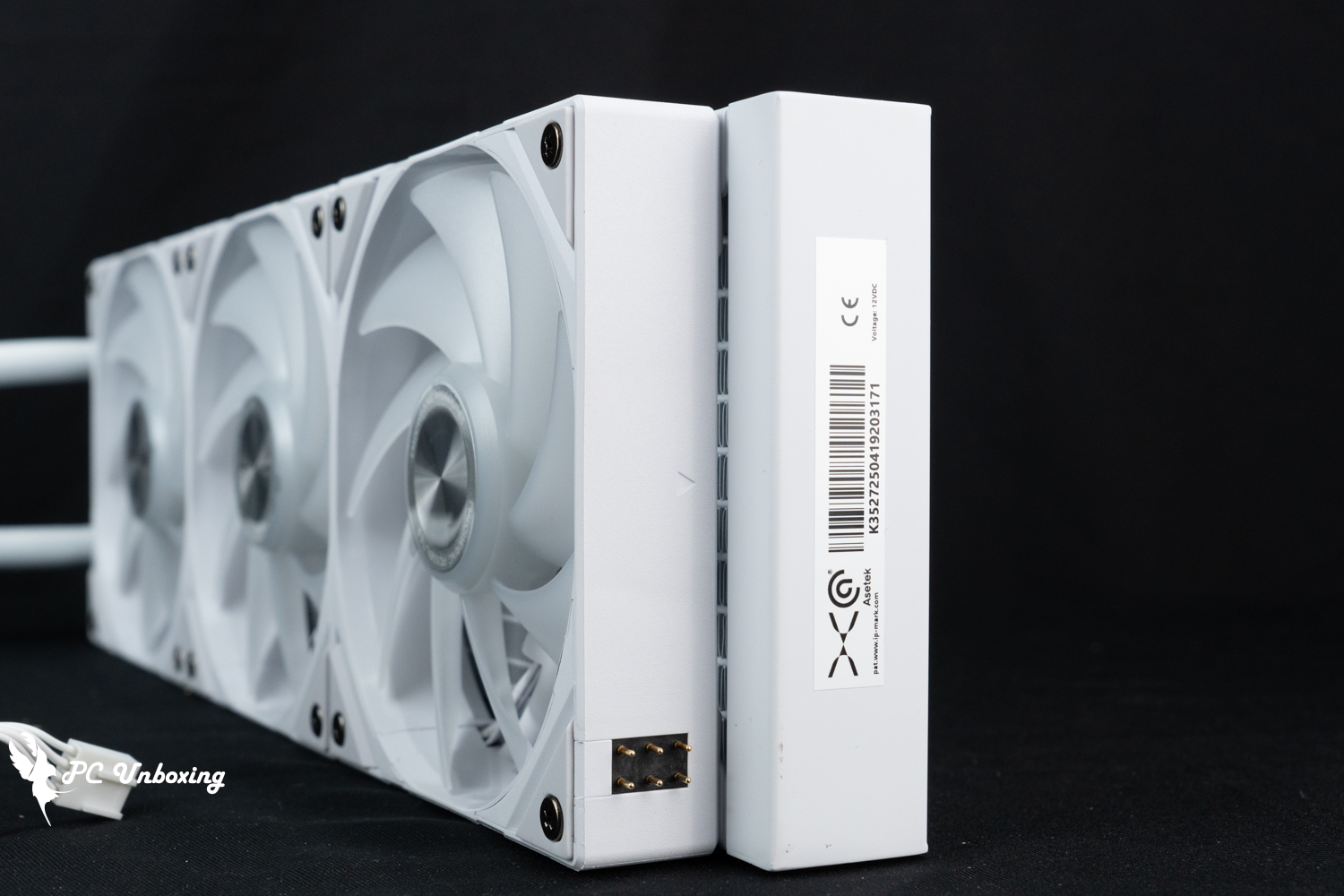
△ Special magnetized wire installation area.
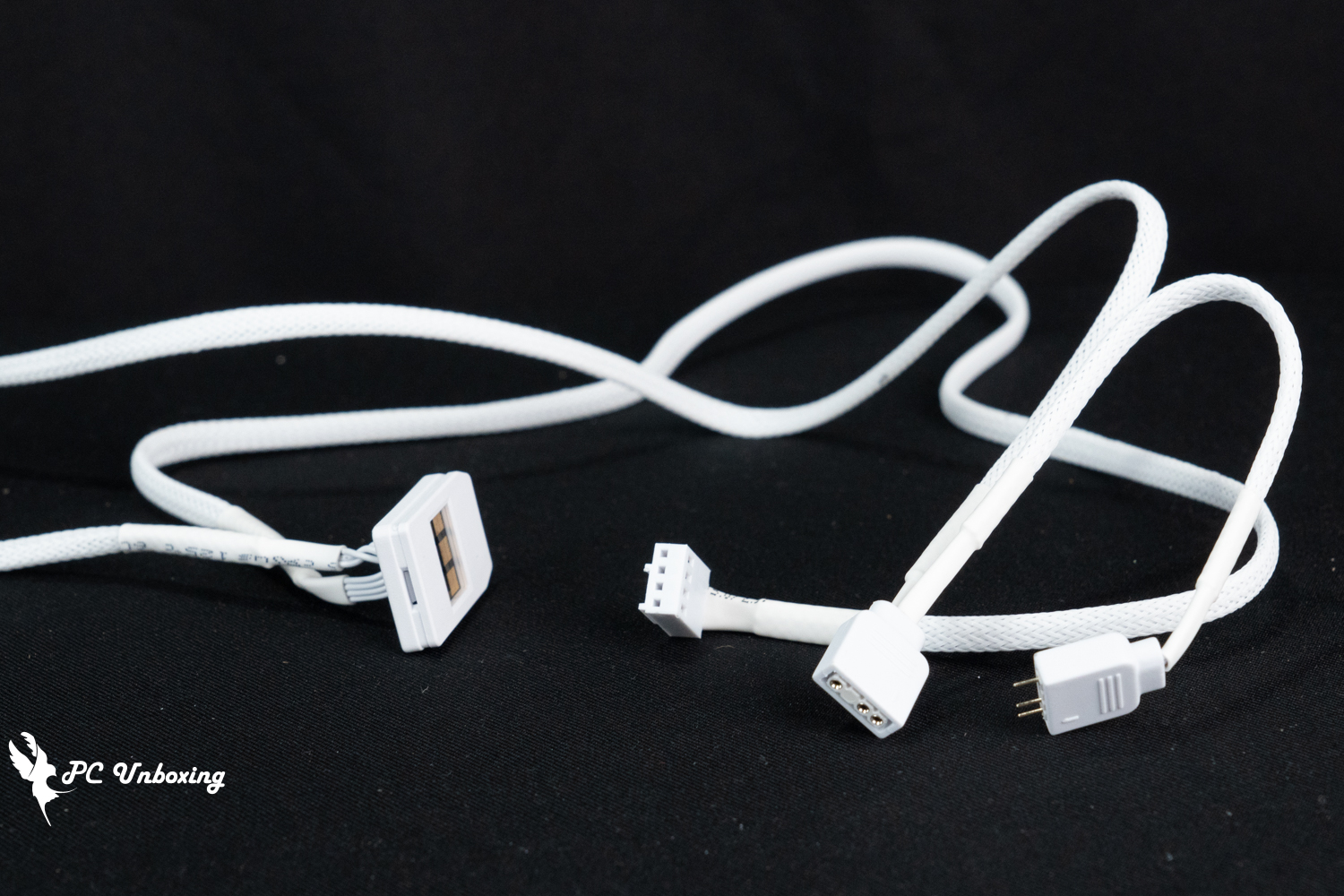
△ Magnetic cable transfer one male and one female 5V 3-Pin ARGB and PWM 4-Pin connectors to connect to the motherboard to complete the power supply.
The water-cooling pipe length is 410 mm and can use the Devil's Felt cable ties in the accessory box to help organize the pipe to enhance the aesthetic score, while the water-cooling pipe size is 399.5 x 120 x 30 mm, the water-cooling pipe uses a thicker 30 mm in the installation compatibility need to pay attention to the overall thickness of the space used.
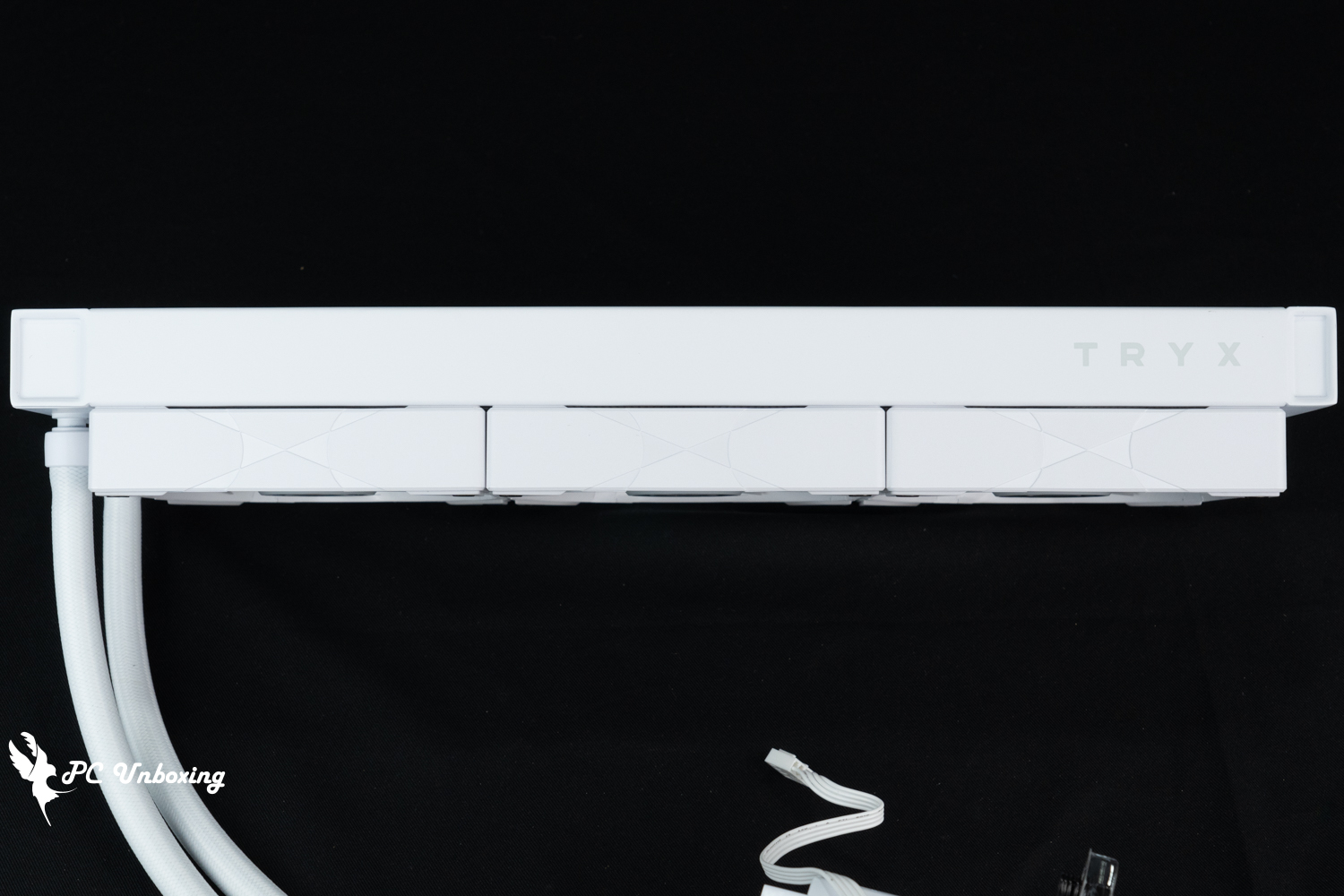
△ The dimensions of the water cooler are 399.5 x 120 x 30 mm, and the total thickness of the cooler plus the fan is 52 mm.
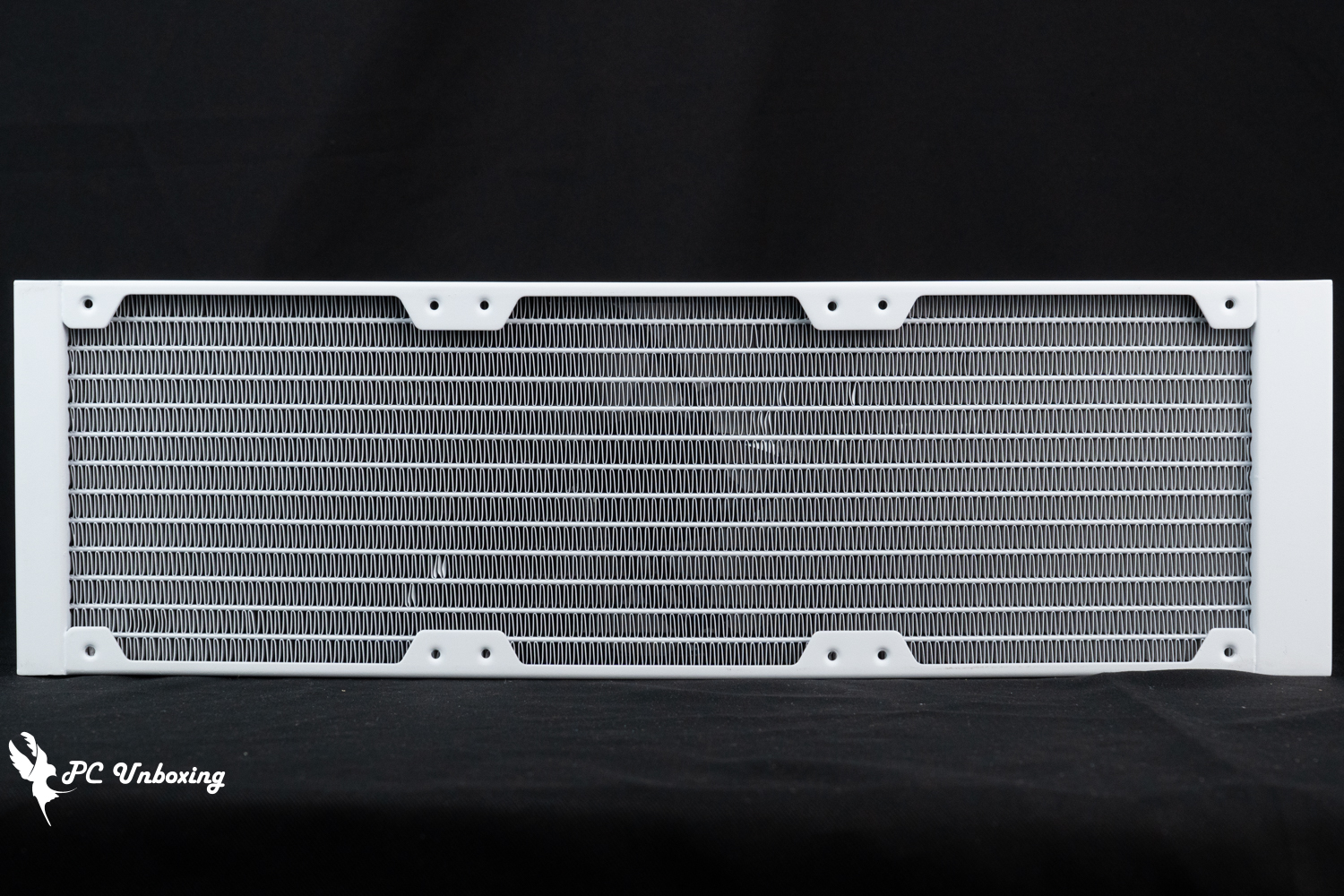
△ Single-wave water-cooled drain.
The accessories are divided into two boxes, one of the water-cooling box comes with the following accessories: Intel snap-on backplate, AMD snap-on set, α-01 thermal paste 2g, 12 water-cooling short screws, and devil's blanket cable ties.
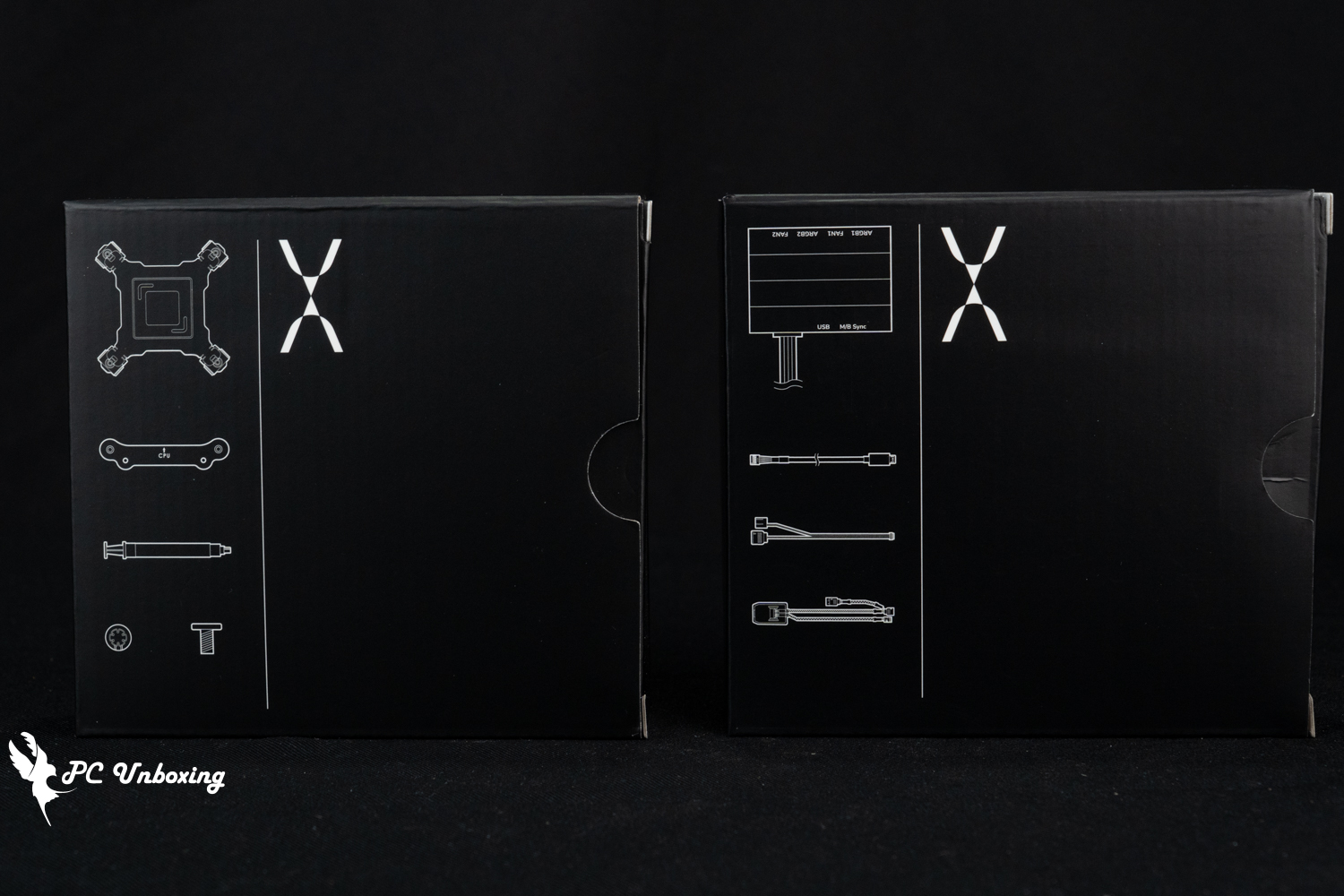
△ Water-cooling accessories are packaged in two boxes.
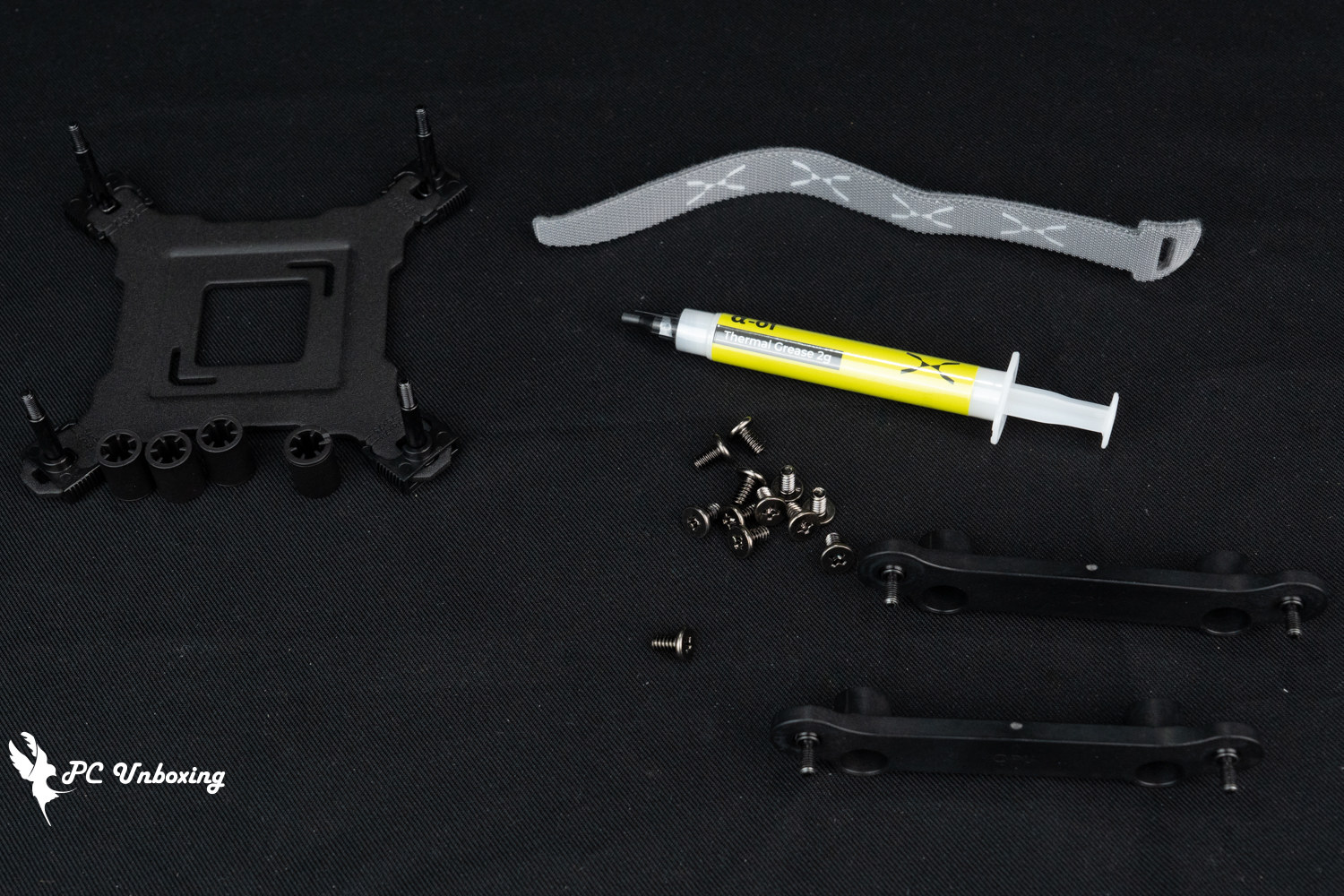
△ First box of accessories at a glance.

△ AMD platform to install the grommet, be careful to place the arrow towards the CPU.
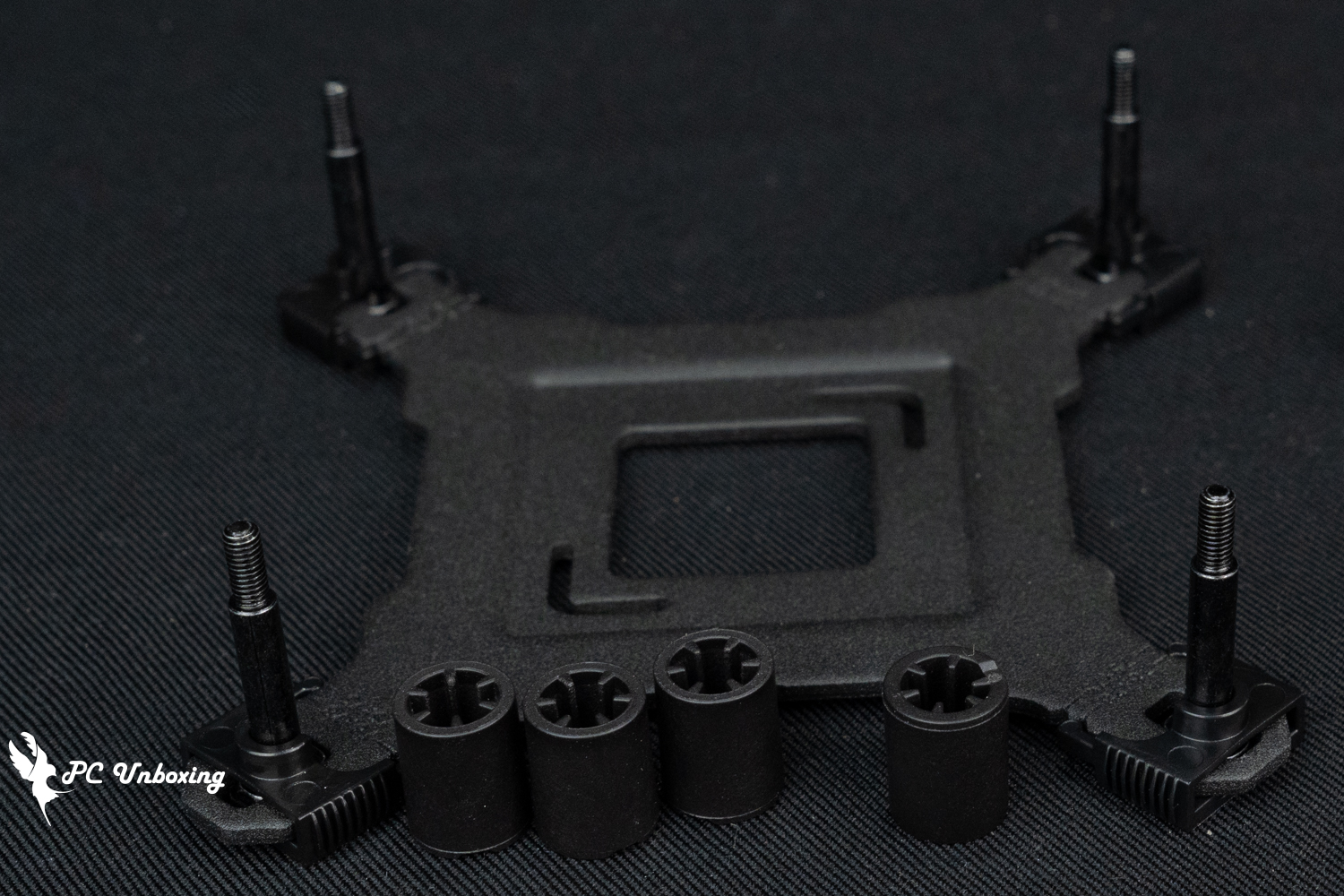
△ Intel platform mounted fastener set and sleeve.
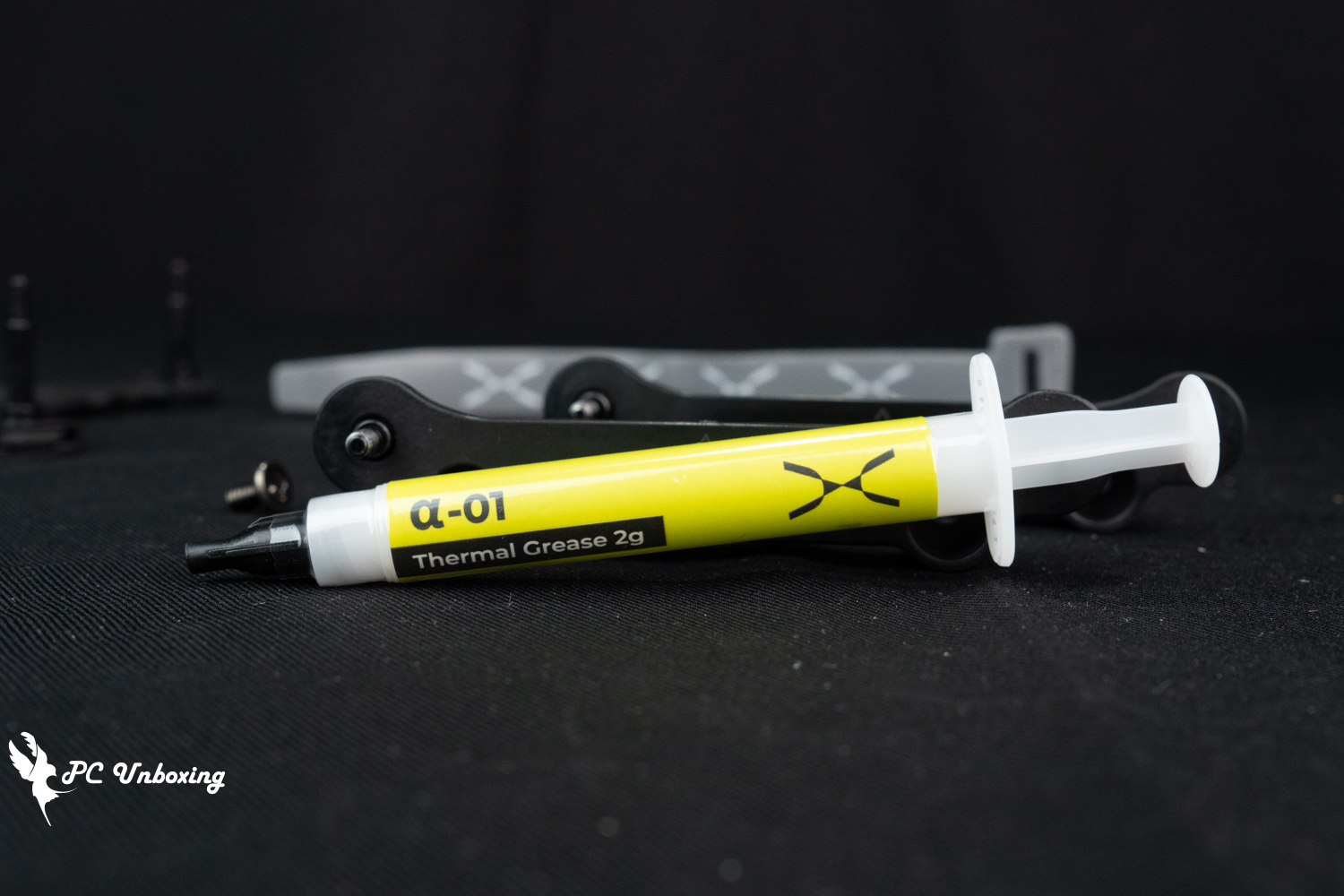
△ 2 g of α-01 Fever Dispersing Ointment is included as an extra gift.
Another water-cooling box comes with the following accessories: controller, controller cable to motherboard, magnetic fan cable, and controller adhesive backing.
In practice, water cooling can be directly connected to the motherboard with the relevant cables, it is not necessary to use the controller to be able to use, according to the use of demand to decide whether to match the controller or not.
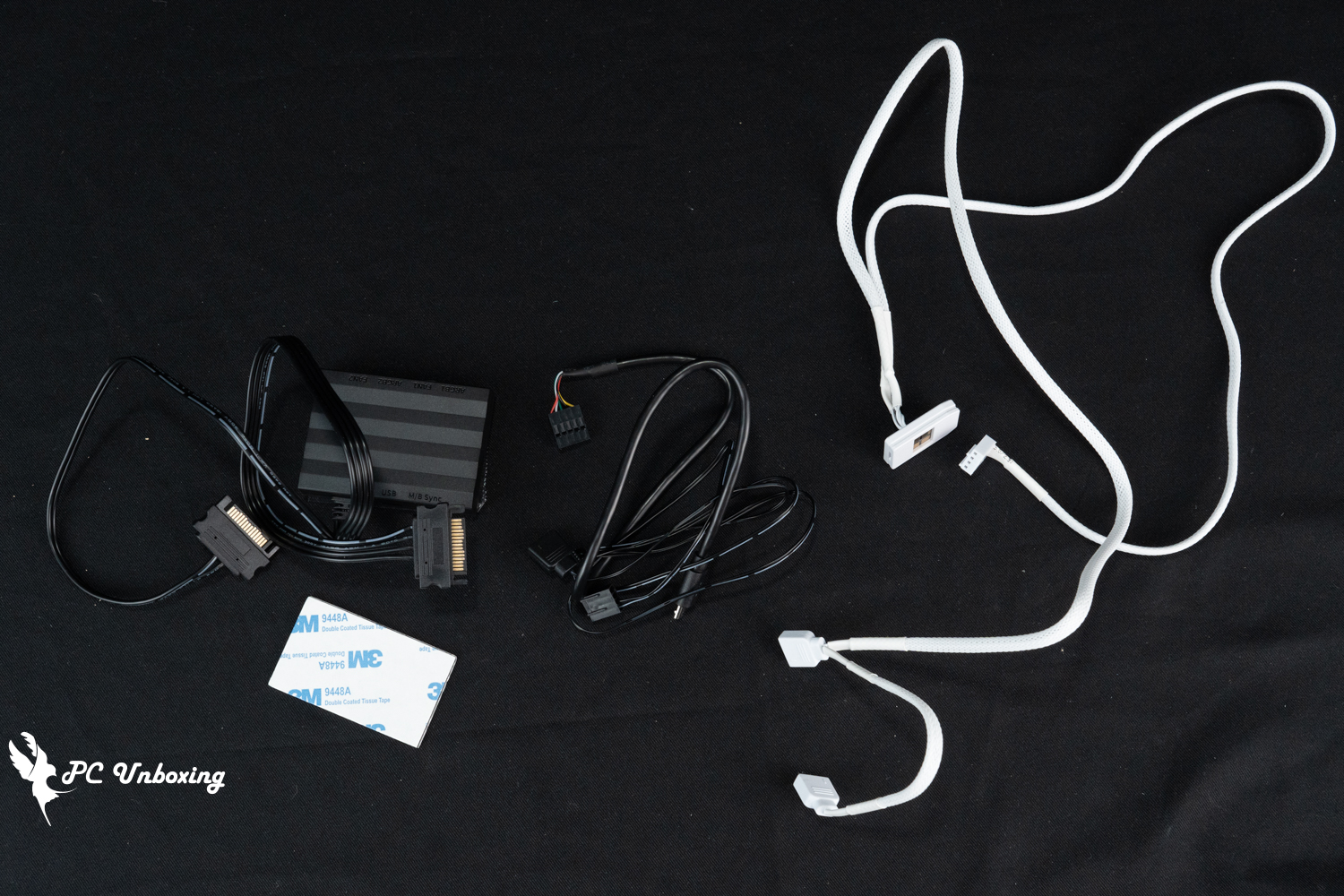
△ Another box with a list of contents.
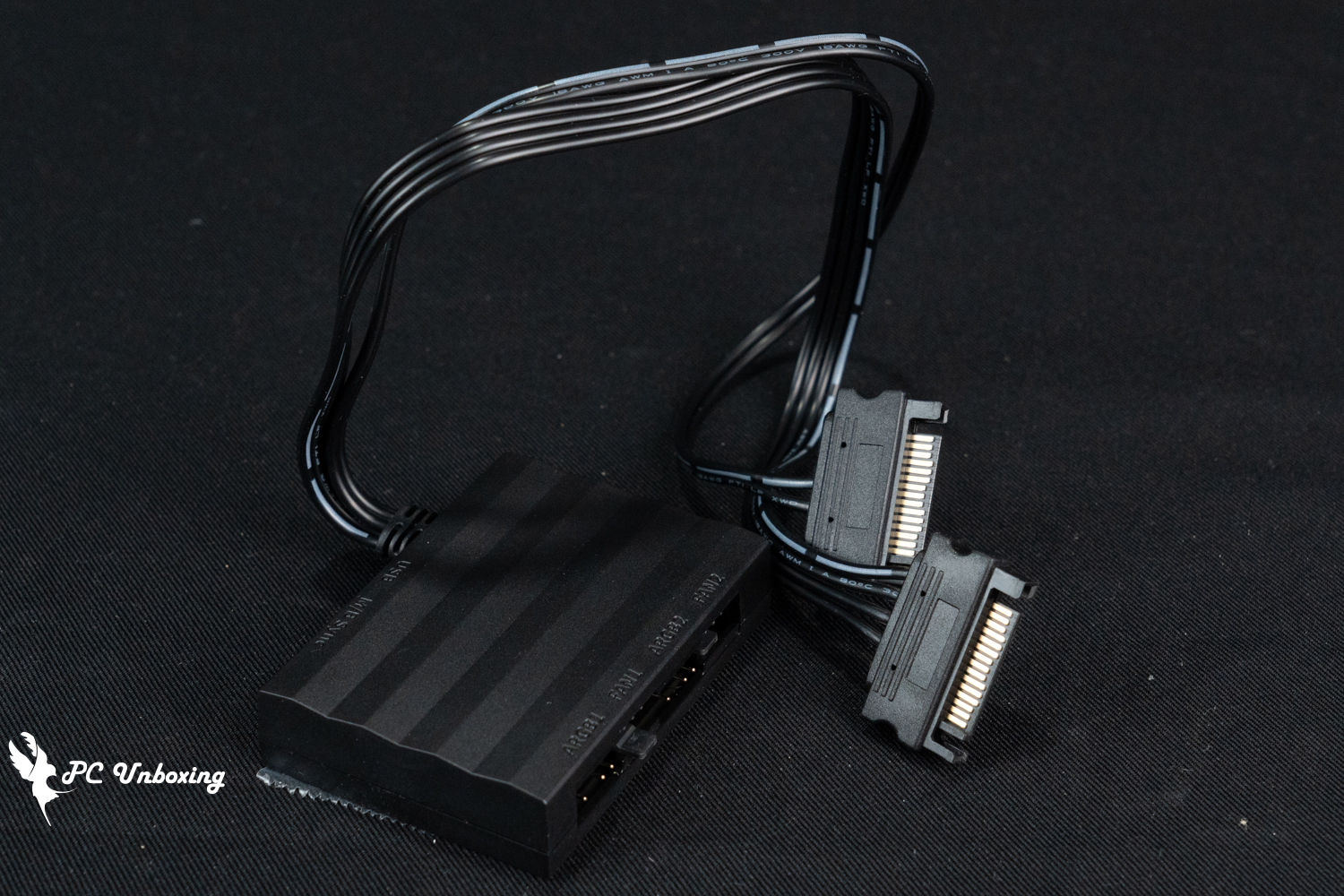
△ The controller requires two SATA power connectors.
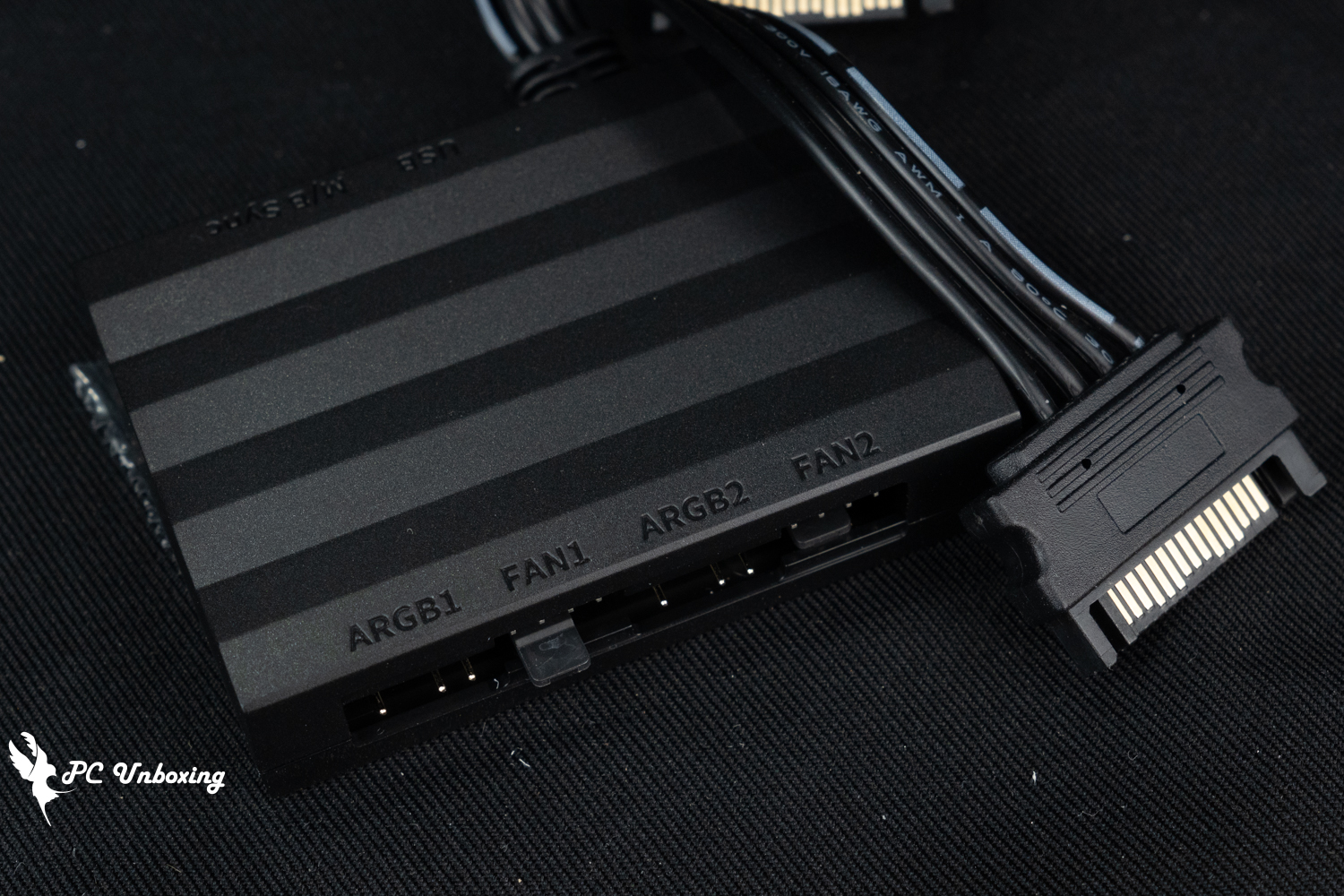
There are two PWM 4-Pin and 5V 3-Pin ARGB slots on one side of the controller.
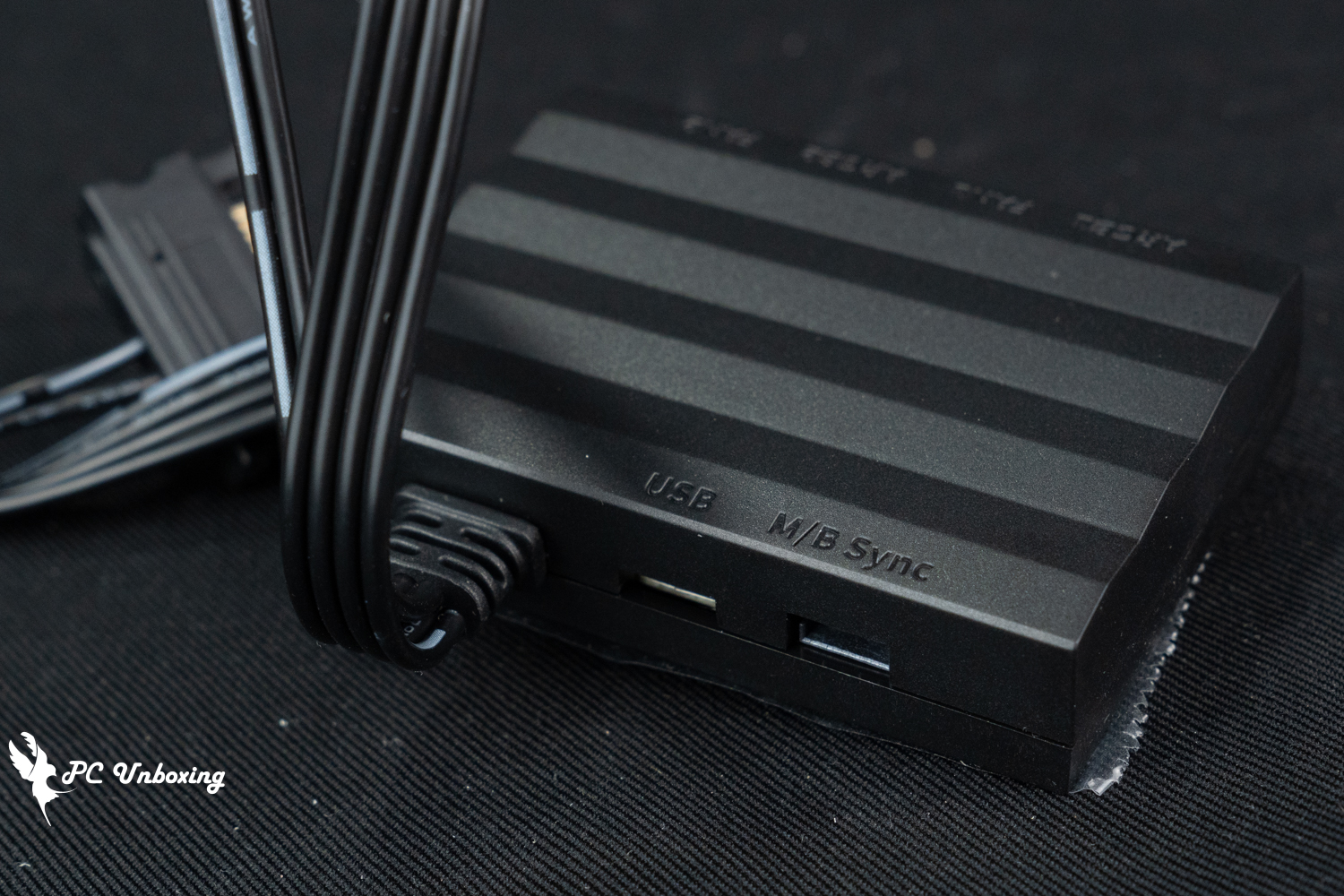
On the other side are the USB cable ports and the motherboard cable ports.
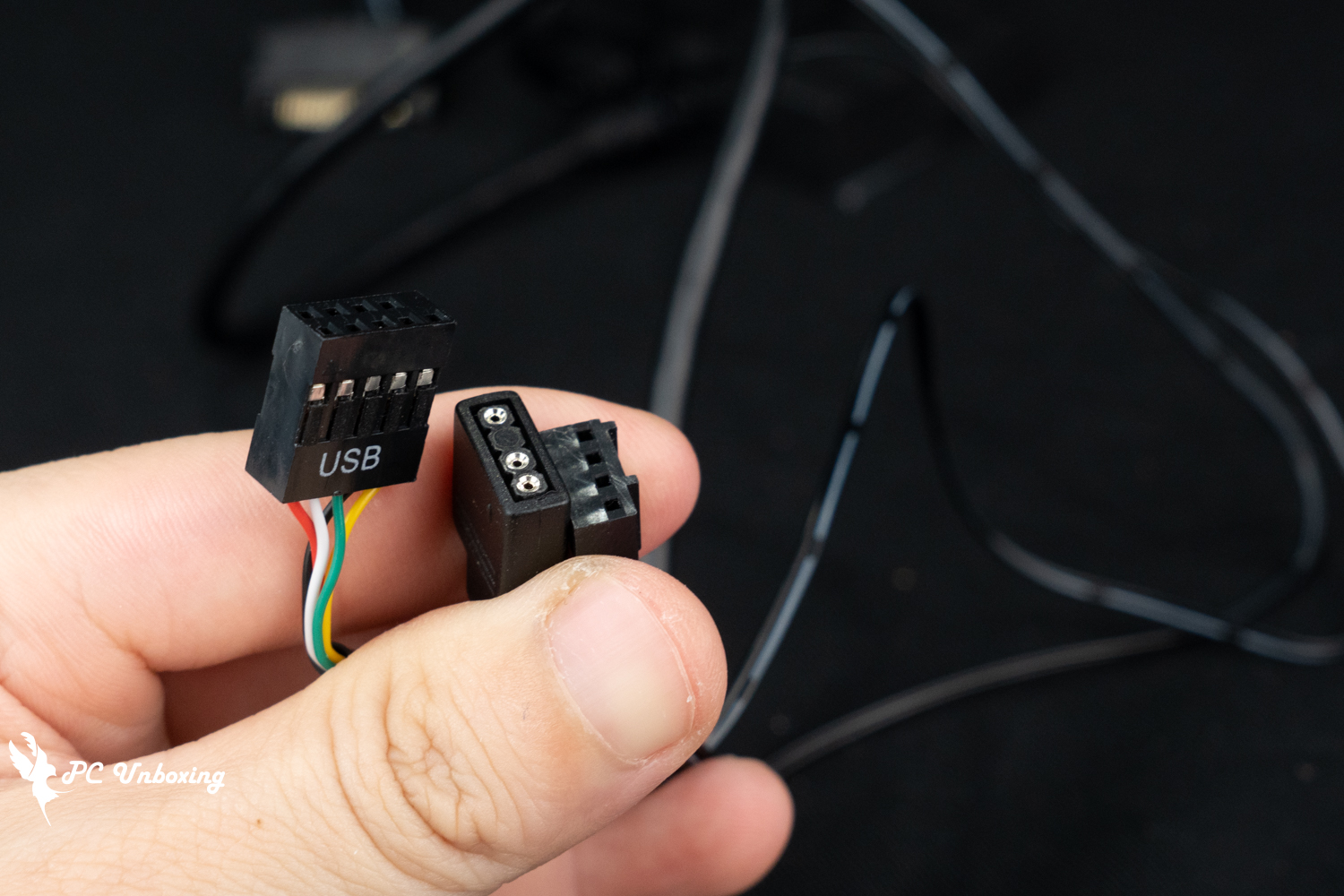
△ The connector where the controller connects to the relevant cables of the motherboard.
TRYX PANORAMA ARGB 360 Integrated water-cooling lighting effect demonstration
Then we will show you the lighting effect of TRYX PANORAMA ARGB 360 all-in-one water cooling system.
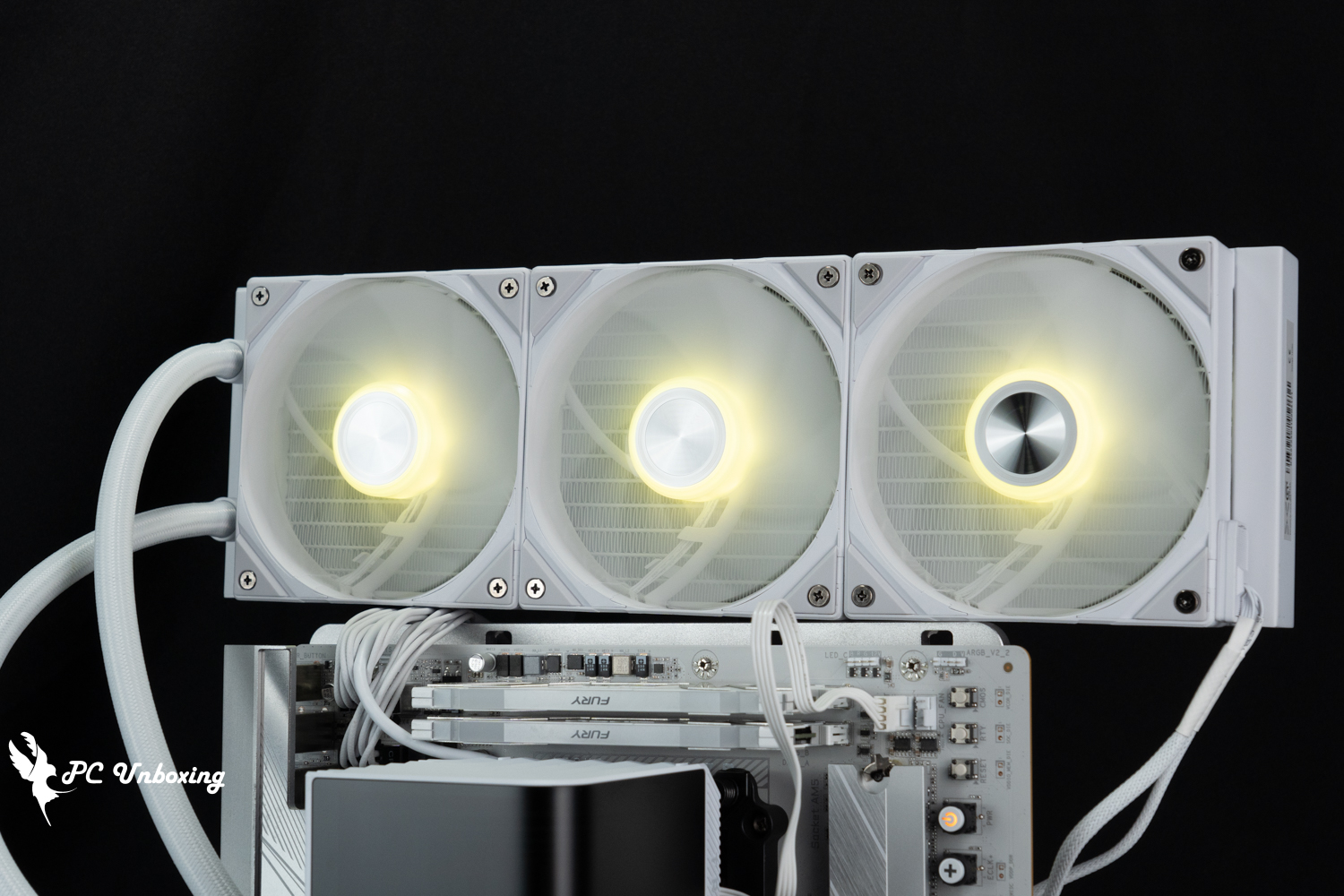
△ Fan light effect display.
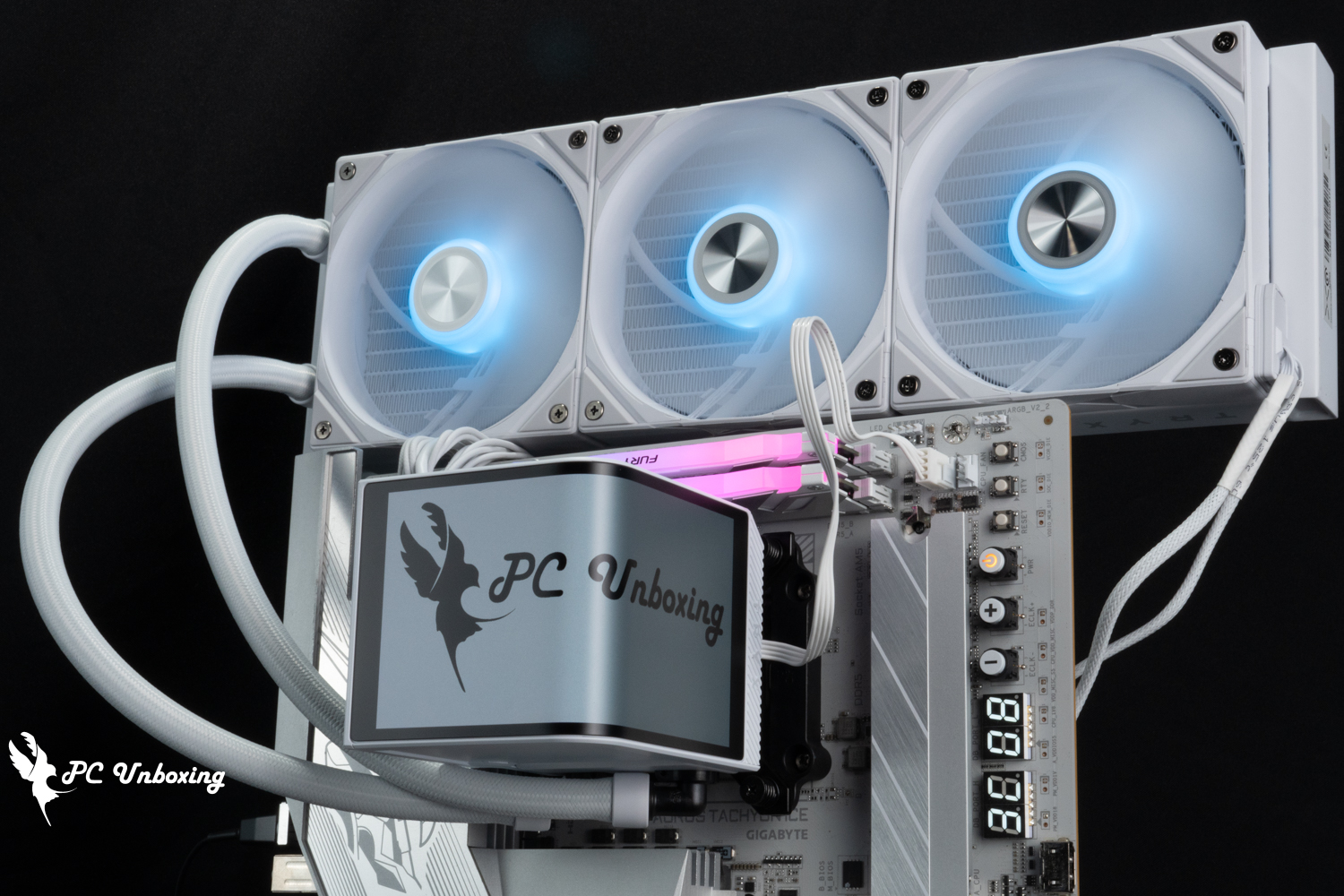
△ TRYX PANORAMA ARGB 360 one-piece water-cooling overall lighting effect display.

The G2 curvature of a curved water-cooled head is shown.
TRYX Kryptonian Galaxy PANORAMA ARGB 360 Exhibition AreaAll-in-one Water Cooling Performance Test
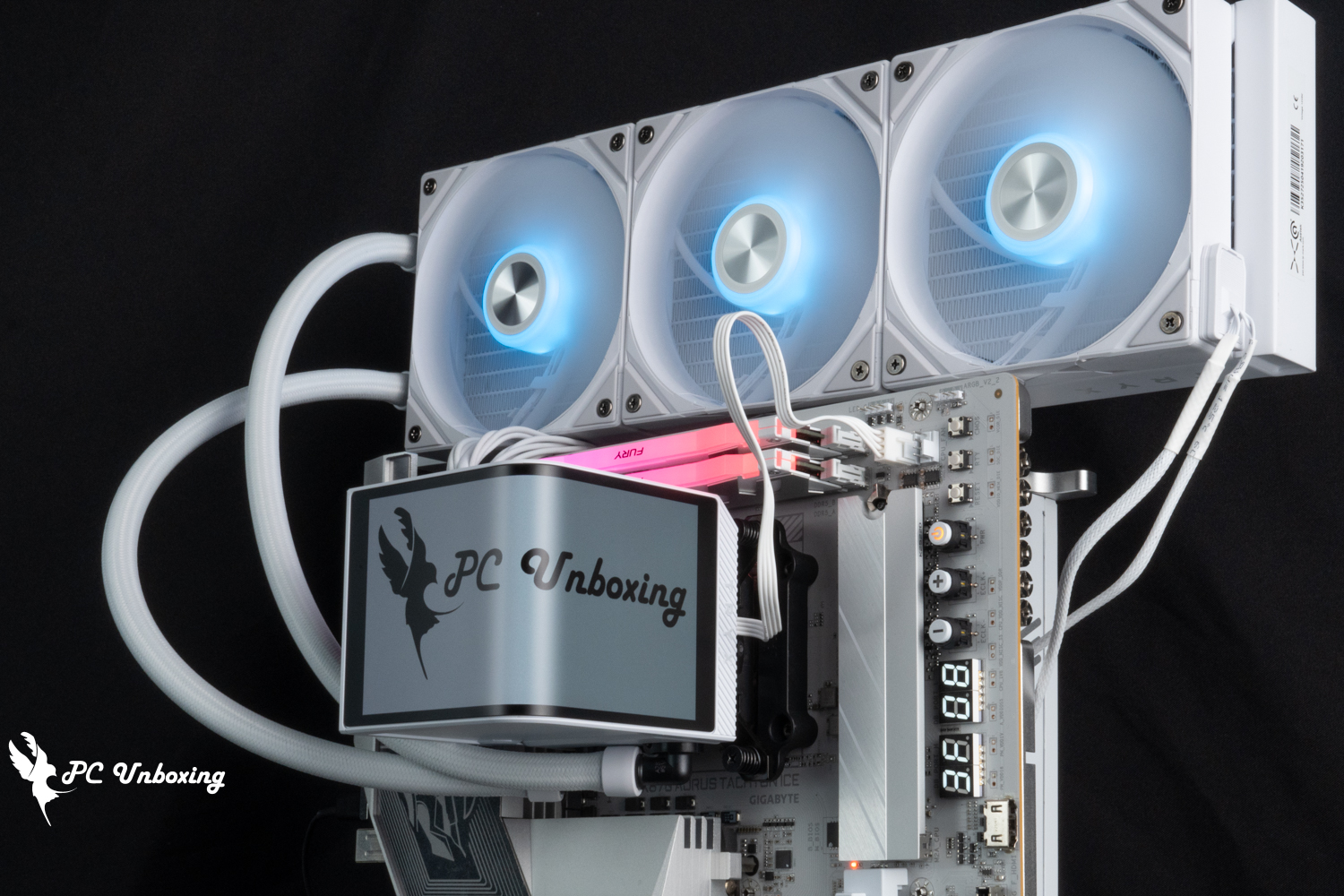
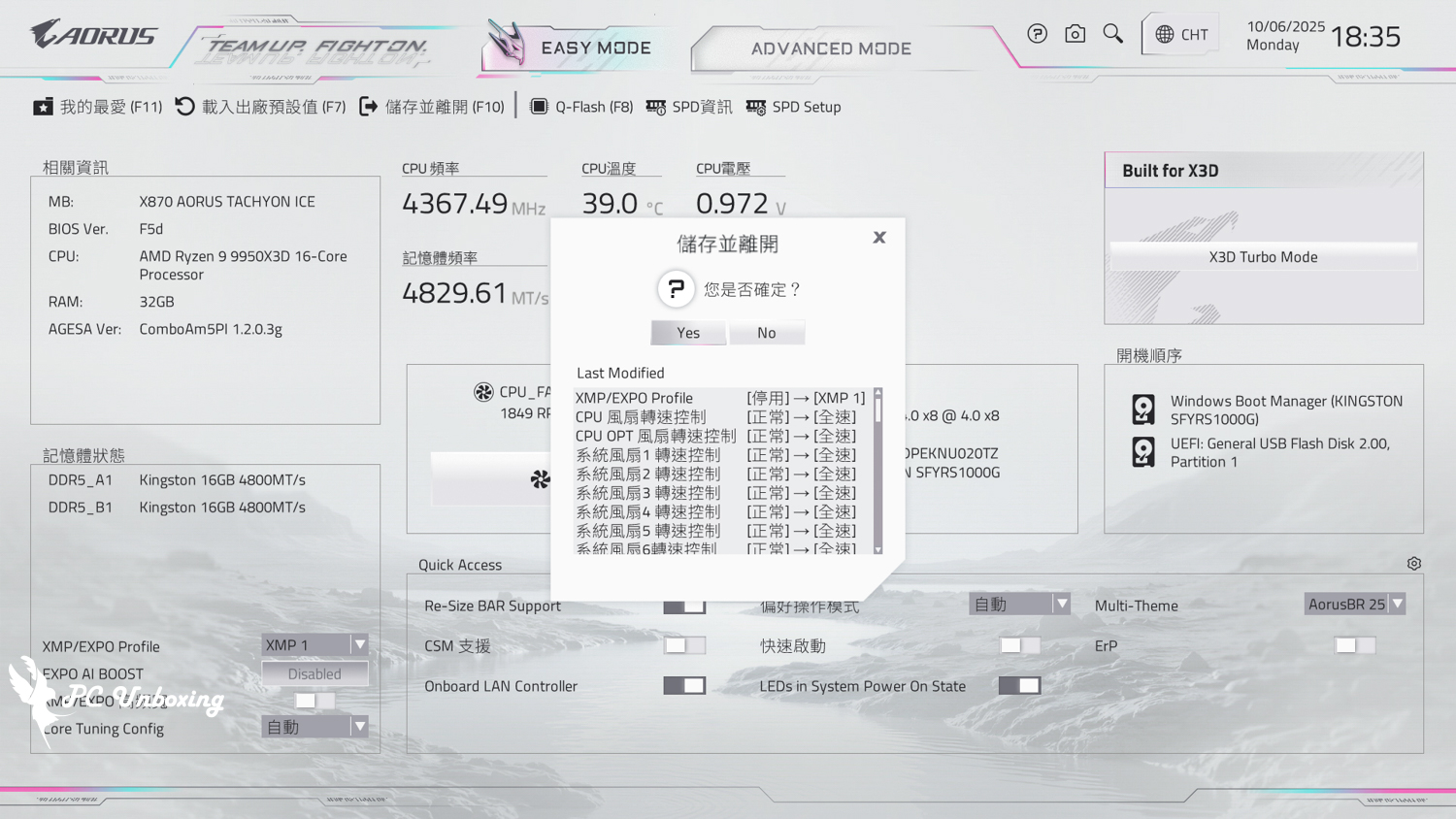
The TRYX PANORAMA ARGB 360 all-in-one water cooler is mounted on the STREACOM BC1 Benchtable V2 bare test stand. AMD Ryzen 9 9950X3D Processor and GIGABYTE X870 AORUS TACHYON ICE The motherboard was tested with all fan slots set to full speed in the motherboard BIOS, only memory profile 1 was enabled and the rest was left at default, no additional processor overclocking was performed, and the test scenario was a closed air-conditioned room in Taipei, Taiwan at 26 °C. The ambient temperature in a normal room is difficult to control, so it's just for reference.
We used AIDA64 FPU testing to simulate temperature data under extreme load conditions, and HWiNFO64 to collect and record the maximum temperature and power consumption of the CPU package.
Testing Platform
Processor:AMD Ryzen 9 9950X3D (PBO AUTO)
Cooler: TRYX PANORAMA ARGB 360 (pump and fan at full speed)
Thermal paste: coolermaster Ice Fusion V2 (thermal conductivity 5W/m-k)
Motherboard:GIGABYTE X870 AORUS TACHYON ICE (BIOS version: F5d)
Memory:Kingston FURY Renegade DDR5 RGB 7200 MT/s 16GBx2 cl38-44-44-105 1.45v
Graphics: NVIDIA GeForce RTX 4060 Ti Founders Edition 8GB
Operating System: Windows 11 Professional 24H2
Power supply:MONTECH TITAN PLA 1000W
Case: STREACOM BC1 Benchtable V2
I updated the motherboard's BIOS version to F5d version and tested it with the default settings of this motherboard. The remaining settings are: Profile 1_on, Fan Speed_Full, and the test scene is a closed room at 26 °C. This is just for reference as the ambient temperature in a normal room is difficult to control.
With the processor overclocking setting set to AUTO.AMD Ryzen 9 9950X3D In the thirty minute AIDA64 FPU, the maximum CPU temperature was 71 °C; the maximum CPU (Tctl/Tdie) temperature was 71.5 °C, and the maximum power consumption of the CPU package was 174 W. The maximum power consumption of the CPU package was 174 W. The maximum power consumption of the CPU package was 174 W, and the maximum power consumption of the CPU (Tctl/Tdie) was 71.5 °C.
- AIDA64 FPU_30 Minute
- CPU temperature is measured by the diode in the slot to measure the internal (core) or external (case) temperature, but there is no way to know exactly whether it is the internal or external temperature that is measured, and most monitoring software uses this item to display the CPU temperature.
- CPU (Tctl/Tdie) temperature is the actual maximum temperature of the CPU sensor in the chip.
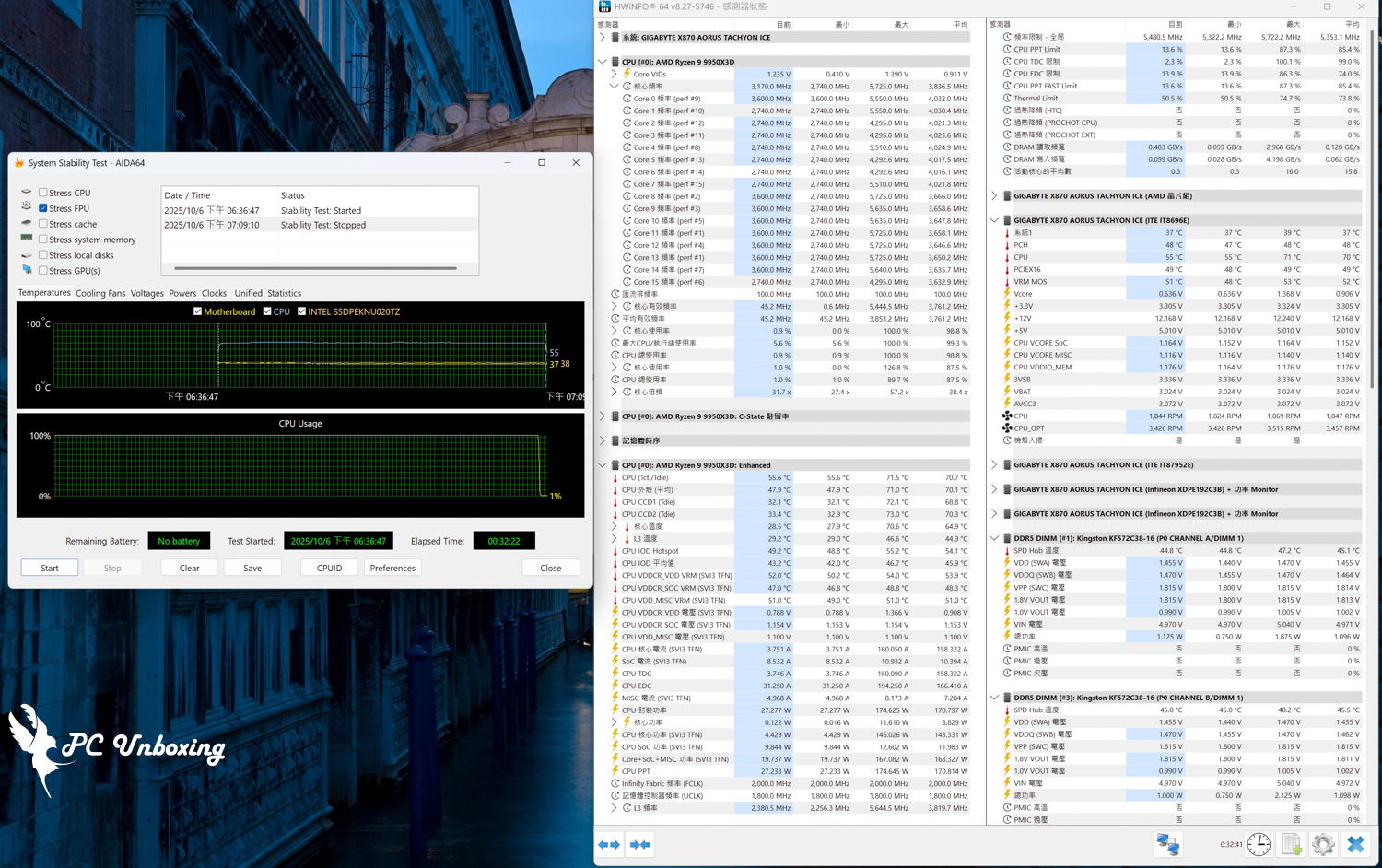
AIDA64 FPU test screenshot.
VRM Fan Cooling Performance Test on All-in-One Water Cooling Heads
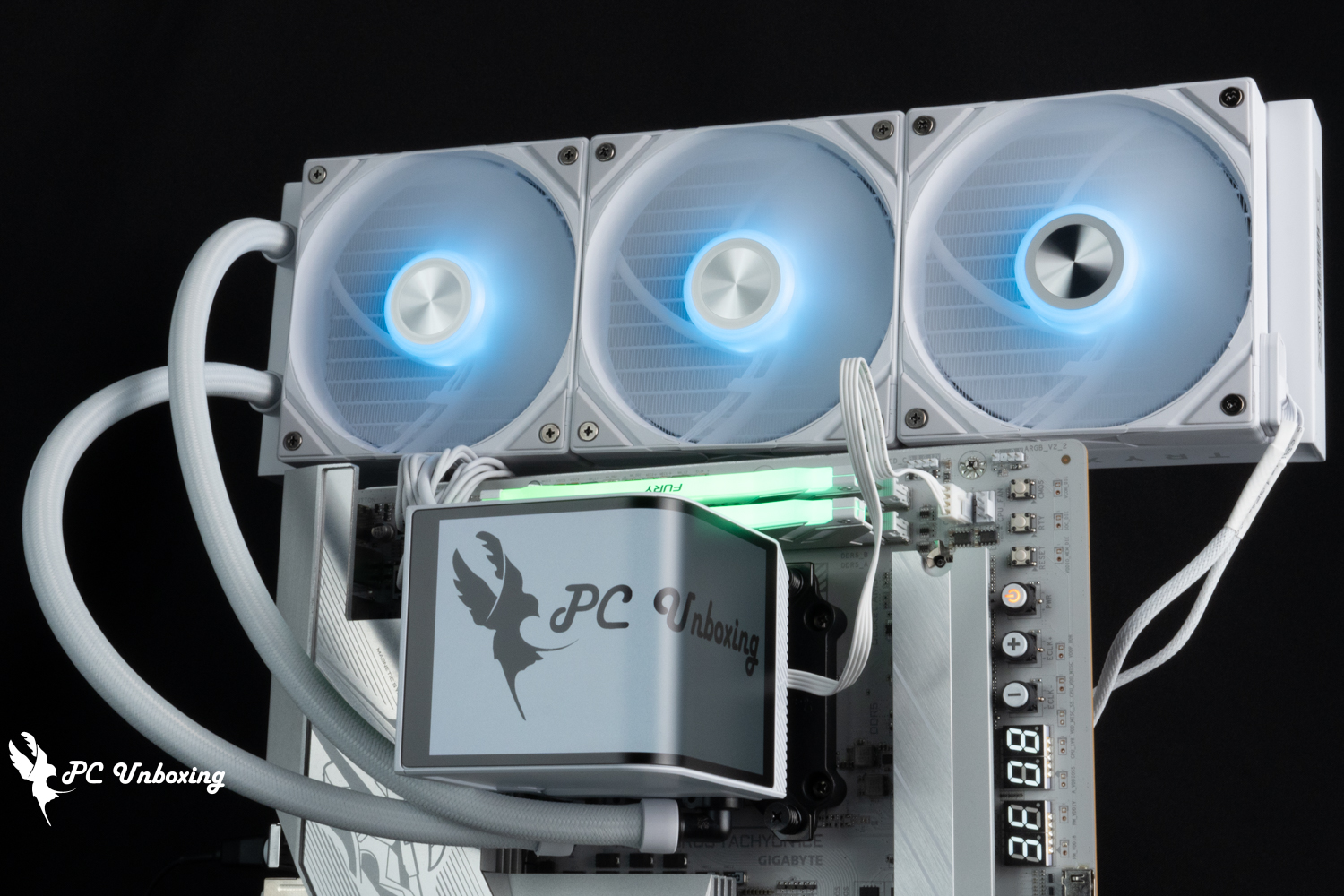
The author has always been curious about the VRM fans on many flagship all-in-one water cooling models, which are labeled as active cooling fans to assist the cooling of VRM configurations on the motherboard, is this kind of VRM fan on all-in-one water cooling really useful?
The heat generated by the motherboard VRM chip will be higher under multi-core processor load. If the motherboard's VRM heat sink has poor cooling performance, it will result in a weaker CPU multi-core performance that can't be utilized to its full capacity under a long period of high load. Intel Core Ultra 9 285K When the processor is paired with a cheaper motherboard such as the Lizard PRO Z890-S WIFI, there were problems with dead pixels and poor performance in the Cinebench 2024 multi-core test, which was later found to be due to the poor cooling performance of the VRM heatsink on the motherboard itself.
Higher-end motherboards are equipped with heavy VRM heatsinks, and also have additional heatpipes connected to the heatsinks to enhance the cooling performance, such as the motherboard in this case. GIGABYTE X870 AORUS TACHYON ICE The motherboard has a built-in nickel-plated heat pipe, and flagship motherboards usually have a built-in VRM fan inside the heatsink, for example ASRock Z890 Taichi OCF The motherboard is set up for this.
This time, the author is using GIGABYTE X870 AORUS TACHYON ICE The motherboard is tested to see if there is any difference in cooling effect and performance between a normal LIAN LI GA II Trinity SL-INF 360 all-in-one watercooler without built-in VRM fan and a TRYX PANORAMA ARGB 360 all-in-one watercooler with VRM fan when the bare test platform is placed flat and without additional fan assistance.
However, considering the logic of the built-in VRM fan on the water-cooling header, the most effective environment for the VRM fan to be used should be the motherboard model with poorer heat sink performance and installed inside the chassis, where all aspects of the heat dissipation are poor in order to maximize the effectiveness of the all-in-one water-cooled VRM fan, but due to the fact that I'm not accustomed to using such an introductory motherboard, and would like to use a thermal imager to observe it, I have to use a sub-flagship motherboard and bare test platform for the actual testing. However, since I am not used to using such an advanced motherboard, and I want to use a thermal imaging device to observe the situation, I used a sub-flagship motherboard and a bare test platform to conduct the actual test.
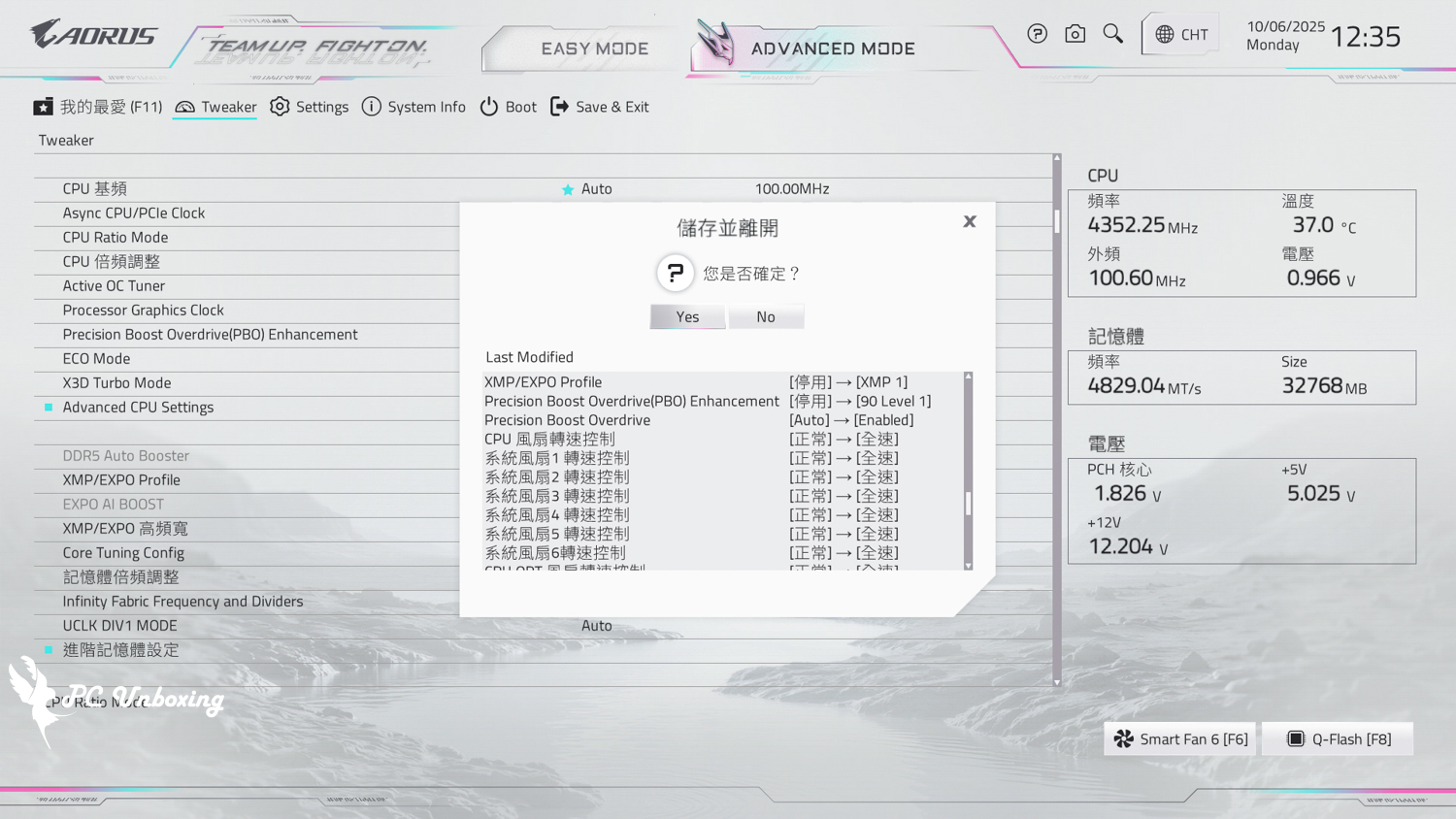
During the test, all fan slots were set to run at full speed in the BIOS, and PBO (Precision Boost Overdrive) was additionally set to Enable, and Precision Boost Overdrive Enhancement was set to 90 Level 1, to increase the processor load capacity to put pressure on the VRM. The VRM is stressed by setting PBO (Precision Boost Overdrive) to Enable and Precision Boost Overdrive Enhancement to 90 Level 1.
additionally GIGABYTE X870 AORUS TACHYON ICE Because the motherboard rotates the CPU socket block, memory slots, and VRM power supply block 90° to the left, which is different from the direction of the 99% common consumer-grade motherboards, if you follow TRYX's official "water pipe facing downward toward the graphics card" method of installing the VRM fan on this motherboard, the wind flow will blow to the left side of the VRM power supply block and the top of the DDR5 memory slots. The VRM fan on this motherboard will blow on the left VRM power supply block and the upper DDR5 memory slot block, for reference only.
Testing Platform
Processor:AMD Ryzen 9 9950X3D (PBO_Enable/PBO Enhancement_90 Level 1)
Cooler: TRYX PANORAMA ARGB 360 (pump and fan at full speed)
Thermal paste: coolermaster Ice Fusion V2 (thermal conductivity 5W/m-k)
Motherboard:GIGABYTE X870 AORUS TACHYON ICE (BIOS version: F5d)
Memory:Kingston FURY Renegade DDR5 RGB 7200 MT/s 16GBx2 cl38-44-44-105 1.45v
Graphics: NVIDIA GeForce RTX 4060 Ti Founders Edition 8GB
Operating System: Windows 11 Professional 24H2
Power supply:MONTECH TITAN PLA 1000W
Case: STREACOM BC1 Benchtable V2
Extra Contrast Radiator: LIAN LI GA II Trinity SL-INF 360 (Full Speed)
Additional Contrast Group Water Cooling Fan: 3x XPG VENTO PRO 120 PWM (Full Speed)
We will begin with a 30-minute Cinebench 2024 Multi-core tests were conducted and the maximum temperatures of the motherboard VRM MOS and DDR5 memory SPD were collected and recorded by HWiNFO64 during the tests.
Using the LIAN LI GA II Trinity SL-INF 360 without a VRM fan, the maximum temperature recorded in software was 57 °C for the VRM MOS and 59 °C for the SPD Hub of both DDR5 memories.
The TRYX PANORAMA ARGB 360 with its own VRM fan recorded a maximum temperature of 56 °C for the VRM MOS and 58.2 °C for the SPD Hub of the two DDR5 memories in the software.
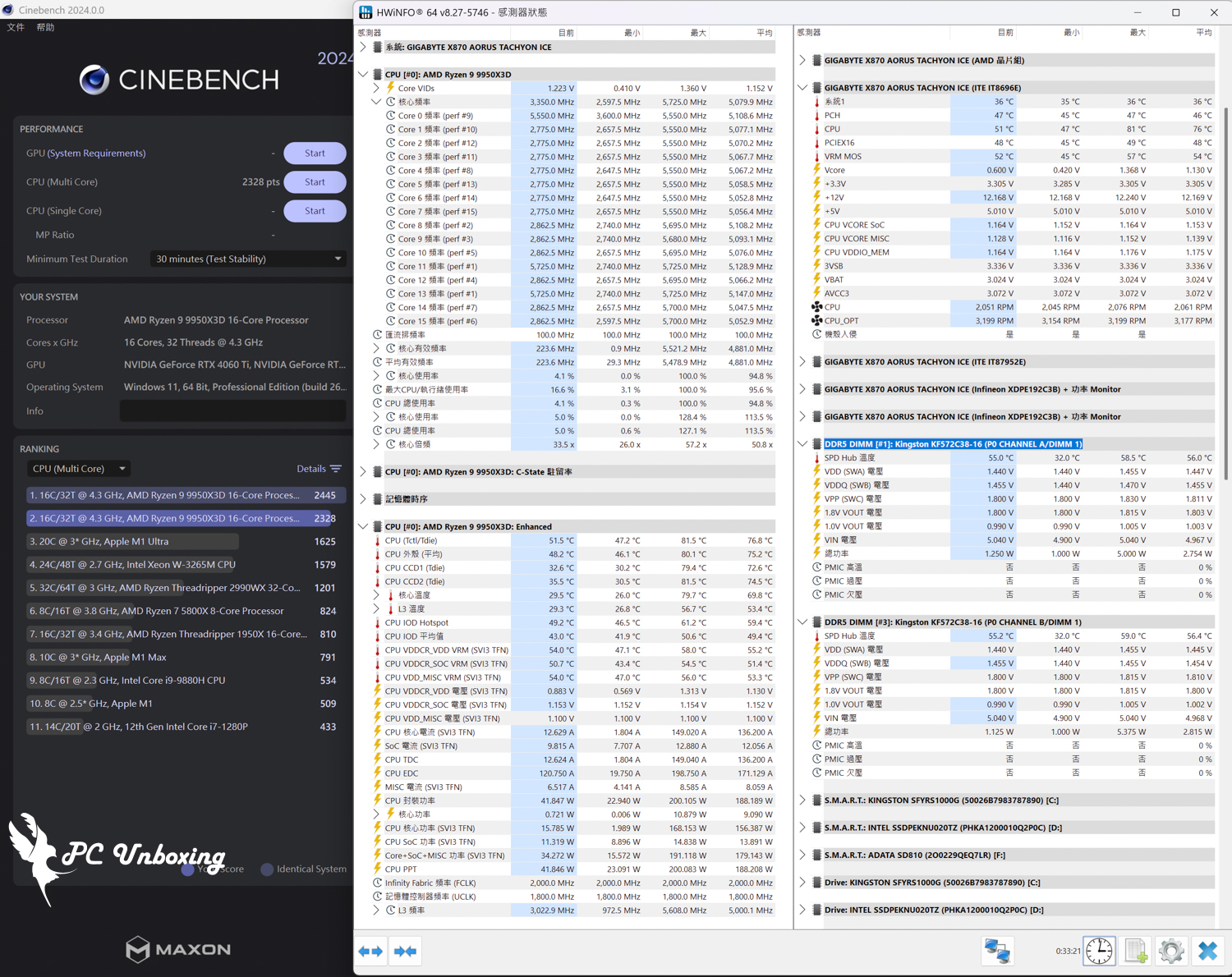
Temperature screenshot after a thirty-minute stress test on a regular 360 water cooler.
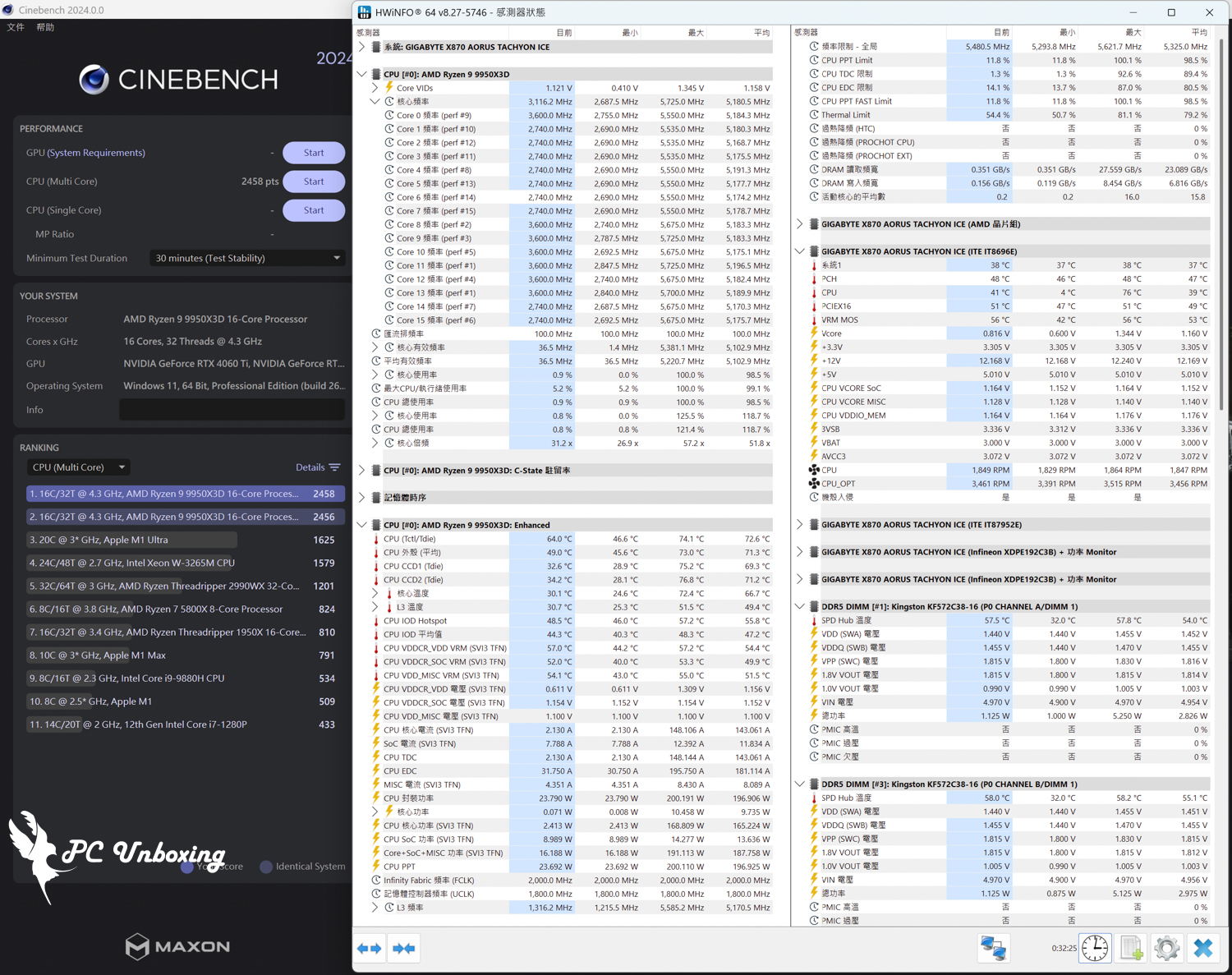
△ Temperature screenshot of the TRYX PANORAMA ARGB 360 water cooler with VRM fan after a thirty-minute stress test.
During the above 30 minutes Cinebench 2024 For multi-core testing, the FLIR ONE PRO Thermal Imaging Camera was used to observe the surface temperatures of the motherboard VRM and DDR5 memory heatsinks to see if the VRM fan on the TRYX PANORAMA ARGB 360 All-in-One Watercooler was working, with the motherboard's magnetized trim tabs removed to ensure that they would not be affected.
When testing the LIAN LI GA II Trinity SL-INF 360 without the VRM fan, the maximum temperature at the back of the DDR5 memory closest to the water cooling head was 48 °C, while the surface temperature of the VRM heatsink on the left half of the screen was 46.4 °C, and the surface temperature of the VRM heatsink on the lower half of the screen, which does not receive any airflow from the water cooling head, was 51.1 °C. The temperature at the bottom half of the screen was 51.1 °C, and the surface temperature at the bottom half of the screen was 51.1 °C.
The PANORAMA ARGB 360 Spread Spectrum All-in-One Watercooler with VRM fan has a surface temperature of 43°C on the left half of the screen, 49.5°C on the lower half of the VRM heatsink that doesn't get any airflow from the cooler, and the DDR5 memory portion can't be viewed as it is blocked by the screen.
Removing the screen for a while and letting the thermal imaging camera take a better look at it, the backside of the DDR5 memory closest to the water-cooling head has a maximum temperature of 42.4 °C, while the surface temperature of the VRM heatsink on the left side of the screen is 40.4 °C, and the surface temperature of the VRM heatsink on the lower half of the screen that is not exposed to the airflow from the water-cooling head is 47.2 °C, so it seems to be a bit more effective in dissipating the heat with the screen removed for the time being.
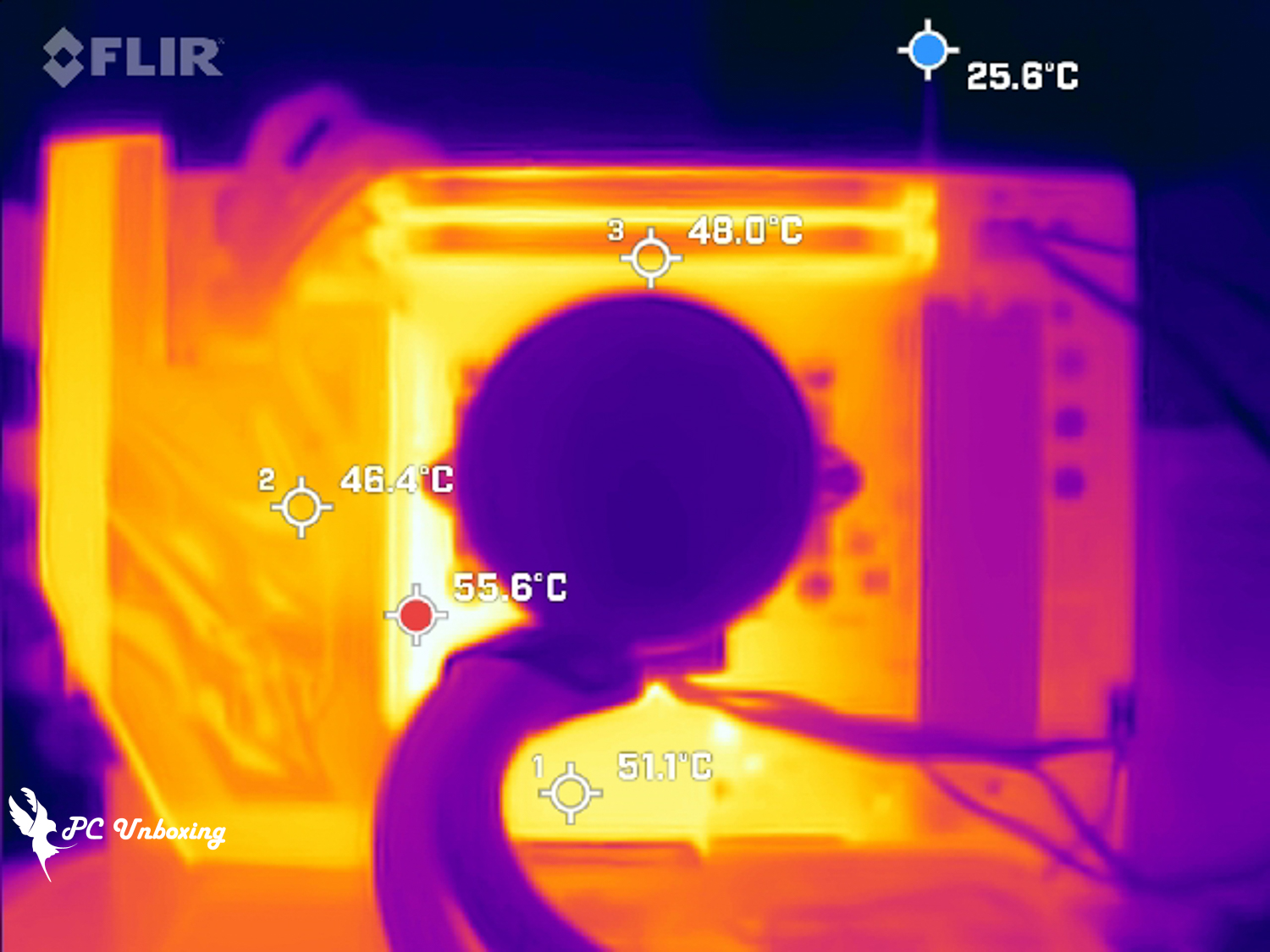
△ When testing with a regular LIAN LI all-in-one water cooler, a FLIR ONE PRO thermal imaging camera was used to observe the surface temperature of the heatsink.

TRYX Krypton Galaxy PANORAMA ARGB 360 Spread Spectrum All-in-One Watercooler with screen mounted view.
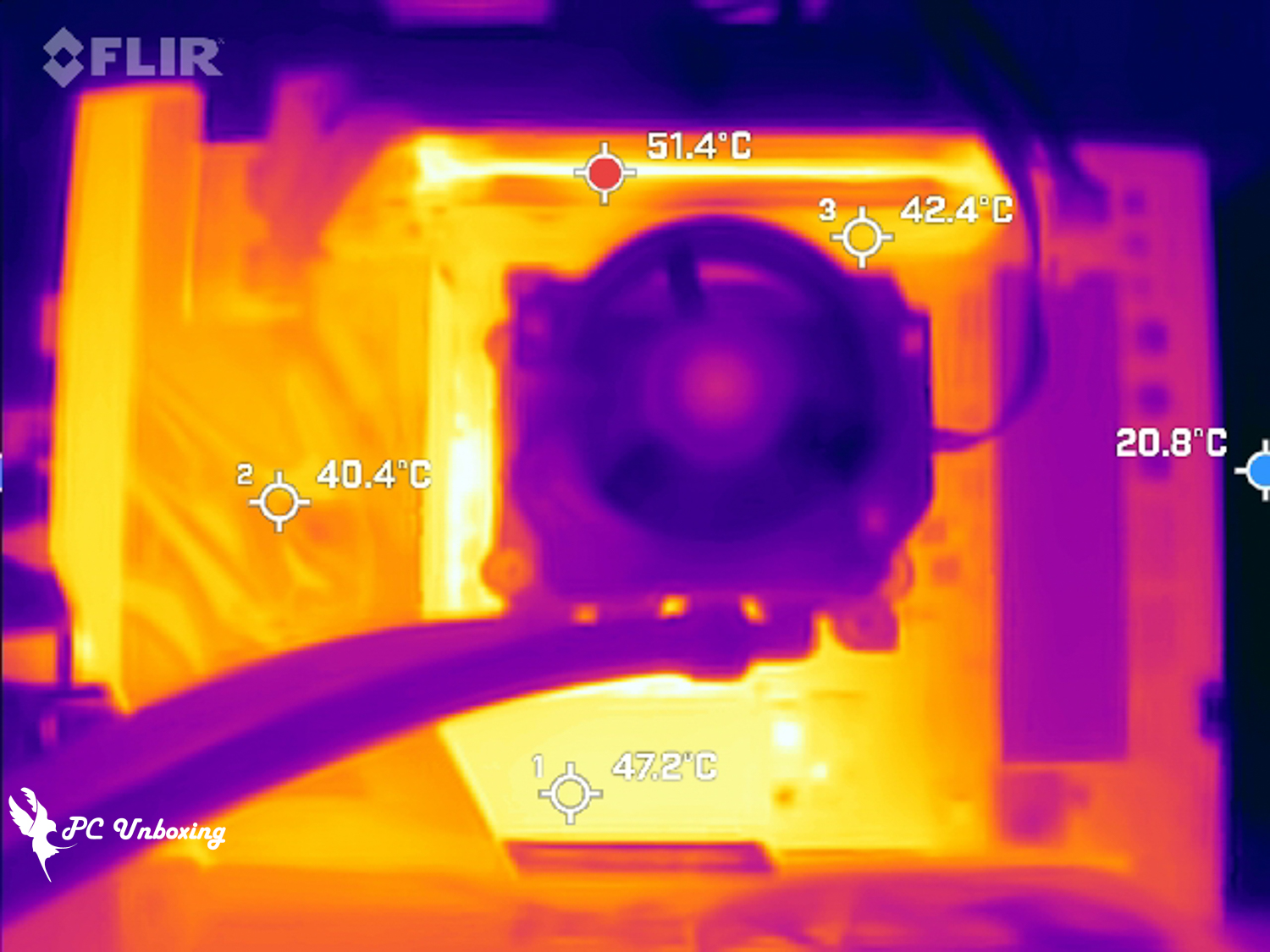
△ Remove the screen briefly to view the cooling effect of DDR5 memory.
Conclusion
This test comes from TRYX Krypton's first AMOLED curved screen all-in-one water-cooled PANORAMA ARGB 360 Spread Spectrum White Edition, now has a Taiwan agent to handle the after-sales and distribution channels, no longer need to buy unsecured water-cooled products to experience, the price part of the rival is the Co-exus Dragon King IV ROG Ryuo IV SLC 360 ARGB but the PANORAMA ARGB 360 has a VRM fan and uses Asetek Gen8 V2(8.5) _ code name Emma V2 water pump solution. The PANORAMA ARGB 360 has a VRM fan and uses the Asetek Gen8 V2(8.5)_codename Emma V2 water pump solution, while the PANORAMA Ryuo IV does not have a VRM fan, and the PUMP water pump solution is unknown.
Test Match AMD Ryzen 9 9950X3D The processor was tested in a thirty-minute AIDA64 FPU and the maximum CPU temperature was around 71 °C (maximum power consumption 174 W), so there is no need to worry about overheating and downclocking when using a multi-core AMD processor.

This time, I also tested whether the built-in VRM fan is practical or not, with a sub-flagship motherboard with better cooling scale and a bare test frame which is more friendly to passive airflow. With better cooling planning, the TRYX PANORAMA ARGB 360 all-in-one watercooler with the built-in VRM fan recorded a better maximum temperature in the software, but only a little bit better. In conclusion, the author believes that the built-in VRM fan is more suitable for entry-level motherboards to bring better cooling efficiency, so the setup list is more suitable for gamers who want to dilute a little bit on their motherboards but want cool watercooling, while top boarders with a good budget can rely on high-end motherboards, which are sufficiently well planned for cooling.
During the testing process, I found that the built-in VRM fan is a bit obvious in terms of sound and noise, if you can't accept it, it is recommended to adjust the speed curve setting of the VRM fan in KANALI software, and the software has four default settings to adjust.

Yun
Drinks with less than full sugar are colored water. Crossing Turbid Creek, full sugar is not a crime!


 繁體中文
繁體中文  English