
ASRock AM5 Motherboard with AMD PBO Tutorial|Complete Guide to BIOS Overclocking Setting

This article will teach you how to turn on AMD PBO (Precision Boost Overdrive) processor on ASRock AMD AM5 motherboards, so that you can get more processor performance for free and easily.
ASRock AM5 Motherboards AMD PBO Startup and BIOS Setup Tutorials
First of all, when you see ASRock logo during the boot process, press Del to enter BIOS.
After entering the BIOS, click on the “Performance Preset” option on the "OC Tweaker Overclocking Tools" page, and change from auto auto to PBO Enabled.
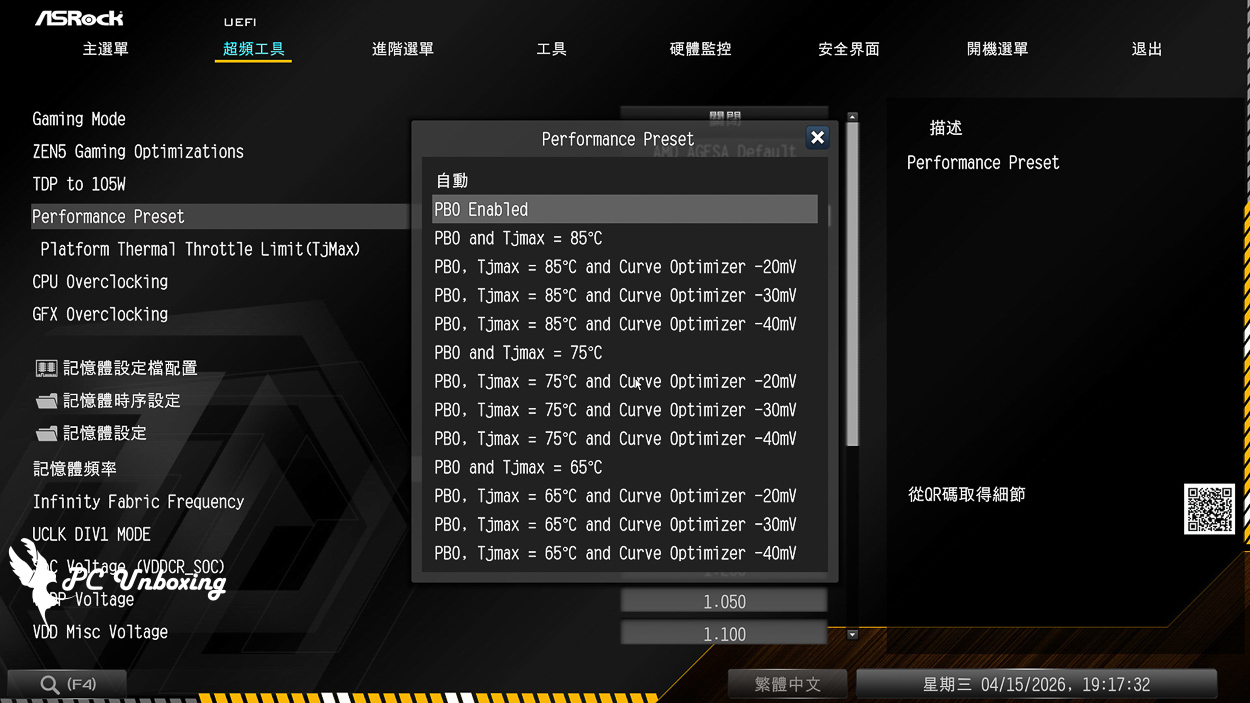
Then go to the Advanced Menu, look for AMD Overclocking option, find “Precision Boost Overdrive” in there, then go to set Precision Boost Overdrive to Enabled. Precision Boost Overdrive is short for PBO, then press F10 to save and exit.
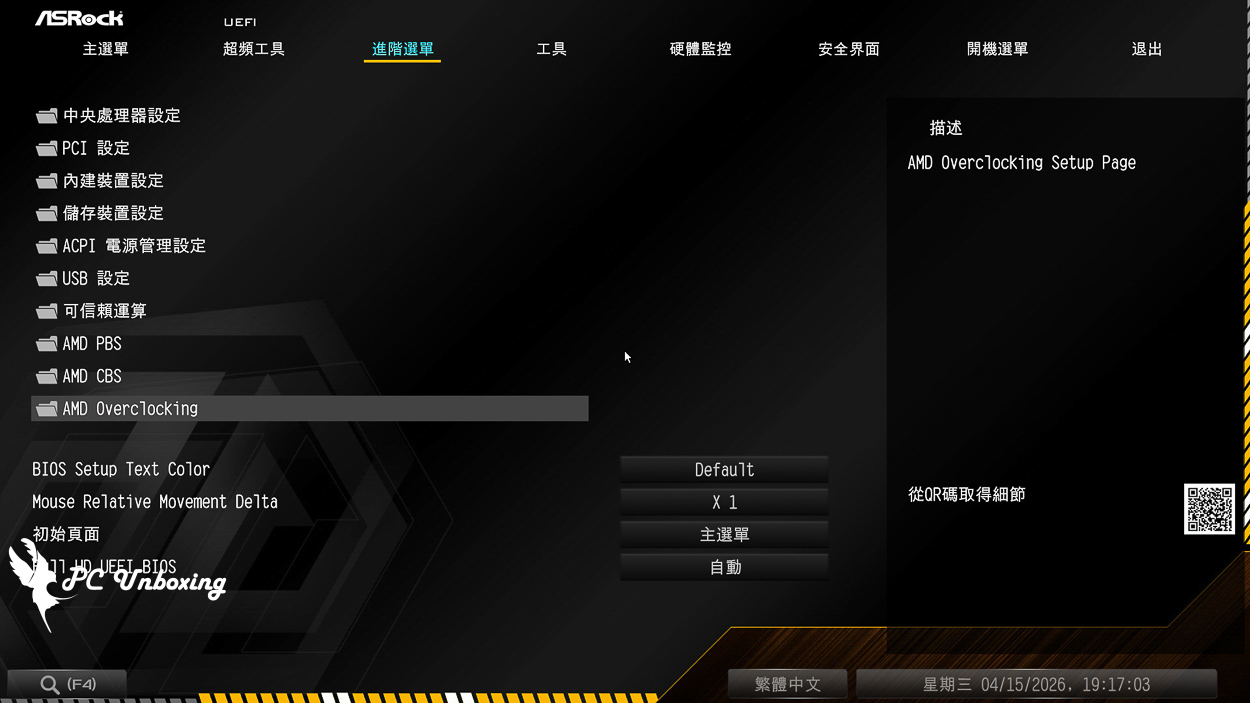
△ Find the AMD Overclockin option and click on it.
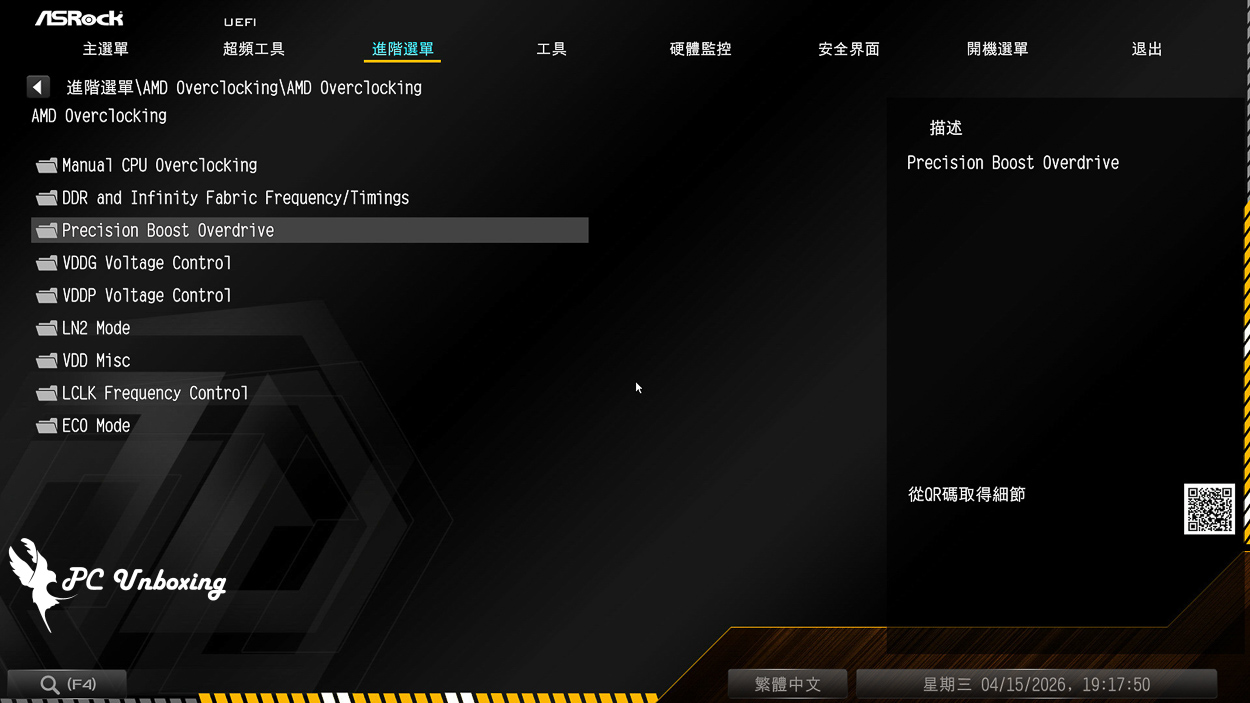
△ Find the Precision Boost Overdrive option and tap it.
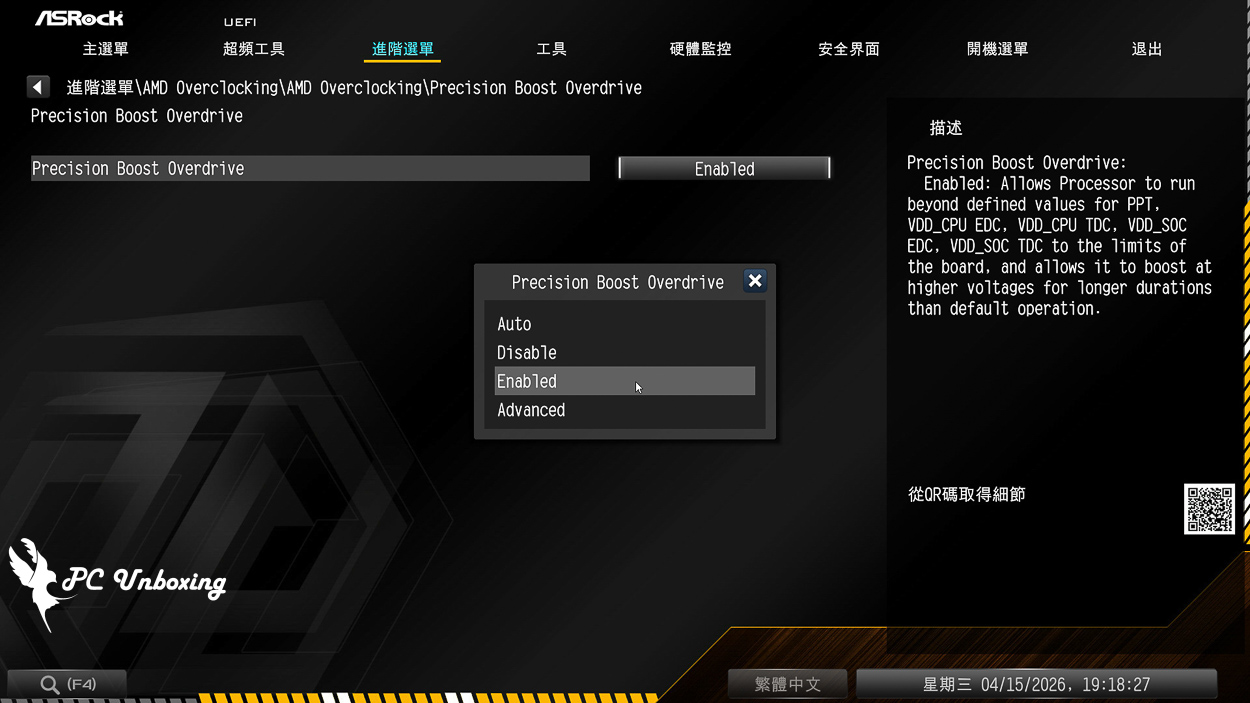
△ The default is AUTO, manually select AMD PBO (Precision Boost Overdrive) to Enabled.
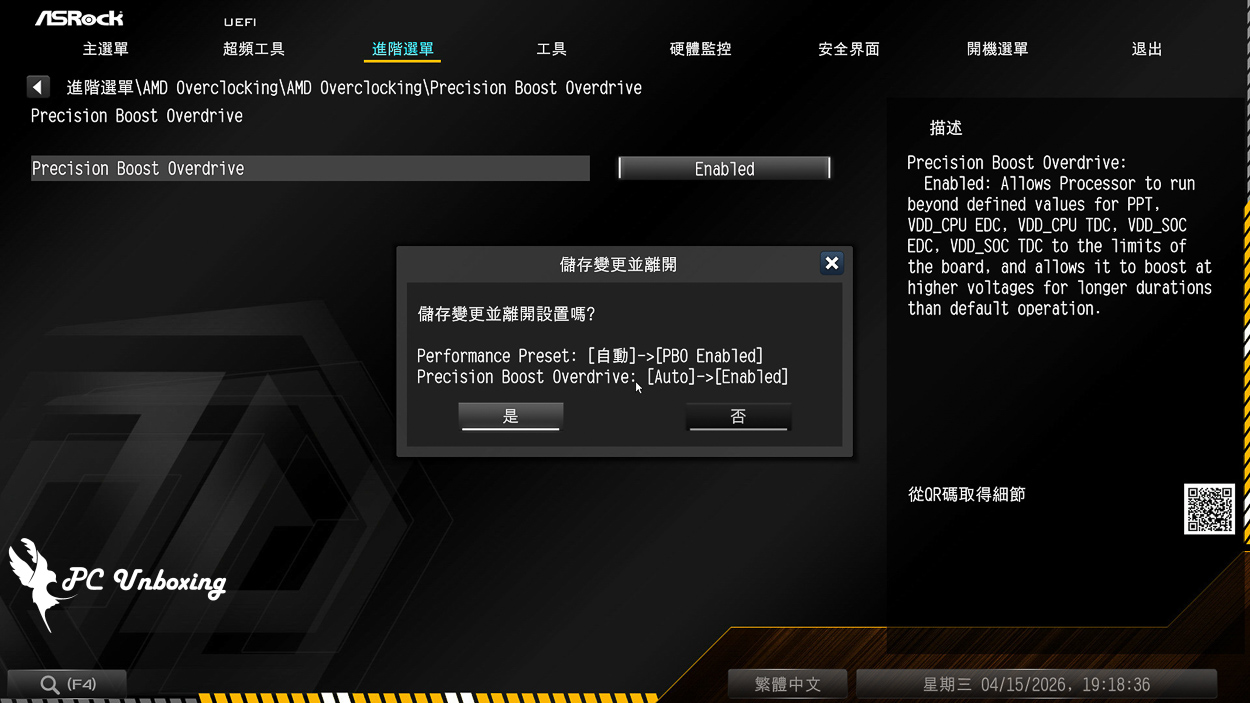
△ Store and leave.

Yun
Drinks with less than full sugar are colored water. Crossing Turbid Creek, full sugar is not a crime!


 繁體中文
繁體中文  English