
GIGABYTE 技嘉 X870E AORUS MASTER X3D ICE 開箱評測:X3D Turbo Mode 2.0 遊戲效能實測
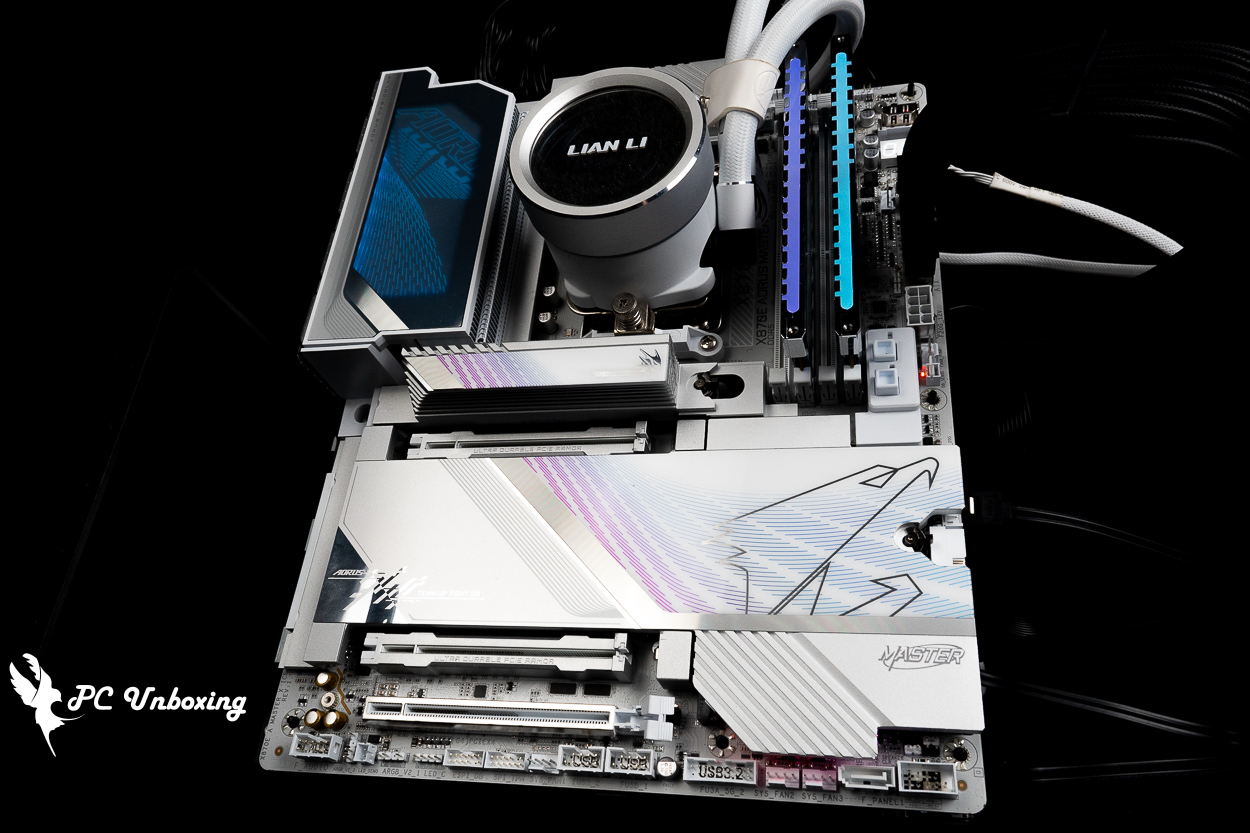
全白化外觀的 GIGABYTE 技嘉 X870E AORUS MASTER X3D ICE 主機板,在供電晶片、擴充頻寬、板載 M.2 擴充位置、前置 USB Type-C 快充功能、後方 USB Type-C 數量等規格都有進一步的情況下,也在 BIOS 內新增了 X3D Turbo Mode 2.0 功能,讓 AMD Ryzen X3D 處理器使用者能夠進一步享有免費的超頻性能提升,本次會搭配 Ryzen 7 9850X3D 與《Electric Renegade 2077_Cyberpunk 2077》進行 Benchmark 跑分實測,給大家看看該功能的性能提升幅度!
GIGABYTE 技嘉 X870E AORUS MASTER X3D ICE Motherboard Specification.
Size: ATX 30.5 x 24.4 cm
Processor Support: AMD Ryzen 9000 / 8000 / 7000
Processor Socket: AM5 LGA 1718
CPU Power Phases: 18 (110A) + 2 (110A) + 2 (60A)
Chipset: AMD X870E
Memory Expansion: 4x DDR5 DIMMs slots, 9000(O.C.) MT/s, up to 256 GB (single slot supports 64 GB capacity)
Memory Certification: AMD EXPO (Extended Profiles for Overclocking), Intel XMP 3.0 (Extreme Memory Profile)
內顯輸出插槽:HDMI 2.1(4K 60 Hz)、兩個 USB 4 Type-C (4K 240 Hz)、前置內接 HDMI 1.4(1080P 30 Hz)
顯卡擴充插槽:2x PCIe 5.0 x16(兩個插槽共用 x16 頻寬:單卡 x16 頻寬、雙卡 x8/x8 頻寬)、PCIe 4.0 x4(第二槽有 x16 長度,但僅有 PCIe 4.0 x4 頻寬)
儲存擴充插槽:2x SATA 6Gb/s、M2A_CPU 2580/2280 PCIe Gen5 x4、M2B_CPU 2280 PCIe Gen5 x4、M2C_SB 2280 PCIe Gen4 x4、M2D_SB 2280 PCIe Gen4 x4、M2E_SB 2280 PCIe Gen4 x2
有線網路:Realtek 10 Gbps、Realtek 5 Gbps
Wireless transmission: MediaTek Wi-Fi 7 MT7927, RZ738, Bluetooth 5.4
Audio chip: Realtek ALC1220
USB Ports (Front Expansion): 1x USB 20Gbps Type-C, 2x USB 5Gbps (supports front four USB 5Gbps Type-A ports), 2x USB 2.0 Type-A (supports front four USB 2.0 ports)
USB 埠 (後方 I/O):2x USB 4 Type-C (40Gbps)、1x USB 20Gbps Type-C、1x USB 10Gbps Type-C、7x USB 10Gbps Type-A(紅色)
RGB 供電插槽:4x ARGB 5V 3-Pin、1x RGB 12v 4-Pin
風扇供電插槽:1x 4-Pin CPU Fan、1x 4-Pin CPU OPT、7x 4-Pin SYS FAN、2x 4-Pin SYS FAN/PUMP
GIGABYTE 技嘉 X870E AORUS MASTER X3D ICE 主機板開箱:外觀設計與特色規格介紹
本站在 Zen 5 架構 AMD Ryzen 9000 系列(代號:Granite Ridge)解禁當時,第一時間開箱評測了 X870E AORUS MASTER 主機板,而後續 GIGABYTE 技嘉也隨著 AMD 第二代 3D V-Cache(2nd Gen AMD V-Cache) 的推出,再次更新旗下主機板系列。
於產品型號中新增帶有 X3D 系列的主機板,例如之前開箱過的 GIGABYTE X870E AERO X3D WOOD 與 X870E AORUS XTREME X3D AI TOP,透過內建 X3D Turbo Mode 2.0 來動態最佳化 X3D 系列處理器的超頻參數設定,大幅提升 Ryzen X3D 處理器的效能表現,而今天開箱的 X870E AORUS MASTER X3D ICE 同樣也支援該功能。
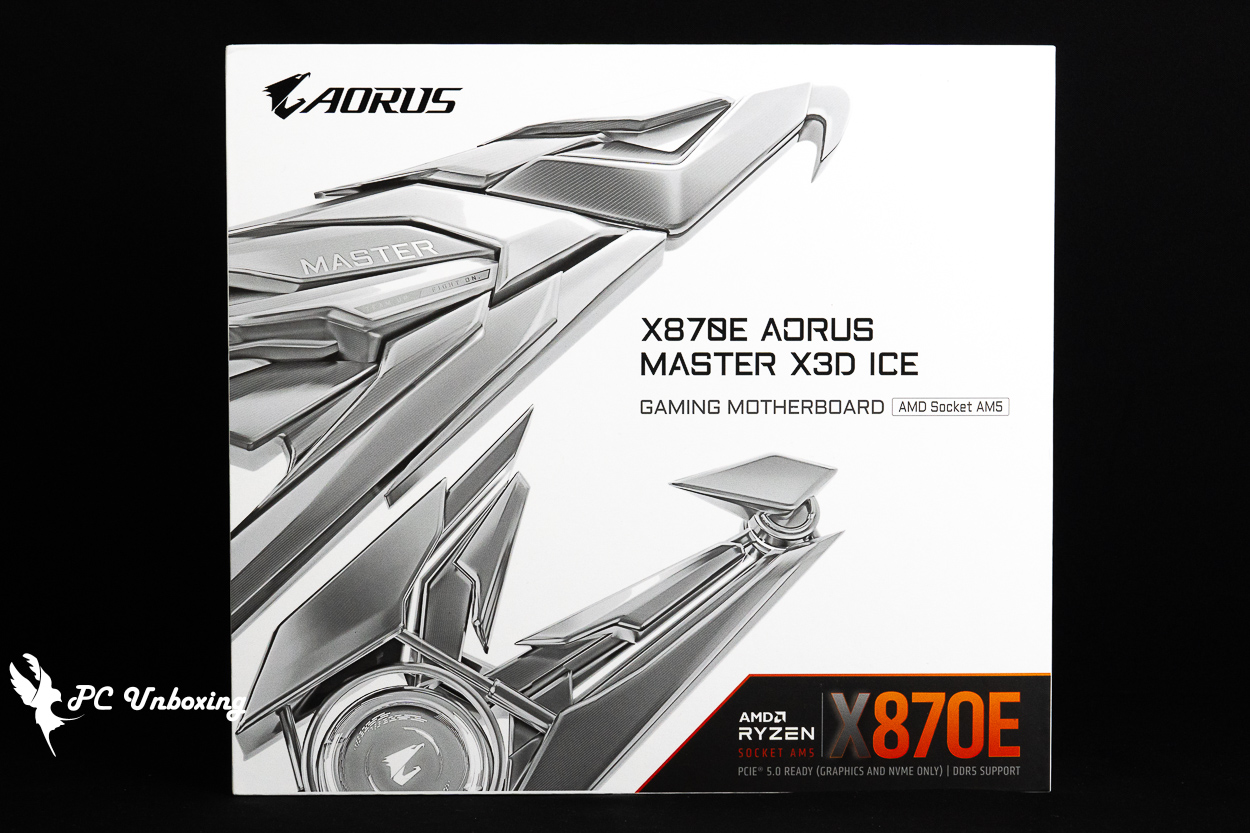
△ 技嘉 X870E AORUS MASTER X3D ICE 主機板。
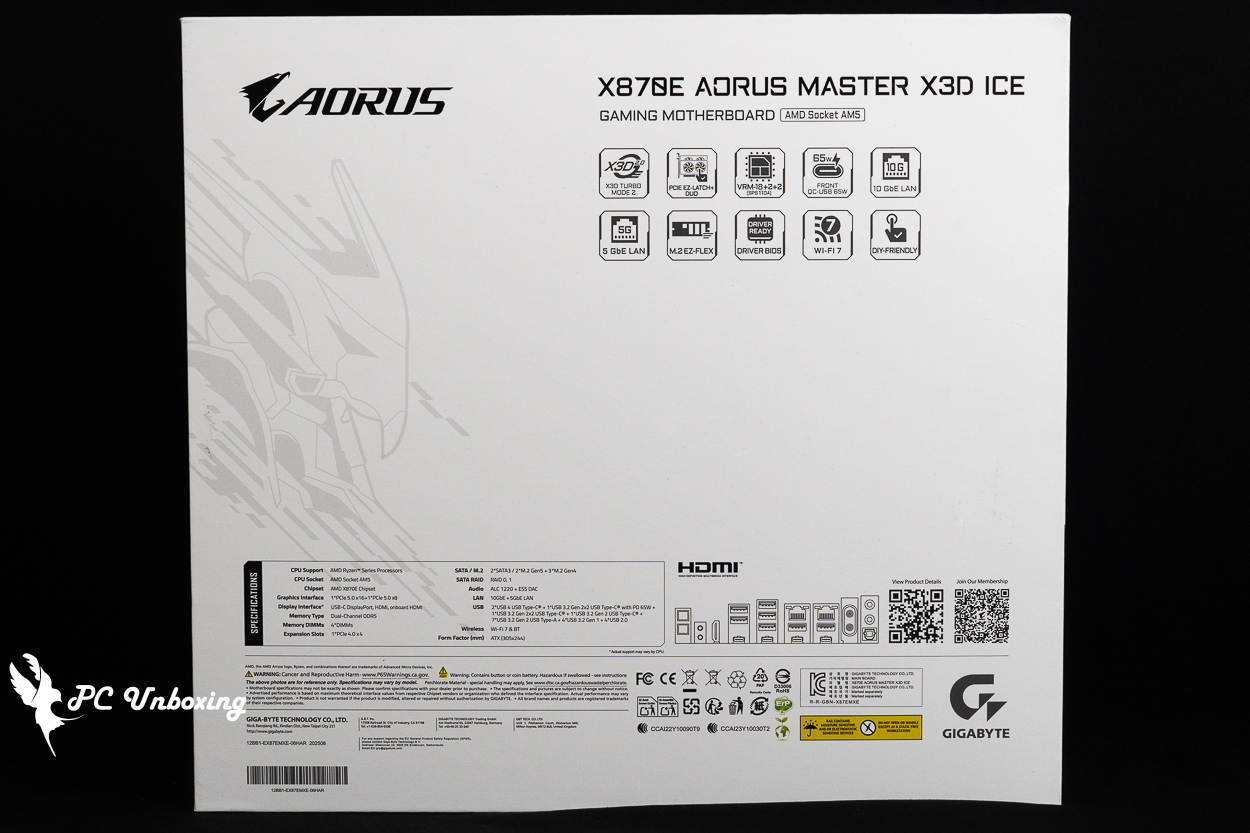
△ Basic features and specifications of the motherboard.
△ 盒裝內有 AORUS 信仰浮雕。
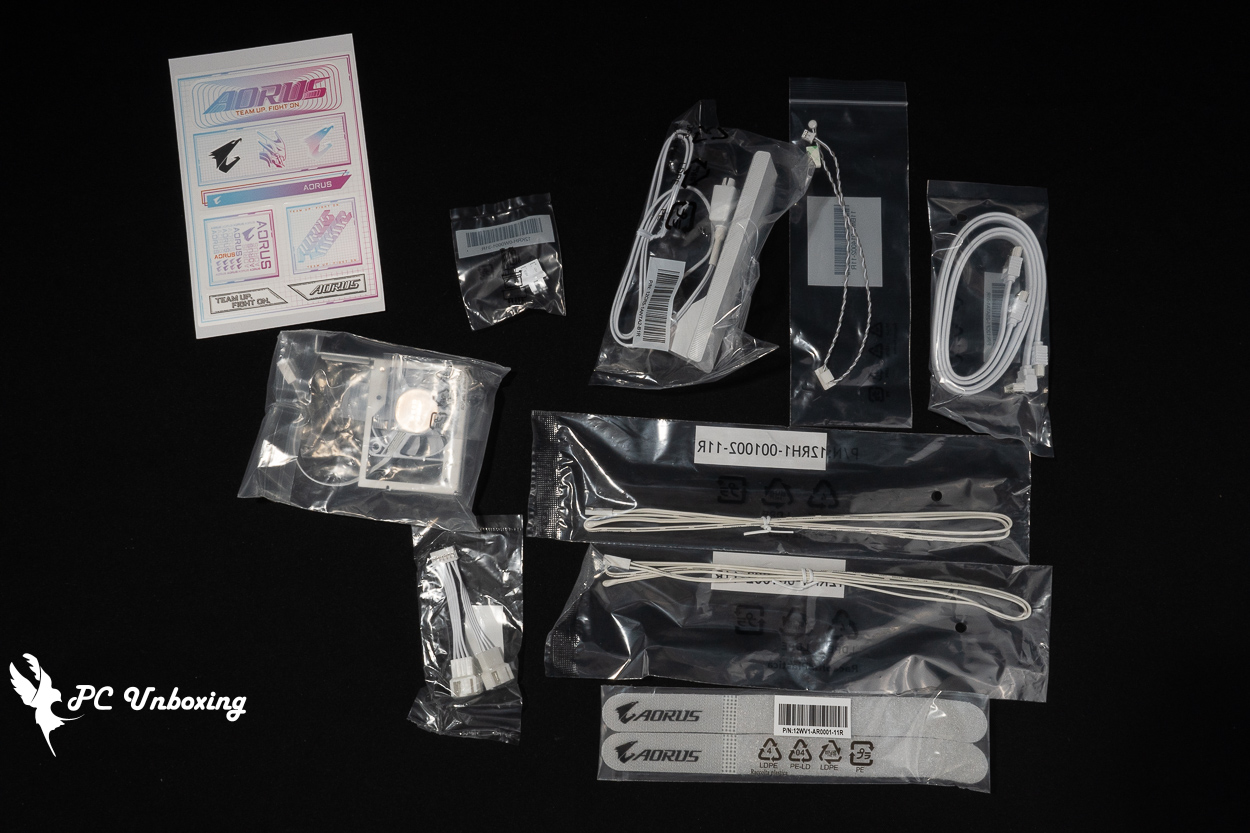
△ 主機板的配件包含了:DDR Wind Blade、2 條 SATA 排線、Wi-Fi 7 天線、魔鬼氈束線帶、風扇延長線、偵測噪音線、溫度感測線。
X870E AORUS MASTER X3D ICE 主機板使用 ATX 的 30.5 x 24.4 cm 大小板型,18+2+2 數位供電設計,18 相 SPS 110A VCORE Phases 由 9+9 相並聯供電設計,PCB 則是 8-Layer 規格。
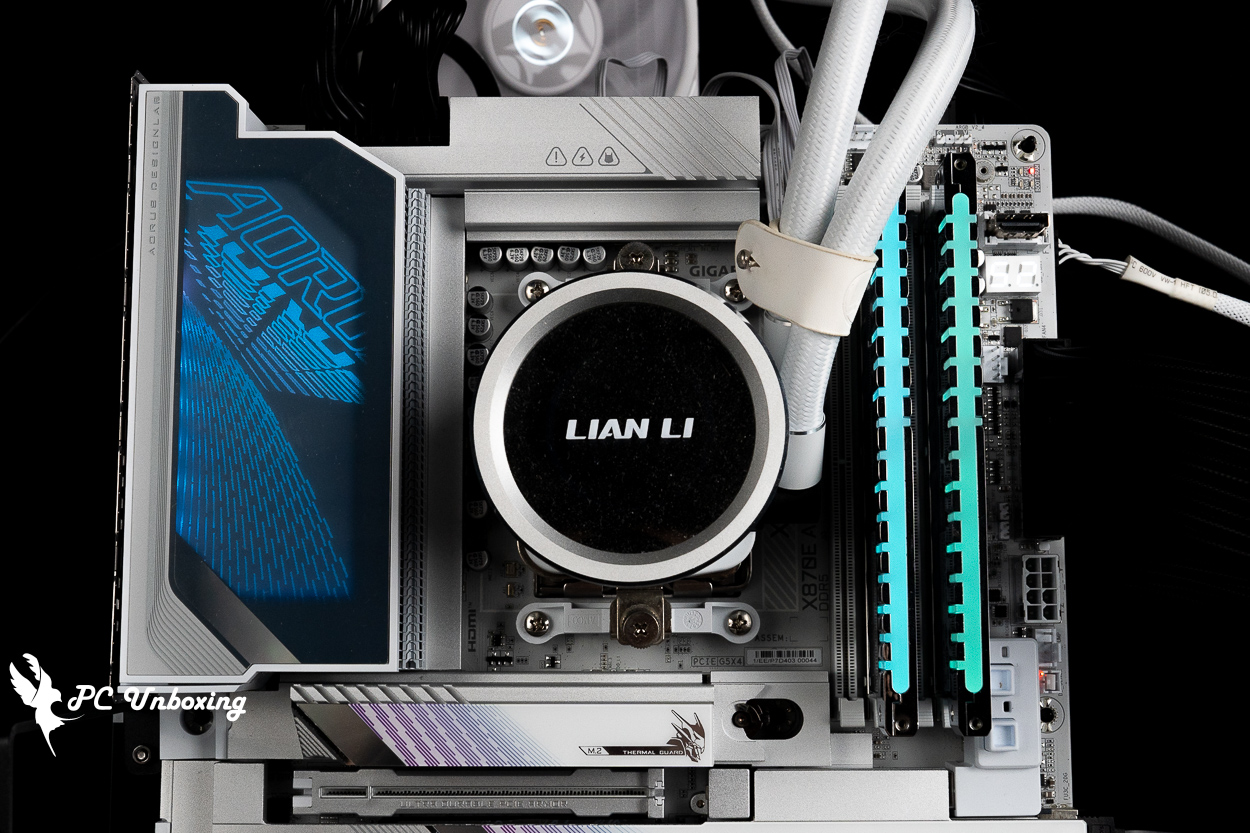
大小規格與原版本一樣都是 ATX 規格,但供電規格上略有提升成 18 相供電,外觀風格 X870E AORUS MASTER X3D ICE 則是採用了全白或鋁原色 PCB、插槽、散熱片材料,帶來更有活力的第一印象,同時也把強化背板重新帶回給 AM5 MASTER 身上了(給予稱讚)。
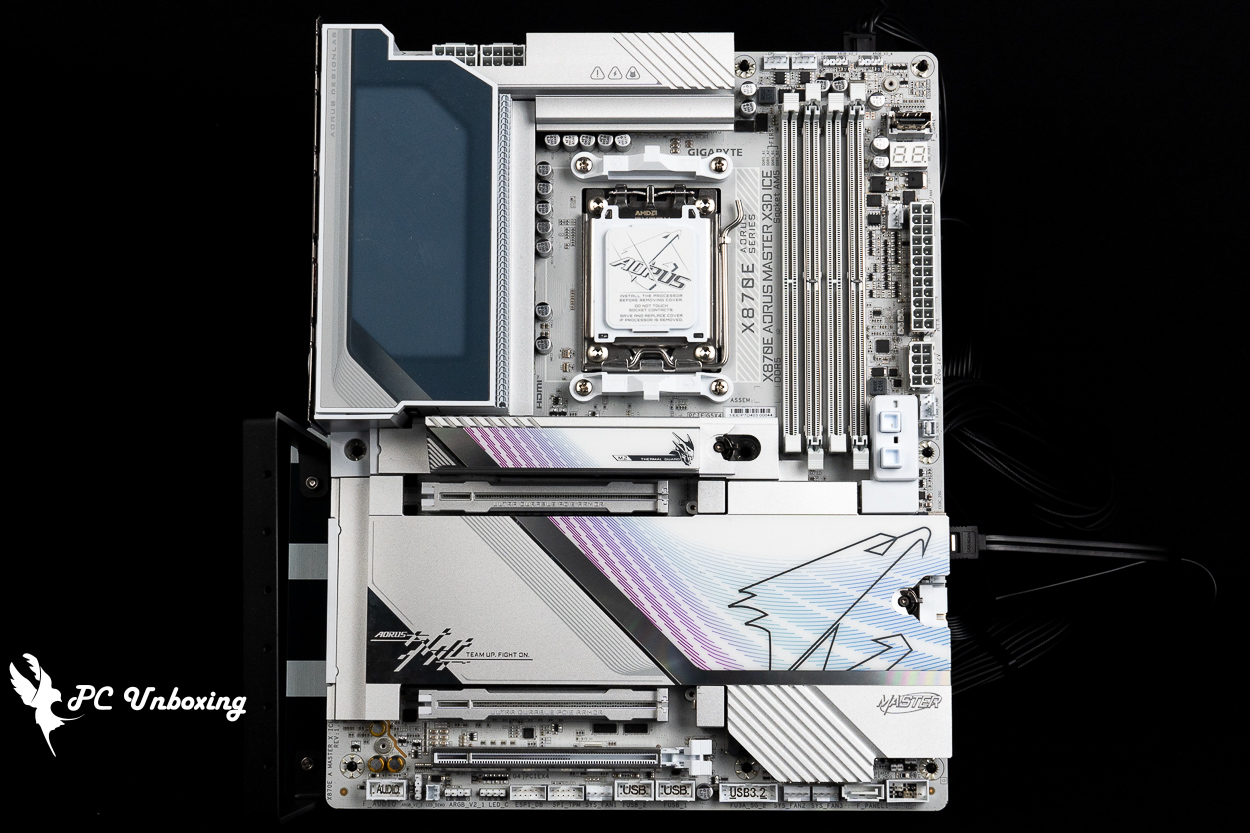
△ ATX 大小的 X870E AORUS MASTER X3D ICE。
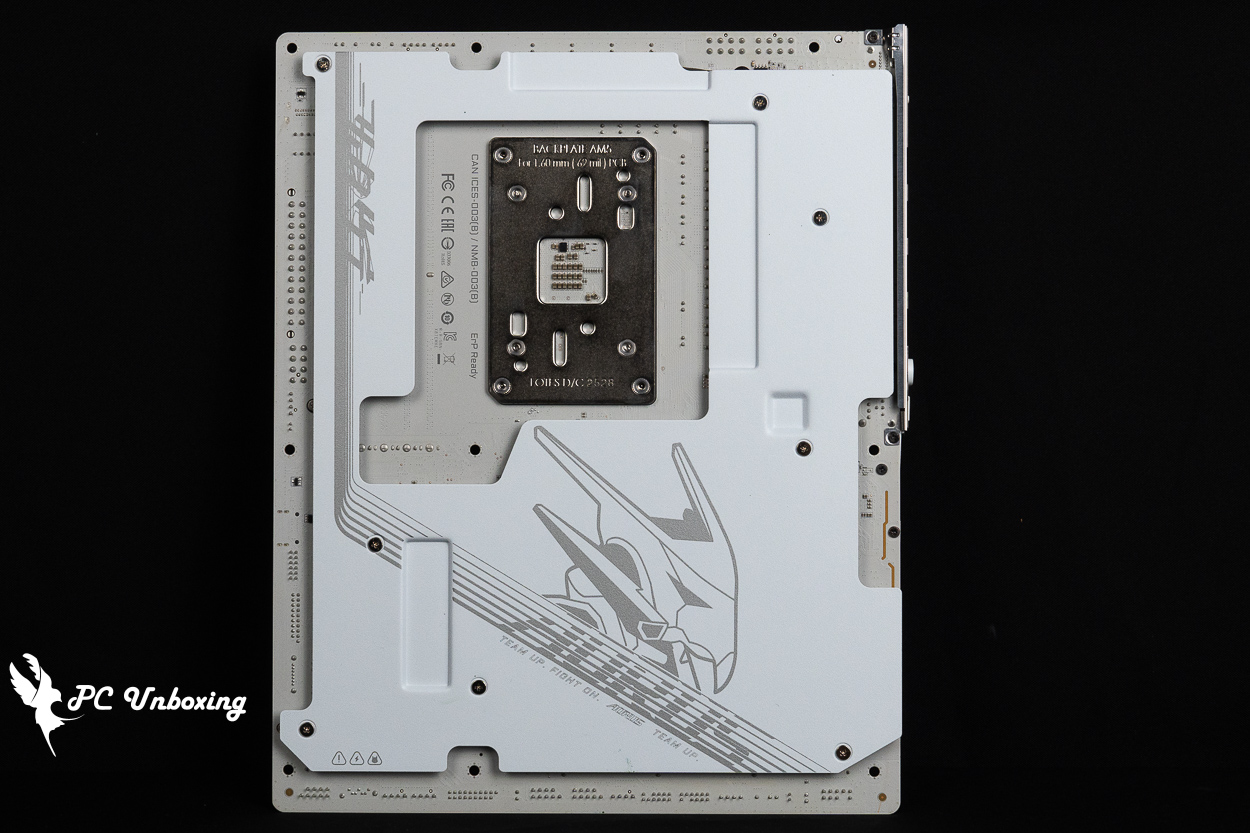
△ 強化背板又回到 AM5 MASTER 身上了。
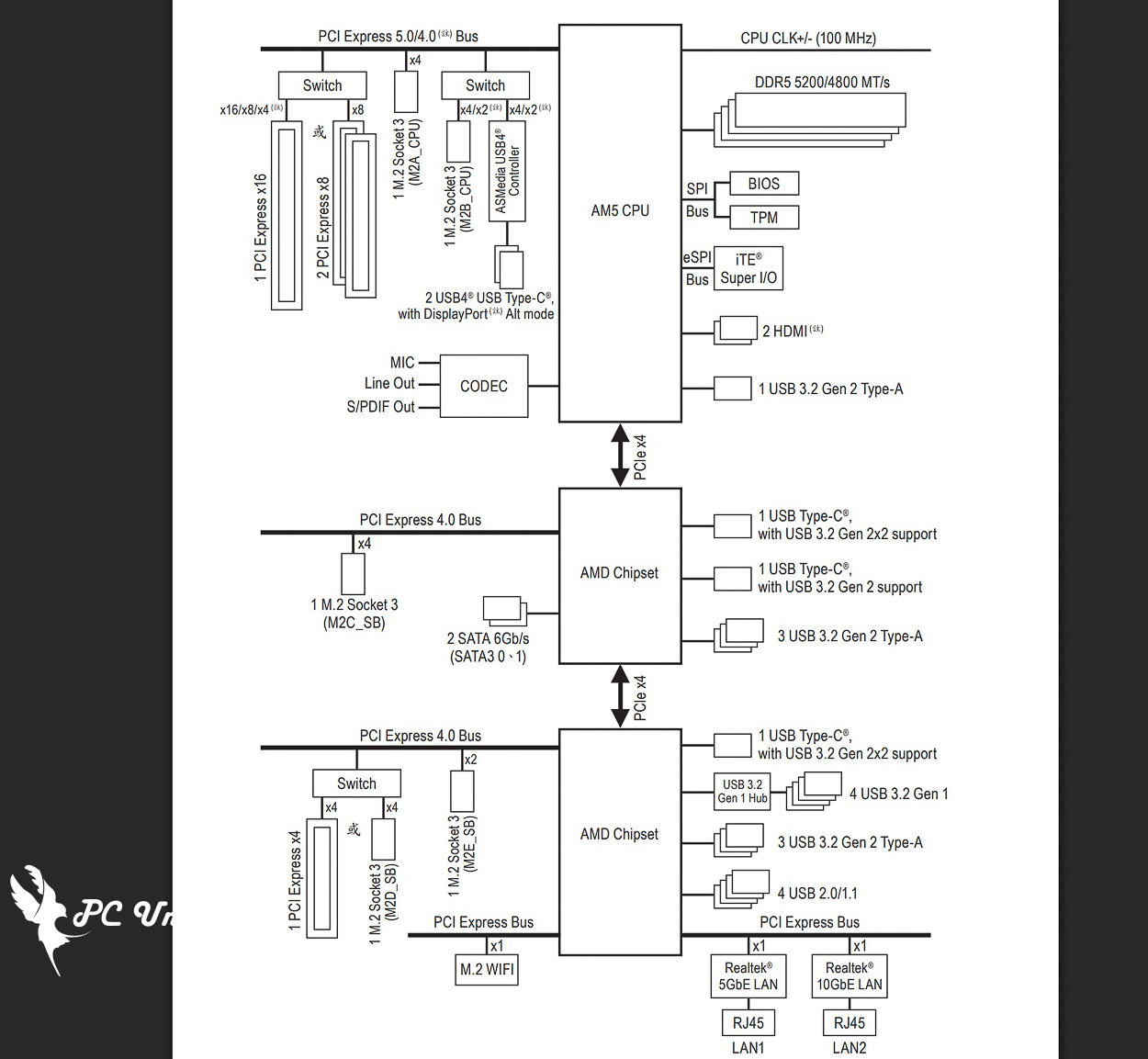
△ Motherboard channel configuration diagram.
主機板 VRM 散熱區塊以 ㄏ 字形散熱片負責底下供電散熱,搭配 12 W/mK 高效能散熱墊與熱導管直觸 MOSFET 維持系統穩定性。
X870E 依然使用 AM5 LGA 1718 腳位插槽,支援 AMD Ryzen 9000 / 8000 / 7000 處理器使用,因為保留了與 AM4 相同的散熱器扣具及相同孔距,所以玩家們可以直接沿用 AM4 散熱器扣具組來安裝。
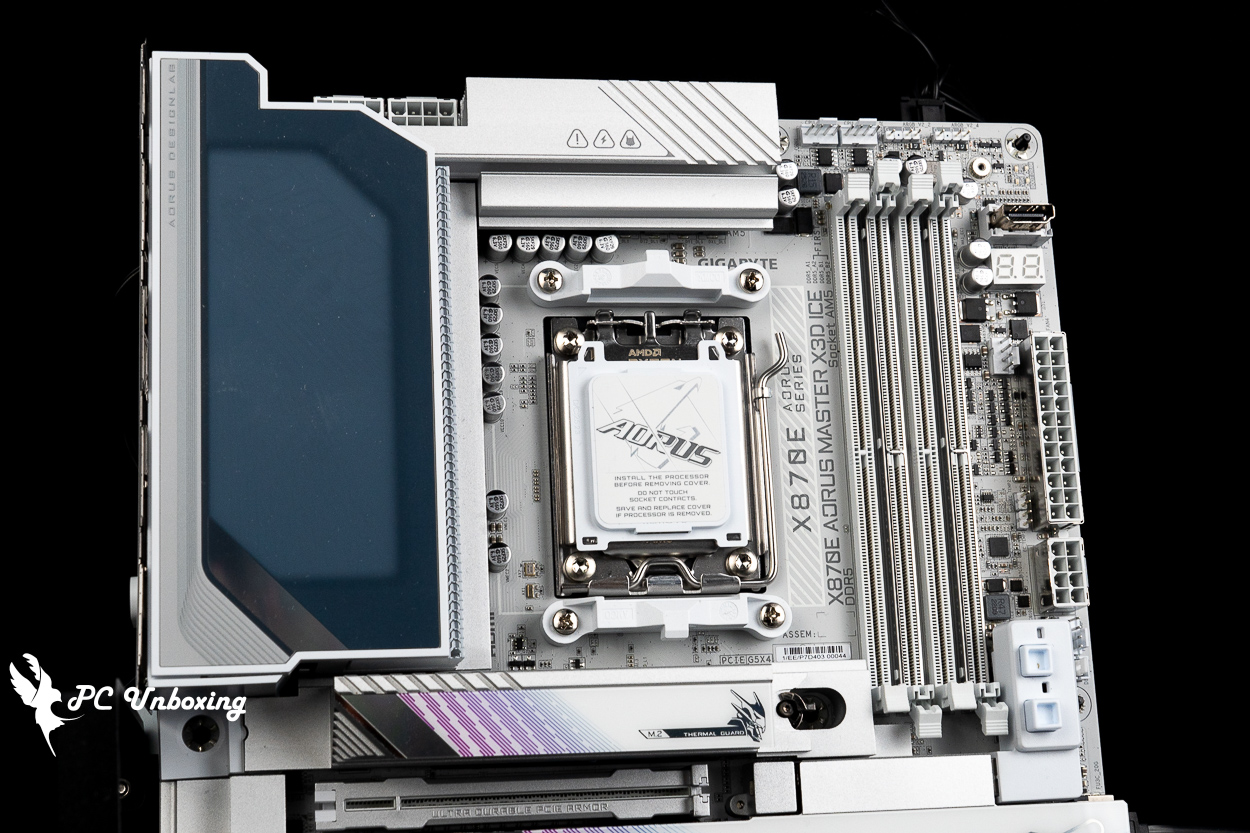
△ VRM Thermal Armor Advanced.
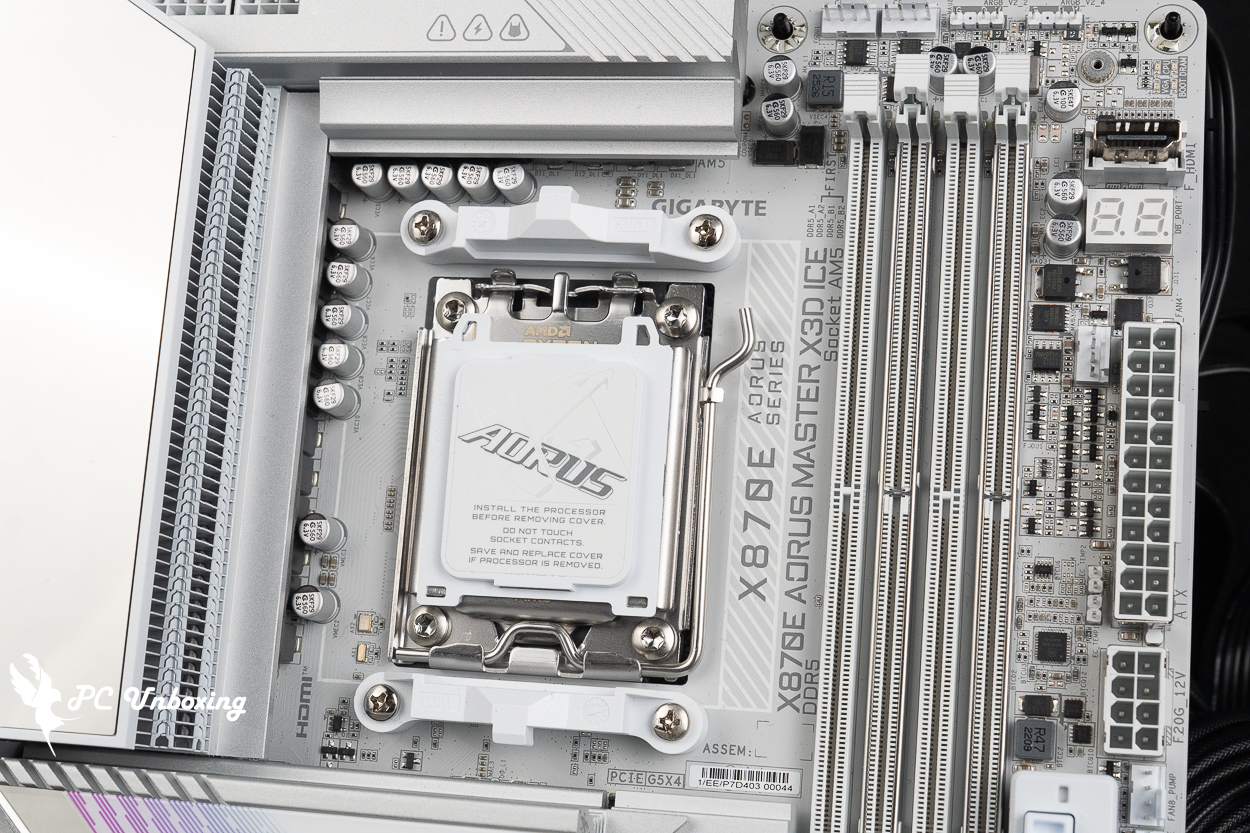
△ Processor pin cover.
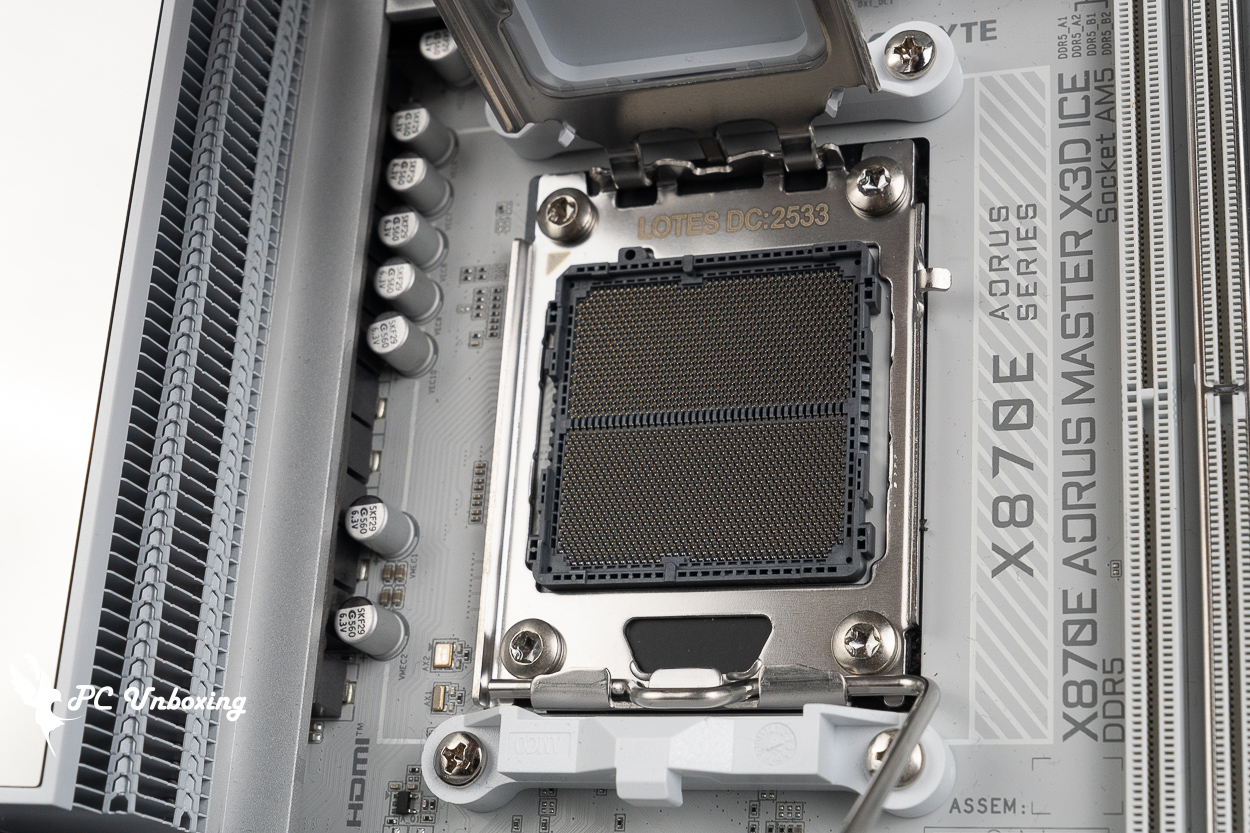
△ AM5 LGA 1718 feet.
接下來帶大家一一來看看 GIGABYTE X870E AORUS MASTER X3D ICE 主機板上的各項擴充與供電插槽吧,在主機板左上方處設置了雙 8-Pin 處理器 ATX_12V 供電插槽。
主機板右上角則有兩個 4-Pin 風扇供電插槽,分別為 CPU_OPT、CPU_FAN 水冷與風扇供電插槽,安裝一體式水冷時可以將水冷頭 PUMP 供電及水冷排風扇線材安裝於此,右邊則有兩個 ARGB_V2 5v 3-Pin 插槽和 EZ DeBug 燈號等。
EZ DeBug allows users to quickly identify which components are causing problems during the motherboard's self-test, preventing the system from booting. Users can then refer to the motherboard manual to perform troubleshooting steps.
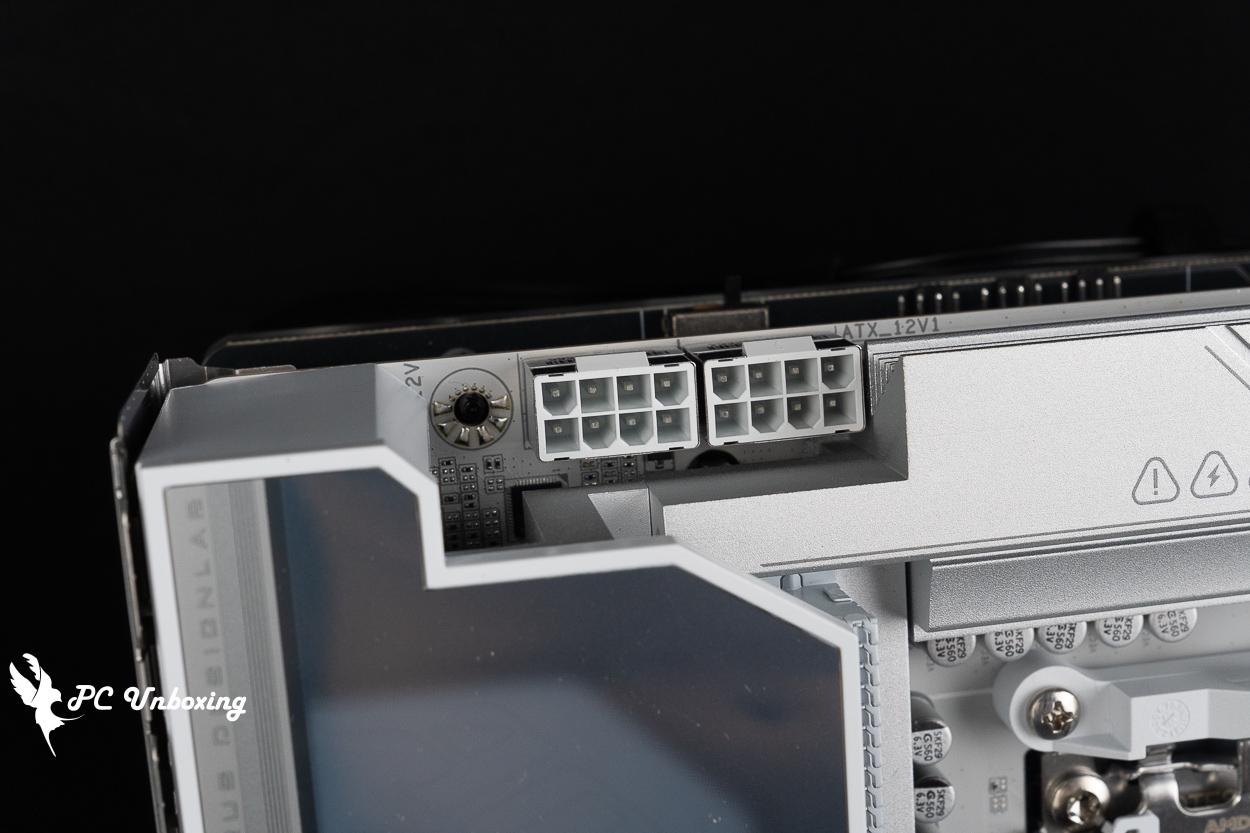
The motherboard uses dual 8-Pin processor power supply slots.
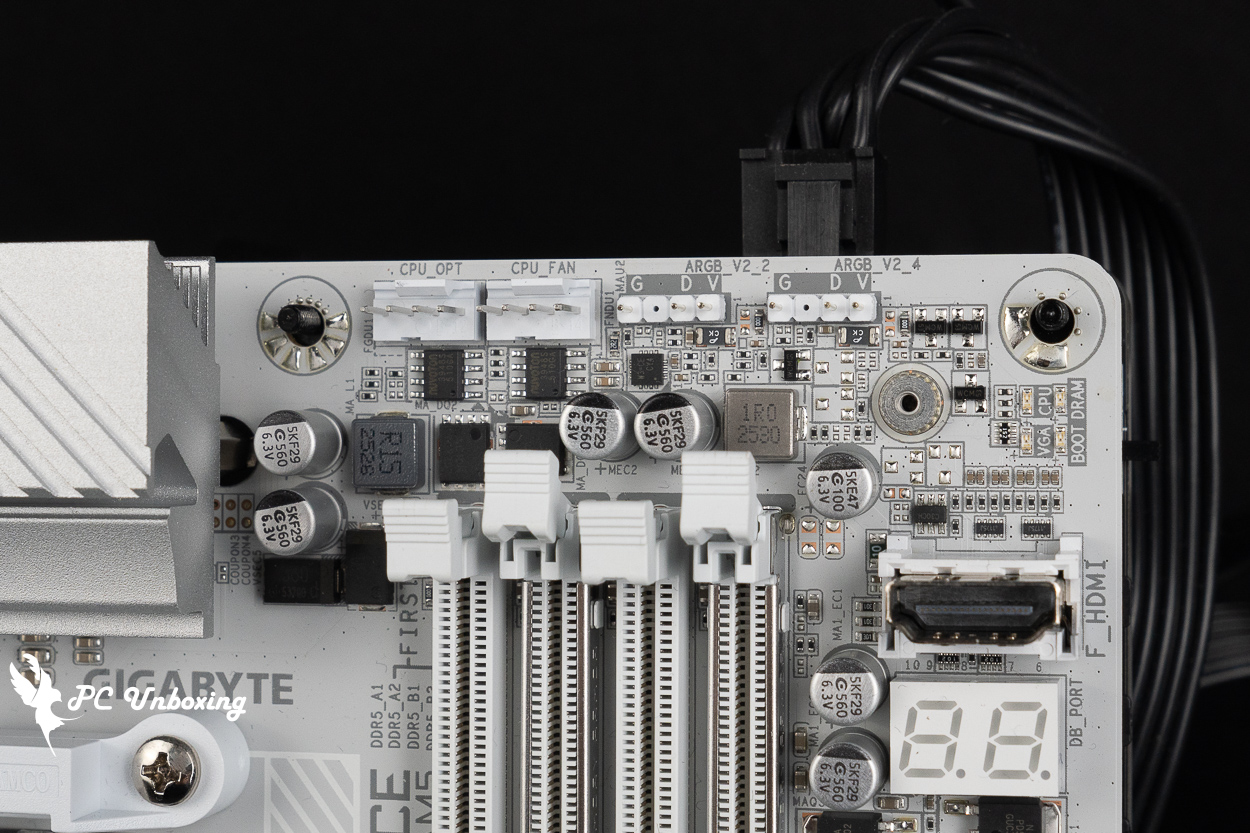
△ CPU_OPT、CPU_FAN、ARGB_V2 5v 3-Pin、EZ DeBug。
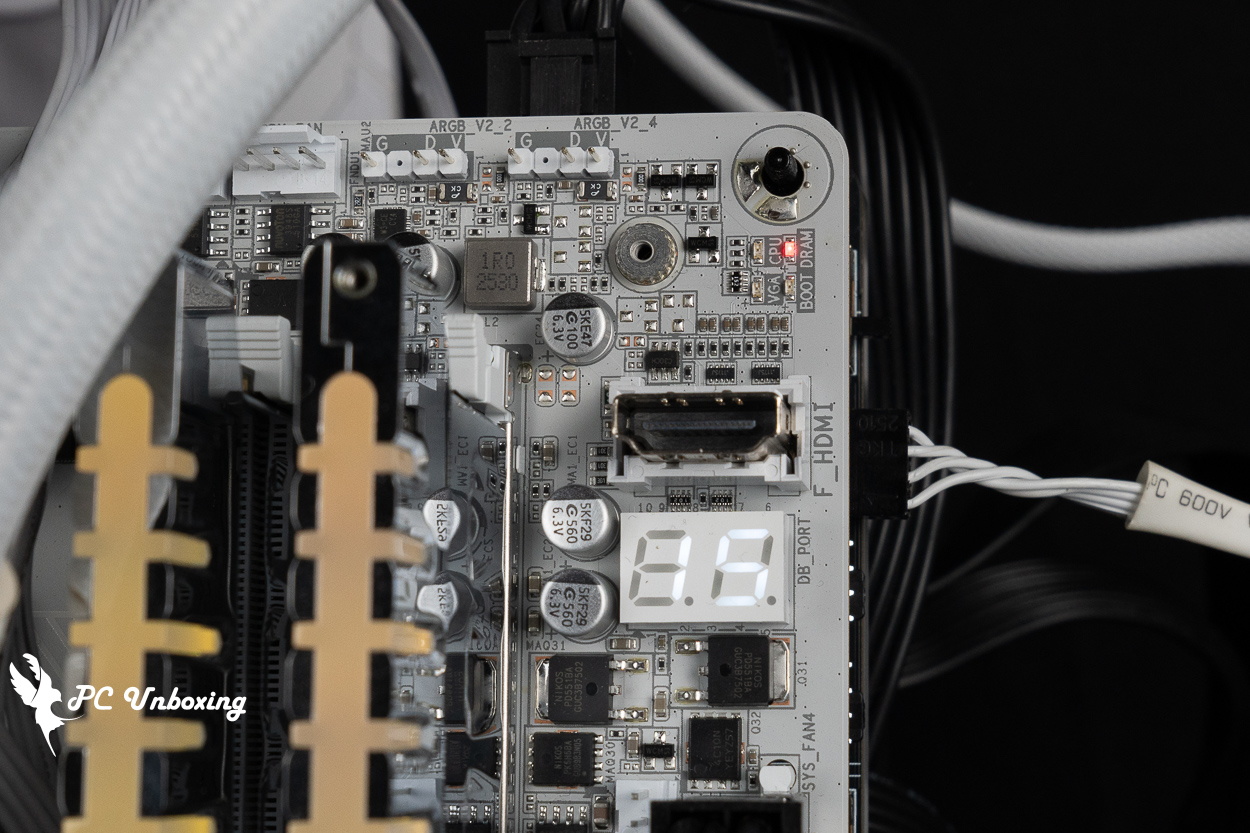
△ EZ DeBug with debugging light code display quickly identifies where the problem is.
The quad-slot DDR5 DIMM Dual Snap-In Memory Slots are 2DPC (2DIMM Per channel) configured to support non-ECC Un-buffered DIMMs, with a maximum expansion capacity of 256 GB across the four slots, or 64 GB per slot, and support for AMD EXPO (Extended Profiles for Overclocking) and Intel XMP 3.0 (Extreme Memory Profile) memory one-click overclocking profiles. It also supports AMD EXPO (Extended Profiles for Overclocking) and Intel XMP 3.0 (Extreme Memory Profile) memory one-click overclocking profiles.
The memory overclocking QVL memory support list features dual-channel memory modules that can pass the compatibility stress test at a maximum frequency of 9000 MT/s when used with Ryzen 8000 series processors, reminding you once again to choose your memory model based on the motherboard memory QVL (Qualified Vendor List) compatibility report. Vendor List (QVL) compatibility report of the motherboard to select the best memory model.
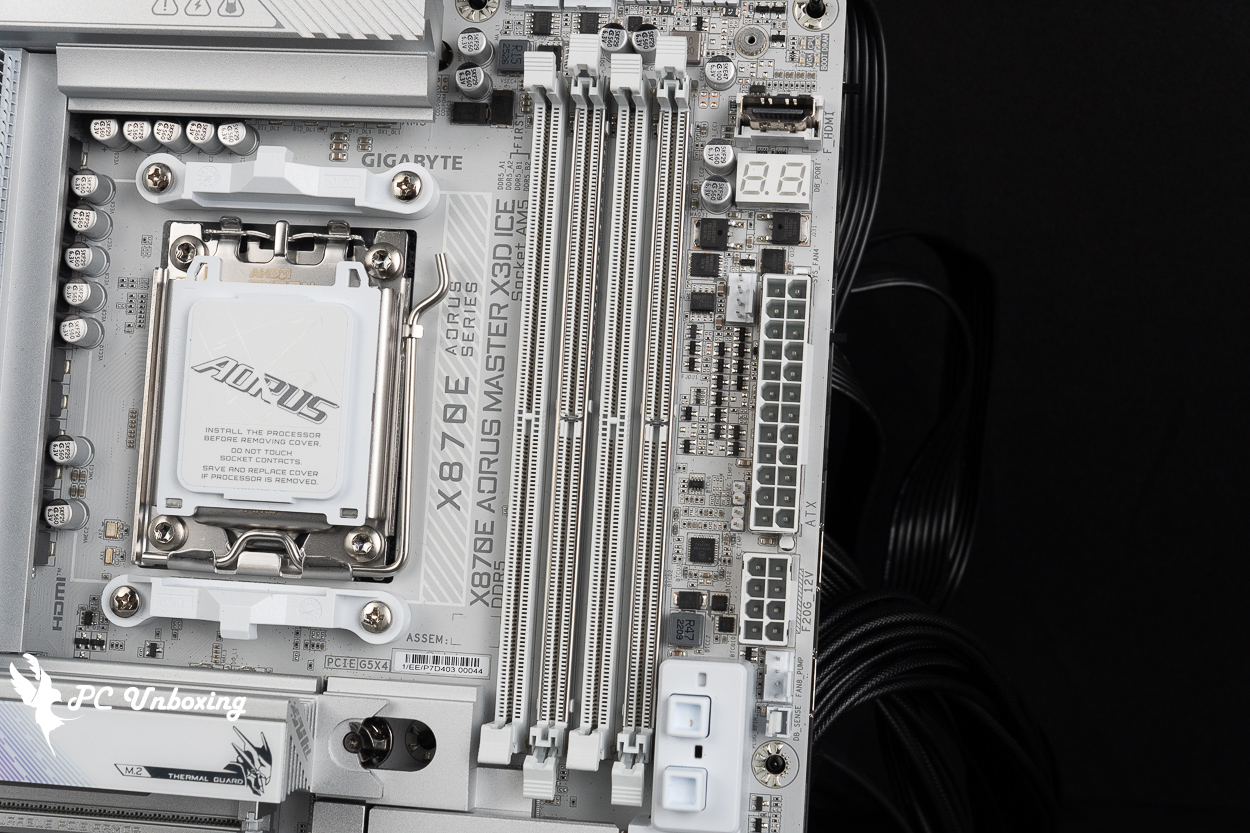
△ Full white 4x Un-buffered DIMMs DDR5 memory slots, UDIMM compatible, supports up to 256 GB of capacity expansion, and up to 9000 MT/s (O.C.) with QVL on both modules.
主板右側設有:機殼內置螢幕 HDMI 2.1 內顯顯示輸出連接埠、除錯燈號代碼顯示 DeBug 燈號、兩個 SYS_FAN 風扇供電插槽、兩個溫度感測線插槽、主機板 24-Pin 供電插槽、F20G_12V(PCIe 電源插座)、聲噪線材插槽、一個前置 USB 20Gbps Type-C 插槽、3_FANS_1 插槽(一轉三 PWM 風扇插槽)、一個 USB 5Gbps 插槽(支援前置兩個 USB 5Gbps Type-A 埠)、一個 SATA 6Gb/s。
The debugging light code display allows users to quickly check what parts of the motherboard are causing problems during the self-testing process, and users can refer to the motherboard manual for debugging actions.
The F20G_12V slot provides additional power to the USB Type-C port (FU3C_20G) on the front of the chassis, supporting up to 65W PD 3.0/QC 4+ fast charging.
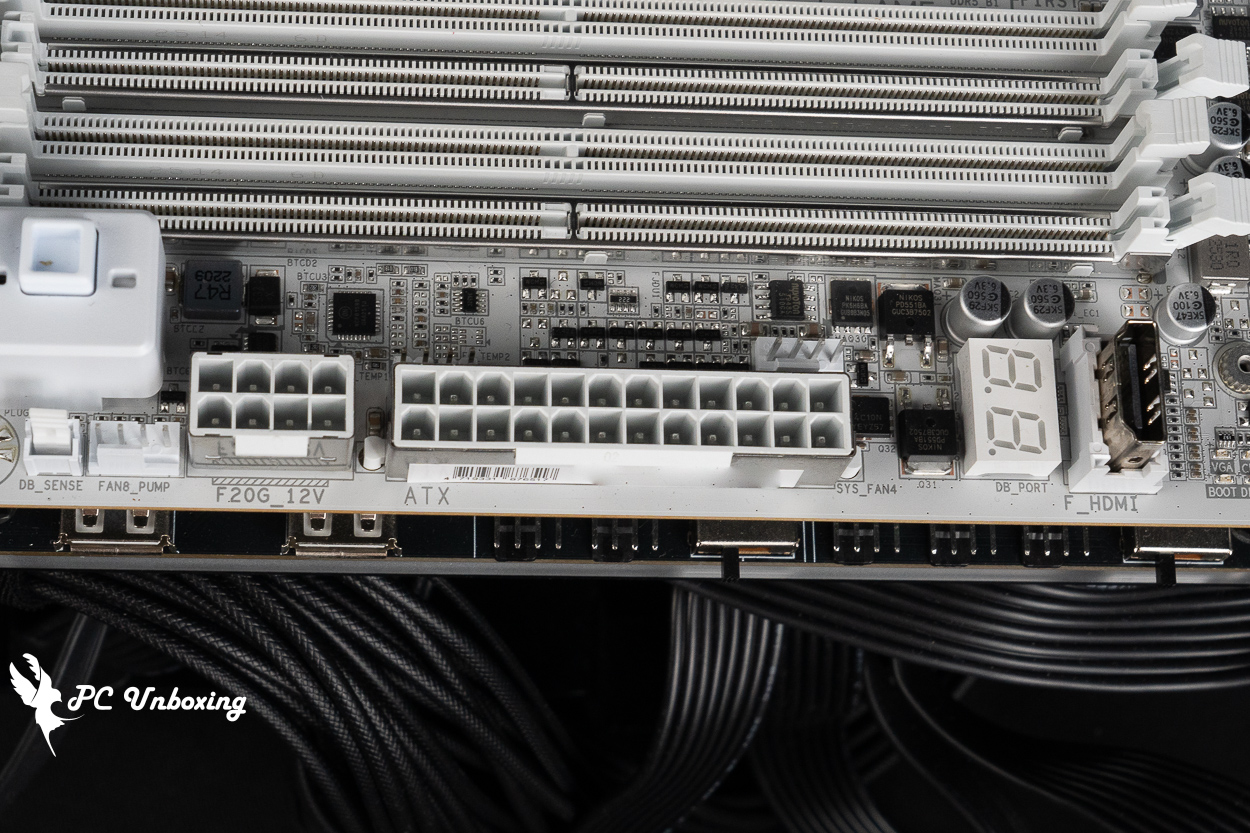
△ 機殼內置螢幕 HDMI 2.1 內顯顯示輸出連接埠、除錯燈號代碼顯示 DeBug 燈號、兩個 SYS_FAN 風扇供電插槽、兩個溫度感測線插槽、主機板 24-Pin 供電插槽、F20G_12V(PCIe 電源插座)、聲噪線材插槽。
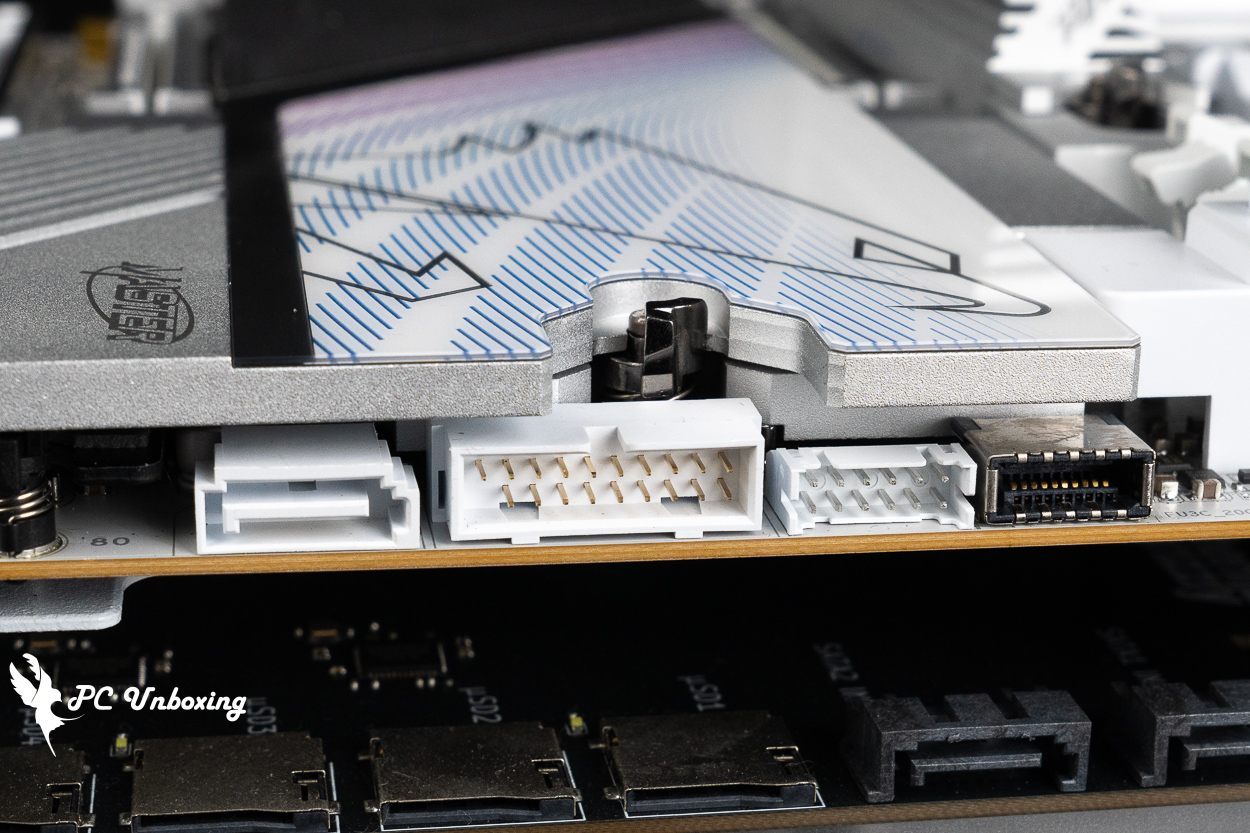
△ 一個前置 USB 20Gbps Type-C 插槽、3_FANS_1 插槽(一轉三 PWM 風扇插槽)、一個 USB 5Gbps 插槽(支援前置兩個 USB 5Gbps Type-A 埠)、一個 SATA 6Gb/s。
最下排有:CI(電腦機殼被開啟偵測插槽)、RST(重啟鍵跳線插槽)、SPEAKER(除錯蜂鳴器跳線插槽)、CLR_CMOS(清除 CMOS 資料跳線插槽)、F_PANEL 系統前置面板插槽、一個 SATA 6Gb/s、三個 SYS_FAN 風扇供電插槽、一個 USB 5Gbps 插槽(支援前置兩個 USB 5Gbps Type-A 埠)、兩個 USB 2.0 插槽(支援四個前置 USB 2.0 安裝埠)、SPI_TPM (安全加密模組連接插座)、一個 12V 4-Pin RGB 插槽、兩個 5V 3-Pin ARGB 插槽、 前置音源孔插槽。
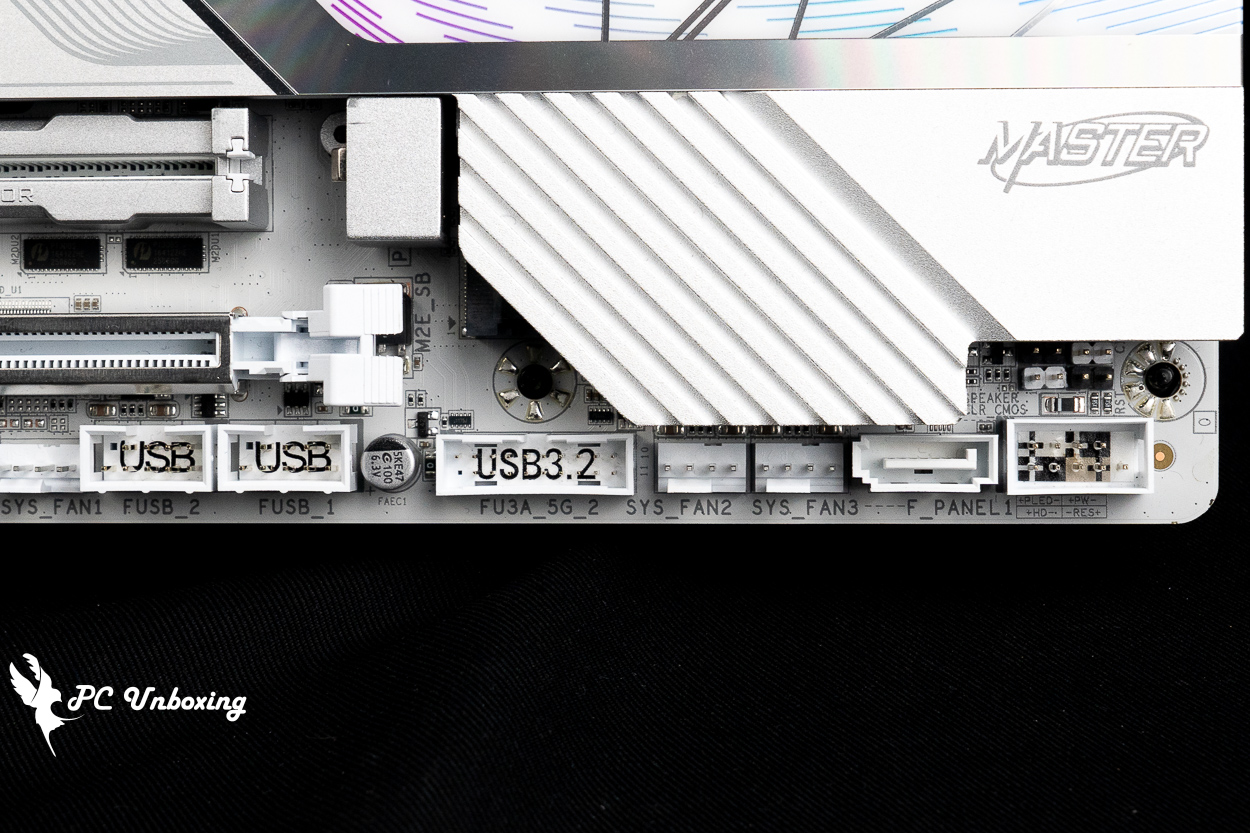
△ CI(電腦機殼被開啟偵測插槽)、RST(重啟鍵跳線插槽)、SPEAKER(除錯蜂鳴器跳線插槽)、CLR_CMOS(清除 CMOS 資料跳線插槽)、F_PANEL 系統前置面板插槽、一個 SATA 6Gb/s、三個 SYS_FAN 風扇供電插槽、一個 USB 5Gbps 插槽(支援前置兩個 USB 5Gbps Type-A 埠)、兩個 USB 2.0 插槽(支援四個前置 USB 2.0 安裝埠)。
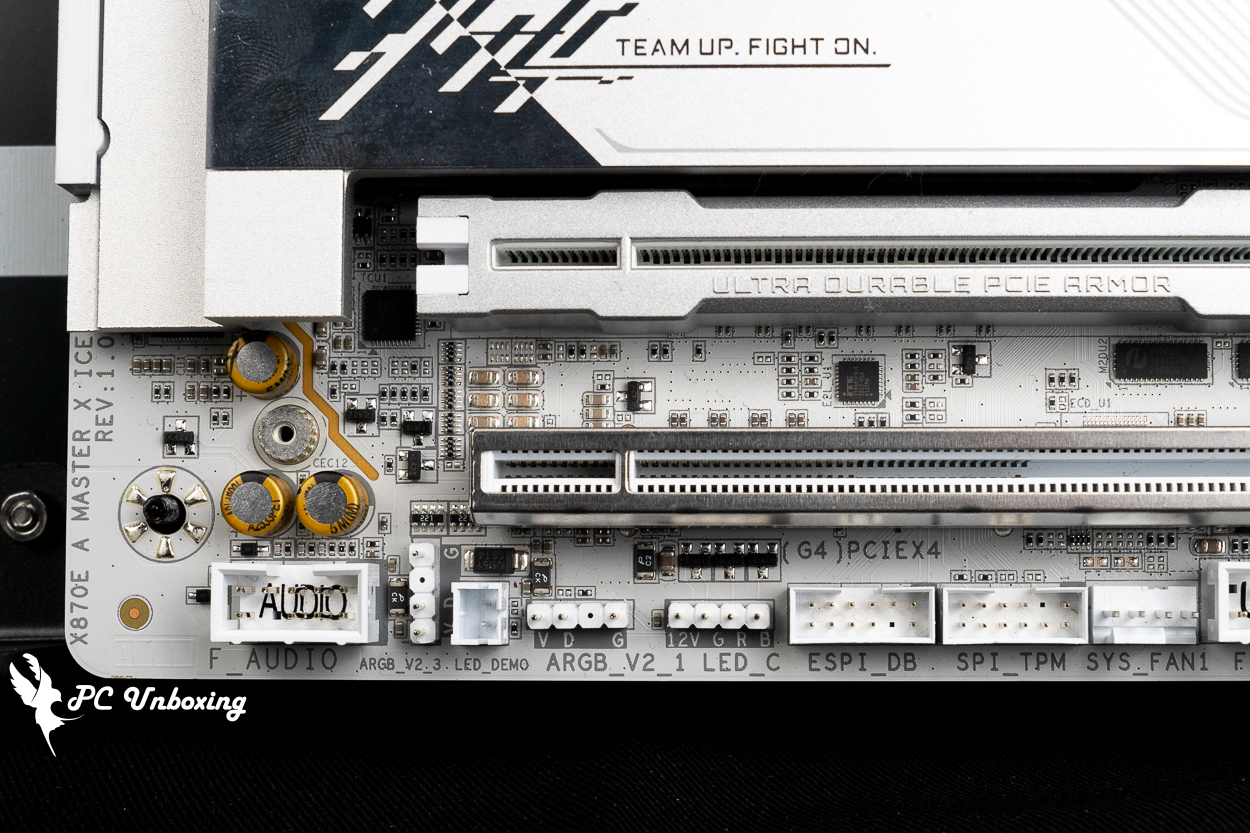
△ SPI_TPM (Secure Crypto Module Connection Socket), one 12V 4-Pin RGB slot, two 5V 3-Pin ARGB slots, front audio jack slots.
The motherboard PCIE slots provide a total of three x16-length device expansion slots. The two metal-reinforced x16 slots on top are for direct processor connections, and the first PCIEX16 slot can provide full PCIE 5.0 x16 bandwidth when installing a single device such as a discrete graphics card, but if a dual graphics card is installed using both the first and second PCIEX8 slots, the bandwidth will be split evenly between x8 and x8 channels, so it is important to install the PCIEX16 slot when installing only one graphics card because the second PCIEX8 slot only provides up to a maximum of x8 bandwidth. However, if dual graphics cards are installed using both the first PCIEX16 slot and the second PCIEX8 slot, the channel bandwidth will be split equally between x8 and x8. Therefore, it is important to install the PCIEX16 slot when installing only one graphics card as the second PCIEX8 slot only provides PCIE 5.0 x8 bandwidth at the maximum.
最下面的 PCIEX4 白色插槽走 X870E PCH 晶片組通道,提供 PCIe 4.0 x4 頻寬,要注意由於 PCIEX4 插槽與 M2D_SB 插槽共享頻寬,所以當 M2D_SB 插座安裝裝置時,PCIEX4 插槽則無法使用。
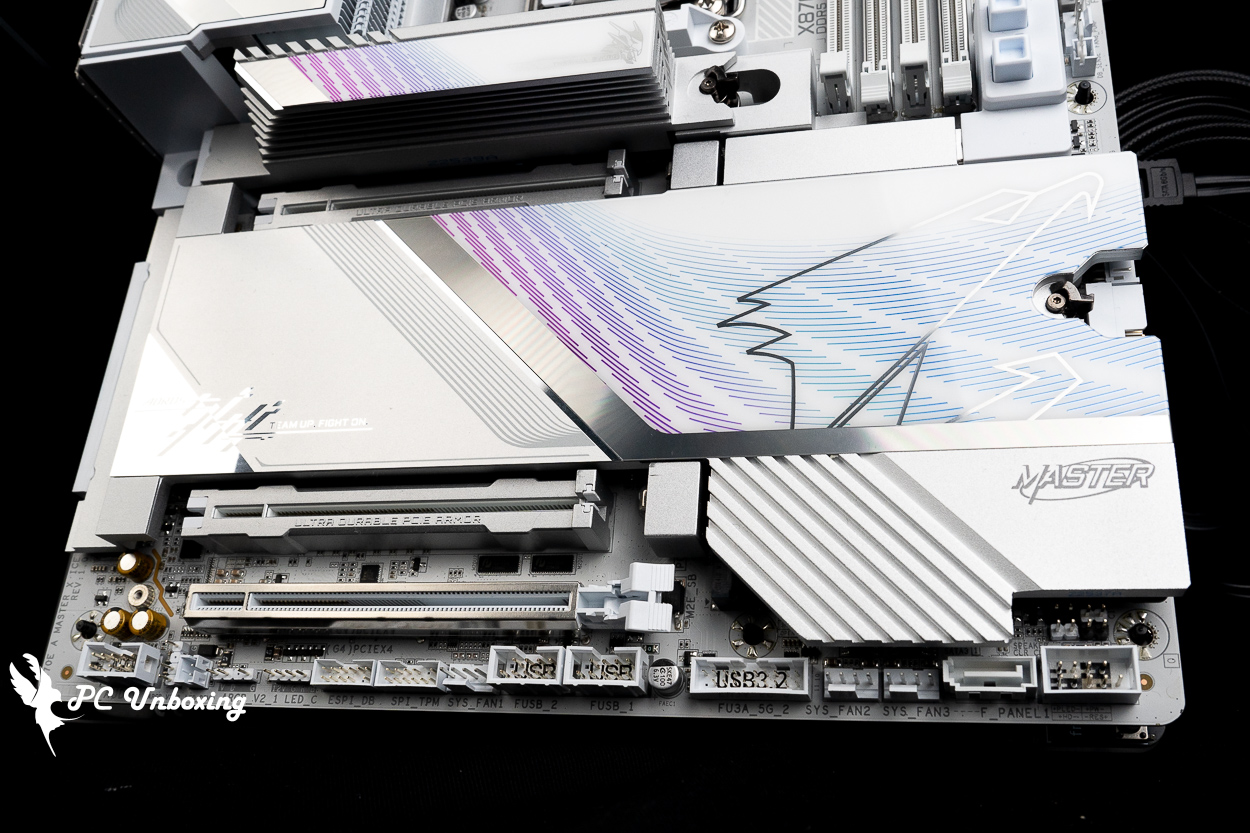
△ 擴充插槽由上至下:PCIE 5.0_PCIEX16(CPU)、PCIE 5.0_PCIEX8(CPU)、PCIE 4.0_PCIEX4(PCH)。
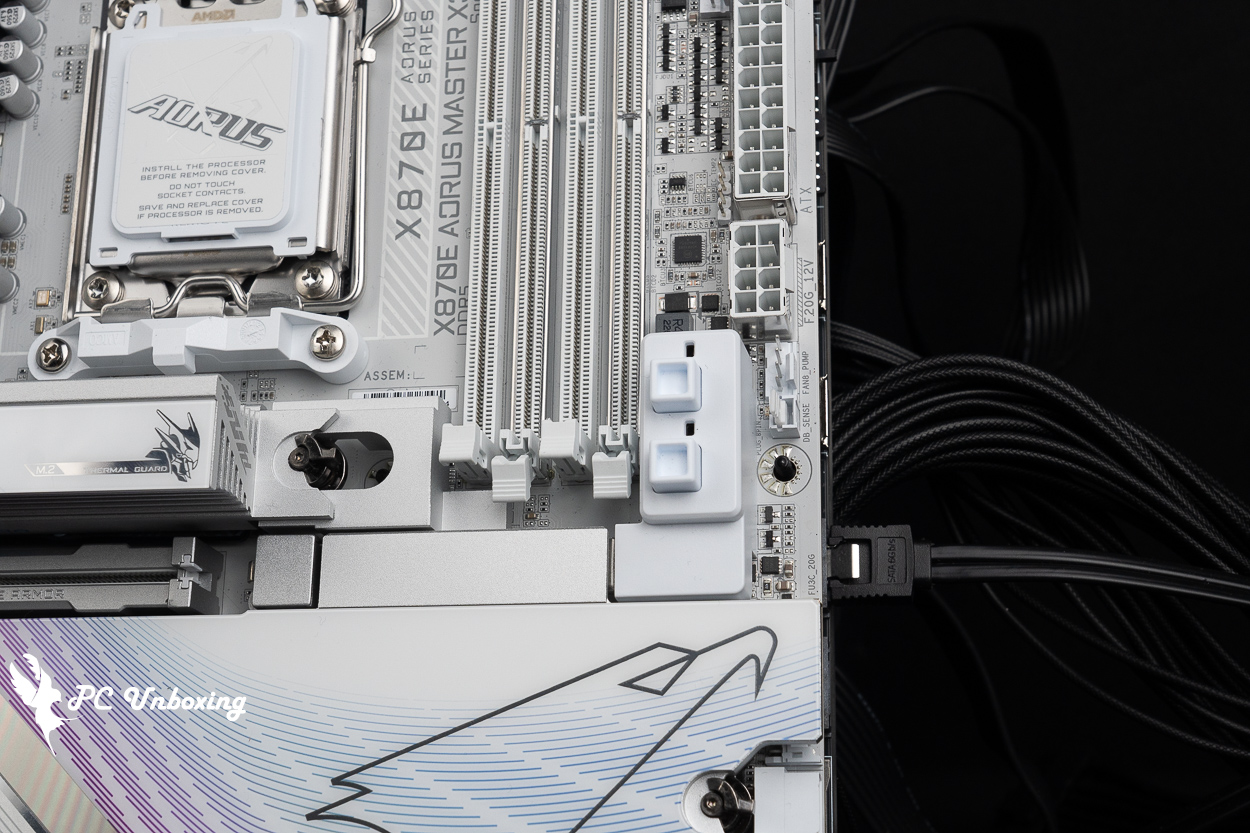
△ 針對上面兩槽顯示卡擴充插槽,這張主機板在記憶體插槽旁邊設有 PCIe EZ-Latch Plus Duo 顯示卡快拆按鍵,雙顯卡都有各自的快拆按鍵。
技嘉配有 M.2 Thermal Guard Ext. 散熱片來幫助顯示卡區塊的四個 M.2 SSD 進行散熱,並由 M.2 EZ-Latch Click 固定 M.2 散熱片,所有 M.2 SSD 安裝位置都配有雙面散熱墊設計以及 M.2 EZ-Latch Plus,X870E AORUS MASTER X3D ICE 板載原生提供五個 M.2 SSD 擴充插槽。
處理器插槽下面的 M.2 SSD 擴充插槽為處理器直連通道,同樣也使用被動式 M.2 Thermal Guard XL 散熱片幫助固態硬碟散熱,該處的 M2A_CPU 提供了 PCIe Gen5 x4 頻寬支援 2580/2280 尺寸 M.2 SSD 擴充。
而下面第二槽、第三槽、右下角的第五槽,分別是 M2C_SB(PCIe Gen4 x4)、M2D_SB(PCIe Gen4 x4)、M2E_SB(PCIe Gen4 x2) 插槽,都是走 PCH 晶片組通道的 PCIe Gen4 頻寬,支援 2280 尺寸 M.2 SSD 擴充。
上面數下來第四個的 M2B_CPU 插槽是走處理器直連通道,支援 PCIe Gen5 x4 頻寬的 2280 固態硬碟擴充。
This motherboard shares bandwidth between the M2B_CPU slot and the ASMedia USB4 controller, so when a device is installed in the M2B_CPU slot, the USB4 ports supported by both the M2B_CPU slot and the ASMedia USB4 controller operate at a maximum bandwidth of x2. To achieve full x4 bandwidth, you must use one or the other.
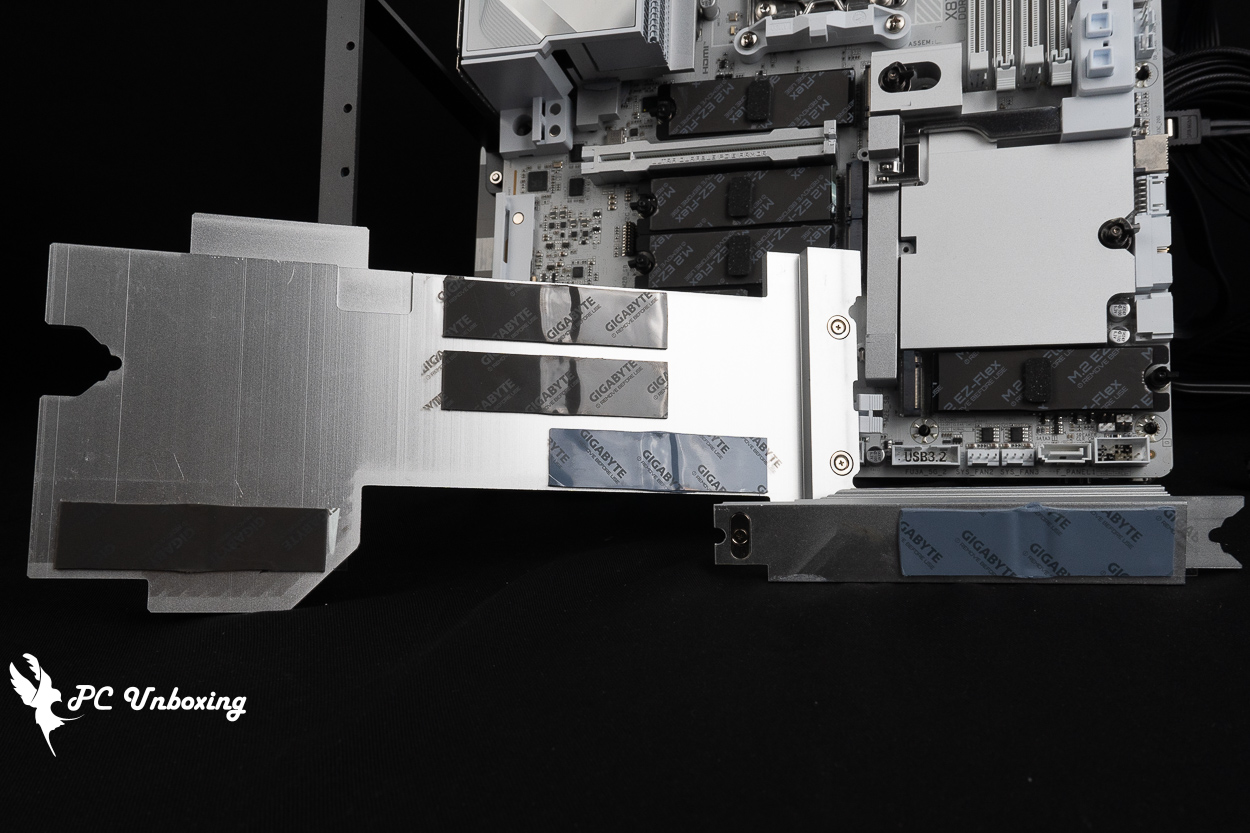
△ 五個 M.2 SSD 擴充位置,都配置雙面散熱墊以及散熱片協助散熱。
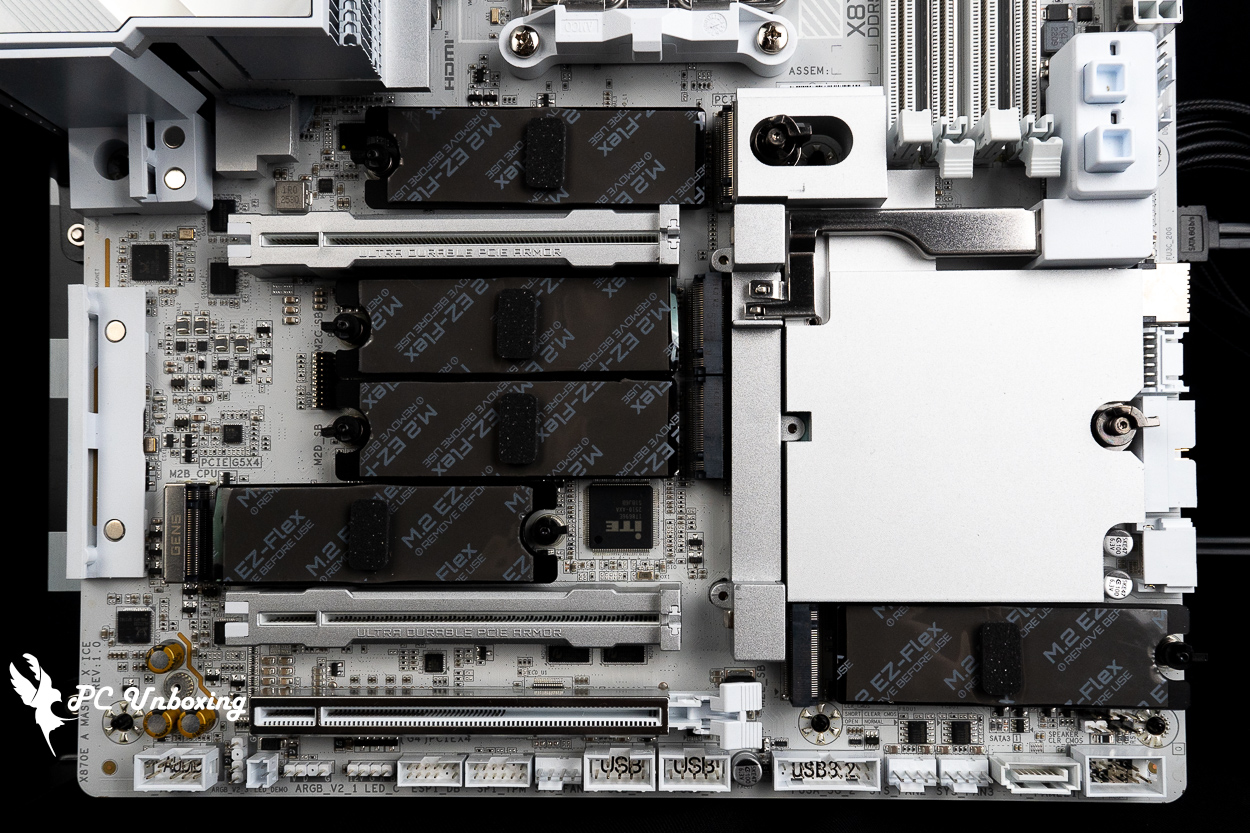
△ 板載 M.2 SSD 擴充安裝位置,由上至下:M2A_CPU Gen5、M2C_SB Gen4、M2D_SB Gen4、M2B_CPU Gen5、M2E_SB Gen4。
主機板後方 I/O 提供了 CMOS 按鈕、Q-Flash Plus 按鈕、開機鍵、重啟鍵、一個 HDMI 2.1 內顯輸出(支援至最高 4096×2160 60 Hz 解析度)、七個 USB 10Gbps Type-A(紅色)、兩個 USB 4 Type-C 40Gbps、一個 USB 20Gbps Type-C、一個 USB 10Gbps Type-C、RJ-45 10 Gbps LAN 有線網路孔、RJ-45 5 Gbps LAN 有線網路孔、Wi-Fi 7 天線埠、光纖 S/PDIF 數位音訊輸出、兩孔音訊連接埠。
主機板後方有兩個 USB 4 Type-C 40Gbps 連接埠,支援 DisplayPort 1.4 版本的處理器內建顯示卡顯示輸出功能,該插槽可以透過內顯讓使用者有額外的顯示輸出插槽可用,最高可有 3840×2160 240 Hz 的解析度。
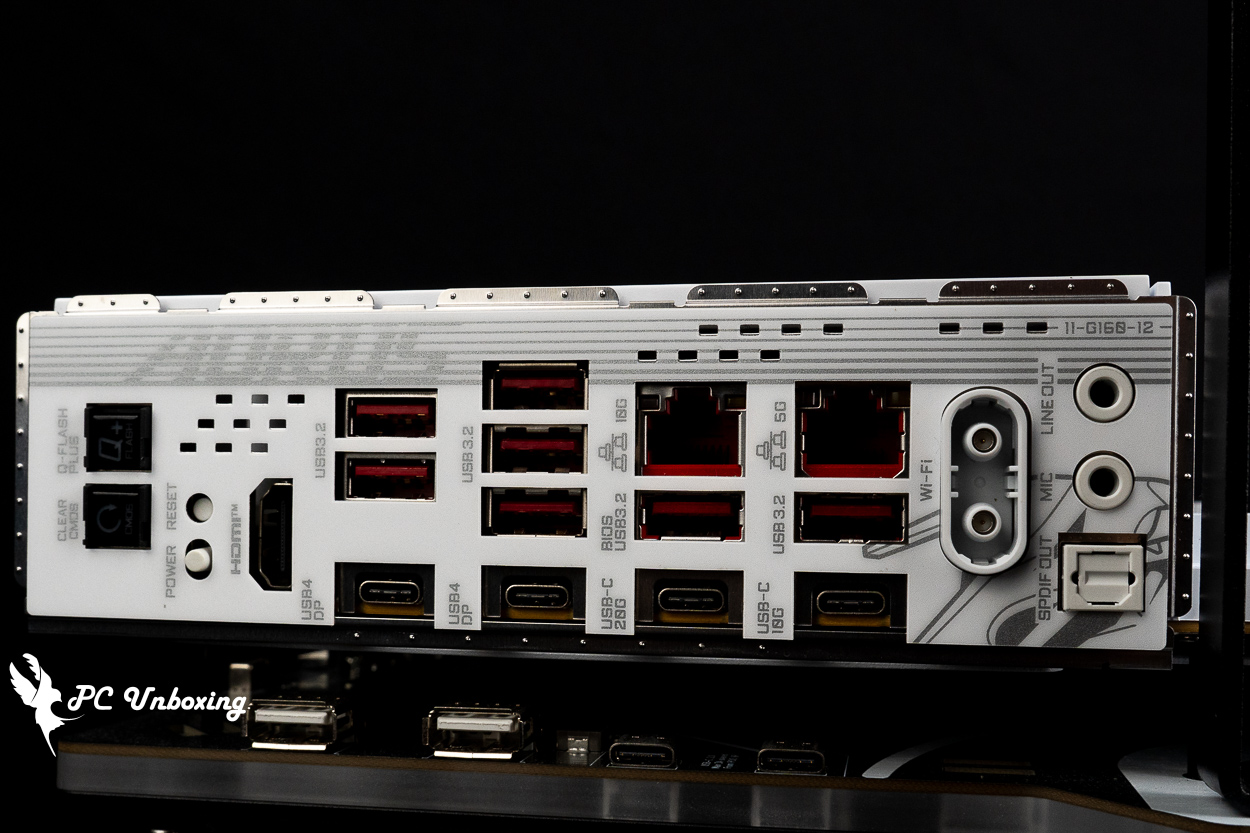
△ Rear I/O at a glance.
X870E AORUS MASTER X3D ICE 主機板燈光效果展示:AORUS RGB 燈效
Then the actual power on and off to show the motherboard on-board lighting effect for your reference.
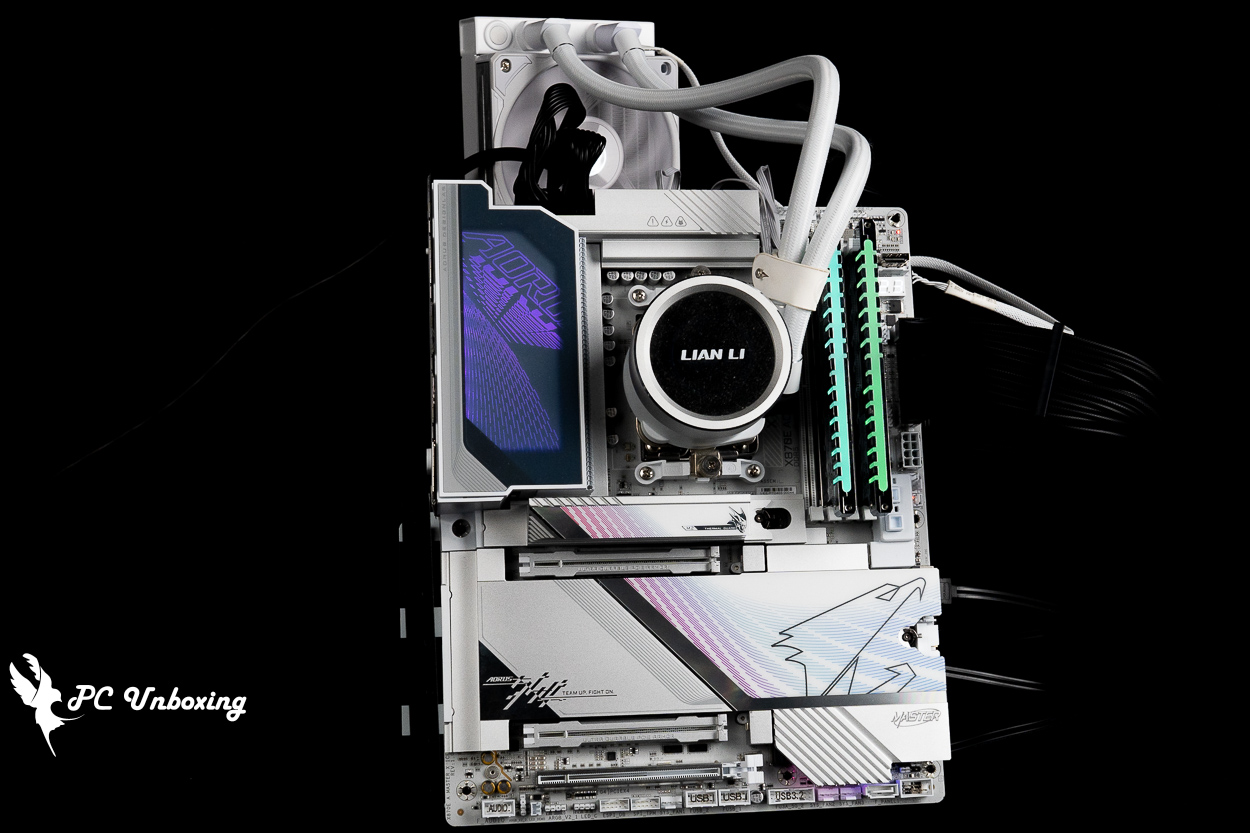
△ X870E AORUS MASTER X3D ICE 主機板燈光效果。
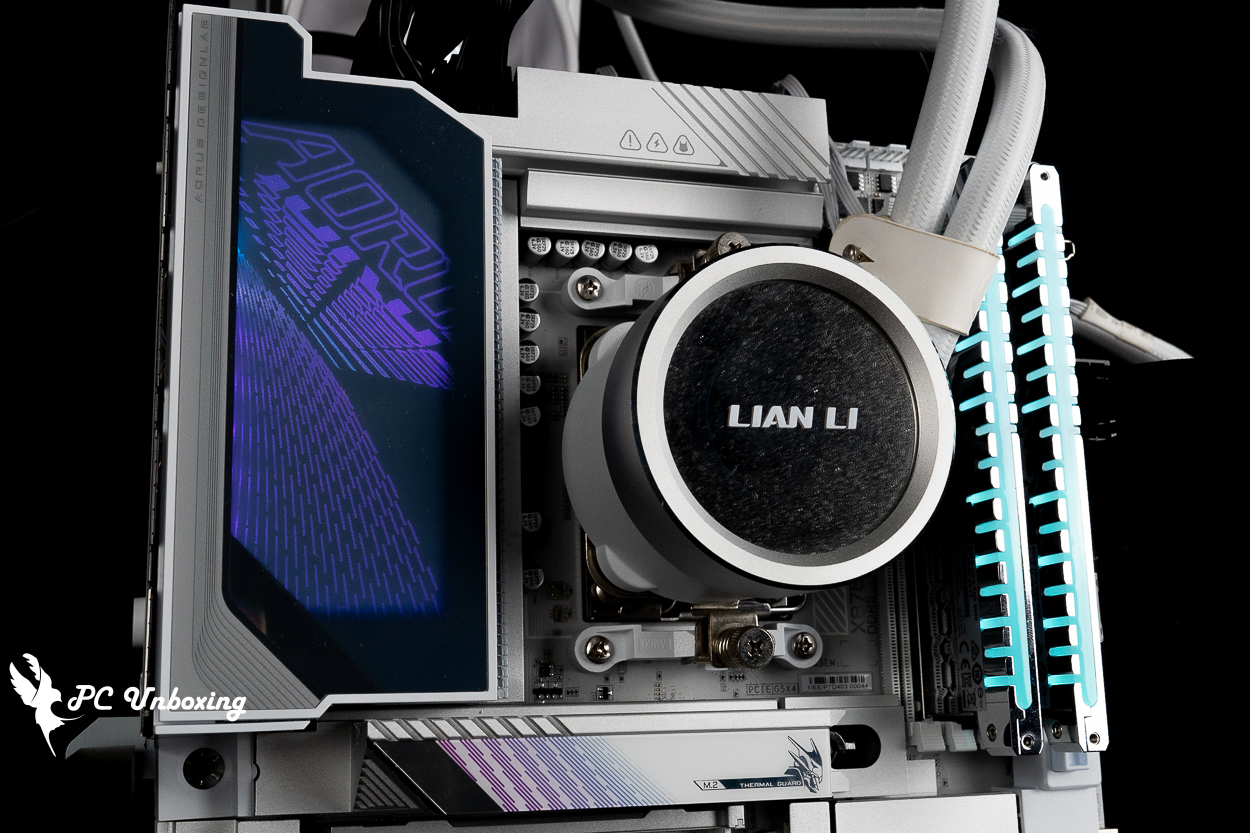
△ 後方 VRM 散熱裝甲上的 AORUS 燈板。
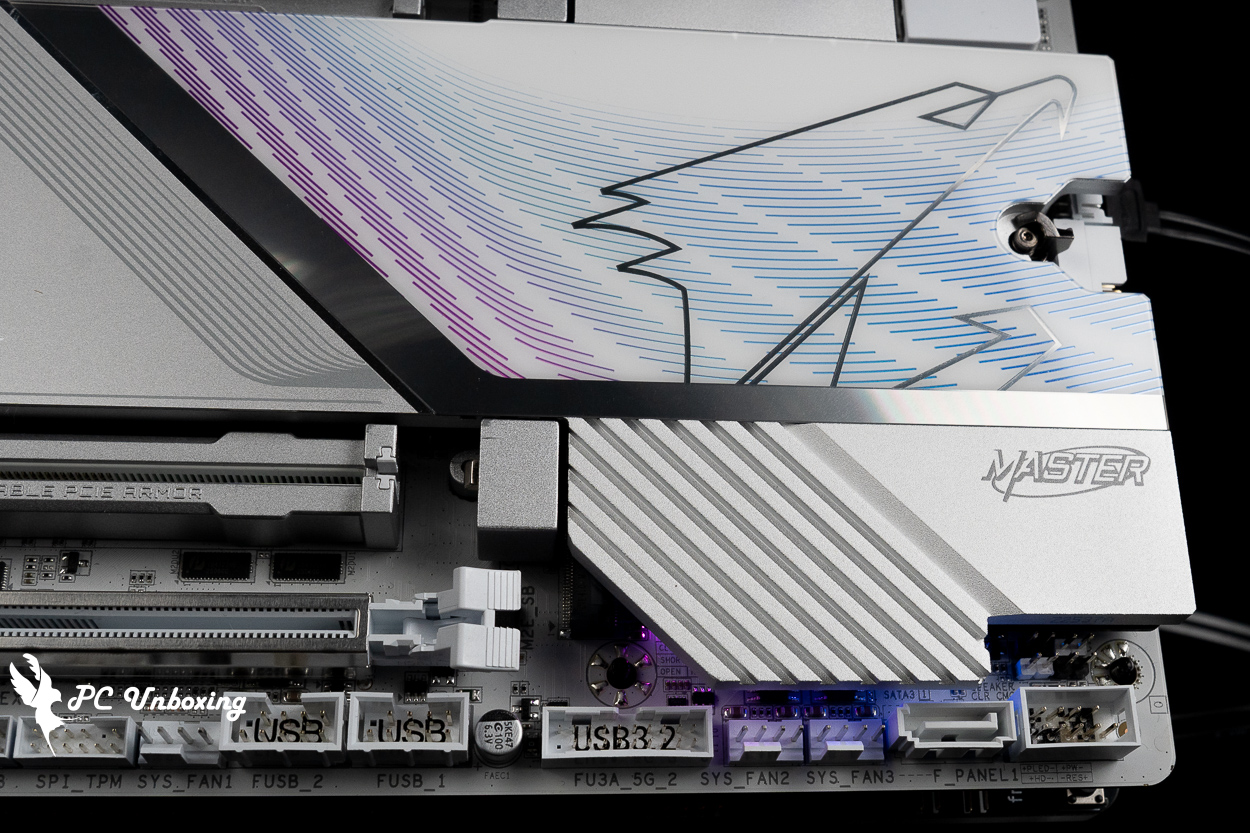
△ PCH 散熱片下設有燈珠。
X870E AORUS MASTER X3D ICE 性能測試:Ryzen 7 9850X3D 測試平台與 CPU 跑分
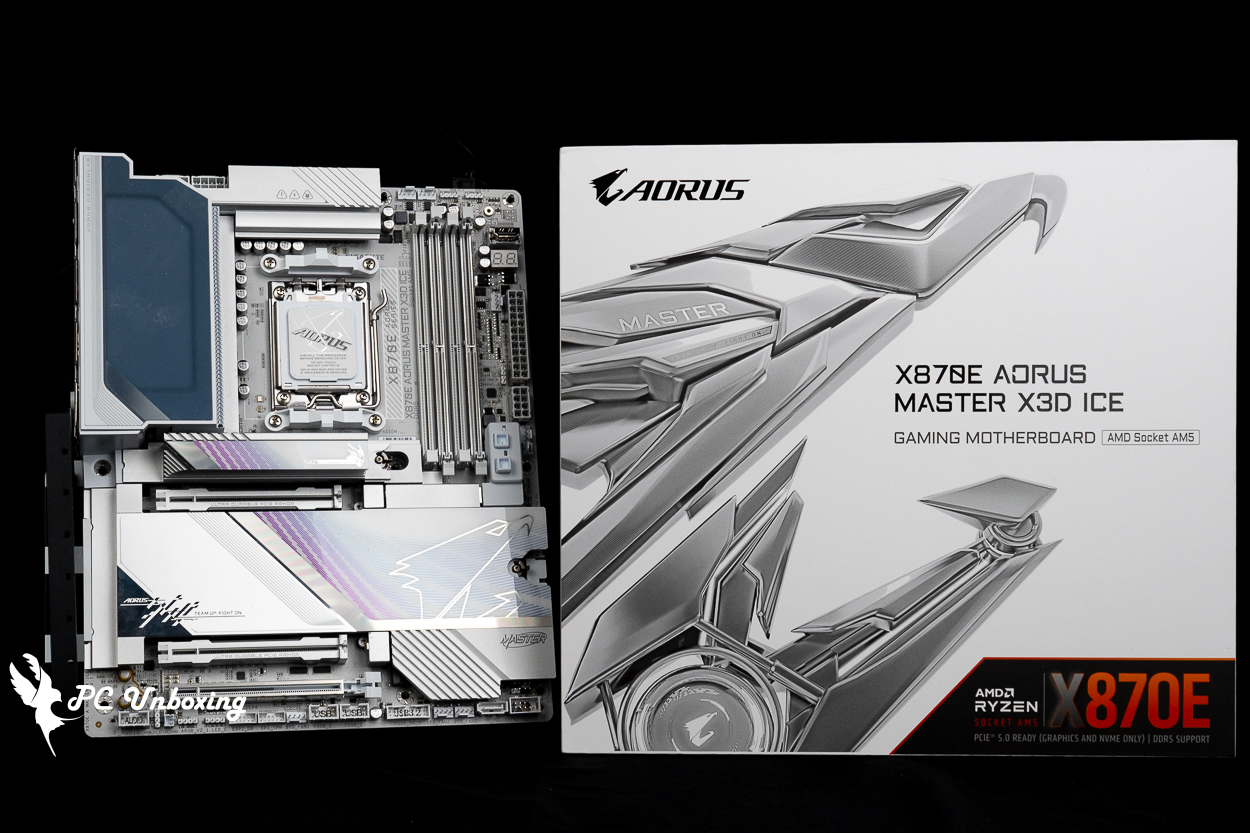
本次主機板性能測試,搭配 8 核心 16 執行緒的 AMD Ryzen 7 9850X3D Install the processor, update the motherboard BIOS to the latest version, set up the system, and enable Profile 2 for the memory.
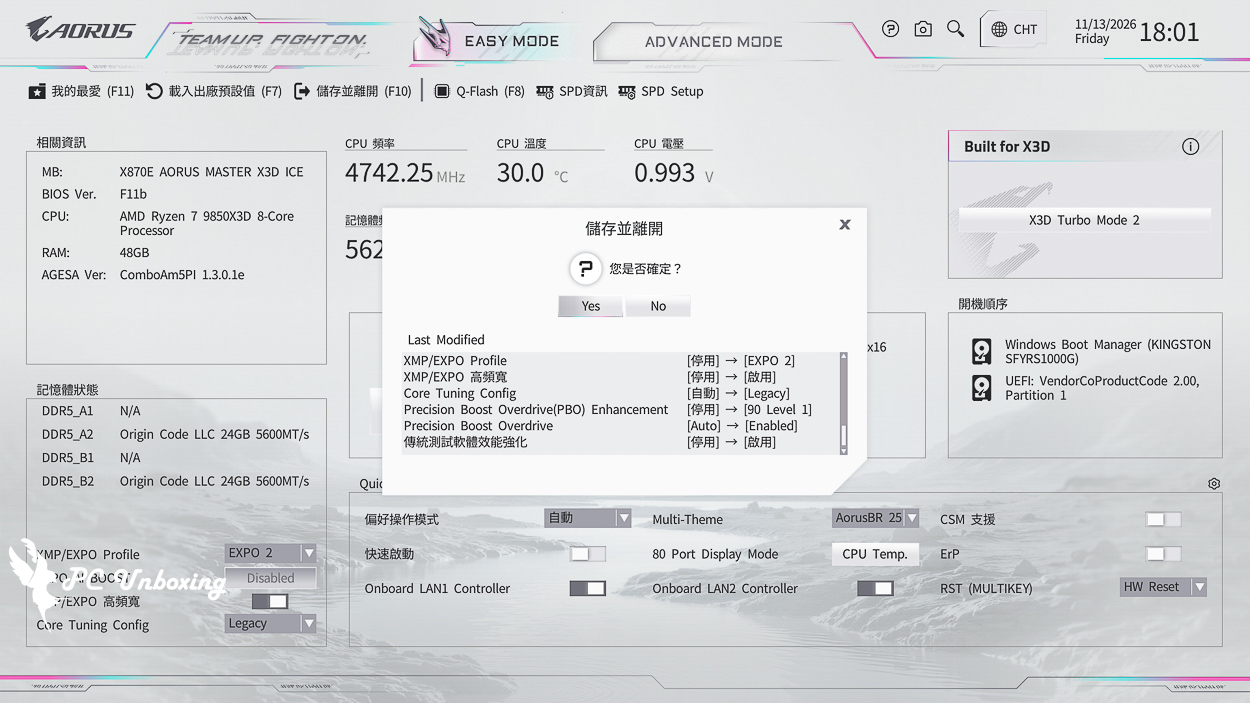
Extra On GIGABYTE High Bandwidth and Low Latency Features, as well as performance enhancements to traditional testing software; AMD PBO was manually set to "Enabled" at Level 1 (90) for testing.
Testing Platform
Processor:AMD Ryzen 7 9850X3D(PBO activated)
Cooler: LIAN LI GA II Trinity SL-INF 360 (full speed)
Water-cooled fans: 3x LIAN LI P28 (full speed)
Thermal paste: Cooler Master MASTERGEL MAKER 40g (thermal conductivity 11W/mK)
主機板:GIGABYTEX870E AORUS MASTER X3D ICE(BIOS 版本:F11b)
Memory:Origin code vortex DDR5 48 GB (24 GBx2) 8000 MT/s CL36-47-47-108 1.45V
Graphics: NVIDIA GeForce RTX 4080 Founders Edition
Operating System: Windows 11 Professional 25H2
Chassis:Thermal Grizzly der8enchtable Bare Benchmark Stand
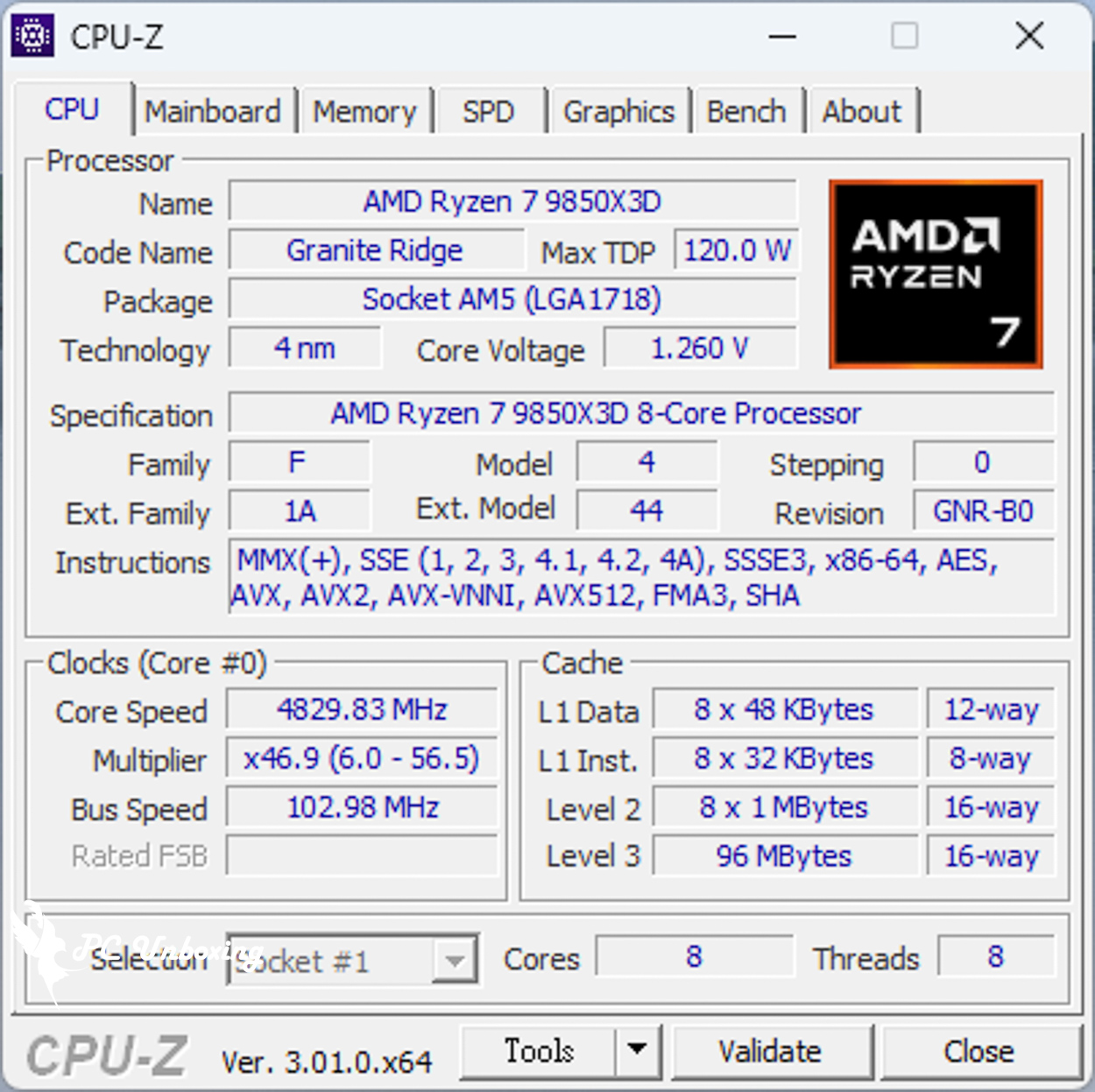
firstly CPU-Z 檢視本次的測試平台硬體資訊,AMD Ryzen 7 9850X3D 處理器有著 8 核心與 16 執行緒,系列代號為 Granite Ridge 使用 TSMC 4nm FinFET 製程,主機板支援 PCI-E 5.0 通道,BIOS 為測試時最新版本。
We also ran the CPU-Z internal tests for your reference.
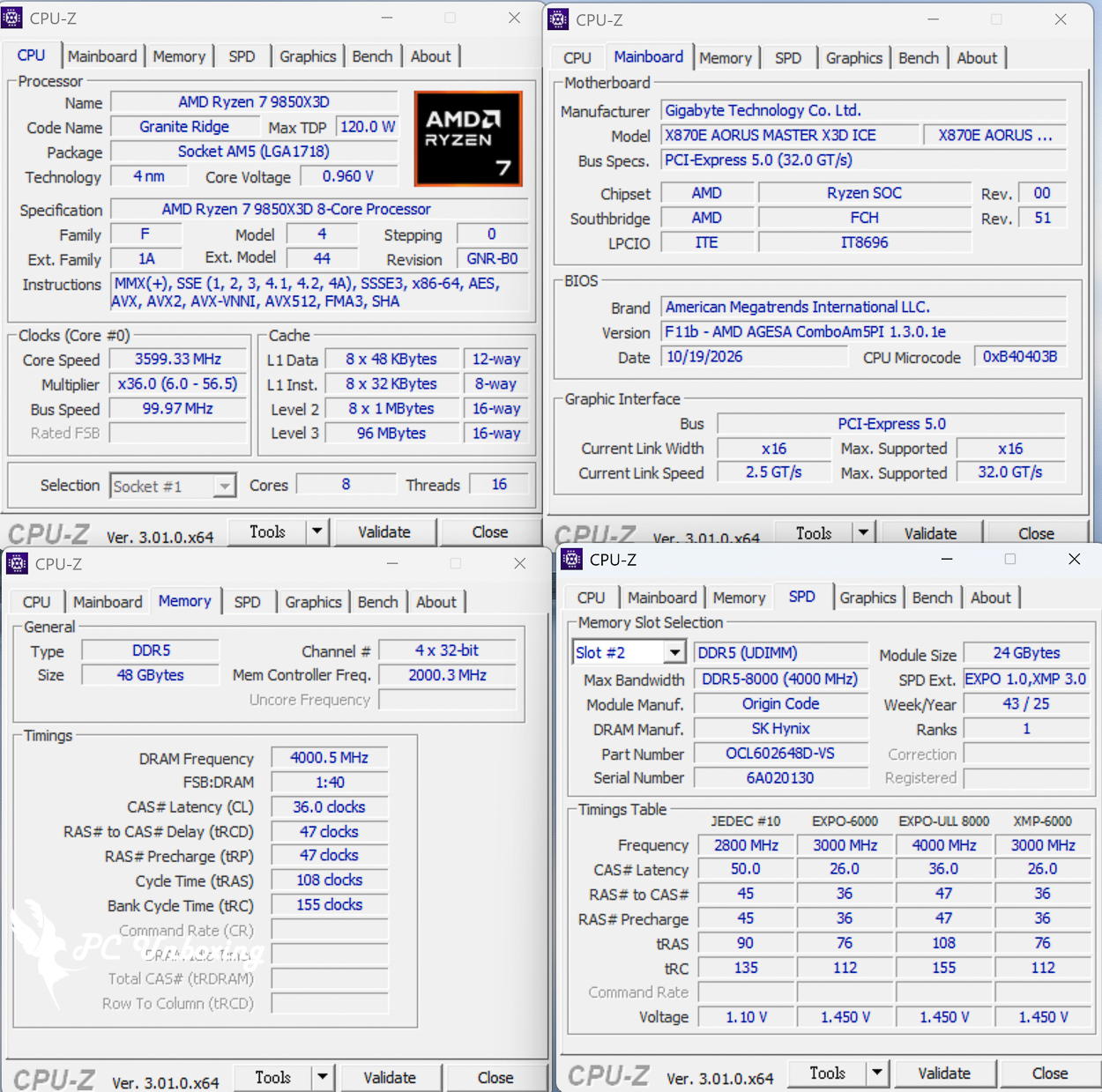
CPU-Z platform information at a glance.
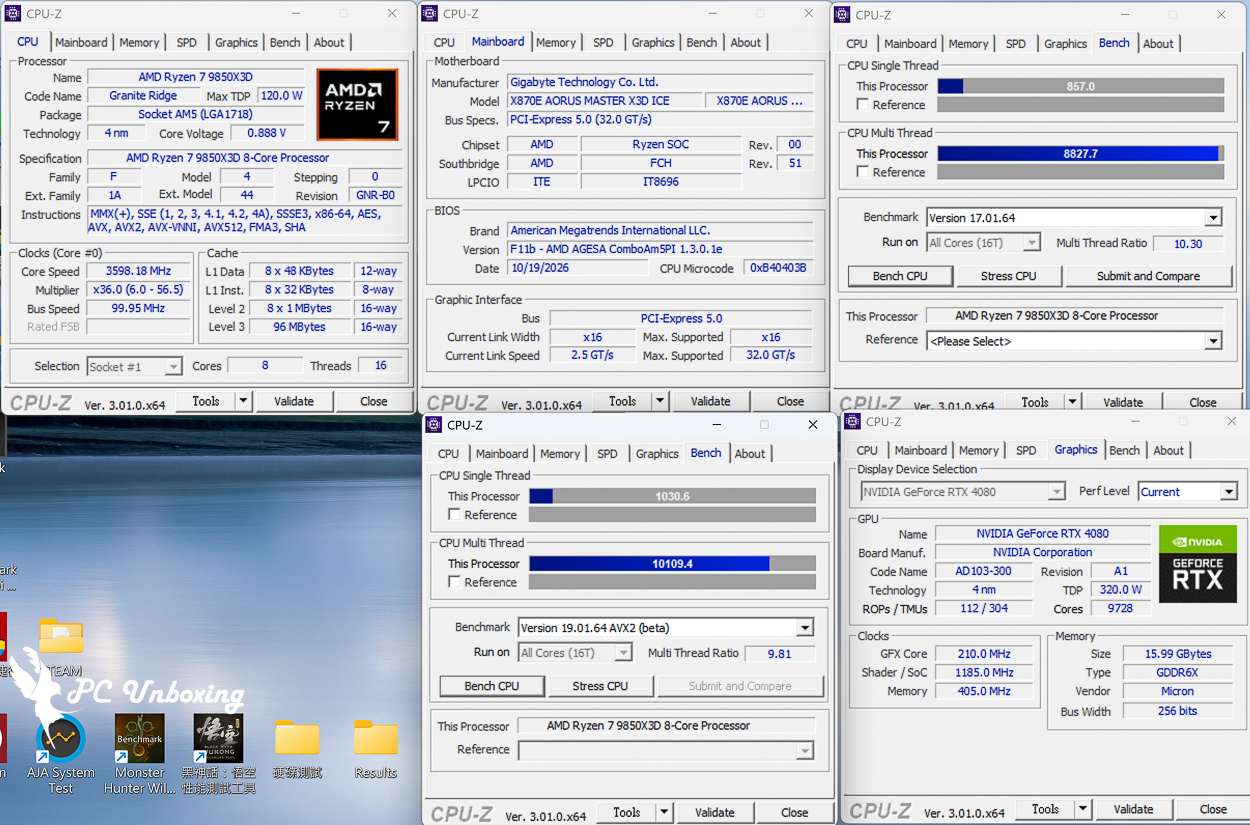
△ CPU-Z internal test score results.
AIDA64 Cache & Memory Benchmark It is mainly used to test the performance of processor caches and RAM. The read/write/copy bandwidth performance score represents the rate of transfer between CPU and memory, which means the efficiency of data throughput (the higher the score, the better), and the time delay score of accessing data indicates the responsiveness of the memory system.
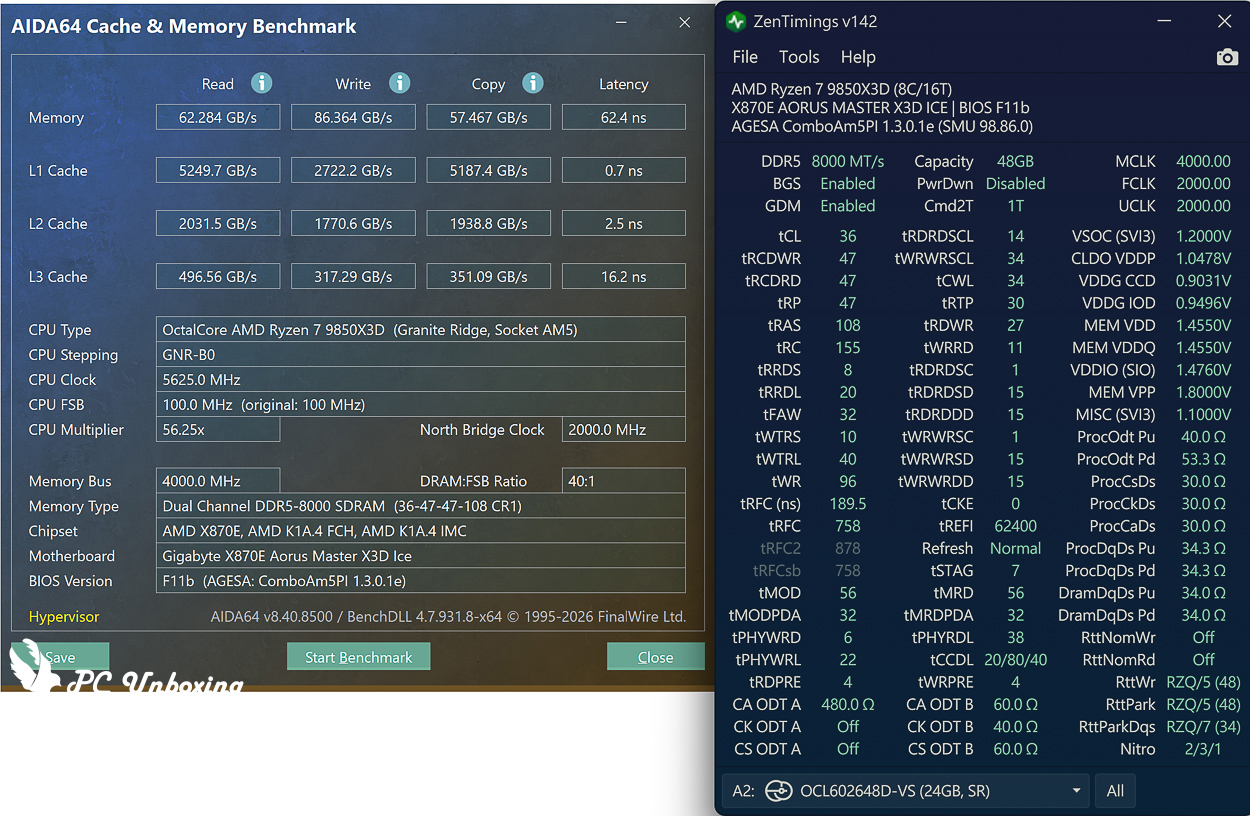
△ AIDA64 cache and memory test.
by Maxon Cinebench An industry-standard benchmarking software, Cinebench 2026 tests GPU and CPU performance using Maxon's powerful Redshift rendering engine.
The new version of Cinebench 2026 adds a test for evaluating the performance of SMT-enabled CPU cores, which means that it is now possible to test: GPU, processor full-core, processor single-core, and processor single-thread performance.
Based on the latest Cinema 4D 2026 and Redshift code, and using the updated Clang V19 compiler, the benchmarking accuracy of contemporary and next-generation processors has been improved to test whether the equipment is stable under high loads, whether the thermal solutions of the desktop or laptop are sufficient to cope with the demands of long-term operation in order to maximize the potential of the CPU, and whether the machine is capable of handling demanding 3D tasks. and whether the machine is capable of handling demanding 3D tasks.
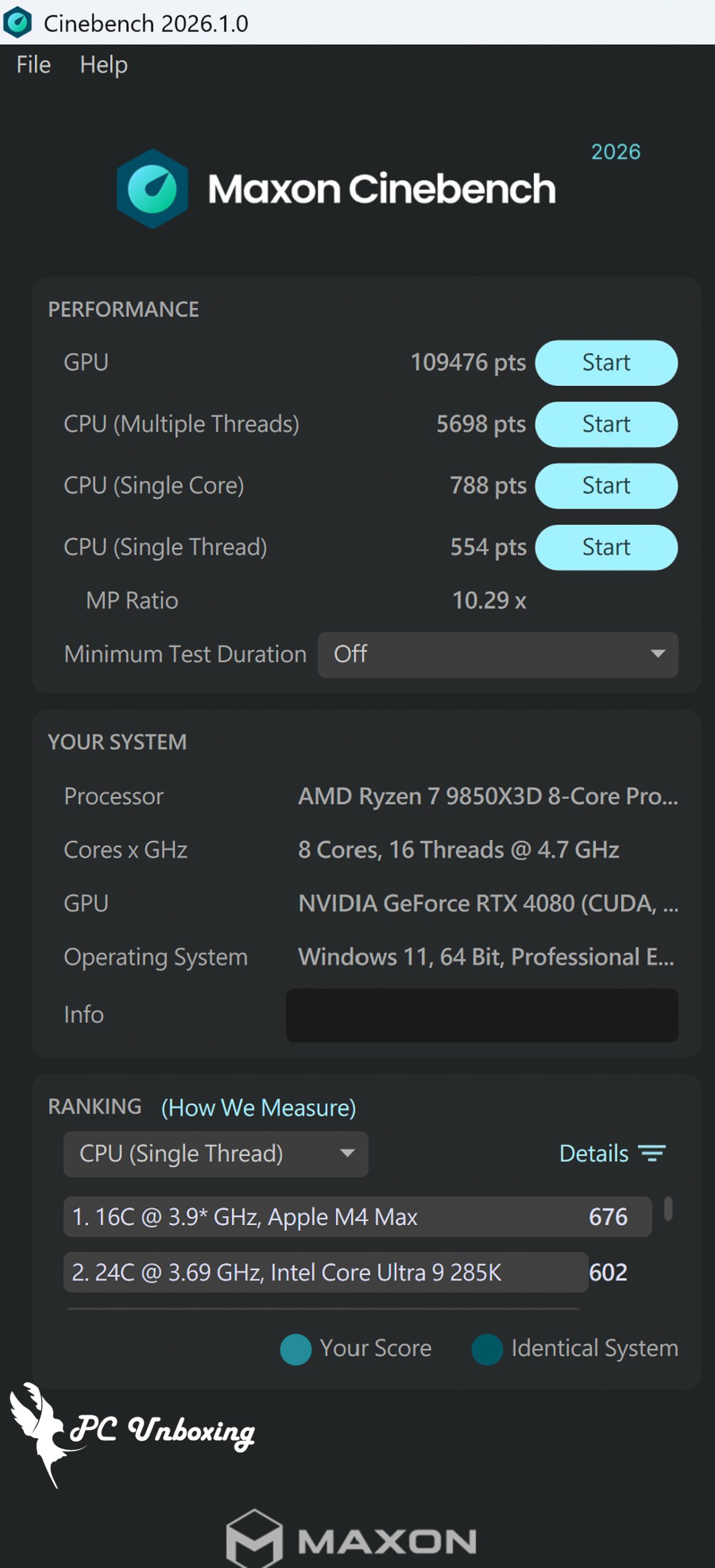
△ Cinebench 2026.
PCMark 10 It also simulates test scenarios to determine the overall performance of the computer. The common basic functions include application launching, web browsing, and video conferencing tests, while productivity simulates document and spreadsheet writing, and the last item, video content creation, includes professional tests such as photo editing, video editing, and rendering.
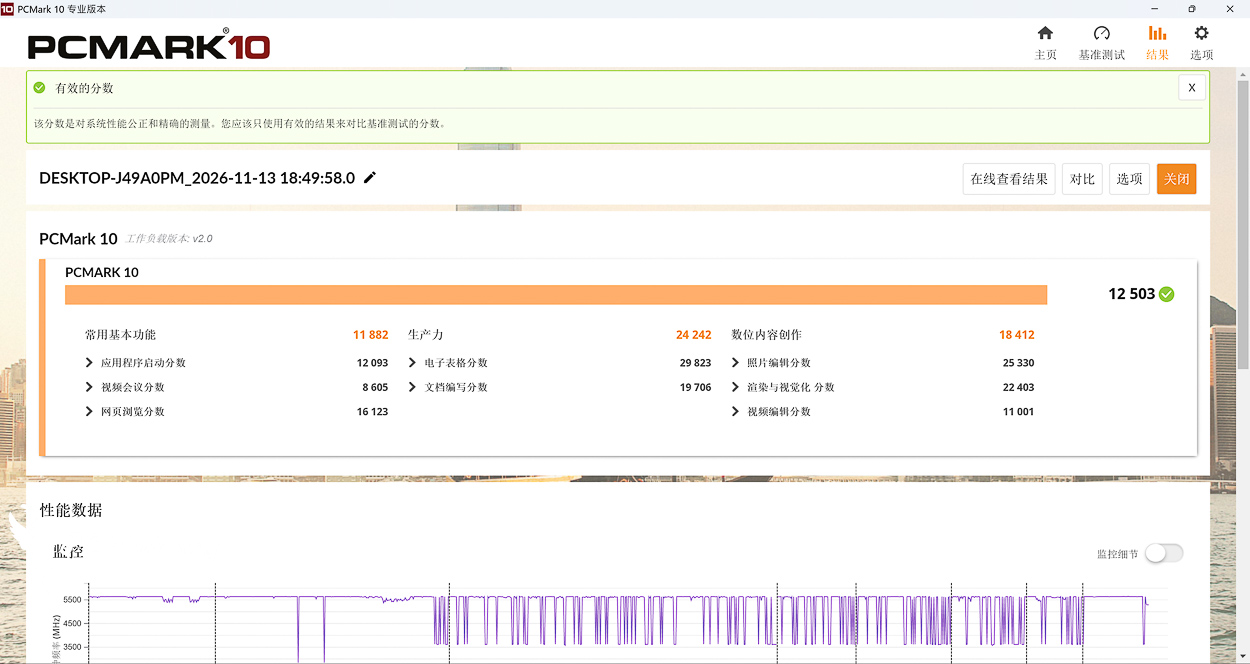
△ PCMark 10 test.
V-Ray 6 Benchmark V-Ray Engine Test Software is an image rendering program developed by Chaos Group. The free Benchmark examines the rendering speeds of the CPU and GPU on the V-Ray Engine, which tests the rendering performance of the processor.
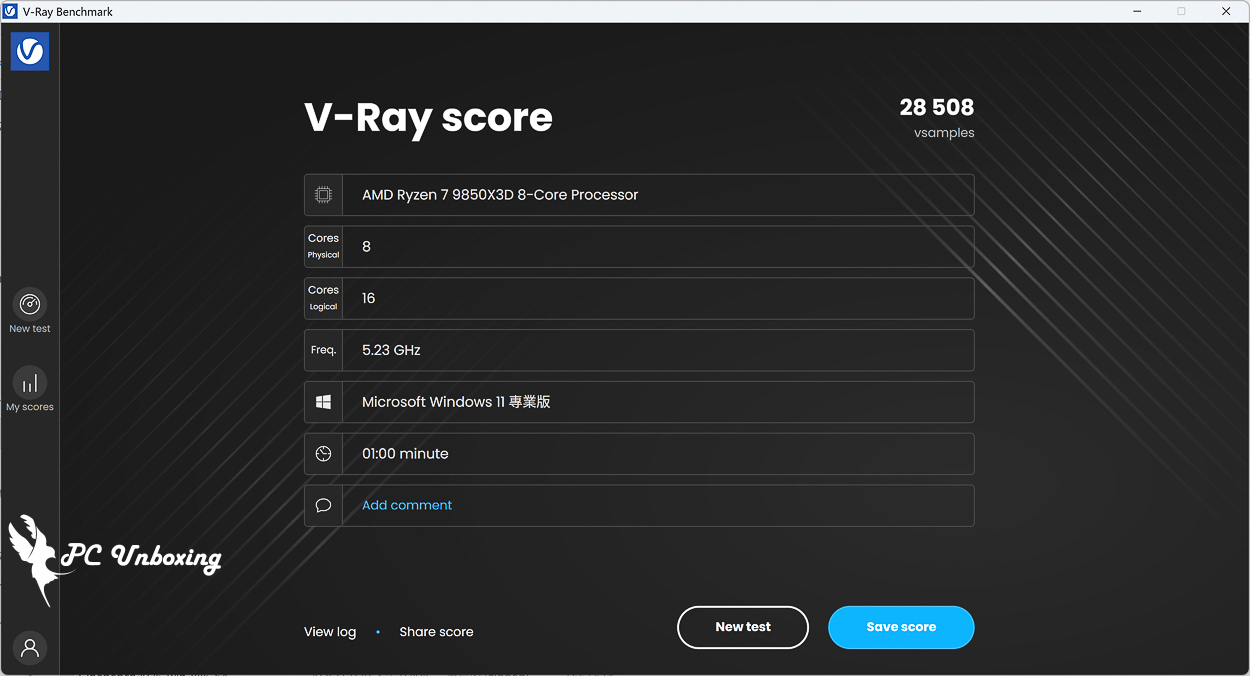
△ V-Ray 6 Benchmark.
Corona Benchmark is a free test software based on the Corona 10 rendering core that evaluates the performance of a system by using Corona 10 rendered scenes to measure the rendering speed of the system in terms of rays per second (rays/s). More rays per second means faster rendering, and the scores are linearly scaled. For example, a system with 6 million rays per second will have twice the rendering speed and performance of a system with 3 million rays per second.
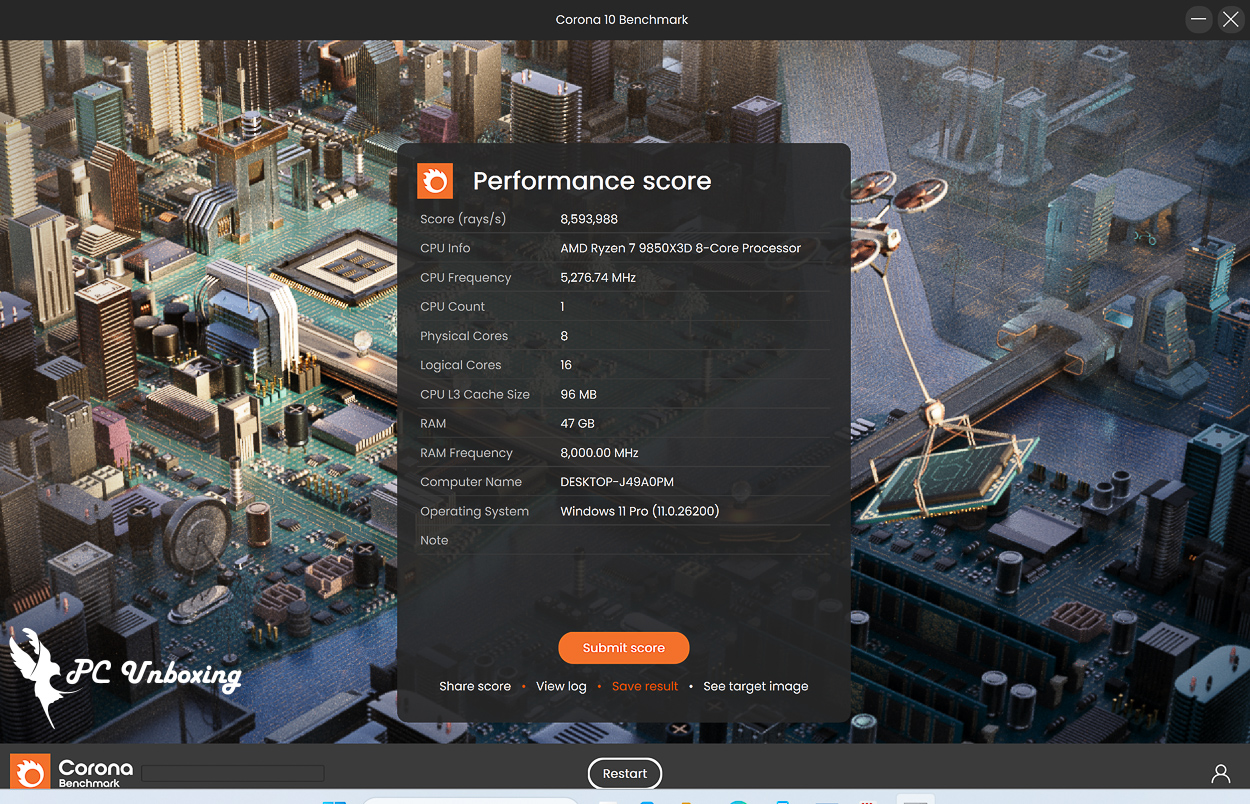
△ Corona Benchmark.
OCCT CPU BENCHMARK CONFIGURATION Single thread and Multiple threads will be tested using AVX and SSE instruction sets respectively.
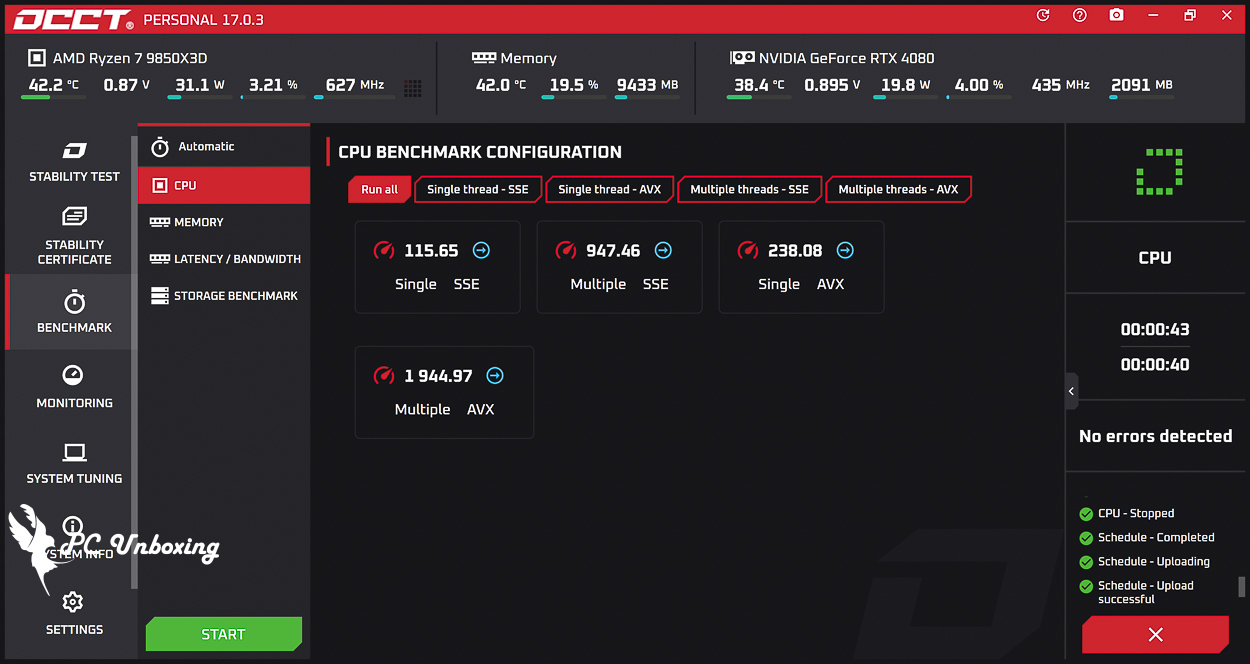
△ OCCT CPU BENCHMARK CONFIGURATION.
CrystalMark Retro It is a comprehensive benchmark software that measures CPU, HDD, 2D graphics (GDI) and 3D graphics (OpenGL) performance. Developed by hiyohiyo and koinec, the authors of CrystalDiskMark and CrystalDiskInfo, the results are individual scores and not in any common units.
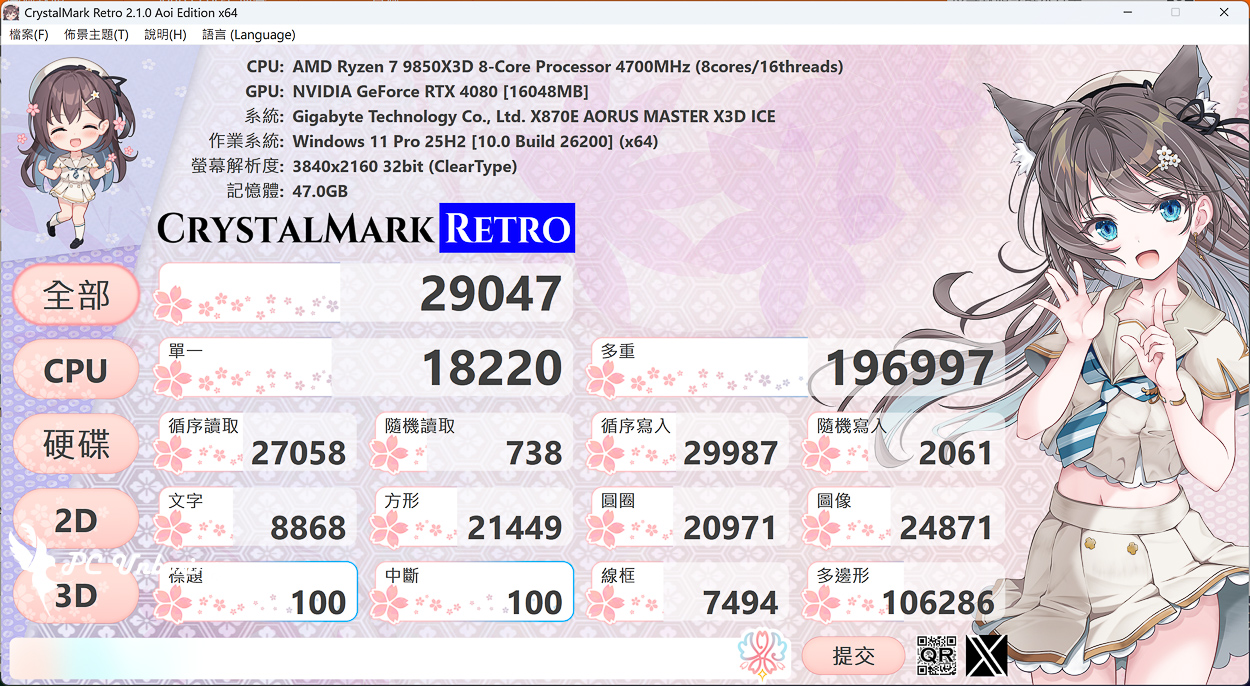
△ CrystalMark Retro.
Use with empty disk CrystalDiskMark Software to testMicron Micron Crucial T710 1TB PCIe Gen5 NVMe 2280 M.2 SSD Read and write performance on the motherboard was tested using the default profile.
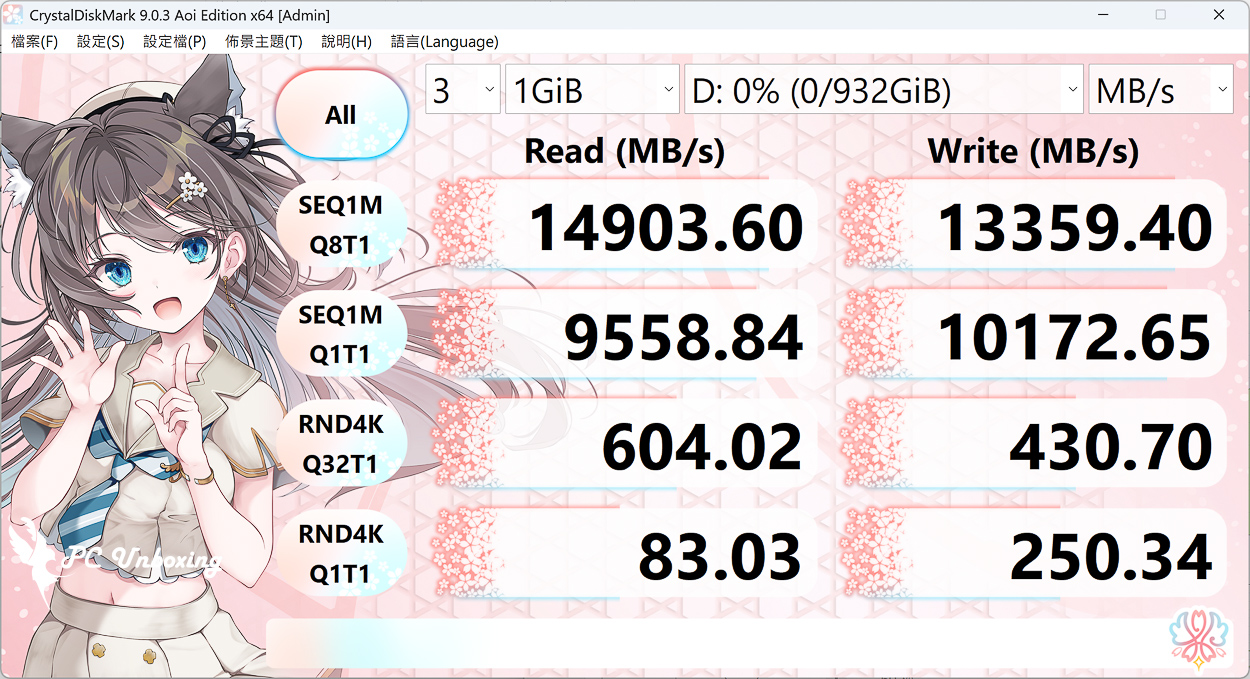
△ CrystalDiskMark Settings: NVMe SSD / Profile: Default, Sequential Read/Write and Random Read/Write test results.
X870E AORUS MASTER X3D ICE 遊戲效能測試:3DMark Fire Strike、Time Spy 與 CPU Profile 跑分
Next up, the 3DMark series, one of the most benchmarks for gaming scores, was used to compare the theoretical results of the same graphics platform with different processors through a series of tests with different picture quality and different GPU APIs.
3DMark CPU Profile This test will test the performance of MAX, 16, 8, 4, 2, 1 threads respectively, while the performance of 16 threads and above is more for 3D rendering or audio/video professional work, and most of the mainstream DirectX 12 game performance can refer to the score of 8 threads, while the score of 4 and 2 threads are related to the old games developed with DirectX 9.
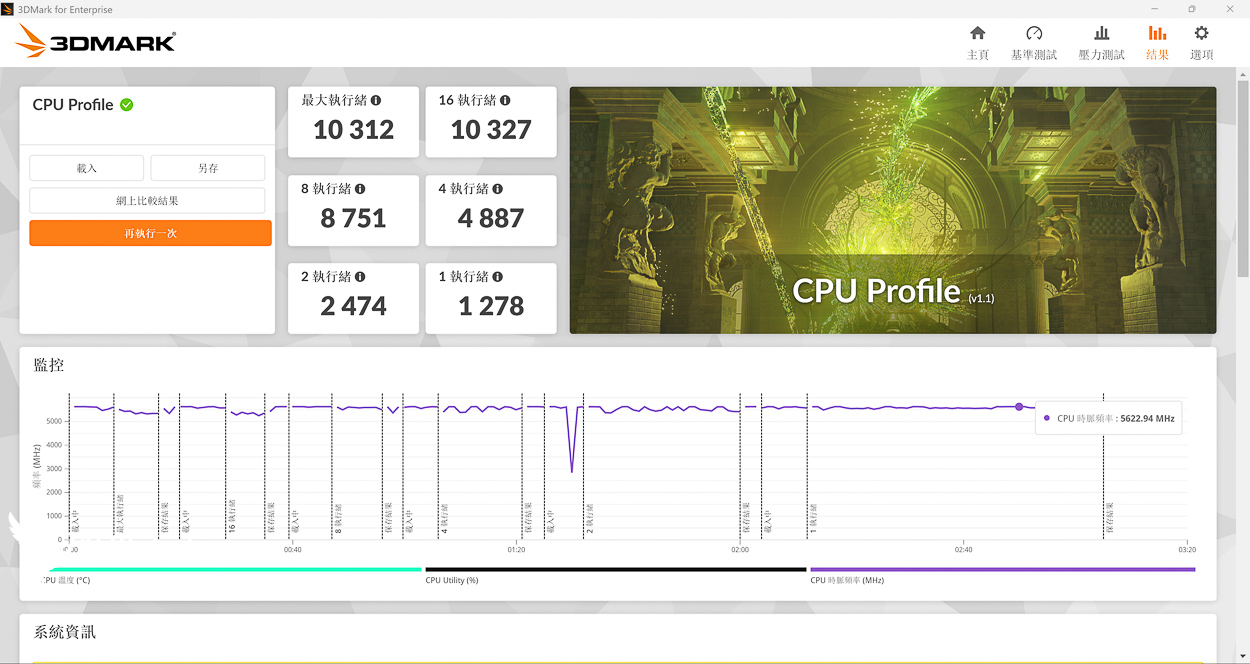
△ 3DMark CPU Profile.
In addition, the author has also used the commonly used game performance simulation test 3DMark Fire Strike、3DMark Time Spy,兩款項目分別是代表了 1080p 畫質 DirectX11 GPU API 情境遊戲模擬測試的 Fire Strike,以及代表了 1440p 畫質 DirectX 12 GPU API 情境遊戲模擬測試的 Time Spy。
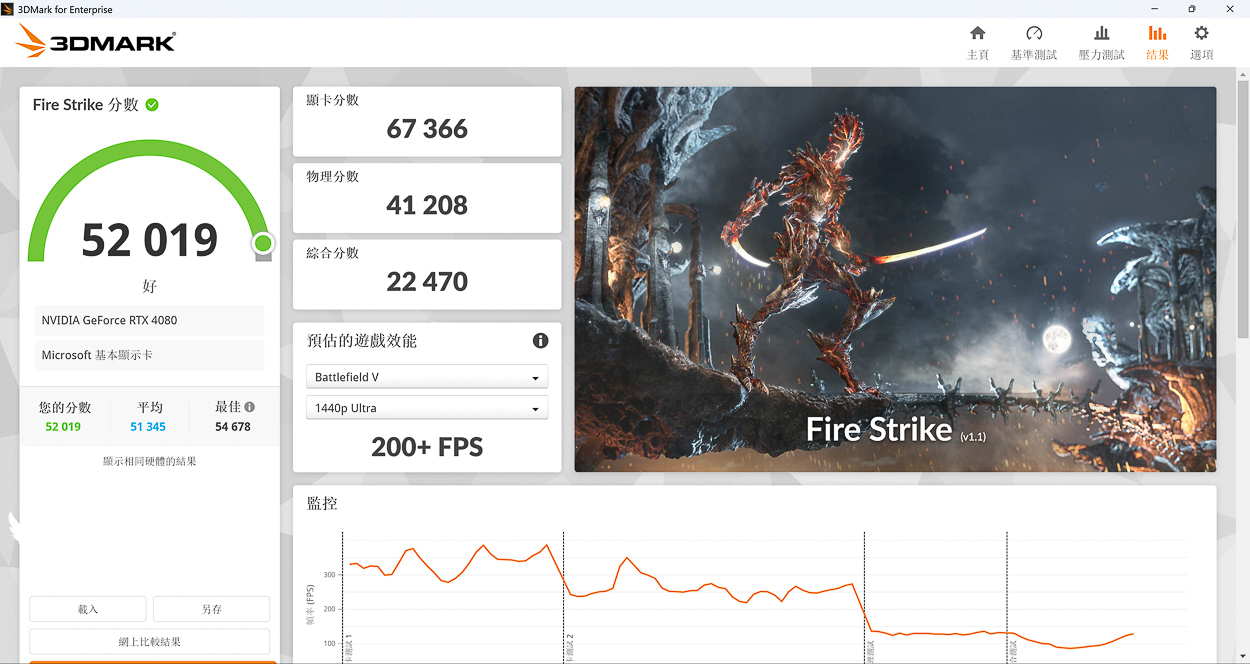
△ 3DMark Fire Strike.
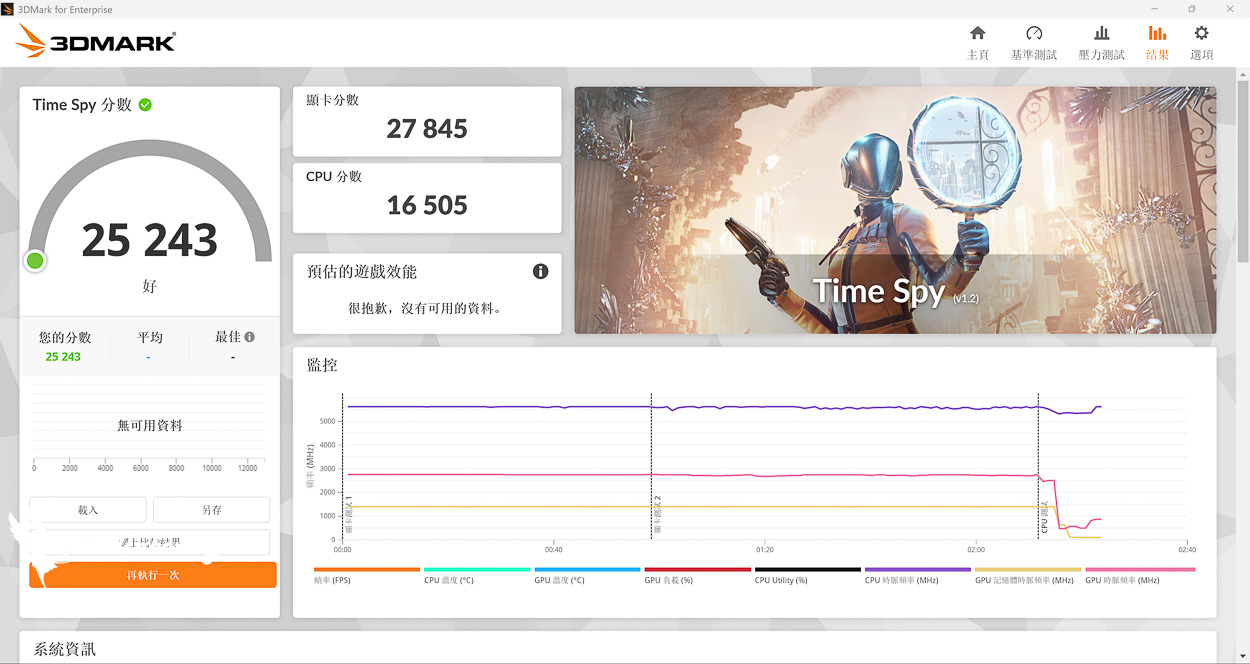
△ 3DMark Time Spy.
Ryzen 7 9850X3D 實測 X3D Turbo Mode 2.0:Cyberpunk 2077 遊戲效能提升多少?
先前在《GIGABYTE X3D Turbo Mode 2.0 Hands-On Review: An Analysis of the Ryzen 9 9950X3D’s Gaming and Multi-Core Performance》文章中,實測了 GIGABYTE BIOS 內的 X3D Turbo Mode 2.0 功能,在搭配 16 核心 32 執行緒規格的 Ryzen 9 9950X3D 進行多種數量核心實測,讓各位理解 X3D Turbo Mode 2.0 功能在不同應用場景下的性能提升與應用場合。
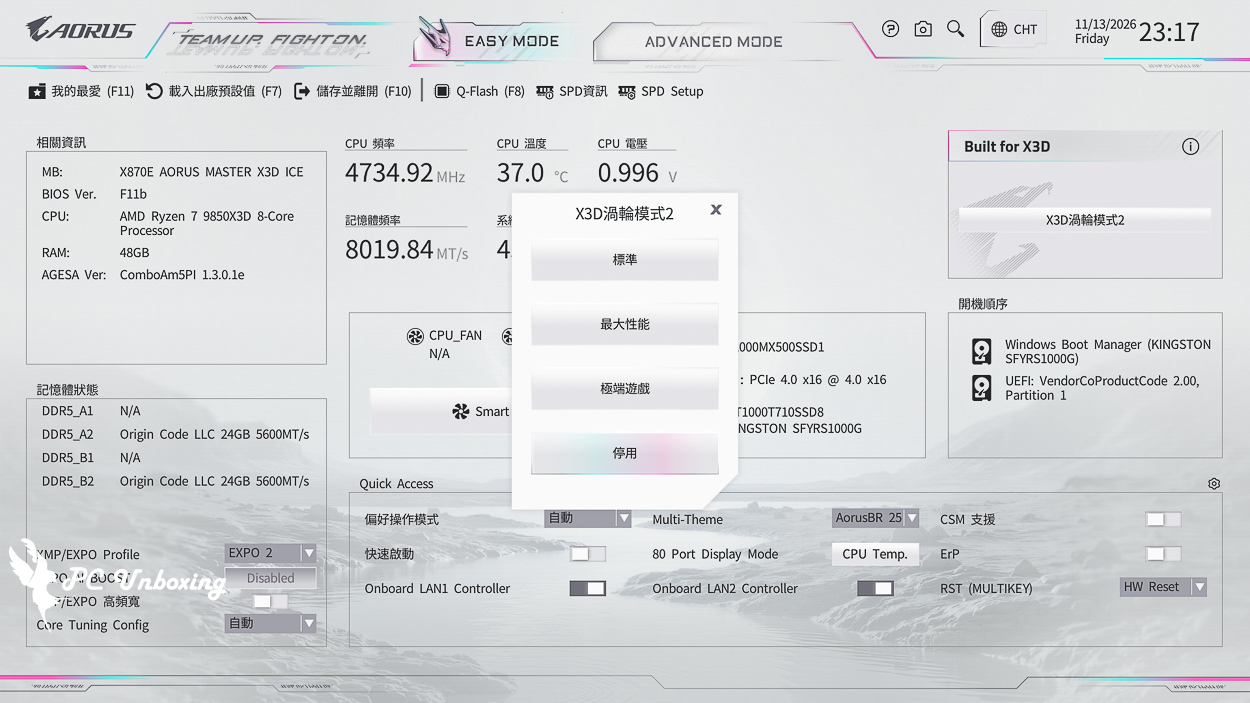
△ X3D Turbo Mode 2 設定模式。
而這次會搭配只有 8 核心規格的 Ryzen 7 9850X3D 處理器,以及遊戲 Benchmark 官方性能測試工具進行跑分,讓玩家們進一步理解 9850X3D 在搭配 X3D Turbo Mode 2 使用時,遊戲性能有多少提升。
這個測試僅開啟記憶體 Profile 與 GIGABYTE X3D Turbo Mode 2 功能進行測試,其他設定皆保持預設,「沒有開啟」其他超頻或是加持功能設定。
在額外研究 X3D Turbo Mode 2 功能時,有國外媒體使用 Ryzen 9 9950X3D 去對比開啟前後有哪些功能被異動,例如:PBO、外頻 eCLK、Max CPU Boost Clock、Curve Optimisation、Active Cores/Threads、多執行緒功能 SMT、Avg. Core Frequency、處理器功耗上限 Max. CPU Power 等等。
而筆者稍微研究了一下手上的 Ryzen 7 9850X3D 搭配 X3D Turbo Mode 2 時,只有在「極端遊戲」模式下,外頻 eCLK 確實被提升到了 103 MHz 左右,在最大性能模式下 eCLK 則沒有變動,看來每個不同處理器都會有不同的設置。
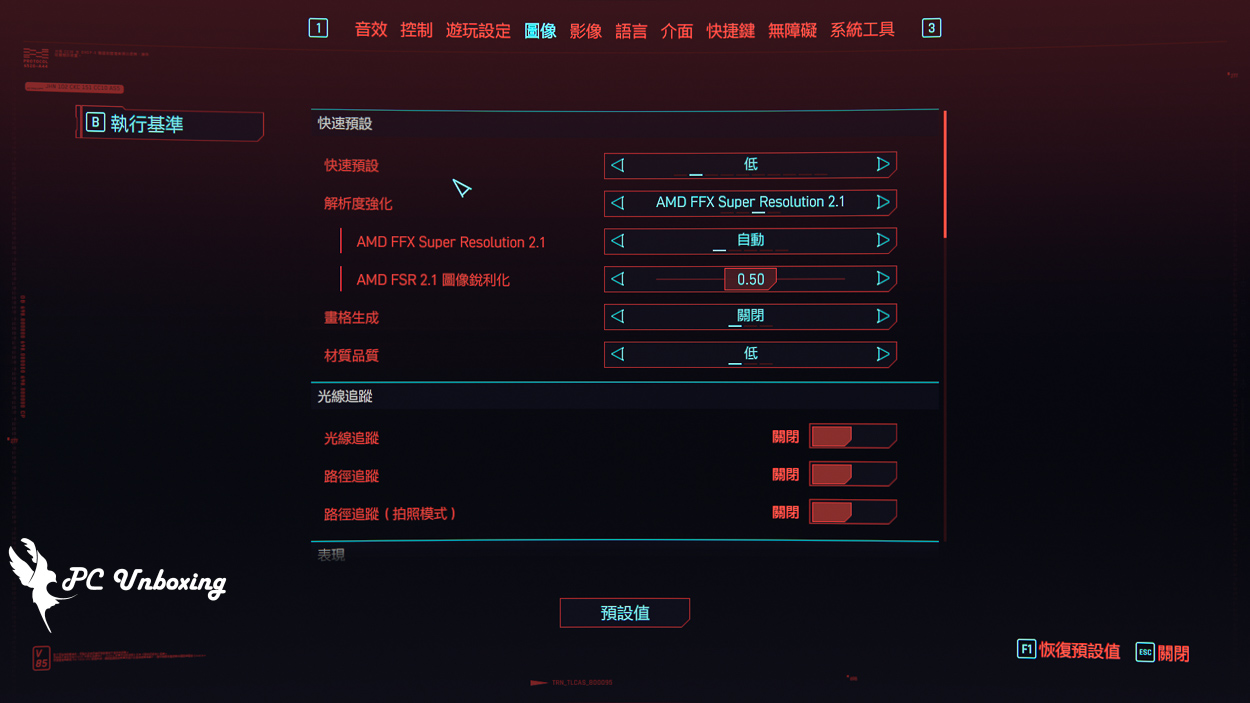
△ 遊戲 Benchmark 使用《Electric Renegade 2077_Cyberpunk 2077》,套用內建快速預設「低」進行測試,測試平台與前面性能測試使用相同硬體,但沒有開啟其他處理器超頻功能,只使用 X3D Turbo Mode 2 功能。
△ Ryzen 7 9850X3D 搭配 X3D Turbo Mode 2 時,只有在「極端遊戲」模式下,eCLK 被超頻至 103 MHz。
本次僅提供了《Electric Renegade 2077_Cyberpunk 2077》的 Benchmark 成績,是因為筆者同時還測試了《FF14 Golden Legacy_FINAL FANTASY XIV: Dawntrail Official Benchmark》和《Rainbow Six: Siege X_Tom Clancy’s Rainbow Six Siege X》,另外兩款 MMORPG 與 FPS 電競類型遊戲,但另外這兩款測試結果中,都沒有太大的性能提升或是差距,筆者實測下來只有 2077 有明顯的性能差異,因此僅提供這款遊戲的測試截圖給大家參考。
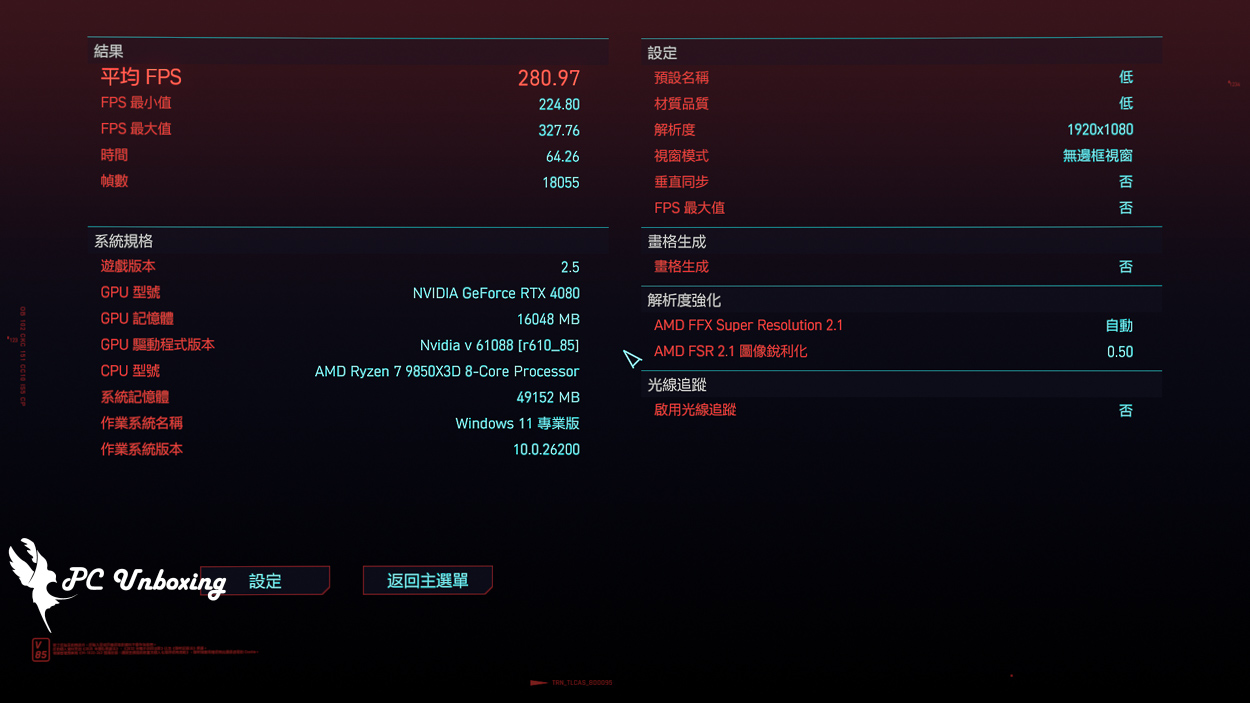
△ X3D Turbo Mode 2_off, processor default performance.
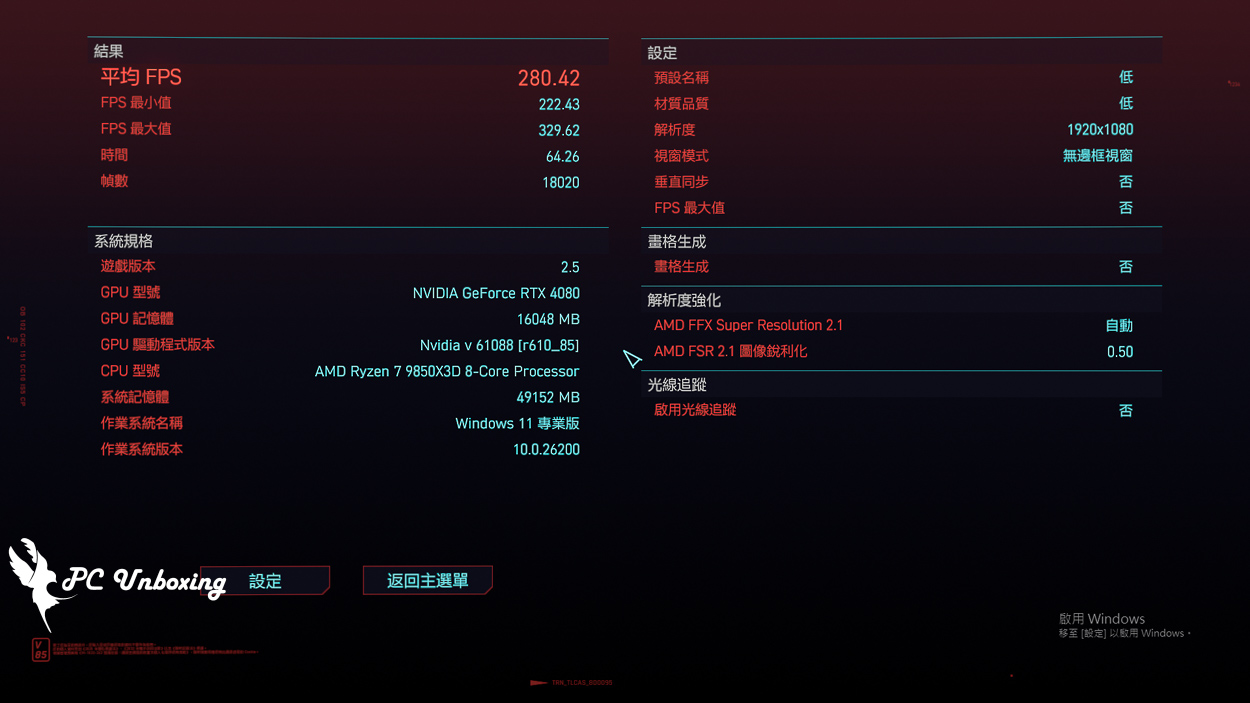
△ X3D Turbo Mode 2_Standard.
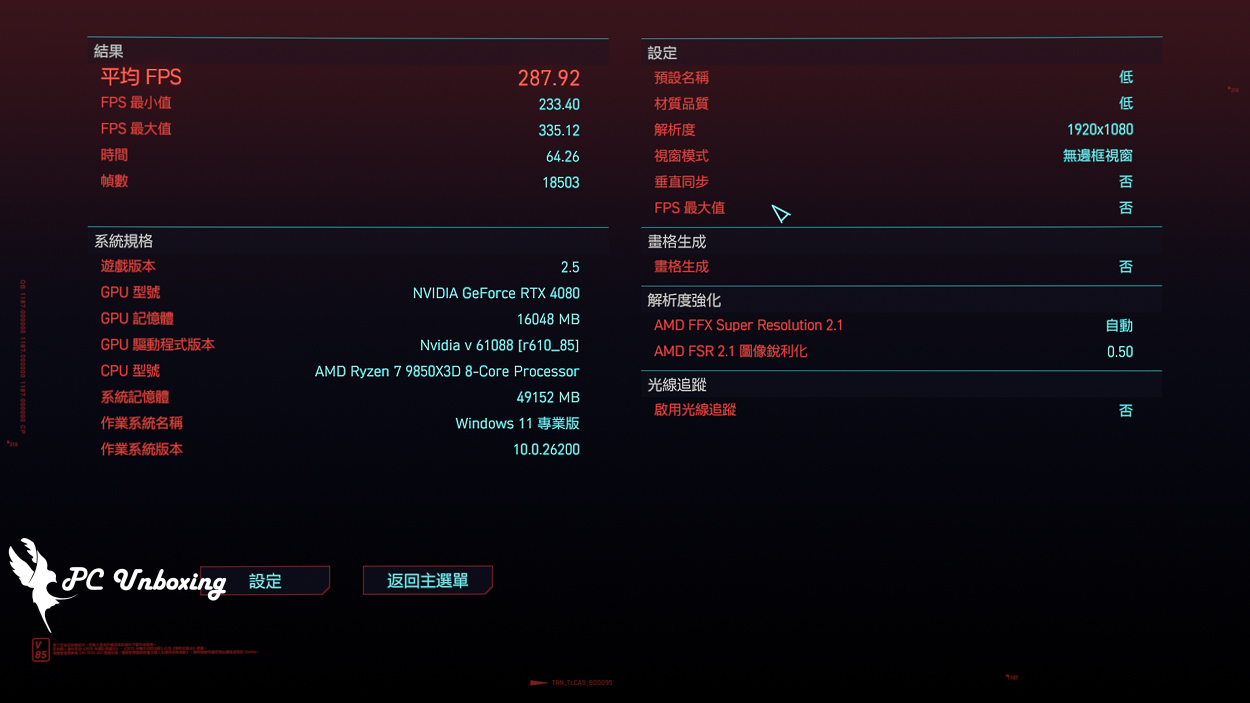
△ X3D Turbo Mode 2_Maximum Performance.
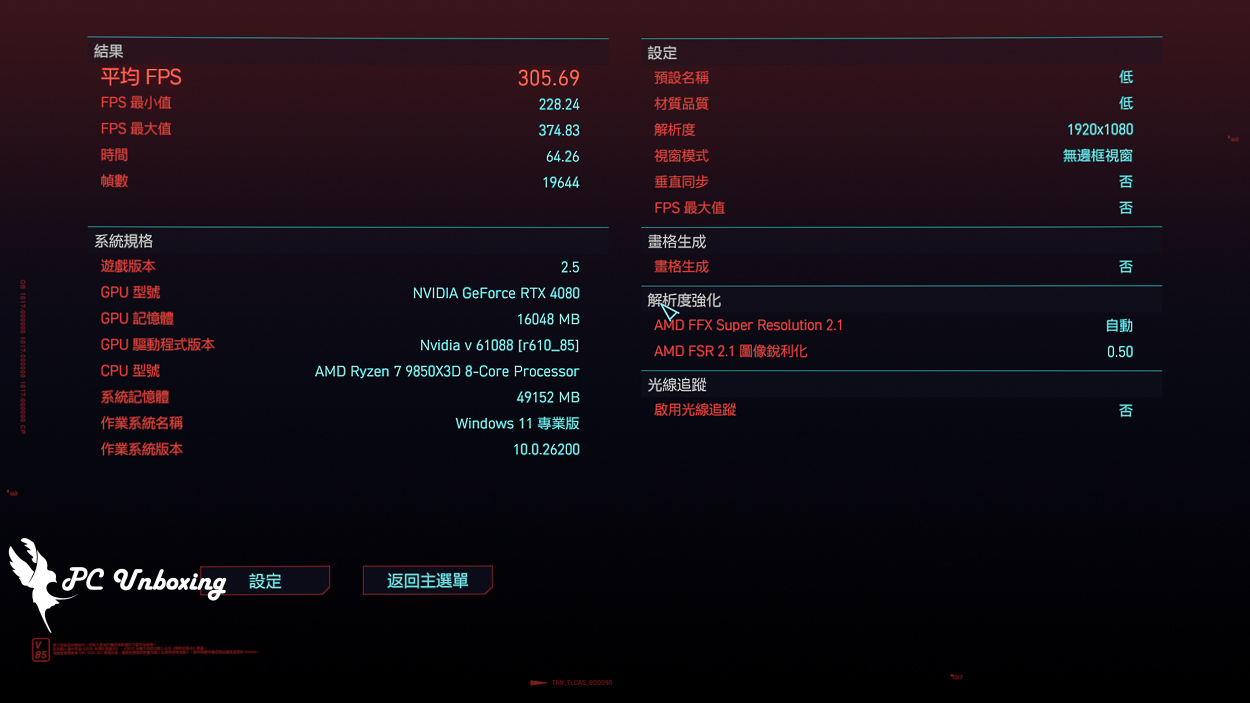
△ X3D Turbo Mode 2_極端遊戲。
GIGABYTE X870E AORUS MASTER X3D ICE 開箱評測總結:值得升級嗎?
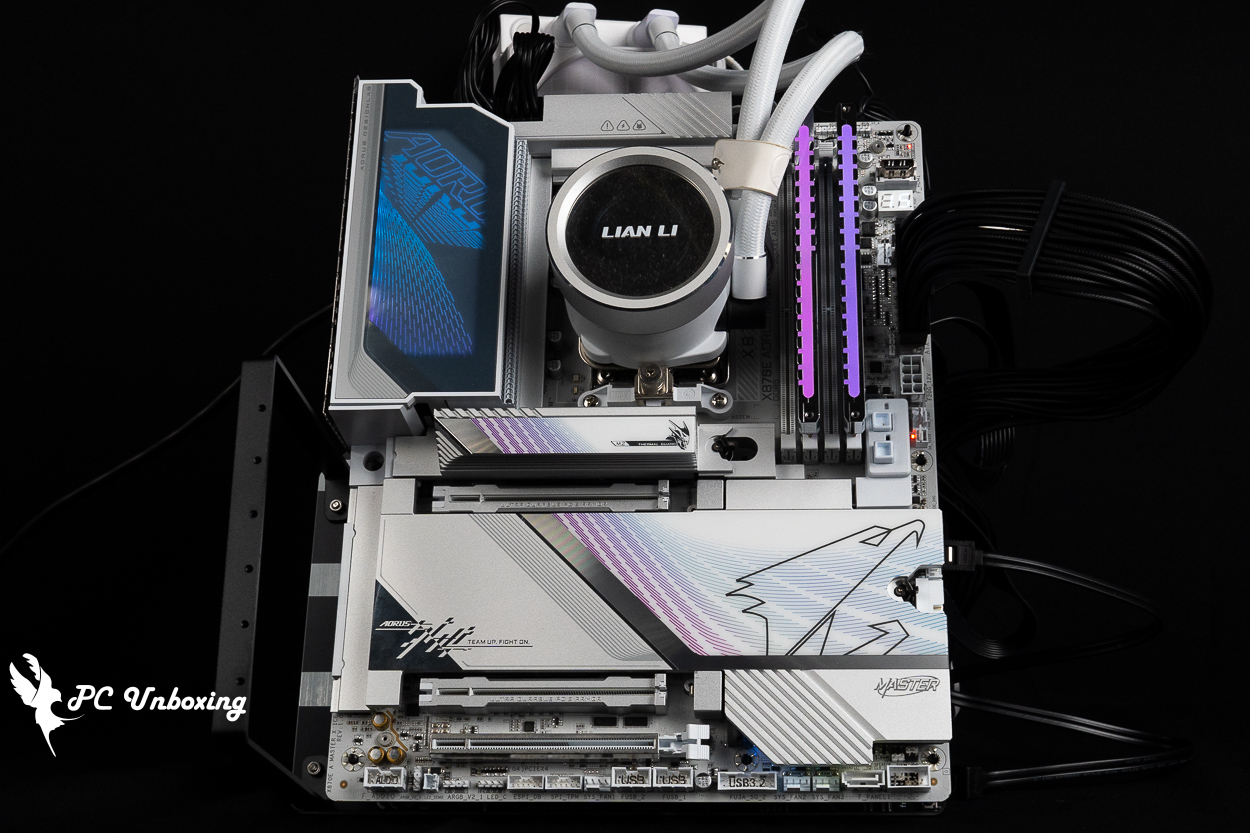
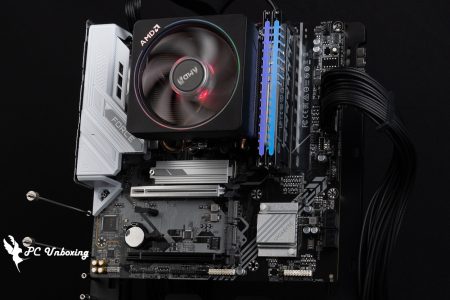
GIGABYTE 技嘉 X870E AORUS MASTER X3D ICE 主機板與原版 X870E AORUS MASTER 主機板,在供電規格有小幅度的進步從 16 相變成 18 相,第二、三槽 PCIE 擴充插槽頻寬規格提升,多了一個 M.2 SSD 擴充位置可是少兩個 SATA 擴充,有線網路孔也多了一個 10 Gbps 可使用,後方 I/O 額外增加兩個 USB Type-C,USB Type-A 頻寬則是統一升級成 10Gbps(但總數量只有七個可用),前置 USB Type-C 新增 65W PD 3.0/QC 4+ 快速充電功能,但最重要的是有支援 X3D Turbo Mode 2.0 功能,在價差不大的情況下,筆者會建議買新不買舊。
這次在 Ryzen 7 9850X3D 搭配 X870E AORUS MASTER X3D ICE 主機板上,實測 X3D Turbo Mode 2.0 功能對於實際遊戲性能的提升幅度,在《Electric Renegade 2077_Cyberpunk 2077》的 Benchmark 結果中,預設關閉與標準模式下基本上沒有提升,而在開啟「最大性能」模式時則是比預設性能提升了 2.4% 的平均 FPS 性能(提升了 7 FPS)。
令人意外的是,「極端遊戲」居然在 AAA 類型遊戲測試也有著明顯提升,平均 FPS 從預設的 280.97 FPS 進步至 305.69 FPS,也就是說只要簡單開啟套用 BIOS 內的模式,就可以在 Cyberpunk 2077 中獲得 8.7% 的平均 FPS 性能升級,但這個功能也要實測看看自己遊玩的遊戲是否有顯著提升再決定,例如筆者另外實測了《FF14 Golden Legacy_FINAL FANTASY XIV: Dawntrail Official Benchmark》和《Rainbow Six: Siege X_Tom Clancy’s Rainbow Six Siege X》,這兩款遊戲就沒有任何變化,因此還是要看不同的遊戲對於 PC 硬體需求來決定。

Yun
Drinks with less than full sugar are colored water. Crossing Turbid Creek, full sugar is not a crime!


 繁體中文
 English
 日本語
 한국어