
GIGABYTE B850M FORCE WIFI6E V2 Unboxing and Review | DDR5 10,200 MT/s Overclocking Test
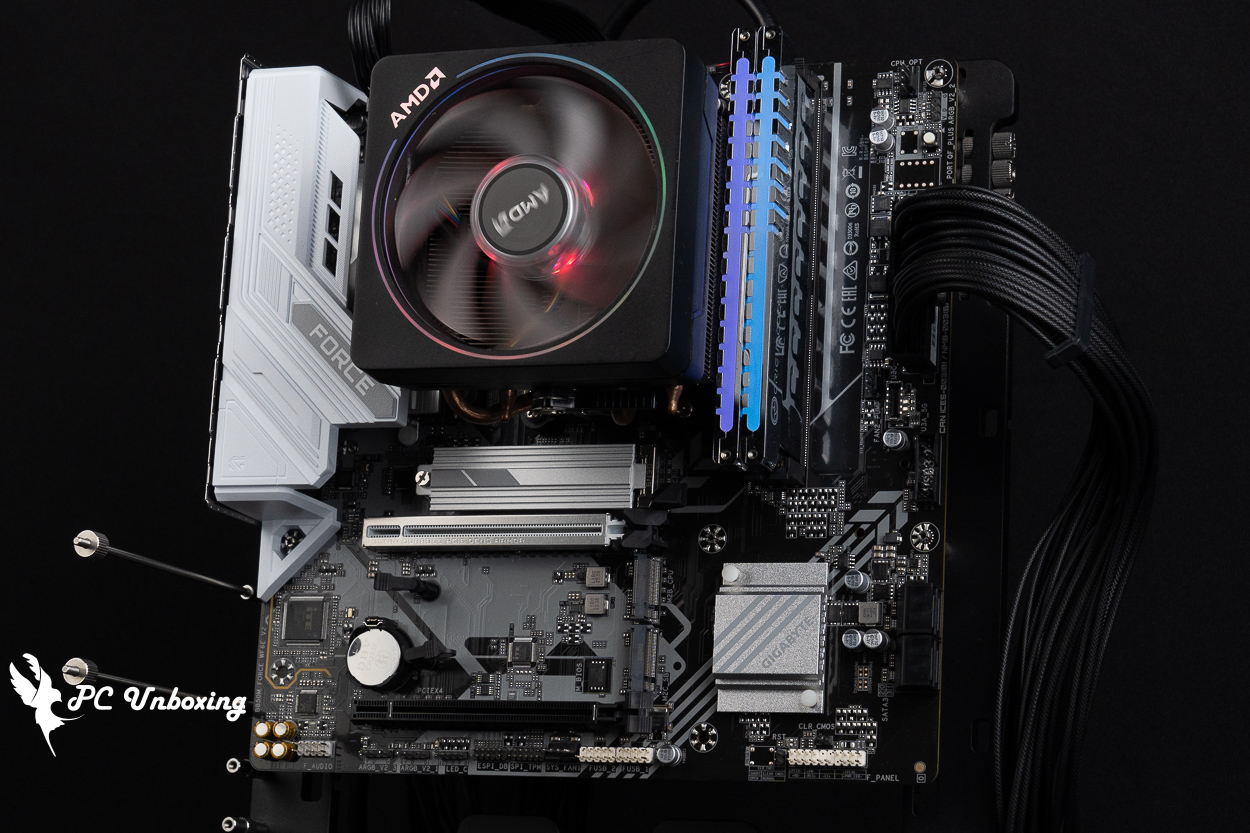
GIGABYTE's value-for-money M-ATX AMD AM5 overclocking motherboard, the GIGABYTE B850M FORCE WIFI6E V2, features dual DDR5 memory slots, an 8+2+2-phase power delivery system, three M.2 SSD expansion slots, and a five-year warranty. ideal for use with AMD Ryzen 7 9850X3D (R7 9850X3D) Let’s build a gaming PC together! In this article, we’ll not only cover the motherboard’s expandability but also share our hands-on results from overclocking the memory to DDR5 10200 MT/s for your reference.
GIGABYTE B850M FORCE Wi-Fi 6E V2 Motherboard Specification.
Dimensions: M-ATX 24.4 x 24.4 cm
Processor Support: AMD Ryzen 9000 / 8000 / 7000
Processor Socket: AM5 LGA 1718
CPU Power Phases: 8+2+2 phases
Chipset: AMD B850
Memory Expansion: 2x DDR5 DIMM slots, 9600 (O.C.) MT/s, maximum capacity 128 GB (single slot supports up to 64 GB)
Memory Certification: AMD EXPO (Extended Profiles for Overclocking), Intel XMP 3.0 (Extreme Memory Profile)
Integrated Graphics Output Ports: HDMI 2.1 (4K at 60 Hz), DisplayPort 1.4 (4K at 144 Hz)
Graphics Card Expansion Slots: PCIe 5.0 x16 (directly connected to the CPU), PCIe 4.0 x4 (the second slot is x16 in length but has only PCIe 4.0 x4 bandwidth)
Storage Expansion Slots: 4x SATA 6 Gb/s, M2A_CPU 2280 PCIe Gen 5 x4/x2, M2B_CPU 2280 PCIe Gen 4 x4/x2, M2C_SB 2280 PCIe Gen 4 x2
Wired Network: Realtek 2.5 Gbps
Wireless Connectivity: MediaTek Wi-Fi 6E MT7902, Bluetooth 5.3
Audio Chip: Realtek ALC897
USB Ports (Front-panel expansion): 1x USB 5Gbps Type-C, 1x USB 5Gbps (supports two front-panel USB 5Gbps Type-A ports), 2x USB 2.0 Type-A (supports four front-panel USB 2.0 ports)
USB Ports (Rear I/O): 1x USB 5 Gbps Type-C, 1x USB 10 Gbps Type-A (red), 2x USB 5 Gbps Type-A (blue), 2x USB 2.0 Type-A
RGB Power Slots: 3x ARGB Gen2 5V 3-Pin, 1x RGB 12V 4-Pin
Fan Power Connectors: 1x 4-pin CPU Fan, 1x 4-pin CPU OPT, 1x 4-pin SYS FAN, 1x 4-pin SYS FAN/PUMP
GIGABYTE B850M FORCE WIFI6E V2 Unboxing | Design, Specifications, and Expansion Options
The GIGABYTE B850M FORCE WIFI6E V2 motherboard featured in this unboxing, is priced at around 4,590 New Taiwan Dollars through Taiwanese retail channels. It’s one of the few more budget-friendly motherboard models I’ve personally reviewed; I’m usually more accustomed to using mainstream or high-end motherboards. Aside from offering better expandability and aesthetics that better suit my needs, their functionality and ease of use are less likely to test my patience. However, most people aren’t willing to spend that much on a motherboard; when building a system, they’re more inclined to allocate a larger budget to components like graphics cards, processors, and liquid cooling systems, so the motherboard usually ranks quite low on the priority list when planning a build budget.
In recent years, the three major motherboard manufacturers have popularized the concept of “overclocking budget motherboards,” and this motherboard is also designed with that in mind. However, considering current memory market prices and users looking for value-for-money motherboards, who typically do not plan to expand their memory capacity in the future, I believe that equipping value-oriented motherboard models with a dual-slot memory configuration is indeed more in line with budget planning and practical usage, while also offering better memory support (compared to the 2DPC four-slot memory configuration on the same model).
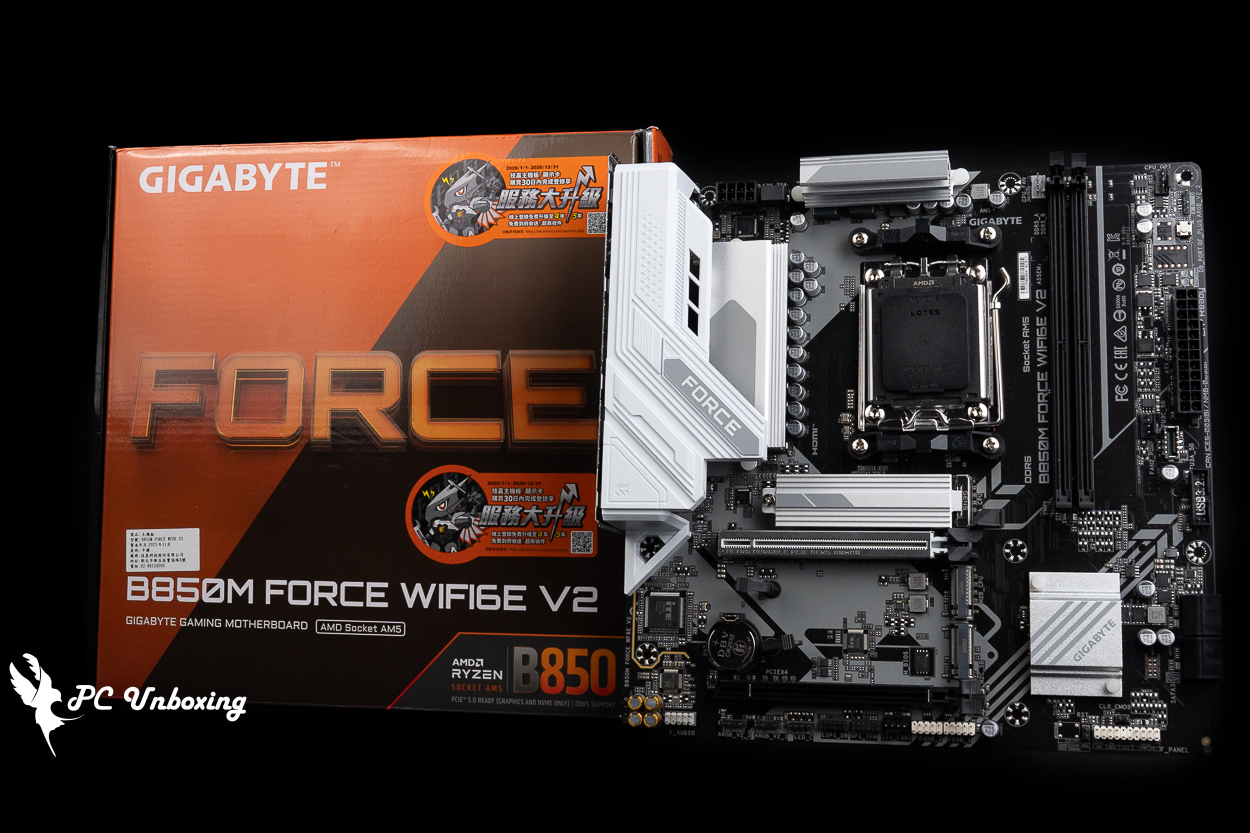
△ GIGABYTE B850M FORCE WIFI6E V2 motherboard.
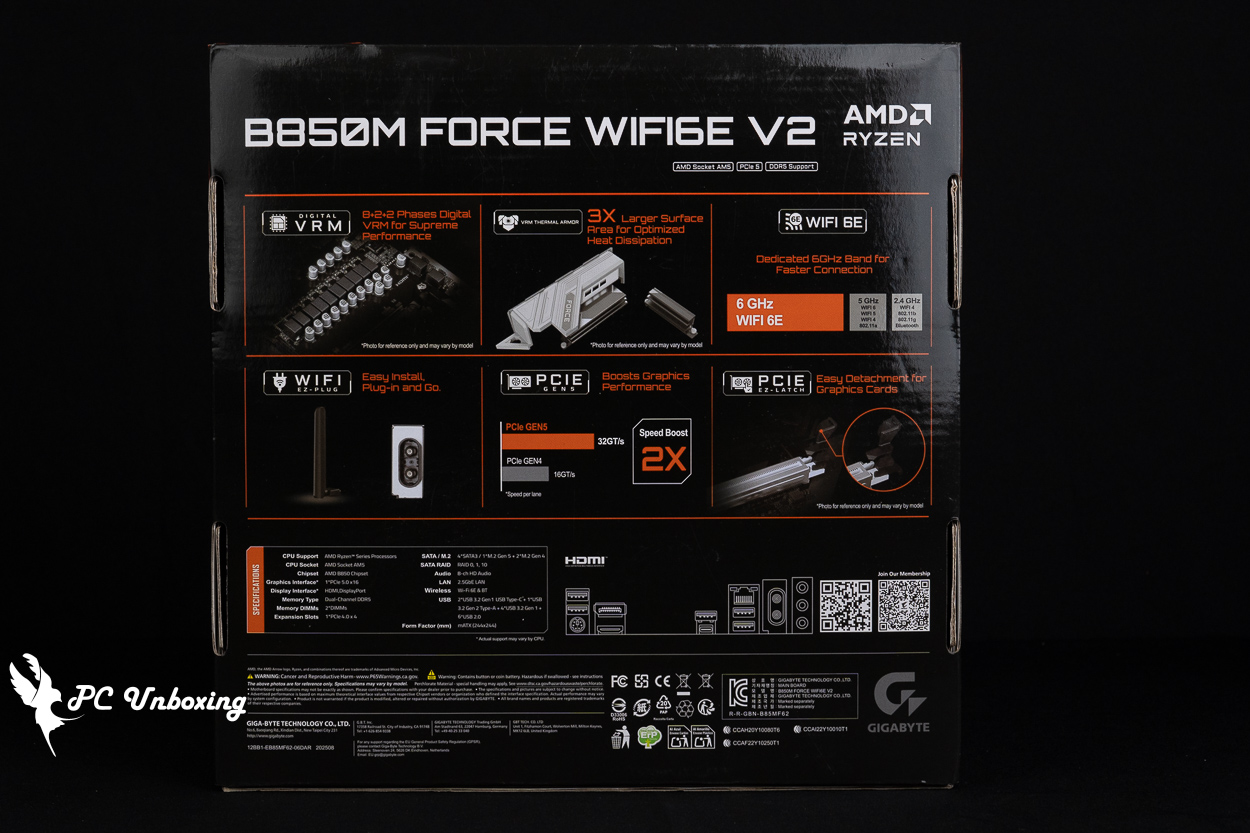
△ Basic features and specifications of the motherboard.
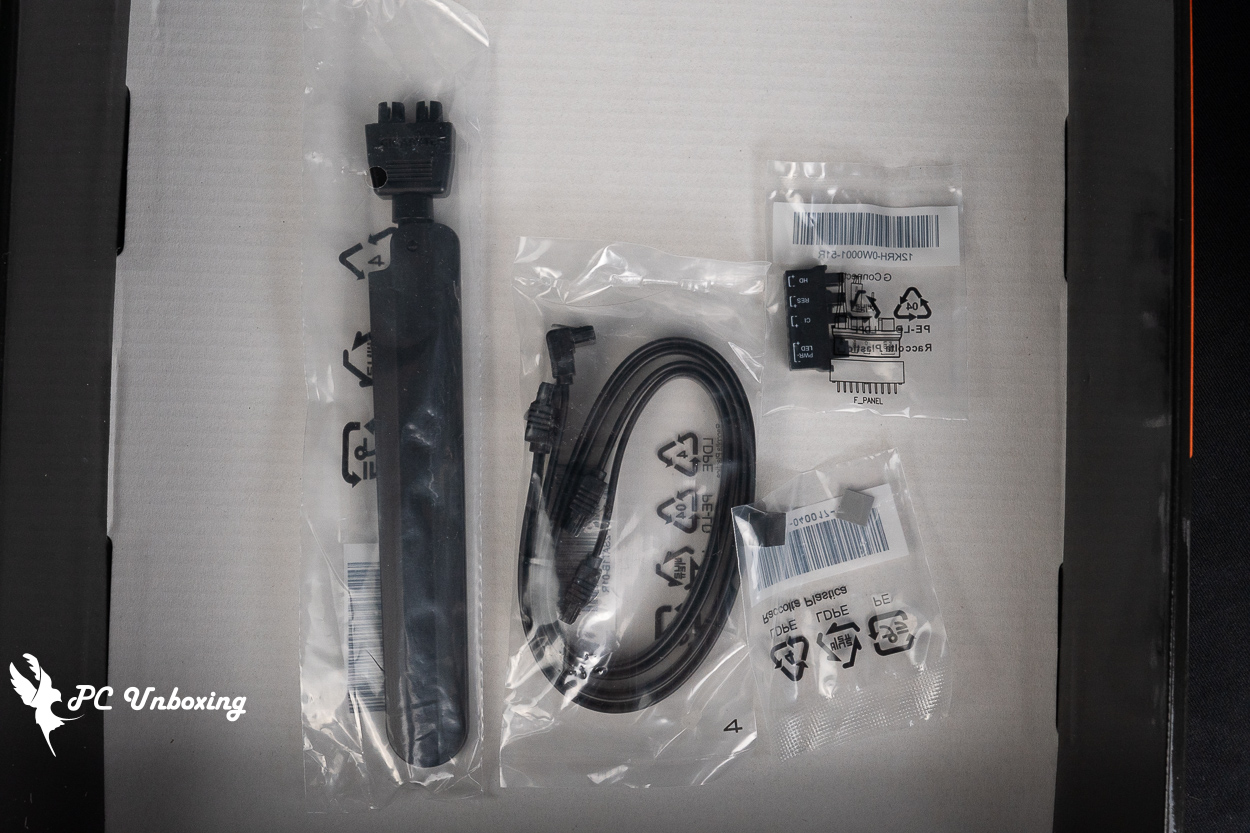
△ List of accessories.
The GIGABYTE B850M FORCE WIFI6E V2 motherboard features a black PCB with gray printed patterns and silver-gray heat sinks. It uses an M-ATX form factor measuring 24.4 x 24.4 cm, and an 8+2+2 power delivery design.
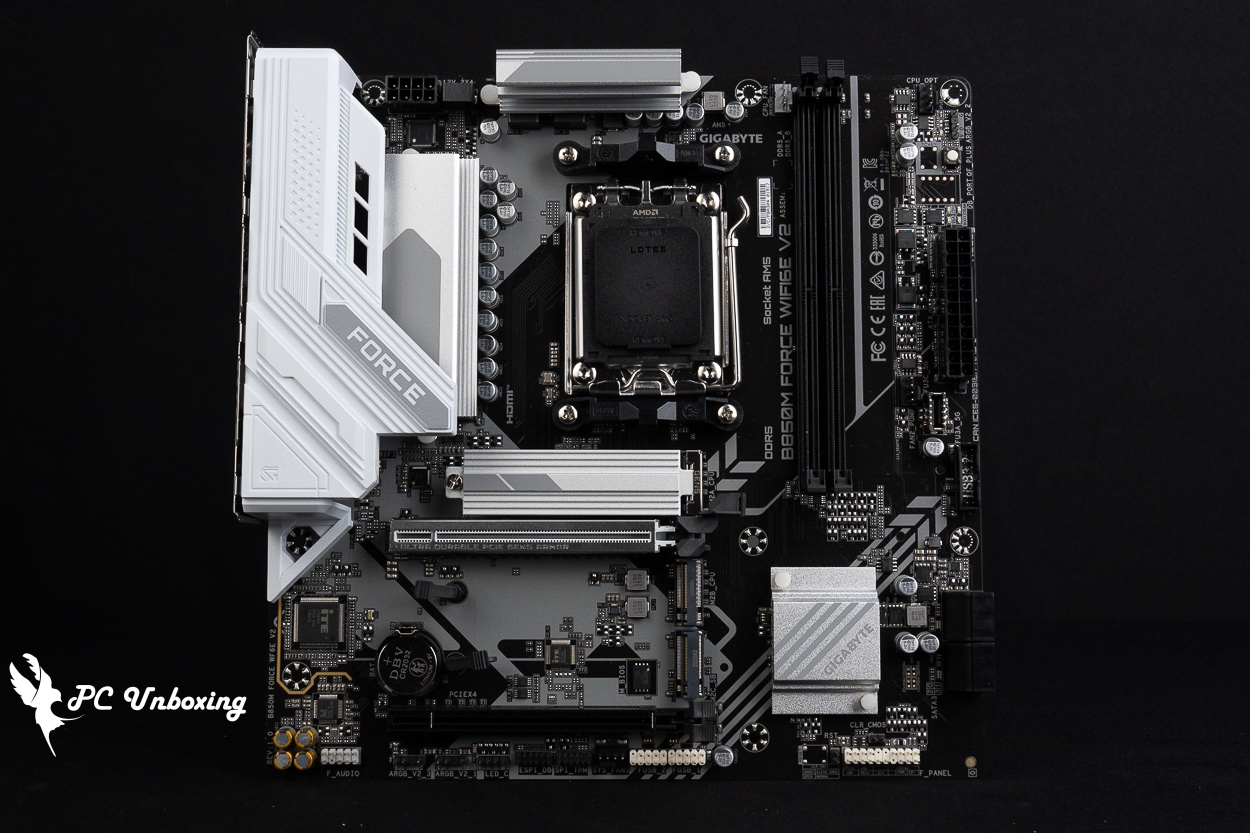
△ The B850M FORCE WIFI6E V2 motherboard in M-ATX form factor.
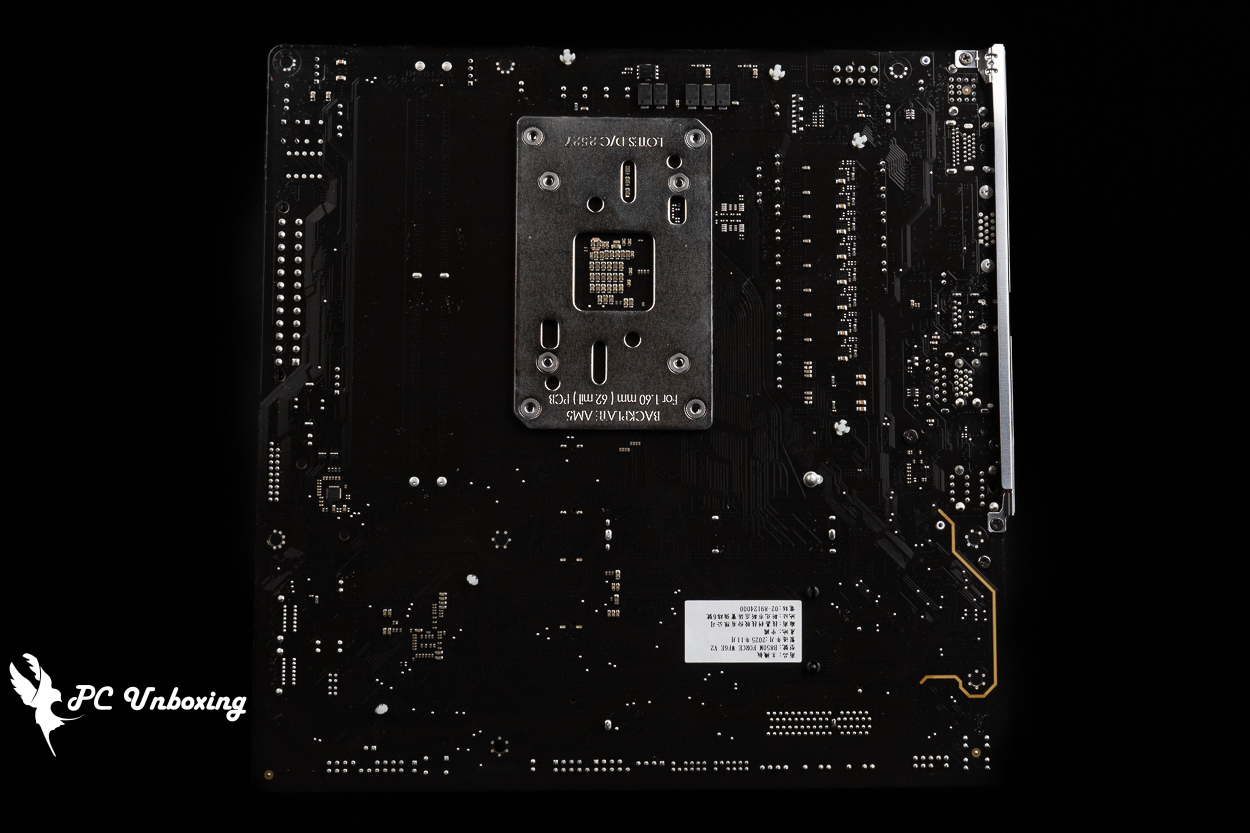
△ There is no reinforced back panel.
The VRM cooling area on the motherboard uses two heat sinks to dissipate heat from the power supply components beneath it, and thermal pads provide direct contact with the MOSFETs to maintain system stability.
The B850 continues to use the AM5 LGA 1718 socket and supports AMD Ryzen 9000, 8000, and 7000 series processors. Since it retains the same cooler mounting brackets and hole spacing as the AM4 socket, users can simply reuse their existing AM4 cooler mounting kits for installation.
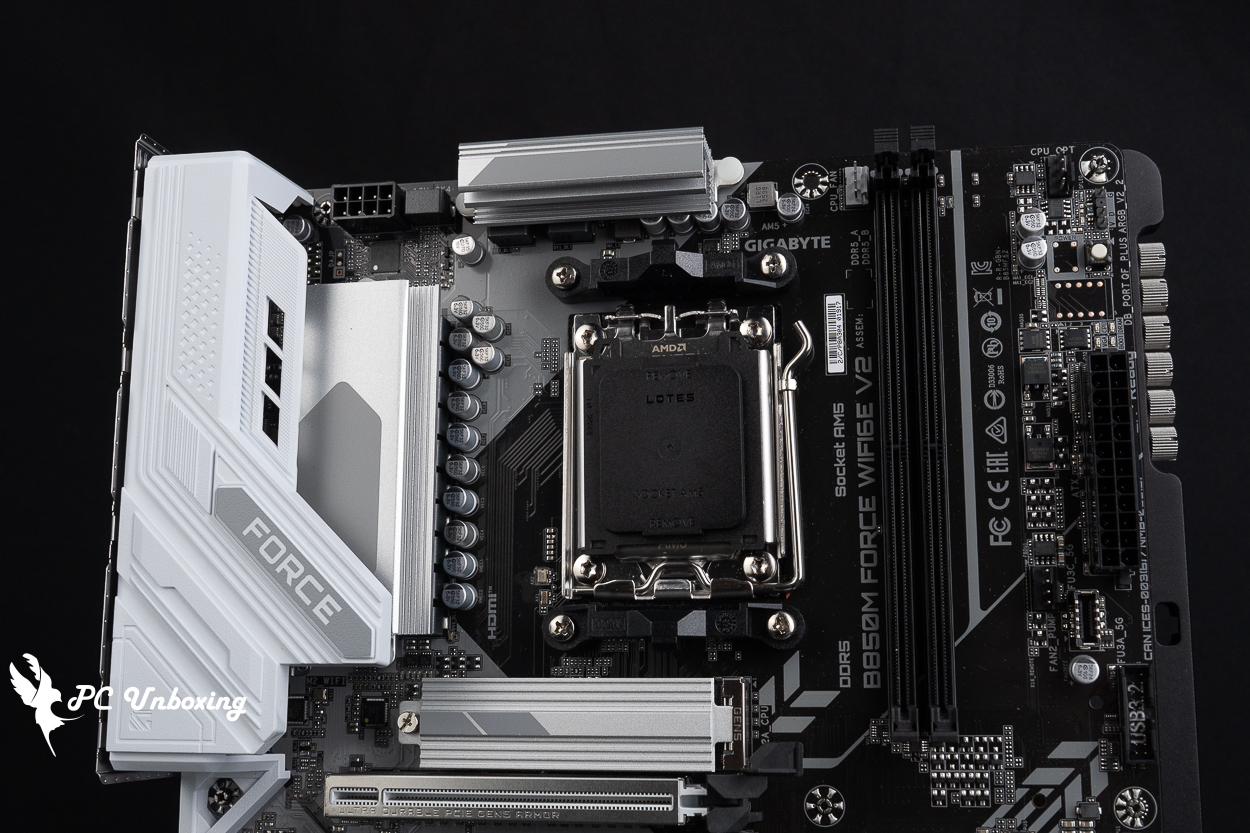
△ Full-coverage cooling design.
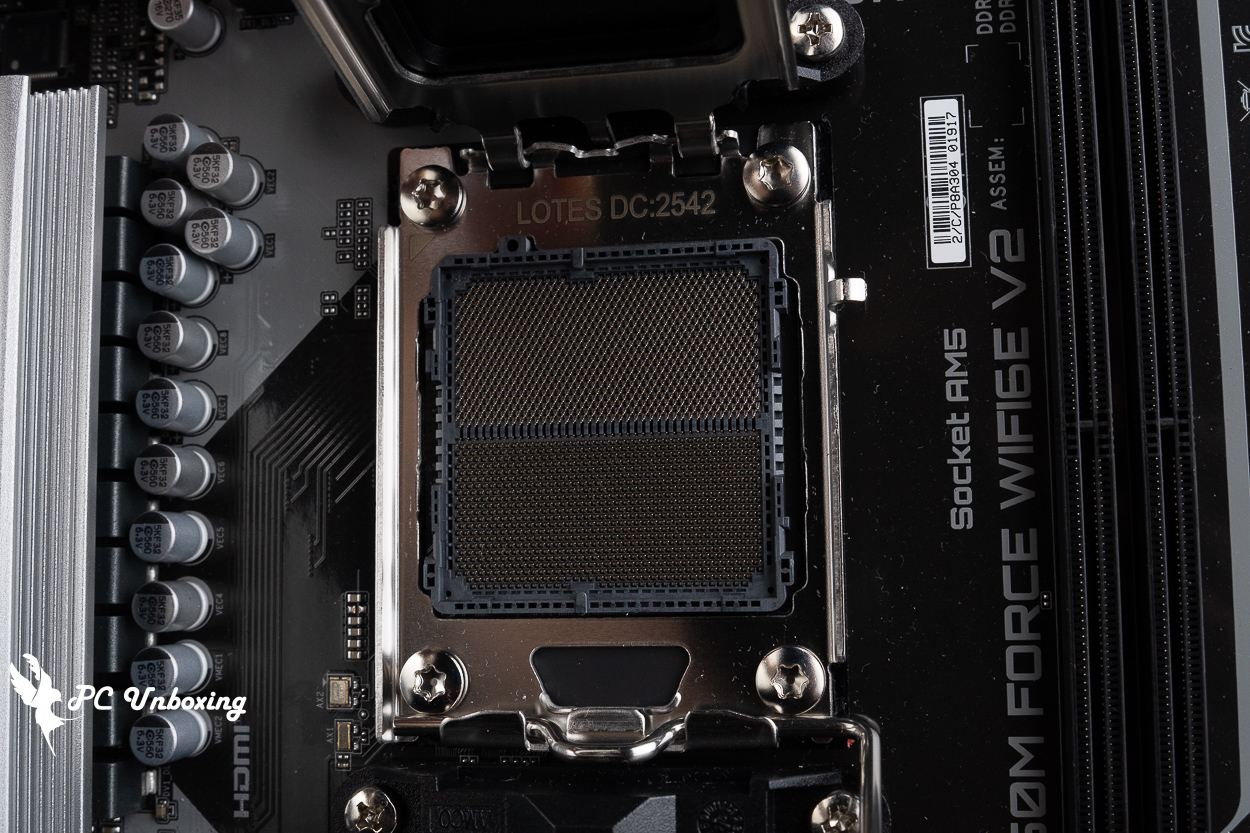
△ AM5 LGA 1718 feet.
Next, let’s take a look at each of the expansion and power connectors on the motherboard. The 8-pin ATX_12V processor power connector is located in the upper-left corner of the motherboard.
In the upper-right corner of the motherboard, there is one CPU_OPT connector and one CPU_FAN connector for powering fans and liquid cooling systems, respectively. When installing an all-in-one liquid cooling system, you can connect the power cable for the liquid cooling pump and the fan cables for the radiator here.
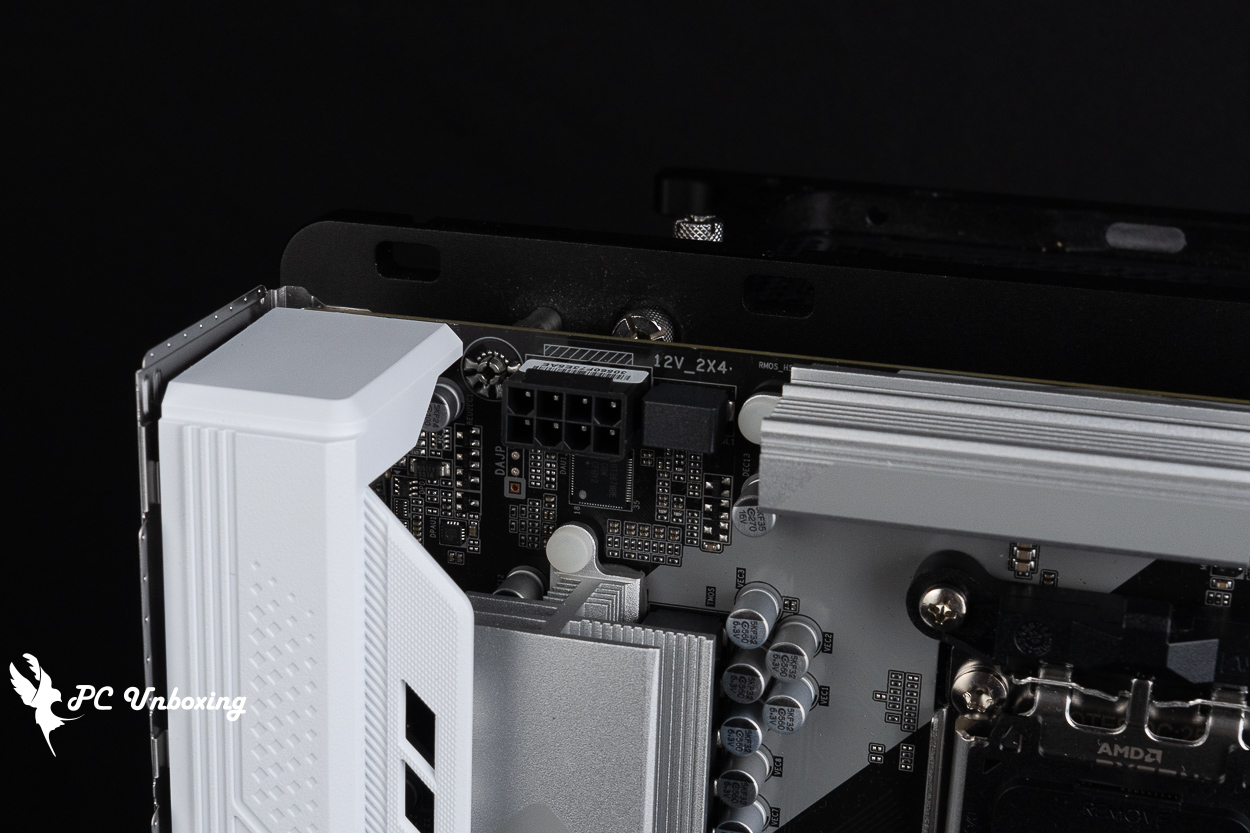
△ The motherboard uses a single 8-pin CPU power connector.
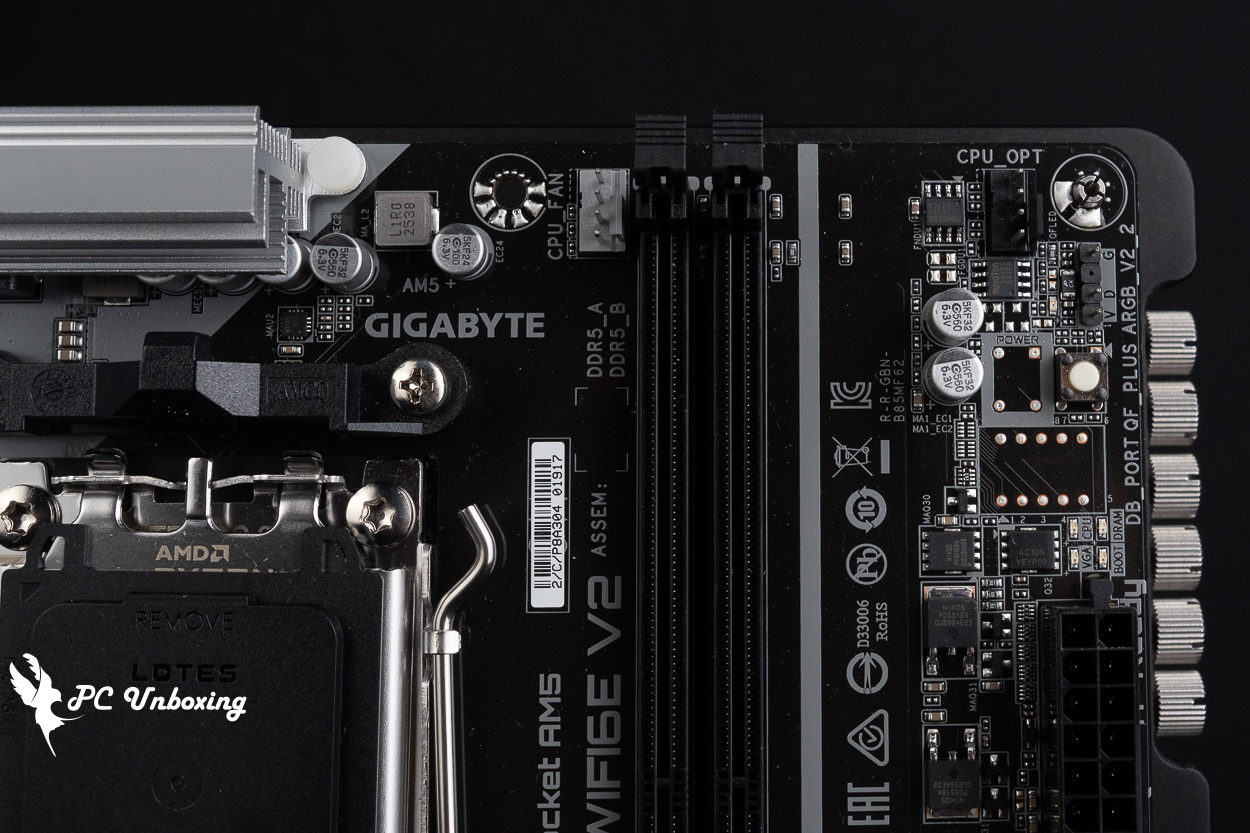
△ CPU_FAN, CPU_OPT.
The two DDR5 DIMM single-clip memory slots are configured in a 1DPC (1 DIMM per channel) layout and support non-ECC unbuffered DIMMs. The maximum total capacity for both slots is 128 GB, meaning the maximum capacity per module is 64 GB. It also supports AMD EXPO (Extended Profiles for Overclocking) and Intel XMP 3.0 (Extreme Memory Profile) one-click overclocking profiles.
The memory overclocking QVL memory support list features dual-channel memory modules that can pass the compatibility stress test at a maximum frequency of 9600 MT/s when used with Ryzen 8000 series processors, reminding you once again to choose your memory model based on the motherboard memory QVL (Qualified Vendor List) compatibility report. Vendor List (QVL) compatibility report.
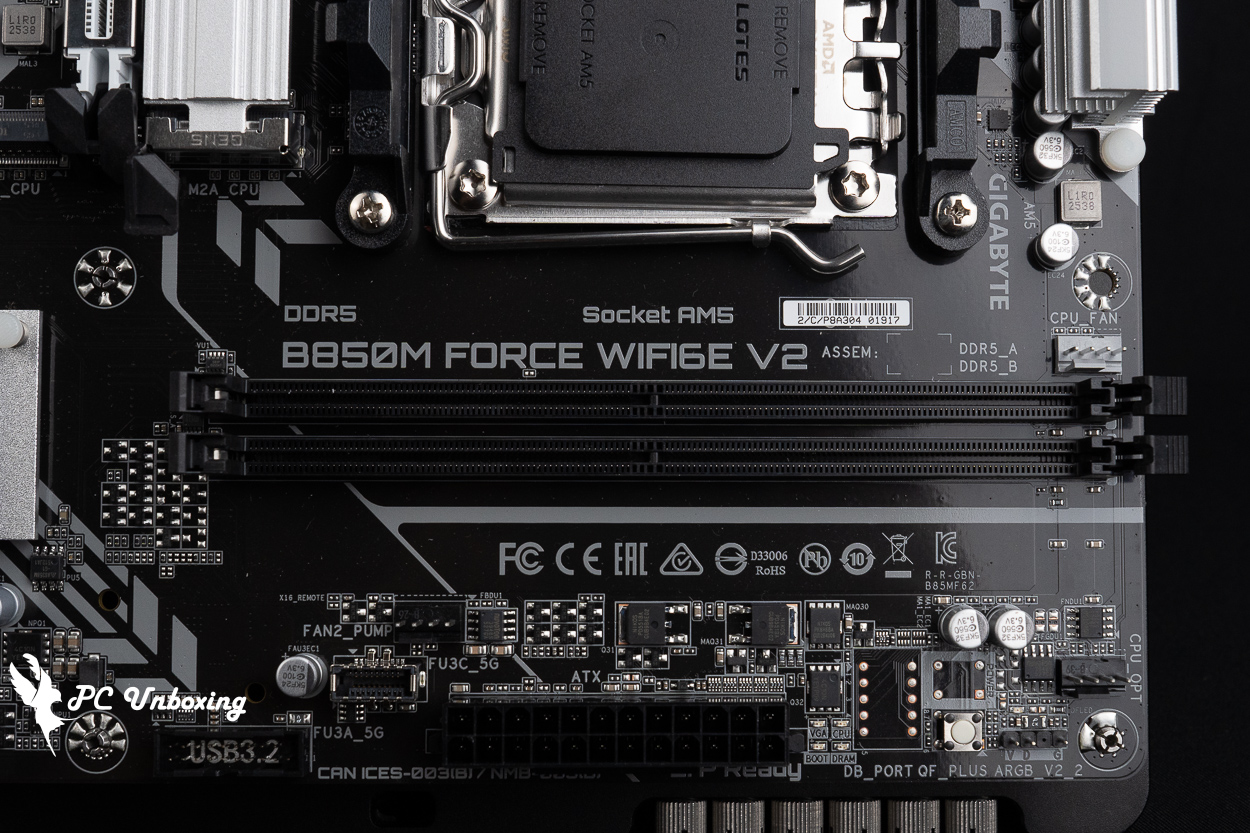
△ 2x Un-buffered DIMMs DDR5 memory slots, UDIMM-compatible, supports up to 128 GB of capacity expansion, and up to 9600 MT/s (O.C.) with QVL on both modules.
On the right side of the motherboard are a 5V 3-pin ARGB connector, the Q-Flash Plus button, the EZ DeBug indicator, the motherboard’s 24-pin power connector, a FAN2_PUMP fan/liquid cooling power connector, one front-panel USB 5Gbps Type-C port, one USB 5Gbps port (supporting two front-panel USB 5Gbps Type-A installation ports), four SATA 6Gb/s ports, and more.
The Q-Flash Plus button is used to update the motherboard BIOS without additional components. When purchasing a newer processor, you can use this button to update the BIOS to the latest version before installing the processor.
EZ DeBug allows users to quickly identify which components are causing problems during the motherboard's self-test, preventing the system from booting. Users can then refer to the motherboard manual to perform troubleshooting steps.
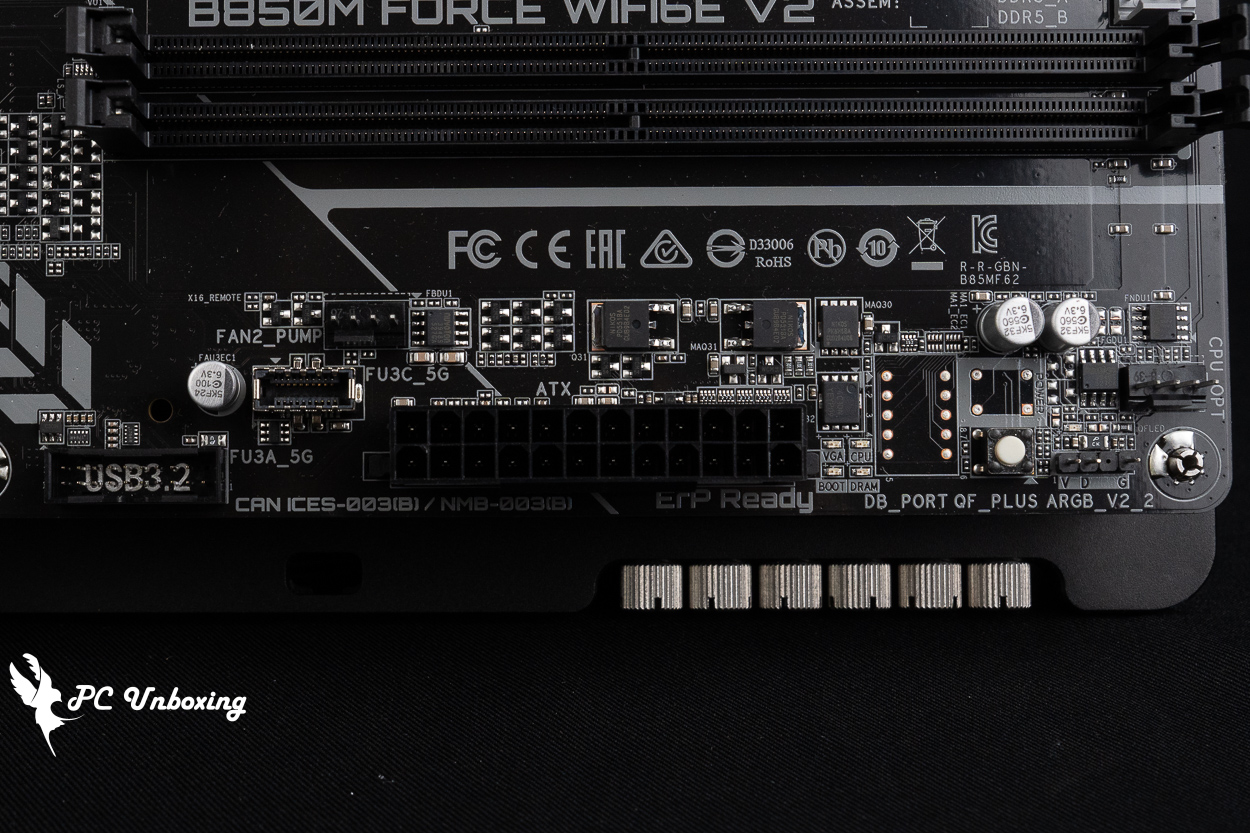
△ 5V 3-pin ARGB, Q-Flash Plus button, EZ DeBug indicator lights, 24-pin motherboard power connector, FAN2_PUMP water-cooling power connector, one front-panel USB 5Gbps Type-C port, and one USB 5Gbps port.
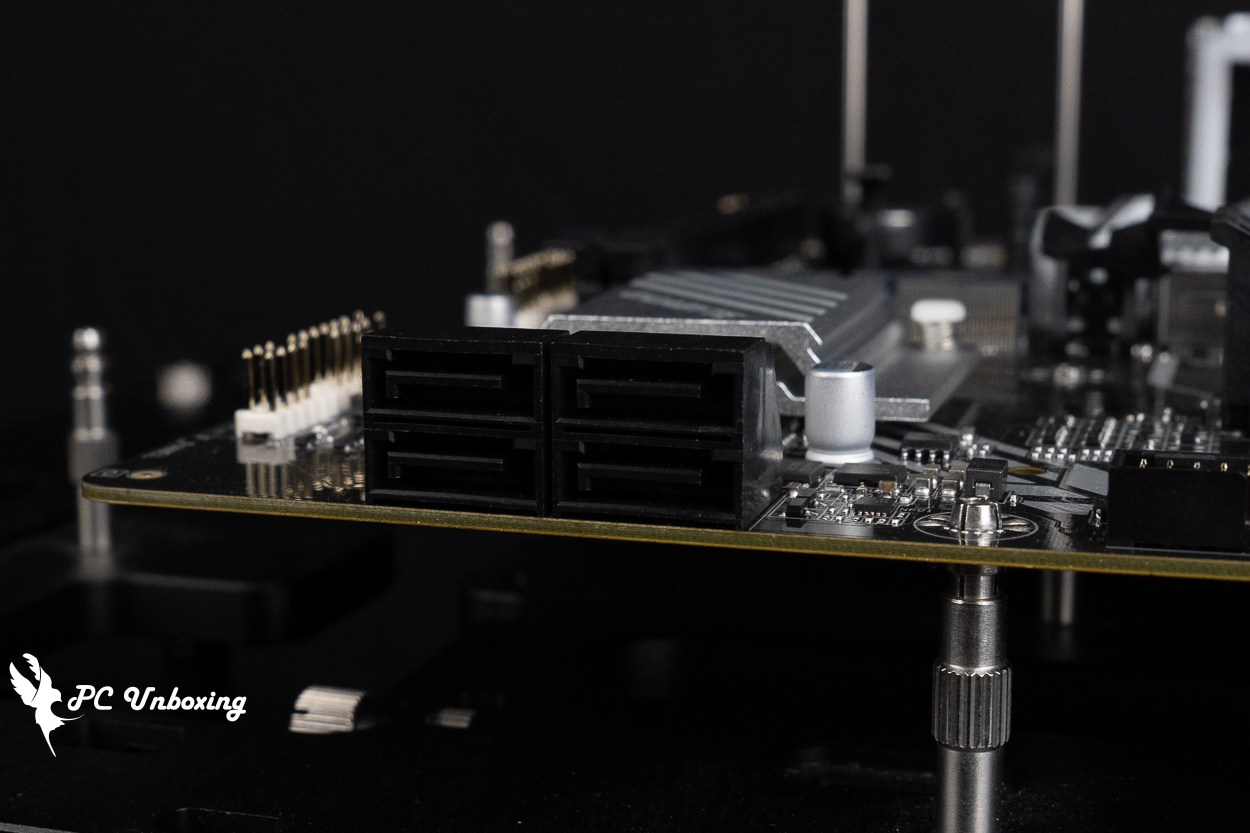
△ Four SATA 6 Gb/s ports.
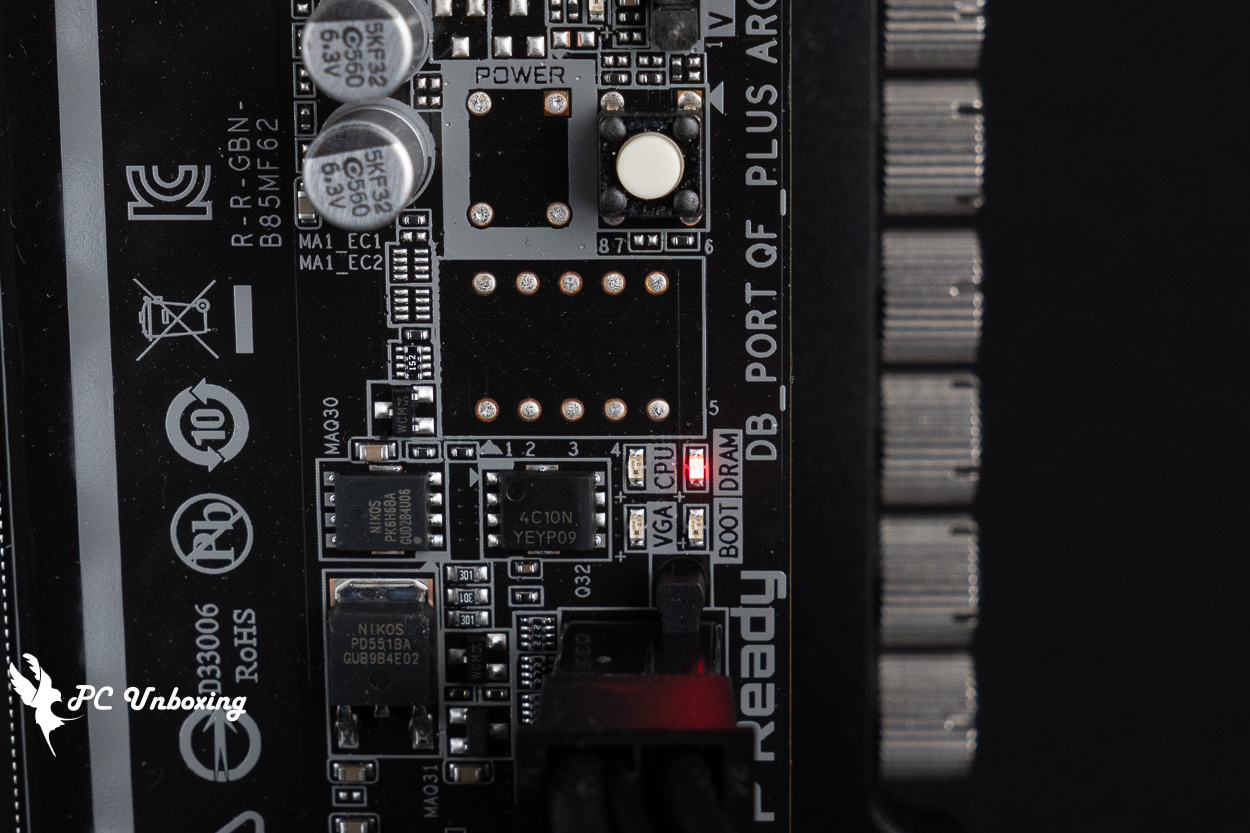
△ Demonstration of the simple self-test status indicator light.
The bottom row features a CMOS jumper slot, a system front panel connector, a chassis reset button jumper slot, and two USB 2.0 slots (supporting four front-panel USB 2.0 ports) , one SYS_FAN power connector, an SPI_TPM connector (for a secure encryption module; compatible only with the GC-TPM2.0 SPI V2), two 5V 3-pin ARGB connectors, and a front-panel audio jack.
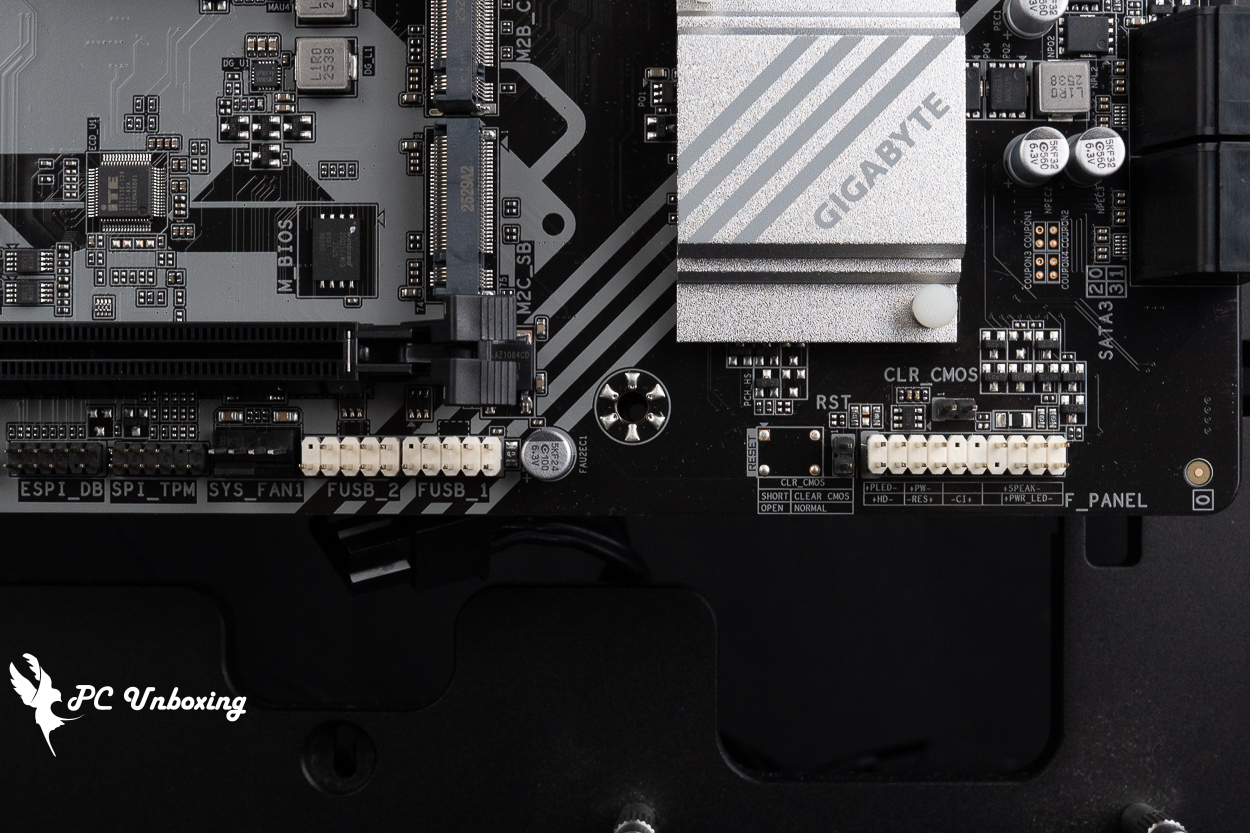
△ CMOS jumper slot, system front panel connector, chassis reset button jumper slot, two USB 2.0 connectors (supporting four front-panel USB 2.0 ports), and one SYS_FAN power connector.
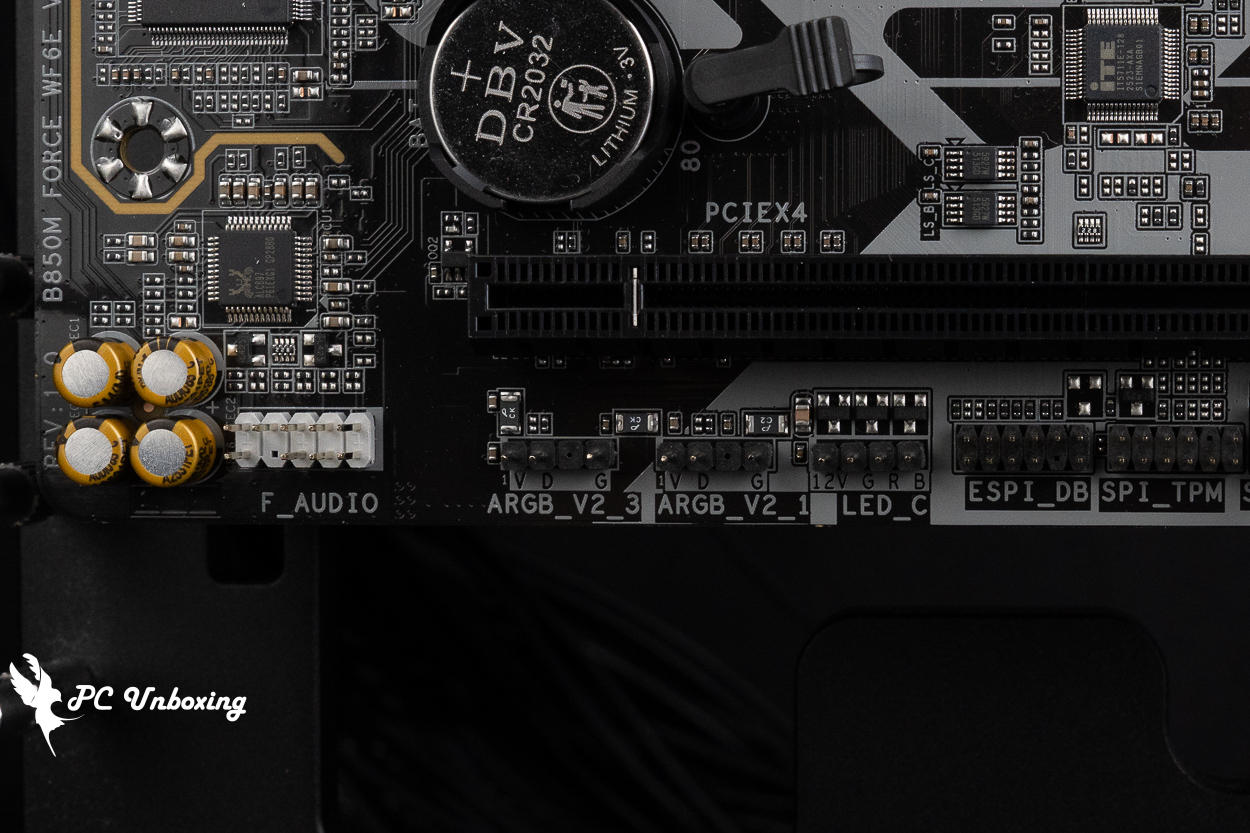
△ SPI_TPM (TPM connector; for use with GC-TPM2.0 SPI V2 only), two 5V 3-pin ARGB connectors, and a front-panel audio jack.
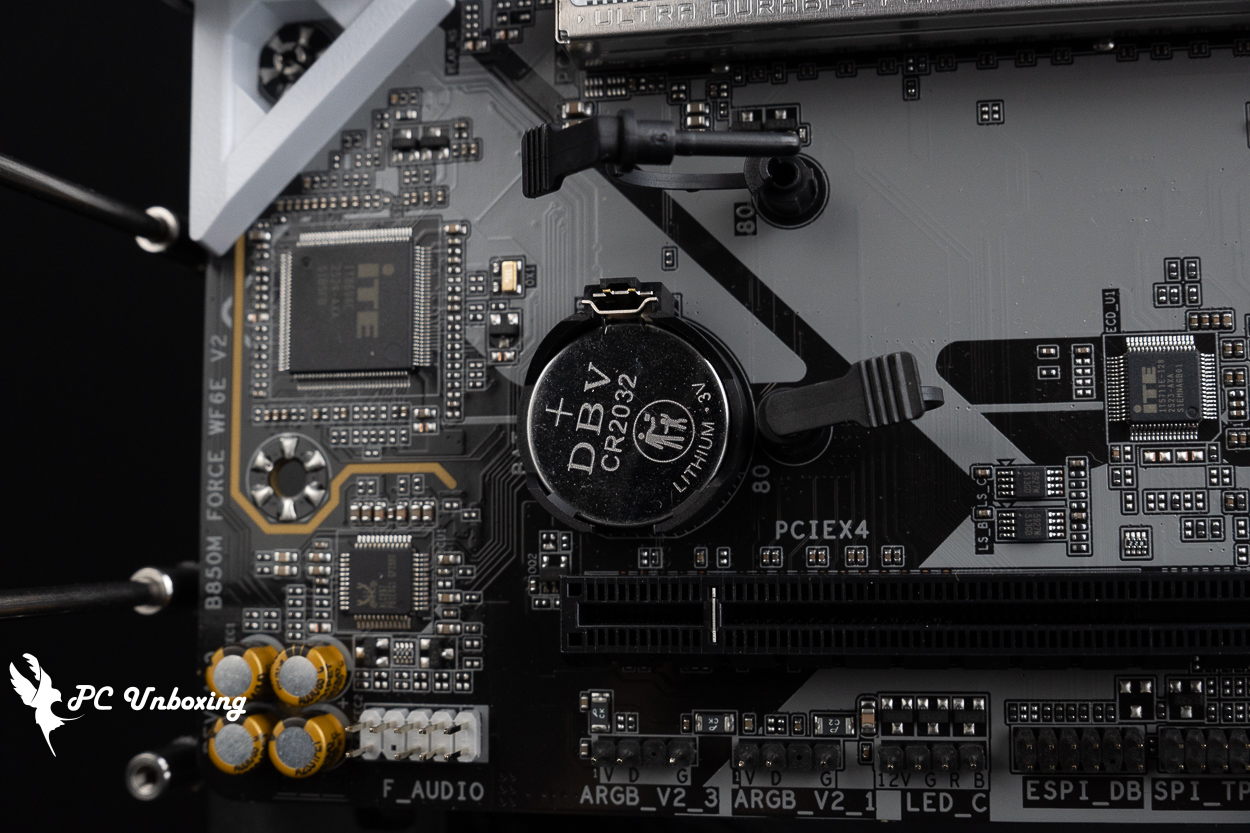
△ The main board battery is CR2032.
The motherboard’s PCIe slots provide a total of two x16-length expansion slots. The metal-reinforced x16 slot above uses a direct connection to the processor, The first PCIe x16 slot provides full PCIe 5.0 x16 bandwidth when a single device, such as a discrete graphics card, is installed.
Regarding the first PCIe x16 graphics card expansion slot, this motherboard features a PCIe EZ-Latch quick-release button next to the memory slots, so even if you’re using a larger air-cooled GPU, you don’t have to worry about being unable to release the latch to remove the graphics card—making it very DIY-friendly.
The black PCIe x4 slot at the bottom uses a channel from the B850 PCH chipset and provides only PCIe 4.0 x4 bandwidth.
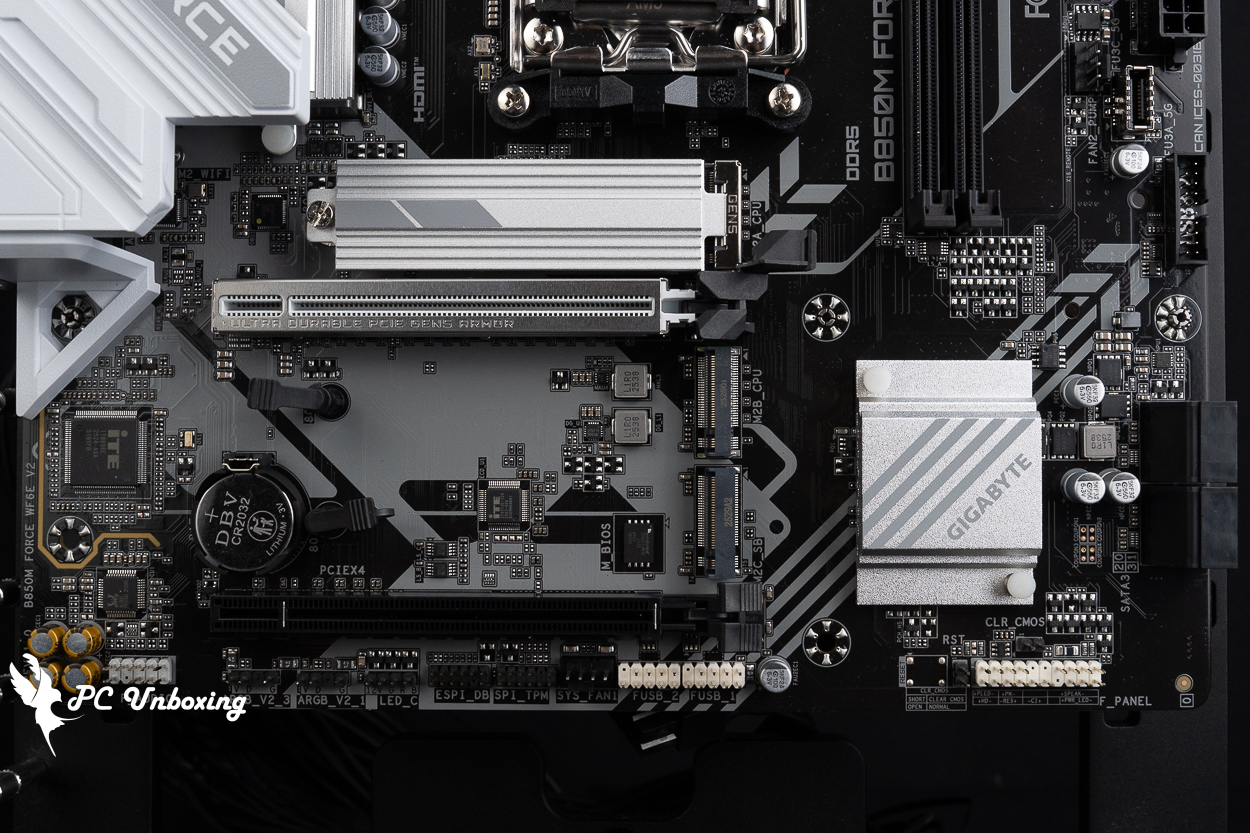
△ Expansion slots from top to bottom: PCIe 5.0_PCIe x16 (CPU), PCIe 4.0 x4_PCIe x4 (PCH).
GIGABYTE has equipped the topmost M2A_CPU PCIe Gen 5 x4 M.2 SSD expansion slot with an M.2 Thermal Guard passive heatsink for heat dissipation; this slot supports the installation of 2280-sized M.2 SSDs.
The two M.2 SSD slots at the bottom do not come with heat sinks; they can be used to install SSDs that include their own heat sinks. The second slot from the top, the M2B_CPU expansion slot, is a direct connection to the processor, This slot provides PCIe Gen 4 x4 bandwidth and supports 2280-form-factor M.2 SSDs.
The third slot, M2C_SB, uses the chipset channel and supports 2280 PCIe Gen 4 x2 SSDs. It is recommended for use with entry-level SSDs for storage or as a gaming drive.
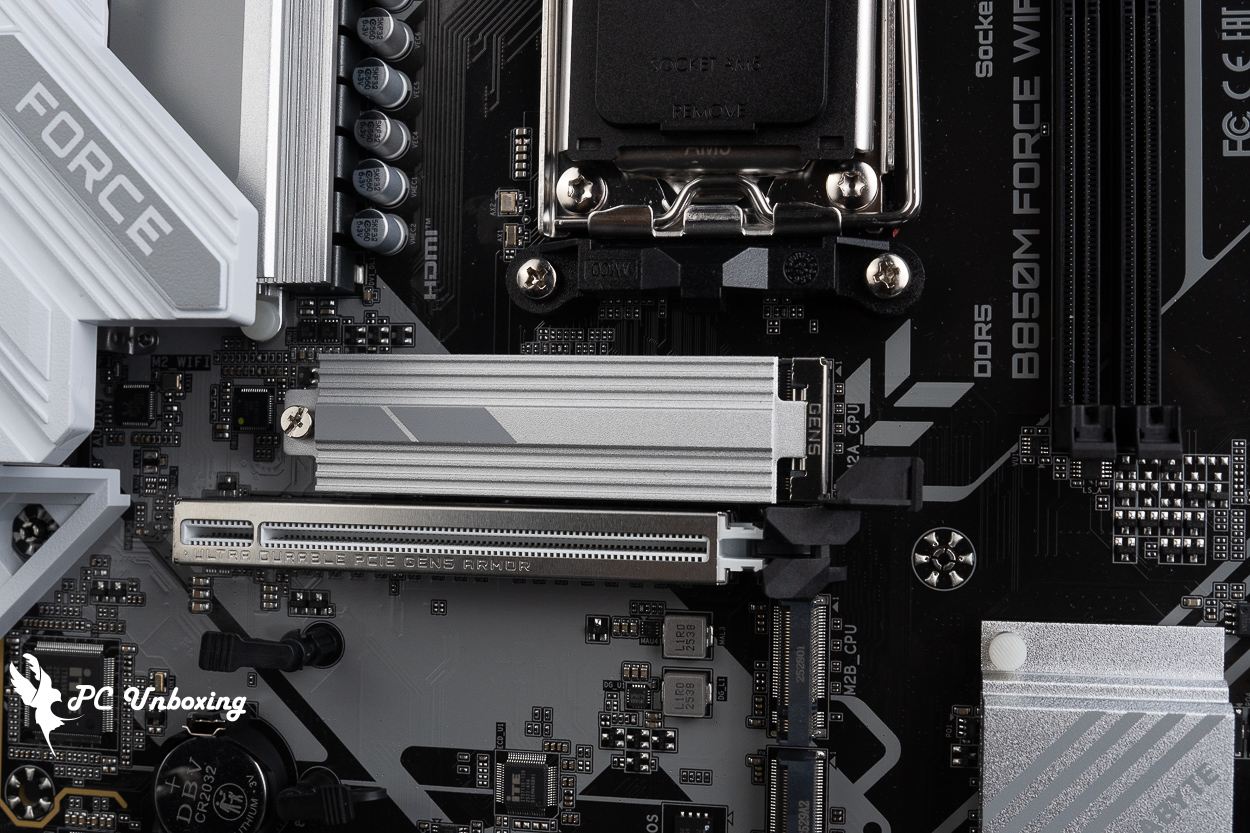
△ This motherboard has three M.2 SSD slots, all of which support only the standard 2280 form factor.
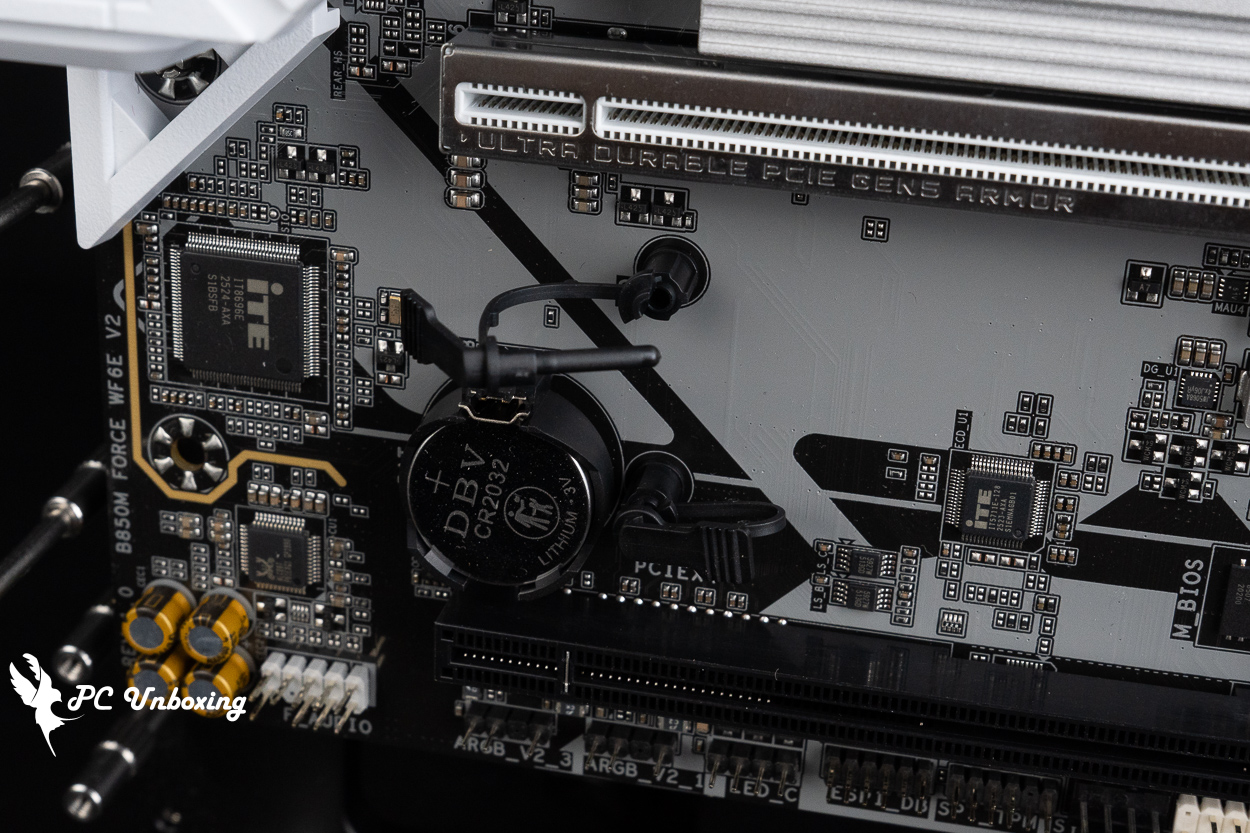
△ The M.2 SSD slots use a screwless latch mechanism to secure the solid-state drives; the two slots at the bottom do not have motherboard heat sinks.
The rear I/O panel features a PS/2 keyboard and mouse port, two USB 2.0 ports, an HDMI 2.1 integrated graphics output (supporting resolutions up to 4096×2160 at 60 Hz), DP 1.4 integrated graphics output (supporting resolutions up to 3840×2160 at 144 Hz), one USB 5 Gbps Type-C port, one USB 10 Gbps Type-A port (red), two USB 5 Gbps Type-A ports (blue), one RJ-45 2.5 Gbps LAN port, a Wi-Fi antenna port (WIFI EZ-Plug), a three-jack audio port.
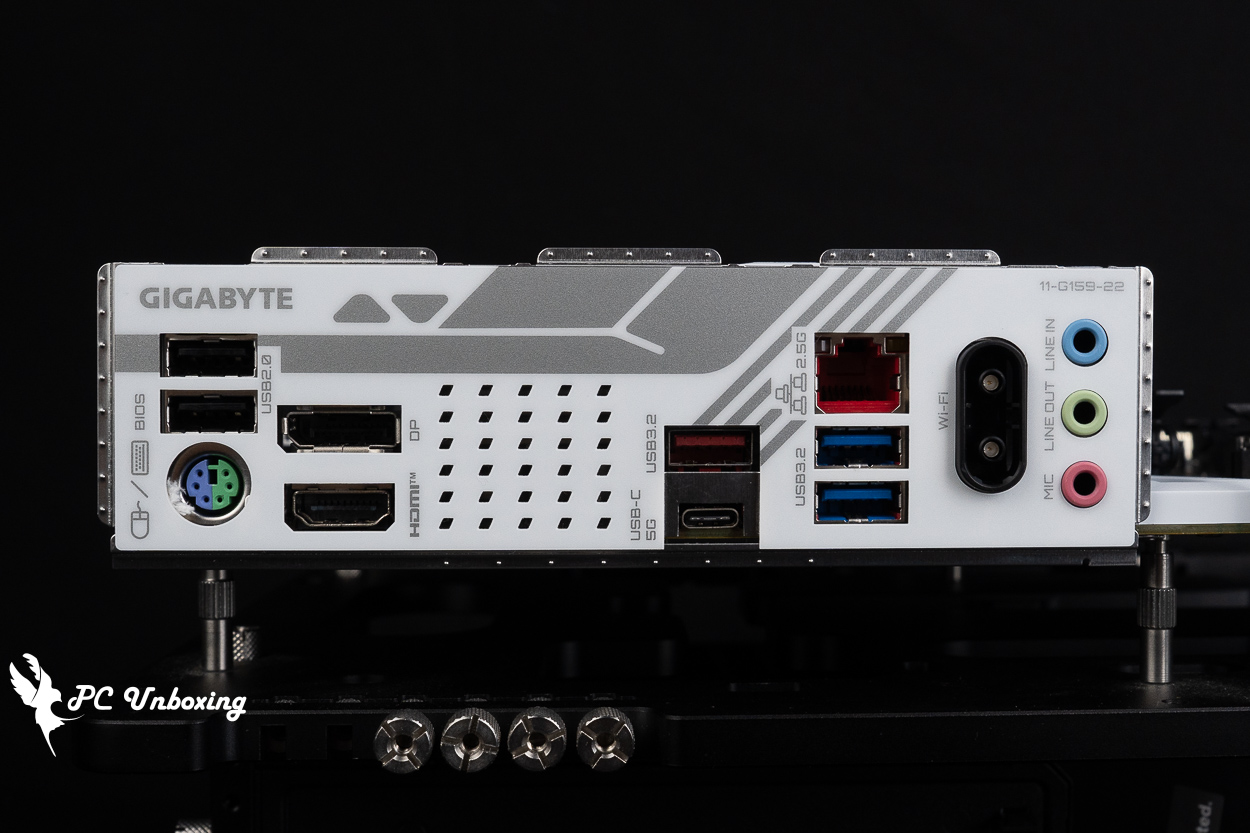
△ Rear I/O at a glance.
GIGABYTE B850M FORCE WIFI6E V2 Lighting Display
Then the actual power on and off to show the motherboard on-board lighting effect for your reference.
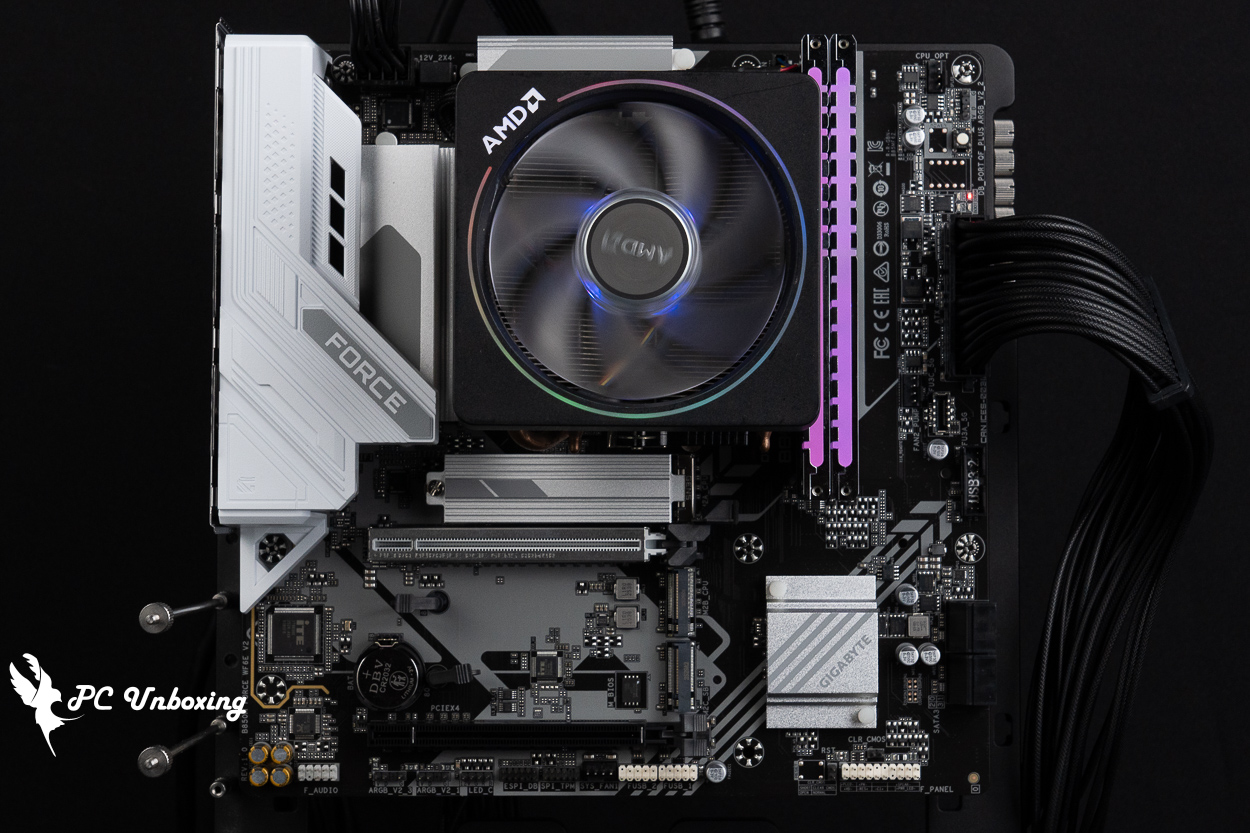
△ The motherboard itself does not have any onboard LEDs; you’ll need to use RGB or ARGB expansion slots to add lighting to your PC.
GIGABYTE B850M FORCE WIFI6E V2 Performance Review | Ryzen 5 8500G Test Platform
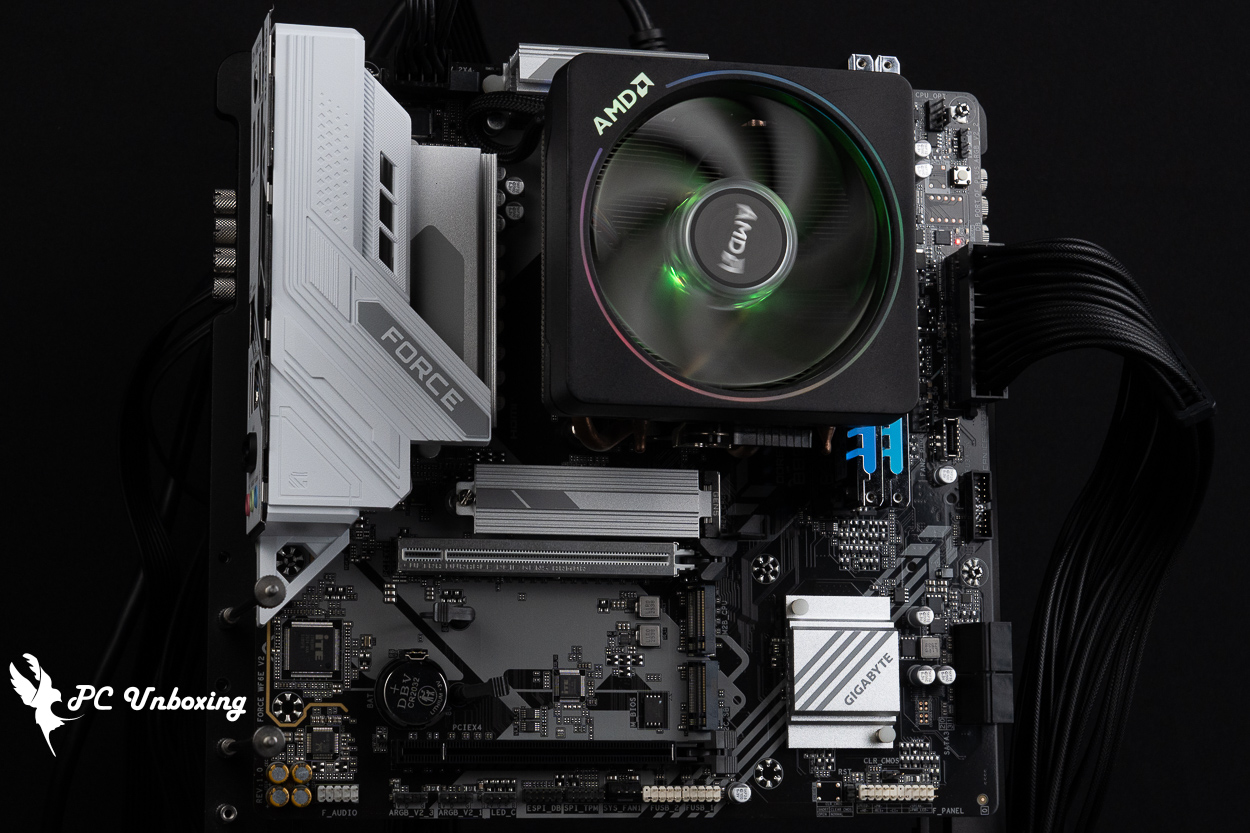
For this motherboard performance test, we paired the motherboard with an AMD Ryzen 5 8500G processor, updated the motherboard BIOS to the latest version, and used Origin code vortex DDR5 48 GB (24 GBx2) Dual-channel memory kit: Set up a bare-metal test platform and enable Profile 2 for the memory.
Testing Platform
Processor: AMD Ryzen 5 8500G
Cooler: AMD Wraith Prism (full speed)
Thermal paste: Cooler Master MASTERGEL MAKER 40g (thermal conductivity 11W/mK)
Motherboard: GIGABYTE B850M FORCE WIFI6E V2 (BIOS Version: F7c)
Memory:Origin code vortex DDR5 48 GB (24 GBx2) 8000 MT/s CL36-47-47-108 1.45V
Graphics: NVIDIA GeForce RTX 4060 Ti Founders Edition 8GB
Operating System: Windows 11 Professional 25H2
Power supply:MONTECH TITAN PLA 1000W
Case: STREACOM BC1 Benchtable V2
firstly CPU-Z Looking at the hardware information for this test platform, the BIOS version is F7c.
We also ran the CPU-Z internal tests for your reference.
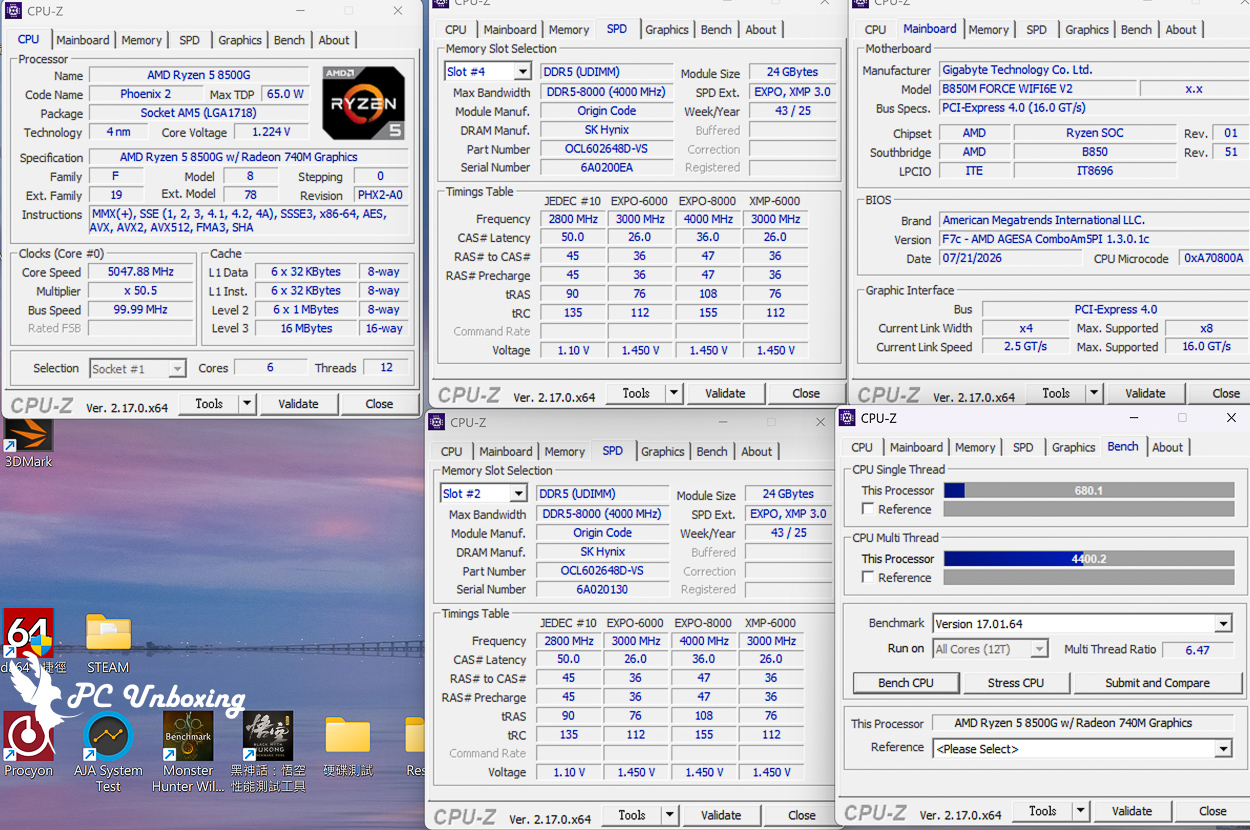
CPU-Z platform information at a glance.
AIDA64 Cache & Memory Benchmark It is mainly used to test the performance of processor caches and RAM. The read/write/copy bandwidth performance score represents the rate of transfer between CPU and memory, which means the efficiency of data throughput (the higher the score, the better), and the time delay score of accessing data indicates the responsiveness of the memory system.
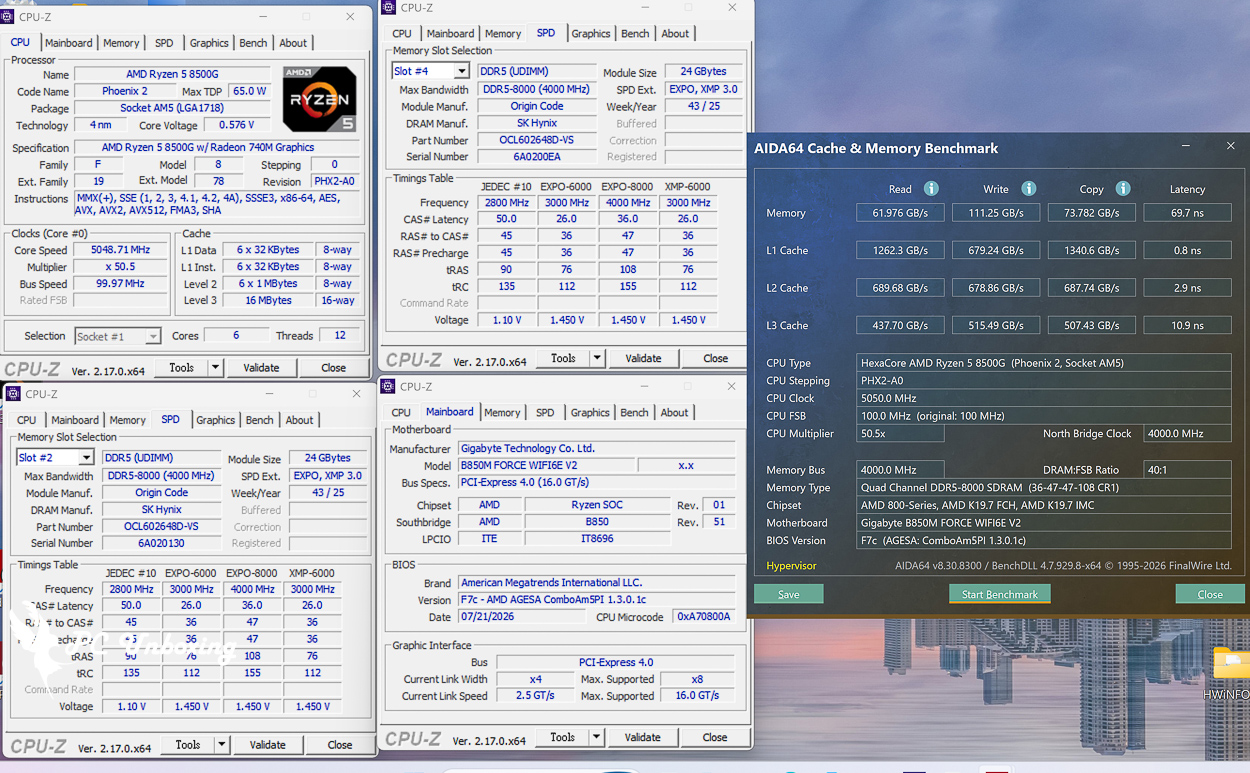
△ AIDA64 cache and memory test.
by Maxon Cinebench An industry-standard benchmarking software, Cinebench 2026 tests GPU and CPU performance using Maxon's powerful Redshift rendering engine.
The new version of Cinebench 2026 adds a test for evaluating the performance of SMT-enabled CPU cores, which means that it is now possible to test: GPU, processor full-core, processor single-core, and processor single-thread performance.
Based on the latest Cinema 4D 2026 and Redshift code, and using the updated Clang V19 compiler, the benchmarking accuracy of contemporary and next-generation processors has been improved to test whether the equipment is stable under high loads, whether the thermal solutions of the desktop or laptop are sufficient to cope with the demands of long-term operation in order to maximize the potential of the CPU, and whether the machine is capable of handling demanding 3D tasks. and whether the machine is capable of handling demanding 3D tasks.
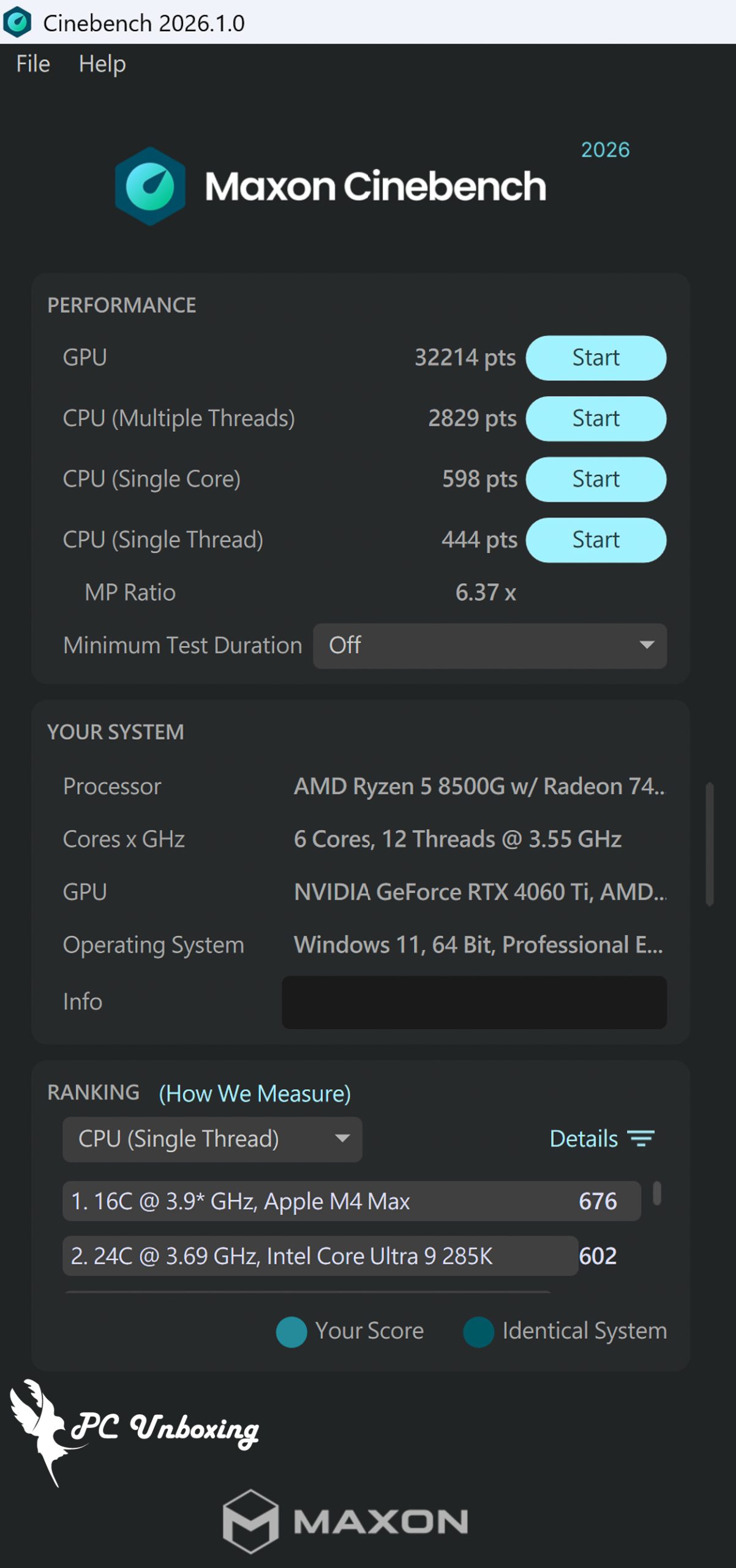
△ Cinebench 2026.
Lu Bu Rides a Dog! DDR5 Memory at 10,200 MT/s GIGABYTE B850M FORCE WIFI6E V2 MotherboardOverclocking Test Results
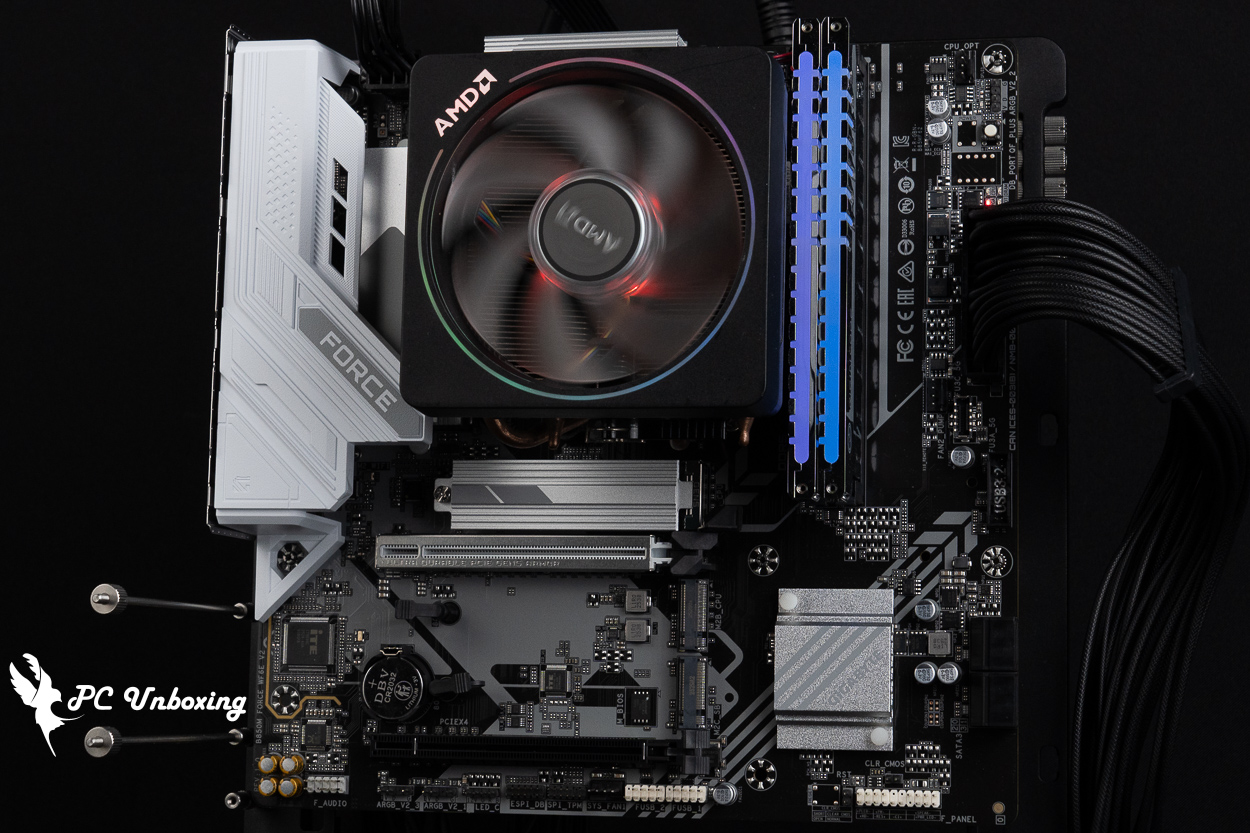
Since this motherboard features a 1DPC (1 DIMM per channel) dual-slot and channel layout designed for better compatibility with memory overclocking (O.C.), why not give it a try? It would be pretty boring to just enable a memory profile without doing anything else.
For this overclocking test, I wanted to try overclocking with two memory modules installed—that is, in dual-channel mode. I continued to use the AMD Ryzen 5 8500G CPU, as it makes it easier to overclock the memory frequency. For the CPU cooler, I used the standard AMD Wraith Prism, All memory modules retained their original heat spreaders; neither the heat spreaders nor the thermal pads were replaced. The memory was cooled exclusively by air and did not use liquid nitrogen (LN2) for cooling.
Ultimately, with two memory modules installed and without overclocking the BCLK, I successfully overclocked the system to DDR5 10,200 MT/s (5,200 MHz) and ran AIDA64 benchmarks for your reference.
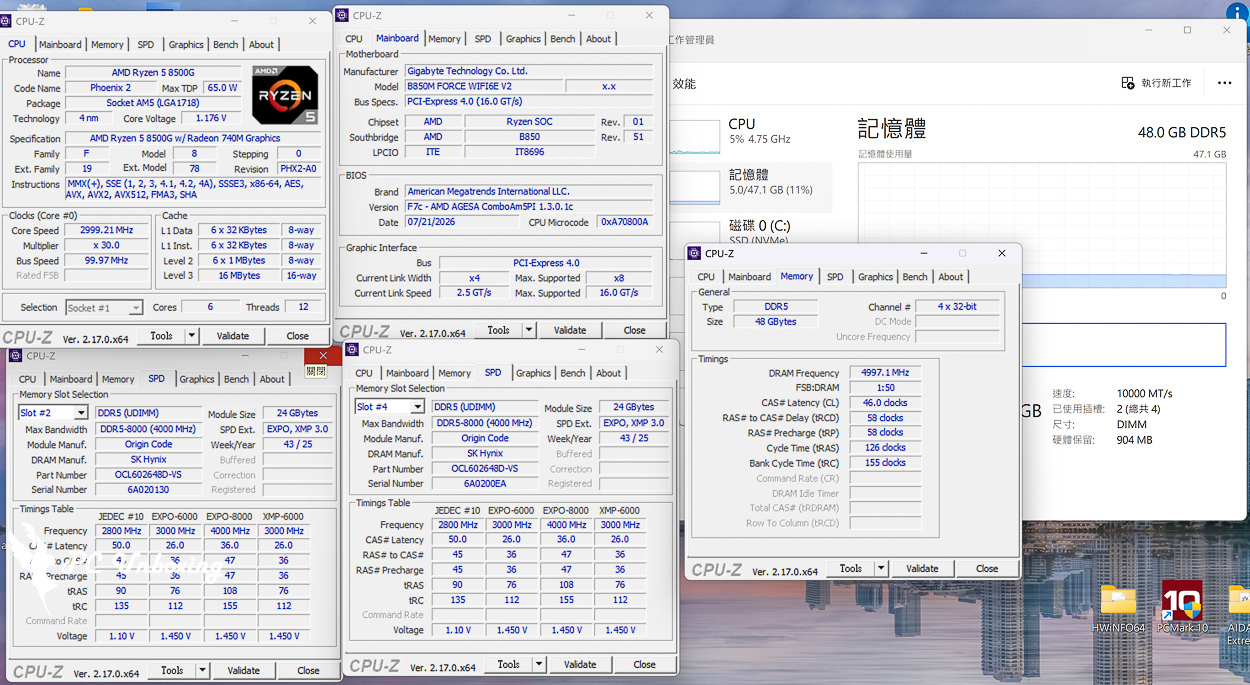
△ If Xiao Chao can hit 10,000 MT/s on DDR5.
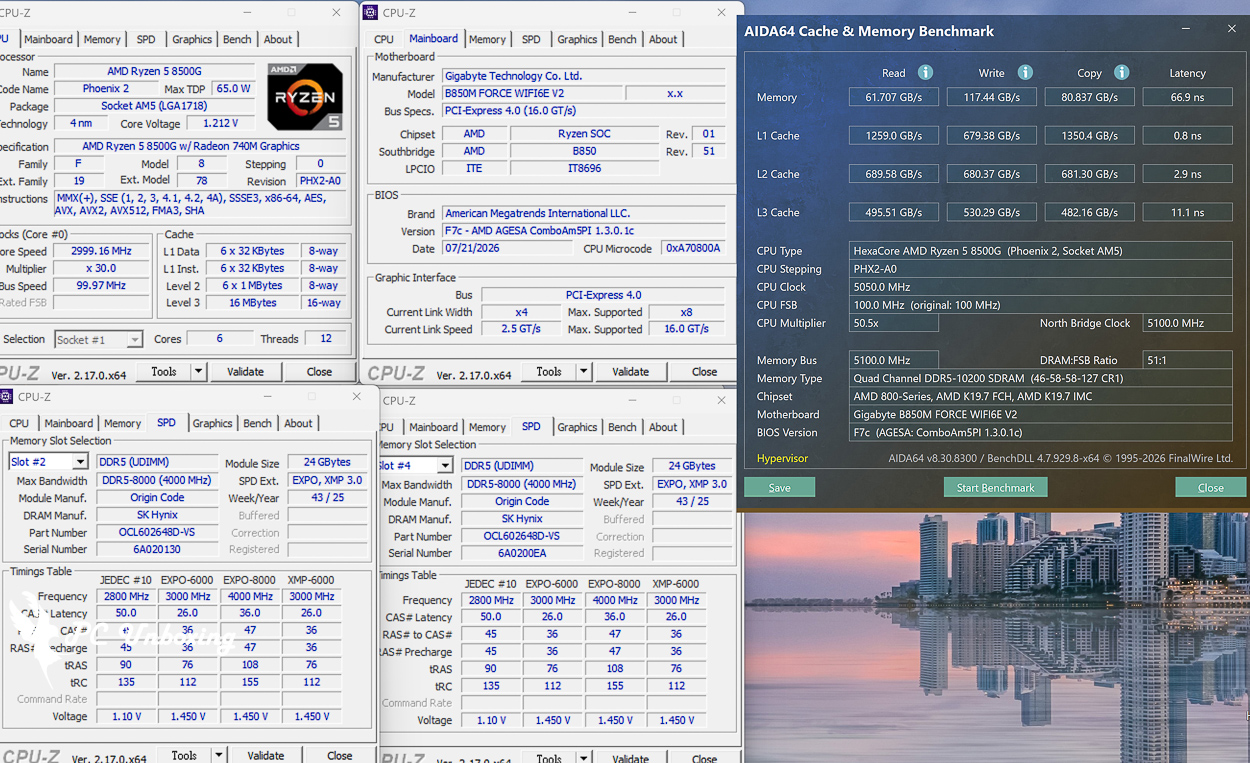
△ Let's overclock it a bit more to DDR5 10,200 MT/s.
GIGABYTE B850M FORCE WIFI6E V2 Review | Who Should Buy It?
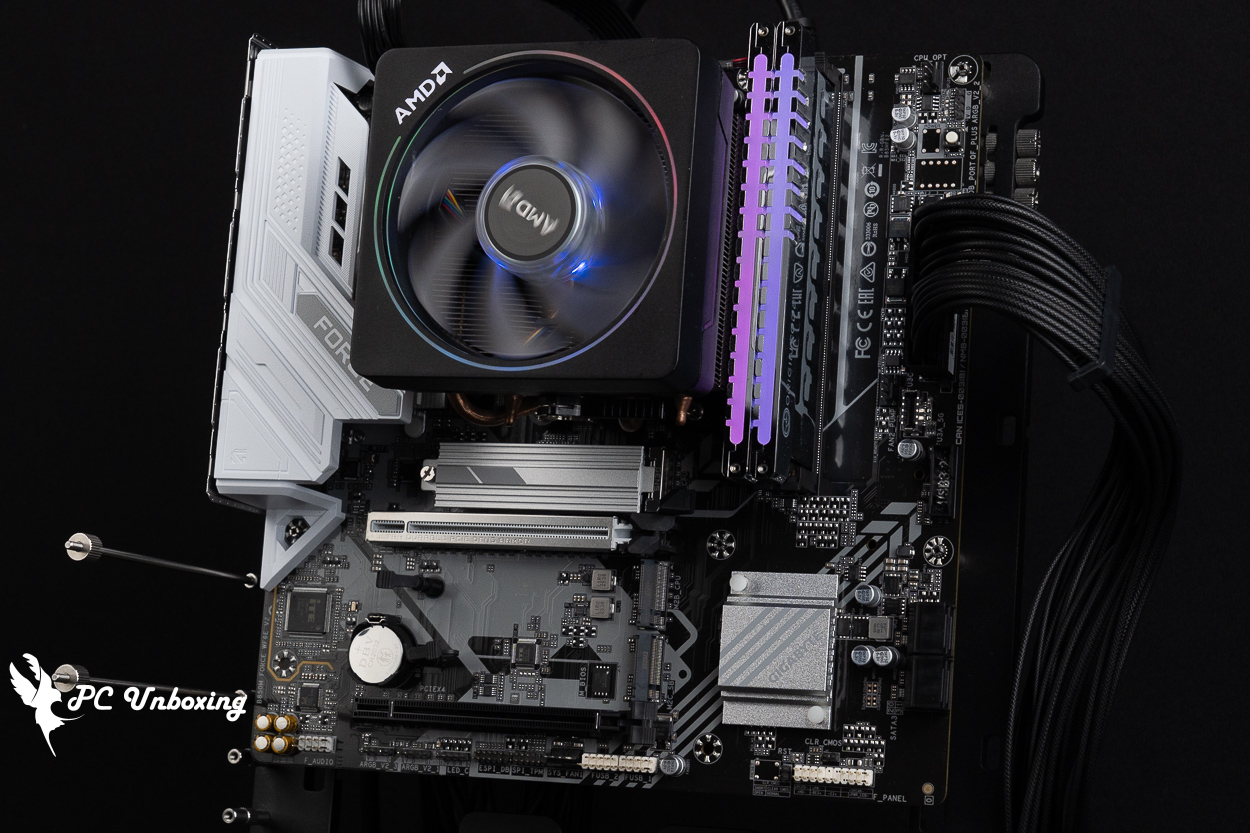
The GIGABYTE B850M FORCE WIFI6E V2 motherboard is positioned and priced more toward the entry-level segment, offering a 1DPC (1 DIMM per channel) option in the budget price range. As I mentioned earlier, considering current memory market prices and the fact that users who purchase value-for-money motherboards typically do not make changes to their systems once they’re set up, and since users generally do not expand their memory capacity, I believe that a value-oriented motherboard model with a dual-slot memory configuration is indeed more in line with budget planning and practicality, while also offering better support for XMP and EXPO memory overclocking profiles.
This motherboard has only two memory slots, three M.2 SSD slots, a USB 5Gbps Type-C port, and four fan headers. Given this level of expandability and the 8+2+2 power delivery configuration, I would recommend pairing this motherboard with AMD Ryzen 7 9850X3D (R7 9850X3D) This setup is perfect for building a gaming PC or a computer for everyday office tasks. However, if you plan to use a processor with more cores or have additional expansion needs, it’s better to invest more and consider a higher-end motherboard. For the majority of users who don’t anticipate needing to expand their hardware or peripherals in the future, this motherboard is sufficient—though it does have a somewhat limited number of USB ports and lower bandwidth specifications.
In this overclocking test, we overclocked two memory modules to DDR5 10200 MT/s to experience the current trend of “even entry-level motherboards supporting overclocking.” However, for a more user-friendly overclocking experience, I still recommend using X870 AORUS TACHYON ICE Overclocking motherboards like these will provide a better overclocking experience.

Yun
Drinks with less than full sugar are colored water. Crossing Turbid Creek, full sugar is not a crime!


 繁體中文
繁體中文  English