
Monarch MONTECH NX600 ARGB Dual Tower Air Cooled Cooler Unboxing Review
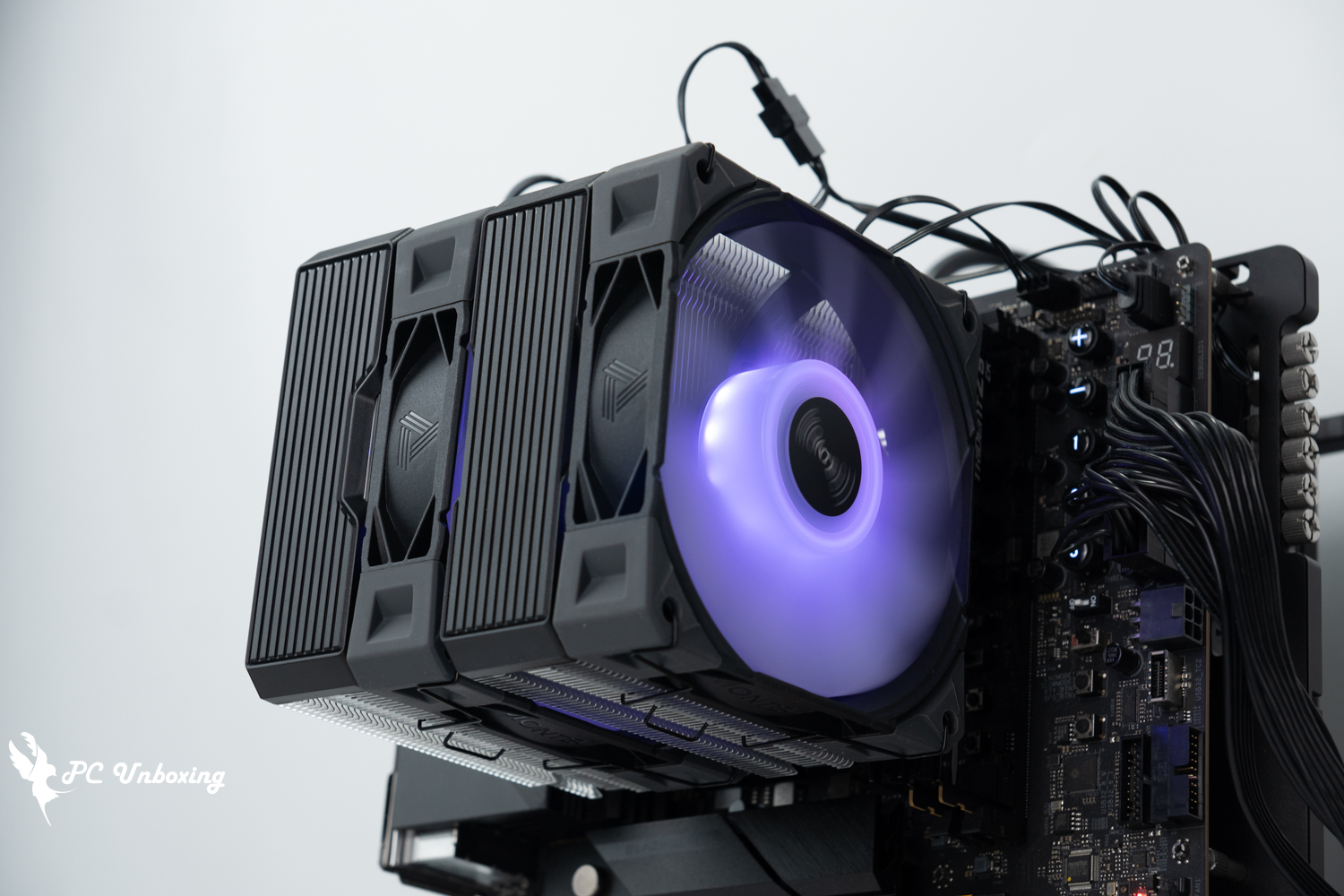
Monarch MONTECH's NX600 ARGB air-cooled tower cooler is the brand's second dual-tower air-cooled product after a three-year hiatus, with six heatpipes, dual towers, dual fans, and other specifications, using six nickel-plated copper heatpipes and two E28 ARGB 120 mm HDB fans, and simultaneously launching black and white and ARGB/non-gloss and other four SKUs priced at around $1200. In terms of price and specifications, it seems to be an attempt to join the mainstream air-cooled market in a bloody battle. Intel Core Ultra 9 285K Processor and ASRock Z890 Taichi OCF The motherboard was tested.
Monarch MONTECH NX600 ARGB Dual Tower Air-CooledSpecifications:
Compatible Intel pins: LGA 1851 / 1700 / 1200 / 115X
Compatible with AMD Pin: AM5 / AM4
Size: 120 x 132.5 x 160 mm
Weight: 1440 g
Number of heat pipes: Ø ? mm x6
Copper base contact surface: Nickel-plated copper base
Thermal Design Power (TDP): ?
Fan used: Two MONTECH E28 ARGB 120 mm HDB fans
Fan size: 120 x 120 x 28 mm
Maximum fan speed: 2000 ±10% RPM
Maximum fan airflow: 85.09 CFM
Maximum fan pressure: 3.35 mmH₂O
Fan Power Supply: PWM 4-Pin, 5V 3-Pin ARGB
Includes Thermal Grease: Accessory MONTECH Thermal Grease Tube
Warranty: one year
MONTECH NX600 ARGB Dual-Tower Unboxing|Six heatpipes dual-tower design, complete analysis of the exterior details.
This should be the last air cooler from MONTECH this year, right? MONTECH showed it off at Computex 2025 in Taipei, Taiwan. NX400 and NX600 series of air-cooled products, the former positioned as a relatively entry-level single-tower, four-tube air-cooled cooler. NX400 It debuted in the middle of the year, and the dual-tower, six-heatpipe air-cooled cooler was updated after a three-year hiatus.
three years ago METAL DT24 PREMIUM It is MONTECH's first dual-tower, dual-fan air-cooled tower cooler, and the new 2025 NX series air-cooled coolers are updated with the NX600 without light and the NX600 ARGB with light, both available in black and white, with the ARGB version priced at $1,250, and the no-light version $1,150, with a one-year after-sales warranty.
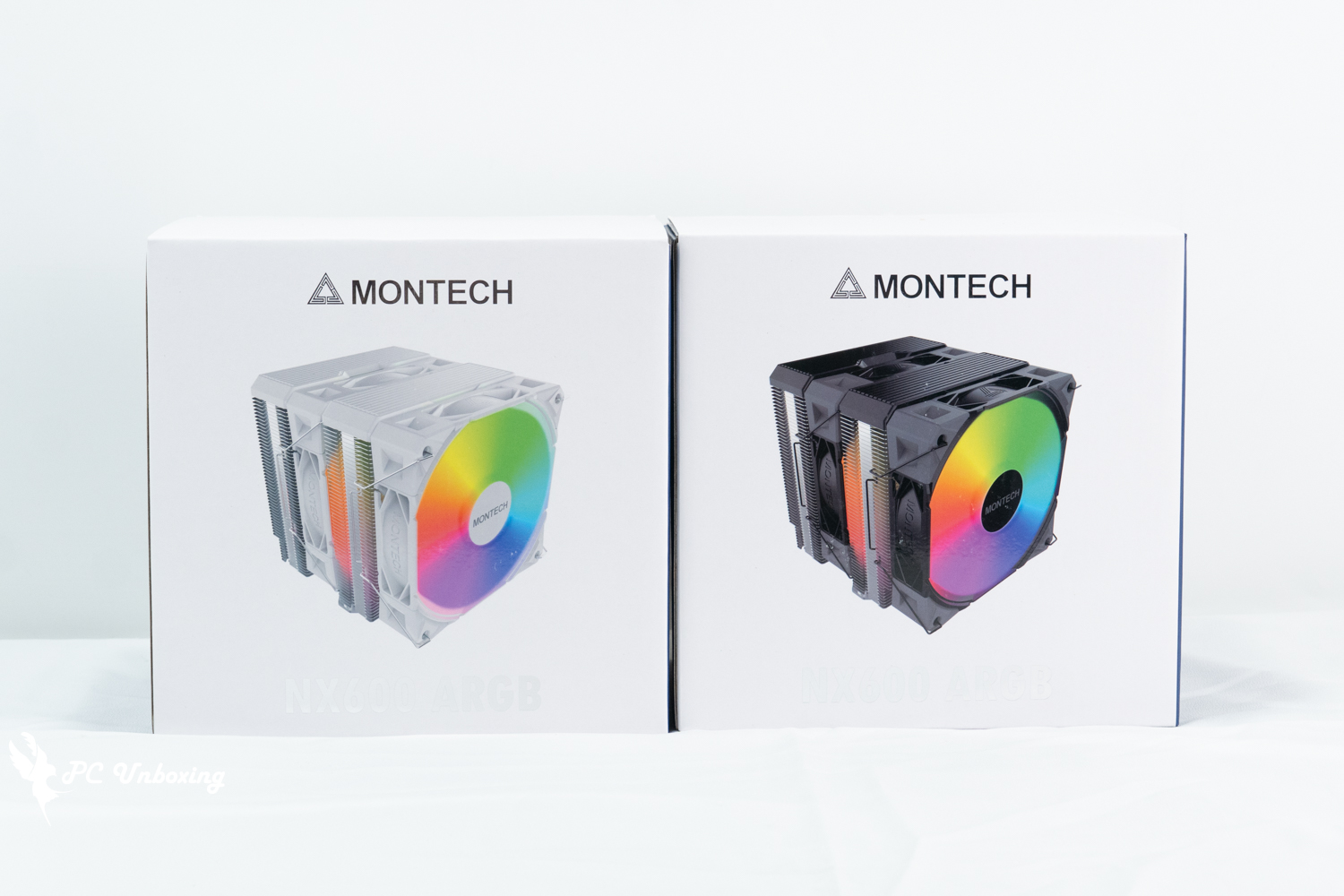
△ Monarch MONTECH NX600 ARGB dual-tower air-cooled cooler is simultaneously available in black and white.
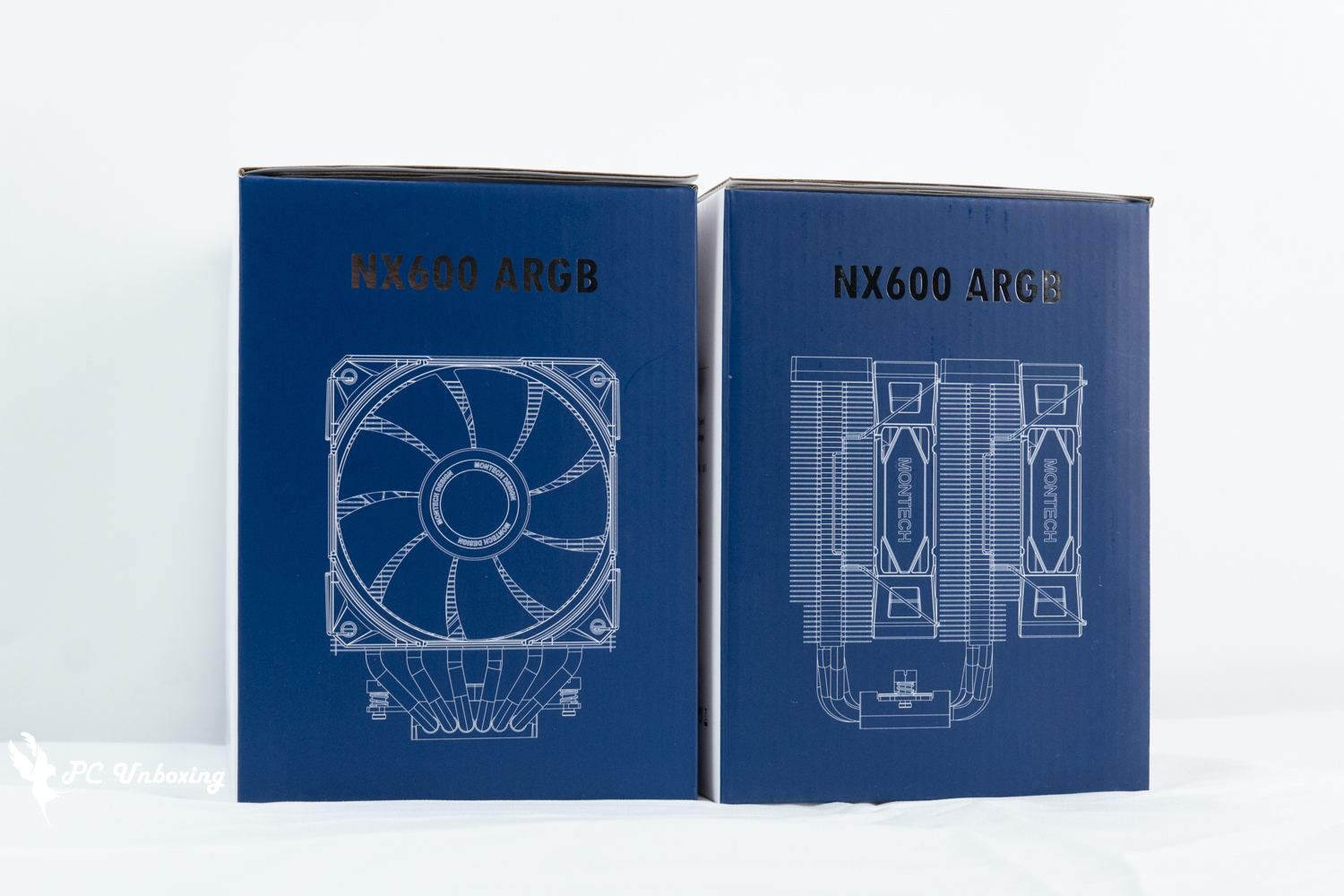
△ Six heat pipes, double towers, double fans, air-cooled radiator.
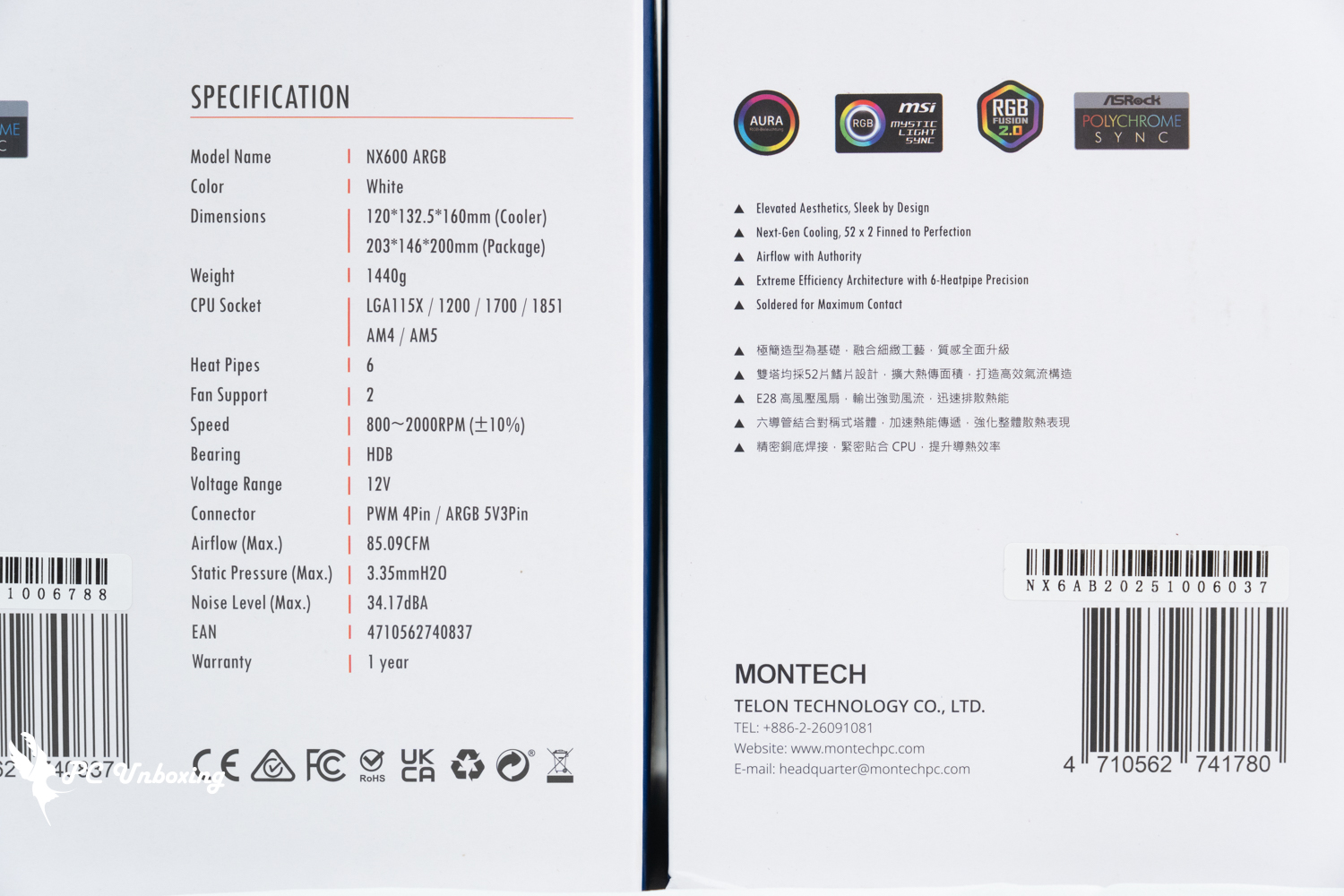
△ NX600 ARGB air-cooled specification.
The dimensions of the NX600 ARGB dual-tower air cooler are 120 x 132.5 x 160 mm, which means that the height of the air cooler used in the chassis is 160 mm, so make sure that it is compatible with this height when you are installing the chassis.
The fan is not installed on the tower at the factory, so you have to install the fan on the tower by yourself when you use it for the first time. The tower itself is designed for mirror symmetry, and there is no offset avoidance design from the side, but there is an excavation avoidance for the height of the motherboard VRM heatsinks and memory heatsinks to provide compatibility for the use of the tower.
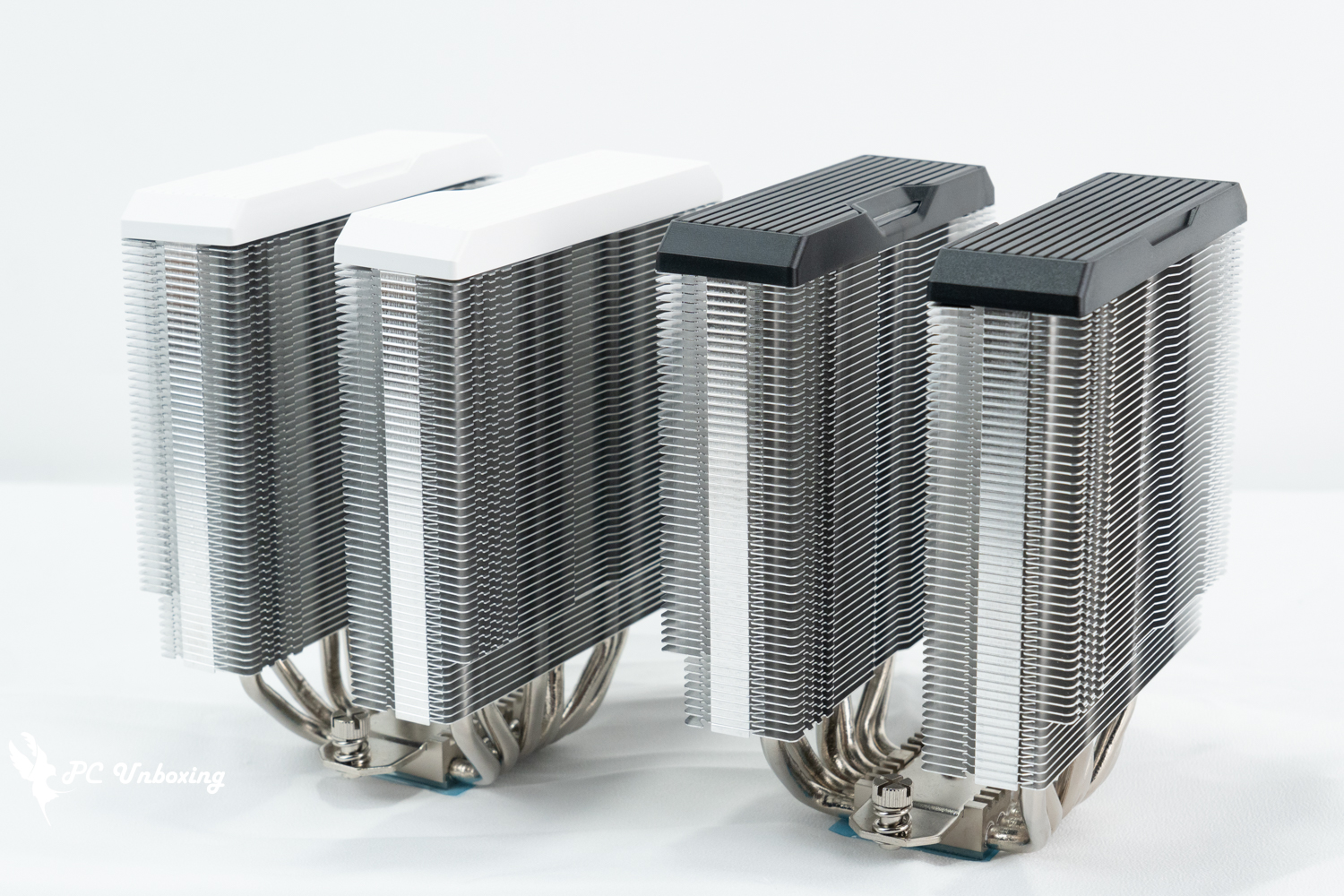
△ Twin towers, not pre-installed with fans at the factory.
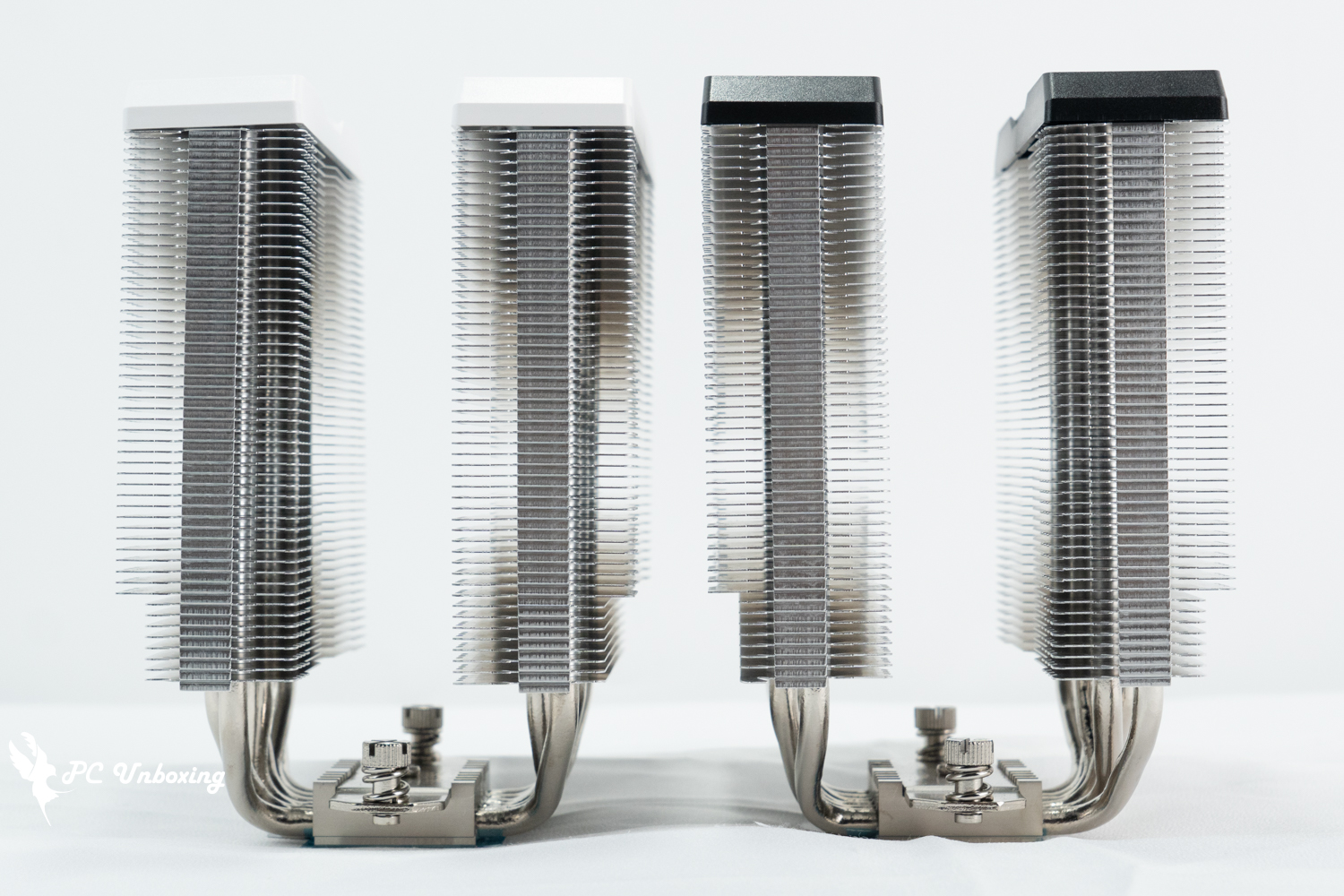
△ Symmetric tower.
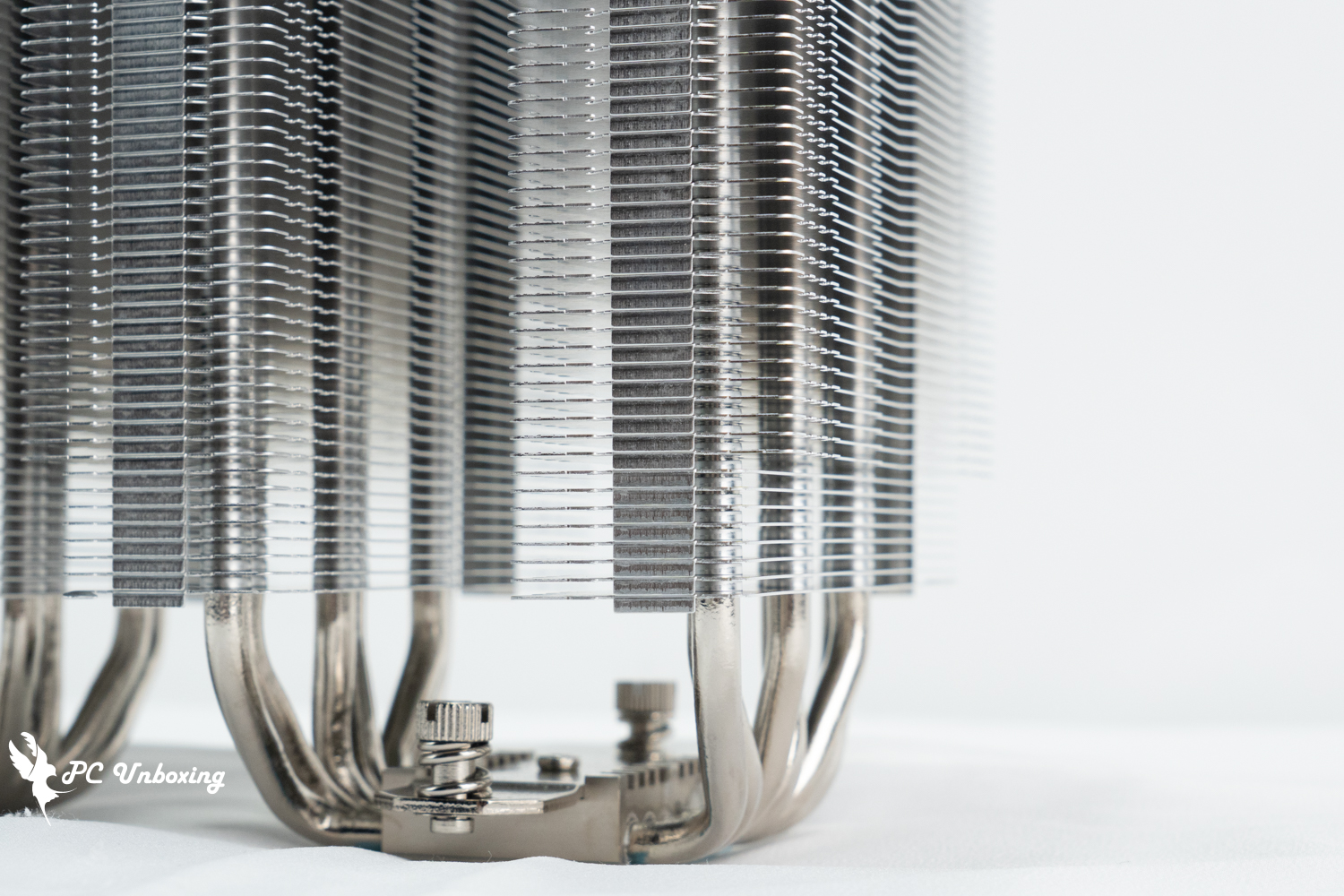
The number of cooling fins is 52 on one side.
This time around, the NX600 ARGB top cover has a more minimalist design, where the previous METAL DT24 PREMIUM With an ARGB top cover, the shiny look may be too much for some gamers to handle.
The top cover is fixed with a latch and is removable but not necessary. After removing it, you can see the surface of the heatpipe and cooling fins, and judging from the contact points, it should have been soldered by the Fin threading process rather than reflow soldering.
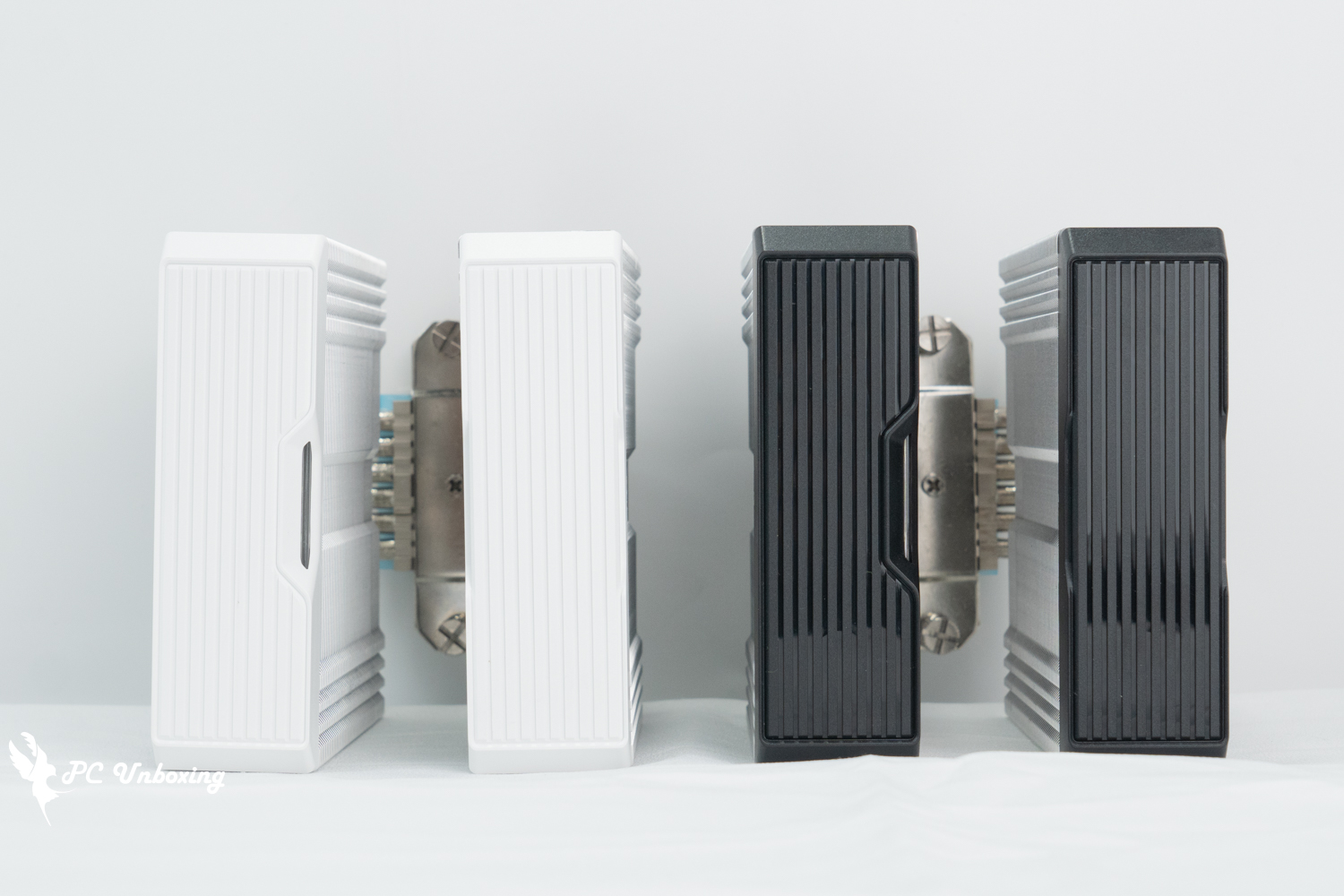
△ The air-cooled top is decorated with a non-glossy top.
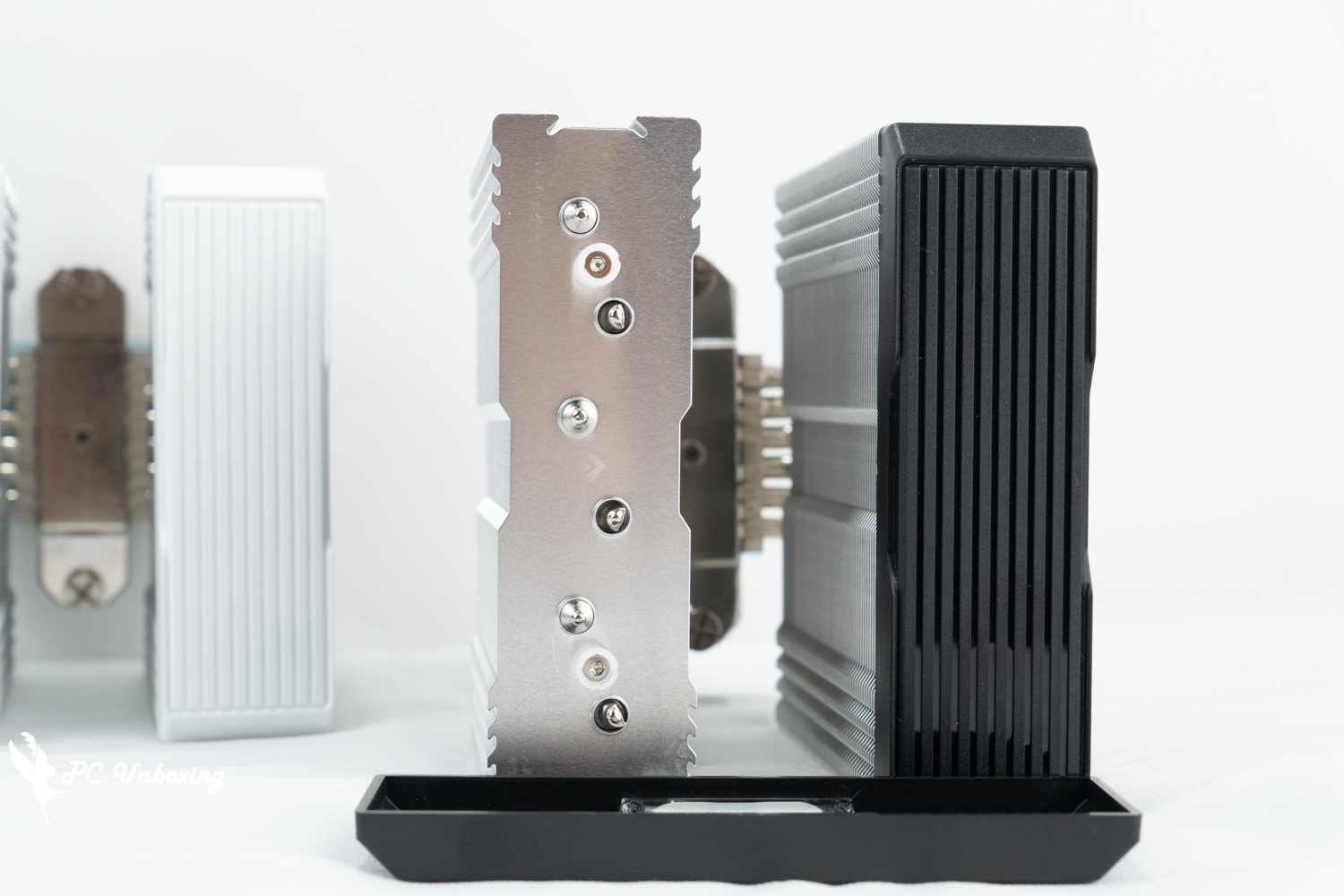
△ Heat pipe details.
The processor contact surface uses six nickel-plated copper tubes with a soldered "flat" copper base to contact the CPU IHS for heat transfer, the heat pipe surface uses nickel-plated surface treatment, which can effectively make the copper tube oxidized after a long period of time to make the appearance of not so unattractive, the copper tube direct contact surface with scratch-resistant film, remember to tear it off before putting on the thermal paste!
The MONTECH NX600 ARGB supports Intel LGA115X / 1200 / 1700 / 1851 platforms, and AMD AM4 / AM5 platforms, and is compatible with newer processors and platforms.
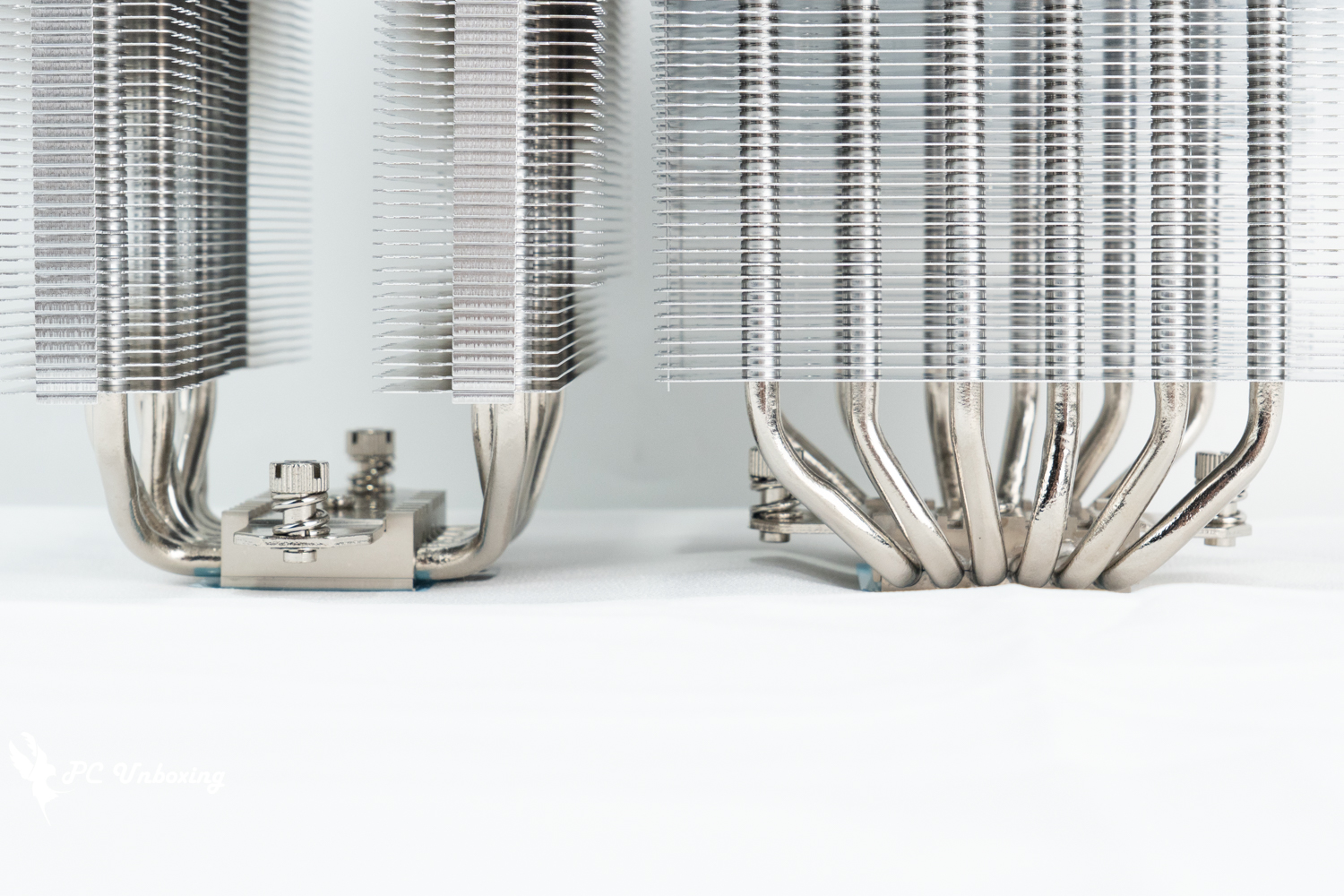
△ Six copper heat pipes Specifications.
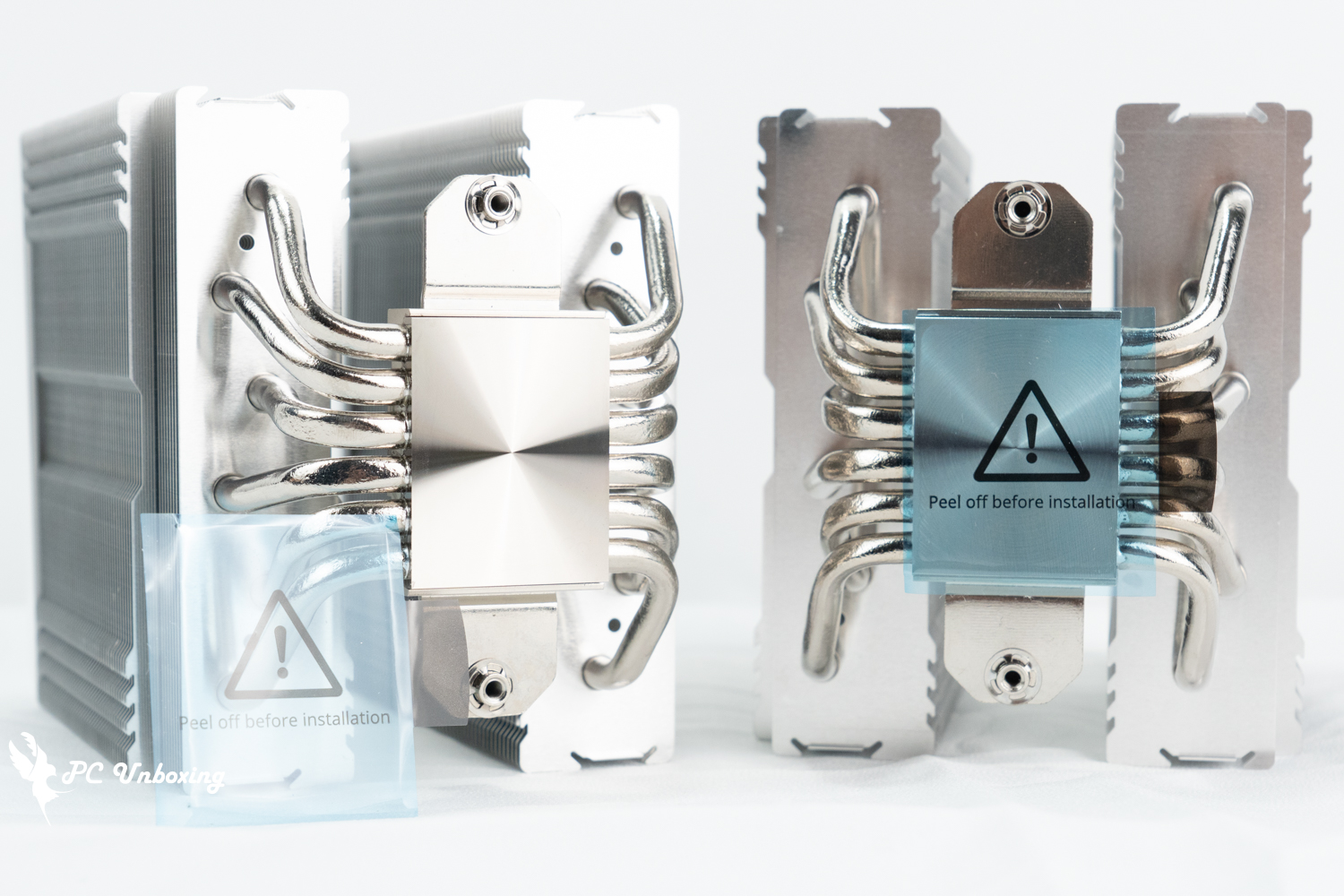
Protect the scratch-resistant film.
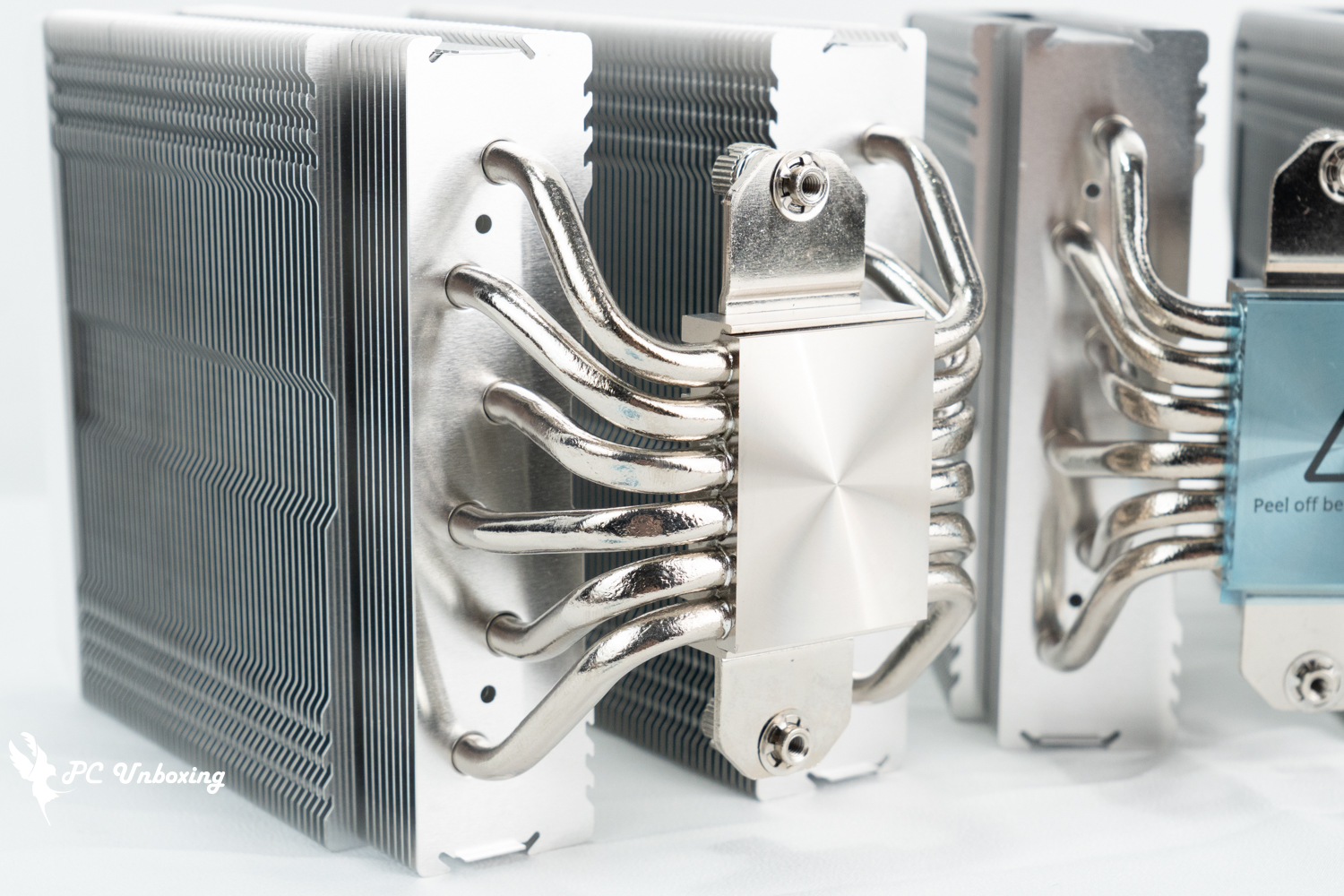
△ Nickel-plated copper bottom contact surface.
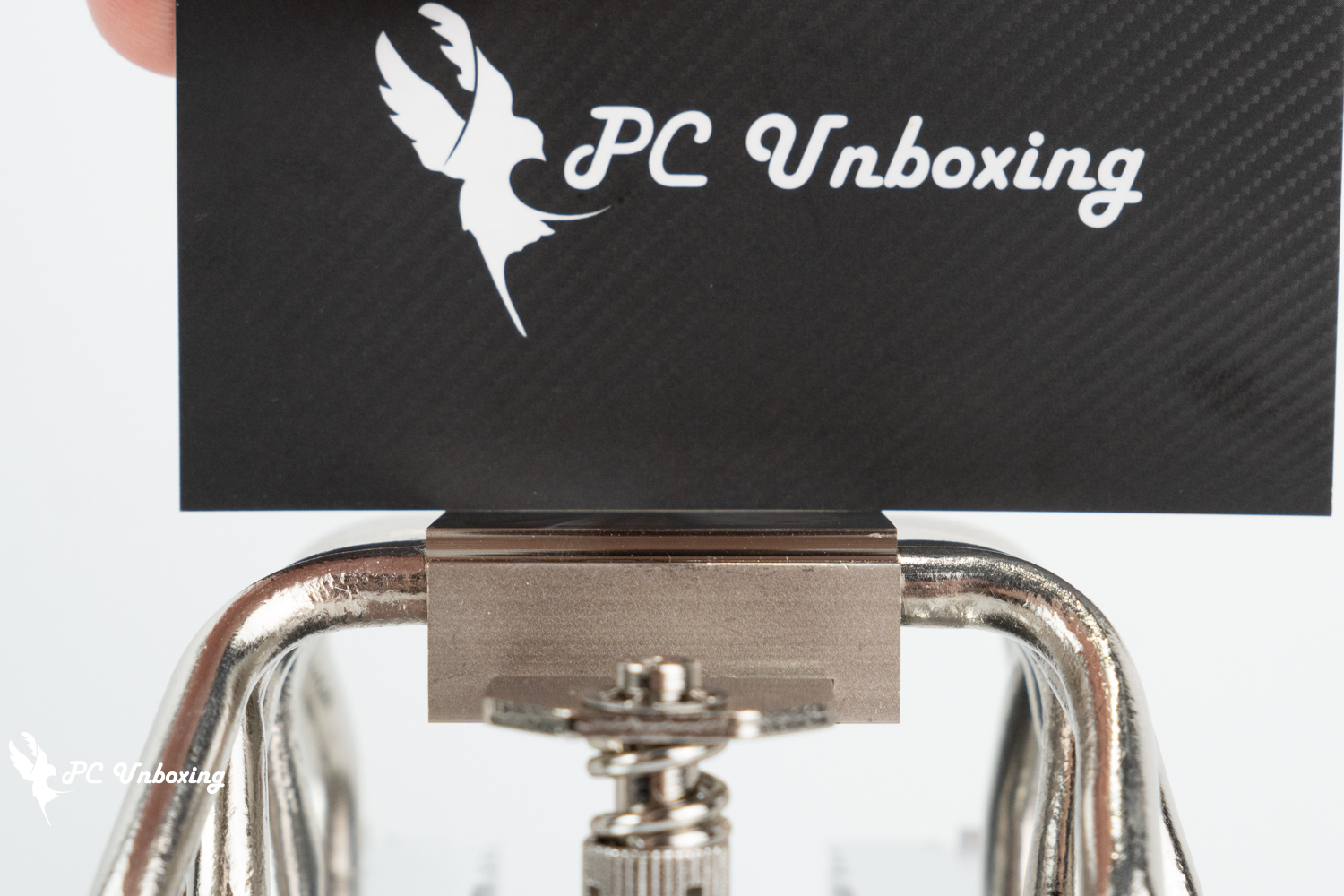
△ Copper bottom X-axis horizontal view.

△ Copper bottom Z-axis horizontal view.
The fan is an E28 ARGB fan with a fan speed of 800 ~ 2000 RPM (PWM) ± 10%, a maximum airflow and pressure of 85.09 CFM and 3.35 mmH₂O, the fan itself is 28 mm thick and uses HDB (Hydraulic Bearings), and the fan needs to be fastened to the tower with the wire in the kit. The fan needs to be fixed to the tower using the wire in the kit.
The fans are powered by 4-Pin PWM and 5v 3-Pin ARGB for lighting settings. The fan lighting supports GIGABYTE, ASRock, ASUS, and MSI software for lighting customization.
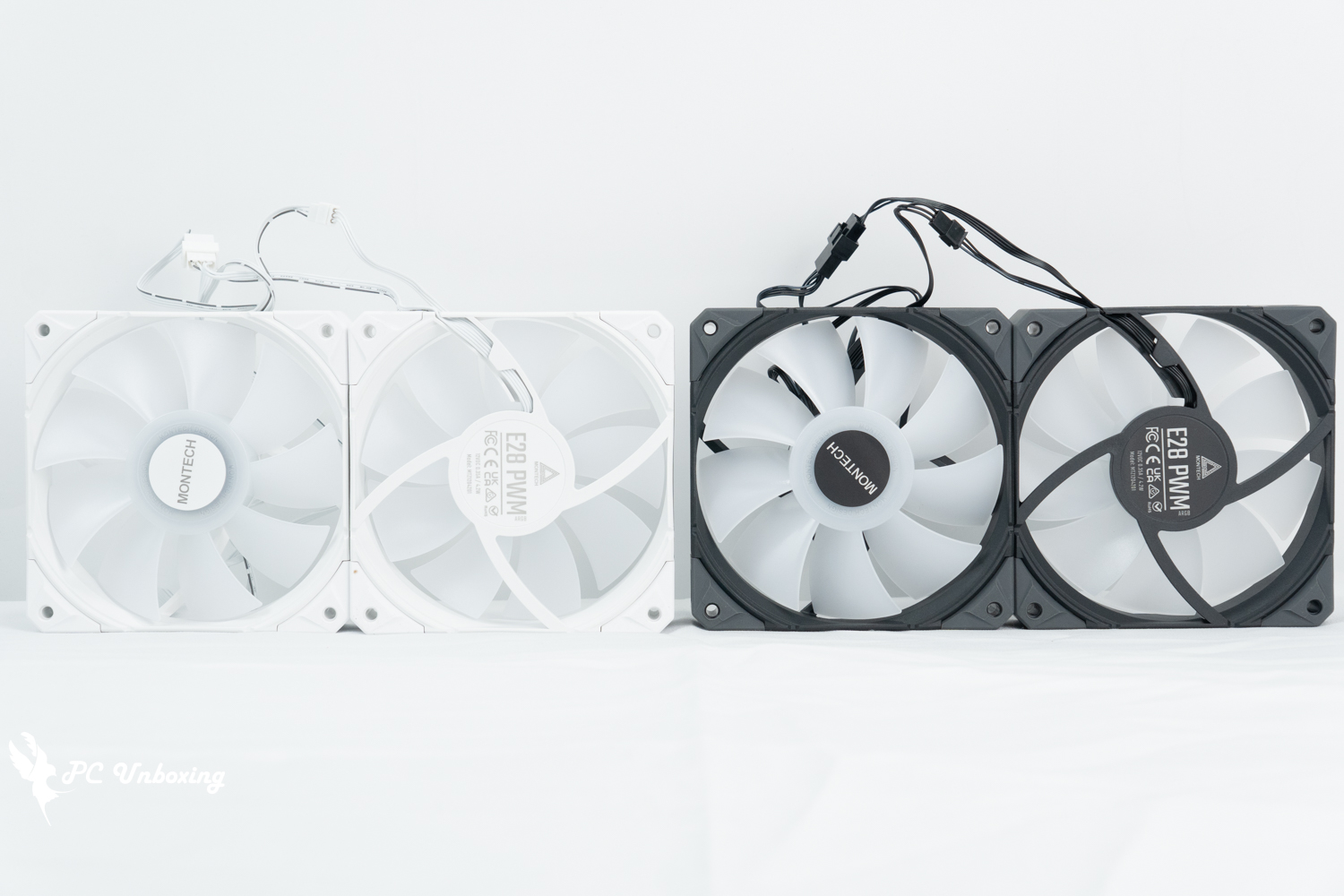
△ Black and white E28 ARGB fan.
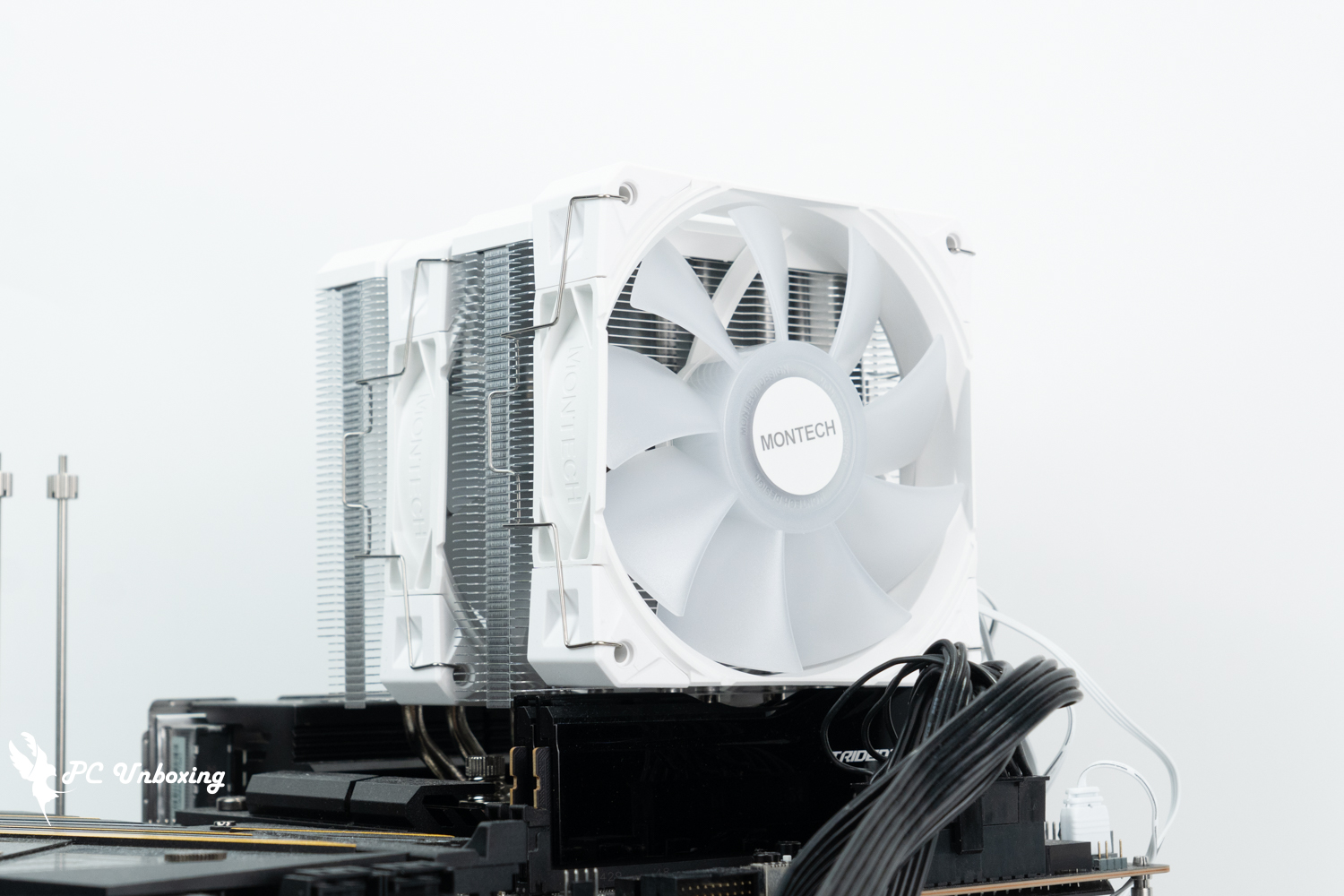
△ Fan installation and matching display.
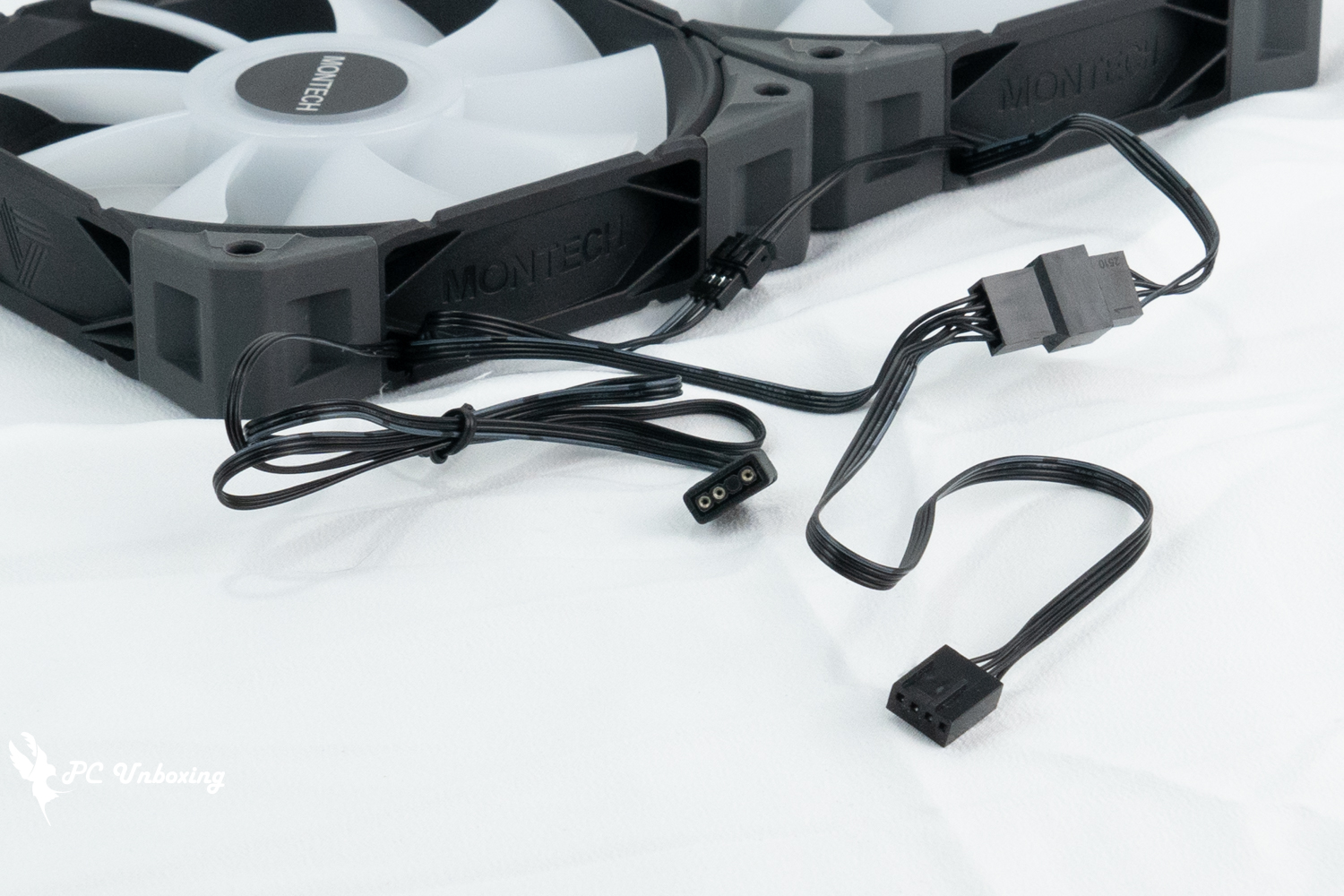
Both fans are already wired in series, and only one PWM and ARGB slot is needed to install both fans on the tower.
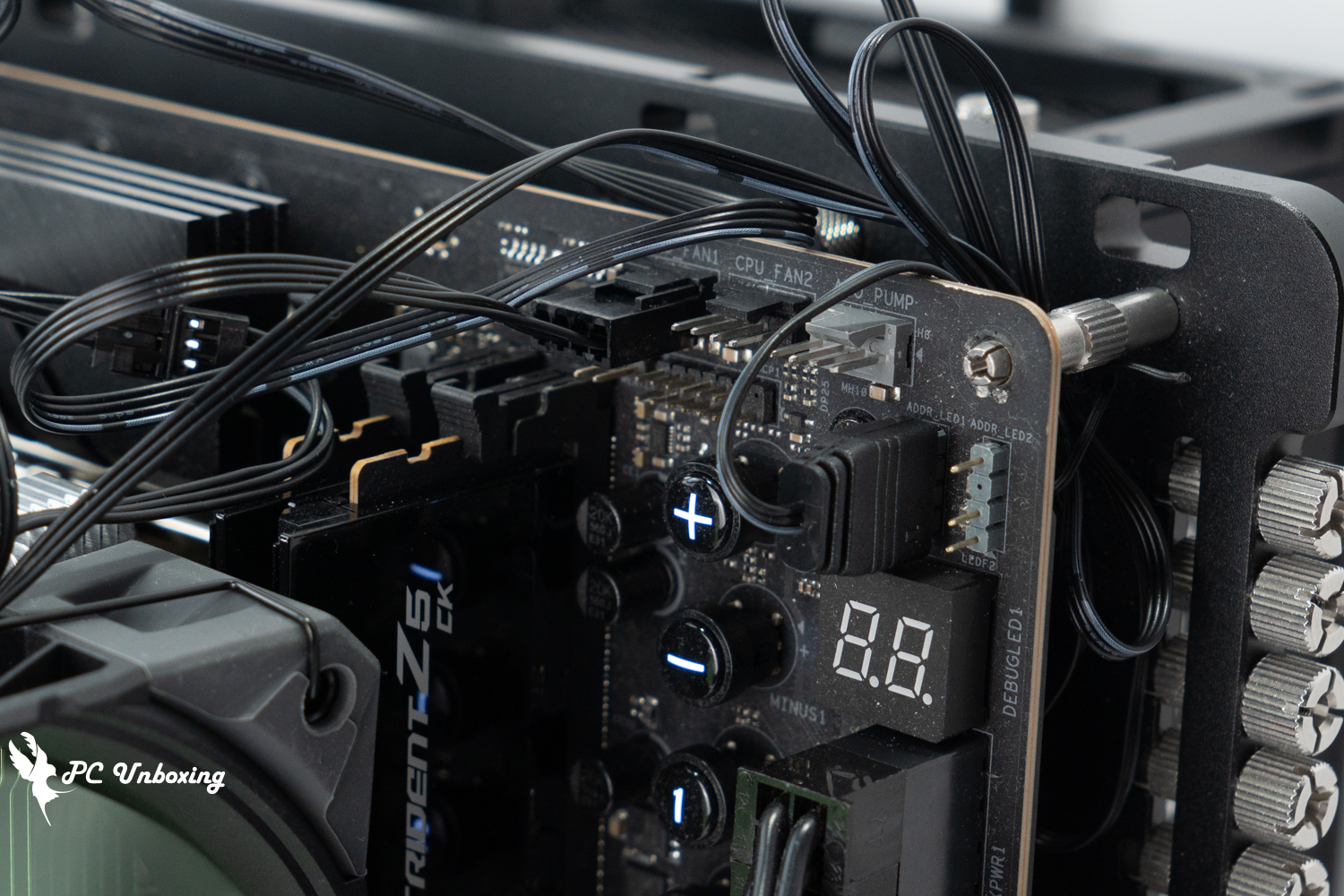
△ MONTECH NX600 ARGB cable installation demonstration.
The only accessories are: Intel and AMD snap-on kits, Intel platform mounting backplate, two sets of fan mounting wires, thermal paste spatula, and a small tube of spare thermal paste.
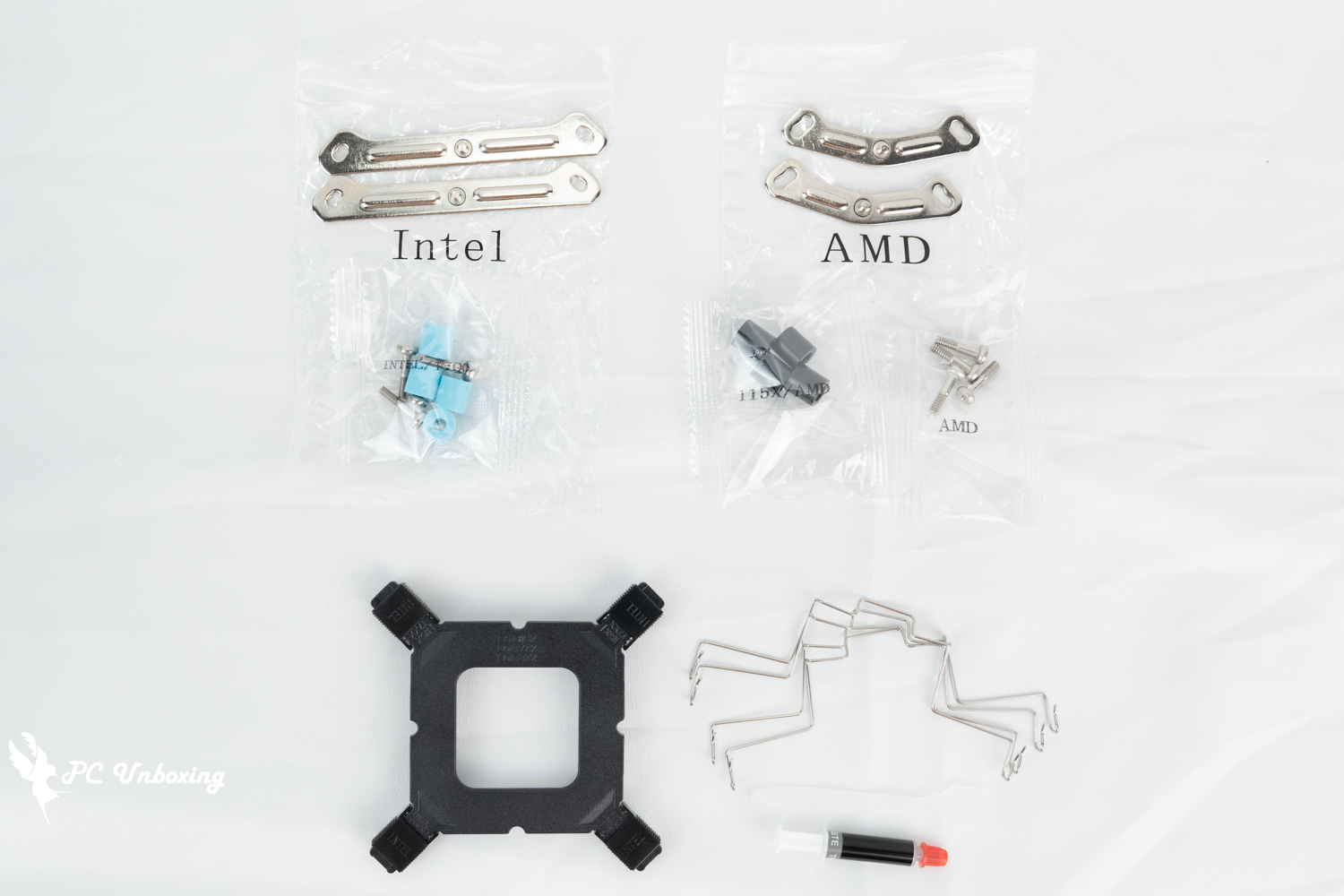
△ List of accessories.
MONTECH NX600 ARGB Practical Installation Guide|Fan Height Adjustment and Memory Compatibility
Next, the actual installation on the Intel Z890 platform is shown for your reference.
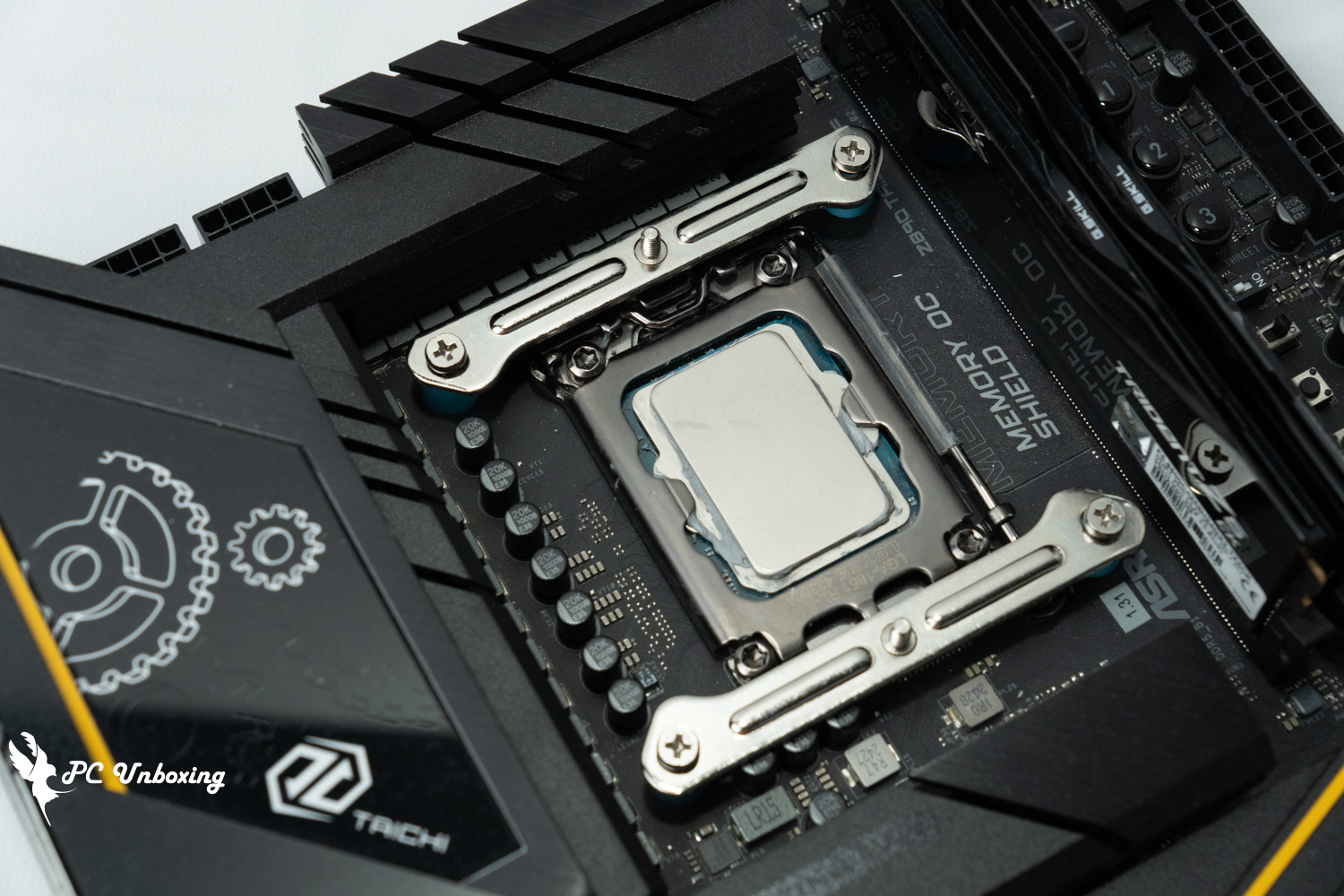
Intel LGA 1851 pin mounting demo.
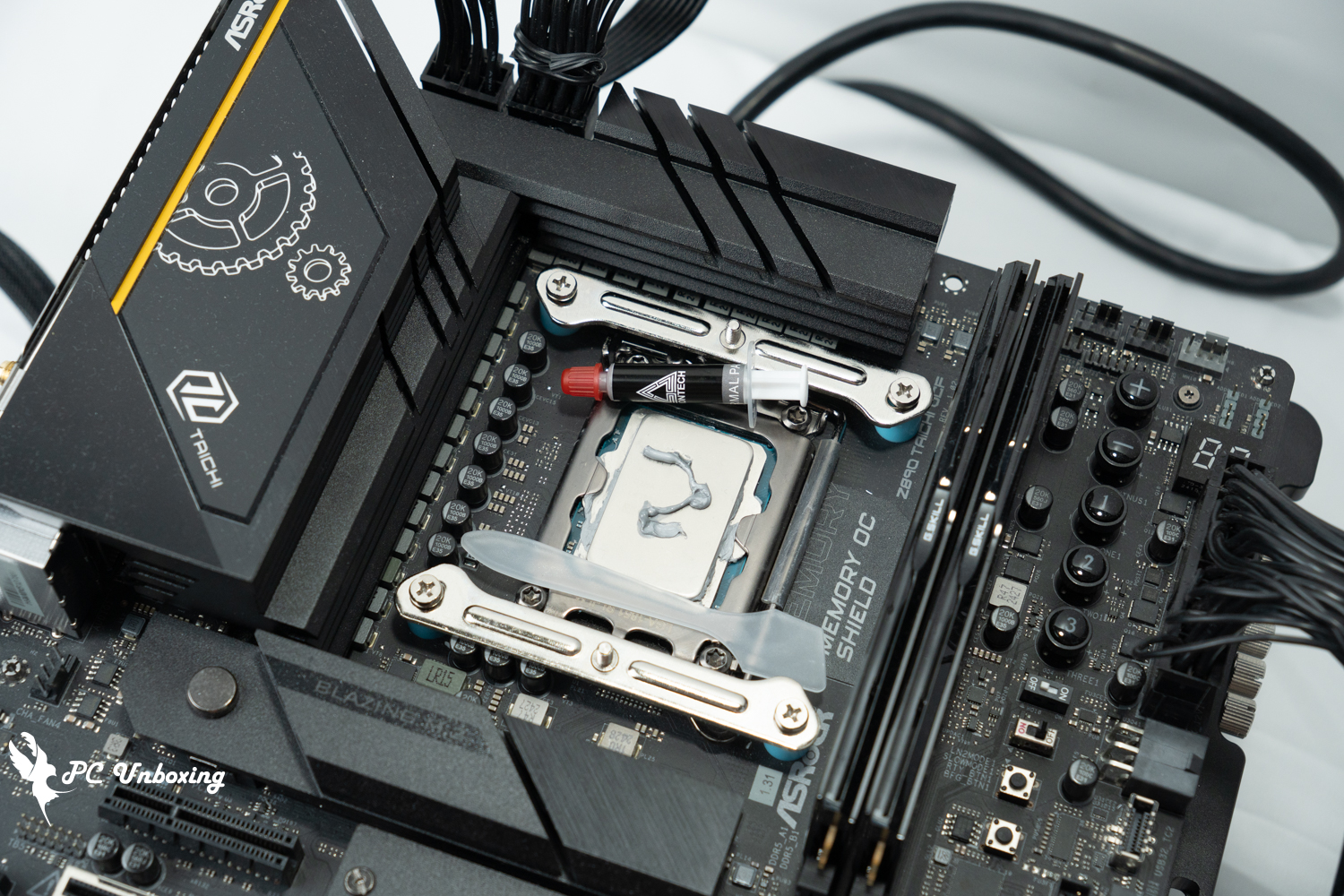
△ Heat dissipating cream can be used with a spatula.
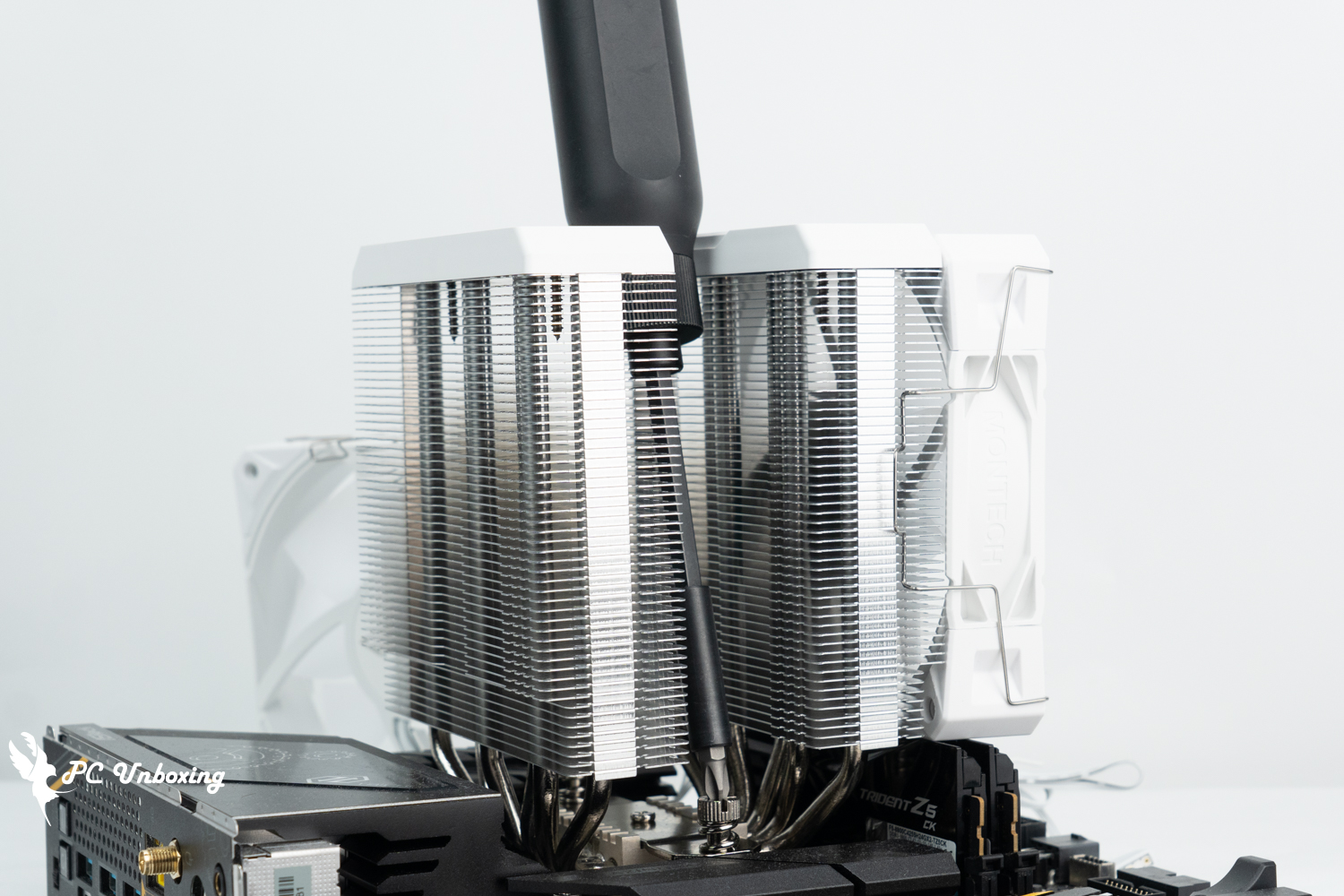
△ Do not fasten the fan on before locking the motherboard, because the driver has to fasten the nut from the middle of the tower.

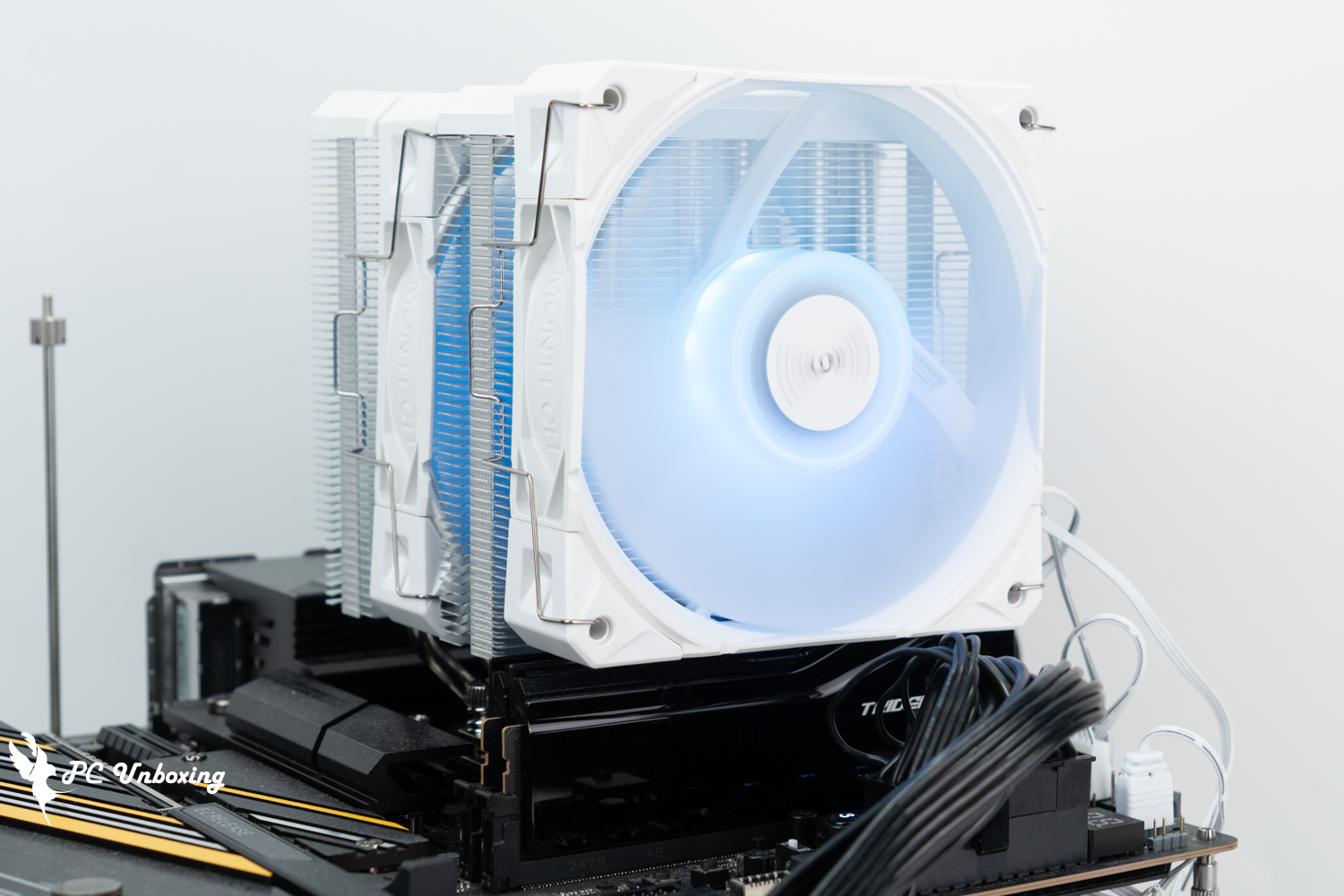
△ MONTECH NX600 ARGB Dual Tower Air Cooled Radiator installed in unpowered state.
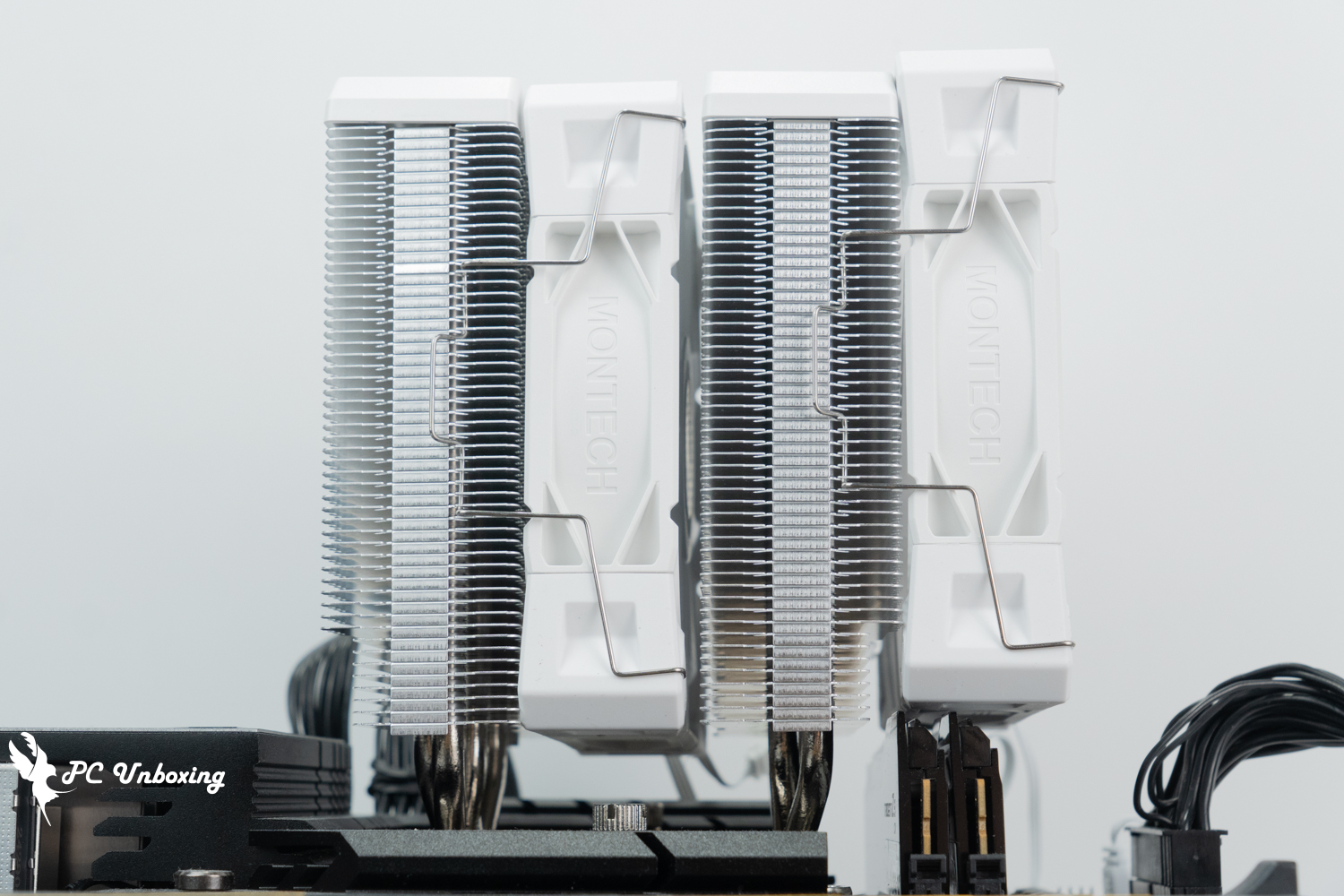
△ With a height of 44 mm G.SKILL Gigi Trident Z5 CK Vortex CK Installation, that front fan needs to be raised slightly for a compatible installation.
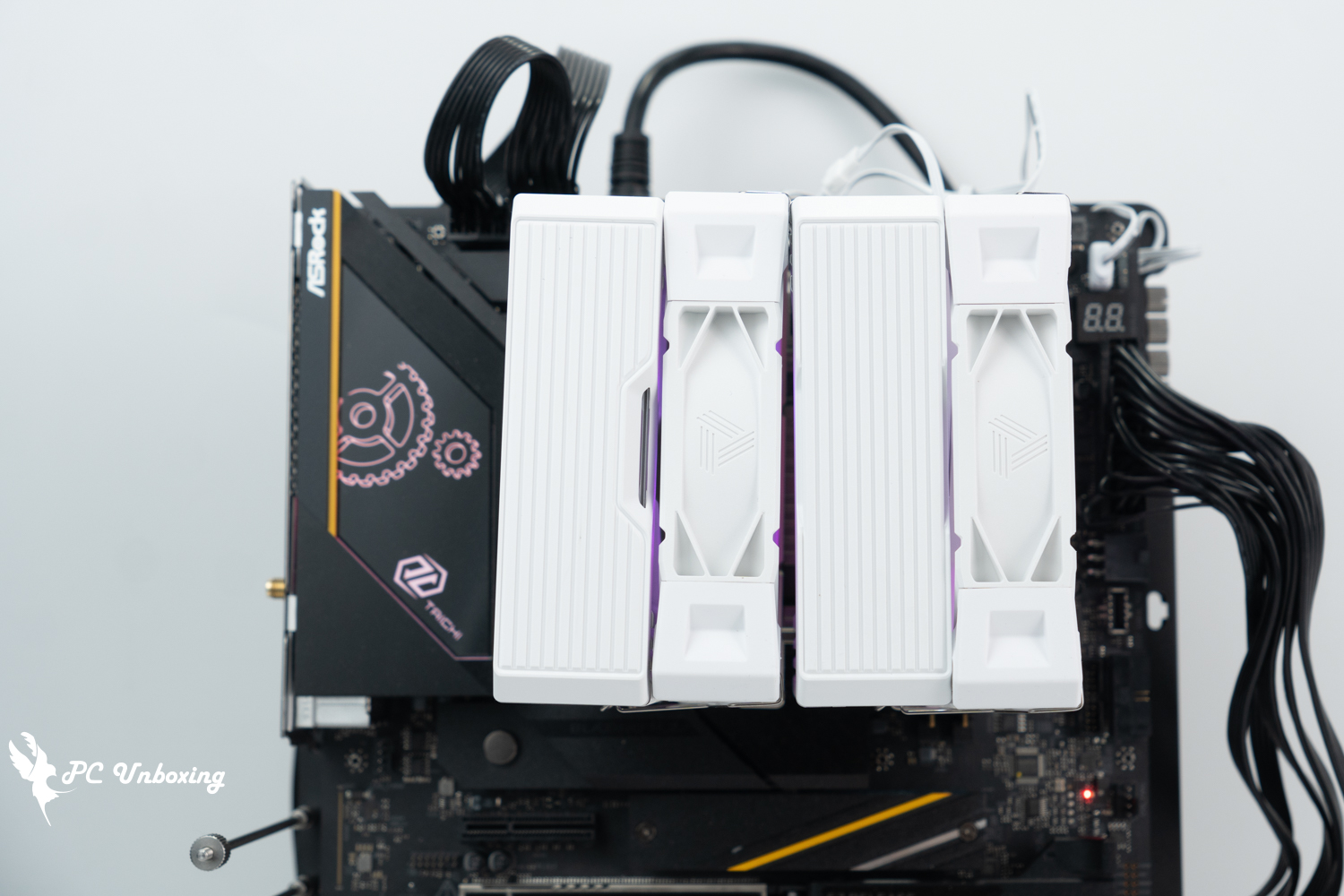
△ White version top cover installation display.
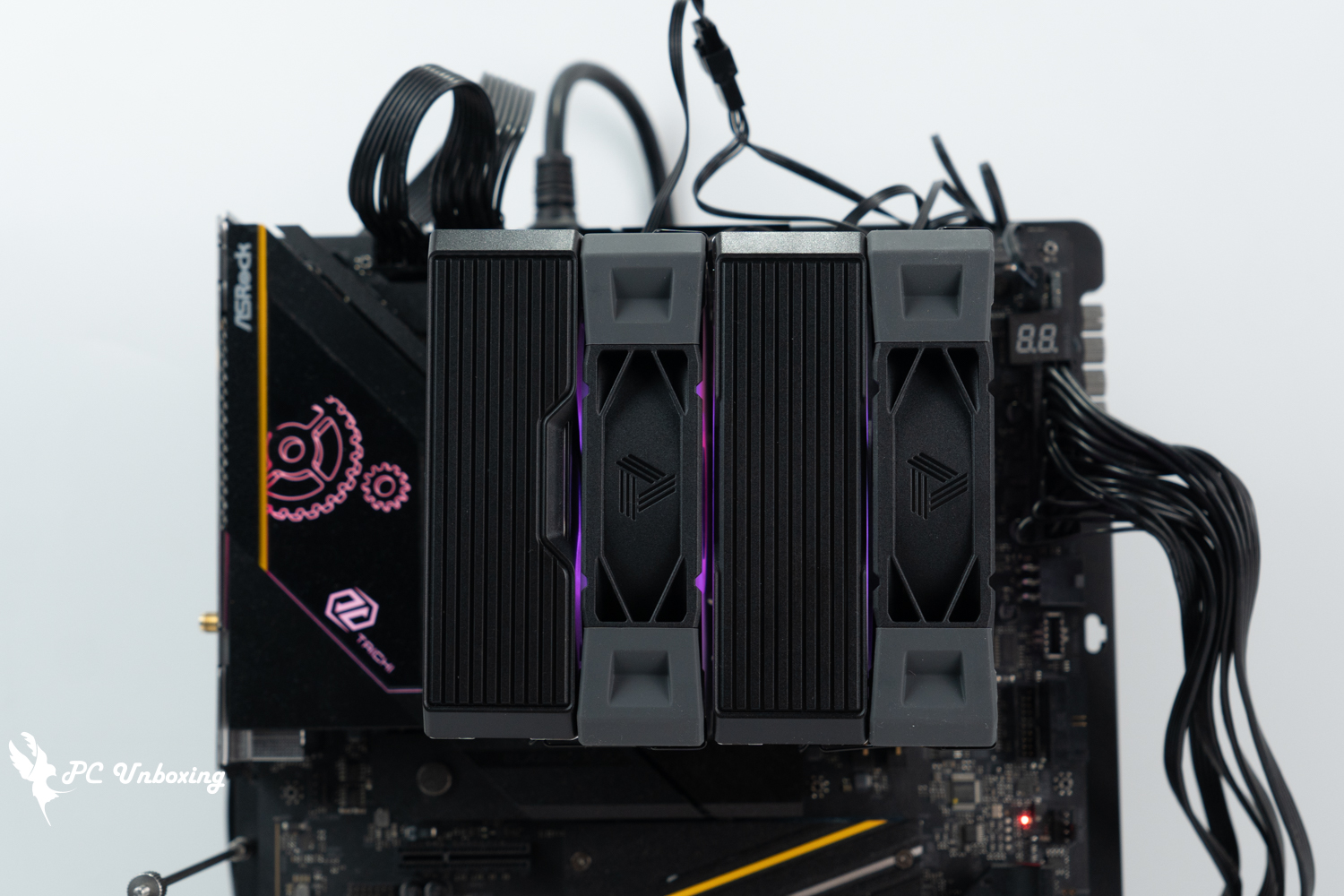
△ Black version top cover installation display.

△ MONTECH NX600 ARGB Dual Tower Air Cooled Cooler white model lighting effect display.
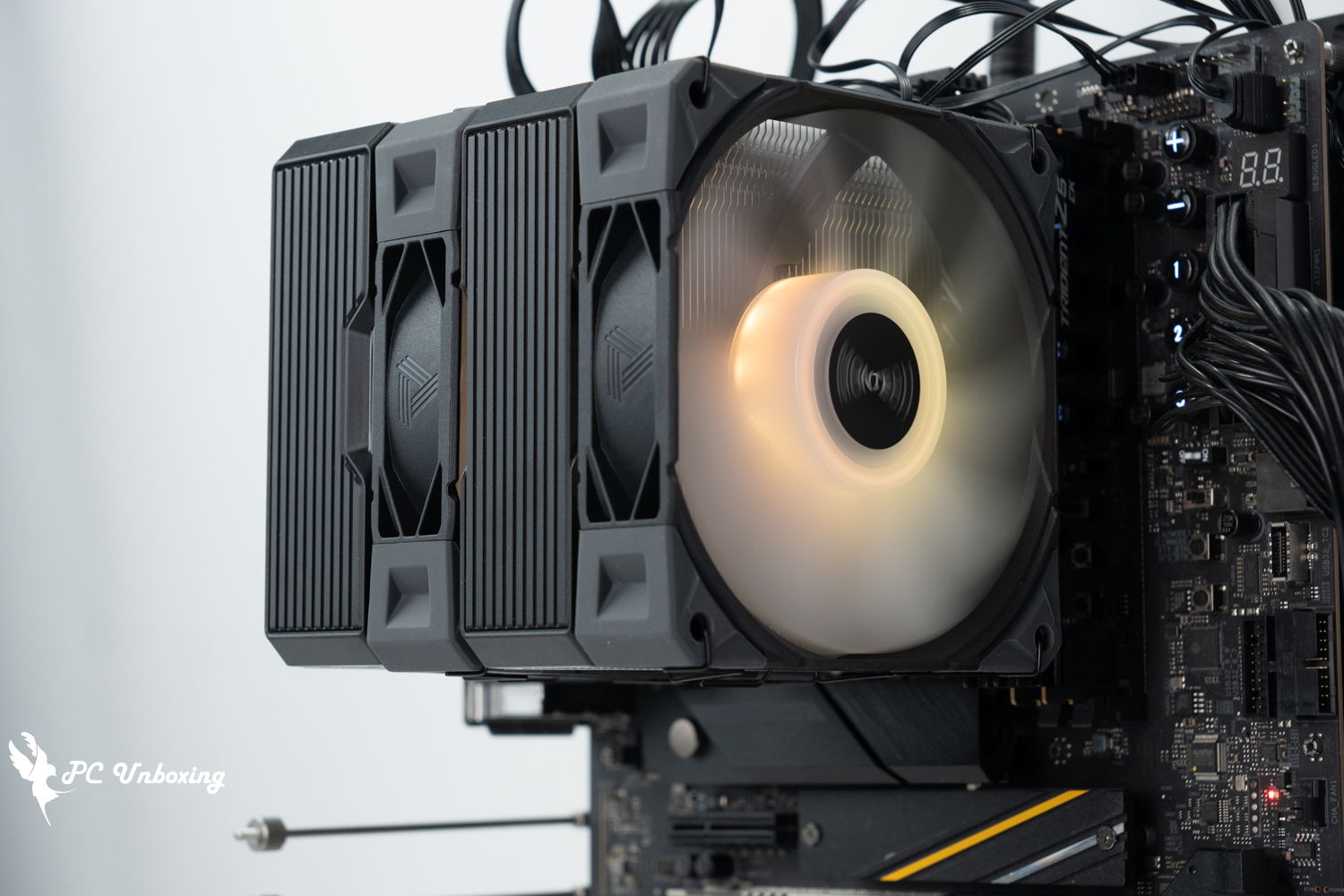
△ MONTECH NX600 ARGB Dual Tower Air Cooled Cooler Black model lighting effect display.
MONTECH NX600 ARGB Thermal Performance Measurement|Temperature and Power Consumption with Core Ultra 9 285K
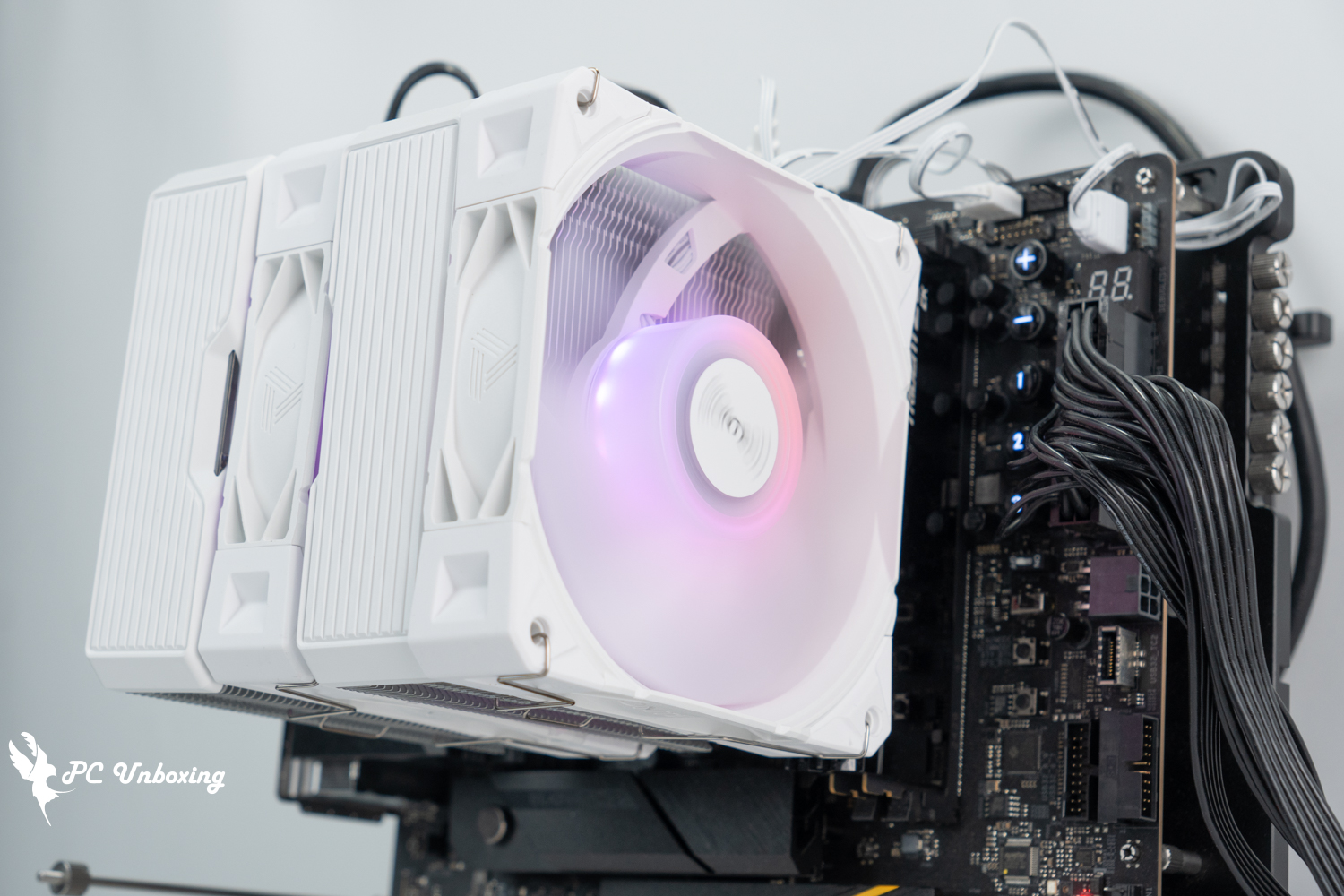
The MONTECH NX600 ARGB dual-tower air cooler was installed on the barebones test platform with the Intel Core Ultra 9 285K Processor and ASRock Z890 Taichi OCF Motherboard, during the test process, the fan slot speed is set to full speed in the motherboard BIOS, only open the memory Profile 1 and keep the rest of the default settings, no additional processor overclocking, the test scene is 25 ℃ Taipei closed air-conditioned room for the actual test, due to the difficulty of controlling the ambient temperature of the ordinary room, so just for reference.
We use AIDA64 FPU and Cinebench 2024 multi-core tests to simulate the temperature data under extreme load conditions, and 1080P resolution "Cinebench 2024" to simulate the temperature data under extreme load conditions.Kurokami Dialog: GokuThe _Black Myth: Wukong performance test tool was used to present the game's performance, while data collection was done using HWiNFO64 to collect and record the CPU Package's maximum temperature and power consumption, and the thermal paste was used with the cooling paste included in the kit without any additional replacement.
Testing Platform
Processor:Intel Core Ultra 9 285K QS (Power Delivery Profile_Intel Default Mode)
Cooler: MONTECH NX600 ARGB (full speed)
Cooling cream: Cooling cream included with the accessory
Motherboard:ASRock Z890 Taichi OCF ( BIOS version: 3.07 )
Memory:G.SKILL Trident Z5 CK Turbo CK DDR5-8800 48GB (2x24GB) cl42-55-55-140 1.45v
Graphics: NVIDIA GeForce RTX 4060 Ti Founders Edition 8GB
Operating System: Windows 11 Professional 24H2
System Dish:Kingston NV3 2TB
Power supply:FSP Hydro PTM PRO ATX3.0 (PCIe5.0) 1200W
Case: STREACOM BC1 Benchtable V2
I updated the BIOS version of the motherboard to version 3.07 and tested it with the default settings of this motherboard, the rest of the settings: XMP_on, fan speed_full, and the test scene is a closed room at 25 °C for the actual test, which is just for reference as the ambient temperature in a normal room is difficult to control.
With the processor overclocking related settings set to AUTO, the Intel Core Ultra 9 285K's CPU Package temperature peaked at 96 °C in a thirty-minute AIDA64 FPU, while the CPU Package power consumption was 240 W and the CPU temperature peaked at 89 °C. The CPU Package temperature was also higher than the CPU Package power consumption.
The simulation game runs on theKurokami Dialog: GokuIn the _Black Myth: Wukong Performance Test Tool round of testing, the CPU Package temperature peaked at 70 °C; the CPU Package power consumption was 97 W, and the CPU temperature peaked at 66 °C. The CPU Package power consumption was 97 W, and the CPU temperature peaked at 66 °C. In the _Black Myth: Wukong Performance Test Tool round of testing, the CPU Package power consumption was 97 W.
- AIDA64 FPU_30 Minute
- AIDA64 CPU_30 Minute
- Black Myth: Wukong 1920 x 1080(FHD)_1 Round
- Cinebench 2024 Multi Core_1 Round
- CPU temperature is measured by the diode in the slot to measure the internal (core) or external (case) temperature, but there is no way to know exactly whether it is the internal or external temperature that is measured, and most monitoring software uses this item to display the CPU temperature.
- The CPU Package temperature is recorded by all Digital Temperature Sensors (DTS) in the package as the average of the maximum temperature over 256 milliseconds, and is the HWiNFO64 recommended CPU temperature observation value, which is also used as a reference point for overheating and downclocking of the processor.
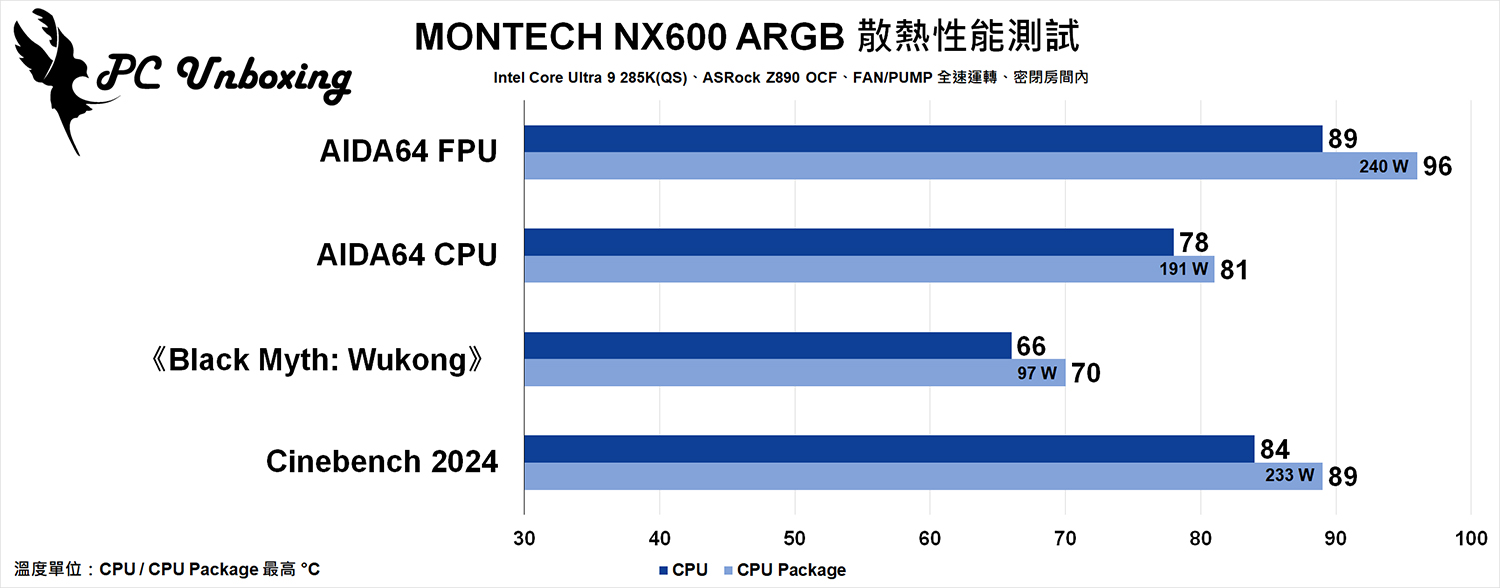
△ MONTECH NX600 ARGB Dual Tower Air Cooling Cooling Results.
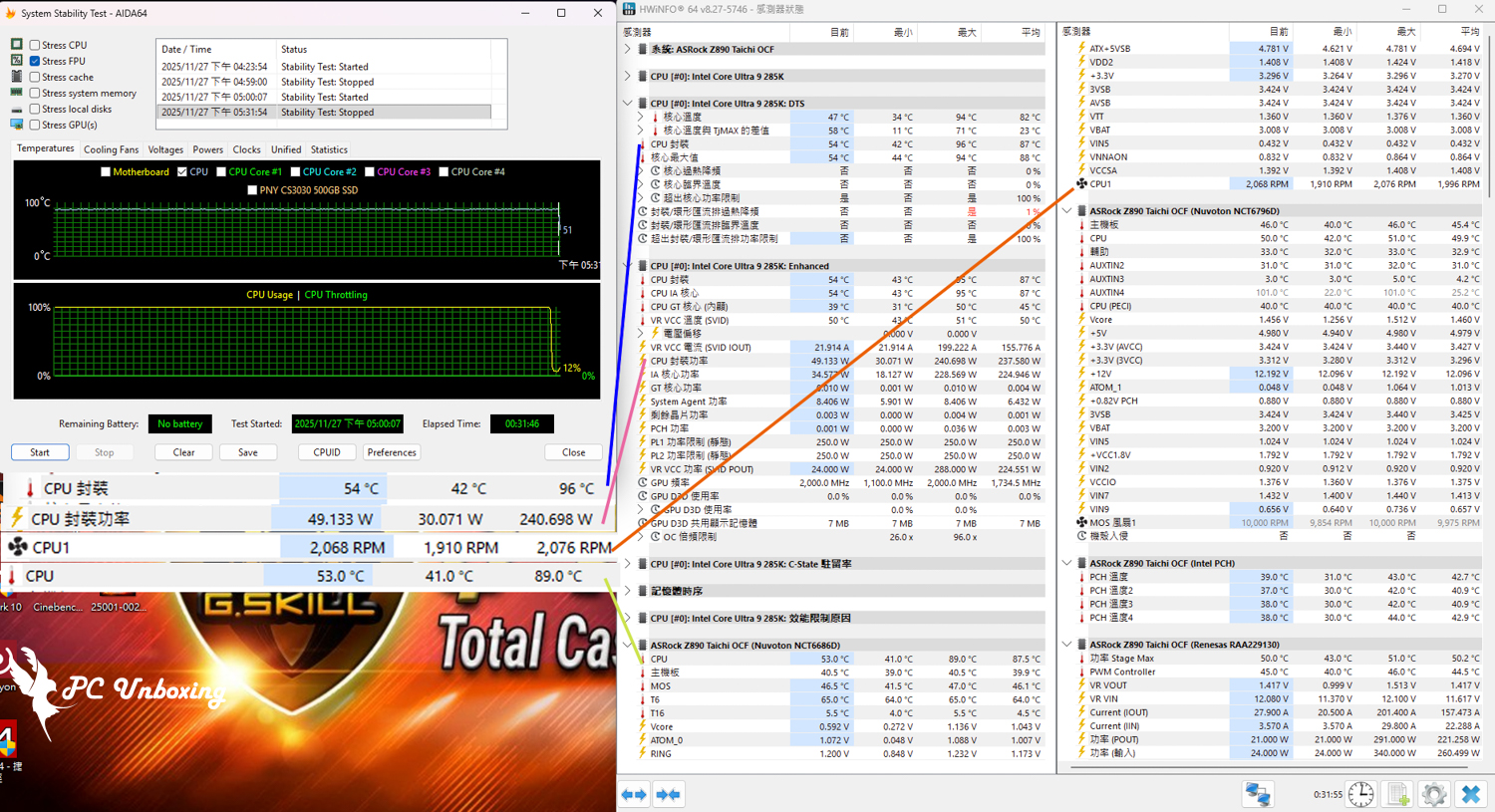
△ Test screenshot.
MONTECH NX600 ARGB Evaluation|Cooling Performance, Compatibility and Buying Advice

After three years, Monarch has once again updated the mainstream specification level with six heatpipes, dual towers, dual fans, and air-cooled cooler options. The cooling specification uses six nickel-plated heatpipes with flat copper bottoms for heat conduction, the tower itself has 52 cooling fins on one side with Fin threading process, and the dual fans use the 28 mm thick E28 ARGB 120 mm HDB thick fans with a measured maximum speed of 2076 RPM. The NX600 series air coolers are priced at around $1200 (depending on the version).
Compared to the previous METAL DT24 PREMIUM The price is more competitive, but at the same time it also means that MONTECH is going to officially start slugging it out with existing mainstream air-cooling brands such as Limin and VK at this popular price. 1000~1200 RMB is a fairly common price for dual-tower six-heat-pipe air-cooling, and it depends on the market's response to see if they're willing to make this their permanent option.
Practical Matching Intel Core Ultra 9 285K Processor and ASRock Z890 Taichi OCF After testing the motherboard, the NX600 ARGB dual-tower air-cooled is sufficient for 285K in daily gaming scenarios, but if you are going to use high loads such as multi-core computing or rendering for a long period of time, it is more recommended to increase the budget to choose the NX600 ARGB dual-tower air-cooled. HyperFlow Digital 360 The MONTECH NX600 ARGB is a one-piece water-cooling solution that is suitable and stable for use in the chassis, and the MONTECH NX600 ARGB is more suitable for use with 265K class processors.

Yun
Drinks with less than full sugar are colored water. Crossing Turbid Creek, full sugar is not a crime!


 繁體中文
繁體中文  English