
NVIDIA GeForce GTX 980 Ti Founders Edition Founders Edition Graphics Card Finishing Unboxing
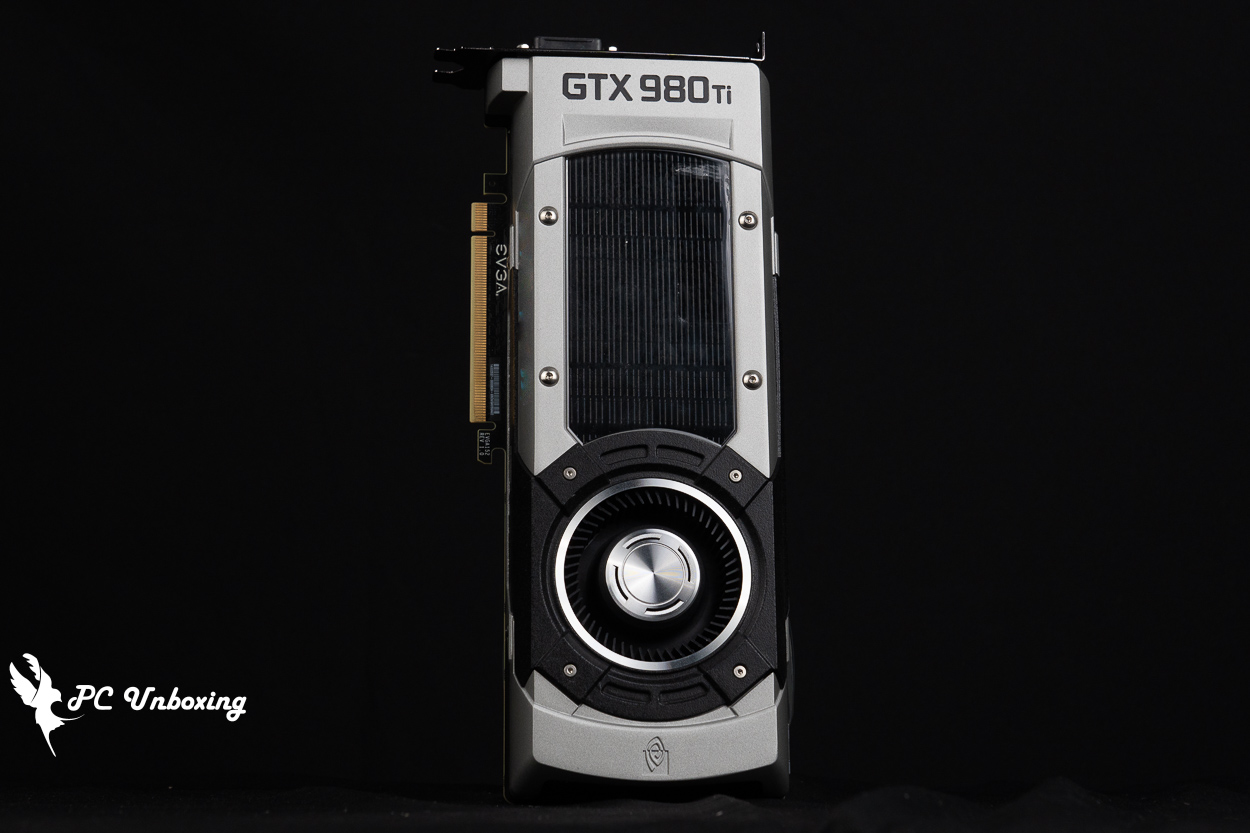
I borrowed a NVIDIA GeForce GTX 980 Ti Founders Edition graphics card from a friend of mine, and since the card will be celebrating its 11th anniversary next month, I'm going to open the box and clean it up a little bit to show you how it's going to be 11 years old.
NVIDIA GeForce GTX 980 Ti Founders Edition Graphics Specifications:
Display Core: NVIDIA GeForce GTX 980 Ti
PCI Express: 3.0 x16
CUDA: 2816
GPU Frequency: 1000 MHz / 1075 MHz (OC Mode)
Memory Specification: 6GB GDDR5
Memory frequency: 7 Gbps
Memory Interface: 384-bit
Dimensions: 267 x 111 x 42 mm
Occupied Slot: 2 Slot
Power supply connector: 1x PCIe 8-Pin+6-Pin
Recommended Power Wattage: 600W
DirectX: 12
OpenGL: 4.6
Display output: 1x HDMI 2.0, 3x DisplayPort 1.2, 1x DVI
Multi-Screen Output Limit: Support
SLI graphics card cascading: Supported
A stepping stone for the times NVIDIA GeForce GTX 980 Ti Founders Edition Graphics Card
NVIDIA's high-end graphics card GeForce GTX 980 Ti, released on June 2, 2015, was the flagship GPU using NVIDIA's Maxwell architecture, which "boasted" unparalleled 4K performance and was packed with technology designed to optimize the immersive virtual reality experience. It was manufactured using TSMC's 28 nm process and had a GM200 graphics processor at its core (the GM200-310-A1 version), which has now been out for a decade and a half, but has been followed up by the next-generation Pascal-based GPUs. GTX 1080 Ti Founders Edition 11G New products with better energy consumption ratios are available to replace them.
The GeForce GTX 980 Ti features 2816 CUDA cores (nearly 40% more than the GTX 980) and 6 GB of GDDR5 graphics memory running at 1000 MHz base and 1076 MHz Boost.
At that time, the MSRP was $649, and the used card that I borrowed from a friend was sold in October 2015, and judging from the printing on the PCB, it is from EVGA's Founder's Edition. I would like to thank my friend for lending me this card, and the first time that I saw this card was a long time ago, when Joeman seemed to be giving away cards to a group of fans in a video contest.
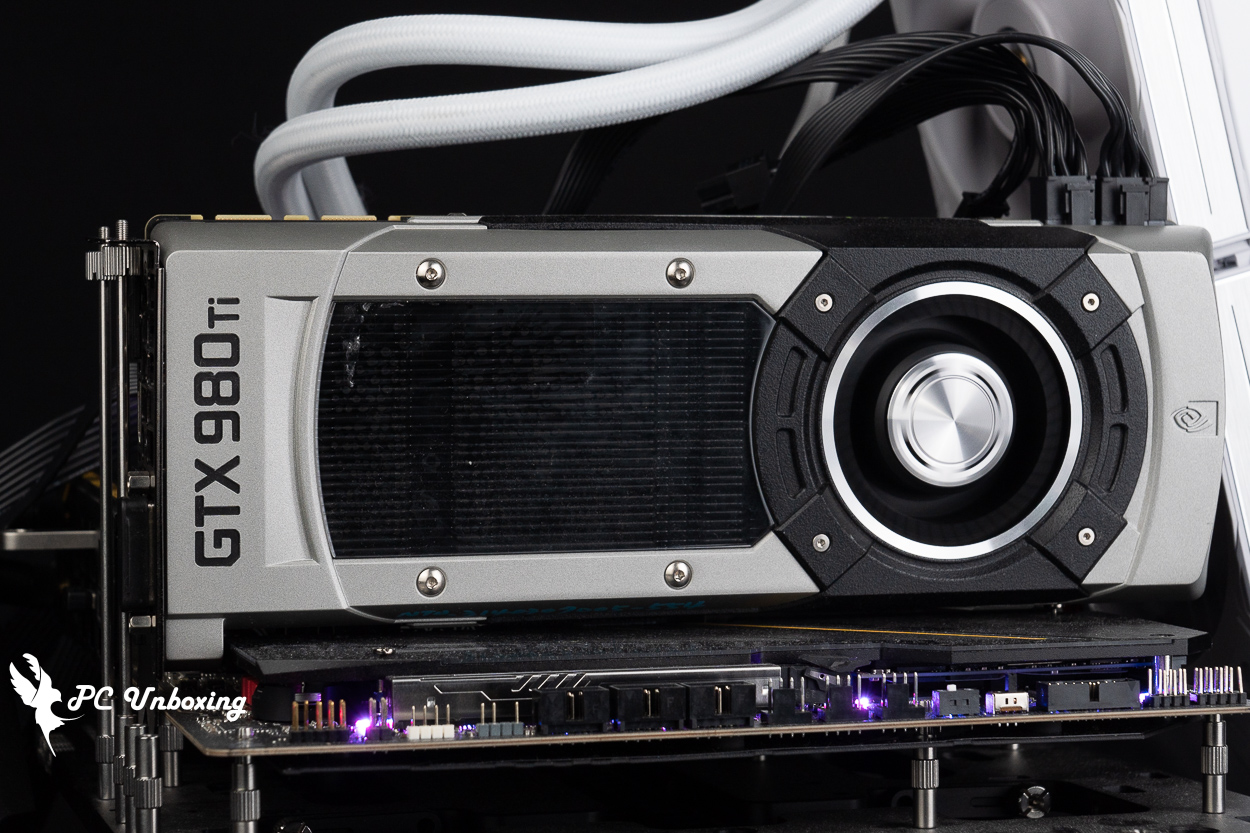
△ NVIDIA GeForce GTX 980 Ti Founders Edition graphics card.
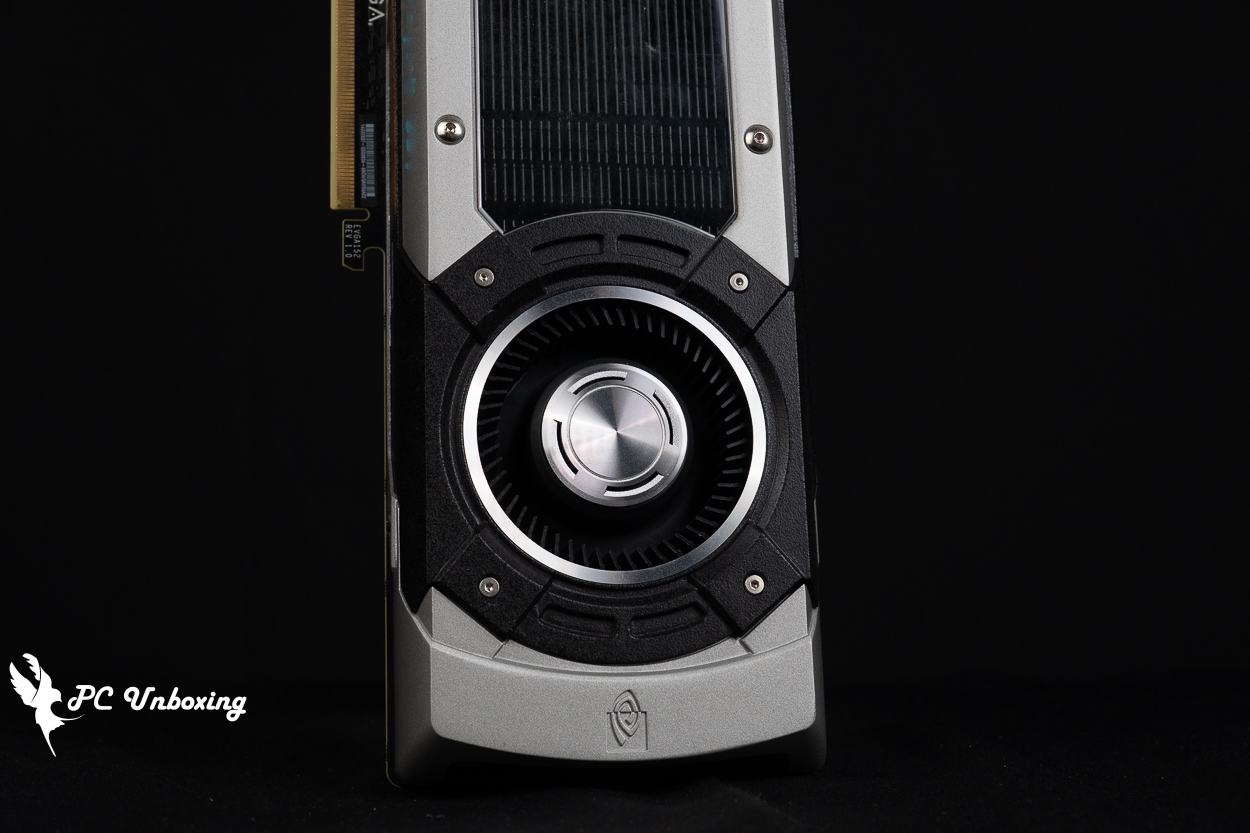
A turbofan, which draws in air from the front of the rear end and removes it from the output of the graphics card, keeps the screen cables hot to the touch.
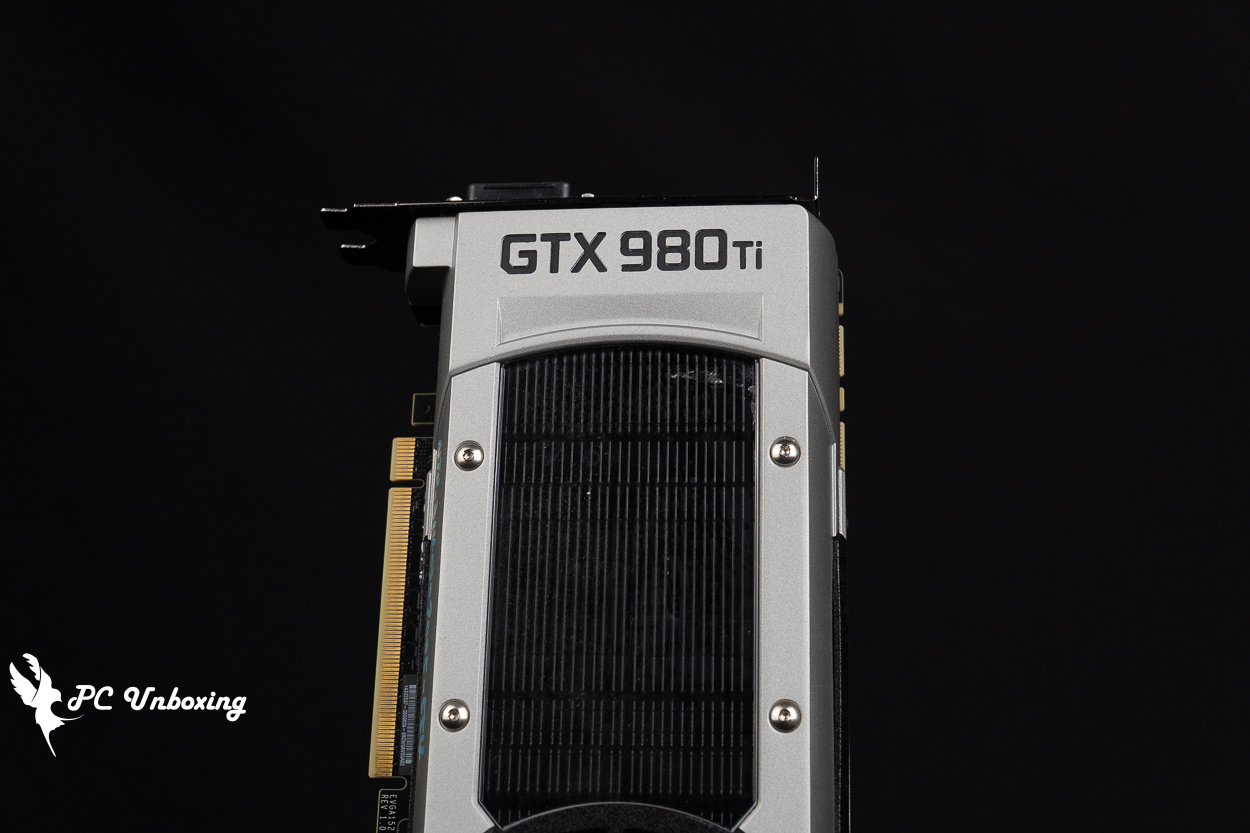
△ The one I borrowed is in good condition, although it doesn't have the original box.
With the juniors GTX 1080 Ti Founders Edition 11G Unlike the GTX 980 Ti FE's three-dimensional cutout style, the GTX 980 Ti FE has a more industrial look and feel, which I personally feel is similar to that of the GTX 780 Ti.
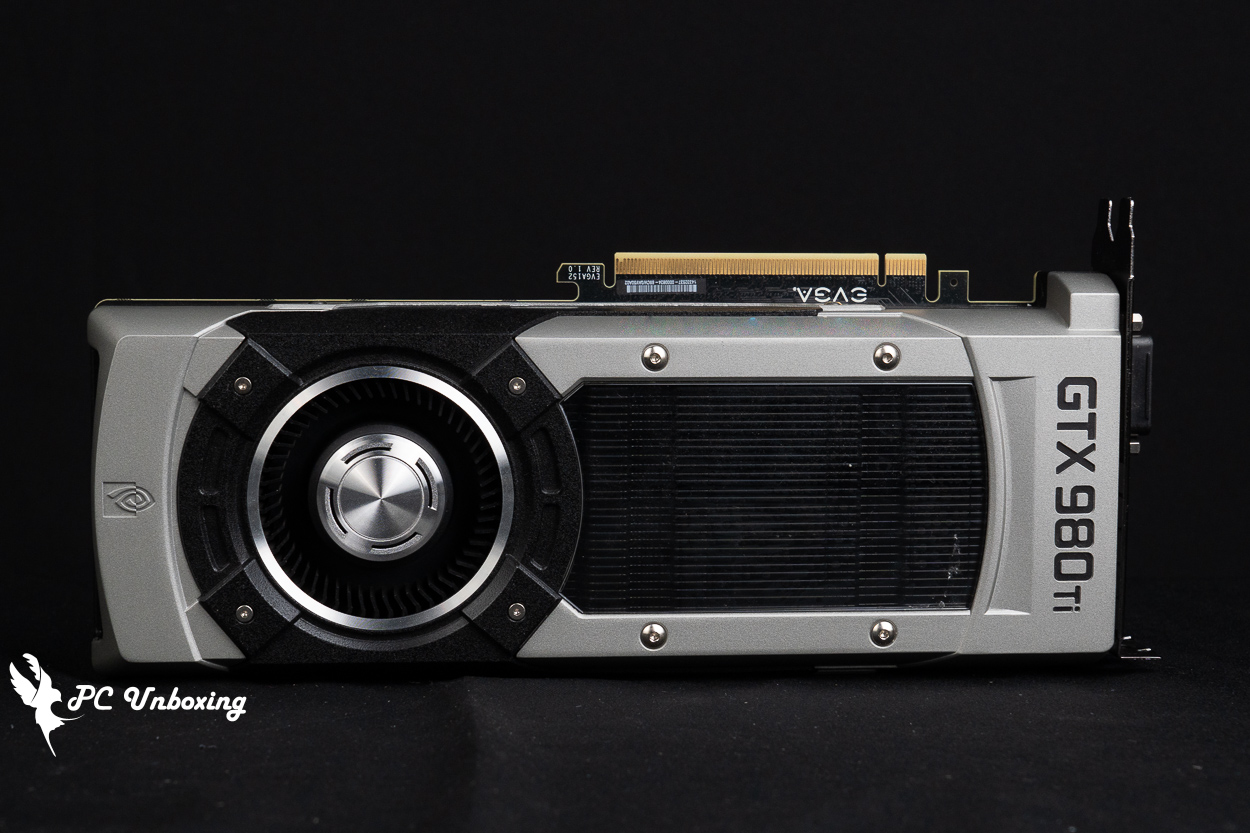
The length, width and height of the graphics card is 267 x 111 x 42 mm.
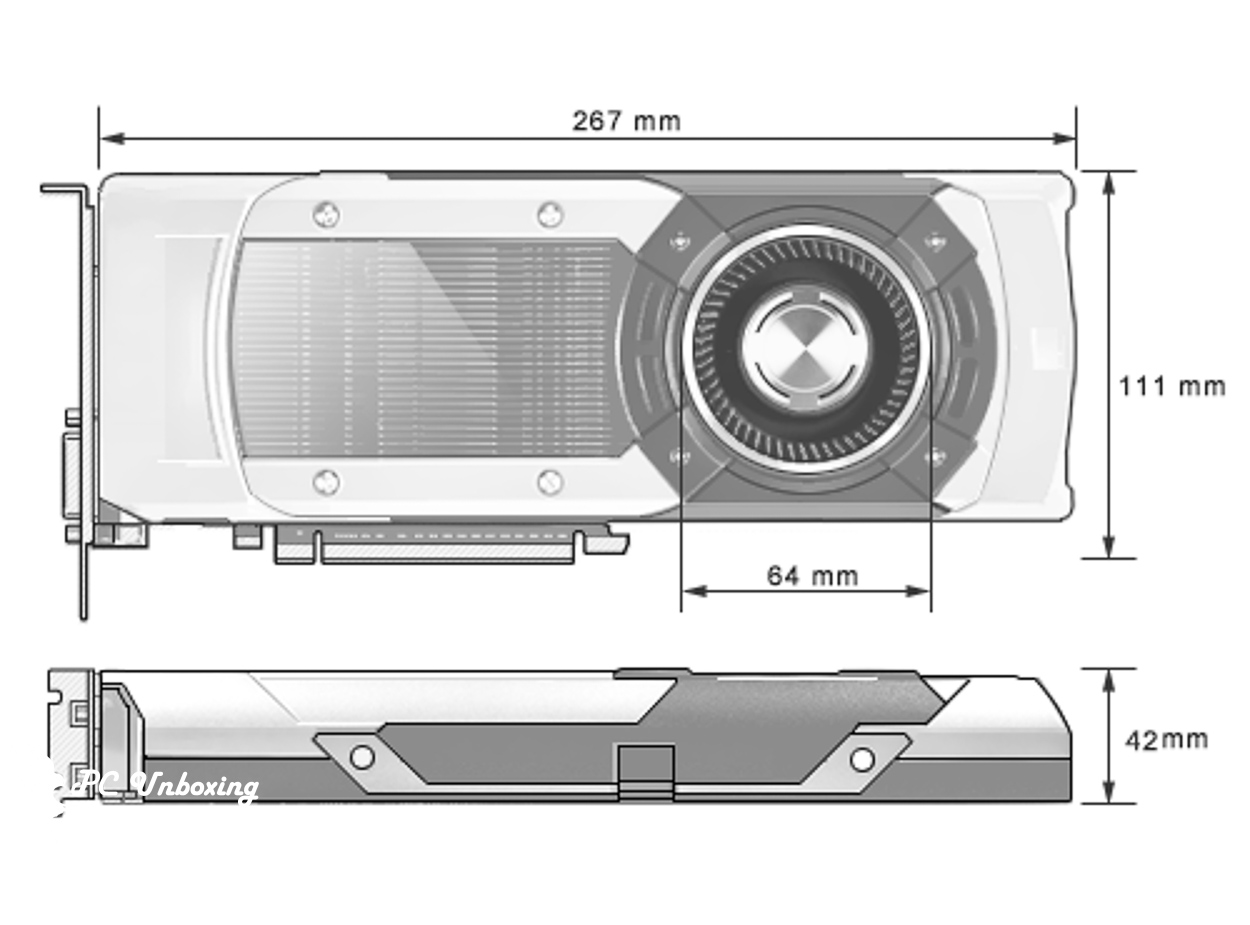
△ Dimensional drawing.
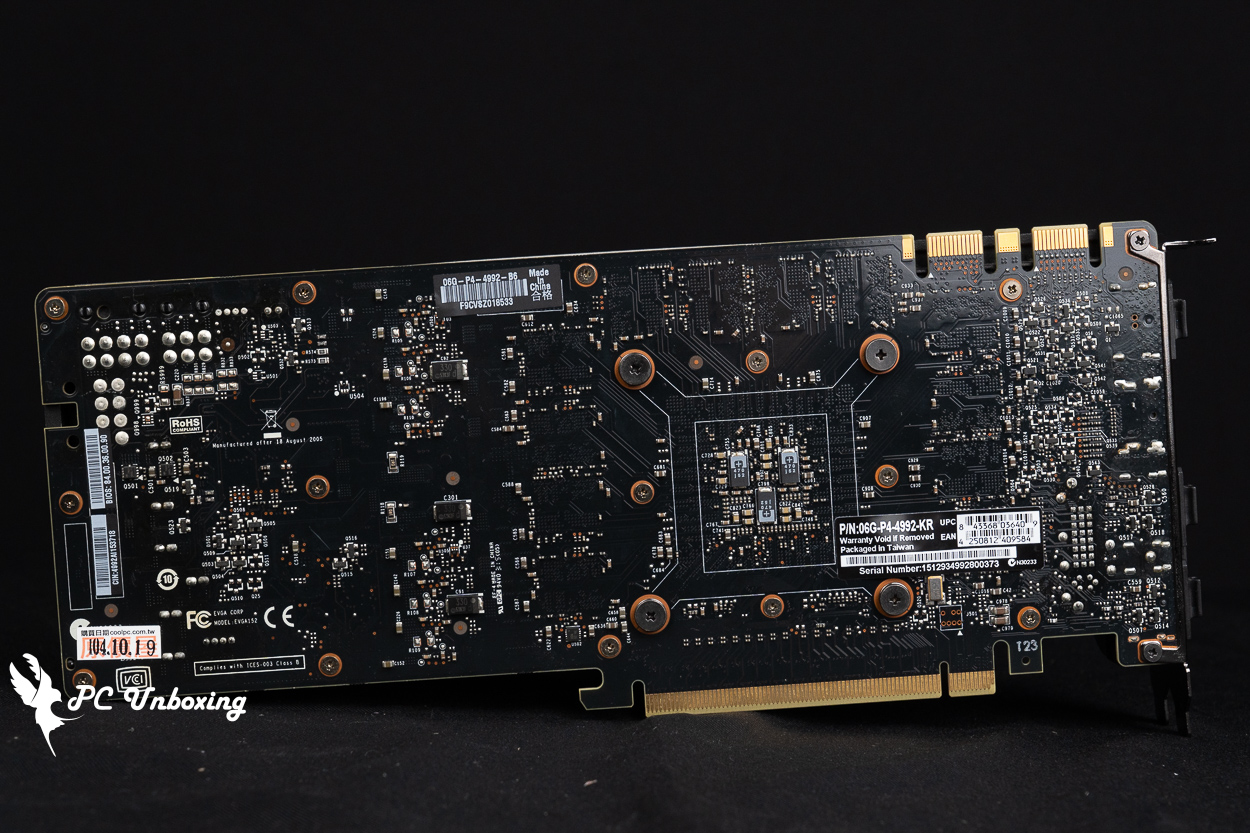
△ There is no reinforced back plate.
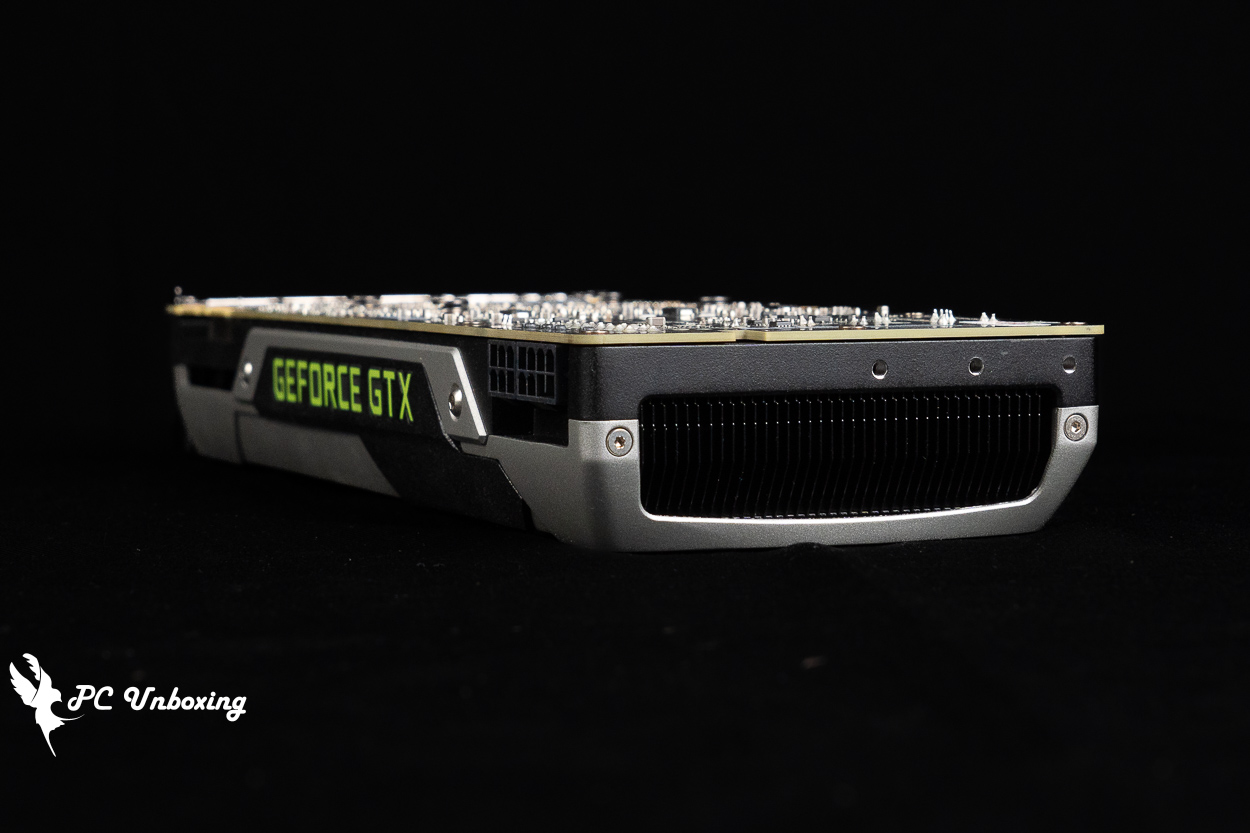
△ At the end of the graphics card where the fan comes out, there are three locking holes for fixing with some OEM chassis.
The cooling modules of the Founders Edition graphics cards are compressed "as much as possible" and are a bit smaller than the models released by AIC's partner brands. The GTX 980 Ti Founders Edition only takes up 2 slots of mounting space, and the low thickness and turbofan are suitable for ITX chassis airflow planning, but the cooling performance will be lower. The GTX 980 Ti Founders Edition takes up only 2 slots of mounting space.
The GeForce GTX 980 Ti Founders Edition, powered by a PCIe 8+6 Pin slot, consumes around 250~275 W under stress testing.
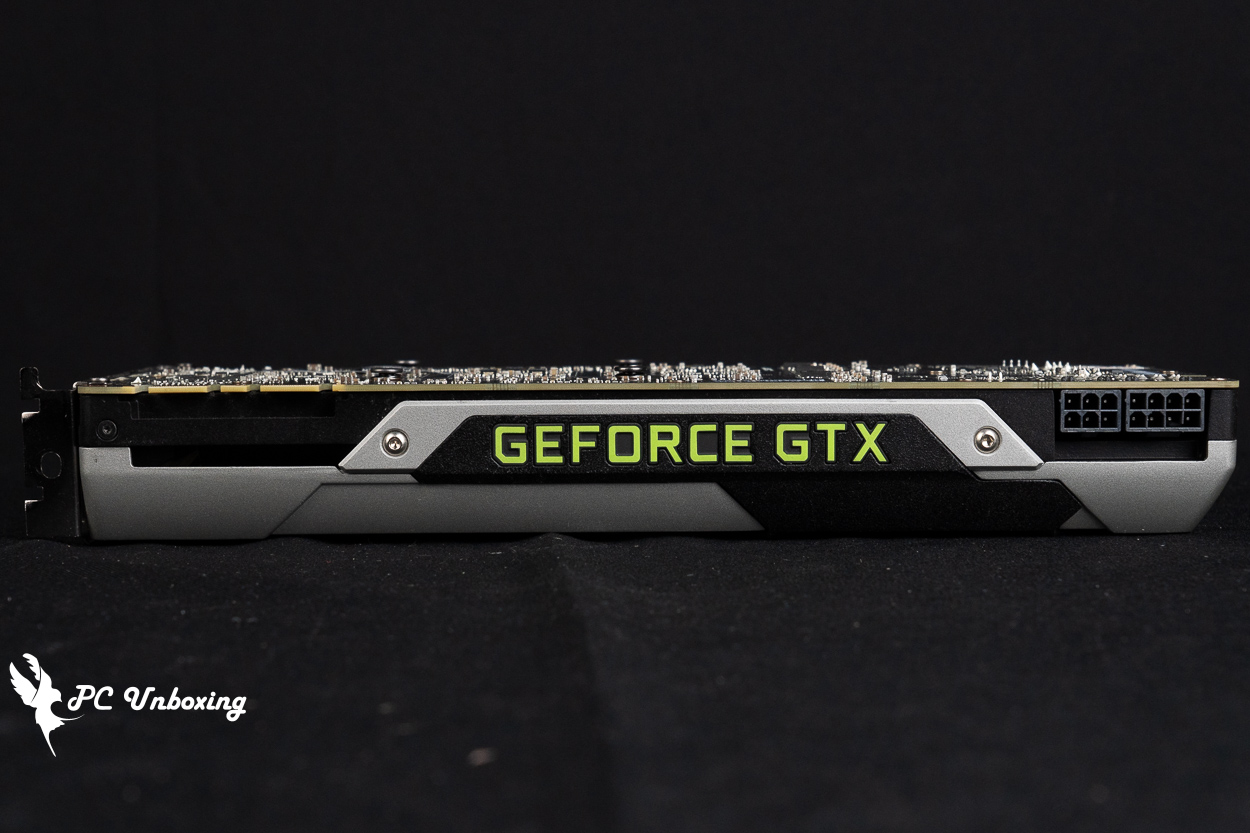
△ 2 Slot Occupancy Thickness.
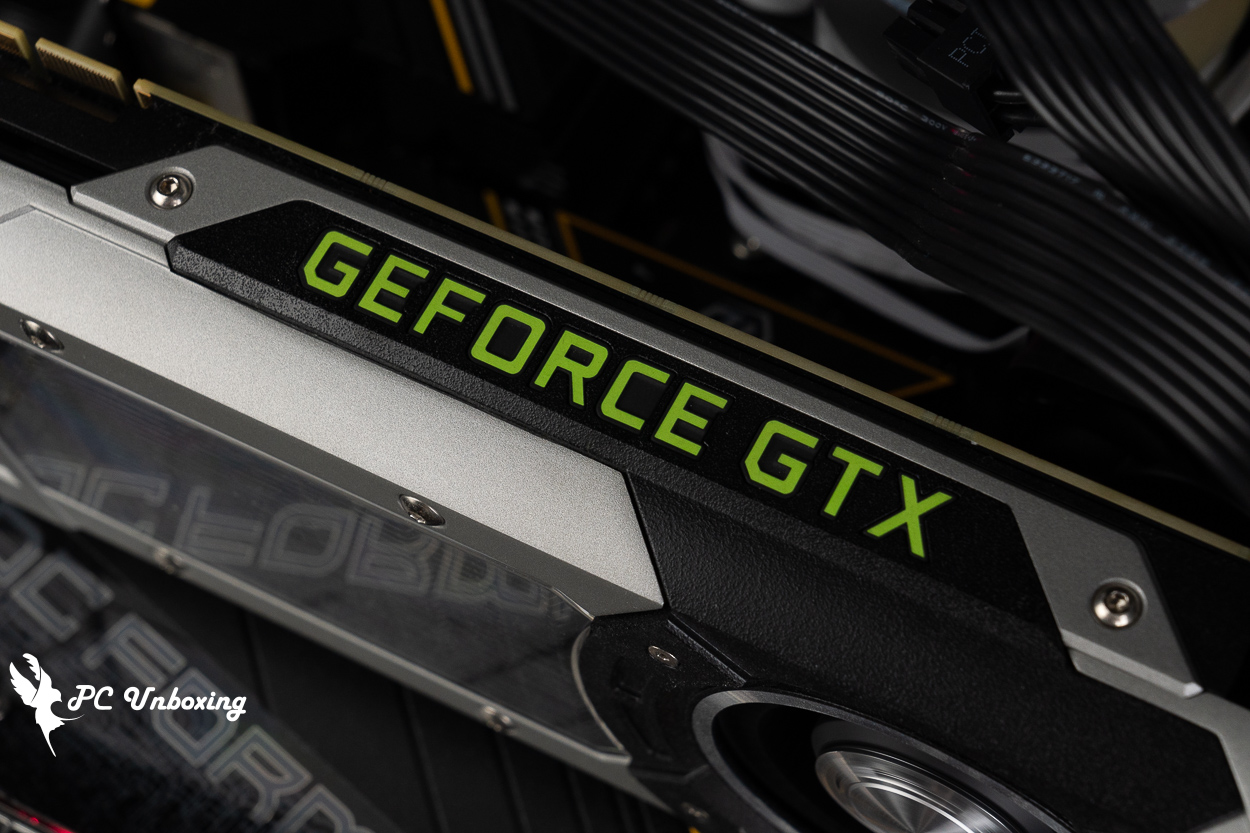
△ There is a faint green light when the power is on.
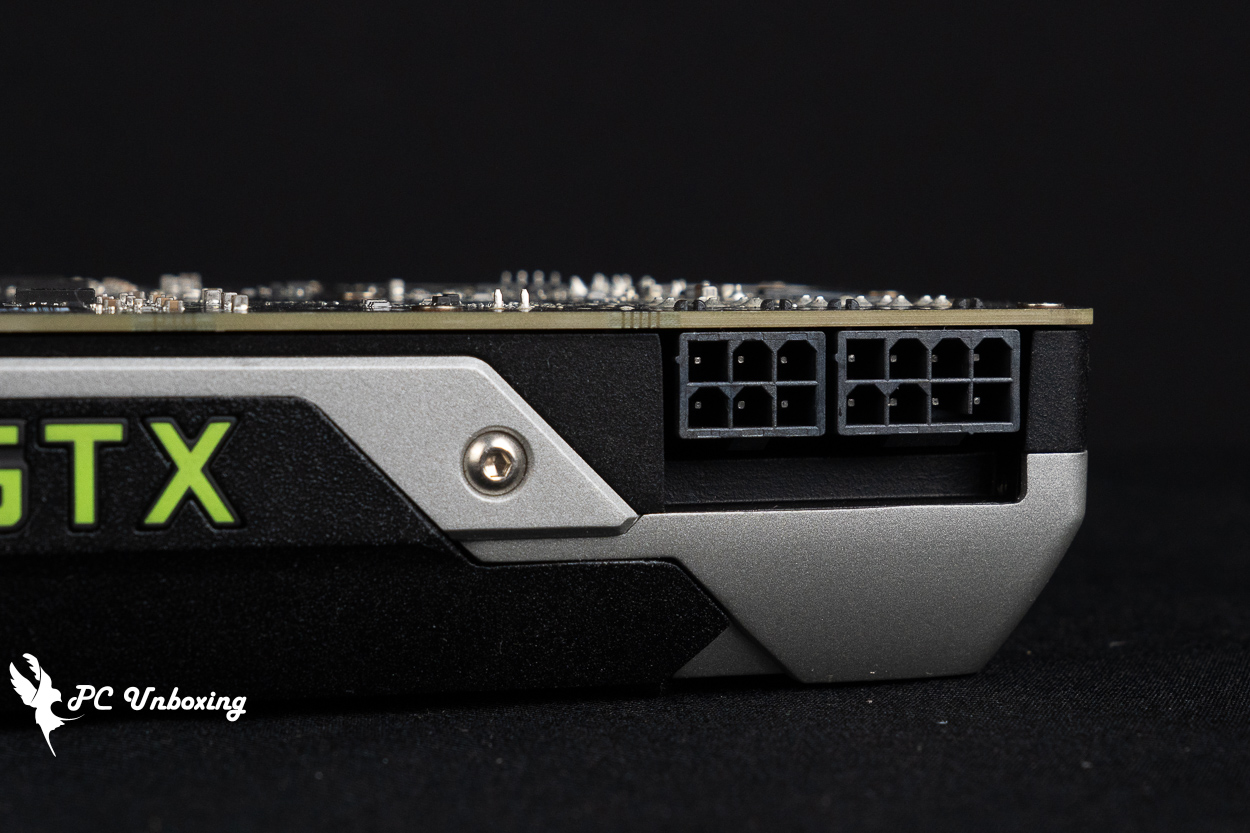
△ 8+6 Pin power supply slots, at least 600 W power supply is recommended.
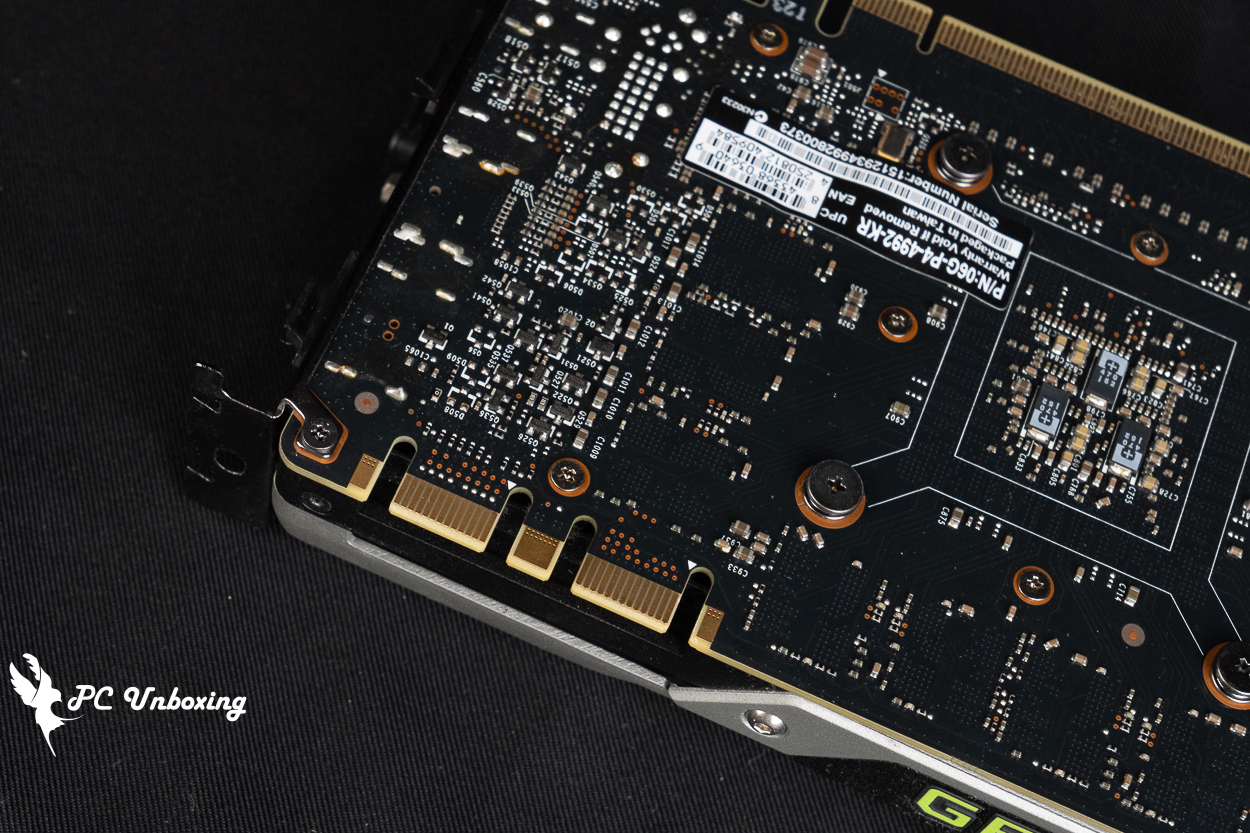
△ Obsolete SLI interface.
The NVIDIA GeForce GTX 980 Ti Founders Edition graphics card is in pretty good condition, not too much dust, but there are some water stains on the middle cooling fins (I'm not sure why), I'm not sure if the card has been cleaned or had the thermal paste replaced, so I'll run a stress test to see how it looks before I disassemble it. Before disassembling the card, I'd like to run a stress test to check the condition.
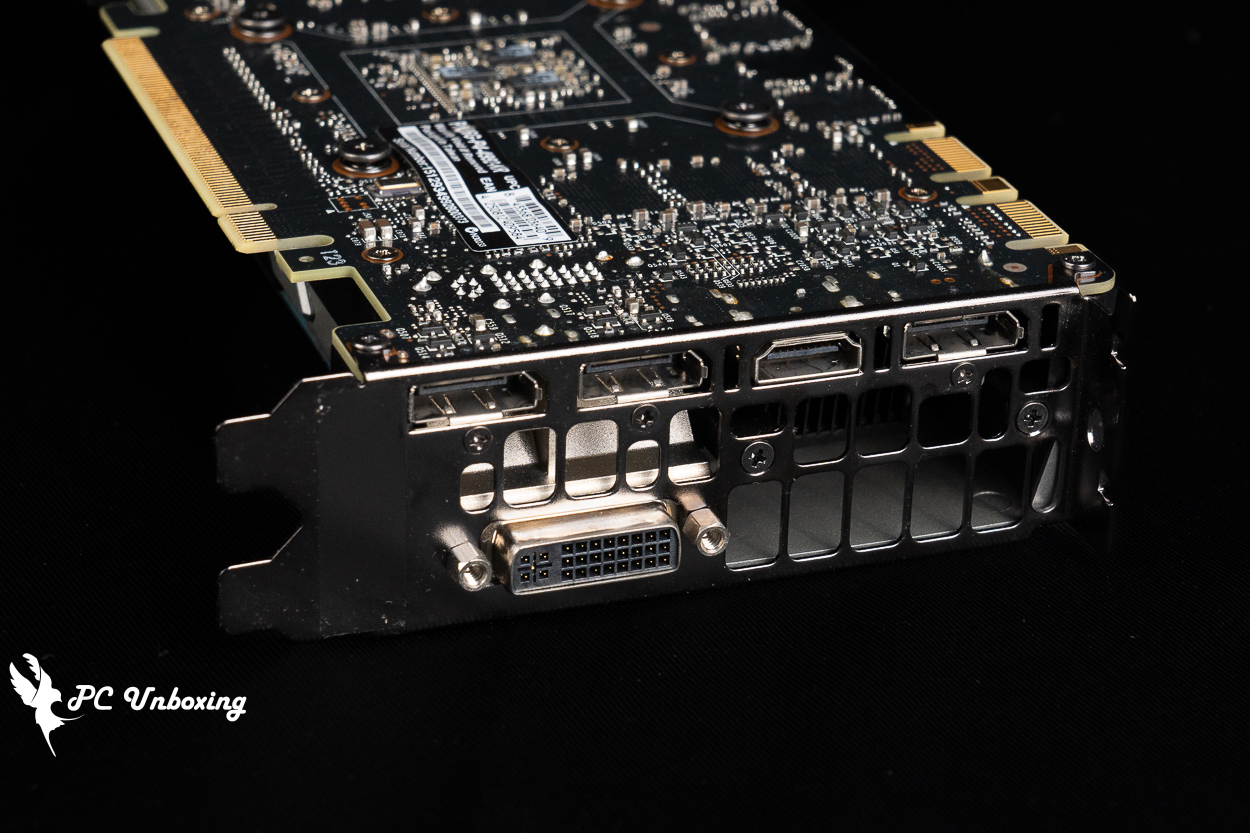
△ 1x HDMI 2.0, 3x DisplayPort 1.2, 1x DVI.
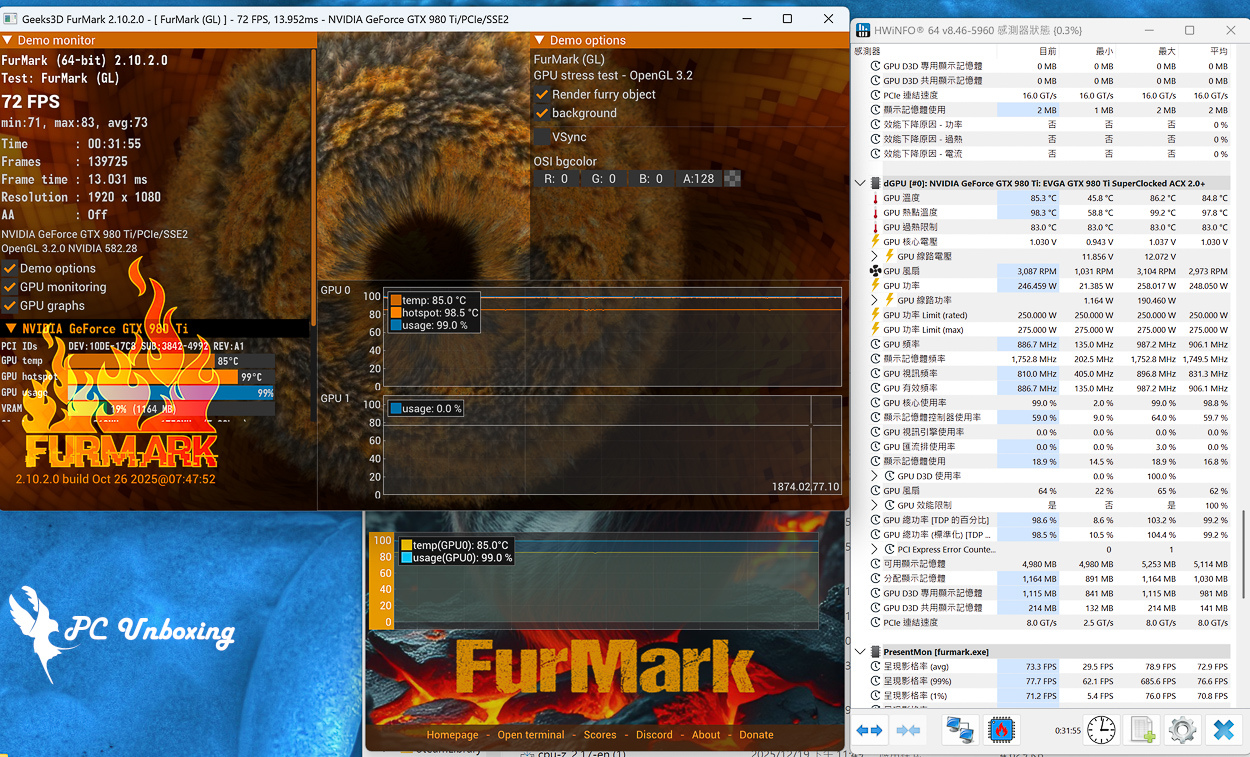
△ Thirty minutes of stress test, maximum GPU temperature 86.2 °C, maximum GPU hotspot temperature 99.2 °C, maximum power consumption 258 W.
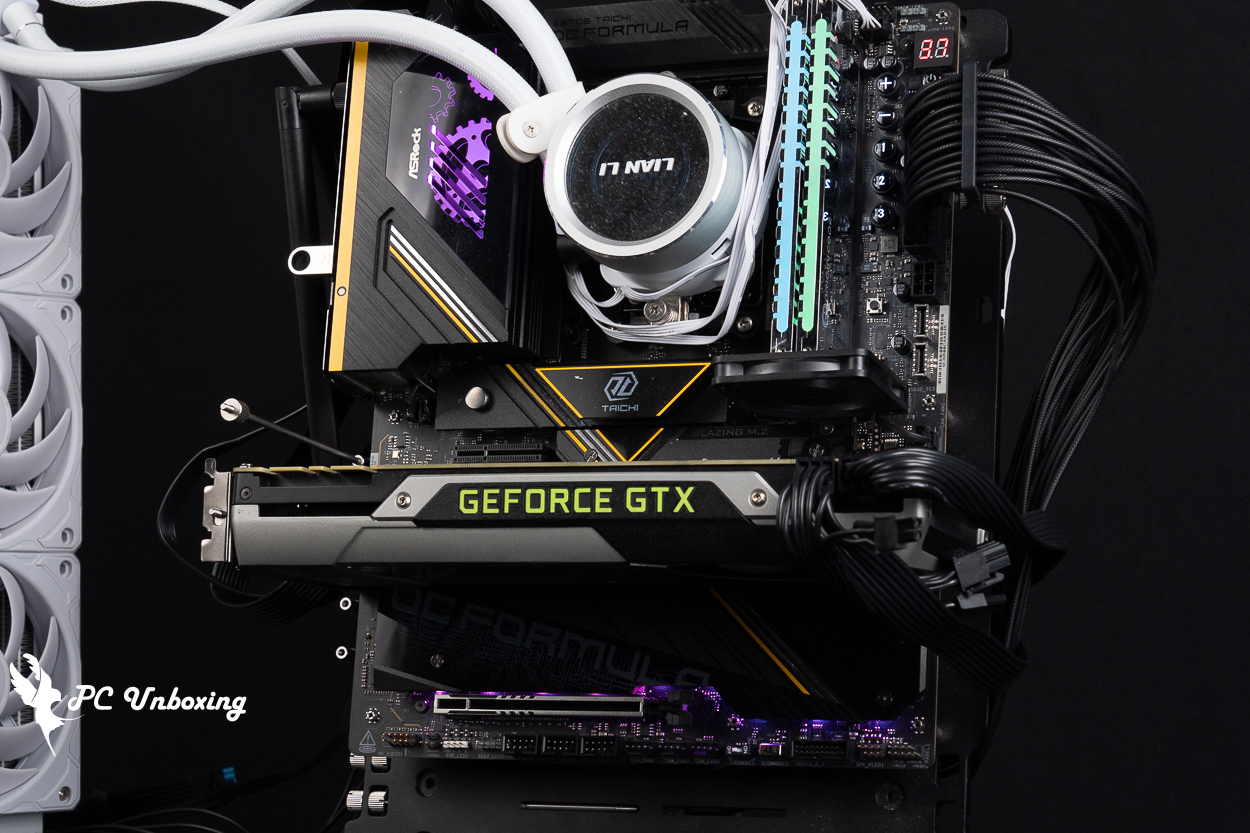
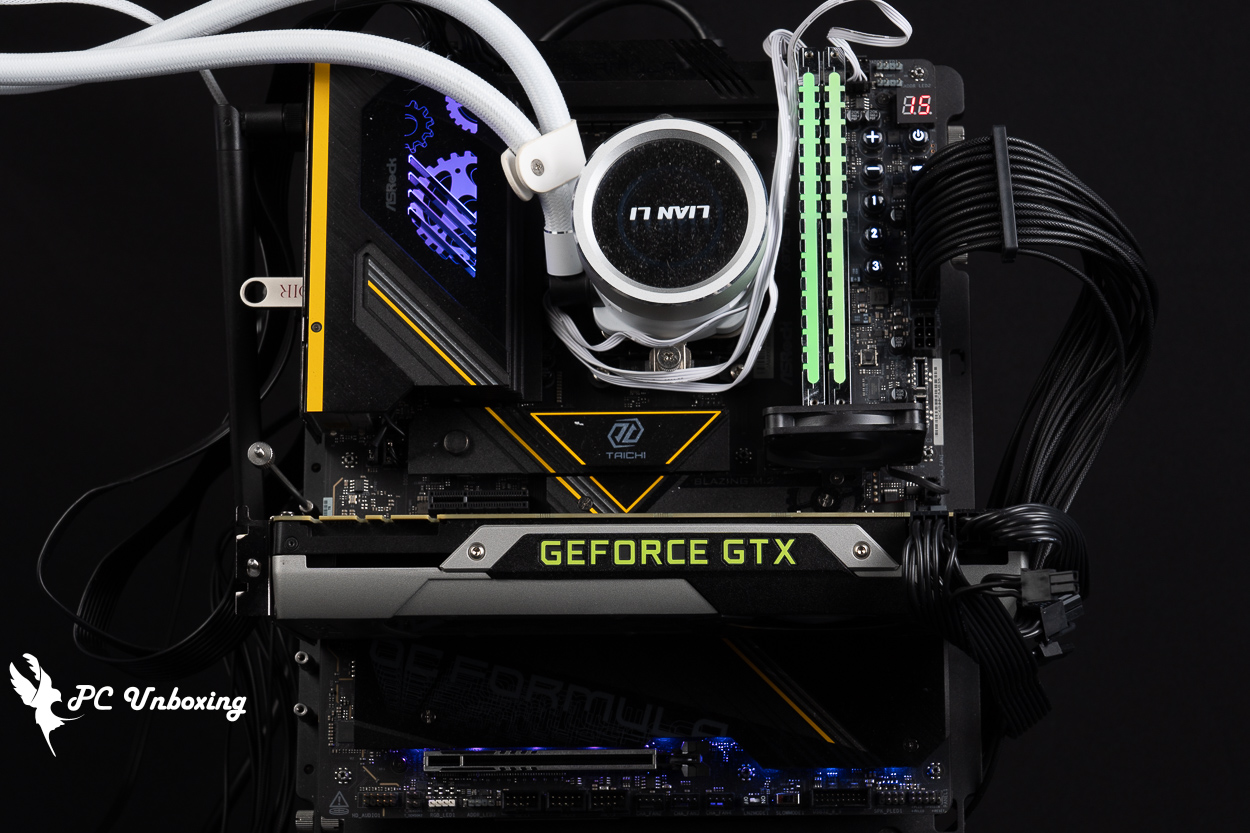
△ Test platform installation.
NVIDIA GeForce GTX 980 Ti Founders Edition Founders Edition Graphics Card Teardown and Cleanup
This card will be turning eleven years old next month, and the turbo fan cooling module needs to be constructed with more attention to dust accumulation, so the author will disassemble it himself to see if the internal cooling paste needs to be replaced and to remove a little bit of dust from the side of the fan.
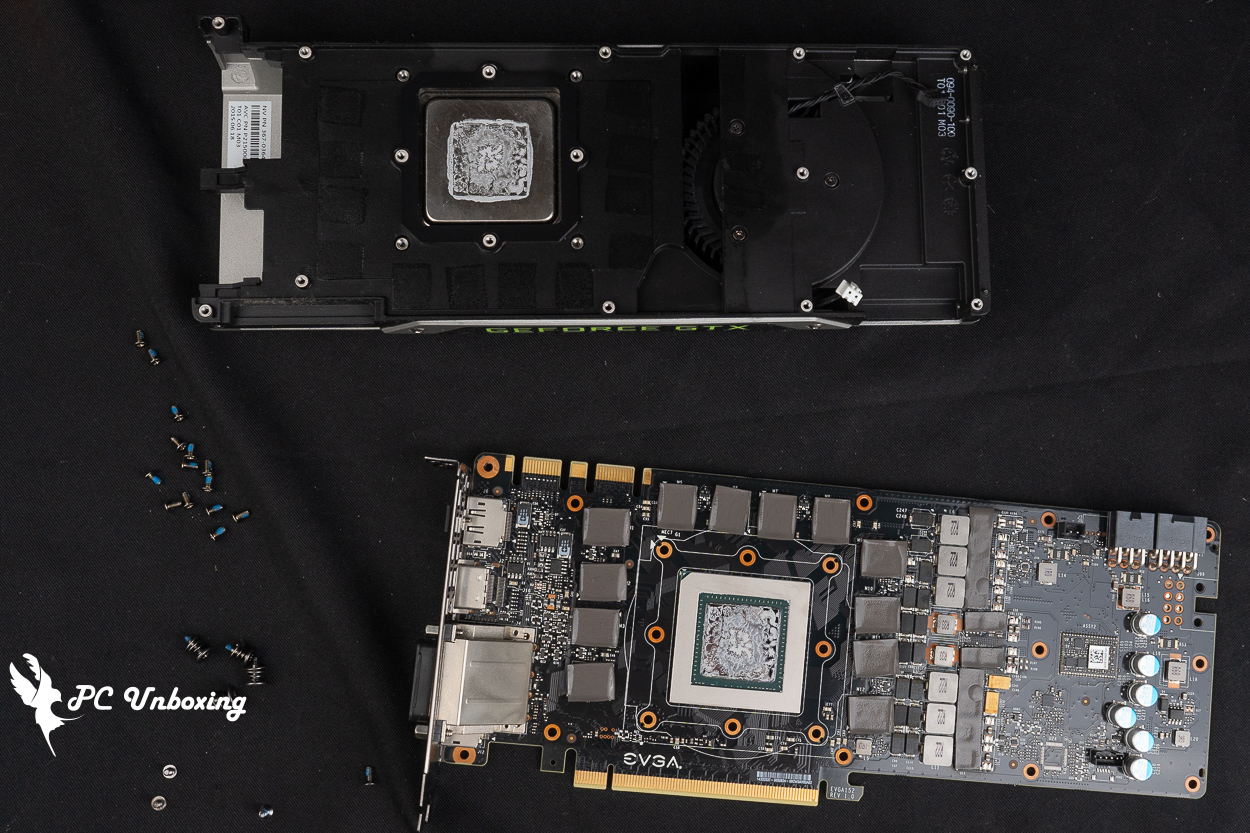
△ You only need to prepare a small Phillips screwdriver to remove the cooling module, which is about the same size as the one used to remove a laptop.
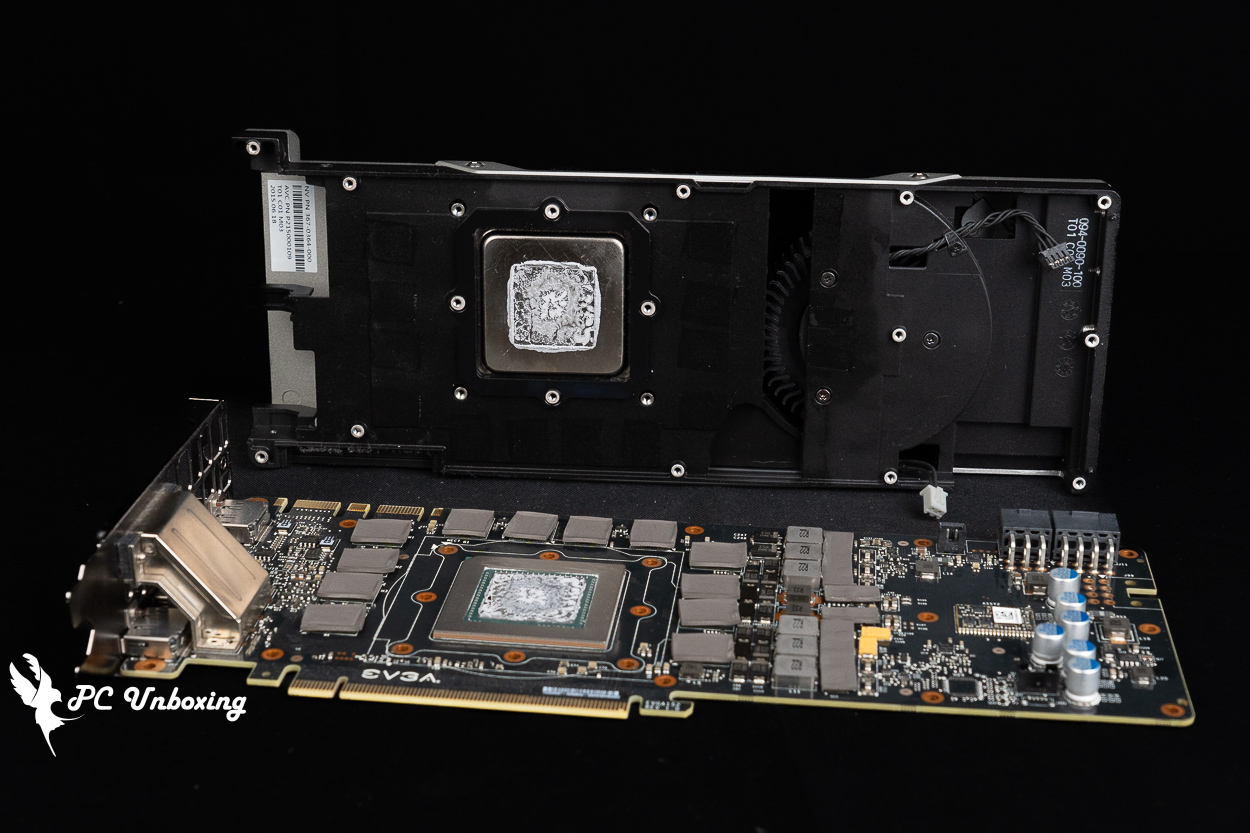
There are two wires connecting the thermal module to the PCB, and the 2 Pin light gray wire has a barb design that requires patience to loosen it slowly.
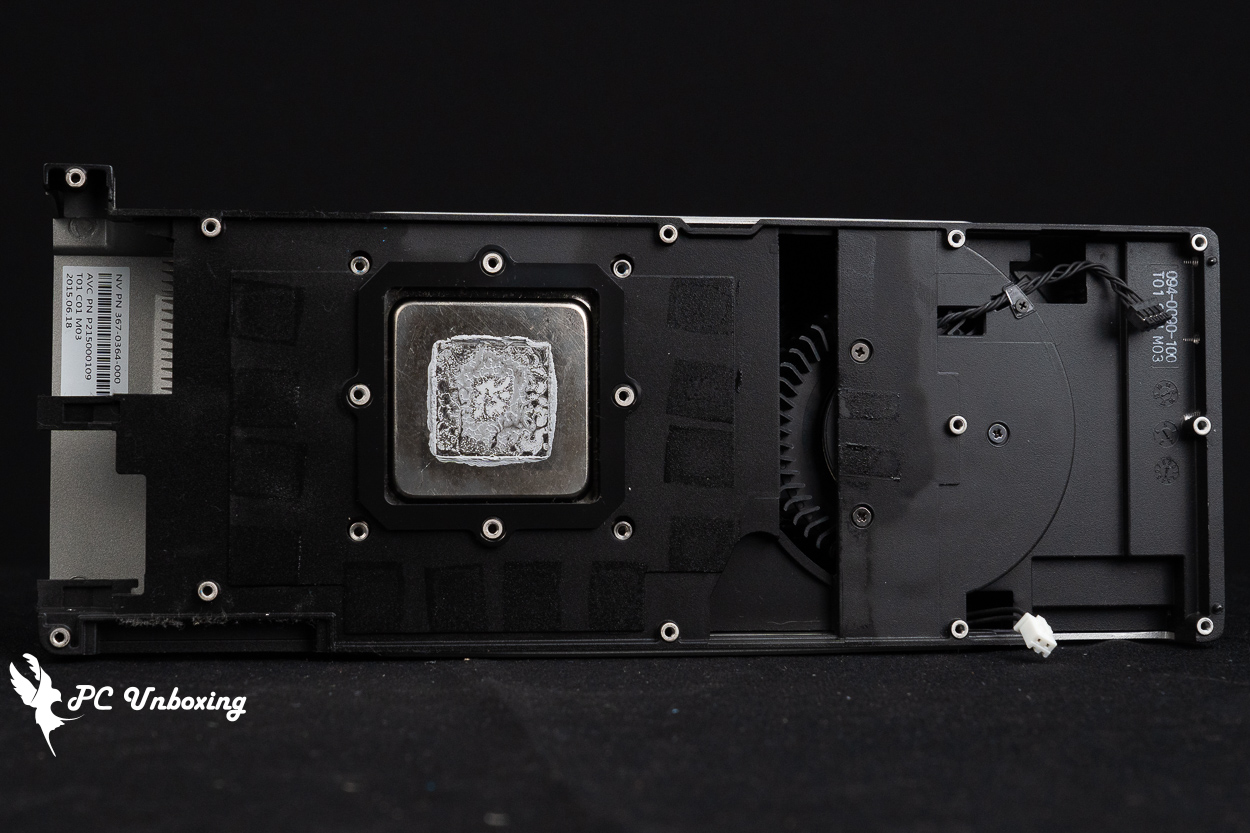
The core of the graphics card is contacted with a nickel-plated copper base, and the thermal paste seems to be in fair condition, without much dust accumulation.
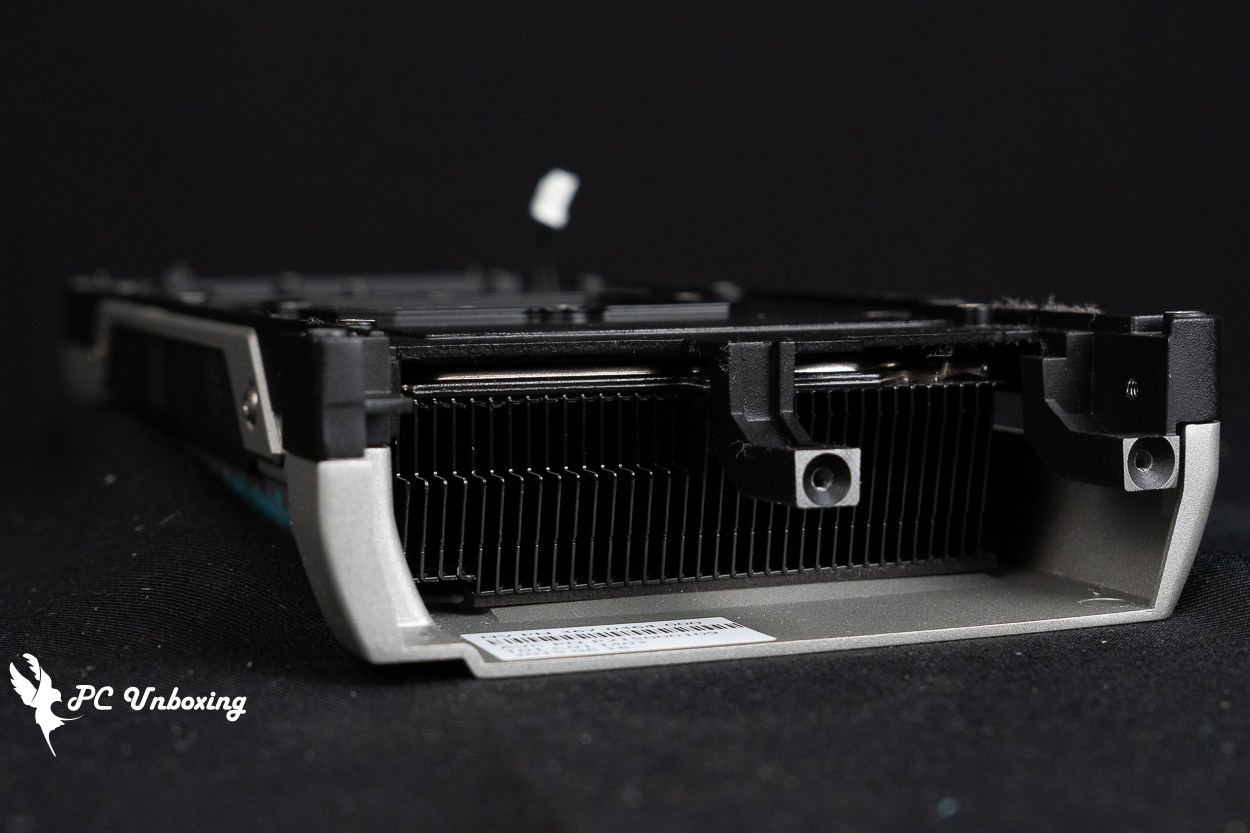
△ Remove the thermal module, the bracket has two screws locking on the display connector output.
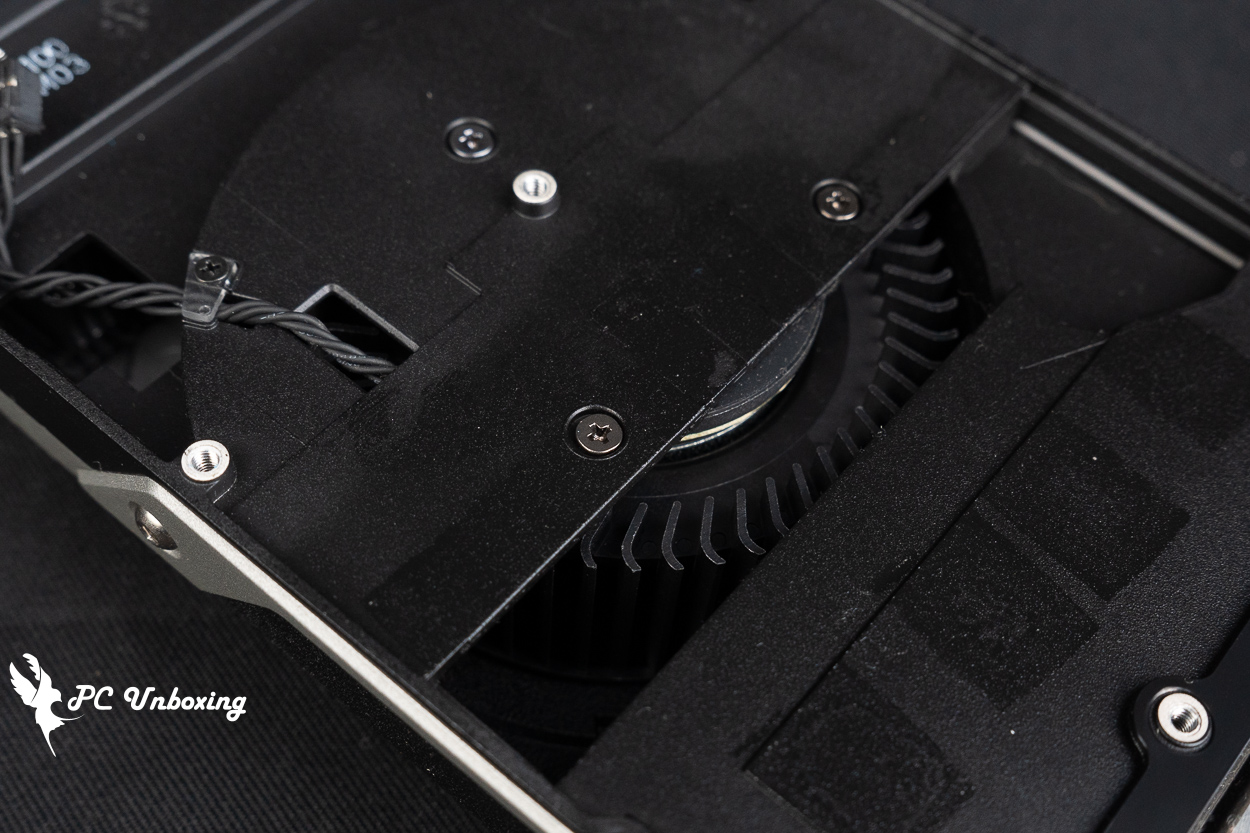
The turbofan doesn't collect much dust.
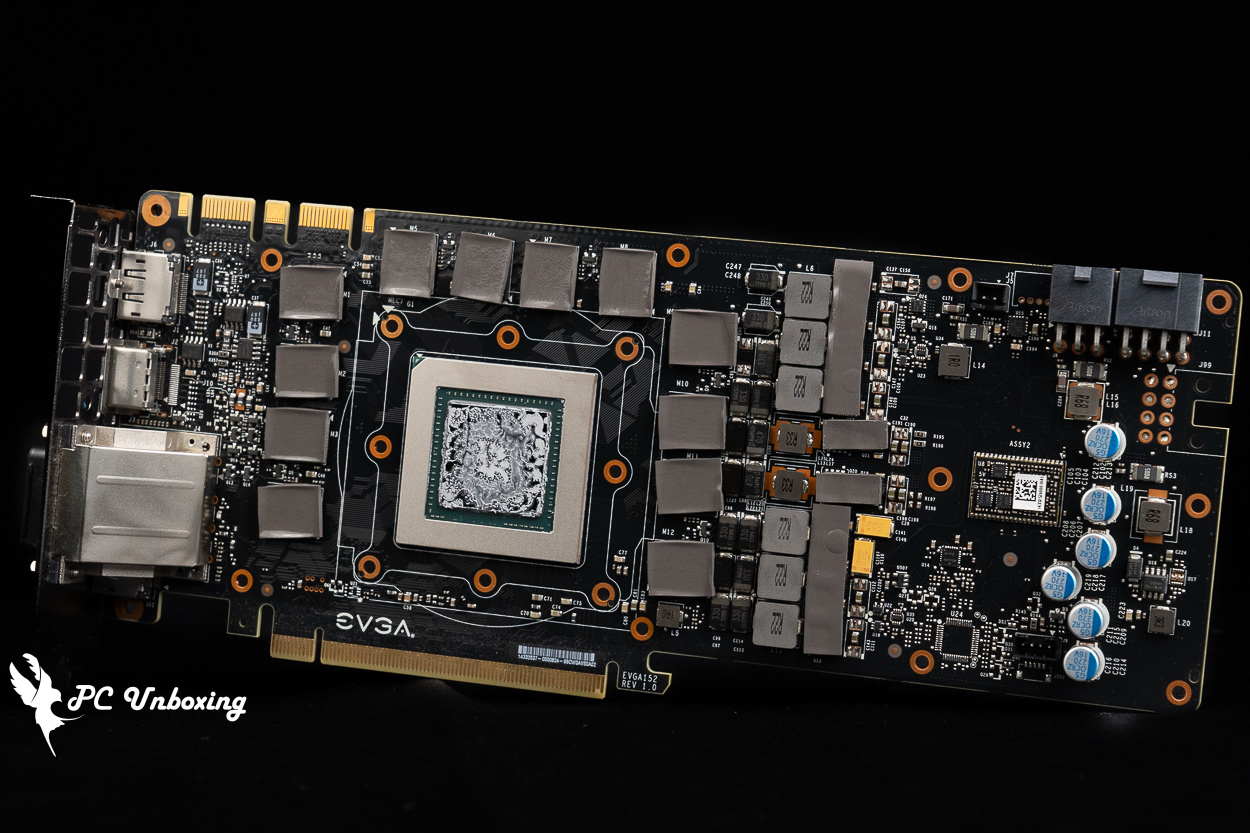
The PCB of the graphics card is in clean condition, and the thermal pads are not leaking oil, so I don't feel like the card is in any trouble.
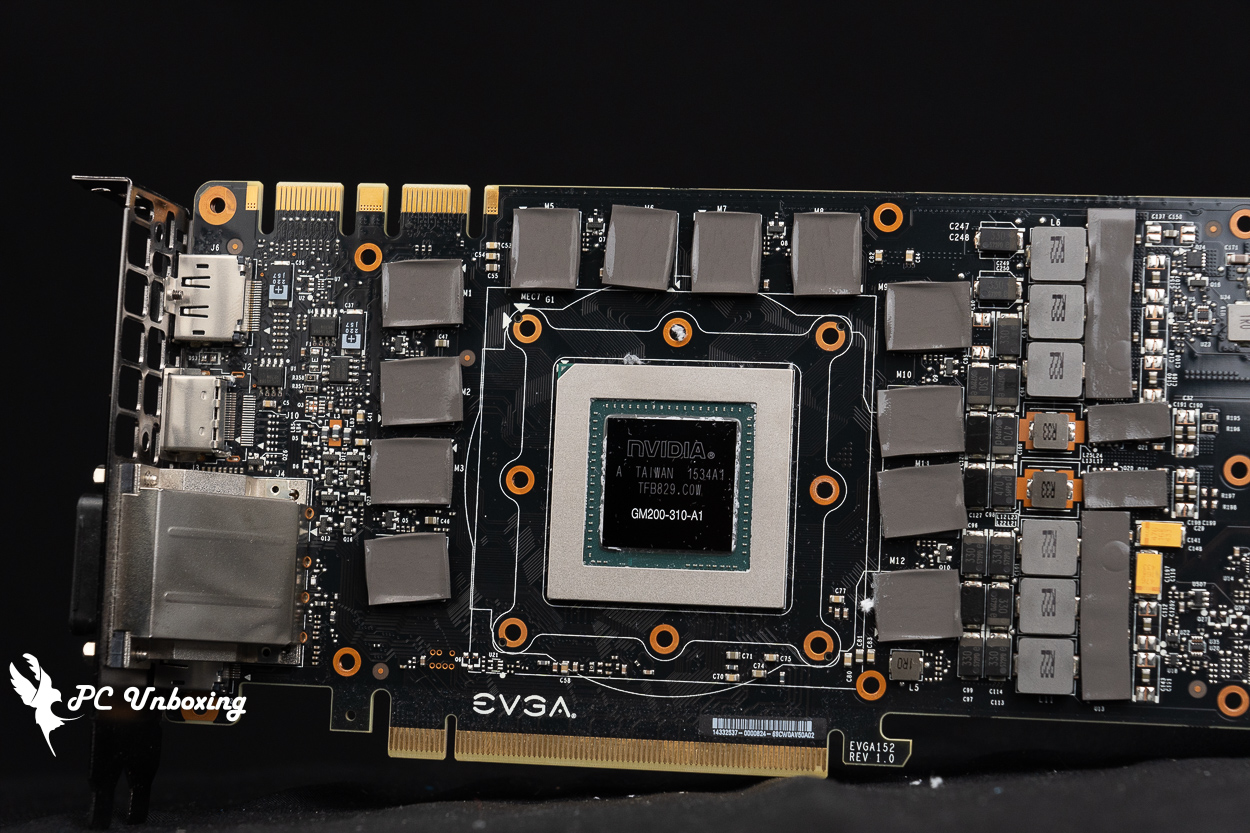
△ GTX 980 Ti shows the core of the card.
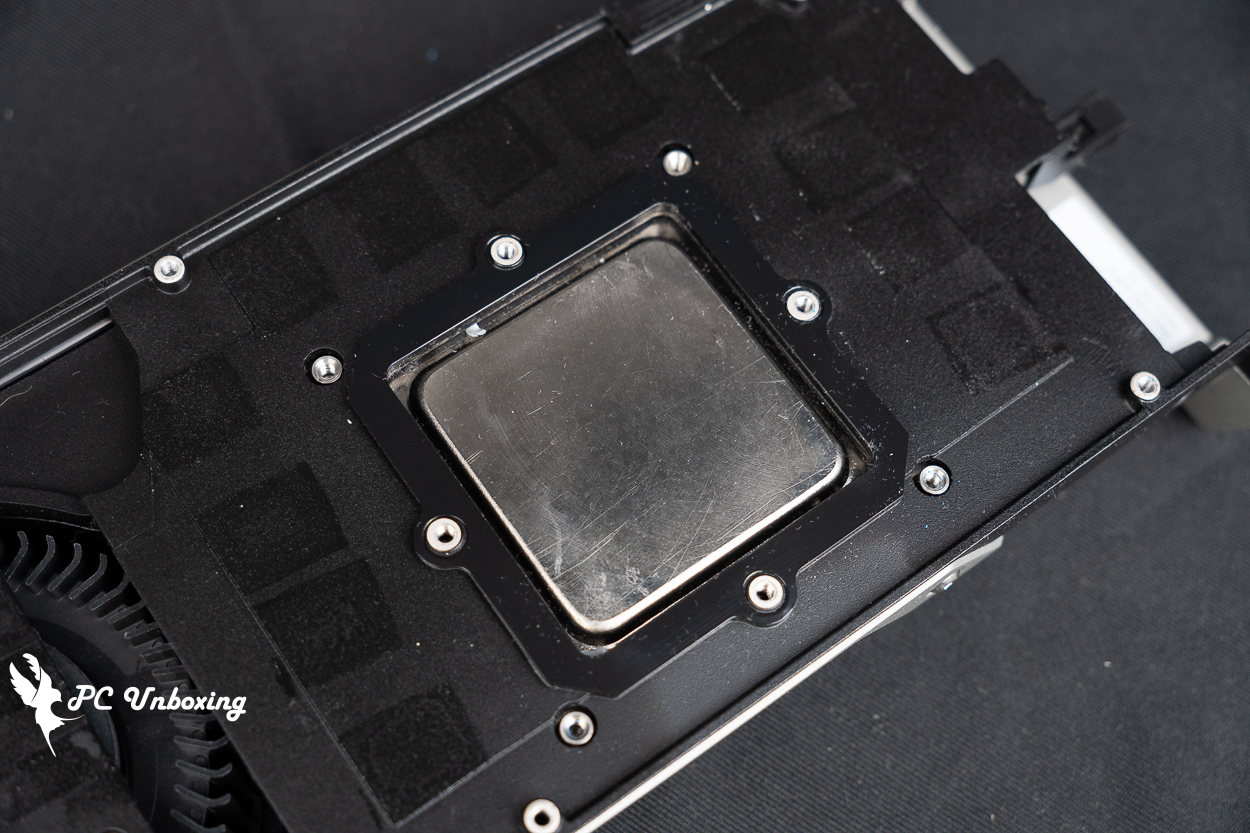
Cleaning of the cooling module.
Graphics Card Professional Creation and Rendering Test
For professional testing, a variety of software is used, including AIDA64, Cinebench 2026, OctaneBench 2020.1.5, Indigo Bench, Blender Benchmark, SPECviewperf 2020 v3.1, Superposition 2017 Benchmark, VRay 6, Geekbench 6, Geekbench AI, Furmark 2 and so on. Benchmark, V-Ray 6, Geekbench 6, Geekbench AI, Furmark 2, etc., a number of different fields of professional testing software, including rendering, 3D modeling, 2D graphics, video editing and transcoding, etc., through the professional software built-in benchmark tests for your reference.
Testing Platform
Processor:AMD Ryzen 9 9950X3D2 Dual Edition
Motherboard:ASRock X870E Taichi OCF (BIOS version: 4.10)
Memory:Origin code vortex DDR5 48 GB (24 GBx2) 8000 MT/s CL36-47-47-108 1.45V
Cooler: LIAN LI GA II Trinity SL-INF 360 (full speed)
Water-cooled fan: LIAN LI P28 (full speed)
Thermal paste: Cooler Master MASTERGEL MAKER 40g (thermal conductivity 11W/mK)
Graphics: NVIDIA GeForce GTX 980 Ti Founders Edition
Power supply:LIAN LI RS1000G
Case: STREACOM BC1 Benchtable V2
Graphics driver: GeForce Game Ready 582.28
GPU-Z To review the specification information of the graphics card, the 28 nm process GM200 core has 2816 CUDA cores, the graphics card memory is 384-bit 6144 MB GDDR5 Hynix, and the default GPU frequency is 1102 Mhz / Boost 1190 Mhz.
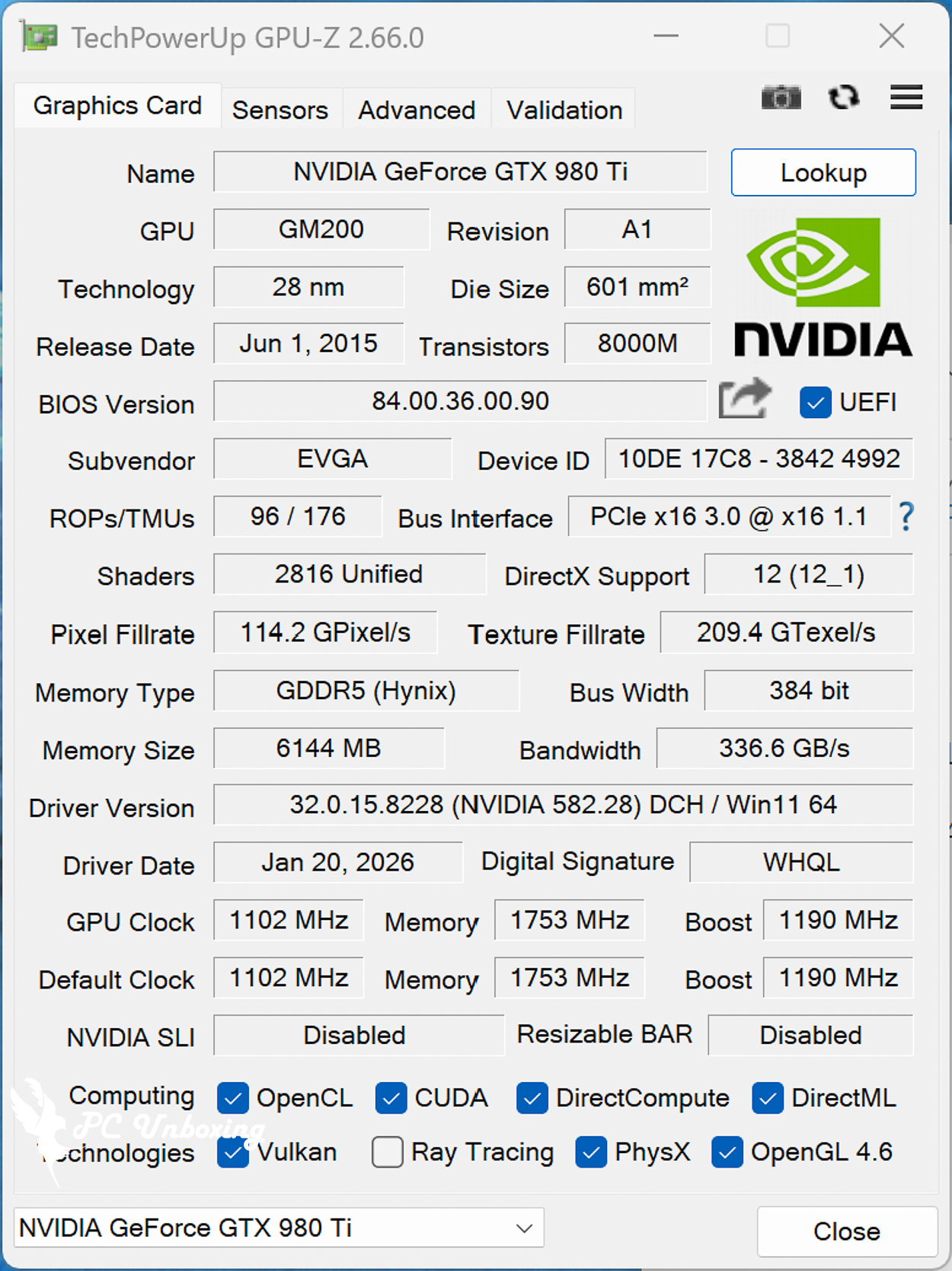
△ GPU-Z.
I ran away at the same time. AIDA64 GPGPU Benchmark For your reference.
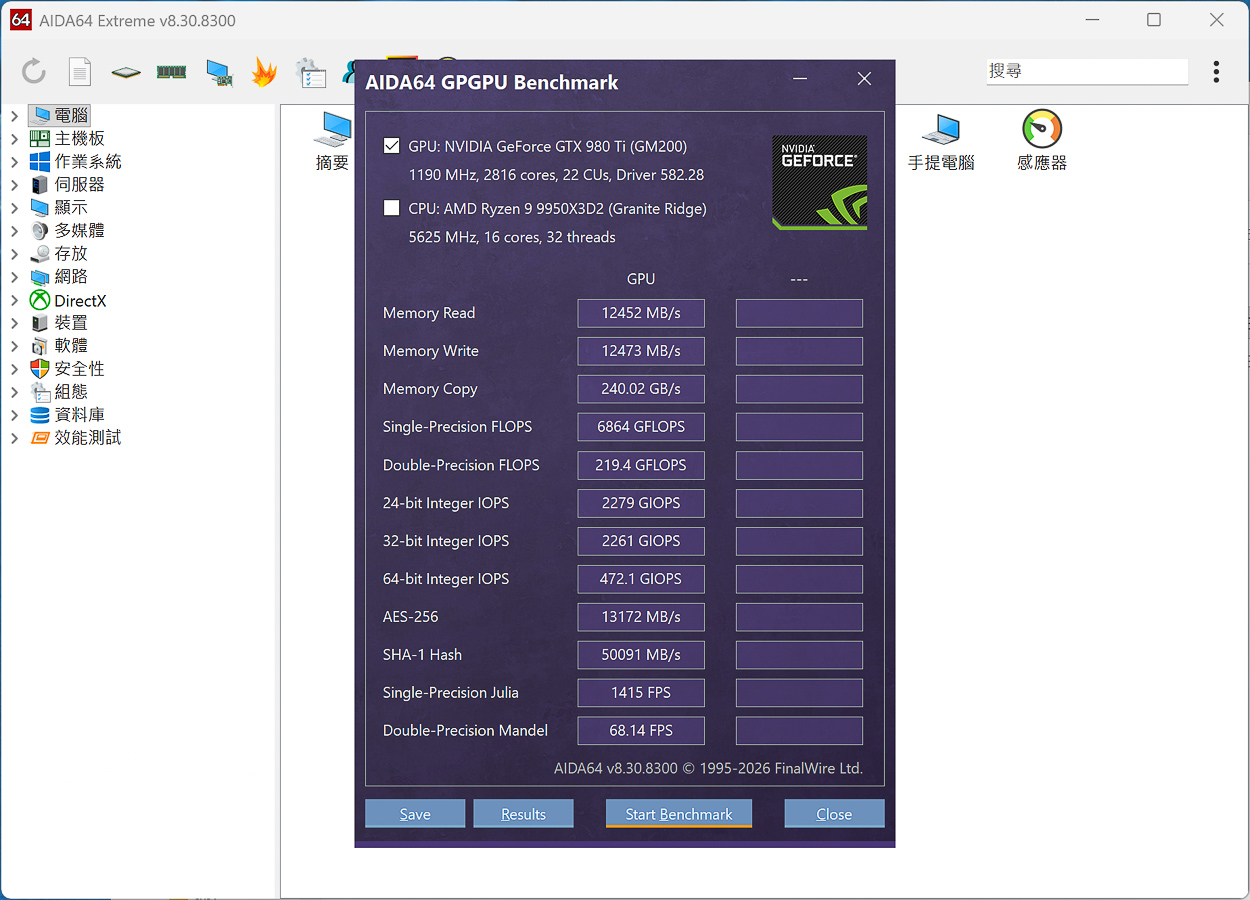
△ AIDA64 GPGPU Benchmark.
by Maxon Cinebench An industry-standard benchmarking software, Cinebench 2026 tests GPU and CPU performance using Maxon's powerful Redshift rendering engine.
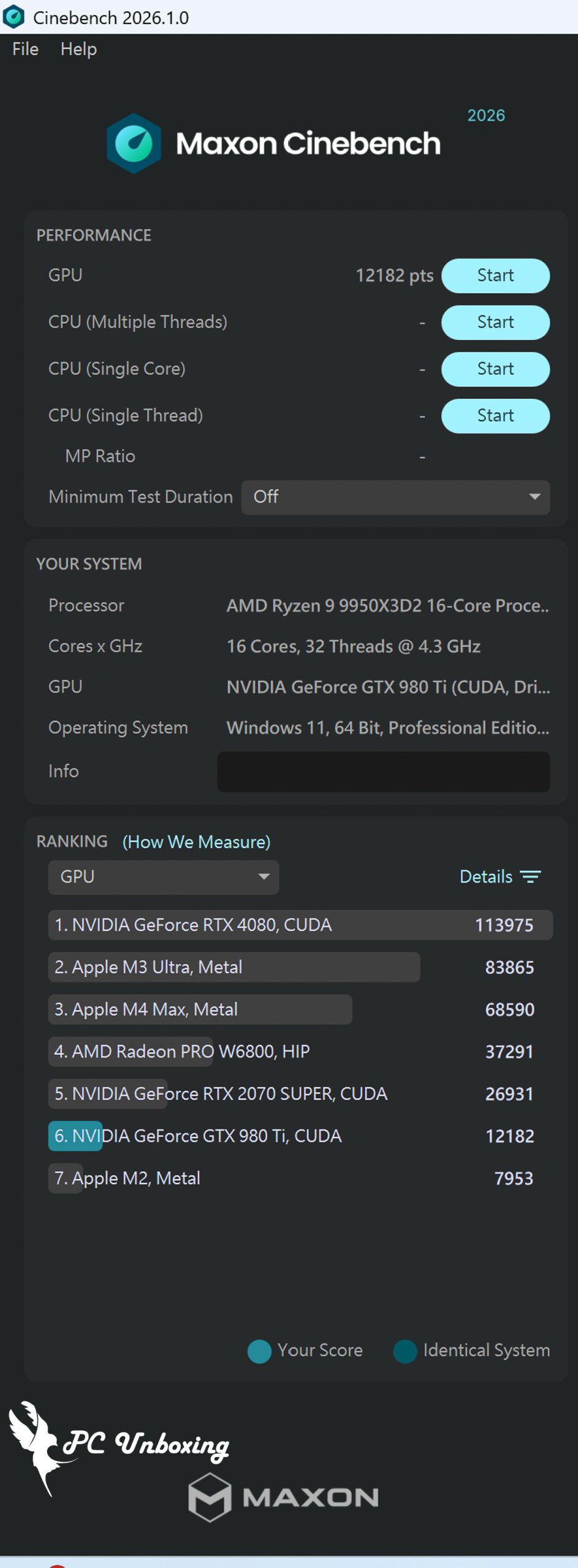
△ Cinebench 2026.
OctaneBench 2020.1.5 OctaneRender is a benchmark test based on the OctaneRender GPU rendering engine that allows users to compare graphics card rendering performance using the free OctaneBench software. OctaneRender has also added a ray tracing effect in version 2020.1.1, so NVIDIA RTX Series graphics cards can be compared to the performance improvements offered by RTX Series graphics cards in OctaneBench. 2020.1 to enable RTX acceleration and compare the performance gains offered by RTX Series graphics cards for ray tracing rendering operations.
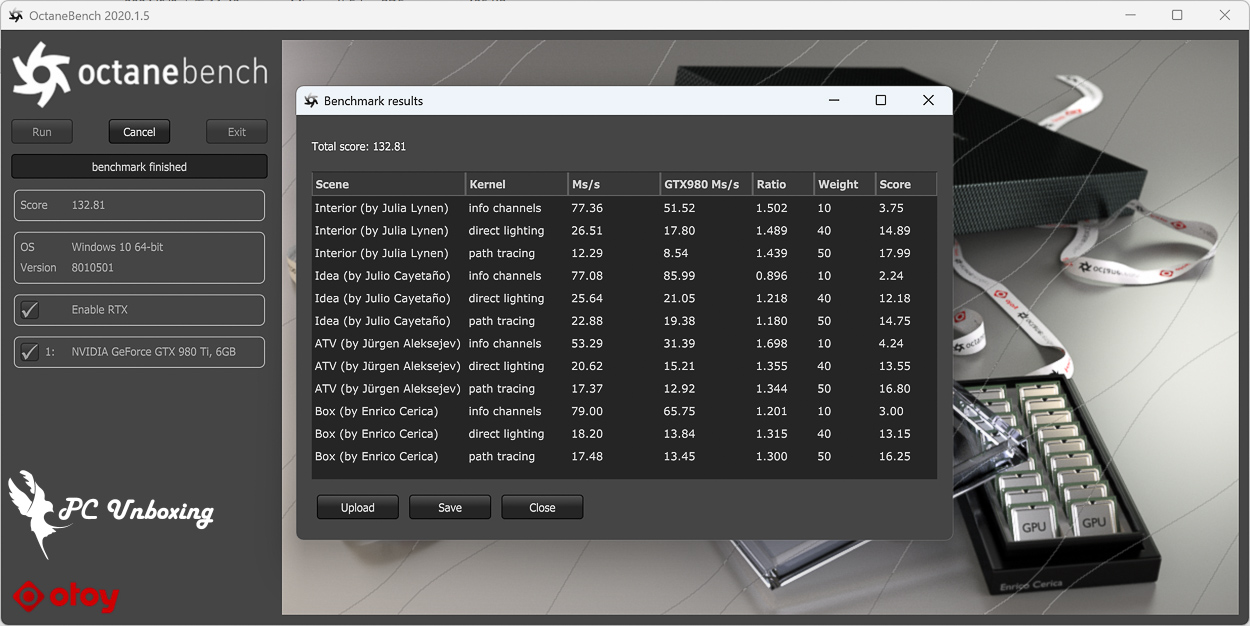
△ OctaneBench 2020.1.5.
Indigo Bench The Indigo 4 rendering engine is a free test software that uses the OpenCL architecture to support NVIDIA, AMD and Intel graphics cards and processors for rendering performance testing. The test provides two sample renderings, a bedroom and a car, which are rendered in units of rendering completion per second, so the higher the score, the better.
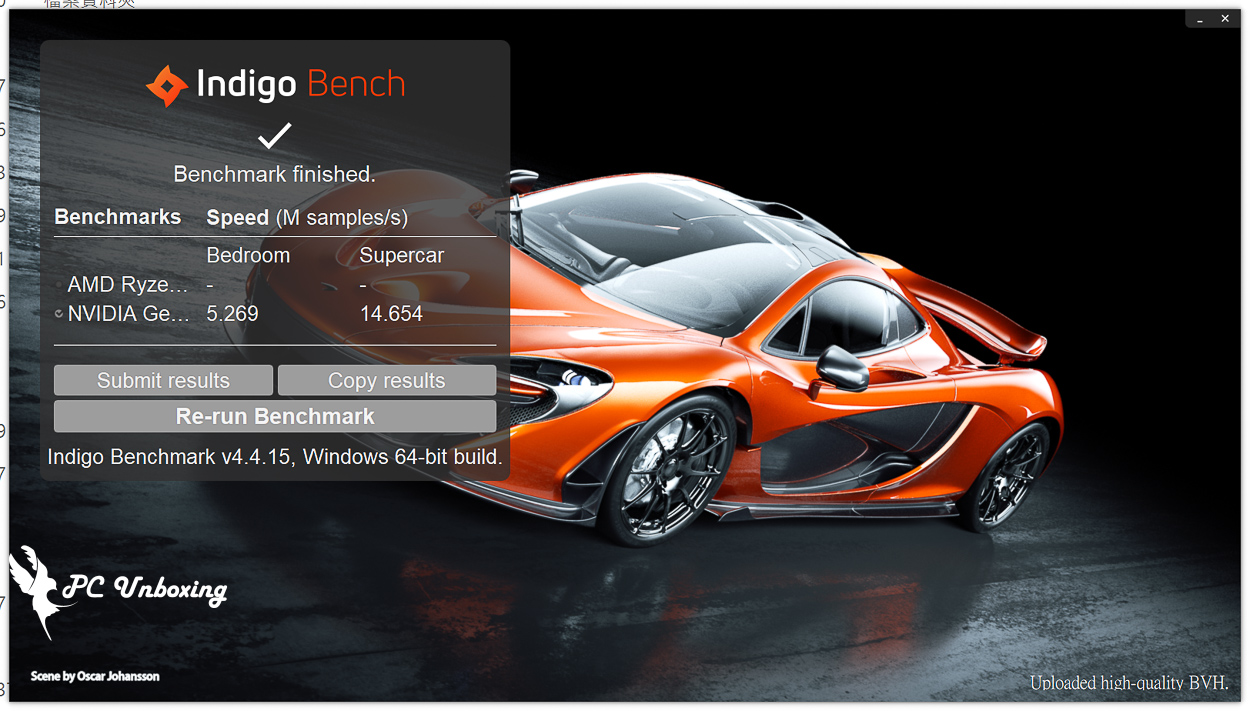
△ Indigo Bench.
blender benchmark launcher It is a free benchmark software provided by blender, a 3D graphics software. In the benchmark, users can choose whether they want to test the CPU or the GPU, and the test process consists of three scenarios, namely monster, junkshop, and classroom, for scoring.
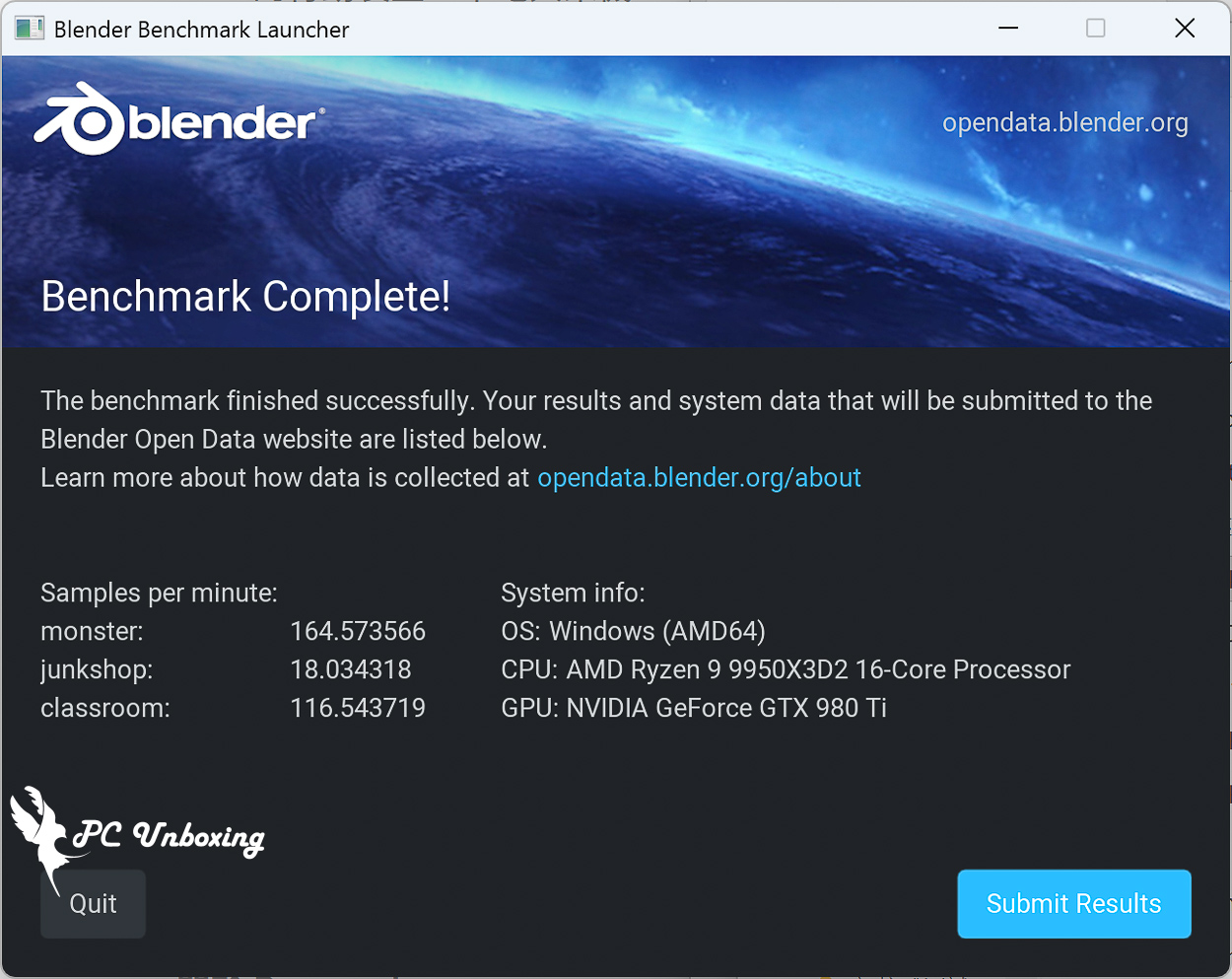
△ blender benchmark launcher.
SPECviewperf 2020 v3.1 Including various professional work area 3D drawing and rendering software, the test software to OpenGL and DirectX API operation 3D graphics performance simulation test, this time to 3840×2160 4K image quality test project contains 3ds Max, CATIA, Creo, Energy, Maya, medical, snx, SolidWorks and other software.
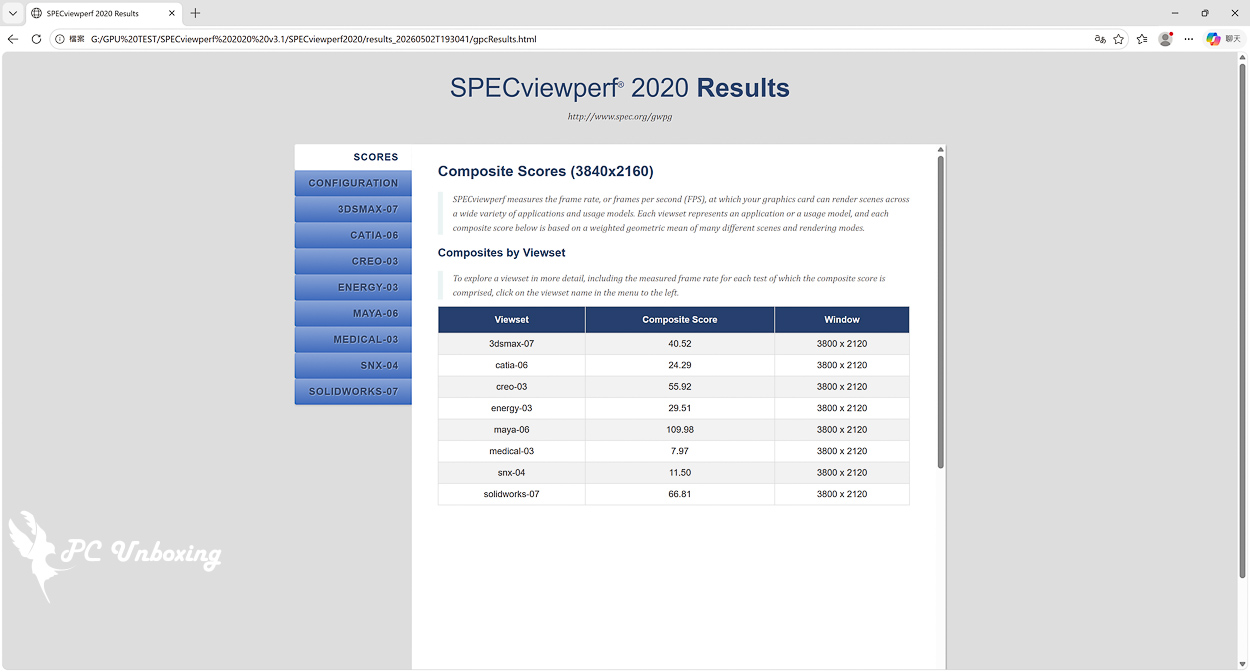
△ SPECviewperf 2020 v3.1.
Superposition 2017 It is a benchmark software based on the UNIGINE 2 engine, which is often used in simulators, cross-platform games, VR, and 3D construction software development. It supports Graphics APIs such as OpenGL 4, Vulkan, and DirectX 12, etc. In the Benchmark test the Graphics API option is used. DirectX and select 4K and 8K image quality for testing.
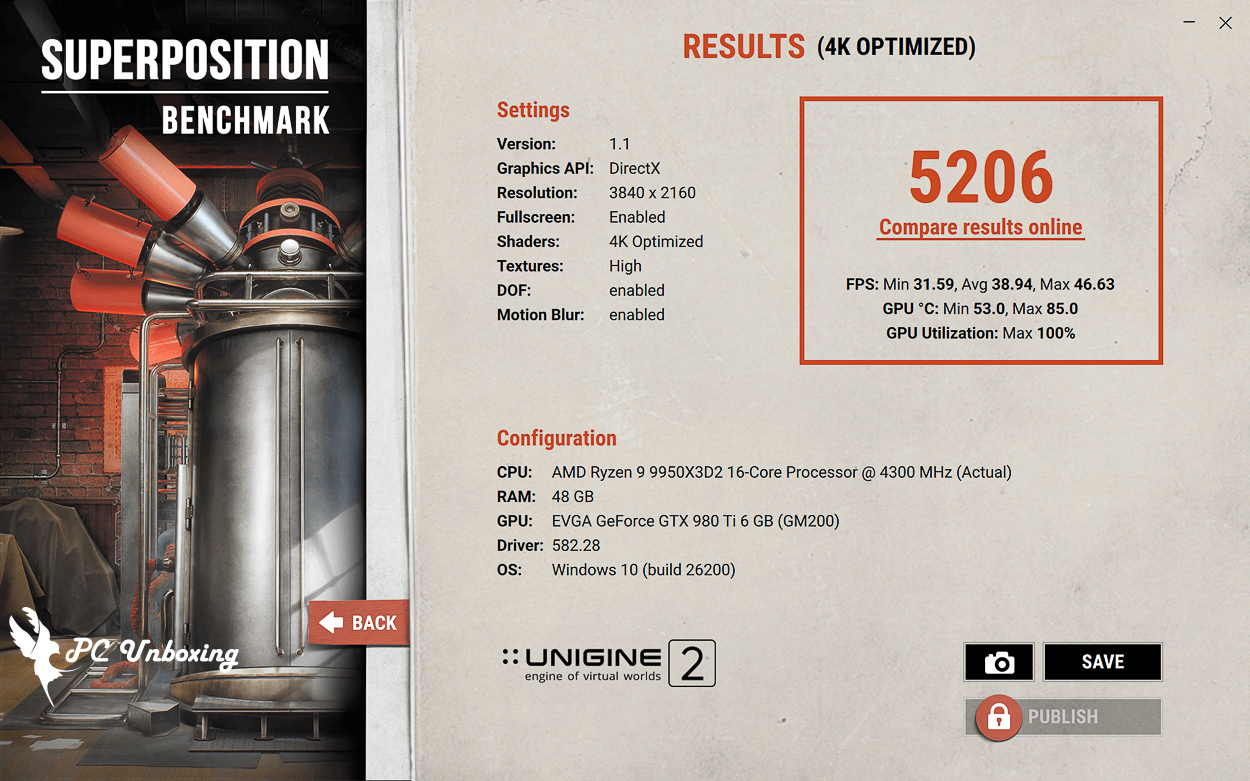
△ Superposition 2017 Benchmark, DirectX, 3840 x 2160 4K.
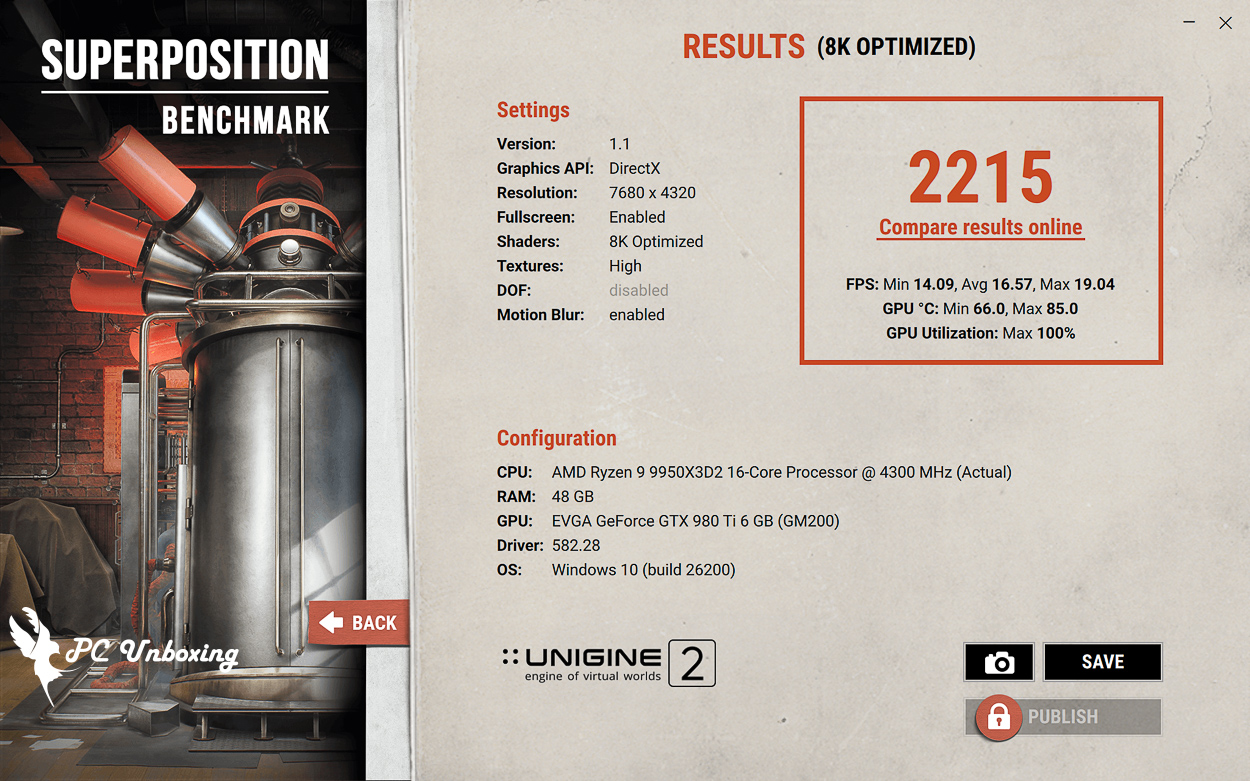
△ Superposition 2017 Benchmark, DirectX, 7680 x 4320 8K.
V-Ray 6 Benchmark The V-Ray GPU CUDA program can mix CPU and GPU rendering at the same time, and of course it can also be tested separately, while the V-Ray GPU RTX program is compatible with NVIDIA RTX series graphics cards for ray tracing rendering tests. The V-Ray GPU RTX project is compatible with NVIDIA RTX series graphics cards and performs ray tracing rendering tests.
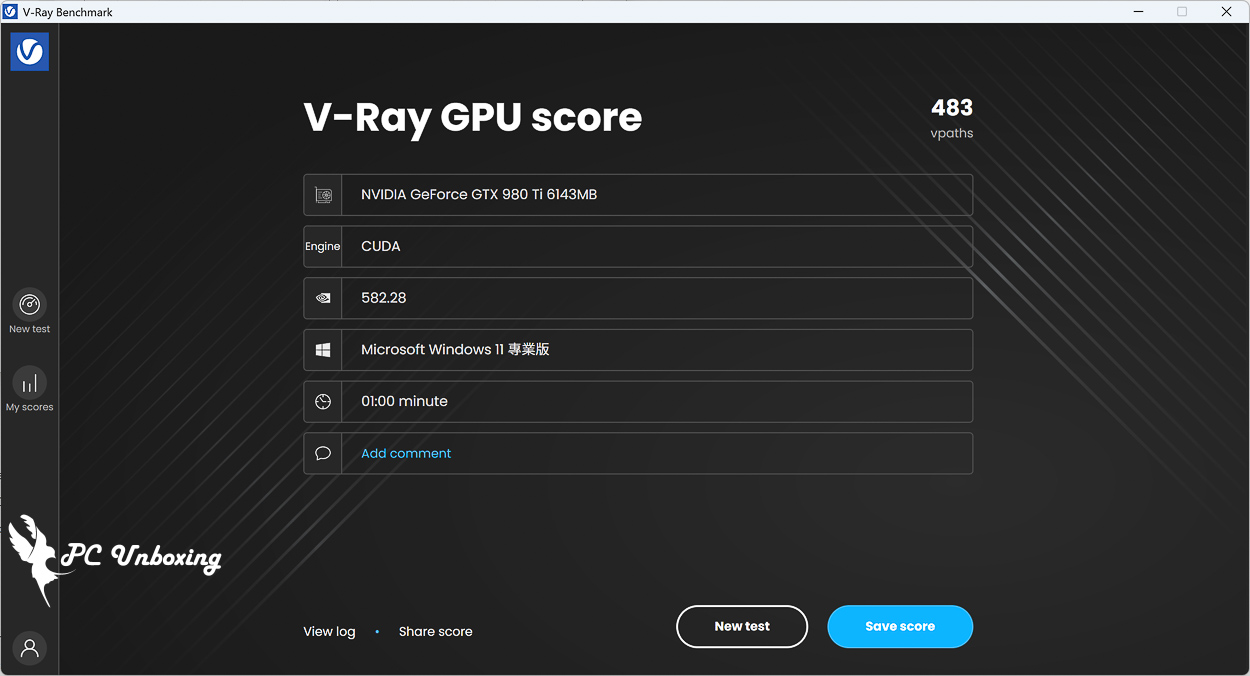
△ V-Ray 6 GPU CUDA Item.
Geekbench 6 With built-in CPU and GPU benchmark tests, the Geekbench 6 GPU Compute Benchmark program can be used to evaluate the graphics card's performance in professional workloads, such as image processing, rendering, machine learning (ML) and other professional scenarios, and to obtain an overall score for a wide range of tests such as Deep Learning Workloads, Background Blurring, Face Detection, Image Editing, Horizontal Detection, Edge Detection, Gaussian Blurring, Image Composition, Feature Matching, Stereo Matching, Example Physics and more. Blurring, Image Synthesis, Feature Matching, Stereo Matching, Example Physics, and more, and the GPU API can be tested with either OpenCL or Vulkan.
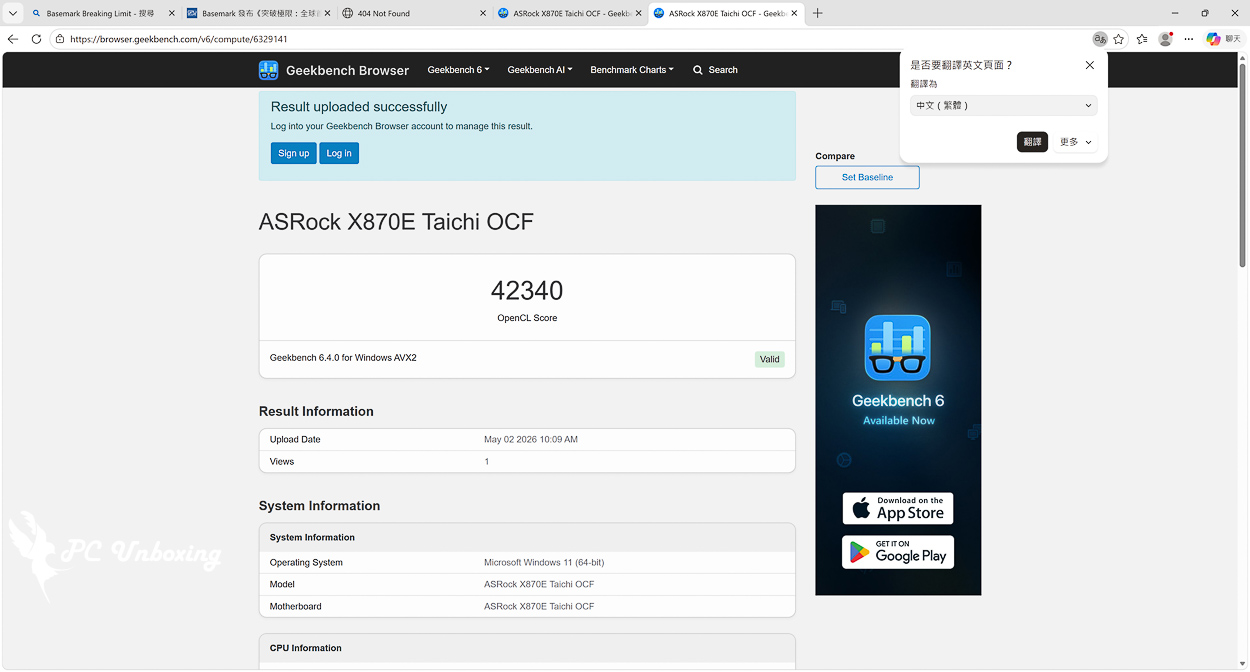
△ Geekbench 6 GPU Compute Benchmark OpenCL.
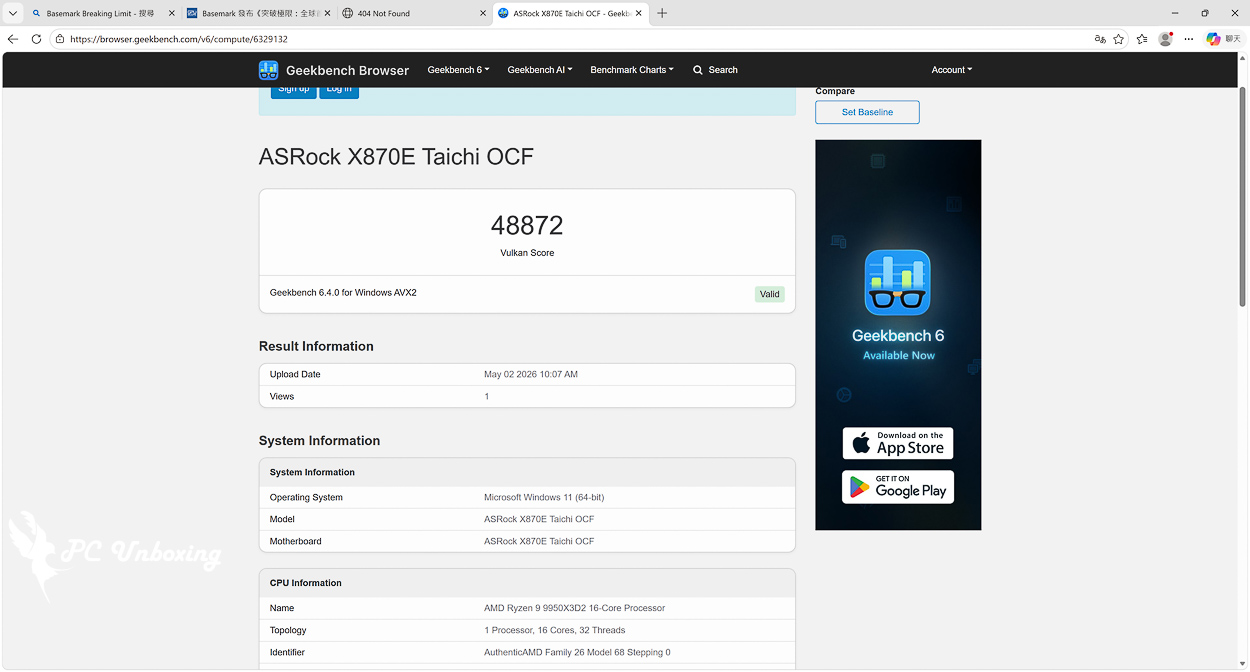
△ Geekbench 6 GPU Compute Benchmark Vulkan.
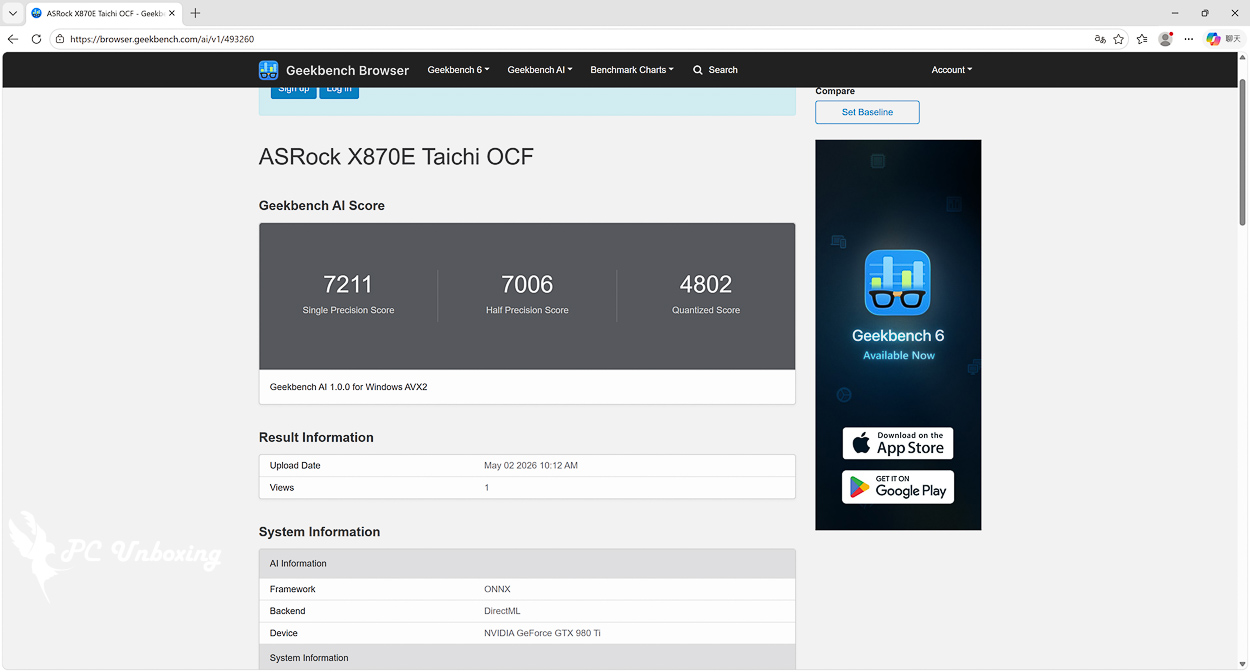
Δ Geekbench AI.
Furmark 2 Geeks3D is a GPU stress testing software for Windows and Linux platforms. It also supports OpenGL and Vulkan GPU API graphical benchmarking, allowing gamers to perform free Benchmark benchmarking.
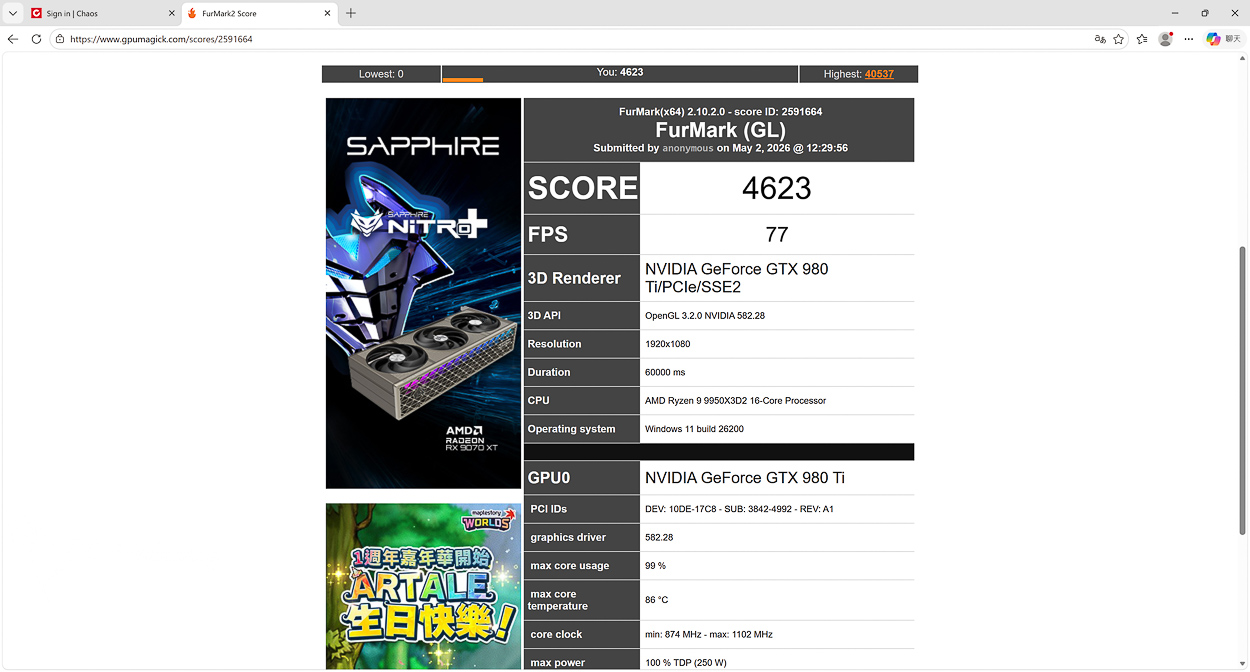
△ Furmark 2 Benchmark OpenGL 1920×1080.
3DMark score test
Steel Nomad The tests will be conducted at 3840 x 2160, or 4K, and are for the DirectX 12 benchmark running Windows 10 and 11. The program supports Multi sub-pass rendering, which allows you to set which API you want to use when using GPU APIs such as Vulkan, Metal, and DirectX 12 on your graphics card. The Nomad can be configured to test with any of these APIs when the graphics card is using GPU APIs such as Vulkan, Metal, and DirectX 12. It also supports Geometry Rendering, Surface Illumination, Particles, Asynchronous compute, Volumetric clouds, Screen clouds, Screen-space shadows, Screen-space reflections, Volume illumination and more.
Since Steel Nomad does not have a CPU test, the CPU's main role in the test is to write a list of instructions for the GPU to execute. A large number of tasks are allowed to be performed throughout the course of the test project. For example, rendering is done through multiple CPU threads, one for each available CPU core. This will shorten the CPU rendering time and reduce the chance of the CPU becoming bottlenecked.
而 Steel Nomad Light With a lower load pressure and tested at 2560 x 1440, or 2K resolution, the Steel Nomad, by the way, is roughly seven times the load of Fire Strike; roughly three times that of Time Spy.
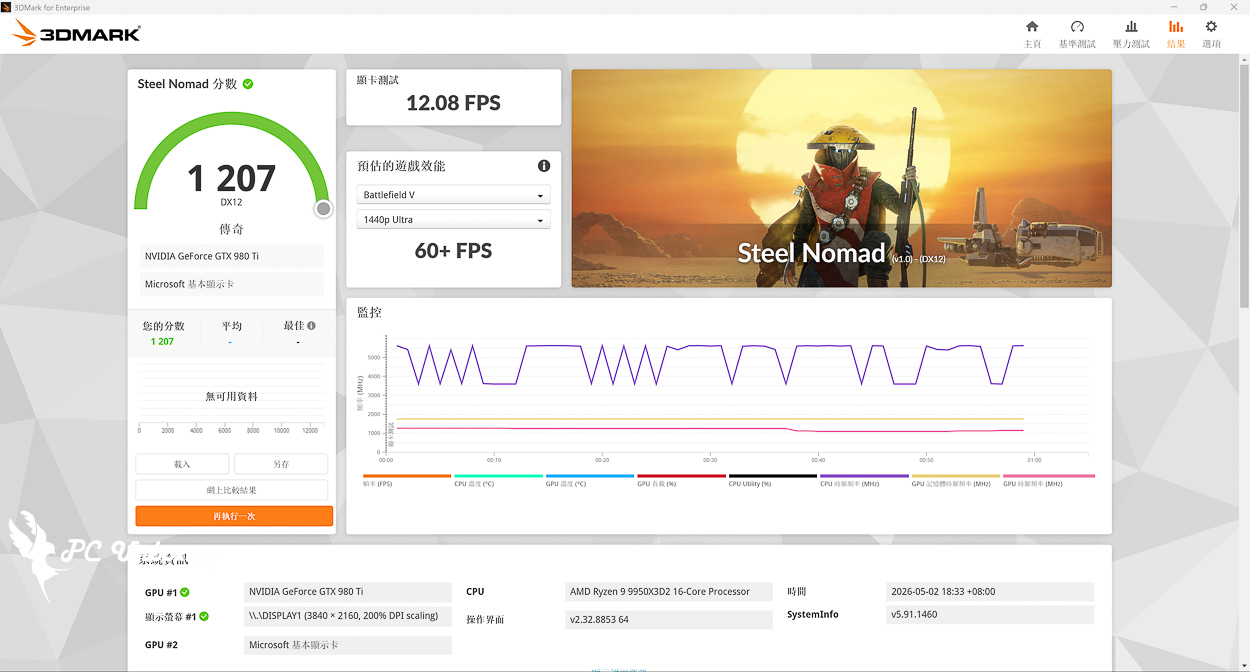
△ 3840 x 2160_4K resolution Steel Nomad DirectX12 testing.
AAA Gaming Performance Test
Game test using theKurokami Dialog: Goku_Black Myth: Wukong" for testing, resolution setting FHD 1080p posting quality effects "Movie Class", additional features to open AMD FSR, but did not open the optical tracking after all 980 Ti market has not yet popularized the optical tracking it.
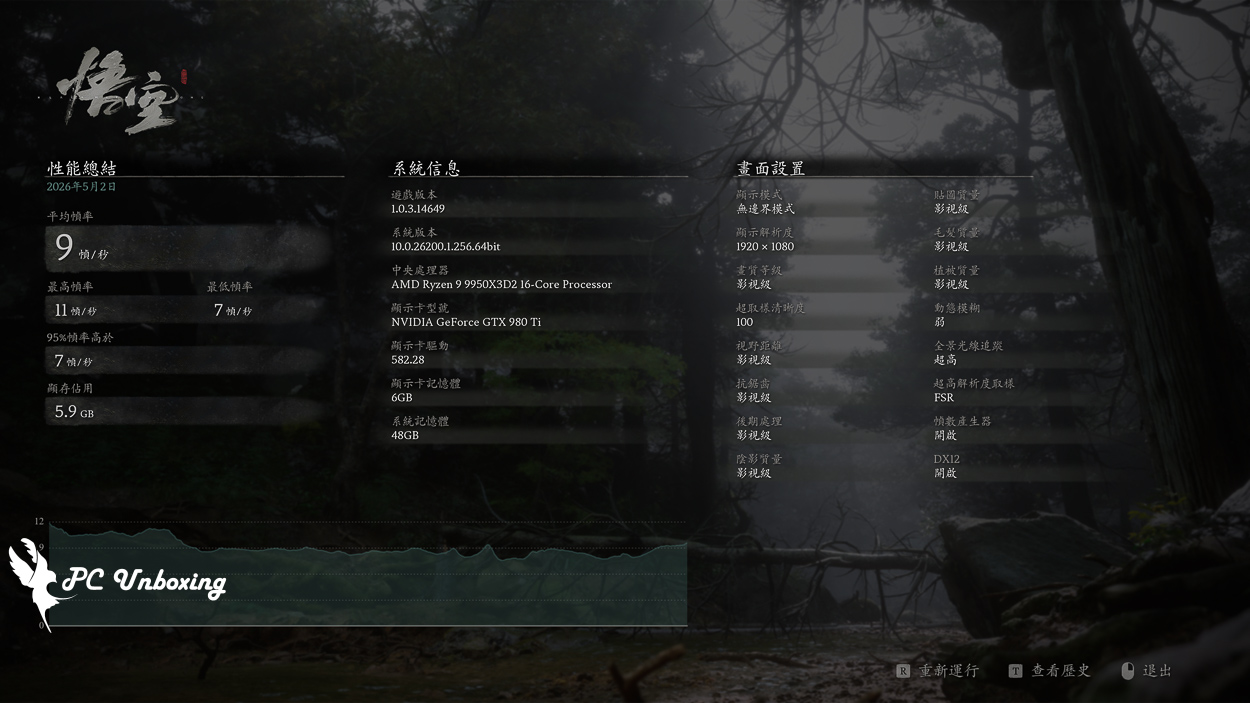
△ Average 9 fps, no way to play, graphics card memory specs are beyond capacity.
Summary & Insights
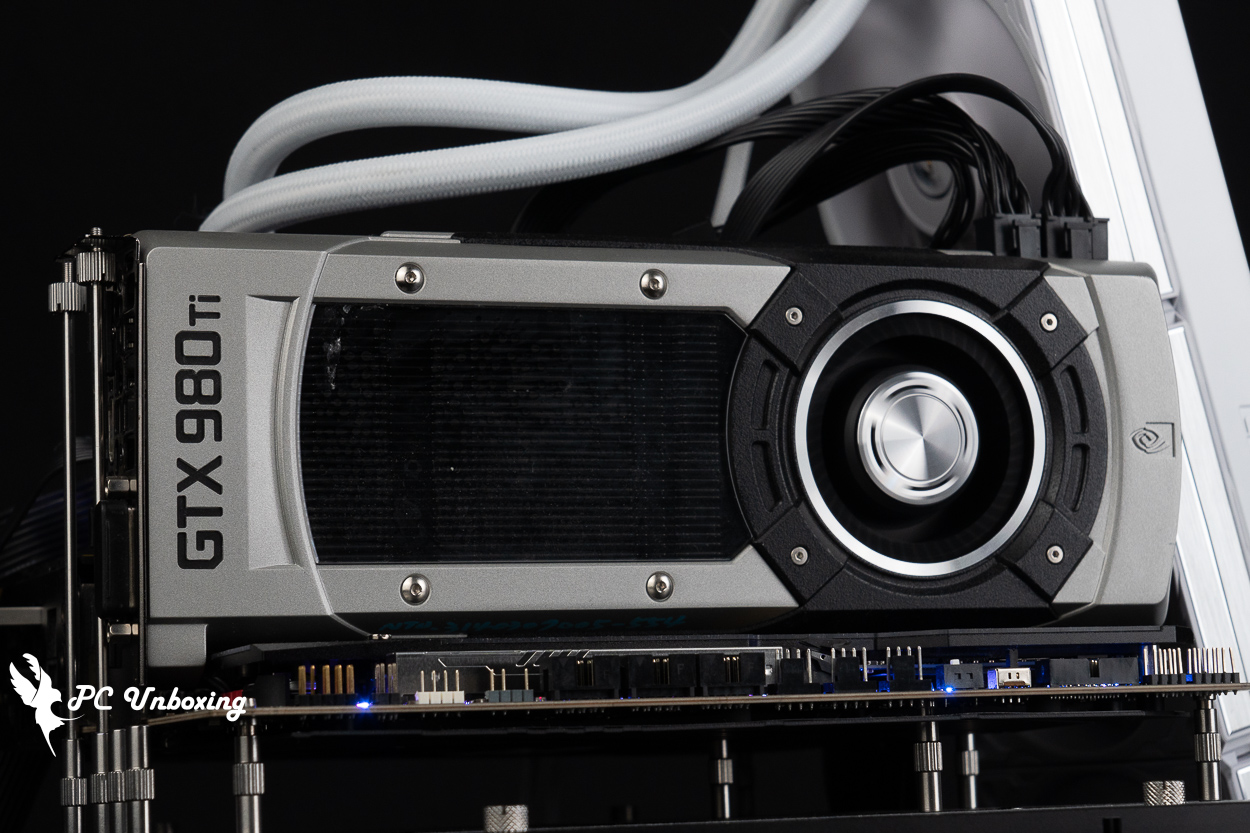
The NVIDIA GeForce GTX 980 Ti Founders Edition graphics card, which will turn eleven years old next month, has little practical use value except for its collector's value. Both professional use and gaming performance can no longer meet the needs of today's era, and its performance has been crushed by the Pascal architecture's predecessors in terms of energy consumption, not to mention the current 50 series. Its performance has even been crushed by the Pascal-based successors in terms of energy consumption, not to mention the current 50 series, etc. For practical use, it is recommended to just use it for watching videos and surfing the Internet as a laptop.

Yun
Drinks with less than full sugar are colored water. Crossing Turbid Creek, full sugar is not a crime!


 繁體中文
繁體中文  English